











Powerful CRM & sales tools for every budget!
Find out more about our affordable plans, packed with the features your business needs.

“Nutshell is super user-friendly and intuitive
“I would highly recommend Nutshell
“Easy to use and... wait for it ... 100% buy in!
“Nutshell is both simple and powerful

Pipedrive keeps things simple for sales, but email marketing and lead capture come as paid add-ons that quietly raise the bill. Nutshell brings sales and marketing together with transparent pricing, unlimited contacts and storage, free migration, and world-class support on every plan.


Nutshell wins when it comes to transparent pricing and built-in marketing. Pipedrive wins when it comes to visual pipeline design and out-of-the-box ease for sales-only teams. If your team needs a CRM that includes email marketing built in without having to purchase add-ons, Nutshell has you covered at a lower annual cost. For similar marketing features connected to Pipedrive, you’ll need to invest in its Campaigns and LeadBooster add-ons at an additional cost.
Let’s take a closer look at how the two CRM solutions measure up against each other for the criteria that actually matter.
Starting price (per user, per month)
Email marketing included
Implementation time
Support quality (as per G2)
Contacts and data storage
SMB fit
Free trial
Migration support

$13 billed annually, $19 monthly. Unlimited contacts on every plan.
Every plan includes 150 free marketing messages a month to try. Nutshell Marketing is a contact-based add-on, priced from $5 a month.
A few days for core setup, up to a few weeks for a full rollout.
Quality of Support: 8.7
Free live chat and email support on every plan.
Unlimited contacts and unlimited storage on all plans.
About 79% of G2 reviewers are small businesses.
14 days, no credit card required.
Free, guided import assistance on every plan, with a support-reviewed sample step.

$14 billed annually, $19 monthly.
No. Email marketing is the paid Campaigns add-on on every tier, priced per subscriber.
A day for the basics, up to about three months for a full deployment.
Quality of Support 8.4
Phone support and dedicated success are gated to higher tiers.
Unlimited contacts, with a combined leads-and-deals ceiling of 300,000.
About 73% of G2 reviewers are small businesses.
14 days, no credit card required.
Self-serve migration, with free implementation offered mainly to larger annual accounts.
Comparing CRMs on feature lists alone won’t tell you how they perform when faced with a real workflow. Take a look at these three scenarios related to B2B teams of different sizes that illustrate how each CRM handles different workflows.
Imagine a 5-person sales team working with 40 open leads at the same time. Teams using Nutshell can set up personal email sequences that trigger when a lead enters a specific pipeline stage. The sequence automatically stops sending when the lead replies.
Teams can do the same in Pipedrive, but they can only access full email sync and automation on its Growth plan, and broadcast email marketing is only available in its separate Campaigns add-on.

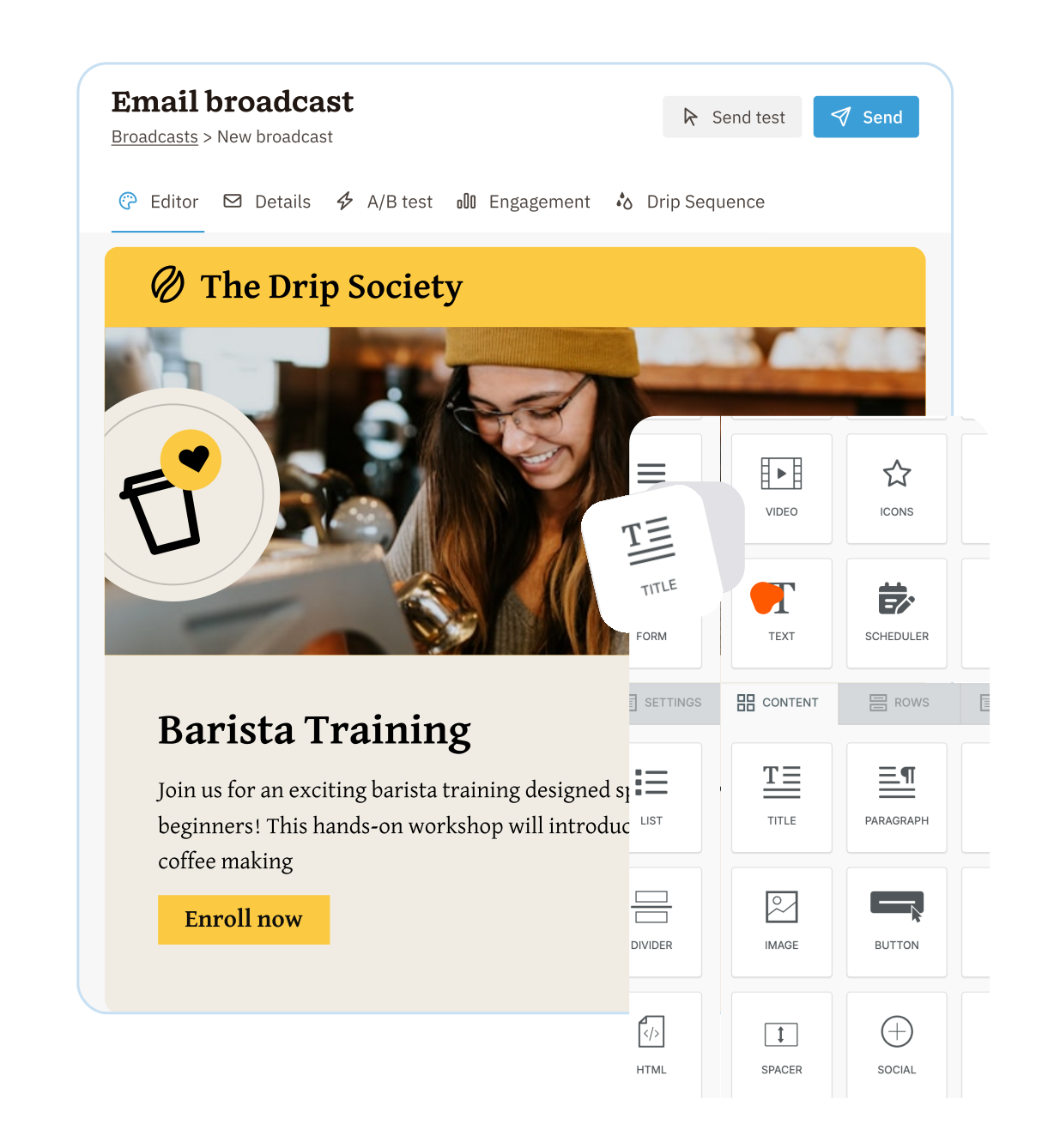
Say a marketing manager at a 20-person company wants to send an email to a group of leads and track who opens the email and clicks the CTA in it.
Because Nutshell includes its Marketing Foundation plan within every Sales plan, giving users 150 free marketing emails a month, the marketing manager can build a small targeted audience from their CRM data and send the email without having to purchase and connect a separate tool. Beyond that, the marketing manager can opt to add more contacts for as little as $5 per month.
With Pipedrive, executing the same task requires purchasing its Campaigns add-on, as email marketing is not included with any plan. Pricing for Campaigns is also subscriber-based, but the difference is that there’s no cost-free allotment for new businesses or users who want to test the feature before investing more into it.
Consider the founder of a business managing a 15-person sales team. When implementing a new CRM, they want deal and next step visibility from day one, rather than waiting a month for the system to be set up. In this instance, both Nutshell and Pipedrive can be set up quickly.
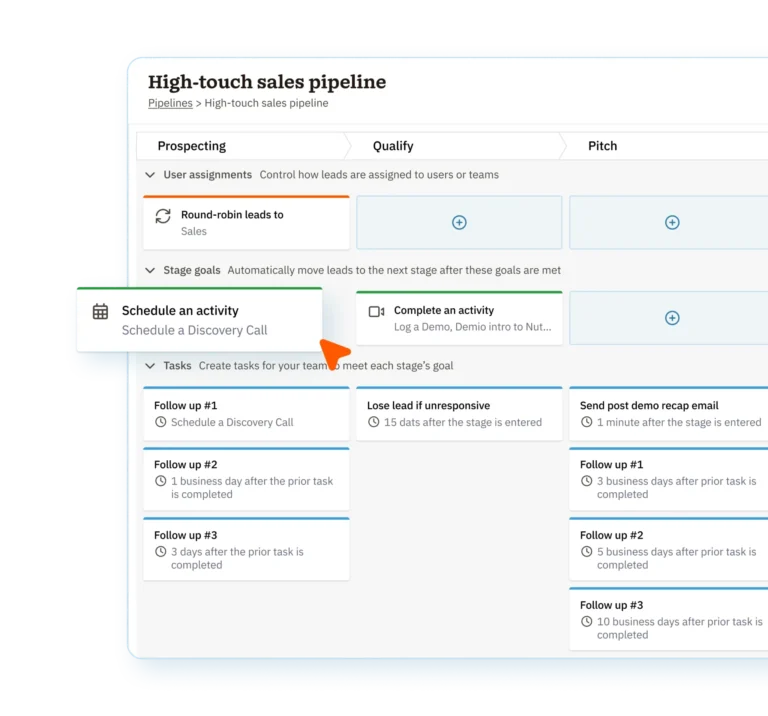
Pipedrive offers a clean list or kanban view to track deals in the pipeline once set up. Nutshell provides list, map, chart, and drag-and-drop board views at the pipeline level, and includes guided stage goals and built-in reporting out of the box. This gives the founder immediate clarity and the automation to keep pipeline management up to date.
The per-seat price tag advertised is only part of the total cost. To get a clearer picture of the cost of investment, we’ve drawn up the following example.
Here is what each CRM would cost a 10-person team over a period of 12 months, featuring the most popular plan for each, billed annually, and including CRM, email marketing, and web forms.
CRM SEATS COST
EMAIL MARKETING COST
WEB LEAD CAPTURE (FORMS) COST
TOTAL COST (12 MONTHS)
$5,040
(10 users over 12 months)
150 free messages a month included, then charged by contact from $5 a month
($300 per year for up to 1,000 contacts)
Included
(form builder)
About $5,340
$5,880
(10 users over 12 months)
Campaigns add-on, from about $13 per month
($192 per year for up to 1,000 contacts)
LeadBooster add-on
(approximately $390 per year)
About $6,462 and up
Nutshell is best for small and midsized B2B teams with around 5 to 50 users who want their sales and marketing tools in one system and predictable, transparent pricing. It’s a stronger option for sales and marketing teams needing robust, native marketing features in their CRM and solid reporting capabilities built in.
Pipedrive is best for sales-focused teams that spend most of their time in pipelines and need a deal board that’s clean and visual. Teams that are hyper-focused on deal-tracking and don’t mind adding email marketing tools separately will benefit from its simplicity.
Teams moving their data over from Pipedrive to Nutshell should find it seamless, with some migration options available. Migrating refers to transferring your CRM data between the two systems automatically. Importing is when data is brought across via a spreadsheet in CSV format. This is an option teams employ if they prefer to map their own fields.
Both Pipedrive and Nutshell use the same partner, Import2, for the data migration process, and Nutshell specifically lists Pipedrive as a supported source, which further simplifies the transfer. This automated process involves moving companies, contacts, and notes over to Nutshell, as well as duplicating pipelines, stages, and custom fields, saving teams from having to rebuild from scratch.
It’s an admin-only process that runs an initial sample transfer using a small test batch for review before approving the full migration. Depending on the volume of data, a full system migration typically takes about a day to complete.
Sales automations and workflow rules will need to be set up again in Nutshell. Many teams use the opportunity to clean up their pipeline stages and remove automations they no longer need. Nutshell offers free import assistance to all users, even those testing the software through the 14-day trial.
Victoria A., a director of marketing and sales, moved her team from Pipedrive to Nutshell and named the reason plainly in her five-star Capterra review, stating they were “underserved in client support.”
Her team chose Nutshell because they felt it was the “best solution from a variety of different perspectives.” She went on to say that Nutshell “has been enjoyable from the start, a responsive and effective team that listens and presents solutions for our business. Clean interface, user-friendly, easy for my team to import data, excellent support, fast to respond, cost-effective.”
Thrilled with Nutshell! Has been enjoyable from the start, responsive and effective team that listens and presents solutions for our business. Clean interface, user friendly, easy for my team to import data, excellent support, fast to respond, cost effective.
To compare all of Nutshell’s Sales plans, go to our pricing page and click “compare all plans”.
Mathew W. SafetySync
Matthew M. Dickson
Shane K. Small’s
John SoftwareAdvice.com
Raul Z. Magnum Drilling Services
For small to midsized B2B teams of 5 to 50 people that need an all-in-one CRM and email marketing platform with transparent pricing, Nutshell is the stronger option. Nutshell builds in key marketing features and migration assistance that Pipedrive sells as paid add-ons.
However, if your team is completely sales-focused, working primarily within the sales pipeline and relying heavily on a CRM mobile app, Pipedrive could be the better option. But for most SMB teams that prefer sales and marketing together from day one, Nutshell delivers more of the stack for a lower total cost.
Start your free 14-day trial. No credit card required. Try Nutshell free.
Switching from Pipedrive? Get free data migration support on any Nutshell plan.
Still comparing? See how Nutshell stacks up against other CRMs on our comparison hub.
When it comes to the total cost of ownership, Nutshell is cheaper for most teams, starting at $13 per user per month (billed annually), with unlimited contacts and some useful marketing and lead capture tools included. Pipedrive starts at $14 per user per month (billed annually), and charges extra for any form of email marketing or lead capture capability. Calculating the costs against a like-for-like setup usually shows Nutshell as the more cost-effective overall.
Yes, and you have two primary routes available to you. You can use Nutshell’s automated transfer option via Import2 to easily move your companies, contacts, notes, pipelines, custom fields, and more. There’s also the option to do a manual transfer via CSV import, where you can map fields yourself. Either way, Nutshell’s support team offers free migration assistance to all users.
Both Nutshell and Pipedrive are quick to set up and launch, with most teams up and running in a day or two. Pipedrive excels for reps who need a clean, simple pipeline board that new team members can pick up on quickly. Nutshell offers an easy setup coupled with guided stage goals and free onboarding assistance. Teams that need sales and marketing configured quickly from the start, Nutshell provides this in one place.
Every Nutshell Sales plan includes 150 free marketing emails per month, as well as its web forms and landing pages features for lead capture. For more email marketing capabilities, users can purchase a contact-based add-on starting at $5 per month. In Pipedrive, email marketing isn’t included in any plan and requires the paid contact-based Campaigns add-on starting at $16 per month. For webforms, Pipedrive users will need to invest in its LeadBooster add-on, starting at $32.50 per month, and to create landing pages, they’ll need a third-party integration.
Pipedrive provides a best-in-class visual pipeline, a strong mobile app, and an extensive integration marketplace, which is why many sales-focused teams like it. Teams that primarily need deal tracking functionality and full access via mobile app will find Pipedrive a strong option.
According to public ratings and reviews, Nutshell scores higher on customer support quality. G2 lists Nutshell’s overall quality of support at a rating of 8.7 versus Pipedrive’s 8.4. Both Nutshell and Pipedrive provide free live chat and email support to all users, and phone support on higher plans.

Find out more about our affordable plans, packed with the features your business needs.