Skip to main content ↓

Best CRMs With Quoting For Small Businesses: 2026 Guide

Last updated on: December 29, 2025
From manual quote chaos to streamlined sales automation: a visual representation of how integrated CRM quoting transforms business processes

Key takeaways

We rated and ranked the best CRMs with quoting, ideal for SMBs. Nutshell came out on top for its affordability and ease-of-use alongside its native quoting capabilities. Our top three recommendations are:


  • Nutshell (4.3/5): Best for affordable, easy-to-use CRM with integrated quoting
  • Pipedrive (4.1/5): Best for visual sales teams on a budget
  • Freshsales (4.0/5): Best for AI-powered insights


We rated each CRM based on quoting integration, quote-to-invoice automation, affordability, ease of use, and implementation speed. The key takeaway? The best CRMs with quoting empower SMBs to connect their sales and finance teams without the chaos of manual quoting cycles.

Jump to comparison table | Jump to detailed reviews

When a deal heats up, the last thing you need is a slow quoting process. Your sales rep should be able to generate a professional quote in minutes, not hours. Yet many small to mid-sized businesses (SMBs) find themselves trapped in manual quoting cycles. They’re copy-pasting customer information, hunting down product prices, formatting documents, waiting for approvals, and re-entering everything into accounting software.

The real problem is the disconnect between sales and finance departments. When sales creates a quote in one system and finance re-enters the data in another, pricing errors slip through and deals stall. According to recent research, businesses using integrated CRM quoting save 10-20 hours per month per rep—time that should go toward selling, not administrative work.

We’ve researched and compared eight of the best CRMs with quoting capabilities specifically for SMBs, focusing on affordability, ease of use, and quick implementation without IT complexity. Whether you’re evaluating your first CRM or upgrading from a spreadsheet-based system, this guide will help you find the right fit for your team’s quoting needs.

Don’t let manual quoting slow your deals. Try Nutshell free for 14 days to see how integrated quoting eliminates the sales-finance disconnect. No credit card required.


Best CRMs with quoting, at a glance

  1. Nutshell (4.3/5): Best for affordable, easy-to-use CRM with integrated quoting
  2. Pipedrive (4.1/5): Best for visual sales teams on a budget
  3. Freshsales (4.0/5): Best for AI-powered insights at accessible pricing
  4. Insightly (3.6/5): Best for small teams prioritizing affordability with basic quoting
  5. Zoho CRM (3.9/5): Best for budget-conscious teams needing advanced CPQ and customization
  6. HubSpot Sales Hub (3.7/5): Best for growing companies with complex needs but higher complexity/cost trade-off
  7. Microsoft Dynamics 365 Sales (3.4/5): Best for organizations deeply integrated with Microsoft ecosystem
  8. Salesforce Sales Cloud (3.2/5): Best for enterprise-scale operations with complex quoting requirements

How we selected the best CRM with quoting

We evaluated eight CRMs across six weighted criteria specifically important to SMBs:

  • Affordability (25%): Platforms under $100/user/month, with most options in the $15-50 range
  • Ease of use (25%): Minimal learning curve, fast adoption, intuitive interface
  • Quoting integration (20%): Native quoting features, not bolted-on third-party tools
  • Quote-to-invoice automation (15%): Seamless handoff to accounting software (QuickBooks, Xero)
  • Implementation speed (10%): Cloud-based setup with teams productive in days, not months
  • Support quality (5%): Responsive, knowledgeable support accessible to SMBs

We focused on cloud-based, SaaS CRMs requiring no on-premise infrastructure or extensive IT involvement. We excluded enterprise platforms optimized for 500+ employee organizations and platforms requiring third-party implementations.

Our research drew from G2 reviews, vendor pricing pages, case studies, and customer testimonials. Ratings reflect the SMB-specific use case, not general CRM capabilities. We weighted ease of use heavily because adoption failure is the #1 reason CRM implementations underperform for small teams.

Why integrated CRM quoting matters for SMBs

Integrated quoting (where your CRM handles quote generation, approvals, e-signatures, and handoff to invoicing) eliminates the manual work that slows deals. Here’s why it matters:

  • Time saving: Quote creation drops from 2-3 hours to 15-30 minutes when customer data auto-populates
  • Fewer errors: No re-entering data means no pricing mistakes or duplicate customer records
  • Faster approvals: Streamlined workflows keep deals moving instead of sitting in an email thread
  • Better data: Sales and finance finally use the same data when quotes convert to invoices automatically

Most SMBs struggle with either standalone quoting tools (fast but disconnected from CRM data) or complex enterprise platforms (comprehensive but requiring months to implement). The sweet spot? A CRM with native quoting built in, priced affordably, and implemented quickly. That’s what we’ve focused on in this guide.

Create Quotes & Invoices from Your CRM

Streamline your sales process with simple, integrated quoting in Nutshell CRM

What to look for in a CRM with quoting

Choosing the right CRM with quoting means understanding what features actually matter for your team and what capabilities separate efficient platforms from over-engineered solutions that slow you down.

Essential quoting features

The foundation of any good CRM quoting tool includes these capabilities:

  • Auto-population from customer data: Customer name, contact, company, billing address—all pulled automatically from your CRM
  • Quote templates: Professional, branded templates you customize once and reuse
  • E-signature integration: Prospects sign within the quote document – no printing, scanning, or email back-and-forth delays
  • Approval workflows: Multi-level approvals (e.g., quotes over $50K need manager approval) keep deals moving without bottlenecks
  • Quote tracking: See when a prospect opens, views, or spends time reviewing your quote in real-time
  • Accounting software integration: Quote data syncs to QuickBooks, Xero, or other accounting platforms so finance doesn’t re-enter it

SMB-specific needs

Beyond basic quoting, SMBs need CRMs that check these boxes:

  • Ease of use: Your sales reps should need minimal training to speed up adoption
  • Affordability: Look for platforms under $50/user/month that include quoting without charging per-feature
  • Fast implementation: Cloud-based setups in days, not months
  • Quote-to-invoice automation: When approval happens, the quote automatically converts to a draft invoice in your accounting system
  • Mobile access: Field sales and remote reps need to generate and send quotes from anywhere

Additionally, 65% of sales reps with mobile CRM access hit quota, compared to lower rates without mobile capabilities. That’s a meaningful difference for SMBs trying to maximize productivity.

Best CRMs with quoting features: Comparison table

CRM NameStarting PriceQuoting Included?Quote-to-Invoice?Ease of UseBest For
Nutshell$13/user/mo4.8/5
Affordable, easy-to-use, award-winning support
Pipedrive$14/user/mo4.6/5Visual pipeline, budget-friendly
Freshsales$15/user/mo4.4/5AI-powered insights, startup-friendly
Insightly$29/user/moLimitada4.3/5Very affordable, small teams
Zoho CRM$18/user/mo3.9/5Advanced CPQ, complex products, customization
HubSpot Sales Hub$50/user/mo3.8/5All-in-one with marketing, growing teams
Microsoft Dynamics 365
$165/user/mo
3.5/5Microsoft ecosystem integration
Salesforce Sales Cloud$165/user/mo
(requires add-on)
3.2/5Enterprise-scale, complex workflows

Note: Pricing as of December 2025. Check vendor websites for current rates and any promotional pricing. Quote-to-Invoice refers to automated conversion and accounting software integration capabilities.

Best CRM software with quoting: Detailed reviews

Let’s dive into our list of the best CRMs with quoting capabilities, based on our in-depth research and testing.

1. Nutshell 

Rating: 4.3/5 

Best for affordable, easy-to-use CRM with integrated quoting

nutshell crm microsoft dynamics alternative

Quick summary

Nutshell excels at solving the exact problem most SMBs face: how to close deals faster without overspending on software or spending months on implementation. Nutshell includes quoting, e-signature, mobile access, and accounting integrations (QuickBooks, Xero) all in one affordable platform.

Principais recursos

  • Next-action selling
  • Auto-populated quotes
  • E-signature and approval workflows
  • QuickBooks and Xero integration
  • Mobile app
  • Award-winning support

Prós

  • Affordable
  • Fast adoption and implementation
  • SMB-focused
  • Quote-to-finance bridge
  • Exceptional support

Contras

  • No free plan
  • Less advanced customization

Pricing

Nutshell pricing starts at $13/user/month (Starter plan) and scales to $50/user/month (Pro plan). All plans include quoting, e-signature, mobile access, and basic integrations.

Need a user-friendly CRM to boost sales and team efficiency?

Take our guided tour to explore Nutshell’s incredible features!

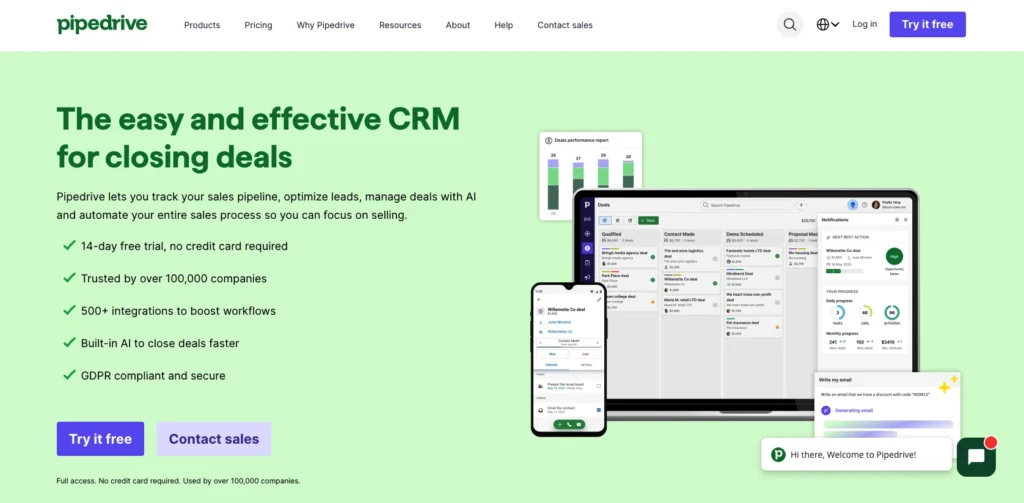
2. Pipedrive 

Rating: 4.1/5 

Best for visual sales teams on a budget

pipedrive crm microsoft dynamics alternative

Quick summary

Pipedrive is built around the visual sales pipeline—drag deals across columns to reflect real sales progress. If your team thinks visually and your reps spend most time managing the pipeline, Pipedrive is a good option.

Principais recursos

  • Visual pipeline management
  • Native quoting
  • Mobile app
  • Integrations via Zapier
  • Lembretes de atividades

Prós

  • Visual, intuitive interface
  • Lightweight
  • Quick implementation
  • Strong integrations

Contras

  • Fewer advanced features
  • Support is self-service heavy
  • Approval workflows less flexible

Pricing

Starting at $14/user/month (Essential plan) with quoting included from the start.

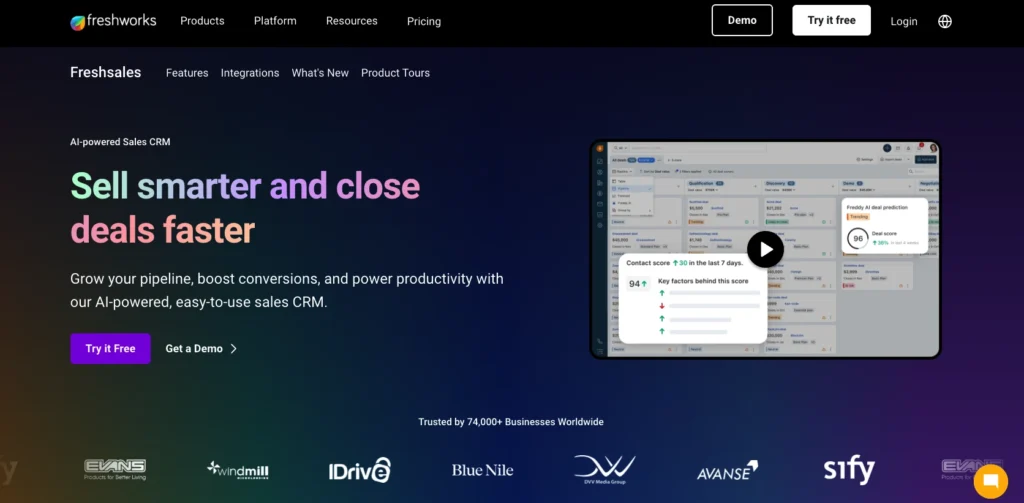
3. Freshsales 

Rating: 4.0/5 

Best for AI-powered insights at accessible pricing

freshsales crm microsoft dynamics alternative

Quick summary

Freshsales combines ease of use with AI-powered deal insights at a price SMBs can afford.

Principais recursos

  • AI deal scoring
  • Native quoting
  • Mobile app
  • Integrations
  • Automação do fluxo de trabalho

Prós

  • AI insights
  • Fast implementation
  • Good mobile experience
  • Startup-friendly

Contras

  • Reporting is basic
  • Quote-to-invoice automation requires more manual setup
  • Learning curve for advanced features

Pricing

Staring at $15/user/month (Growth plan) with quoting included.

4. Insightly 

Rating: 3.6/5 

Best for small teams prioritizing affordability with basic quoting

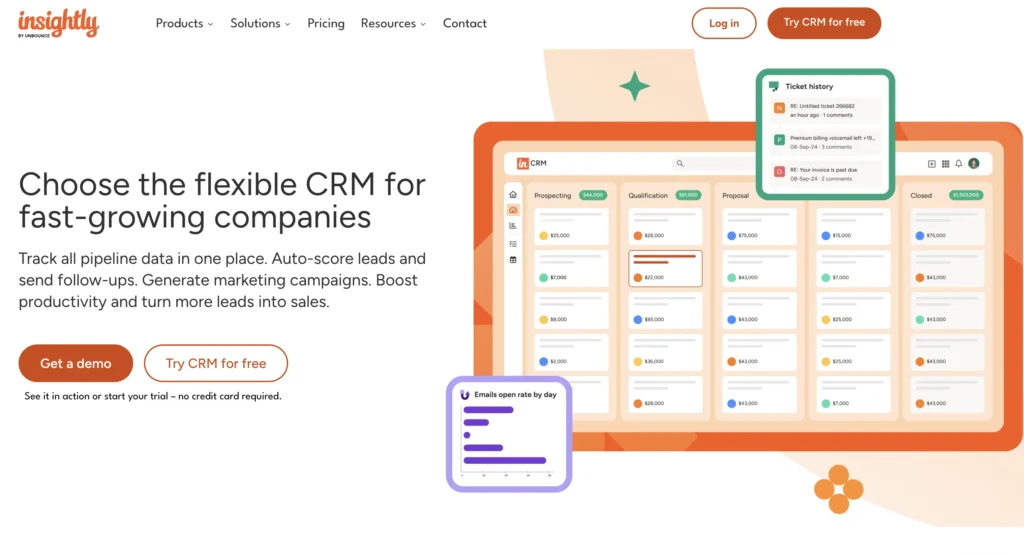
A screenshot of Insightly's homepage

Quick summary

Insightly is positioned as an affordable option for teams on a shoestring budget who need simple quoting, though without advanced workflows.

Principais recursos

  • Basic quoting
  • Contact and project management
  • Email integration
  • Mobile app
  • Integrations

Prós

  • Simple interface
  • Decent for small teams
  • Quick setup

Contras

  • Weak quoting capabilities
  • Limited reporting and analytics
  • Doesn’t scale well

Pricing

Starting at $29/user/month.

5. Zoho CRM 

Rating: 3.9/5 

Best for budget-conscious teams needing advanced CPQ and customization

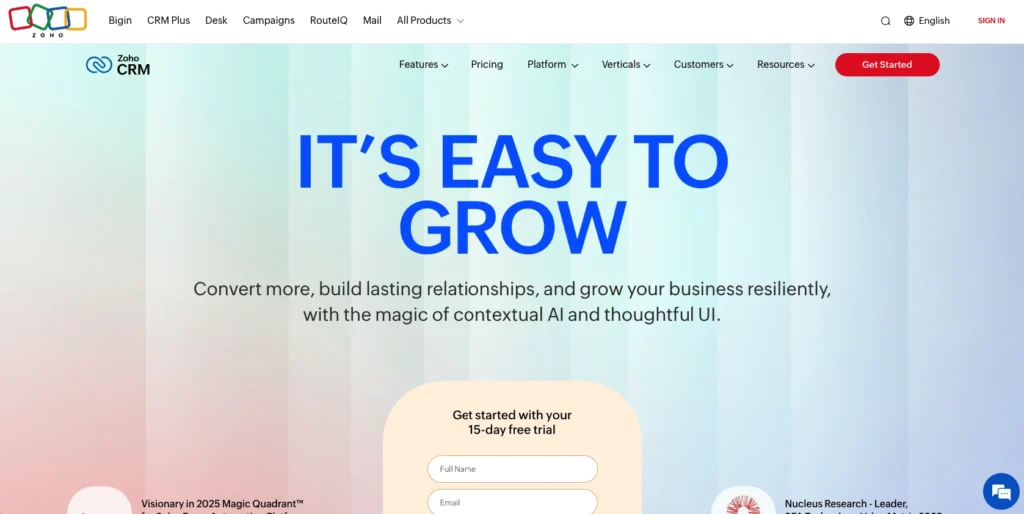
zoho crm microsoft dynamics alternative

Quick summary

Zoho CRM is a workhorse for SMBs handling complex products or recurring revenue models.

Principais recursos

  • Advanced CPQ (Configure-Price-Quote)
  • Highly customizable
  • Quote-to-invoice automation
  • Multi-level approvals
  • Integration with Zoho ecosystem

Prós

  • Advanced quoting for complex products
  • Highly customizable
  • Zoho ecosystem synergy
  • Good for recurring revenue

Contras

  • Steeper learning curve
  • Customization requires technical skill
  • Self-service heavy
  • Integration with QuickBooks/Xero is less seamless

Pricing

Starting at $18/user/month (Standard plan) and scales to $65/user/month (Enterprise).

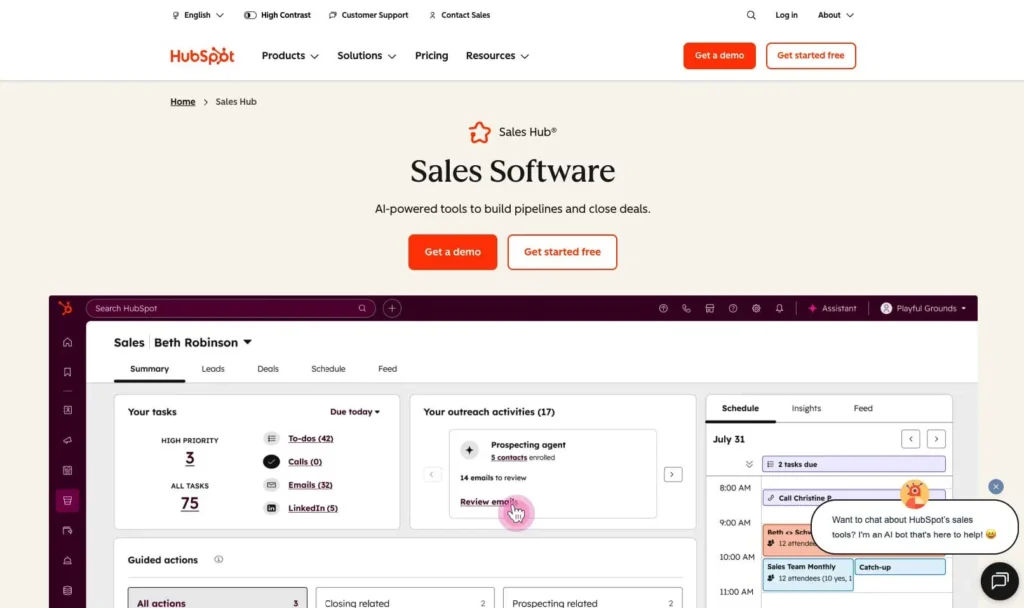
6. HubSpot Sales Hub 

Rating: 3.7/5 

Best for growing companies with complex needs but higher complexity/cost trade-off

hubspot crm microsoft dynamics alternative

Quick summary

HubSpot Sales Hub is great for organizations that need integration between departments. However, for pure SMB quoting needs, HubSpot is expensive and complex.

Principais recursos

  • Native quoting
  • Automação de vendas
  • Relatórios avançados
  • Mobile app
  • Integrations via HubSpot’s app marketplace

Prós

  • Strong reporting
  • Trusted brand
  • Enterprise-ready

Contras

  • Expensive
  • Complex for SMBs
  • Curva de aprendizado íngreme

Pricing

Starting at $50/user/month (Starter plan). Professional plan ($500/month for up to 5 users) adds advanced features.

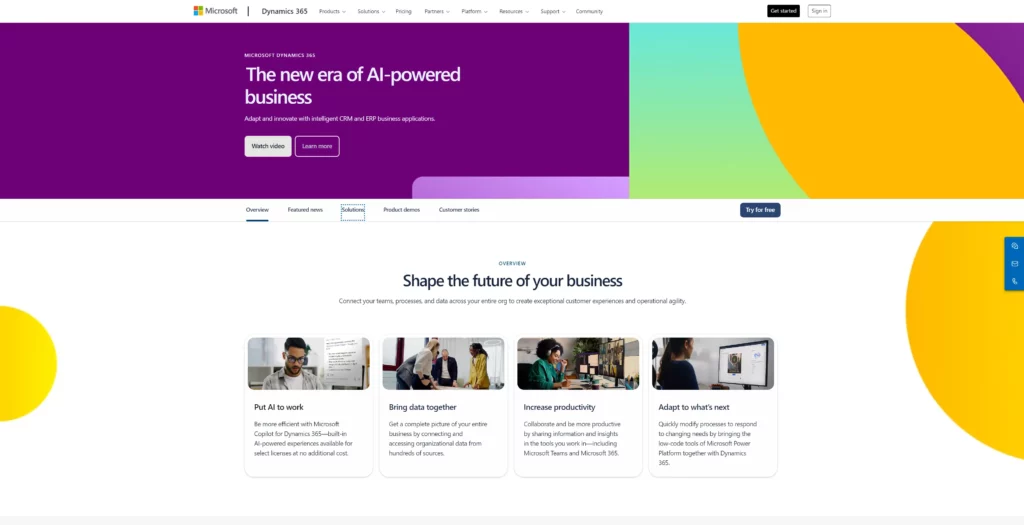
7. Microsoft Dynamics 365 Sales 

Rating: 3.4/5 

Best for organizations deeply integrated with Microsoft ecosystem

Microsoft Dynamics 365 Screenshot for Best Outlook CRM

Quick summary

Microsoft Dynamics 365 is the CRM for organizations already using Microsoft 365 (Office, Teams, OneDrive) and wanting everything integrated under one roof.

Principais recursos

  • Native quoting
  • Microsoft 365 integration
  • Complex workflow automation
  • Advanced security and compliance

Prós

  • Microsoft ecosystem integration
  • Compliance and security
  • Enterprise-grade

Contras

  • Expensive pricing that often exceeds SMB budgets
  • Complex implementation
  • Quote-to-invoice automation requires custom setup

Pricing

Starting at $165/user/month.

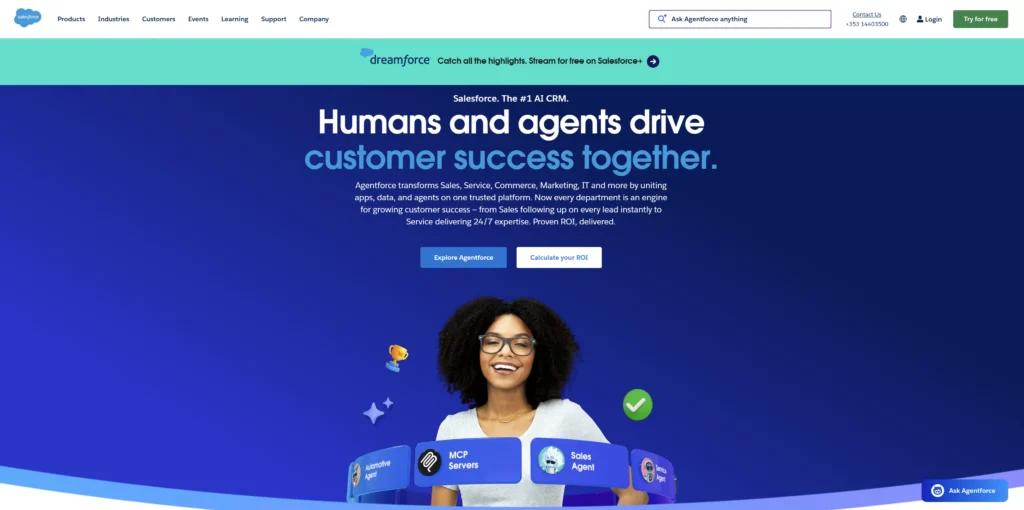
8. Salesforce Sales Cloud 

Rating: 3.2/5 

Best for enterprise-scale operations with complex quoting requirements

A screenshot of Salesforce's website homepage

Quick summary

Salesforce is the market leader for enterprise CRM and complex quoting scenarios. If your organization has 200+ users, Salesforce is a mature, good choice for a platform.

Principais recursos

  • Advanced CPQ (Configure-Price-Quote)
  • Unlimited customization
  • Enterprise-grade security
  • Advanced reporting and forecasting

Prós

  • Market-leading platform
  • Handles extreme complexity
  • Enterprise integration
  • Proven at scale

Contras

  • Extremely expensive
  • Long implementation
  • Curva de aprendizado íngreme
  • Overkill for SMBs
  • Quoting requires additional purchase

Pricing

Starting at $165/user/month. CPQ add-on costs $100-200/month per user.

Why quote-to-invoice integration matters for SMBs

Here’s the sales-finance problem most SMBs face: your sales rep creates a quote in your CRM. Your finance team gets the email, but the quote doesn’t automatically appear in your accounting system. So finance manually copies customer information, line items, pricing, and payment terms into QuickBooks or Xero. 

That’s 15-30 minutes per quote—not just wasted time, but an opportunity for errors. A typo in the customer name creates a duplicate record. A transposed number changes the deal amount. A forgotten line item makes the invoice incomplete.

When the quote converts to an invoice automatically, everything changes.

How quote-to-invoice automation works

The best CRMs with quoting integrate directly with accounting software. Here’s the flow:

  1. Quote is created in CRM: Sales rep fills in customer, products, pricing, terms. Data auto-populates from existing records.
  2. Quote is approved: Manager approves in CRM (or automatically if under approval threshold). Prospect e-signs.
  3. Approval triggers automation: CRM sends signal to accounting software: “This quote is approved.”
  4. Draft invoice is created automatically: Customer data, line items, pricing flow instantly into QuickBooks or Xero as draft invoice.
  5. Finance reviews, not re-enters: Finance team sees draft invoice, verifies details (minimal work), marks as ready to send.
  6. Invoice is sent: Finance sends invoice from accounting system. Customer receives it the same day approval happens.
Quote-to-invoice automation workflow: Six-step process from CRM quote creation through automatic invoice generation in accounting software

Without this automation, the process looks like:

  1. Sales creates quote and sends email
  2. Finance downloads quote PDF
  3. Finance manually enters customer info (name, address, email)
  4. Finance manually enters line items and pricing
  5. Finance reviews for accuracy, finds errors
  6. Finance corrects errors and re-enters data
  7. Finance sends invoice (often 2-3 days later)

That gap between quote approval and invoice creation costs SMBs 5-10 days per deal. For a company doing 10 deals per month, that’s 50-100 lost days of cash-flow timing per month.

ROI benefits of seamless quote-to-invoice

The $8.71 return per $1 spent on CRM comes largely from automation like this. Here’s the math for a 10-person sales team:

  • Time saved per invoice: 20-30 minutes × 10 reps × 4 quotes/month = 13-20 hours per month
  • Cost of time: 13-20 hours × $75/hour (fully loaded) = $975-1,500/month savings
  • Error reduction: Eliminating manual data entry reduces pricing errors by ~70%, preventing missed revenue
  • Cash flow acceleration: 5-10 day faster invoicing = 5-10 days faster payment
  • For 10-person team with $5M annual revenue: 5-10 day faster cash conversion = $69K-138K in working capital freed up

A platform like Nutshell integrating with QuickBooks means your team saves 1-2 hours daily on administrative work—time that goes straight to selling.

Which accounting platforms integrate best?

Most modern CRMs support the major platforms:

  • QuickBooks Online: Native integration with Nutshell, Pipedrive, Freshsales, Zoho, HubSpot, Salesforce. Data syncs bi-directionally (CRM pulls customer data from QB, QB pulls invoice data from CRM).
  • Xero: Strong built-in integration with Nutshell, Pipedrive, Freshsales, Zoho. Similar bi-directional sync.
  • FreshBooks: Integrates with most CRMs; positioned for service businesses.
  • Wave (free accounting): Limited integration; check specific CRM compatibility.
  • NetSuite (enterprise): Integrates with Salesforce, Zoho, and other enterprise CRMs.

Pro tip: When evaluating CRMs, verify the accounting integration is native (built by the CRM company), not a third-party connector. Native integrations sync data more reliably and immediately.

Integration essentials: Which CRMs connect best with accounting software

Your CRM quoting is only as good as its integration with accounting. Disconnected systems mean manual data entry, which reintroduces errors and delays.

The integration landscape

Most CRMs connect to accounting via two methods:

Native integration: The CRM company built a direct connection to QuickBooks or Xero. Data syncs bi-directionally in real-time. No third-party tool needed. This is ideal.

Third-party connector: Platforms like Zapier or Integromat connect CRM to accounting. These work but have slight delays (sync happens every 15 minutes, not instantly) and require more maintenance.

QuickBooks Online integration quality

QuickBooks Online is the most common accounting platform for SMBs. Here’s how CRMs connect:

CRMIntegration TypeSync FrequencyWhat SyncsRating
NutshellNativeReal-timeCustomers, invoices, payments, products★★★★★
PipedriveNativeReal-timeCustomers, invoices, line items★★★★☆
FreshsalesNativeReal-timeCustomers, invoices★★★★☆
Zoho CRMNative (via Zoho Books)Real-timeCustomers, invoices, payments★★★★★
HubSpotThird-party (Zapier)15-min delayCustomers, invoices★★★☆☆
SalesforceThird-party or customVariableHighly customizable★★★☆☆

Native integrations (Nutshell, Pipedrive, Freshsales, Zoho) sync instantly with no third-party tool. When a quote is approved in your CRM, it appears as a draft invoice in QB immediately.

Third-party integrations (HubSpot, Salesforce) work but have delays and require more configuration.

Xero integration quality

Xero is growing among US SMBs and is standard in UK/Australia markets. CRM integration quality with Xero mirrors QuickBooks: Nutshell, Pipedrive, Freshsales, and Zoho have native integrations. HubSpot and Salesforce use third-party connectors.

What data syncs matters

When evaluating accounting integration, ask what data actually syncs:

  • Customer data: Does the CRM pull customer records from accounting? Do changes in CRM sync back to accounting? (Bi-directional is better.)
  • Product/service data: Does the CRM pull your product catalog from accounting? Updated pricing?
  • Invoice data: When a quote is approved, does it automatically create a draft invoice in accounting?
  • Payment data: Do payments received in accounting sync back to CRM (so you see closed deals as “paid”)?
  • Refunds and adjustments: If accounting writes off an invoice, does that update reflect in CRM?

The best integrations sync all five areas. Most sync 2-3. Poor integrations only sync customer names.

Red flag: integration requiring manual setup

If a platform says “We integrate with QuickBooks” but requires you to map fields, set up API keys, and test syncs, that’s a red flag. For SMBs, integration should be plug-and-play: connect QuickBooks account, grant permission, done.

Nutshell and Pipedrive excel here. Connection is instant; setup takes 2 minutes.

Connect Your Tech to Nutshell

Nutshell connects with over 5,000 applications, including popular accounting software. Build your ideal tech stack with Nutshell today!

Manual quoting is killing your productivity. When your sales reps spend 2-3 hours creating quotes, approvals get stuck in email, and finance re-enters data manually, you’re wasting hours per week on administrative work that should take minutes.

For most small to mid-sized businesses looking to eliminate manual quotes and close deals faster, Nutshell solves the problem without complexity or cost.

Stop generating quotes in Word documents and spreadsheets. Stop having finance re-enter data. Stop watching deals stall in approval queues.

Try Nutshell free for 14 days (no credit card required) and see how fast quote generation can be. Or schedule a 30-minute demo to see how your specific quoting workflow would work in Nutshell. Within days, your team will wonder how you ever worked without it.

Start your free Nutshell trial today or schedule a demo to see integrated CRM quoting in action!

Perguntas frequentes

  • 1. How much does a CRM with quoting cost for small businesses?

    Most CRMs with quoting range from $13-$100/user/month. Nutshell, Pipedrive, and Freshsales start under $50. HubSpot, Dynamics 365, and Salesforce are $50+. Total cost of ownership includes software, implementation, training, and integrations. Always ask vendors for complete pricing including all costs, not just per-user fees.

  • 2. What is the typical return on investment for CRM quoting software?

    $8.71 ROI per $1 spent on CRM. Additional ROI comes from faster deal closure (quote-to-close acceleration), higher close rates (professional quotes improve conversion), and reduced pricing errors (prevents lost revenue). Most teams see positive ROI within 6 months.

  • 3. How long does it take to implement a CRM with quoting?

    Cloud-based CRMs for SMBs typically implement in 1-4 weeks. Nutshell averages 3-7 days. Pipedrive and Freshsales are 1-2 weeks. HubSpot is 2-4 weeks. Zoho depends on customization (1-3 weeks typical). Salesforce and Dynamics 365 can take 3-6 months. The speed difference reflects platform complexity and how customizable they are. Fast implementations focus on core features first (contacts, deals, quotes), add advanced features later.

  • 4. Do I need to integrate my CRM with accounting software for quoting to work?

    Technically, no. But practically, yes—integration dramatically improves efficiency and accuracy. Without integration, your finance team manually enters quote data into accounting (20-30 minutes per quote, error-prone). With integration, quote converts to draft invoice automatically in QuickBooks or Xero (seconds, error-free). Most modern CRMs (Nutshell, Pipedrive, Freshsales, Zoho) integrate natively with QuickBooks and Xero, making integration easy and immediate.

  • 5. Can CRM quoting software handle complex product configurations and pricing?

    Depends on complexity. If you sell standard products with straightforward pricing, Nutshell or Pipedrive are sufficient. If pricing logic is complex, evaluate Zoho or ask if Salesforce CPQ is worth the investment.

  • 6. What’s the difference between standalone quoting software and CRM-native quoting?

    Standalone quoting (tools like Quotable, PandaDoc) specializes in quotes but lives outside your CRM. You manually input customer data, run quotes separately, then return to CRM for pipeline management. More steps, more manual work.


    CRM-native quoting (Nutshell, Pipedrive, HubSpot) lives inside your CRM. Customer data auto-populates. Quote connects to deal record. Approvals happen in-app. Approved quotes convert to invoices automatically. Less manual work, faster process, no system-switching.


    For most SMBs, CRM-native quoting is superior. You’re already in the CRM managing deals; quoting should be part of that same workflow. Standalone tools only make sense if your quoting is so complex that no CRM handles it natively (rare for SMBs).

See Nutshell in action!

Try Nutshell free for 14 days or let us show you around before you dive in.

VOLTAR AO TOPO

Join 30,000+ other sales and marketing professionals. Subscribe to our Sell to Win newsletter!