The Best CRM for Insurance Agents: Complete Buyer’s Guide

-

Quick answer: What is the best CRM for insurance agents?
The best CRM for insurance agents depends on your agency’s size and specific needs: Nutshell is the best overall value for small to mid-sized agencies due to its affordable pricing, ease of use, and “next-action” sales framework that automates policy renewals. Salesforce Financial Services Cloud is the gold standard for large enterprise operations that require deep customization, while AgencyBloc is a top choice for those needing a purpose-built system with integrated agency management (AMS) features. Implementing a CRM can help agents reclaim up to 15 hours of selling time per week and improve client retention by 5–8% within six months.
With most agencies losing 16% to 17% of their book every year, it’s safe to say that client retention is one of the biggest challenges for the insurance industry. But the issue doesn’t have a single cause. It’s actually the result of three interconnected problems that have plagued the industry for decades:
- Missed renewal dates: Reliance on manual renewal tracking through spreadsheets, notebooks, and email chains makes it harder for agents to know when it’s time to get in touch with existing clients.
- Administrative bottlenecks: Many agencies lose 10–15 hours of selling time per week to administrative tasks such as searching for client information, tracking renewal dates, logging calls, and managing follow-ups.
- Compliance documentation: When vital documentation is scattered across various incompatible systems, proving compliance during an audit becomes increasingly difficult.
Today, a CRM is more than just a luxury for insurance agencies—it’s a necessary investment for addressing all three problems simultaneously. Choosing the right CRM solution can help your agency automate renewals, reclaim selling time, create valid compliance paper trails, and more. But with so many CRMs available, how can you know where to start?
Our guide cuts through the noise. We’ve tested dozens of solutions so we could give you the information you need to properly evaluate your options and find the ideal one for your agency.
Key takeaways: Quick reference for insurance agents
- Nutshell offers the best overall value for most agencies: it’s affordable (starting at $13/user/month when billed annually), easy to implement (most agencies are fully up and running in 2–6 weeks), and built specifically with next-action selling that solves insurance workflows
- Salesforce Financial Services Cloud is the gold standard for enterprise operations but costs $325+/month per user and requires 3–6+ months implementation
- AgencyBloc is purpose-built for insurance with integrated agency management system (AMS) functionality but comes at a premium price
- HubSpot CRM excels if marketing automation is your priority, but offers fewer insurance-specific features
- Zoho CRM is the most budget-conscious option ($14–$52/user/month when billed annually) but requires more customization for insurance workflows
- Most agencies should expect 10+ hours per week of time reclamation and 5–8% retention improvement within 6 months of CRM implementation
Best for: Insurance CRM quick-match guide
Trying to figure out which CRM is right for your specific situation? Here’s a quick reference by agency type:
Solo independent P&C agent
Best choice: Nutshell or Zoho
Why: You need simplicity and affordability. Nutshell’s ease of use gets you selling faster, while Zoho saves the most cash.
Impact: Reclaim 10–12 hours/week from manual renewal tracking = $18,000–24,000 in additional selling time annuallyLife insurance specialist (long sales cycles)
Best choice: Nutshell or AgencyBloc
Why: You need multi-stage deal tracking and life-event triggers. Nutshell’s next-action framework keeps long sales cycles on track; AgencyBloc integrates with life insurance AMS.
Impact: 8–10% retention improvement = $35,000–50,000 additional revenue per agentHealth insurance broker (AEP management)
Best choice: AgencyBloc or Nutshell
Why: During Annual Enrollment Period crunch, you need automated 90–60–30-day reminders and compliance logging. Both handle AEP complexity well.
Impact: Streamline AEP by 30–40% = process 40+ additional enrollments annuallySmall agency (5–20 agents)
Best choice: Nutshell or Salesforce (depends on budget)
Why: Nutshell scales to teams easily at affordable price; Salesforce if you want enterprise customization and have budget for 3–6 month implementation
Impact: Team productivity increase of 15–20% within 3 monthsBudget-conscious agencies (any size)
Best choice: Zoho CRM
Why: Lowest cost per user ($14–$52/user/month when billed annually) with surprisingly robust feature set after customization
Impact: Save $50,000–$150,000 annually vs. enterprise alternativesTable of contents
- How we selected the best CRM for insurance agents
- Key features every insurance agent CRM should have
- Comparison table: side-by-side CRM features and pricing
- Best CRM software for insurance agents: detailed reviews
- How to close your 10% retention gap: 7 Nutshell-powered tactics
- Compliance automation: why built-in beats bolted-on
- Next-action selling for insurance agents: know what to do next
- Why Nutshell is the best choice for most insurance agencies
- How to choose the right CRM for your insurance agency
How we selected the best CRM for insurance agents
Since every agency operates differently, choosing the “best” CRM for insurance agents requires a nuanced approach. A 50-person regional firm with IT staff needs something fundamentally different from a solo agent working from their kitchen table.
Our ratings reflect what’s best for the majority use case: small to mid-market agencies (1–20 agents) in any insurance segment seeking to improve retention and reclaim selling time.
We evaluated CRMs using six key criteria specifically designed around insurance agent pain points, not generic CRM features:1. Ease of implementation and adoption
Insurance agents don’t have six months to wait around. We looked for CRMs that get teams selling in just a few weeks. Since most agents aren’t IT experts, we also weighted “intuitive user interface” heavily—solutions that are easy to use and understand can help maximize use and adoption. Nutshell and Less Annoying CRM excelled here while Salesforce struggled.
2. Insurance-specific workflows
Generic CRMs force you into workarounds when you work in specialized industries like insurance. We prioritized systems with built-in renewal management, policy tracking, household relationship mapping, and compliance automation. While AgencyBloc and Nutshell scored highest, Zoho required heavy customization.
3. Price-to-feature ratio
What do you actually get for your money? A $325+/user/month system (Salesforce) needs to deliver significant advantages over a $25/user/month plan (Nutshell Growth) to justify the 13x cost difference for small agencies. We calculated the 5-year total cost of ownership for each platform including implementation, training, and hidden fees.
4. Compliance and audit-trail capabilities
Insurance regulation isn’t optional. We evaluated each CRM’s ability to auto-log interactions, maintain activity timelines, and generate audit-ready reports. Built-in compliance (Nutshell, AgencyBloc) beats bolted-on add-ons (Zoho with compliance plugins).
5. Mobile access and field agent support
Insurance agents work in the field. We assessed each CRM’s mobile app functionality, offline capabilities, and ability to sync across devices. Full-featured mobile apps (Nutshell, Salesforce) outperformed stripped-down versions (Less Annoying CRM).
6. Retention-focused features
This criterion is unique to insurance. We prioritized systems with built-in renewal management, automated reminders, and retention analytics. Nutshell and AgencyBloc led this category, though generic CRMs didn’t prioritize it.
Why Nutshell competes effectively despite not being insurance-specific:
Nutshell’s core philosophy—next-action-based selling— solves insurance workflow obstacles by answering the question of what to work on at each stage in the process. Most insurance agents suffer from decision paralysis: hundreds of clients, multiple policies per client, renewal cycles, competing priorities.
Combined with affordability and ease of use, Nutshell’s forward-thinking framework creates a compelling value proposition against even insurance-specific competitors.
Key features every insurance agent CRM should have
When evaluating a CRM, you have to focus on the features that directly impact retention, compliance, and productivity. Our guide prioritizes features and capabilities that 98% of CRM buyers mark as essential. Here’s what you need and why each one matters.
1. Contact and client management
What it is: A centralized database where every client, prospect, family member, business contact, and decision-maker lives in one place with complete history.
Why it matters for insurance: Insurance clients are complex. You have the primary policyholder, spouse, business partner, dependent, referred friend—all different relationships, policies, and renewal dates. When this information lives across email, spreadsheets, notes, and three different CRMs, you waste hours searching. A unified contact database eliminates duplicate work and ensures you never miss a family member who needs coverage.
Use case: You update a client’s email address in your CRM. That change instantly reflects everywhere—renewal reminders, automated emails, compliance logs. No more “I sent the renewal to an old email and didn’t know it bounced.”
CRMs that excel: Nutshell, Salesforce, and HubSpot all provide robust contact management with custom fields, relationship mapping, and activity history.
2. Sales pipeline management
What it is: A visual representation (often a kanban-style board) showing where prospects and renewals stand at each stage (Prospect → Qualifying → Quote → Close → Renewal → Retention).
Why it matters for insurance: Insurance workflows involve multiple pipelines operating simultaneously, including new business, renewals, cross-sells, and referrals. A lack of visualization can easily lead to opportunities falling through the cracks. Look for a CRM with a good pipeline management system that provides visibility into where every client is, what stage they’re in, and what action is needed next.
Use case: You glance at your pipeline and see “15 renewals due within 30 days.” You immediately know which clients have follow-ups scheduled and which ones need attention today. A stalled renewal at 60 days past due gets escalated to improve your chances of retaining that client.
CRMs that excel: Nutshell and Salesforce offer the clearest visual pipelines, and AgencyBloc integrates pipeline with policy data.
3. Lead management and workflow automation
What it is: Automated systems that trigger tasks, emails, and alerts based on specific events or timelines.
Why it matters for insurance: Automation ensures consistency across your entire book so your leads don’t fall through the cracks. When a policy hits the 90-day pre-renewal window, an automated email sequence triggers. When you add a lead, an initial contact task auto-generates. When a phone call completes, the next follow-up auto-schedules.
Use case: One client’s policy renewal date approaches. Your CRM automatically generates a task “90-day renewal outreach,” sends the client an email, and flags it on your mobile app so you don’t have to remember.
CRMs that excel: Nutshell excels with its next-action automation, though Zoho and HubSpot offer powerful workflow engines if you’re willing to customize.
4. Mobile access
What it is: A fully functional mobile app that gives you access to your entire CRM on your phone or tablet.
Why it matters for insurance: A field agent without mobile access is inefficient. Insurance agents work in the field, meeting clients at their homes or offices. Your field agents need to be able to reference client information, policy details, and renewal status without relying on printouts or returning to their desks.
Use case: Say you’re at a client’s office for a policy review. You pull up their complete history on your phone—all policies, renewal dates, prior claims, household members, premium amounts. You spot a gap and close a cross-sell on the spot.
CRMs that excel: Nutshell, Salesforce, and HubSpot offer excellent mobile apps; Less Annoying CRM’s mobile version is basic.
5. Email integration and compliance logging
What it is: The CRM auto-logs every email interaction (incoming and outgoing) with timestamps, attaches documents, and creates an activity timeline.
Why it matters for insurance: Insurance is regulated. Every client interaction must be documented and audit-ready. If you’re manually logging emails in notes, you’re creating compliance risk. Built-in email logging creates an automatic paper trail that proves you sent that renewal reminder or documented the client’s coverage needs.
Use case: A regulator audits your compliance practices. Instead of frantically searching email folders, you open the client record in your CRM. One click generates a complete activity timeline including every email sent/received, every call, every task, with timestamps. It’s easy to provide proof of compliance.
CRMs that excel: Nutshell and Salesforce have robust email integration, and AgencyBloc integrates with agency compliance workflows. Zoho offers this capability but requires add-ons.
6. Customizable reporting and analytics
What it is: Dashboards and reports showing key performance indicators such as retention rate, conversion rate by source, agent productivity, renewal timeline metrics, etc.
Why it matters for insurance: You can’t improve what you don’t measure. Are you retaining 80% of clients or 92%? Which agent closes renewals fastest? Which channels generate highest-lifetime-value clients? Good reporting answers these questions and identifies improvement opportunities.
Use case: Your manager pulls up the retention dashboard: “We’re at 85% retention for Q4. If we improve that to 90%, we’re protecting $85,000 additional annual revenue. Here’s which client segments are at risk and need outreach.”
CRMs that excel: Salesforce offers the most powerful reporting, and Nutshell provides insurance-focused reports. Zoho requires customization.
7. Task prioritization and next-action framework
What it is: A system that ensures every opportunity has ONE clear next action—not ten competing priorities. Agents know exactly what to work on at any given moment.
Why it matters for insurance: Insurance agents juggle hundreds of clients and policies. Without clarity on “what’s next,” they waste time deciding what to work on. The next-action framework (Nutshell’s core philosophy) eliminates decision paralysis by displaying a defined next step for every opportunity in priority order.
Use case: You open your task list. Top task: “90-day renewal outreach for ABC Corp, policy expires Jan 15.” You know exactly what to do, how to do it (template provided), and why it matters (renewal at risk). No decision paralysis. No forgotten priority.
CRMs that excel: Nutshell uniquely emphasizes this approach. Other CRMs include task management capabilities but don’t prioritize the framework.
8. Renewal management automation
What it is: Automated systems that trigger pre-renewal reminders, generate renewal proposals, and track renewal status.
Why it matters for insurance: Missed renewals are the biggest revenue drain in insurance. One missed renewal equals immediate lost revenue. Automation eliminates human error by reminding you at the right time with the right information.
Use case: A policy expires March 15, so the system triggers the appropriate reminders at the 90-day, 60-day, and 30-day marks.
CRMs that excel: Nutshell and AgencyBloc have purpose-built renewal automation. Salesforce requires customization, and others need workflow setup.
Key takeaways: Feature essentials
- These eight features are essential for closing the retention gap
- Contact + Pipeline + Email Integration + Renewal Automation are the core four that drive 80% of ROI
- Mobile access becomes critical as agencies scale and agents work in the field
- Next-action framework (Nutshell’s differentiator) eliminates the decision paralysis that slows insurance agents
- Most CRMs offer 6–7 of these features. Nutshell includes all eight at one price point
Comparison table: side-by-side CRM features and pricing
Feature/Factor Salesforce FSC AgencyBloc Nutshell HubSpot CRM Zoho CRM Less Annoying CRM Agent CRM Starting price (billed annually) $25/user/month $109/user/month $13/user/month $0–$9/user/month $14/user/month $15/user/month $97/team/month Implementation timeline 3–6+ months 6–12 weeks 2–6 weeks 2–4 weeks 2–4 weeks 1–2 weeks 2–3 weeks Ease of use rating 3.2/5 3.7/5 4.5/5 4.2/5 3.5/5 4.8/5 4.0/5 Insurance-specific features Good Excellent Very good Basic Moderate Basic Excellent Built-in compliance automation ✓ ✓ ✓ ✗ ✗ ✗ ✓ Next-action framework ✗ ✗ ✓ ✗ ✗ ✗ ✗ Mobile app quality Excellent Very good Excellent Good Good Fair Good Learning curve Steep Moderate Gentle Moderate Steep Very gentle Moderate Customer support model Premium ($) Phone/Email Free live support Limited (paid tiers) Email/Chat Email/Chat Email/Chat Customization capability Unlimited High Moderate Moderate High Low Moderate What’s the best CRM for insurance agents? Our detailed reviews
We’ve reviewed these CRMs based on 40+ data points and real-world insurance agency feedback. Ratings reflect how well each solution solves insurance-specific challenges. We’ve arranged them in descending order by overall rating.
Salesforce Financial Services Cloud – 4.6 – Best for enterprise-scale insurance operations
Official website: https://www.salesforce.com/financial-services/cloud/
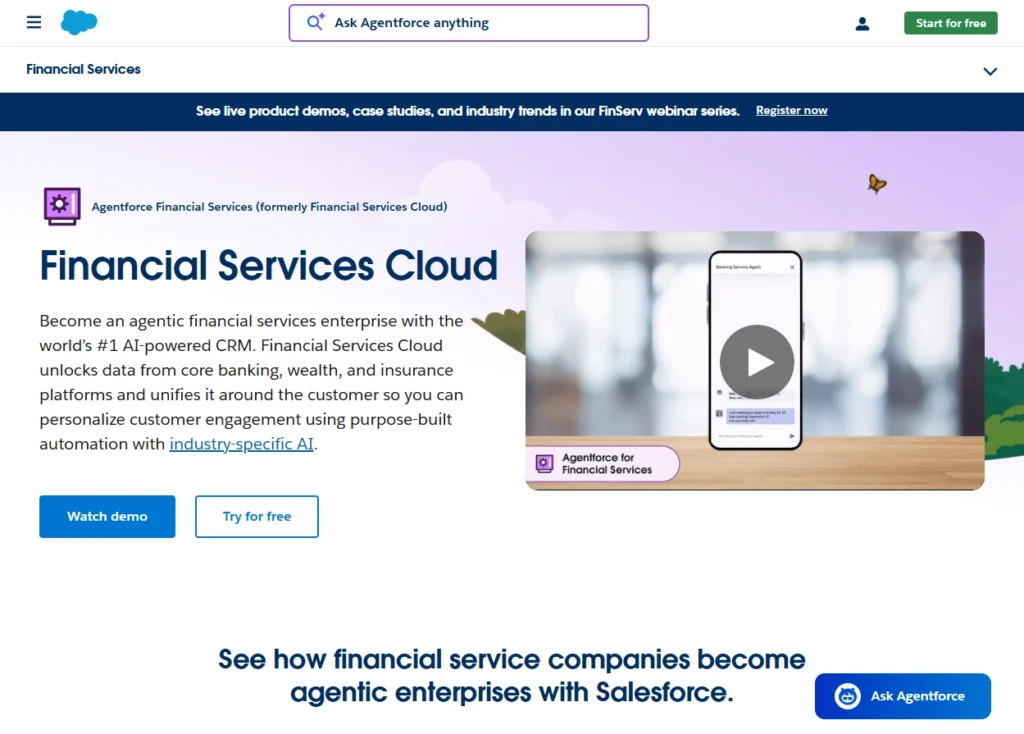
Quick summary: For enterprise-level insurance agencies with more than 50 agents and a dedicated IT staff, Salesforce Financial Services Cloud is one of the best CRMs available. With incredible customization, reporting, and scalability, it’s nicknamed the Cadillac of CRMs. We recommend this CRM for national agencies, carriers, and brokerages with complex operations.
Key features:
- Unlimited customization through Salesforce configuration
- Institutional-grade security and compliance automation
- Comprehensive financial services industry solutions (insurance, brokerage modules included)
Pros:
- Essentially unlimited customization—build exactly what your agency needs
- Best-in-class reporting and analytics for enterprise operations
- Strong compliance and regulatory features (audit trails, permissions, data governance)
- Established ecosystem of insurance-specific add-ons and consultants
- Can scale from 50 to 5,000+ users without system degradation
Cons:
- Steep learning curve requiring professional implementation and training for most teams
- 3–6+ month implementation timeline disrupts operations and requires significant change management
- Mandatory onboarding and implementation costs ($5,000–100,000+ depending on complexity)
- Per-user cost ($325+/month) is prohibitively expensive for small/mid-market agencies
- Unnecessary complexity makes agents less likely to use advanced features, a situation known as feature bloat
Pricing:
- Enterprise: Pricing starts at $325+/user/month. An annual contract is required.
- Implementation and onboarding: $5,000–$100,000+ depending on scope.
- Premium support: Additional $$$.
Key takeaways:
- Best for national/enterprise agencies with IT teams and $500,000+ technology budgets
- Delivers unmatched customization and reporting but overkill for small/mid-market
- 13x more expensive than Nutshell with 3x longer implementation timeline
- ROI only justified if you’re running complex, multi-division operations
AgencyBloc – 4.4 – Best for insurance-specific AMS/CRM integration
Official website: https://www.agencybloc.com/
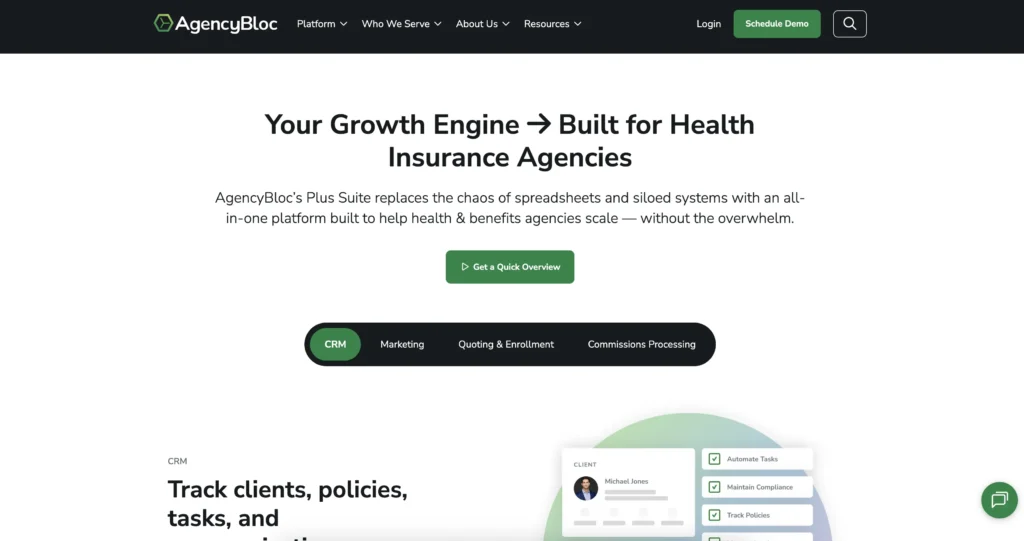
Quick summary: AgencyBloc is purpose-built for insurance agencies, combining AMS (Agency Management System) with CRM. If you want an all-in-one system where policy management and client relationship management live together, AgencyBloc eliminates the integration headaches. It’s the only CRM on this list designed specifically for insurance. Strong for life and health insurance agencies who want their entire operation in one platform.
Key features:
- Integrated AMS and CRM in single platform
- Agency-specific workflows supporting life, health, and P&C insurance
- Commission tracking and reporting built-in
- Policy management and renewal automation
- Built-in compliance tracking for insurance regulations
Pros:
- Purpose-built for insurance
- No integration headaches between AMS and CRM
- Strong compliance and audit-trail features
- Insurance-specific commission tracking integrated with CRM
- Excellent support team that speaks insurance fluently
Cons:
- Higher pricing (starting at $109/user/month) reflects insurance-specific development
- Smaller user base means fewer third-party integrations vs. Salesforce
- Longer implementation requiring 6–12 weeks
- “All-in-one” approach means you’re locked in
- Less customization flexibility than enterprise CRMs
Pricing:
Three plans are available, each requiring an annual contract:
Grow: $109/user/month
Accelerate: $139/user/month
Elevate: $169/user/monthKey takeaways:
- Best for agencies wanting insurance-specific features without enterprise complexity
- Eliminates AMS/CRM integration pain but at premium pricing
- Still significantly more expensive than Nutshell despite simpler implementation
- Ideal if your entire operation is insurance (life, health, P&C)
Nutshell – 4.3 – Best for affordable, user-friendly, next-action selling
Official website: https://www.nutshell.com/
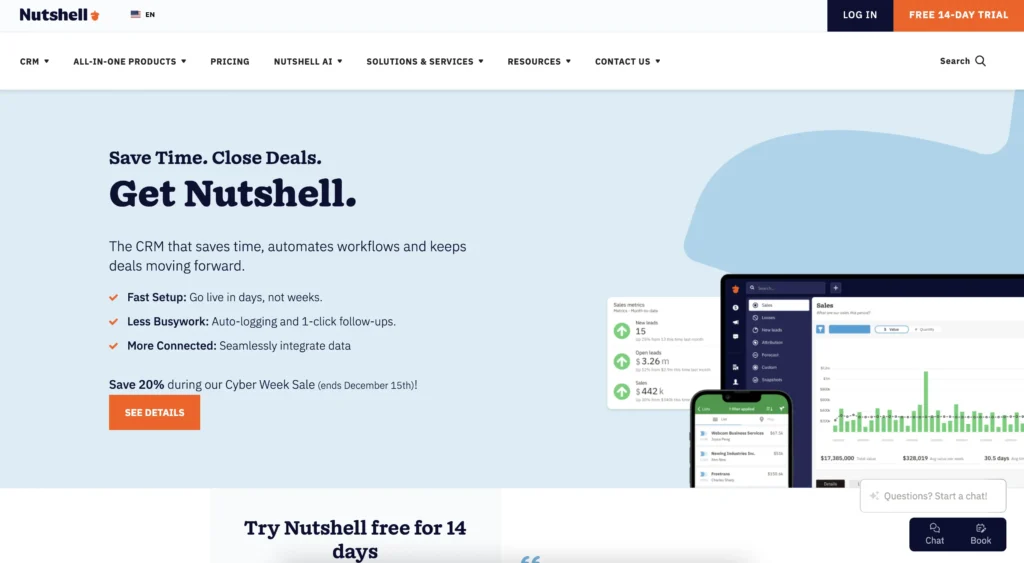
Quick summary: Nutshell is built on the principle that agents need absolute clarity on “what’s next” at every stage. While it’s not insurance-specific like AgencyBloc, its next-action framework solves insurance workflows better than generic CRMs.
It’s the Goldilocks solution: simpler than Salesforce, more affordable than AgencyBloc, yet robust enough for 50+ agent agencies. Ideal for most independent agencies and brokers.Key features:
- Next-action selling framework tells agents what to work on next
- Automated renewal reminders and task triggering
- Email integration with auto-logging and compliance
- Mobile app with full CRM access
- Customizable pipeline and renewal workflows
- Built-in activity timelines for compliance
Pros:
- Lowest price among full-featured options (25/monthvs.25/monthvs.150–$325 elsewhere)
- Fastest implementation (2–6 weeks; teams productive in 2–3 weeks)
- Intuitive interface (users rarely need training beyond first week)
- Next-action framework uniquely solves insurance decision paralysis
- Free live support included (no premium support fees like competitors)
- Transparent pricing with no hidden fees; month-to-month options available
- Strong compliance features (email logging, activity timelines, audit trails)
Cons:
- Not insurance-specific like AgencyBloc (requires some customization for AMS integration)
- Less customization than Salesforce (fine for mid-market, limiting for enterprise)
- Smaller feature set than enterprise solutions (but 95% of features used by small/mid-market)
- Fewer third-party integrations than Salesforce ecosystem
Pricing:
Nutshell offers five plans for flexibility and scalability:
- Foundation: $13/user/month
- Growth: $25/user/month
- Pro: $42/user/month
- Business: $59/user/month
- Enterprise: $79/user/month
Note that these prices reflect what agencies will pay when billed annually. There are no implementation fees or onboarding requirements, though Nutshell does offer free professional onboarding services. A 14-day free trial is also available.
Key takeaways:
- Saves both time and money
- Implements in weeks, not months
- Next-action framework uniquely valuable for insurance workflows
- Best overall value for solo through mid-market agencies
Download our Sales Manager’s Survival Guide!
Ready to become the best sales manager for your team? Get 70+ leading tips and strategies from the experts for sales management success with our Sales Manager’s Survival Guide.

HubSpot CRM – 4.1 – Best for marketing-focused insurance agencies
Official website: https://www.hubspot.com/
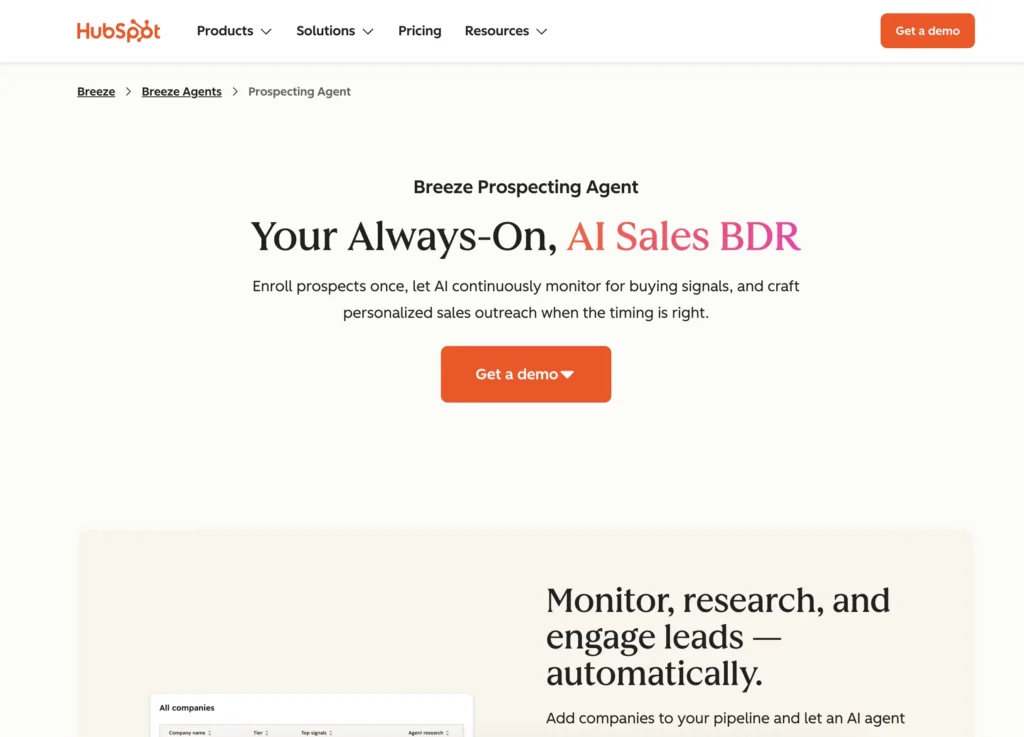
Quick summary: HubSpot is best-in-class for marketing-CRM integration. If your agency is investing heavily in inbound marketing, content, and lead nurturing, HubSpot’s free CRM pairs perfectly with its marketing, sales, and customer service platform. Strong for agencies wanting a unified customer journey from marketing to sales to retention.
Key features:
- Best-in-class email marketing automation
- Inbound lead scoring and nurture workflows
- Content hub integration
- Advanced pipeline and deal tracking
- Marketing automation with CRM data integration
- Strong reporting on lead source and conversion
Pros:
- Free CRM tier with solid features (perfect for starting out)
- Excellent marketing automation (unique strength)
- Good integration between marketing and sales (end-to-end view)
- Strong reporting on lead source ROI
- Mobile app is functional
- Free support for CRM tier; paid support for premium
Cons:
- Limited insurance-specific features vs. AgencyBloc and Nutshell
- Email integration less robust than Nutshell or Salesforce
- Compliance logging not insurance-focused
- Less renewal-focused than insurance-specific solutions
- Per-user costs escalate quickly when you upgrade to paid tiers
- Interface can feel cluttered vs. simple CRMs like Nutshell
Pricing:
HubSpot offers multiple plans for various agency types:
- Free CRM (limited): $0/month
- Starter: $9/user/month
- Professional: $90/user/month
- Enterprise: $150/user/month
Note that these prices reflect the discounts applied to annual contracts. A 14-day free trial is also available.
Key takeaways:
- Best if marketing automation is your priority
- Free tier is good way to start, but scaling costs add up quickly
- Not ideal if renewal management is your core need
- Consider if you’re building an inbound marketing engine for insurance leads
Zoho CRM – 3.9 – Best for budget-conscious solo agents and small teams
Official website: https://www.zoho.com/crm/
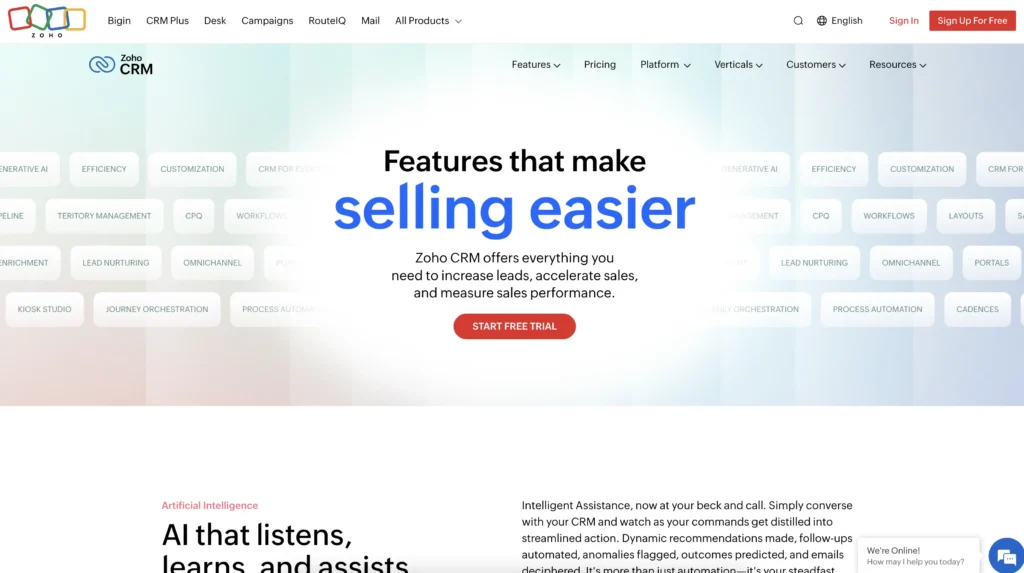
Quick summary: Zoho is the most affordable full-featured CRM on the market. For solo agents or very small teams with tight budgets, Zoho delivers surprising depth starting at $14/user/month. You’ll need to customize workflows and add compliance modules, but if you have time or basic technical skills, Zoho is powerful. Best for budget-first agencies willing to invest time in setup.
Key features:
- Customizable pipeline and contact management
- Workflow automation (some setup required)
- Mobile app with offline capabilities
- Email integration (with separate compliance add-ons)
- Extensive third-party integration marketplace
- Strong customization through Zoho Creator
Pros:
- Lowest per-user cost: Zoho’s basic plan starts at $14/user/month vs. $25+ elsewhere
- Impressive feature depth for price
- Customizable workflows (extensive setup available)
- Good mobile app with offline support
- Free tier available for starting out
- Huge integration marketplace (connect with other tools easily)
Cons:
- Setup complexity (not plug-and-play like Nutshell)
- Limited out-of-box insurance features
- Compliance automation requires add-on purchases (adds cost)
- Less intuitive interface than Nutshell (learning curve steeper)
- Email integration requires workarounds for compliance
- Smaller support team (email/chat only; no phone support)
- Implementation requires more technical expertise
Pricing:
Zoho offers the following plans, with pricing reflecting the annual contract:
- Free: $0/month for up to three users
- Standard: $14/user/month
- Professional: $23/user/month
- Enterprise: $40/user/month
- Ultimate: $52/user/month
Zoho offers a discounted team users plan targeted at non-sales teams, though it’s important to note this plan only provides partial CRM access to users. A free trial is also available.
Key takeaways:
- Best if you have limited budget and technical skills for setup
- Requires more hands-on customization than other options
- Per-user cost savings add up for large teams
- NOT best if you want out-of-box insurance workflows
- Less ideal if you want minimal technical setup
Less Annoying CRM – 3.7 – Best for simplicity and ease of use
Official website: https://www.lessannoyingcrm.com/
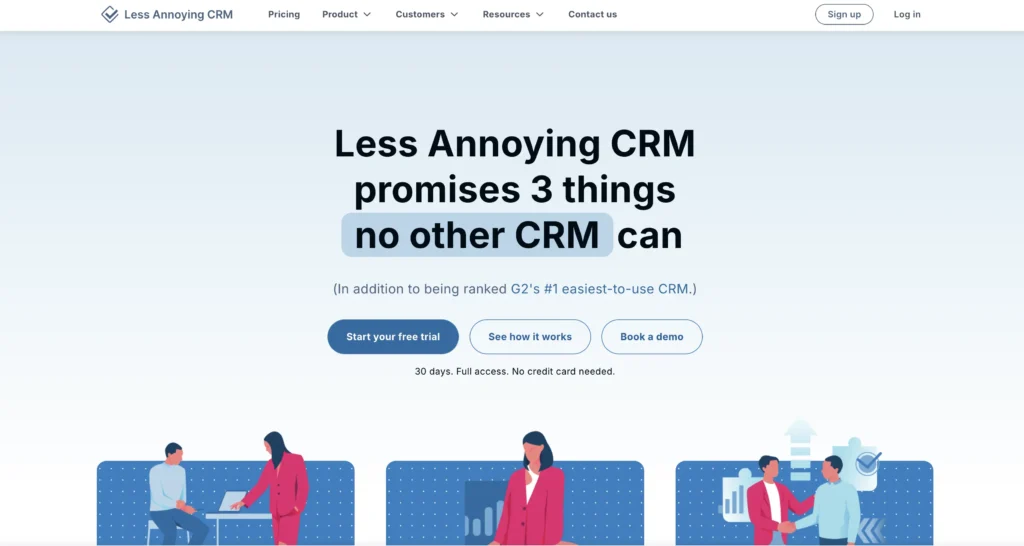
Quick summary: Less Annoying CRM takes the “less is more” philosophy to heart. If your agency wants a simple contact manager with basic pipeline tracking and doesn’t need complex automation or compliance features, Less Annoying CRM gets out of your way. It’s the CRM for people who hate CRMs. Small teams or solo agents with simple workflows only.
Key features:
- Simple contact management
- Basic pipeline tracking
- Task management
- Mobile app (simplified)
- Email notifications
- Integration with email and calendar
Pros:
- Genuinely simple to use
- Very affordable
- Free phone support
- Clean, uncluttered interface
- Fast implementation
- Month-to-month billing with no contract
Cons:
- Bare-bones feature set missing critical insurance features
- Lack of email integration requires manual logging
- Limited compliance automation (problematic for regulated industry)
- No renewal-focused workflows
- Mobile app is basic
- Not scalable beyond tiny teams (10–15 users max)
- Customization limited
Pricing:
Less Annoying CRM offers one plan: $15/user/month, plus tax. A free trial is also available.
Key takeaways:
- Best for ultra-simple teams that don’t need automation
- Not recommended for insurance (compliance gaps, no renewal automation)
- Good for service providers or consultants; suboptimal for insurance agents
- Use only if your agency has fewer than 10 users and simple workflows
Agent CRM – 3.5 – Best for AI-powered insurance-specific workflows
Official website: https://alb.baymaxcrm.com/
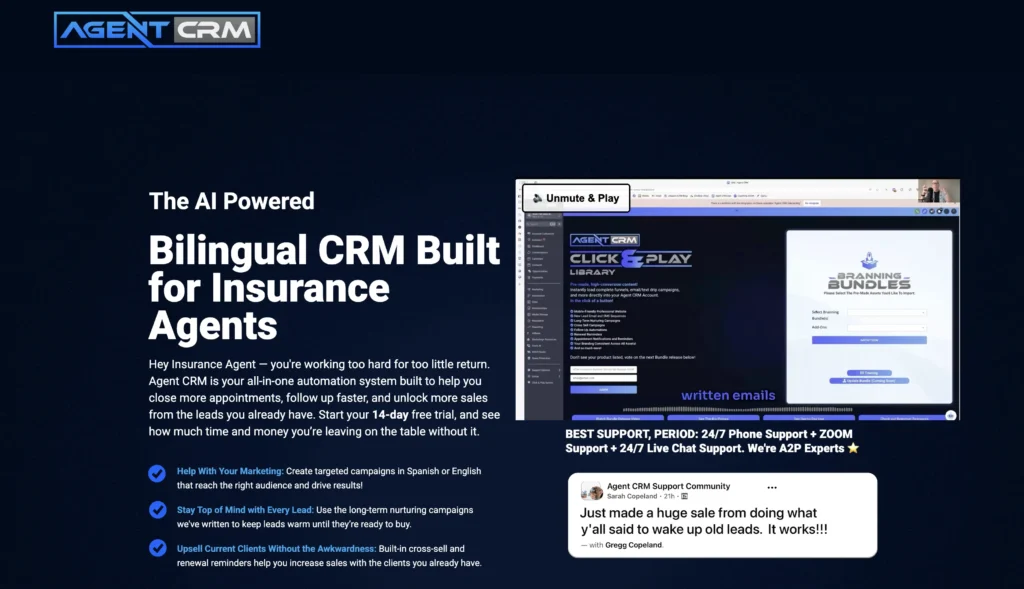
Quick summary: Agent CRM is the newest option on this list and focuses on AI and insurance automation. It promises intelligent lead scoring, predictive renewal risk, and AI-driven task prioritization. If your agency wants cutting-edge AI for insurance workflows, Agent CRM is worth evaluating.
Key features:
- AI-driven lead scoring and propensity modeling
- Predictive renewal risk identification
- AI-powered next-action recommendations
- Insurance-specific workflow templates
- Compliance automation
- Mobile app with AI insights
Pros:
- Innovative AI capabilities (if they deliver as promised)
- Insurance-specific design
- Built-in compliance automation
- Competitive pricing
- Strong technical roadmap
- Fast implementation (2–3 weeks)
Cons:
- Early-stage product with limited market validation
- Fewer customer reviews and case studies vs. established competitors
- Small support team (email/chat only)
- Pricing structure unclear on website (requires demo)
- AI accuracy unproven on real insurance data at scale
- Limited third-party integrations
- Smaller ecosystem of add-ons and partners
Pricing:
Agent CRM offers a single price: $97/month for all users and features. A 14-day free trial is also available.
Key takeaways:
- Promising innovation in AI for insurance but unproven at scale
- Best if you want to experiment with cutting-edge AI, though there is risk involved with testing early-stage technologies
- Cheaper than Salesforce/AgencyBloc but pricier than Zoho
- Wait for more case studies and customer reviews before committing large team
7 tactics to close your 10% retention gap with Nutshell
The average insurance agent retains 83–85% of their book annually, which indicates 15–17% yearly attrition. For an agent managing $500,000 in annual premiums, that’s $75,000–$85,000 in lost revenue every single year.
This section outlines seven specific, Nutshell-powered tactics that can help your agents close this gap. Each tactic is concrete, actionable, and measurable so you can monitor retention rates over six months.
Tactic 1: Automated 90/60/30-day renewal reminders
What it is: Set up Nutshell workflows that automatically generate tasks at 90 days before policy expiration, 60 days before, and 30 days before. Each task appears on your task list with the client name, policy type, and renewal amount.
Why it works: Missed renewal dates are the top cause of policy lapse. Automation removes human error, so you’ll never miss a renewal window again.
How to implement: In Nutshell, create three automation rules:
- When policy expiration date = 90 days away → Create task “90-day renewal outreach”
- When policy expiration date = 60 days away → Create task “Send renewal proposal”
- When policy expiration date = 30 days away → Create task “Final renewal follow-up”
Each task appears automatically, no setup required after your first configuration.
Expected outcome: Zero missed renewals; immediate revenue protection for your entire book. Most agencies report 100% of renewals initiated within a 30-day window (vs. 70–80% without automation).
Tactic 2: Segmented renewal outreach by policy type
What it is: Create separate renewal workflows for different policy types (auto, home, life, commercial, etc.). Each segment gets customized messaging, templates, and timing optimized for that product type.
Why it works: While a generic “time to renew” email gets ignored, a personalized “Your home insurance renews March 15, and we found new discounts available” gets attention. Segmentation increases response rates by 20–30%.
How to implement: In Nutshell, segment your client base by policy type. Create email templates for each:
- Auto insurance renewal: emphasize new discounts, coverage changes, multi-policy savings
- Home insurance renewal: highlight claims experience, updated coverage needs, disaster protection
- Life insurance renewal: focus on life changes (new family members, business growth), term conversion options
Use Nutshell’s email sequences to auto-send personalized messages at the 90-day mark.
Expected outcome: 20–30% increase in renewal response rate; shorter sales cycle from outreach to close.
Impact: On 100 renewals: 25–30 additional positive responses = $12,500–$15,000 in retained premium vs. generic approach.
Tactic 3: Life event tracking for cross-sell opportunities
What it is: Track and log life events (home purchase, marriage, new baby, business launch, significant birthday) in Nutshell. When these events occur, Nutshell alerts you to cross-sell opportunities.
Why it works: Life events are the #1 indicator of insurance need. A 30-year-old who just bought their first home needs homeowners insurance. A couple that just married should review beneficiaries and coverage. These moments create natural cross-sell opportunities if you’re paying attention.
How to implement: In Nutshell, add “Life Events” field to client record. Create automation: when life event = “home purchase,” create task “Discuss homeowners insurance” and auto-send email with homeowners quote. Same for marriage, new baby, business launch, etc.
Use Nutshell’s mobile app to capture these events during client calls and service interactions.
Expected outcome: 1–2 additional cross-sells per agent per month; $300–$800 in incremental annual revenue per agent.
Impact: On a team of 5 agents: 60 additional cross-sells annually = $18,000–$40,000 in new revenue.
Tactic 4: Renewal conversation templates
What it is: Create standardized, field-tested renewal conversation templates in Nutshell. When you pull up a renewal task, the template is right there with talking points, questions, objection handling, and close strategy.
Why it works: Without templates, renewal conversations are inconsistent. Some agents close 90% of renewals; others close 60%. Templates standardize your best practices across your entire team.
How to implement: Document your highest-closing-rate agent’s renewal conversation:
- Opening: “Thanks for being our valued client for [X] years. Let me review your coverage to make sure it still fits your situation.”
- Discovery: “Any changes in life circumstances, assets, or business that would affect coverage?”
- Value statement: “Based on your needs, here’s your renewal quote and the value you received from claims we handled last year.”
- Close: “Let’s get this processed so you’re protected through [renewal date].”
Store this as a template in Nutshell task descriptions so every agent can use it. You’ll see your results improve dramatically.
Expected outcome: 5–10% increase in renewal close rate (from 85% to 90–95%) by standardizing best practices across team.
Tactic 5: Historical renewal tracking and pattern analysis
What it is: Use Nutshell’s reporting to track renewal outcomes over time. Which clients always renew? Which are at risk? Which take longest to close? Use your findings to optimize your process.
Why it works: Data reveals patterns. Maybe 20% of your clients consistently renew late. Maybe another 20% never miss. By identifying patterns, you can apply extra attention to at-risk segments and learn from your best renewers.
How to implement: In Nutshell, create custom report: “Renewal Outcome Analysis” showing for each client:
- Client name and policy type
- Renewal date
- Did they renew? (Yes/No)
- Days until renewal close
- Premium amount
- Renewal contact date vs. close date
Review quarterly to identify and track patterns. For your “at-risk” segment, increase frequency of contact or offer incentives to stay consistent.
Expected outcome: Identify which outreach strategies work best; refine process quarterly based on data.
Impact: Continuous improvement; each quarter, retention rate increases 1–2% as you optimize.
Tactic 6: Real-time performance metrics dashboard
What it is: In Nutshell, set up a dashboard showing current-week and current-month metrics: renewals due, renewals completed, close rate, average days-to-close, retention rate (year-to-date).
Why it works: What gets measured gets managed. A visible dashboard keeps the team focused on retention. You see in real-time: “We’re at 82% retention this month vs. 85% last month. We need to close 3 more renewals to hit target.”
How to implement: In Nutshell, create a custom dashboard with widgets:
- Renewals due this week (count and premium amount)
- Renewals completed this week (count and close rate %)
- Renewals overdue (count; escalates at-risk opportunities)
- Month-to-date close rate % vs. target
- Year-to-date retention rate vs. goal
Share your dashboard in team meetings and discuss weekly. Celebrate wins when they pop up.
Expected outcome: Increased team accountability; higher retention through focused attention.
Impact: Team sees progress weekly; motivation increases; retention improves.
Tactic 7: Task prioritization via next-action framework
What it is: In Nutshell, every task has ONE clear next action. You don’t see a long list of competing priorities; you see ranked tasks in order of priority. Your next action is always clear.
Why it works: Insurance agents suffer from decision paralysis. Hundreds of clients, multiple policies per client, renewals mixed with new business, competing deadlines. Without a prioritization system, important renewals get lost in the noise. Nutshell’s next-action framework answers “What should I work on right now?” at every moment.
How to implement: Configure Nutshell’s next-action framework:
- Rank all opportunities by renewal urgency (renewal 30 days away = highest priority)
- Rank within urgency by premium amount (high-value clients get attention first)
- Within same urgency/premium, prioritize by risk (at-risk renewals get escalated)
Your task list now shows: “Top 5 tasks for today” in priority order. You work through them. No decision paralysis.
Example:
- Priority 1: Renewal call to ABC Corp (policy expires in 5 days, $50,000 premium, client response pending)
- Priority 2: Follow-up email to XYZ LLC (policy expires in 12 days, $30,000 premium, initial contact attempted)
- Priority 3: New business proposal to DEF Inc (prospecting, lower urgency than active renewals)
Expected outcome: 15–20% productivity increase through elimination of decision paralysis. Agents spend less time deciding what to work on and more time executing.
Compliance automation: why built-in beats bolted-on
Insurance is regulated. Whether it’s state insurance board requirements, Gramm-Leach-Bliley Act (GLBA) criteria, or industry standards, compliance documentation isn’t optional—it’s mandatory. Every client interaction must be documented, timestamped, and audit-ready. Miss compliance during an audit and you face fines ($1,000–$5,000+), license suspension, and reputation damage.
The problem: most insurance agents track client interactions scattered across multiple systems. Email in Gmail. Handwritten notes in a notebook. Call logs in a spreadsheet. Text messages not logged at all. If you’re audited tomorrow, proving you documented every interaction becomes a nightmare.
Manual compliance = regulatory risk
Common compliance failures:
- Emails sent to clients not logged in your system (proof gap)
- Call notes in notebooks with no timestamps (unreliable)
- Compliance documentation scattered across platforms (unsearchable)
- New hire creates own system (inconsistency)
- Audit request for “all interactions with client X” takes weeks to compile (inefficiency)
Cost of compliance failure:
- Regulatory fines costing $1,000–$5,000 per violation
- License suspension (career-ending)
- Client lawsuits if poor documentation leads to coverage gaps
- Reputation damage in a trust-based industry
The solution: Built-in compliance by design
Built-in compliance (like what Nutshell has) means compliance features are key components of the core system, not add-ons.
For example, let’s explore how Nutshell’s compliance architecture works:
- Email integration: Every email to/from a client automatically logs in the CRM with timestamp, preserving original message, attachments, and metadata.
- Unified activity timeline: Every interaction (email, call, meeting, task, note) appears in one chronological timeline for each client, creating an unbreakable audit trail.
- Automatic timestamps: System captures exact time of every action (not manually entered, which is error-prone).
- User permissions control: Agencies set access controls so only authorized users can modify records (audit trail shows who changed what and when).
- One-click audit report: Select a client and date range. Nutshell generates a compliance report: all interactions, all correspondence, all documentation. Audit-ready in seconds.
Built-in vs. bolted-on: The difference
Most CRMs have what we call “bolted-on compliance,” which leads customers through this journey:
- Buy CRM (Zoho, HubSpot)
- Realize compliance logging is missing
- Purchase add-on compliance module ($5–$20/month extra)
- Manually configure integration between CRM and compliance tool
- The result: gaps, inconsistencies, unreliable proof
The best CRMs come with compliance features built directly into the framework, which is far safer for agencies for several reasons:
- Compliance logging included in all plans
- No configuration needed; it works immediately
- Email integration automatic; manual work eliminated
- Activity timeline automatic; no logging gaps
- Audit trail generated with single click
Peace of mind value
Beyond the tangible risk mitigation ($1,000–$5,000 in fines avoided), there’s enormous peace-of-mind value in knowing that compliance documentation is always current and audit-ready.
Many insurance agents report anxiety about audit risk: “If we’re audited tomorrow, am I covered?” With built-in compliance, the answer is always yes.
How next-action selling uniquely benefits insurance agencies
The next-action selling approach is the framework that differentiates Nutshell from every other CRM on this list. While competitors focus exclusively on features (contact management, reporting, pipeline), Nutshell focuses on clarity by telling users what they need to do next.
Insurance agents face a unique challenge: decision paralysis through abundance. You have:
- 200–500 active clients
- 2–5 policies per client average
- Multiple renewal dates scattered throughout the year
- New business prospects mixed with renewal follow-ups
- Cross-sell opportunities
- Compliance documentation requirements
Without a system that prioritizes these tasks for you, it’s easy to feel overwhelmed. That’s where Nutshell excels. The platform gets you going by nudging you toward the one most important thing you should work on right now. For most agents, that’s a major breakthrough in efficiency and sales.
Why Nutshell is the best choice for most insurance agencies
After evaluating seven CRMs across 40+ criteria, Nutshell emerges as the best overall choice for most insurance agencies. Not because it’s the fanciest or most feature-rich, but because it uniquely solves insurance’s core problems while delivering exceptional value.
The next-action difference
Insurance agents suffer from decision paralysis. Hundreds of clients. Multiple policies per client. Competing priorities. Without clarity on “what’s next,” important renewals slip through cracks.
Nutshell’s next-action framework directly addresses this problem. Every opportunity has ONE clear next action. Your task list shows these in priority order. You eliminate decision paralysis and focus on what matters most.
Competitive advantage: No competitor explicitly markets this. It’s unique to Nutshell’s positioning for insurance.
Financial impact: 35% productivity improvement = 40,000–40,000–50,000 per agent annually.
How to choose the right CRM for your insurance agency
It’s the question we hear most: “Is Nutshell right for us?”
The answer depends on your specific situation. To help you decide, we’ve created a self-assessment tool. Answer these 10 questions to identify your best fit.
10-question self-assessment
1. What’s your team size?
- Solo or 1–2 people → Nutshell or Zoho
- 3–10 people → Nutshell or AgencyBloc
- 10–50 people → Nutshell or Salesforce
- 50+ people → Salesforce likely, unless budget is tight (then Nutshell)
2. What’s your annual technology budget (CRM only)?
- <$5,000: Zoho or Less Annoying CRM
- $5,000–$25,000: Nutshell
- $25,000–$100,000: Nutshell or AgencyBloc
- $100,000+: Salesforce is viable option
3. How quickly do you need to launch?
- “We need to improve retention NOW” (< 4 weeks) → Nutshell or Less Annoying CRM
- “We want to launch in next quarter” (4–8 weeks) → Nutshell or AgencyBloc
- “We have 6+ months” → Salesforce viable
4. What’s your primary pain point?
- Missed renewals/poor retention → Nutshell (best renewal automation)
- Administrative burden/time management → Nutshell (best automation and next-action)
- Compliance risk/audit anxiety → Nutshell or Salesforce (best compliance architecture)
- Marketing lead generation → HubSpot
- Enterprise-scale complexity → Salesforce
- Simplicity/ease of use → Less Annoying CRM
5. What’s your insurance specialty?
- P&C (property and casualty) → Nutshell (strong renewal focus)
- Life insurance → Nutshell or AgencyBloc
- Health insurance → AgencyBloc (strong for AEP) or Nutshell
- Multiple lines → Nutshell (flexible) or Salesforce (if enterprise scale)
6. Do you have IT support in-house?
- No IT support/I’m not technical → Nutshell or Less Annoying CRM (plug-and-play)
- Limited IT support → Nutshell or AgencyBloc
- Dedicated IT team → Salesforce viable
7. What systems are you currently using?
- Using AMS (agency management system) → AgencyBloc (integrates) or Nutshell with integration
- Using accounting software (QuickBooks, FreshBooks) → Zoho or Nutshell (both integrate)
- Already using HubSpot for marketing → Stay with HubSpot CRM (integration advantage)
- Starting from scratch → Any option; choose based on other criteria
8. Do you plan to add agents soon?
- Growing from 1–5 to 10+ → Choose system that scales: Nutshell or Salesforce
- Staying solo/stable team → Nutshell or Zoho (either works)
9. Are you marketing-focused or sales-focused?
- Marketing-heavy (spending on ads, nurturing, content) → HubSpot
- Sales-focused (focus on conversion, retention, renewal) → Nutshell
- Balanced → Nutshell or HubSpot
10. What’s your implementation risk tolerance?
- “No disruption; we need seamless launch” → Nutshell or Less Annoying (fastest)
- “We can handle 2–3 months disruption” → Nutshell or AgencyBloc
- “We can commit 6+ months to major transformation” → Salesforce
Decision matrix: Quick match
If you answered primarily Nutshell: Best for most insurance agencies. Strong across all categories. Recommended for solo through mid-market, all insurance types.
If you answered primarily Zoho: Best if budget is your top constraint. Requires some technical setup but delivers good value.
If you answered primarily AgencyBloc: Best if you want insurance-specific features integrated with AMS. Ideal for life and health insurance specialists.
If you answered primarily Salesforce: Best if you’re enterprise-scale with complex operations and budget available. Not recommended for small to mid-market on cost basis.
If you answered primarily HubSpot: Best if marketing automation is priority and you have marketing team.
If you answered primarily Less Annoying CRM: Best if simplicity is priority and your workflows are very basic. NOT recommended for most insurance agents.
Final thoughts
Your agency is unique. Your clients are loyal (or they should be). Your team is dedicated. But without the right systems, you’re leaving money on the table every single day.
Nutshell can’t change your clients or your team—you’ve already built something valuable there. But it can remove the administrative friction that’s currently costing you $70,000–100,000+ annually in lost revenue.
Take 14 days to test it. You’ll be surprised at the difference clarity makes.
Final summary: Why Nutshell wins for most insurance agencies
Factor Nutshell Salesforce AgencyBloc HubSpot Zoho Best for insurance agents? ✓ Yes If enterprise If insurance-first If marketing-heavy If budget-first Ease of use Excellent Challenging Good Good Moderate Implementation speed 2–6 weeks 3–6+ months 6–12 weeks 2–4 weeks 2–4 weeks Price (10-person team/5 years) $150,000 $2,025,000+ $900,000+ $500,000+ 84,000–84,000–300,000 Compliance built-in? ✓ Yes ✓ Yes ✓ Yes No (add-on) No (add-on) Next-action framework ✓ Unique No No No No Renewal automation ✓ Excellent Requires setup Excellent Basic Requires setup Insurance-specific? ✓ Good Basic ✓ Yes No Requires setup Winner for most agencies: Nutshell
Not because it’s the fanciest or most powerful, but because it uniquely combines affordability, ease of use, speed to implementation, and a philosophy (next-action selling) that directly solves insurance workflows.
For your agency: Start the free trial today. Experience 14 days of clarity on what next-action selling can do for your retention and revenue.
See Nutshell in action!
Try Nutshell free for 14 days or let us show you around before you dive in.
 BACK TO TOP
Ready to try
Nutshell for Free?Thank you! Your submission has been received!Oops! Something went wrong while submitting the form.






What Is Revenue Intelligence? An All-Encompassing Guide
Published on: January 24, 2024Highly Effective Strategies for Elevating Sales Team Performance
Published on: November 10, 2022Join 30,000+ other sales and marketing professionals. Subscribe to our Sell to Win newsletter!










