How to Choose the Best CRM for Switching From Spreadsheets

-

Quick answer: How do you choose the best CRM when switching from spreadsheets?
The best CRM for switching from spreadsheets is one that’s easy to adopt, matches how your team actually sells, and doesn’t require a steep learning curve to get value from it. You’ll want to look for features like contact and pipeline management, data import tools, and automation that replaces the manual work spreadsheets can’t handle.
Nutshell is built specifically for teams making this transition. It’s intuitive enough that your team will actually use it, and powerful enough to grow with your business without the complexity of tools like Salesforce or HubSpot.
Running a small-to-medium business and using spreadsheets to keep track of your customer data is not uncommon. SMBs across the globe lean on Google Sheets or Excel to monitor customers and leads, and keep their sales pipeline organized.
But when you reach around five team members or 500 customer records, those spreadsheets no longer serve their purpose and end up more of a problem than a solution. Version control becomes a challenge, crucial lead follow-ups are missed, and errors in your data accumulate.
But there’s good news. With the right CRM, your team can be up and running in as little as a few days to a week. The switch itself is far less complicated than most SMBs realize. A CRM can completely transform how your team manages customer relationships and supports growth.
This guide walks through precisely how to evaluate potential CRM solutions with a scoring framework you can use to assess any vendor. We also showcase some of the best CRM platform options for businesses making the switch.
Key takeaways
- Errors in spreadsheet usage are universal: 97% of spreadsheets used by businesses to track customers and leads are rife with errors that compromise data quality, such as missing information, formulas that don’t work, and duplicated content.
- A CRM that’s the right fit should be live in days, not weeks: Modern CRMs built for SMBs shouldn’t need six months or an IT team to set it up. If the vendor needs more than two weeks to get up and running, it’s a red flag.
- CRM adoption informs its ROI: The most common reason for CRM implementation failure is when teams don’t make use of it. Make sure your chosen CRM is something your non-technical team members can and will actually use.
Table of contents
- The real cost of staying in spreadsheets
- When do spreadsheets become a genuine liability?
- How to choose a CRM when you’re switching from spreadsheets
- The SMB CRM Switcher Score: A framework for evaluating any vendor
- Key features every spreadsheet-to-CRM solution should have
- How the top CRMs compare for spreadsheet switchers
- CRM comparison table
- Best CRM software for switching from spreadsheets: Detailed reviews
- Common mistakes when switching from spreadsheets to a CRM
- Questions to ask any CRM vendor before you buy
- How Nutshell addresses the needs of spreadsheet switchers
- Is Nutshell right for you?
- Step-by-step migration guide from spreadsheets to CRM
- ROI calculator: How much are spreadsheets costing you?
- Migrate your spreadsheet CRM to Nutshell
- Frequently asked questions
The real cost of staying in spreadsheets
Making the switch from spreadsheets to a CRM can feel like a mammoth decision. The spreadsheet has become the foundation of your business, and your team is familiar with it. It’s also a cost-effective solution. So, why is it necessary to change?
The reality is that the spreadsheet system is broken, and may have deteriorated so slowly that its ineffectiveness has gone undetected. There are also several benefits of using CRM software over spreadsheets, including better customer experiences and more predictable business growth.
Over the past decade, SMBs that switched from spreadsheets to Nutshell have seen a 26.4% increase in sales revenue and closed deals 14.9% faster on average by their second year on the platform.
The reason spreadsheets don’t deliver the same results is that they’re ineffective sales tools. They aren’t designed to follow up with leads, report on your pipeline, or log sales activities. And its inability to support teams in this fundamental way just becomes worse as your team grows.
A whopping 97% of business spreadsheets fail when it comes to data quality. They’re filled with errors like broken formulas, duplicate records, and missing contact information. And the quality of this data just quietly becomes worse and worse over time if not addressed.
Despite this, you’ll likely find sales reps spending more than half their workday manually updating this broken system. Typically, it’s when teams reach five or more team members, or 500 contact records, that they begin to realize something needs to change.
At this point, deals slip through the cracks because no one knows what’s happening in the pipeline, and your revenue starts to tank. It’s the point at which businesses realize that another spreadsheet tab is not the answer, a CRM is.
Michigan-based brand Brother’s Leather Supply operated on spreadsheets for more than a year before it made the switch to Nutshell. After switching, it saw 40% month-over-month growth. The trick is finding a CRM that aligns with your business processes and solves your data management and lead follow-up problems
When do spreadsheets become a genuine liability?
The tipping point typically happens when:
- Your team is larger than five people: Coordination begins to fail and version control becomes almost impossible
- You have over 500 customer records to manage: Spreadsheets become inefficient when there’s too much data to manage, making searching and filtering the data difficult
- You’re missing follow-ups: It’s becoming obvious that there’s no way to track what the next action should be
- The frequency of errors is noticeable: Duplicates are showing up, data is missing, and your decisions are no longer based on reliable data
- Data entry is taking up too much time: Your team is spending hours every week manually inputting data
- You need visibility across the team: Your manager has no way to track what each team member is doing, or what deals are going to close and when
If any of these are true, you need to switch to using a CRM, not just for your sake but for the integrity of your business.
How to choose a CRM when you’re switching from spreadsheets
Some CRM’s are designed for companies relying on spreadsheets, while other CRM’s need a team of 10 to implement. Some are incredibly cost-effective for a company just starting out, but can become extremely costly as you grow. When you’re leaving a system you know and accessing a system that has to prove its worth, it’s important to center your focus on these criteria.
Criterion 1: Speed and ease of implementation
Why this matters for spreadsheet switchers: Disruption is the biggest risk when switching. Most SMBs can’t afford to have their sales process in limbo. The process of switching to a new CRM should be far better than the chaos of having no CRM at all. The longer your new CRM takes to set up the more likely your team is to stop using it altogether and go back to spreadsheets.
How to evaluate this: Vendors should give a realistic window when asked how long setup will take. Ask the vendor whether setup is something you can do yourself, or if you need paid consulting or support from IT staff. Look for CRMs that offer guided setup, prebuilt pipilines, and a setup support staff. Another great question to ask is, “How quickly can a 5-person sales team be fully up and running?”
What to look for in Nutshell: Nutshell’s setup is designed to take days, not weeks. The platform includes a guided setup process, pre-built pipeline templates, and free live support available to every trial user, not just paying customers. For teams migrating from spreadsheets, Nutshell offers a white glove import service for all customers, handling data transfer so you don’t have to go it alone.
Criterion 2: Data migration support
Why this matters for spreadsheet switchers: Data migration is one of the biggest concerns for SMBs switching CRMs. Losing data that represents years of deals and notes can really set you back, and a CRM that only offers CSV imports vs. one that helps you get it right can make a big difference.
How to evaluate this: Ask the vendors, “What does your migration process look like?” Look for a system that offers deduplication, guided field mapping, and support during the import. Check to see if migration assistance is paid. During your trial, try importing with a sample file. If they make migration difficult, that is indicative of the support you will get.
What to look for in Nutshell: Unlike other CRMs, Nutshell’s white glove import service is available to all customers. Its support staff handles the migration, and makes sure your historical data gets transferred to the correct fields without duplicates. Nutshell also works with Import2 to facilitate easier spreadsheet to CRM transfers.
Criterion 3: Ease of use for non-technical teams
Why this matters for spreadsheet switchers: Adoption is the biggest reason for CRM implementation failure. Sales reps tend to ignore a confusing user interface, resulting in a return to spreadsheets, or worse, running both systems simultaneously. CRM complexity can be an ROI killer. SMBs are generally the most negatively impacted because there are no system administrators to absorb the platform related workload.
How to evaluate this: Run a free trial with the actual users, and not just the evaluators in upper management. Watch how quickly users are able to perform essential tasks, and how many clicks it takes to complete those tasks. If theleast technical member of your team is confused three days into the trial, that is all the information you need.
What to look for in Nutshell: Nutshell is geared towards the non-technical user. Its clean interface and design and drag-and-drop pipeline builder requires no programming or coding. Updating and logging activities within Nutshell is very quick and seamless. It’s not common for a CRM platform to have users report complete buy-in for the platform, but Nutshell is an exception. G2 reviewers report and agree Nutshell is very user friendly for all team members.
Criterion 4: Follow-up visibility and next-action prioritization
Why this matters for spreadsheet switchers: The biggest failure when using spreadsheets for sales tracking is missed follow-ups. Spreadsheets don’t provide an automatic reminder for a follow-up after a deal has gone quiet. There is no dashboard to display what follow-ups are overdue or indication that a hot lead has gone cold and hasn’t been contacted in two weeks. This is one of the problems that a CRM is built to solve, but not every CRM does this successfully. Some CRMs offer a sales database. Others provide a sales system that prompts next steps for your sales reps.
How to evaluate this: A good CRM will display overdue tasks, follow-up prompts, and deals that need action without anyone having to dig for them. The best CRMs answer the question, “What do I need to do now?” from the home screen. A telling question to the sales CRM vendors is, “How will your sales CRM prevent missed follow-ups?”
Nutshell has integrated its next-action methodology into the CRM. The dashboard of the pipeline management system shows sales actions that are due and overdue before sales reps need to request this information. Nutshell also includes sales automation that allows users to create sales systems to prompt automatic follow-up tasks when deals either advance or go quiet.
What to look for in Nutshell: Nutshell has integrated its next-action methodology into the CRM. The dashboard of the pipeline management system shows sales actions that are due and overdue before sales reps need to request this information. Nutshell also includes sales automation that allows users to create sales systems to prompt automatic follow-up tasks when deals either advance or go quiet.
Criterion 5: Transparent, SMB-friendly pricing
Why this matters for spreadsheet switchers: SMBs often feel the sting from “free” tier trap. Some CRMs provide a tier that starts free to entice customers, but then charge $150/user/month for the features you’ll end up needing. Pricing models that include limits on contacts, a minimum number of seats, or paywall features can make a CRM far more expensive than it appeared during sign-up. For SMBs moving away from spreadsheets, the total cost of ownership is more important than the initial asking price.
How to evaluate this: Before you make a commitment, try to get the most detailed pricing information you can. Ask the vendor, “What would this cost for a team of five with these features?” Be on the lookout for per-contact pricing, mandatory yearly contracts, and other costs for things that should be provided for the price (such as support or data migration). Think about the cost for the second year, not just the first.
What to look for in Nutshell: Nutshell does not include minimums and offers pricing between $13 and $89 per user per month, making it affordable compared to most CRM offerings. Most SMBs end up on the Pro plan, which is $42 per user per month when paid annually. All plans come with live support, and there are no contact limits that increase your bill as your database grows.
Criterion 6: Integration with your existing tools
Why this matters for spreadsheet switchers: Your CRM has to integrate with your other applications (email, calendar, accounting software). If your CRM requires manual data entry across applications, then you’re not solving any problems. For SMBs, the level of integration with Gmail, Outlook, and QuickBooks is very important.
How to evaluate this: Look at the five to ten applications your team members use the most throughout the day. Ensure your essential apps each have a built-in integration prior to deciding on a CRM. During your free trial, test the email sync capabilities. If emails don’t automatically log, then your CRM will most likely be a wasted investment.
What to look for in Nutshell: Nutshell has more than 5,000 integrations and offers built-in two-way sync with Gmail and Google Calendar, Outlook, Slack, QuickBooks, Xero, and PandaDoc. Its App Marketplace also offers options to build customer connections using open API. With Nutshell, your team’s emails are automatically logged in the CRM, a significant productivity improvement for spreadsheet users.
The SMB CRM Switcher Score: A framework for evaluating any vendor
Use this framework for every CRM you’ll evaluate, not just the examples in this guide. Score according to what you learn during vendor conversations and trials on each criterion, one to five.
Criterion What to assess Your score (1–5) Speed of implementation Can your team be fully operational in two to four weeks without IT involvement or paid consultants? Data migration support Does the vendor offer hands-on migration help, deduplication tools, and field mapping at no extra cost? Ease of use Can your least tech-savvy team member navigate it confidently within a few days of signing up? Follow-up visibility Does the home screen surface what’s overdue and what to do next, without digging? Transparent pricing Is the year-two cost predictable? No hidden paywalls, contact limits, or seat minimums? Integration depth Does it natively connect with your email client, calendar, and the two to three other tools your team uses daily? Total /30 Interpreting your score:
- 24 to 30: Strong fit. This CRM checks your most important boxes. Start your trial and focus on adoption.
- 18 to 23: Acceptable fit with gaps. Identify which criteria scored low and decide whether those gaps are dealbreakers.
- 12 to 17: Proceed with caution. You’re likely looking at a platform built for a different buyer — either larger enterprises or simpler use cases.
- Below 12: Keep looking. A poor fit here will compound into poor adoption, wasted money, and a return to spreadsheets.
Key features every spreadsheet-to-CRM solution should have
Before diving into individual products, let’s establish what separates a good CRM from a mediocre one—especially if you’re coming from spreadsheets. These five features directly address the problems you’re experiencing right now.
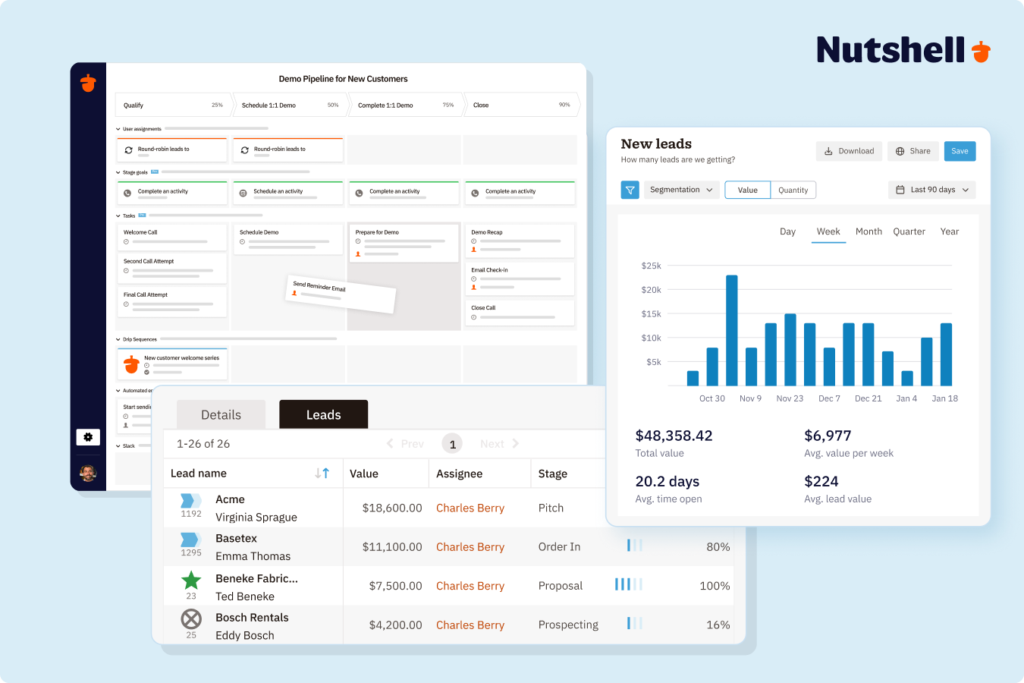
The centralized contact database replaces your scattered spreadsheet chaos. Instead of customer information split across multiple sheets, versions, and team members’ laptops, a centralized database keeps one authoritative record. When Sarah updates a contact’s phone number, everyone instantly sees the change. No more conflicting versions or wondering which sheet is current.
Email integration and automatic logging eliminates the biggest time-waster: manual data entry. Every email your team sends and receives automatically logs to the right contact’s record. Follow-up dates, customer responses, and communication history build themselves. This single feature can save a sales rep four to six hours per week compared to spreadsheets.
Task management and follow-up visibility directly solves the spreadsheet’s biggest failure point—missed follow-ups. A solid CRM shows your team what’s due today, this week, and overdue at a glance. Nutshell’s next-action dashboard, for example, prioritizes what each rep needs to do right now, preventing the “lost in the list” problem that kills deals.
Reporting and dashboards replace spreadsheet pivot tables with instant insights. See your pipeline by stage, forecast revenue, identify bottlenecks, and spot your top performers without building complex formulas. These dashboards update in real-time, not at the end of the month.
Data migration tools and support make the transition painless. The best CRMs offer guided imports, duplicate detection, field mapping, and validation checks. Nutshell and Zoho excel here—they handle the technical heavy lifting so you don’t lose sleep over data integrity.
Ease of implementation without IT involvement means your operations manager or office administrator can get the CRM live without calling in consultants. Pre-built templates, simple customization, and intuitive interfaces separate SMB-friendly CRMs from enterprise platforms requiring a dedicated implementation team.
How the top CRMs compare for spreadsheet switchers
Below are the top choices for SMBs switching from spreadsheets to CRM software. Instead of just talking about each CRM, we have used our SMB CRM Switcher Score Framework to illustrate how they stack up based on the criteria that matters most for the typical SMB use case.
Key criteria comparison table
Criterion Nutshell HubSpot Pipedrive Zoho CRM Salesforce Monday CRM Speed of implementation Days to two weeks Two to four weeks Two to three weeks Two to four weeks Two to six months Two to three weeks Data migration support White glove included for all customers Guided import; more support at paid tiers Self-serve with documentation Guided import with templates Typically requires paid consultant Self-serve Ease of use Built for non-technical teams More complex at paid tiers Clean and intuitive Steeper learning curve High complexity; requires training Requires Monday.com familiarity Follow-up visibility Next-action dashboard built into core product Available at paid tiers Activity reminders on all plans Available; requires configuration Available; requires configuration Less sales-native Transparent pricing 13–13–89/user/mo; no contact limits Free to $150/user/mo; scales significantly 14–14–99/user/mo Free to $65/user/mo 25–25–100/user/mo; add-ons common 12–12–41/user/mo; feature gaps at low tiers Integration depth 5,000+ integrations; native Gmail/Outlook sync Strong ecosystem; best for marketing integrations Good; solid email integrations Extensive within Zoho ecosystem Largest third-party ecosystem Good within Monday.com ecosystem When each CRM option wins
Nutshell wins if you’re a five-to-fifty-person SMB and you need to be operational in two weeks with follow-up visibility minus the complex configuration. It’s an especially good fit if your team is non-technical and other CRM systems have failed due to lack of team adoption.
HubSpot wins if you have a bigger team performing tasks like content marketing, inbound lead generation, and email nurturing as well as sales, and you need these tools centralized. The free CRM is a decent entry point. However, the majority of growing SMBs will outgrow the free version within a few months and will face higher-than-average pricing when upgrading.
Pipedrive wins if your team is sales focused and the main thing you lack from your spreadsheets is the ability to visualize your sales pipeline. It may note be an ideal option if you need marketing automation capabilities or similar key business tools.
Zoho CRM wins if you use other Zoho products or need a highly customizable system at a lower price offer. If it’s flexibility you’re after, bear in mind that you may experience longer setup times, as flexibility requires more configuration work upfront.
Salesforce wins if you expect exponential growth taking your company to enterprise status within the short-term. It’s ideal for larger operations with highly complex, multi-division sales processes and where dedicated sales admins in place. For most small to medium businesses migrating from spreadsheets, Salesforce is very likely going to be too complex and far more than you need. The lengthyimplementation time alone may be enough for you to pass on Salesforce.
Monday CRM wins if your team is using Monday.com as a project management, task management, and work coordination tool, and you wish to streamline your tools. However, if your team is not using a Monday.com product, consider a purpose-built CRM tool.
CRM rating comparison table
CRM Rating Implementation time Price/user/month Key strength Nutshell 4.6 ⭐️/5 1–2 weeks $13–$89 Fastest setup and next-action prioritization Pipedrive 4.4 ⭐️/5 2–3 weeks $14–$99 Intuitive sales funnel visualization HubSpot CRM 4.3 ⭐️/5 2–4 weeks Free–$150 Seamless email and marketing automation Zoho CRM 4.1 ⭐️/5 2–4 weeks Free–$65 Affordable pricing and extensive features Keap 3.9 ⭐️/5 3–4 weeks $299+ Powerful automation and client communication Monday CRM 3.7 ⭐️/5 2–3 weeks $12–$41 Work platform integration Salesforce 3.5 ⭐️/5 2–6 months Free–$100 Industry dominance and scalability Microsoft Dynamics 365 3.4 ⭐️/5 3–6 months $65–$150 Deep Office 365 integration Insightly 3.2 ⭐️/5 2–3 weeks $29–$99 Project management alongside CRM Best CRM software for switching from spreadsheets: Detailed reviews
1. Nutshell
Rating: 4.6 ⭐️
Best for: SMBs seeking the fastest implementation, most affordable pricing, and next-action sales methodology
SMB CRM Switcher Score: 27/30 — Strong fit for most SMBs making this transition
Official website: www.nutshell.com
Nutshell is purpose-built for small-to-medium businesses that want a CRM without the complexity, cost, or lengthy implementation of enterprise platforms. Founded in 2009, it’s specifically designed around the “next-action” sales approach—showing your team exactly what to do next to move deals forward, rather than drowning them in busywork.
Key features:
- Next-action dashboard: See what’s due today, this week, and overdue at a glance; eliminates the “lost in the list” spreadsheet problem
- Email integration and automatic logging: Every email your team sends and receives logs automatically to the right contact
- Visual pipelines: Drag-and-drop deal management with customizable stages for your specific sales process
Pros:
- Fastest implementation in the category: Most SMBs go live in one to two weeks with minimal IT involvement
- Most affordable pricing for SMBs: Starting at $25 per user per month, roughly one-third the cost of Salesforce
- Built for non-technical users: Intuitive interface means your team adopts it immediately, not after weeks of training
- Strong next-action focus: Directly solves the spreadsheet’s biggest problem: missed follow-ups
Cons:
- Smaller user community than HubSpot: Fewer third-party integrations and community-built templates
- Limited marketing automation: Better suited for sales-focused teams than marketing-heavy operations
Pricing
Nutshell’s pricing ranges from $13 to $89 per user per month depending on features and billing frequency. Most SMBs use the Pro plan ($42 or $49 per user per month), which includes all core CRM, email automation, and reporting. See Nutshell’s pricing page for current details.
2. Pipedrive
Rating: 4.4 ⭐️
Best for: Sales teams prioritizing visual pipeline management and deal transparency
SMB CRM Switcher Score: 22/30 — Strong for pipeline visibility. Gaps in migration support and marketing features
Official website: www.pipedrive.com
Pipedrive excels at making your sales pipeline visible and intuitive. Sales reps see their deals as they move through stages, and managers get an instant picture of forecast and activity levels. It’s especially valuable if your team struggled with spreadsheet’s lack of pipeline visualization.
Key features:
- Visual deal pipelines: Drag-and-drop deals between stages; customizable for any sales process
- Activity tracking: Automatic reminders for calls, emails, and meetings tied to deals
- Sales automation: Workflows that trigger follow-ups based on deal stage or activity
Pros:
- Excellent user experience: Clean, intuitive interface that feels modern and easy to navigate
- Strong pipeline visualization: Much clearer than spreadsheet-based pipelines
- Reasonable pricing: Starting at $14 per user per month, mid-range for SMBs
Cons:
- Limited marketing features: Primarily a sales tool; lacks email marketing and lead nurturing
- Reporting can feel limited: More basic analytics than competitors like HubSpot
Pricing
Pipedrive costs $14 to $99 per user per month depending on tier and billing frequency. Most SMBs start with the Premium plan at $59–$79 per user per month. Visit Pipedrive’s pricing page for details.
3. HubSpot CRM
Rating: 4.3 ⭐️
Best for: Growing businesses integrating sales and marketing, or teams needing a free starting point
SMB CRM Switcher Score: 20/30 — Strong for marketing-sales alignment. Pricing complexity reduces score for pure SMB switchers
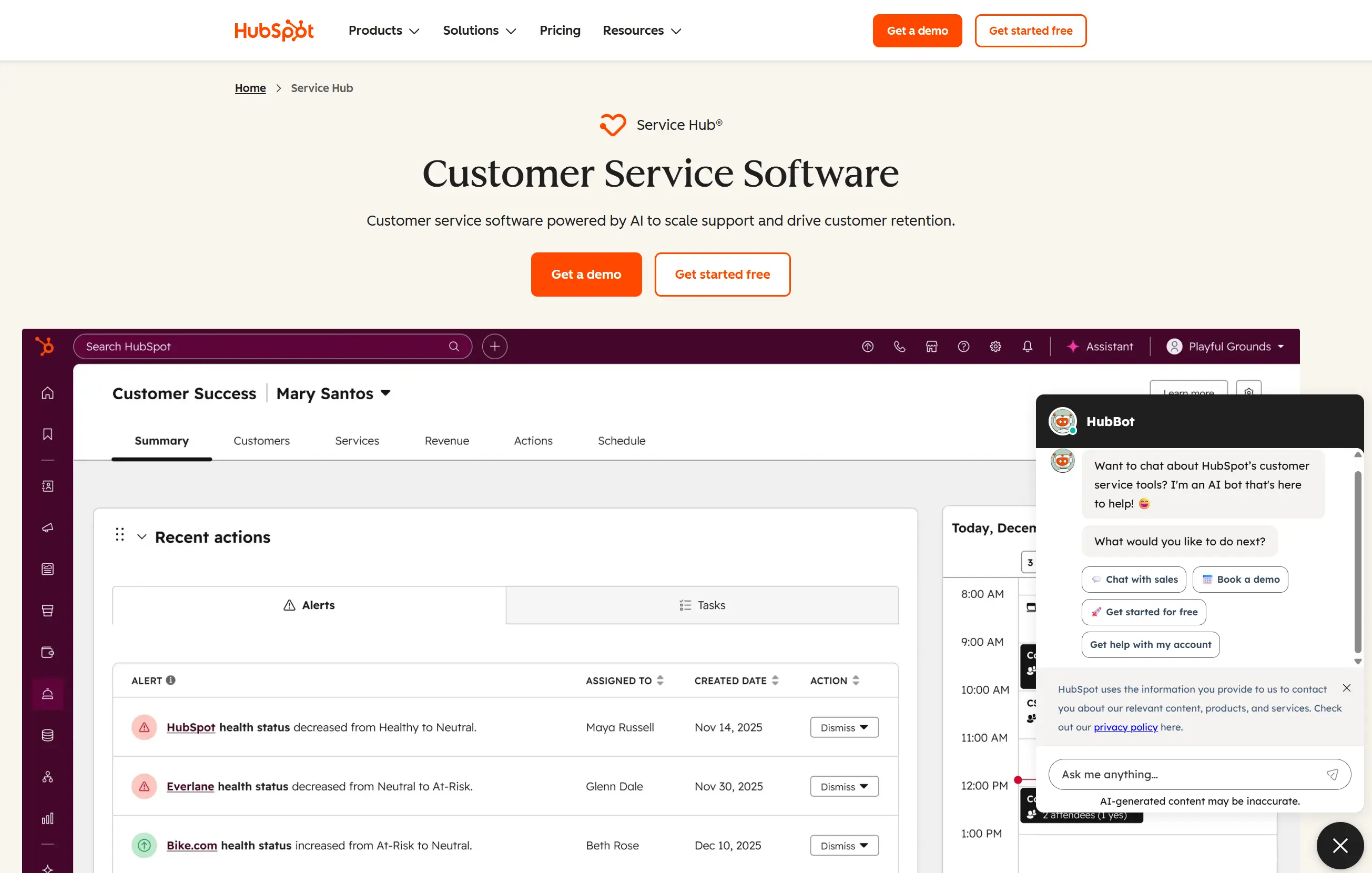
Official website: www.hubspot.com/products/crm
HubSpot CRM offers a free CRM tier that makes it an attractive entry point for teams hesitant about CRM investment. If you grow into marketing automation, HubSpot’s ecosystem integration is seamless. However, the free tier’s limitations mean most businesses move to a paid plan within six months.
Key features:
- Free CRM tier: Contact management, email tracking, and basic automation at no cost
- Marketing automation integration: Seamlessly adds email marketing, landing pages, and lead scoring
- Strong reporting: Comprehensive dashboards and custom reporting
Pros:
- Free to start: Zero risk for teams testing CRM adoption
- Excellent for marketing integration: If your team does content marketing or demand generation, HubSpot’s ecosystem is powerful
- Strong community and resources: Extensive documentation and user forums
Cons:
- Free tier is limited: Lacks automation, advanced reporting, and multi-user workflows
- Paid tiers get expensive fast: 50–120 per user per month for full feature access
- Learning curve for non-technical users – More features mean more complexity
Pricing:
HubSpot’s free CRM is a solid starting point. Paid tiers range from $9 to $150 per user per month. See HubSpot’s pricing page for current options.
4. Zoho CRM
Rating: 4.1 ⭐️
Best for: Budget-conscious teams seeking extensive customization and industry-specific templates
SMB CRM Switcher Score: 21/30 — Good value and flexibility, but longer setup reduces score for teams needing a fast switch
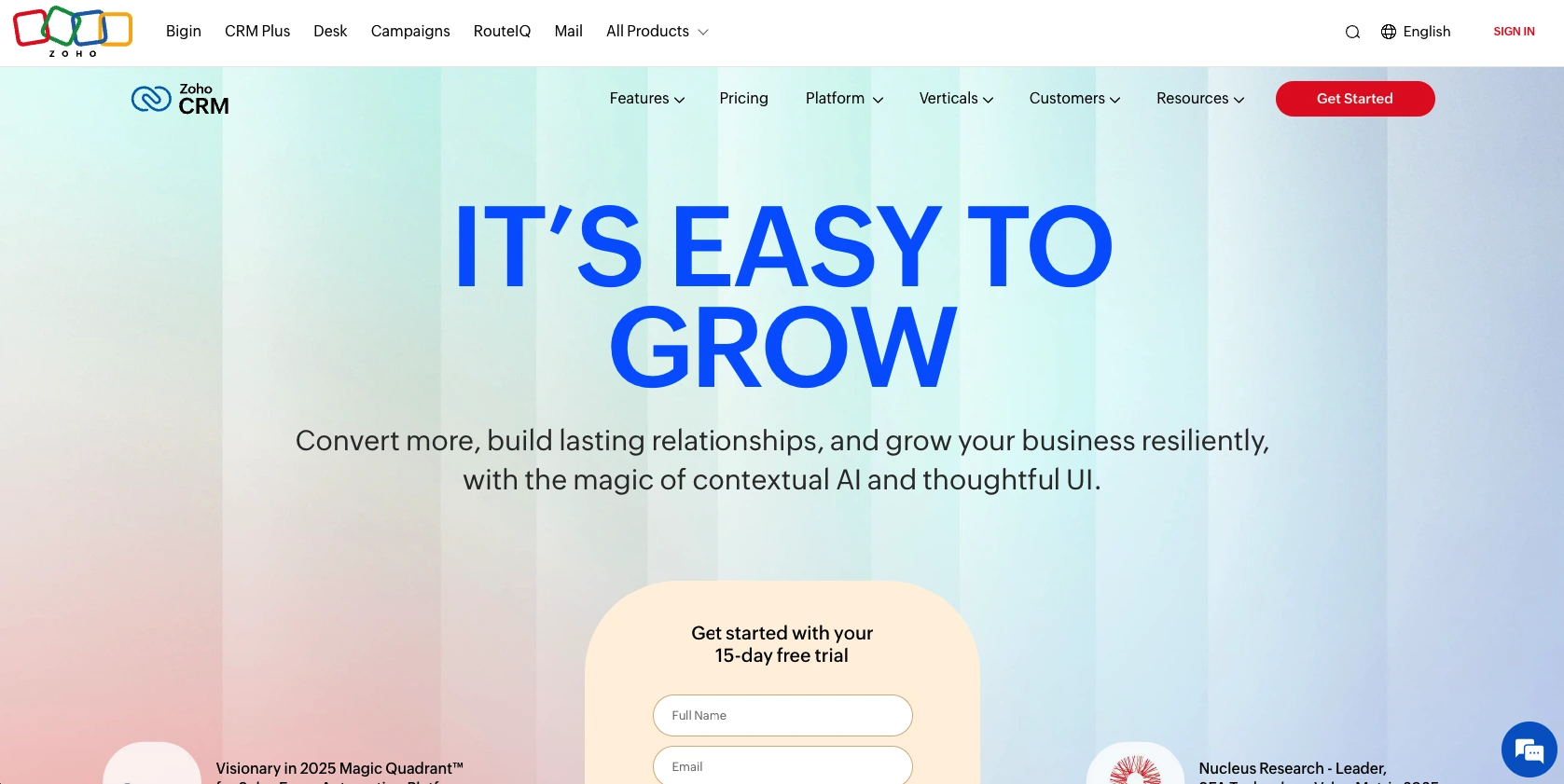
Official website: www.zoho.com/crm
Zoho CRM offers exceptional value—particularly if you’re already using other Zoho applications like Zoho Mail or Zoho Books. The pricing is among the lowest in the market, and customization options rival enterprise platforms. The trade-off? It’s more complex than beginner-friendly CRMs like Nutshell.
Key features:
- Highly customizable workflows: Build exactly what your business needs without coding
- Industry-specific templates: Pre-built solutions for manufacturing, real estate, professional services, and more
- Multi-language and currency support: Excellent for globally distributed teams
Pros:
- Affordability: With paid plans starting at $14 per user per month, Zoho offers excellent value for large teams
- Extensive customization: Match your unique business processes without limitations
- Strong automation: Workflow builder rivals enterprise platforms
Cons:
- Steeper learning curve: More features mean complexity; requires more training than Nutshell
- Implementation takes longer: Typically two to four weeks due to customization requirements
- Smaller community than HubSpot: Fewer third-party integrations
Pricing:
Zoho CRM starts at just $14 per user per month for basic features, scaling to $65 per user per month for advanced editions. A free tier with limited capabilities is also available for up to three users. Check Zoho’s pricing page for details.
5. Keap
Rating: 3.9 ⭐️
Best for: Service businesses, consultants, and teams requiring heavy automation and client communication capabilities
SMB CRM Switcher Score: 18/30 — Powerful automation for the right use case. Pricing makes it a tough fit for most small teams
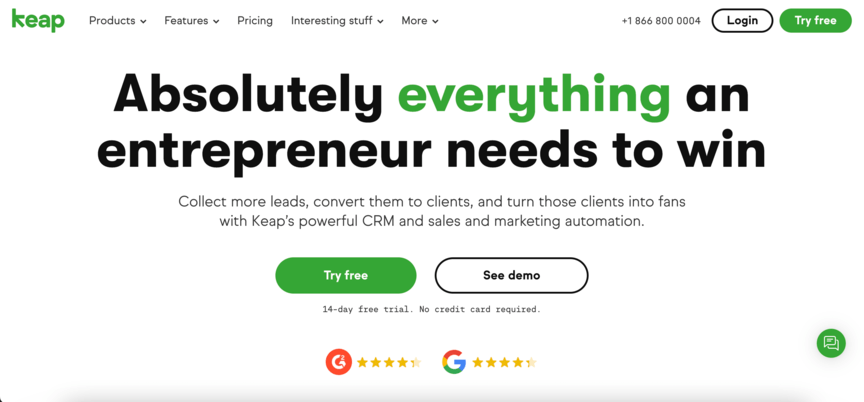
Official website: www.keap.com
Keap (formerly Infusionsoft) is purpose-built for service-based businesses. If you need to automate client communication, invoicing, and follow-up sequences, Keap’s automation capabilities are industry-leading. It’s less suited for straightforward B2B sales teams.
Key features:
- Advanced automation: Create complex client journeys based on behavior and stage
- Built-in invoicing and payments: Reduces the need for separate accounting software
- Client communication hub: Email, SMS, and social messaging in one place
Pros:
- Powerful automation: Better than any competitor for complex client workflows
- All-in-one platform: CRM, email, invoicing, and payments together reduce tool sprawl
- Service business focus: Pre-built templates for consultants, coaches, and agencies
Cons:
- Higher price point: Keap’s pricing starts at $299 per month for two users and 1,500 contacts, making it less affordable for small teams
- Steeper learning curve: Automation power comes with complexity
- Overwhelming features for simple needs: Overkill if you just need basic contact management
Pricing:
Keap starts at $299 per month for two users and 1,500 contacts. The price increases based on the number of users and contacts you need. Visit Keap’s pricing page for current options.
6. Monday CRM
Rating: 3.7 ⭐️
Best for: Teams already using Monday.com for project management or work coordination
SMB CRM Switcher Score: 17/30 — Best fit for existing Monday.com users. Limited advantage for teams new to the ecosystem
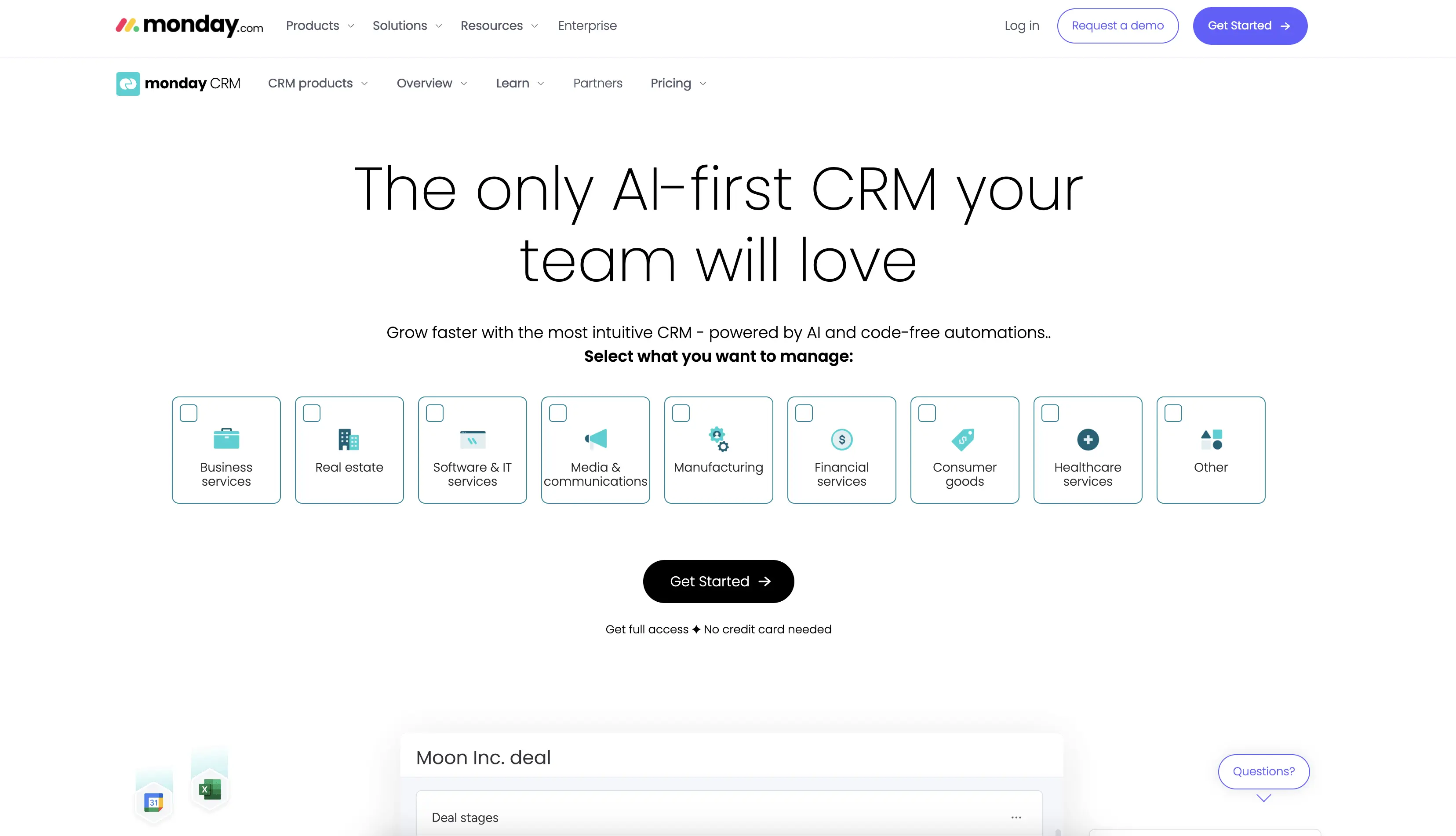
Official website: www.monday.com/crm
Monday.com CRM integrates directly with the rest of the Monday.com work platform. If your team uses Monday for projects, tasks, and team collaboration, adding Sales creates a unified workspace. However, if you’re not already invested in Monday.com, there’s little advantage over dedicated CRM platforms.
Key features:
- Unified work platform: CRM, projects, and team tasks in one system
- Customizable deal pipelines: Build sales workflows matching your process
- Collaboration tools: Built-in comments and updates keep teams aligned
Pros:
- Seamless Monday.com integration: If you’re already using Monday for projects, this eliminates tool switching
- Strong collaboration features: Better team communication than standalone CRMs
- Affordability: Monday CRM starts at $12 per user per month with annual billing, making it one of the most affordable options on our list
Cons:
- Not purpose-built for sales: Feels more like project management software with sales features added
- Steeper learning curve: Requires familiarity with Monday.com’s interface
Pricing:
Monday CRM starts at $12 per user per month and scales up to $41 based on plan and billing frequency. See Monday.com’s pricing page for details.
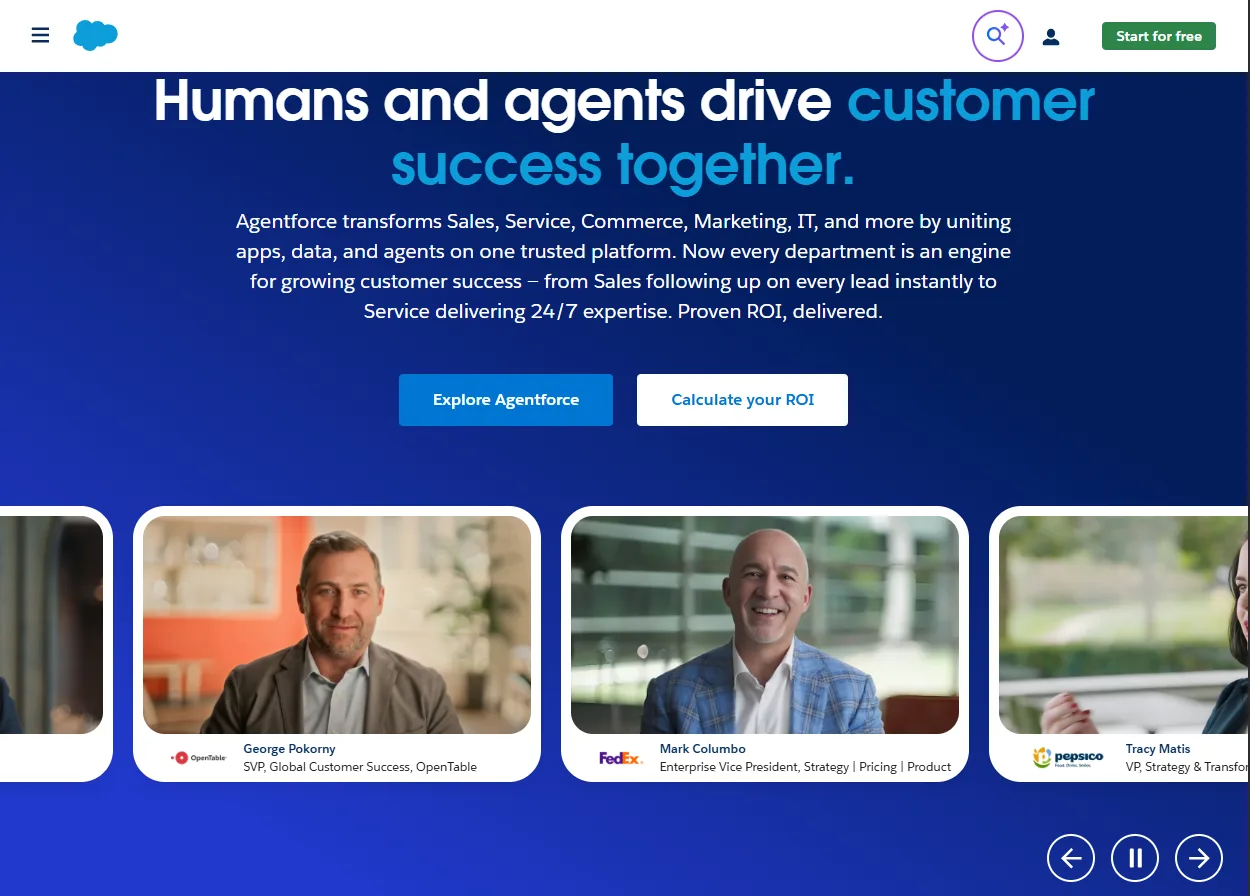
7. Salesforce CRM
Rating: 3.5 ⭐️
Best for: Enterprise-scale operations requiring advanced customization, complex workflows, and integration requirements
SMB CRM Switcher Score: 12/30 — Industry-leading power and ecosystem. The implementation complexity and cost make it a poor fit for most SMBs switching from spreadsheets
Official website: www.salesforce.com/crm
Salesforce is the industry standard for large enterprises. However, for SMBs transitioning from spreadsheets, it’s often overkill—expensive, complex, and slow to implement. If your business doesn’t require 12-month implementation timelines and teams of consultants, you’ll likely find better options.
Key features:
- Unlimited customization: Build virtually any business process imaginable
- Advanced reporting and dashboards: Deep analytics and forecasting
- Massive ecosystem: Thousands of third-party integrations and apps
Pros:
- Industry dominance: Largest CRM market share; skills are transferable
- Enterprise scalability: Grows with complex, multi-division organizations
- Extensive integrations: Nearly every business tool integrates with Salesforce
Cons:
- Extremely expensive: While Salesforce offers a free plan for up to two users, paid plans range from $25 to $100 per user per month
- Slow implementation: Typically two to six months; requires dedicated consultants
- Steep learning curve: Complexity that overwhelms non-technical users
- Overkill for SMBs: Most features go unused by small teams
Pricing:
Salesforce CRM offers a free tier for up to two users with limited capabilities. Paid plans start at $25 per user per month (Starter Suite) or $100 per user per month (Pro Suite). Visit Salesforce’s pricing page for more details.
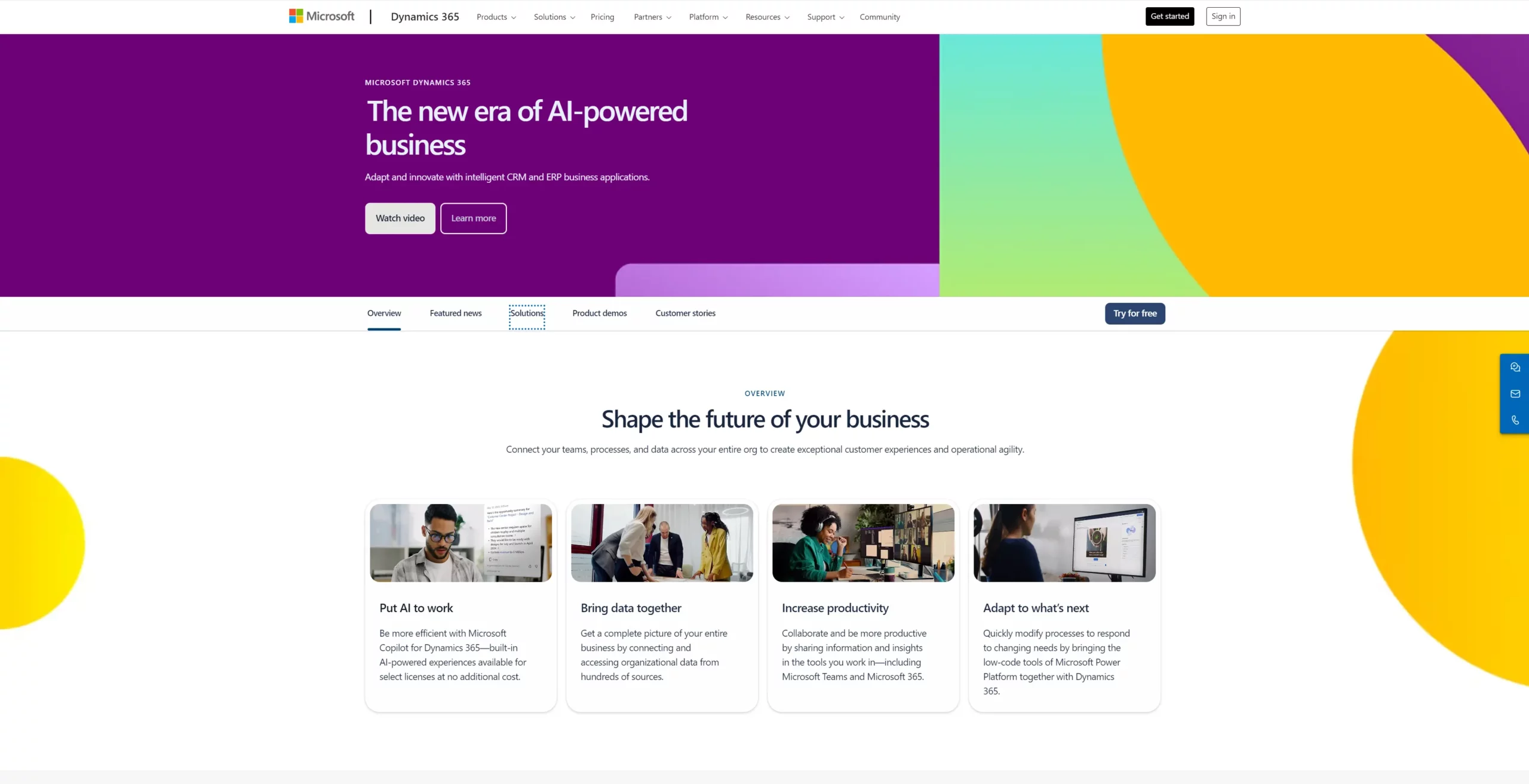
8. Microsoft Dynamics 365
Rating: 3.4 ⭐️
Best for: Organizations deeply integrated into Microsoft’s ecosystem (Office 365, Teams, SharePoint)
SMB CRM Switcher Score: 11/30 — Excellent for Microsoft-native organizations. Implementation timeline and cost make it impractical for most SMBs switching from spreadsheets
Official website: www.microsoft.com/en-us/dynamics-365/
Dynamics 365 is a powerful CRM that integrates beautifully with Office 365, Teams, and other Microsoft tools. If your organization lives in Microsoft’s ecosystem, Dynamics can reduce tool fragmentation. However, implementation is complex and costly.
Key features:
- Deep Microsoft ecosystem integration: Seamless with Office 365, Teams, SharePoint, and Outlook
- Advanced analytics: Built on Azure data infrastructure
- Multi-module platform: Sales, service, marketing, and finance modules
Pros:
- Excellent Microsoft integration: If you’re all-in on Office 365, this CRM offers a natural feel
- Scalable architecture: Grows with enterprise complexity
- Strong reporting via Power BI: Advanced analytics integration
Cons:
- Complex and expensive: Plans typically range from $65–$150 per user per month plus implementation
- Long implementation timeline: Three to six months is typical
- Steep learning curve: Requires IT and consultant involvement
- Overkill for most SMBs: Designed for enterprise, not small business
Pricing:
Dynamics 365 ranges from $65 to $150 per user per month depending on modules. Implementation costs often exceed product costs. Check the Dynamics 365 pricing page for details.
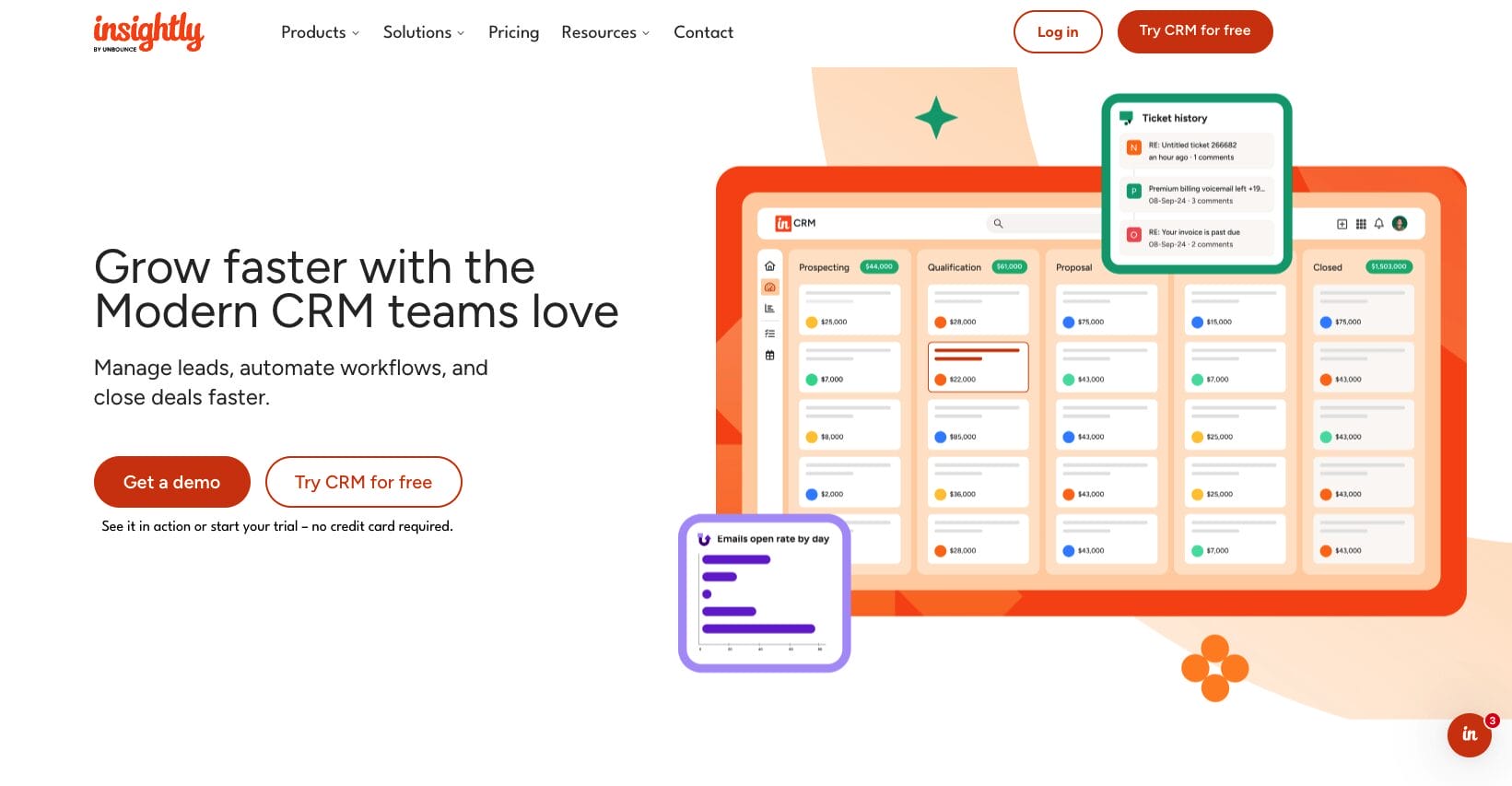
9. Insightly
Rating: 3.2 ⭐️
Best for: Small teams emphasizing project management alongside CRM functionality
SMB CRM Switcher Score: 16/30 — Useful for project-heavy teams. Limited automation and reporting hold it back for pure sales use cases
Official website: www.insightly.com
Insightly blends CRM with project management. If your team manages multiple customer projects alongside sales pipelines, Insightly’s combined approach might appeal. However, it falls short when compared to dedicated CRM platforms or standalone project management tools.
Key features:
- Project management integration: Track projects, tasks, and milestones from CRM records
- Contact and organization management: Relationship tracking with project context
- Basic automation: Workflow automation for common business processes
Pros:
- Project and CRM integration: Useful if you manage customer projects
- Affordable pricing: Starting at $29 per user per month
- Simple interface: Easier to learn than complex platforms
Cons:
- Jack-of-all-trades, master-of-none: Neither CRM nor project management is as strong as dedicated tools
- Limited automation: Fewer workflow options than Zoho or HubSpot
- Reporting gaps: Basic analytics; lacks advanced forecasting
- Smaller community: Fewer integrations and resources than competitors
Pricing:
Insightly CRM costs $29 to $99 per user per month, depending on tier and billing frequency. See Insightly’s pricing page for options.
Common mistakes when switching from spreadsheets to a CRM
The real reason most CRM implementations fail has very little to do with the software. Here are the mistakes we commonly see.
Mistake 1: Selecting the the CRM with the most features instead of best-fit for your business. Your employees are unlikely to use all the features included. Most Enterprise platforms (like Salesforce and Microsoft Dynamics) come with a great deal of customization options. But that comes with a high implementation cost, increased difficulty, and often requires a full-time administrator. Many five-person SMBs won’t understand most of a platform like this when switching over from spreadsheets, and will only be left with a complicated interface.
Mistake 2: Not cleaning spreadsheet data before importing. Doing this will bring unnecessary and incomplete data into your new CRM system, such as duplicates and poorly formatted data. In this case, you’ll quickly graduate from poorly managing spreadsheets to poorly managing a CRM system. It’s worth the time and effort to clean and standardize your data before importing. You’ll appreciate that you did.
Mistake 3: Not including your sales representatives during the software evaluation. It’s likely that the person purchasing the CRM will not be the end user. A lack of involvement in the decision process significantly decreases the odds of employees adopting the chosen CRM. Giving your best sales rep the opportunity to run the free trial provides them with a sense of ownership over the decision.
Mistake 4: Not holding a “What’s in it for me?” meeting with your team. It’s completely reasonable for employees to be a bit resistant to change. After all, switching to a CRM system means changing how they do things. Undergoing a system change without showing your team how they’ll save time and avoid hassles, employees aren’t likely to be motivated to use the new system. Before the CRM goes live, show employees how the new CRM will help get rid of tasks they do not like, such as, manual data entry, searching for contact history, and creating follow-up lists.
Mistake 5: Picking a free plan that doesn’t support your growth. Choosing a free CRM plan can be a smart, cost-effective choice, but most free tiers limit access to the most useful CRM features for SMBs. If you want your CRM to be worthwhile, you need to have those features at the beginning. A plan that costs $30 to $50 per user per month will include useful automation and help you achieve a return on your investment sooner, compared to a free plan that will likely call for manual workarounds.
Questions to ask any CRM vendor before you buy
Take these into every demo and vendor conversation. The quality of the answers will tell you as much as the product itself.
Question 1: What does the typical implementation timeline look like for a team our size?
- Why this matters: Vague answers without specifics suggest a longer, more complex process than the vendor wants to admit upfront. Get a realistic range and ask what factors extend it.
Question 2: What does your data migration support include, and does it cost extra?
- Why this matters: Some vendors charge separately for import help, cap the records they’ll assist with, or hand you a CSV template and call it “support.” Know exactly what you’re getting before you sign.
Question 3: Can we run a real trial with actual data, not just demo data?
- Why this matters: CRMs almost always look great in a scripted demo. The test that matters is whether your team can import your own contacts, build your actual pipeline, and log a real call without hitting a wall.
Question 4: What happens to our data if we cancel?
- Why this matters: Data portability is a legitimate concern. Confirm you can export all contacts, deal history, and notes in a standard format at any time — not just during an active subscription.
Question 5: How does pricing change as our team grows from five to fifteen people?
- Why this matters: The year-one price isn’t always the year-three price. Understand the per-seat cost at higher tiers, whether features are gated by plan, and what triggers a required upgrade.
Question 6: What does your support model look like, and is it free?
- Why this matters: Some CRMs charge extra for live chat or phone support, or funnel you into a community forum. For a team making its first CRM transition, real human support during setup is critical — not a premium add-on.
Question 7: How do you handle duplicate records from our spreadsheet import?
- Why this matters: Spreadsheet data is almost always messy. A vendor that shrugs at this question or says “you’ll need to clean it beforehand” is telling you something about their migration experience.
Question 8: Can we see your actual customer outcome data, not just testimonials?
- Why this matters: Any CRM can publish a glowing quote. Vendors who can back up claims with methodology-backed, aggregate performance data — like close rate improvements or revenue growth across their real customer base — are worth paying close attention to.
How Nutshell addresses the needs of spreadsheet switchers
With Nutshell, companies have seen a 26.4% increase in sales revenue and a 14.9% decrease in deal close times, on average, after their second year using the CRM system. These figures relate to real businesses, without the outliers.
Brothers Leather Supply struggled with spreadsheets for over a year before the company switched to Nutshell. After switching, they experienced an impressive 40% growth month-over-month. Not all businesses will experience exactly the same result, but it’s a good display of what the a team is capable of when spreadsheet management is taken out of the equation.
Here’s how Nutshell maps to each evaluation criterion:
- Speed of implementation: Nutshell’s setup is designed for days, not weeks. The guided setup wizard, pre-built pipeline templates, and free live support for all trial users means most SMBs are operational well within a two-week window. No IT department required.
- Data migration support: Nutshell offers a white glove import service to all customers — not a premium tier add-on. The support team handles field mapping, deduplication, and data transfer. Nutshell also partners with Import2 for teams migrating from other CRMs.
- Ease of use: The interface is built for business people, not developers. The drag-and-drop pipeline builder, one-click activity logging, and clean contact timelines mean your team can find a contact, update a deal, and log a call without training.
- Follow-up visibility: The next-action dashboard surfaces what’s overdue, what’s due today, and what’s gone quiet — before your rep has to ask. Sales automation builds sequences that trigger follow-up tasks automatically.
- Transparent pricing: Five plans from $13 to $89 per user per month. No seat minimums. No contact limits. Free live support on every plan. Most SMBs find the Pro plan at $42 per user per month covers everything they need.
- Integration depth: 5,000+ integrations including native two-way email and calendar sync with Gmail and Outlook, Slack, QuickBooks, Xero, PandaDoc, and more. Emails your team sends and receives log automatically to the right contact record.
Is Nutshell right for you?
Honest answer: it depends. Here’s how to think about it.
Nutshell tends to be a strong fit if:
- Your team is between two and fifty people and you need to be operational fast without a complex implementation.
- You’ve tried a CRM before and adoption failed. Nutshell’s interface is specifically designed for the non-technical user who gave up on the last platform.
- You’re switching from spreadsheets and want a CRM that handles your migration for you, not one that hands you a CSV template and walks away.
- You want follow-up visibility without heavy configuration, the next-action approach works out of the box.
- Budget matters and you want predictable pricing without contact limits, seat minimums, or feature paywalls.
- You need solid sales and marketing tools in one place without paying HubSpot’s scaling fees.
Nutshell may not be the best fit if:
- You need enterprise-level customization and have the IT resources to support it. Salesforce or Microsoft Dynamics 365 will give you more configurability, though at significantly higher cost and implementation time.
- Your business runs almost entirely on Google Workspace and you want a CRM that lives inside Gmail. Copper is built specifically for that use case.
- You’re heavily invested in the Monday.com ecosystem for project management and want everything under one roof. Monday CRM makes more sense in that context.
- You need advanced marketing automation as your primary use case. HubSpot’s marketing suite runs deeper than Nutshell’s for teams doing inbound at scale.
- Your team is two to three people, and you genuinely just need contact storage. HubSpot’s free tier may be sufficient until you’re ready for a full CRM investment.
Not sure which camp you’re in? Start a free 14-day Nutshell trial (no credit card required), and run the SMB CRM Switcher Score with your actual team and your actual data. That’s the only evaluation that really counts.
Step-by-step migration guide: from spreadsheets to CRM
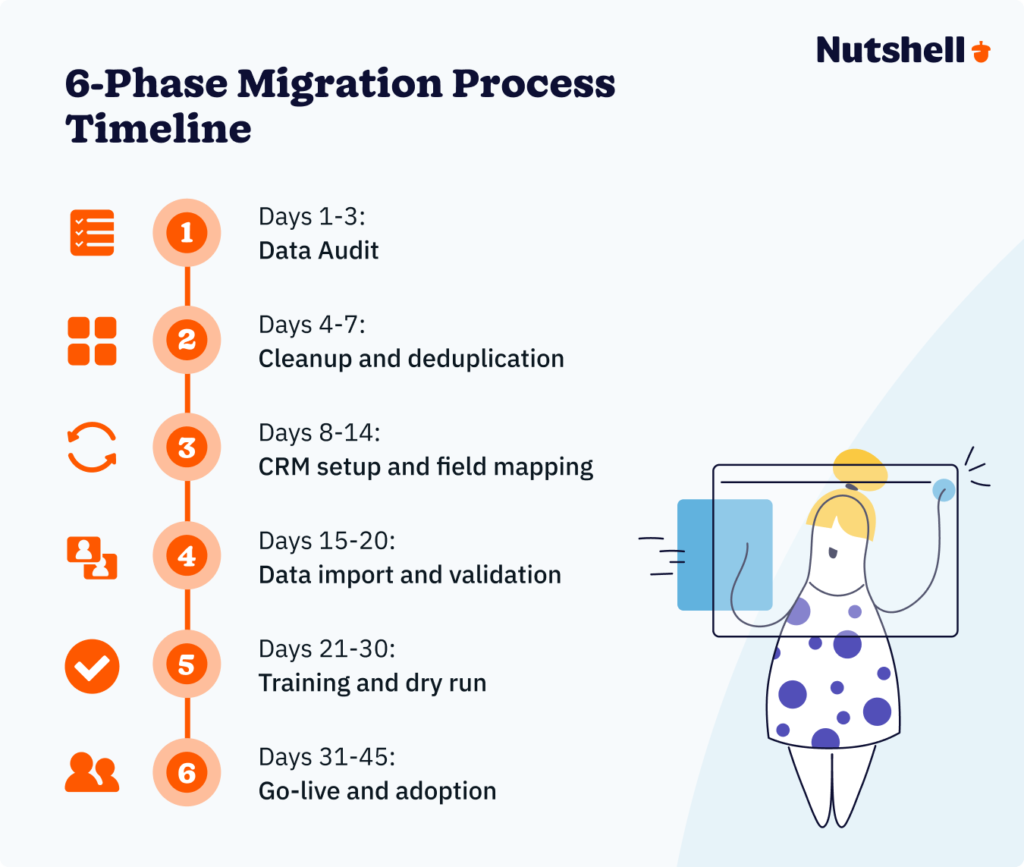
The biggest fear about switching from spreadsheets? “We’re going to lose our data” or “This is going to take months.” We’ll address both. The reality is that most SMBs can migrate completely in 30 to 45 days with a structured approach.
With Nutshell, though, the straightforward implementation process takes just one to two weeks.
This migration process breaks into six phases. Follow this checklist and you’ll move smoothly from spreadsheets to an operational CRM.
Phase 1: Audit and assessment (Days 1-3)
Before touching your CRM platform, understand what data you’re working with. Export all customer data from your spreadsheets—contacts, companies, deal information, historical interactions, everything. Lay it out in one place so you can see exactly what you’re moving.
Ask yourself: Which fields do we actually need in the CRM? Your spreadsheet probably has some columns you can trash (random notes, outdated information, fields you never used). Identify the core fields: contact name, email, phone, company name, deal stage, deal value, and last contact date. Add industry-specific fields as needed.
This phase typically takes three to five hours for a business with 500 to 2,000 customer records. Large datasets might require a full day.
Phase 2: Data cleanup and deduplication (Days 4-7)
This is unglamorous but critical. Your spreadsheets likely contain duplicates. “John Smith” appears three times with slightly different variations. “Acme Corp” is spelled as “Acme Corporation” and “ACME Corp” in different rows. Before moving data to the CRM, clean it up.
Create a cleanup checklist:
- Deduplication: Identify and merge duplicate records (same person listed twice with slightly different information)
- Standardization: Ensure consistent formatting (all phone numbers in the same format, company names capitalized consistently)
- Data validation: Check that required fields are populated; remove records with missing critical information
- Archiving: Set aside old, inactive records you won’t import (customers from 2021 who never converted and haven’t contacted you in three years)
Most CRM platforms have built-in deduplication tools that help identify duplicates, but human review is necessary. This phase typically takes three to five days depending on your data’s cleanliness.
Phase 3: Setup and field mapping (Days 8-14)
Now you’re in the CRM platform. Nutshell, Pipedrive, and HubSpot all offer intuitive setup wizards that guide you through configuration without requiring IT expertise.
During setup, you’ll:
- Customize your pipeline stages: Most CRMs come with standard stages (lead, prospect, opportunity, closed won/lost). Modify these to match your actual sales process.
- Map your spreadsheet fields: Tell the CRM where your data goes. Your “contact name” column becomes the CRM’s “contact first and last name” fields. Your “deal stage” column maps to the CRM’s pipeline stage.
- Set up automation: Configure email integration so emails automatically log to contacts. Set up task reminders for follow-ups.
- Build custom views: Create dashboards your team will actually use (deals due this week, overdue follow-ups, pipeline by stage, etc.).
This phase usually takes three to five days. Most CRM providers offer setup support and documentation to guide you through it.
Phase 4: Data import and validation (Days 15-20)
Import your cleaned, mapped data into the CRM. Most platforms allow you to upload a CSV file and automatically match it to your fields. Review the import results carefully.
Questions to verify:
- Did all records import successfully? Some should fail (incomplete records) and that’s expected.
- Are there obvious errors—data in the wrong fields, formatting issues, missing values?
- Do duplicates still exist? The CRM’s deduplication tool might catch ones you missed.
- Can you run a few test searches? Try finding specific contacts by name or company to ensure data is searchable.
This phase typically takes two to four days and involves your team spot-checking data. Budget time for any corrections needed.
Phase 5: Training and dry run (Days 21-30)
Before going live, your team needs to understand the new system. Schedule training sessions covering:
- Basic navigation: How to find contacts, create deals, log activities
- Daily workflows: How to log calls, send emails, update deal stages
- Reporting: How to use dashboards and reports they’ll need
- Mobile access: Most teams need CRM access on phones, not just desktops
Most CRM platforms provide video tutorials and documentation. For Nutshell, their support team offers onboarding calls to walk through your specific workflows.
Run a “dry run” during this phase. Have a few team members work exclusively in the CRM for a few days before full rollout. Use this time to identify questions or confusion before everyone depends on the system.
This phase takes five to ten days and should overlap with days 21-30 of your timeline.
Phase 6: Go-live and full rollout (Days 31-45)
Flip the switch. Your entire team stops using spreadsheets and works exclusively in the CRM. Expect a transition period—maybe two weeks—where everything feels slightly slower as people adjust. That’s normal.
Support your team during this phase:
- Quick wins: Celebrate early successes (a rep closing a deal faster because they could see the history, spotting a renewal at risk)
- Address blockers immediately: If someone can’t do their job in the CRM, fix it the same day
- Normalize looking at dashboards: In team meetings, reference CRM metrics (pipeline health, activity levels, forecast) instead of spreadsheet reports
- Spot-check data quality: Make sure the team is actually logging information correctly
By day 45, most teams are productive in the CRM. Adoption might not be perfect, but the system is operational and delivering value.
Nutshell typically condenses this timeline to 14-21 days for straightforward implementations because their platform requires minimal customization and their implementation team can guide you through setup quickly. More complex organizations with larger datasets or specific industry requirements might extend to 45 days.
ROI calculator: How much are spreadsheets costing you?
The question isn’t whether you can afford a CRM. It’s whether you can afford not to have one. Let’s calculate the real cost of spreadsheets and what a CRM actually saves you.
The time cost calculation
Start with your team size and how much time each person spends on spreadsheet management weekly.
- Sales rep: 4-6 hours per week managing pipeline, logging data, creating follow-up lists
- Operations person: 6-10 hours per week correcting errors, maintaining data, reconciling versions
- Manager: 2-4 hours per week pulling reports, checking data accuracy, following up on missed tasks
For a typical five-person team (three sales reps, one operations, one manager):
3 reps × 5 hours = 15 hours weekly
1 operations person × 8 hours = 8 hours weekly
1 manager × 3 hours = 3 hours weekly
Total: 26 hours per week
At an average loaded cost (salary + benefits) of $50 per hour:
26 hours × $50 = $1,300 per week
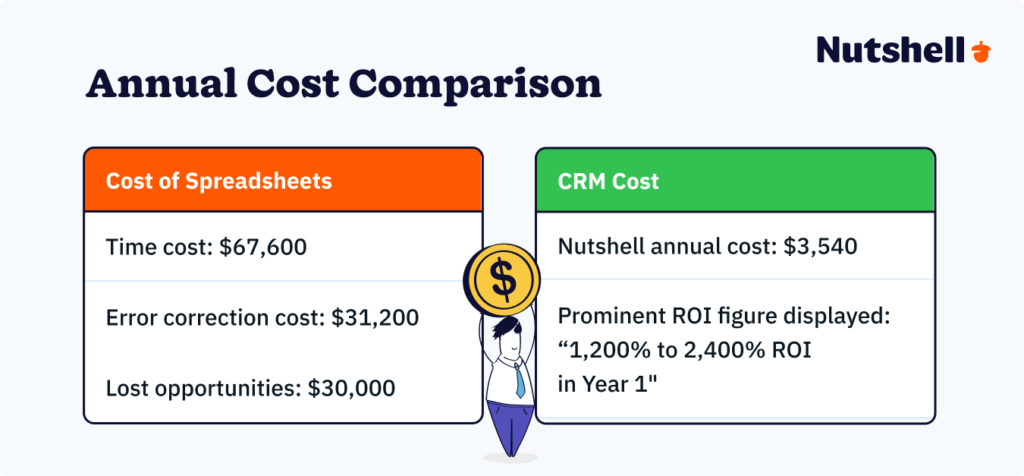
$1,300 × 52 weeks = $67,600 annually
That’s your baseline annual cost of spreadsheet maintenance before accounting for lost deals.
The error cost calculation
If businesses are spending roughly 30% of administrative time fixing spreadsheet errors:
One operations person = 40 hours per week
30% error correction = 12 hours per week fixing mistakes
At $50/hour = 600 per week in pure error correction
$600 × 52 weeks = $31,200 annually
This is time spent fixing problems rather than supporting growth.
The lost opportunity cost
This is the hardest to calculate but often the largest. When follow-ups are missed, deals fall through. When data is inconsistent, customers feel neglected. When visibility is poor, deals slip in the pipeline.
Here’s a conservative estimate. Your team closes one to three additional deals per quarter simply by having systematic follow-up and clearer pipeline visibility. If your average deal value is $5,000:
- 1.5 deals per quarter × $5,000 = $7,500 per quarter
- $7,500 × 4 quarters = $30,000 annually
Some teams see significantly more—businesses with $15,000 average deal values might lose $60,000+ annually in missed opportunities.
Total annual spreadsheet cost
- Time: $67,600
- Error correction: $31,200
- Lost opportunities: $30,000
- Total: $128,800
Now let’s calculate CRM cost and payback. Here’s what the cost would look like if this five-person team chose Nutshell Business with annual billing:
3 sales reps × $59/month = $177/month
1 operations person × $59/month = $59/month
1 manager × $59/month = $59/month
Total: $295/month = $3,540 annually
Reclaim time from CRM
- Automated email logging saves 2 hours per rep per week = 6 hours/week
- Error elimination saves 4 hours operations per week
- Better visibility saves manager 1 hour per week
- Total: 11 hours per week reclaimed
- 11 hours × $50/hour × 52 weeks = $28,600 annually
Payback calculation
- $3,540 CRM cost ÷ $28,600 annual savings = 0.12 years = 1.4 months
You recoup your full CRM investment in about six weeks. The additional $100,000+ in time savings and prevented lost deals is pure profit.
Your ROI in Year 1
- ($28,600 time savings + $30,000 prevented lost deals + $31,200 eliminated error correction) − $3,540 CRM cost = $86,260 net benefit
That’s roughly 2,436% ROI in the first year.
Even if we’re conservative—assume you save only half the estimated time and prevent only one additional deal per quarter instead of 1.5—your ROI still exceeds 1,000% annually.
This is why CRM adoption has skyrocketed. The economics are overwhelming. Key lesson: Historical data visibility uncovers upsell and cross-sell opportunities hidden in spreadsheets.
Migrate your spreadsheet CRM to Nutshell
Switching from spreadsheets to a CRM is simpler than you think and cheaper than you fear. The real cost isn’t the CRM—it’s continuing to use spreadsheets. You’re losing $22,000+ in deals from missed follow-ups, spending thousands of hours correcting errors, and limiting your team’s growth because visibility is impossible.
The best CRM for spreadsheet switchers needs to be affordable, fast to implement (one to two weeks for most teams), and intuitive enough that non-technical users adopt it immediately (no consultant needed). It should emphasize next-action prioritization to directly solve the spreadsheet’s biggest problem—systematic missed follow-ups.
Nutshell checks all these boxes. It’s built specifically for SMBs beginning their CRM journey. You’ll reclaim time through automation, prevent lost deals through better follow-up visibility, and centralize all your customer data in a system designed for ease of use.
Nutshell’s pipeline management lets you track leads systematically, while best practices for CRM setup help you implement successfully. Pipedrive, HubSpot, and Zoho are also solid options depending on your specific needs, but Nutshell’s combination of speed, affordability, and next-action focus makes it the strongest choice for most SMBs.
The real question isn’t whether you can afford to switch to a CRM. The math is overwhelming. The question is: how much longer are you willing to lose deals, waste time, and limit growth because you’re stuck in spreadsheets?
Ready to make the switch? Start your free 14-day Nutshell trial and experience how a real CRM transforms your team’s productivity. Most teams wonder why they waited so long.
Frequently asked questions
-
1. How long does it take to switch from spreadsheets to CRM?
Most teams go live in 30 to 45 days with a methodical approach. Nutshell often finishes in 14 to 21 days because their platform requires minimal customization. The timeline breaks down as:
- Audit (3–5 days)
- Cleanup and deduplication (3–7 days)
- CRM setup (5–7 days)
- Data import (2–5 days),
- Training (5–10 days)
- Go-live (5–15 days)
The biggest variable is data quality—messy data takes longer to clean than pristine data.
-
2. Will we lose our historical data in the migration?
You won’t lose your historical data if you follow a structured migration process. Export all your data first, clean and deduplicate it, verify the import in a test environment, and validate that records imported correctly.
Most CRM platforms provide deduplication tools to catch duplicates you might miss. The key is taking time during the validation phase (typically 2–5 days) to spot-check that data moved correctly.
At Nutshell, we’ve never seen a legitimate data loss when a business follows standard import procedures.
-
3. What if our team resists using the CRM?
Resistance is normal. Address it by communicating the why (concrete pain points the CRM solves), involving early adopters in setup, celebrating early wins, providing peer support, and acknowledging the transition period.
Most resistance dissolves within two weeks once people experience time savings and better pipeline visibility. The key is patience during the transition and ongoing support, not pressure to adopt immediately.
-
4. How much does a CRM cost versus maintaining spreadsheets?
A typical five-person team spends $128,800+ annually in spreadsheet maintenance (time + errors + lost opportunities). With a dedicated CRM like Nutshell for the same team, you recoup your CRM investment in less than two months and save $120,000+ in Year 1. Even conservative estimates show 1,000%+ ROI.
-
5. Can a CRM integrate with our existing tools?
Yes. Most modern CRMs integrate with business tools and platforms such as:
- Email: Gmail, Outlook
- Calendar: Google Calendar, Outlook
- Communication tools: Slack, Google Meet
- Accounting software: PandaDoc, Xero
Nutshell integrates with your key tools. Check Nutshell’s integration page for the complete list. If you use specialized tools, verify integration availability before choosing a CRM.
-
6. Which CRM is easiest to earn for non-technical users?
Nutshell is purpose-built for non-technical SMB teams. Its interface is intuitive, setup requires no IT involvement, and onboarding can happen in days, not weeks.
Pipedrive is also very user-friendly with excellent pipeline visualization. Both beat HubSpot (more features = more complexity) and Salesforce (enterprise-level complexity).
Related resources
- CRM implementation plan guide
- Benefits of using CRM software
- CRM adoption best practices
- Nutshell pipeline management
- Nutshell sales automation
- Nutshell integrations
See Nutshell in action!
Try Nutshell free for 14 days or let us show you around before you dive in.
 BACK TO TOP
Ready to try
Nutshell for Free?Thank you! Your submission has been received!Oops! Something went wrong while submitting the form.







The 13 Best Sales Management Software Tools to Help Your Team Sell Smarter
Published on: November 14, 2022
Establishing a System for CRM Data Entry and Management
Published on: April 11, 2023Highly Effective Strategies for Elevating Sales Team Performance
Published on: November 10, 2022Introducing Nutshell Forms Spam Prevention
Published on: April 22, 2024Join 30,000+ other sales and marketing professionals. Subscribe to our Sell to Win newsletter!










