The Best AI Tools for Small Business: CRM + Automation Over ChatGPT

-

The benefits of our top recommendations
Quick-win benefits:
- 5-10 hours/week saved per sales rep
- 27% customer retention improvement
- $8.71 ROI per $1 spent on CRM adoption
- 300% lead conversion increase potential
- 156% revenue growth documented
- 42% sales forecasting accuracy improvement
The key takeaway: A CRM with AI integration outperforms standalone tools for revenue.
There’s a common misconception among small business owners that any AI tool will magically solve their problems. Many are drawn to the flashy capabilities of general AI like ChatGPT or Gemini, believing these tools will revolutionize their operations.
But here’s the reality. For sales and revenue generation, this approach often misses the mark. The real challenge for SMBs isn’t a lack of AI access—it’s the hidden costs of inefficient sales processes and poor customer relationship management.
This substantial drain isn’t due to a deficit of “smart” software. Rather, it comes from workflows that don’t leverage AI strategically within your sales process. For sales teams specifically, the problem compounds: scattered data means missed opportunities, manual follow-ups fall through cracks, and reps spend hours on busywork instead of selling.
That’s why the market is rapidly shifting toward integrated solutions. 81% of organizations are projected to adopt AI-powered CRM by 2025. This isn’t just a trend—it’s a testament to the proven impact of integrated AI solutions that directly address sales challenges.
What you truly need is AI that doesn’t just predict—it acts. Specifically, AI that tells your sales team exactly what to do next to close a deal. This could be sending a personalized email, scheduling a follow-up call, or updating a deal stage. Without this integrated guidance, sales reps are left to interpret data from disparate sources, leading to missed opportunities and inefficient time use.
Integrated CRM + AI solutions eliminate this guesswork by embedding intelligence directly into the sales process. 83% of teams using AI CRM exceed sales goals, a clear indicator that purpose-built, integrated AI solutions are the true revenue drivers for small businesses.
In this guide, we’ll compare 10 AI tools for small business—from CRM platforms with built-in AI to standalone content creation tools—so you can understand which category actually moves your needle.
Table of Contents
- The best AI tools for a small business at a glance
- How we selected the best AI tools for small businesses
- Key features every small business CRM should have
- AI solution comparison table
- Best AI tools for small business: Detailed reviews
- Why small businesses need both CRM and AI (not just AI)
- How to choose the right AI tool for your small business
- Getting started: Implementation tips for quick ROI
- The ROI breakdown: What small businesses actually gain
- FAQs
The best AI tools for a small business at a glance
- Nutshell: Best for sales teams wanting all-in-one CRM + AI + automation with next-action selling
- HubSpot: Best for marketing teams adding CRM and AI capabilities to their platform
- ActiveCampaign: Best for email automation + CRM in one platform with multi-channel support
- Salesforce: Best for enterprise teams needing advanced customization and AI-powered analytics
- Keap: Best for service-based small businesses wanting CRM + automation + invoicing
- Pipedrive: Best for sales teams wanting visual pipeline management with AI insights
- ChatGPT (Business): Best for content creation, brainstorming, and general business questions
- Google Gemini: Best for research, analysis, and multi-modal AI assistance
- Jasper AI: Best for marketing teams wanting AI-powered content creation at scale
How we selected the best AI tools for small businesses
We evaluated 10 popular AI and CRM solutions using six criteria specifically designed for small business decision-makers. This methodology prioritizes revenue impact over flashy features, affordability over enterprise overkill, and ease of implementation over months-long deployments.
Let’s break down our evaluation criteria:
- CRM + AI integration level: We ranked tools that integrate AI directly into sales workflows higher than standalone AI chatbots. ChatGPT is powerful, but it requires manual prompting and interpretation. A true CRM + AI solution automatically scores leads, prioritizes follow-ups, and tells you exactly what to do next.
- Affordability for small teams: Most small businesses operate with tight budgets. We focused on tools in the $50−$150/user/month range, which deliver ROI within 3−6 months rather than enterprise pricing ($300+/month) with 18-month payback periods.
- Ease of implementation: Time is money for small teams. We prioritized solutions with 30-minute setup and rapid onboarding over complex platforms requiring months of configuration and IT support.
- Sales workflow automation capabilities: Specifically email automation, task scheduling, lead qualification, pipeline visibility, and follow-up prioritization. These are the features that actually prevent deals from slipping through the cracks.
- ROI measurability: We examined documented results from real companies: lead conversion rates, revenue increases, time saved, and customer retention improvements. Aspirational marketing claims don’t count.
- Customer support quality: Small businesses typically don’t have dedicated IT departments. Responsive support, training resources, and implementation guidance are essential for adoption and success.
Why CRM tools ranked higher than standalone AI:
A CRM system centralizes customer data, automates repetitive sales tasks, and provides pipeline visibility—all things that directly impact revenue. Standalone AI tools (ChatGPT, Gemini, Jasper) excel at content creation and brainstorming but can’t automate your sales process or prevent leads from falling through cracks. For small business sales teams specifically, integration beats raw AI power every time.
Why we didn’t just recommend ChatGPT:
Here’s the honest truth. ChatGPT is incredible for research, copywriting, and strategic thinking. But it doesn’t know about your leads. It can’t send a follow-up email automatically. It won’t alert you when a prospect hasn’t been contacted in 30 days. Those are the problems that tank small business sales—not lack of AI intelligence, but lack of sales infrastructure.
Key features every small business CRM should have
Sales pipeline management with real-time visibility: Without a clear pipeline view, sales managers guess at forecasts and reps prioritize randomly. Pipeline management shows every deal’s status, stage progression, and probability, turning guesswork into data-driven decisions. For small teams, this visibility alone often prevents the $509k annual loss from poor customer relationship management.
Email automation and follow-up scheduling: Manual follow-up emails drain time and often get forgotten. Automation sends triggered emails based on lead behavior, schedules reminders for specific dates, and sequences multi-touch campaigns—ensuring no opportunity falls through cracks. 50% of time savings come from automating repetitive tasks, and follow-ups are often the biggest time sink.
Task automation and next-action prioritization: An AI sales coach tells reps exactly what to do next instead of requiring them to decide. Automated task creation, assignment, and prioritization keep teams focused on high-value activities rather than administrative overhead.
Lead scoring and qualification: Not all leads are equal. AI-powered lead scoring ranks prospects by likelihood to convert, helping reps focus energy on leads most likely to close. This prevents time wasted on low-probability opportunities and accelerates sales cycles.
Reporting and forecasting with AI insights: Sales forecasts built on gut feeling rarely hit targets. AI-powered forecasting analyzes historical pipeline data, conversion rates, and current deal activity to predict revenue with 42% greater accuracy, enabling better business planning.
Integration capabilities (email, calendar, third-party apps, accounting): Scattered data kills ROI. Best-in-class CRMs integrate with your email, calendar, accounting software, and third-party tools—eliminating manual data entry and creating a single source of truth for customer information.
Mobile accessibility for field sales teams: Sales reps work in the field, not at desks. Mobile CRM access lets teams log calls, update deals, and capture information in real time, preventing information silos and keeping pipelines current.
Affordability benchmark ($50-$150/user/month for SMBs): Enterprise CRM pricing excludes most small businesses. True SMB CRMs fit within realistic budgets without hidden fees or complex enterprise add-ons.
AI solution comparison table
Tool Name Rating CRM Integration Ease of Setup Automation Capabilities Price Range Nutshell 4.4 ⭐️ Excellent Excellent Excellent $13-$89/user/month HubSpot Smart CRM 4.3 ⭐️ Very Good Very Good Very Good $45-$75/user/month ActiveCampaign 4.2 ⭐️ Very Good Good Excellent Starts at $15/month Salesforce 4.1 ⭐️ Excellent Fair Excellent Free-$100/user/month Keap 4.0 ⭐️ Good Good Good $299+/month Pipedrive 3.9 ⭐️ Good Excellent Good $14-$99/user/month ChatGPT 3.8 ⭐️ Limited Excellent Fair Starts at $25/user/month Google AI 3.6 ⭐️ Limited Excellent Fair Starts at $20/month Jasper AI 3.5 ⭐️ Limited Excellent Fair Starts at $59/month Best AI tools for small business: Detailed reviews
1. Nutshell
Rating: 4.4⭐️/5
Best for sales teams wanting all-in-one CRM + AI + automation
Free trial: Yes (14 days)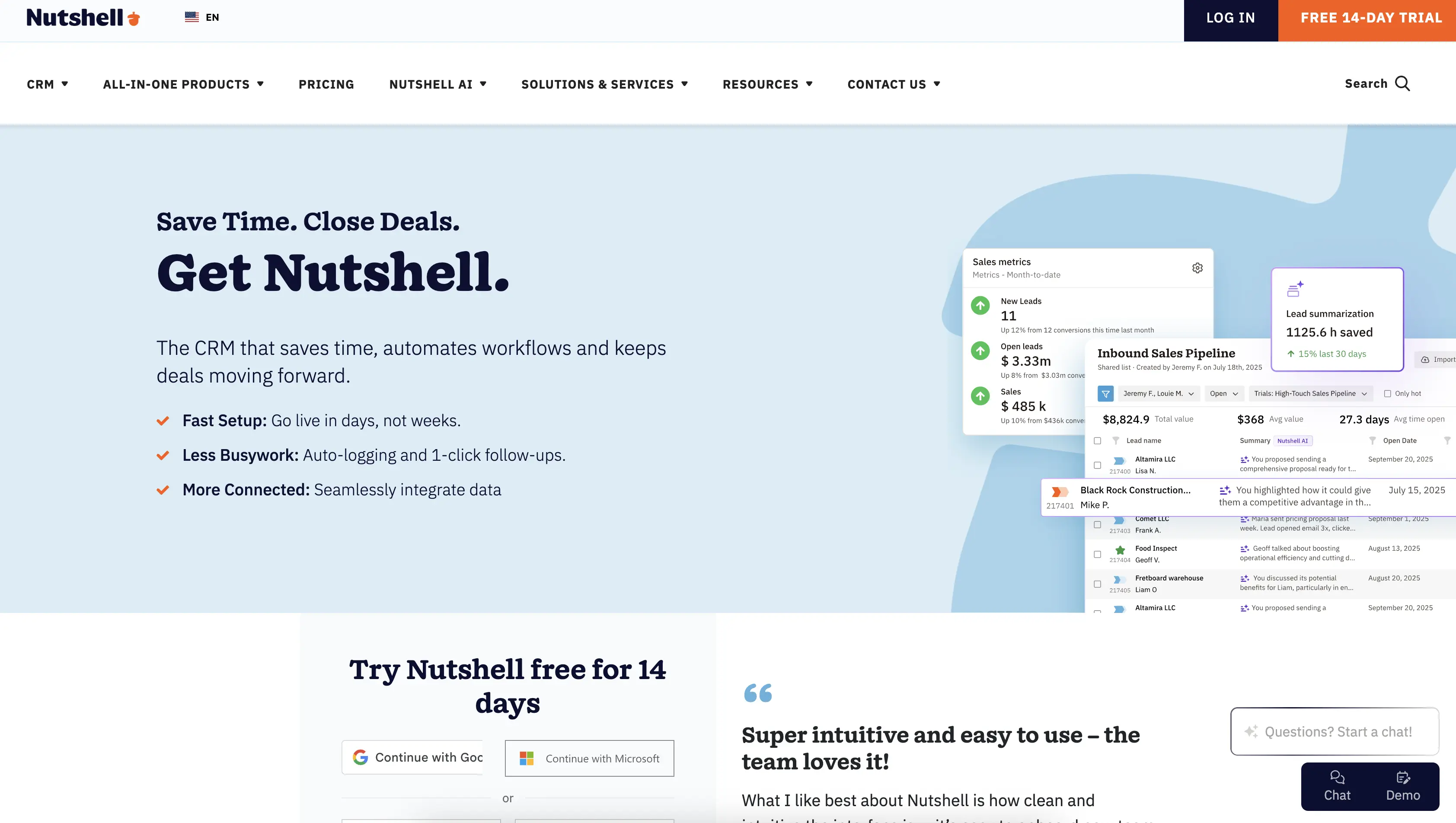
Quick summary: Nutshell is a modern, affordable CRM built specifically for small sales teams who want AI integrated into their selling process—not bolted on as an afterthought. It combines lead management, sales automation, email marketing, and next-action AI in one platform, eliminating tool-switching and data silos. With a 30-minute setup and $13-$89 per user monthly pricing, it’s designed for teams tired of complex enterprise CRMs.
Key features:
- Next-action AI: AI that doesn’t just predict—it tells your team exactly what to do next to move deals forward (call, email, update pipeline, etc.)
- Sales automation: Auto-log emails and meetings, schedule follow-ups, assign leads based on rules, trigger multi-touch sequences
- Pipeline management: Customizable pipelines, real-time deal tracking, drag-and-drop stage progression, probability weighting for forecasting
Pros:
- Fastest setup in the category: Go live in 30 minutes without IT support; most teams selling within days, not weeks
- Next-action selling differentiator: AI-powered task prioritization tells reps exactly what to do next, eliminating decision fatigue and increasing focus
- Proven ROI for SMBs: Designed specifically for 1-50 person teams; significant returns with documented case studies showing 25-800% revenue growth
Cons:
- Smaller feature set than Salesforce: Not ideal for complex, multi-department enterprises (but perfect for SMBs)
- Newer brand: Less market awareness than HubSpot or Salesforce (though growing rapidly with 5,000+ customers)
Pricing: Nutshell offers flexible pricing from $13-$89 per user monthly (annual and monthly plans available).

Let’s Talk
Have a question? Need a volume discount? Send us a message or book a meeting with a Sales rep to start the conversation.

2. HubSpot Smart CRM
Rating: 4.3⭐️/5
Best for marketing teams adding CRM and AI capabilities
Free trial: No, but a free CRM plan is available with limited features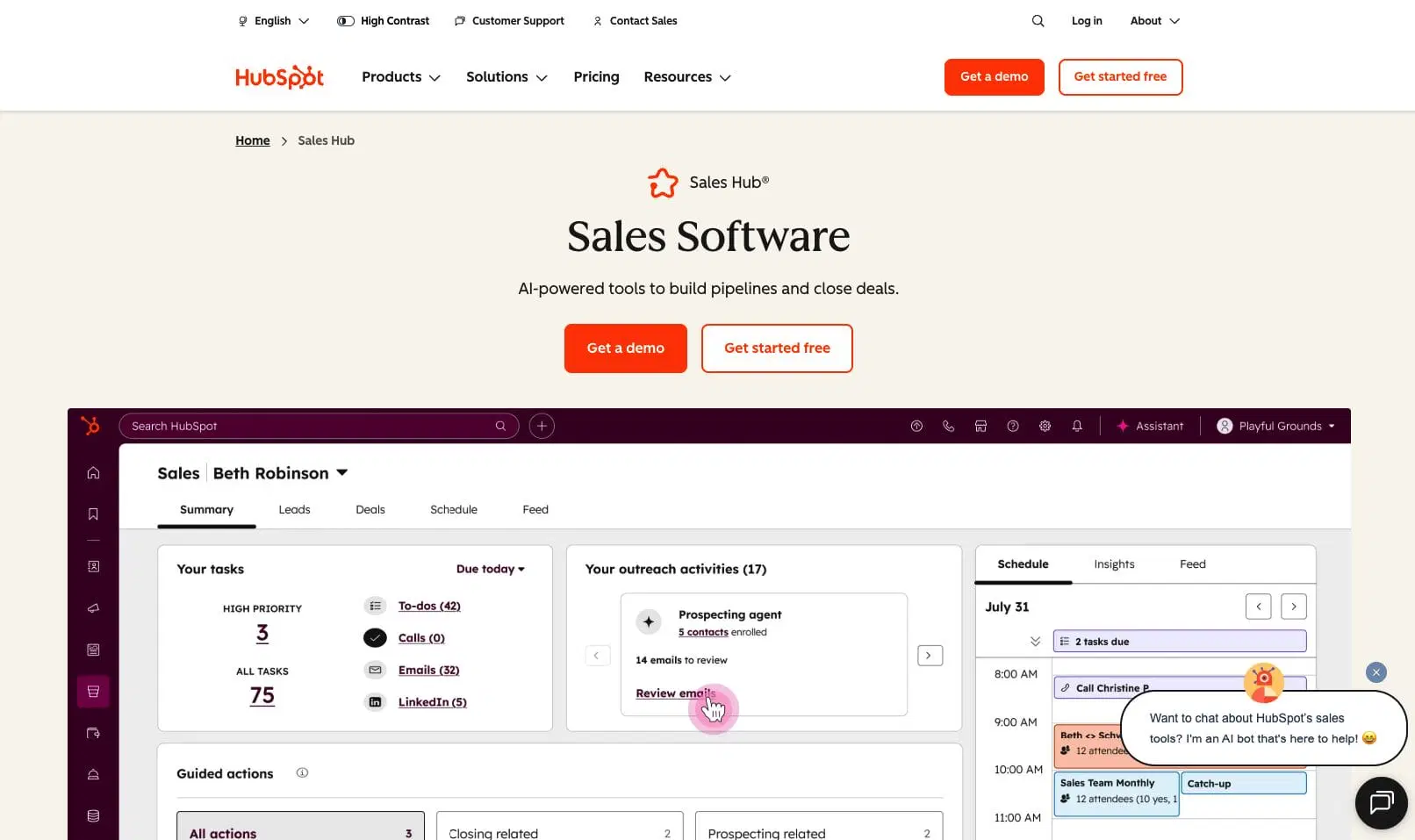
Official Website: https://www.hubspot.com/
Quick summary: HubSpot started as a marketing platform and expanded into CRM and AI. It’s ideal for marketing-first teams who want to integrate sales management, or existing HubSpot marketing users expanding into CRM. The free tier is strong, and AI features (content assistant, meeting notes, email subject line generation) are increasingly available across plans.
Key features:
- AI sales assistant: AI-powered email drafting, meeting note summaries, and sales content generation
- Marketing automation: Email campaigns, landing pages, forms, and customer journey mapping integrated with CRM
- Deal pipeline management: Pipeline visualization, deal stage tracking, and basic automation
Pros:
- Genuinely useful free tier: Start without paying if you’re willing to grow into paid tiers
- Excellent for marketing-first organizations: Strongest integration between marketing automation and CRM in the category
- Growing AI capabilities: Rapidly adding AI features (meeting notes, email assistant, content generation)
Cons:
- Pricing gets expensive fast: The free tier offers limited capabilities, so many teams find they need to upgrade faster than expected.
- Implementation is slower than Nutshell: More complex setup, especially for teams using multiple HubSpot products.
- Less developed next-action AI: More generic AI features than sales-focused next-action approach
Pricing: Free tier available. The Smart CRM Professional plan starts at $45/user/month with annual billing ($50/user/month when billed monthly). Larger sales teams may prefer the Smart CRM Enterprise plan, which costs $75/user/month.
3. ActiveCampaign
Rating: 4.2⭐️/5
Best for email automation + CRM in one platform
Free trial: Yes (14 days)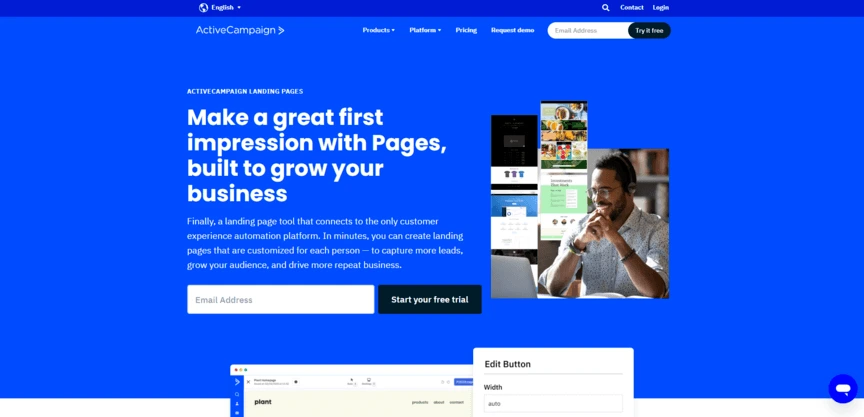
Official Website: https://www.activecampaign.com/
Quick summary: ActiveCampaign excels at connecting email marketing, sales automation, and CRM in one platform. It’s ideal for small teams who want sophisticated email sequences and lead scoring without maintaining separate tools. Multi-channel support (email, SMS, chat) is a differentiator.
Key features:
- Advanced email automation: Conditional sends, dynamic content, predictive sending, behavior-triggered sequences
- Lead scoring and qualification: AI-powered lead scoring ranks prospects by likelihood to convert
- Multi-channel automation: Email, SMS, web chat, and landing pages in one platform
Pros:
- Superior email automation: Best-in-class email sequences and conditional logic for nurture campaigns
- Affordable mid-market option: Good value for SMBs wanting sophisticated automation without enterprise pricing
- Strong for B2B lead nurturing: Excellent for sales teams feeding off marketing-qualified leads
Cons:
- Steeper learning curve: More complex than Nutshell; requires training for non-technical teams
- Less sales-focused than pure CRMs: Built around marketing automation; sales features feel secondary
- Implementation takes longer: 4-6 months average for full optimization vs. 30 minutes for Nutshell
Pricing: Starts at $15/month for the Starter email marketing tier (1,000 contacts). Higher plans can range from $49-$284/month based on your needs.
4. Salesforce CRM
Rating: 4.1⭐️/5
Best for enterprise teams needing advanced customization
Free trial: Yes (30 days)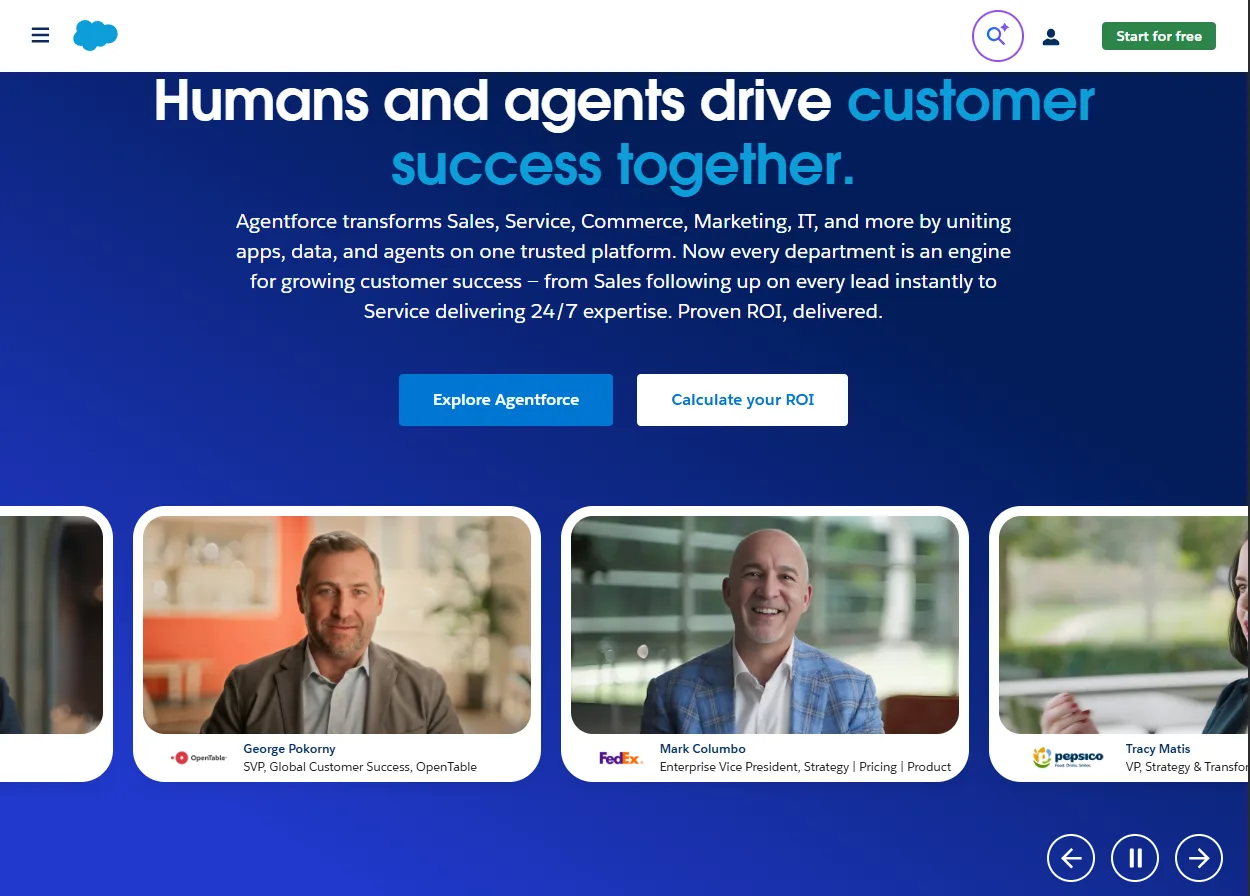
Official website: https://www.salesforce.com/crm/
Quick summary: Salesforce is the enterprise gold standard for large sales organizations requiring unlimited customization, complex workflows, and deep reporting. Its Einstein AI provides advanced analytics and forecasting. However, it’s overkill and too expensive for most small businesses.
Key features:
- Einstein AI: Advanced predictive analytics, lead scoring, conversation intelligence from call recordings
- Unlimited customization: Build custom objects, workflows, and integrations to match any business process
- Advanced reporting: Complex dashboards, forecasting models, and revenue intelligence
Pros:
- Enterprise-grade scalability: Grows with organizations from 10 to 10,000+ employees
- Sophisticated AI capabilities: Einstein AI offers the most advanced predictive analytics in the category
- Unmatched market dominance: #1 choice for enterprise sales teams
Cons:
- Cost-prohibitive for SMBs: High-cost subscriptions make it unrealistic for most small teams
- Steep learning curve: Implementation typically takes 6-12 months; requires dedicated IT/admin staff
- Bloated for SMBs: Enterprise features most small teams never use; adds complexity without value
- Requires professional services: Can’t implement without consulting partners; adds $50k-500k+ to total cost of ownership
Pricing: A free tier is available for up to 2 users with limited features and capabilities. Paid plans range from $25-$100/user/month, plus add-ons.
5. Keap
Rating: 4.0⭐️/5
Best for service-based small businesses wanting automation + invoicing
Free trial: Yes (14 days)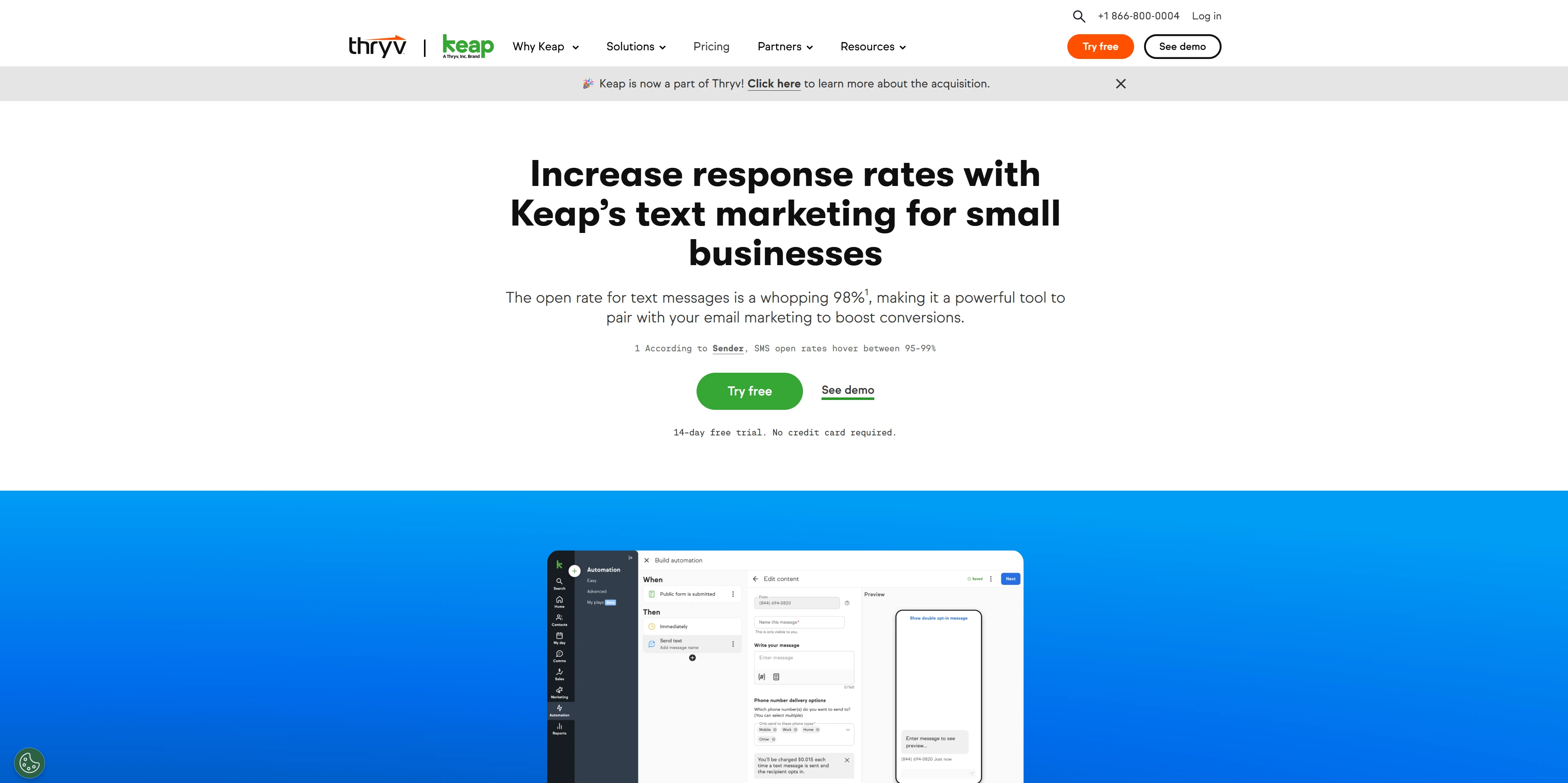
Official website: https://keap.com/
Quick summary: Keap (formerly Infusionsoft) targets service-based businesses and contractors needing CRM, automation, and invoicing in one platform. Most teams find it more automation-focused than basic CRMs. Best for teams handling client projects and invoicing alongside sales.
Key features:
- Integrated invoicing: Create and send invoices directly from the CRM; track payments and late invoices
- Workflow automation: Automated sequences triggered by customer actions (form fills, purchase, payment, etc.)
- Lead scoring and assignment: Automatically distribute leads to reps based on criteria
Pros:
- Excellent for service businesses: Invoicing integration is rare in this category and valuable for agencies/consultants
- Strong automation workflows: More sophisticated workflow automation than basic CRMs
Cons:
- Weaker sales features than pure CRMs: Pipeline management and deal tracking are less developed
- Slower implementation: 4-6 weeks typical for setup vs. 30 minutes for Nutshell
- Less AI development: Fewer AI-powered features compared to newer CRM platforms
- Smaller community: Fewer integrations and third-party extensions than HubSpot or Salesforce
- Expensive: Keap’s pricing has increased over the years, which can be prohibitive or unsustainable for small businesses
Pricing: Keap starts at $299/month for two users and 1,500 contacts. The subscription cost rises as you add more.
6. Pipedrive
Rating: 3.9⭐️/5
Best for sales teams wanting visual pipeline management with AI
Free trial: Yes (14 days)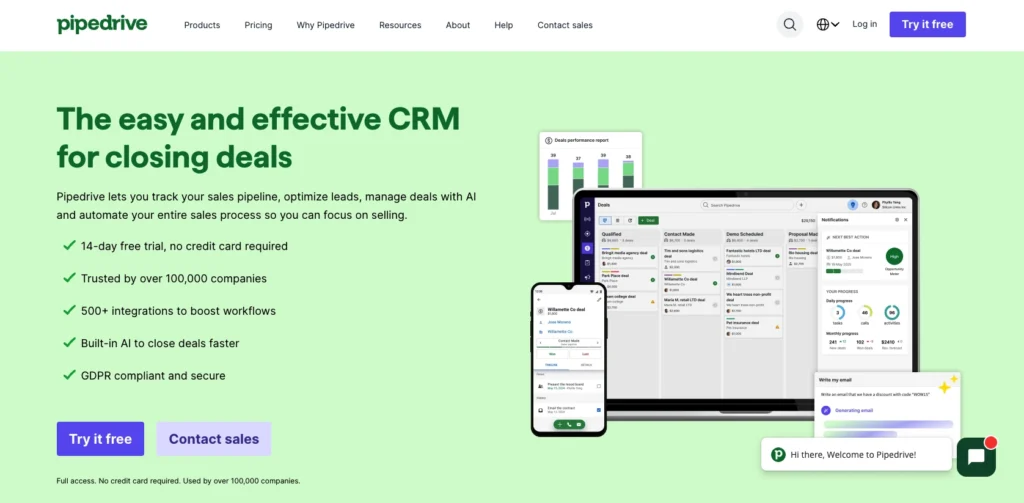
Official Website: https://www.pipedrive.com/
Quick summary: Pipedrive is purpose-built for sales teams who think visually. Its drag-and-drop pipeline interface makes deal tracking intuitive, and the platform is adding AI features (activity suggestions, conversation intelligence) while maintaining simplicity. Strong for visual sellers and outbound-focused teams.
Key features:
- Visual pipeline: Drag-and-drop deal management with activity timelines
- AI activity suggestions: AI recommends next actions based on deal status and history
- Sales insight: Basic AI analytics on deal progression and sales metrics
Pros:
- Intuitive visual interface: Best in category for visual deal tracking; easiest to adopt for visual thinkers
- Affordable: Most plans fit SMB budgets
- Purpose-built for sales: Every feature prioritizes sales rep workflow (unlike marketing-heavy tools)
Cons:
- Limited marketing automation: Minimal email marketing features (requires integration with third-party tools)
- Developing AI features: AI capabilities are newer and less mature than HubSpot or Salesforce
- Basic reporting: Less sophisticated forecasting and analytics than enterprise CRMs
- Integration-heavy: Requires more third-party connections to match Nutshell’s all-in-one approach
Pricing: Plans range from $14-$99/user/month with the option for annual or monthly billing.
7. ChatGPT (Business)
Rating: 3.8⭐️/5
Best for content creation, brainstorming, and general business questions
Free trial: No, but a free version is available for individual users
Quick summary: ChatGPT is the most versatile large language model for content generation, brainstorming, writing, coding, and general business questions. However, it’s a standalone AI tool—not a CRM. For sales teams, it’s supplementary (drafting emails, brainstorming cold call scripts) but doesn’t replace CRM + AI integration. Businesses can bridge this gap by automating ChatGPT workflows through third-party integration platforms like ApiX-Drive, which connect the model to CRMs and other business tools.
Key features:
- Advanced reasoning: GPT-4 model excellent for complex problem-solving, writing, and analysis
- Versatile use cases: Content creation, coding help, brainstorming, research, explanation of complex topics
- Web access (ChatGPT Plus): Can search the web for current information and analyze URLs
Pros:
- Most capable LLM for content creation: Superior writing, brainstorming, and creative tasks
- Affordable: Excellent value for individuals and teams using AI for content
- Accessible to non-technical users: Simple chat interface, no training required
- Popular and continuously improving: Largest community, most third-party integrations
Cons:
- No direct sales process automation: Can’t manage leads, pipelines, or customer relationships
- Requires manual application to sales tasks: Drafting emails requires human copying into email client; no automation
- No context from your business: Doesn’t know your pipeline, customers, or sales process without manual input
- Data privacy concerns: Data entered is used for model training unless you pay for Business tier
Pricing: While a free general use plan is available with limited capabilities, ChatGPT also offers two paid plans for businesses:
- Business: $25/user/month (billed annually) or $30/user/month (billed monthly)
- Enterprise: Custom pricing
8. Google AI
Rating: 3.6⭐️/5
Best for research, analysis, and multi-modal AI assistance
Free trial: No, but a general use free plan is available for individual users
Official Website: https://gemini.google.com/
Quick summary: Google Gemini is a versatile AI assistant excelling at research, analysis, and multi-modal tasks (understanding text, images, documents). It integrates with Google’s ecosystem (Docs, Sheets, Gmail) making it valuable for teams already using Google Workspace. However, like ChatGPT, it lacks CRM functionality.
Key features:
- Multimodal AI: Can understand and analyze text, images, documents, and PDFs
- Enhanced research: Real-time web access with cited sources; updated information beyond training data
- Google Workspace integration: Connects with Gmail, Docs, Sheets, Calendar for context-aware assistance
- NotebookLM: Create AI assistants from your documents (annual reports, product info, etc.)
Pros:
- Superior research capabilities: Real-time web access with current information (more updated than ChatGPT’s training data)
- Excellent for document analysis: Can read and summarize PDFs, reports, and long documents accurately
- Google Workspace integration: Seamless if your team uses Gmail, Docs, Sheets, Calendar
- Multimodal understanding: Can analyze images, charts, and documents alongside text
Cons:
- No sales process automation: Like ChatGPT, it’s a standalone tool without CRM integration or sales workflow automation
- Requires manual application: Still requires copying outputs into email, calendar, or sales tools
- Limited third-party integrations: Fewer connections compared to ChatGPT’s ecosystem
- Less developed for sales: Hasn’t built sales-specific features or integrations
Pricing: Gemini is available in a free version for general use. The Google AI Pro plan starts at $20/month, and Google AI Ultra starts at $250/month.
9. Jasper AI
Rating: 3.5⭐️/5
Best for AI-powered content creation for marketing and copywriting
Free trial: Yes (7 days)
Official website: https://www.jasper.ai/
Quick summary: Jasper AI is a specialized AI writing assistant for marketers and copywriters who need to generate high-quality, on-brand content quickly. It excels at scaling content production with templates, workflows, and team collaboration features. However, it’s a content creation tool—not a CRM.
Key features:
- Extensive content templates: 50+ templates for blog posts, social media, ad copy, email, product descriptions
- Brand voice customization: Define and maintain consistent brand voice across all generated content
- SEO integration: Integrates with Surfer SEO for keyword optimization and content ranking guidance
- Team workflows: Collaboration features, approval processes, and usage analytics for marketing teams
Pros:
- Specialized in high-quality content: Best in category for marketing copy, long-form content, and on-brand writing
- Significant time savings: Marketers report 50%+ reduction in content creation time
- User-friendly interface: Intuitive workflows and templates require minimal training
- Strong for teams: Designed for marketing teams with collaboration and approval features
Cons:
- Not a sales tool: Completely focused on content creation; no CRM, pipeline, or sales workflow features
- Requires human oversight: AI-generated content still needs review, editing, and fact-checking
- Higher pricing: Jasper’s pricing is above general-purpose tools like ChatGPT or Gemini for individual users
- Limited integrations: Fewer third-party connections compared to larger CRM platforms
Pricing: Jasper offers two tiers for businesses:
- Pro: $59/user/month (annual billing) or $69/user/month (monthly billing)
- Business: Custom pricing
Why small businesses need both CRM and AI (not just AI)
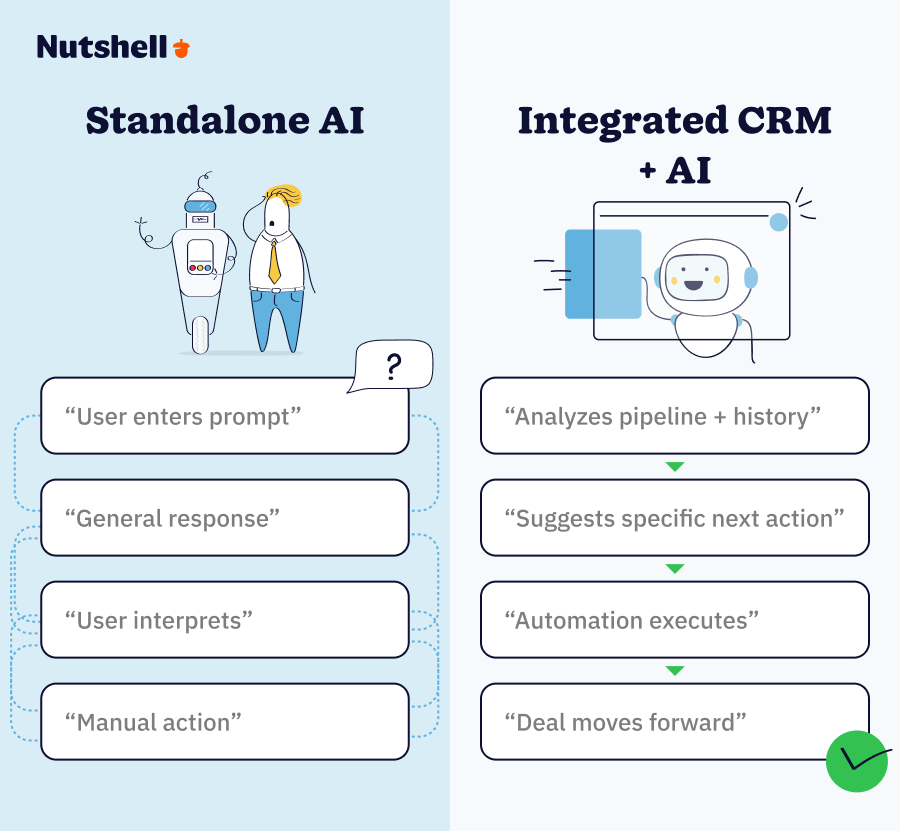
There’s a common misconception among small business owners: that any AI tool will magically solve their problems. Many are drawn to the flashy capabilities of general AI like ChatGPT or Gemini, believing these tools will revolutionize their operations.
But here’s the reality. This approach often misses the mark for sales and revenue generation. The real challenge for SMBs isn’t a lack of AI access; it’s the hidden costs of inefficient sales processes and poor customer relationship management. Small businesses lose approximately $509,000 annually not because they lack AI, but because their customer data is fragmented.
This substantial drain isn’t due to a deficit of “smart” software. Rather, it comes from workflows that don’t leverage AI strategically within your sales process. Standalone AI tools, while powerful for content creation or general research, simply cannot address core sales workflow issues. They operate in isolation, requiring manual input and interpretation, and lack the inherent ability to understand, track, and automate your unique sales pipeline.
The market is rapidly shifting: 81% of organizations are projected to adopt AI-powered CRM by 2025. This statistic isn’t just a trend; it’s a testament to the proven impact of integrated AI solutions that directly address sales challenges.
What you truly need is AI that doesn’t just predict—it acts. Specifically, an AI-powered virtual sales coach that tells your sales team exactly what to do next to close a deal. This next step could include:
- Sending a personalized email
- Scheduling a follow-up call
- Updating a deal stage
Without this integrated guidance, sales reps are left to interpret data from disparate sources, leading to missed opportunities and inefficient time use.
Integrated CRM + AI solutions eliminate this guesswork by embedding intelligence directly into the sales process. 83% of teams using AI CRM exceed sales goals, a clear indicator that purpose-built, integrated AI solutions are the true revenue drivers for small businesses.
How to choose the right AI tool for your small business
Selecting the right AI tool can feel like navigating a maze, especially with the sheer volume of options available. The key to making the right choice isn’t finding the “best” tool overall, but rather the best tool for your specific business needs.
Before you commit, pause and honestly answer a fundamental question: What problem are you solving? Are you looking to generate more leads, automate your sales outreach, create compelling marketing content, or streamline customer support? Each goal points to a different category of AI solution.
To simplify this crucial decision, consider the following framework:
1. Identify Your Core Problem
Ask yourself: What’s costing your business the most time or revenue right now?
- Sales automation & relationship management? (managing leads, pipeline, follow-ups) → You need an AI-powered CRM
- Content creation & marketing copy? (blog posts, social media, ad copy) → You need a generative AI tool like Jasper AI or ChatGPT
- Research & information synthesis? (market analysis, summarizing documents) → A conversational AI like Google Gemini or ChatGPT could work
- Lead generation & nurturing? (email sequences, targeted outreach) → Look for marketing automation platforms with integrated CRM
2. Assess Your Budget Realistically
AI tools for small businesses typically range from free tiers to specialized SMB pricing around $50–$150/user/month or higher. Be cautious of enterprise-tier solutions (upwards of $300/user/month) unless you genuinely have the budget and complex needs. Many tools offer free trials—take advantage of them to test before you invest.
3. Consider Your Team Size & Structure
- Solo or Micro-business (1–2 people): Simplicity and affordability are paramount. Look for intuitive, all-in-one solutions that don’t require extensive setup
- Small team (5–10 people): Scalability and collaboration features become more important. Ensure the tool can support multiple users and facilitate team-based workflows
- Scaling business (25+ people): Focus on robust integrations, advanced reporting, and customization options that can adapt as your processes evolve
4. Evaluate Integration Needs
This is a critical factor. Your new AI tool should seamlessly integrate with your existing tech stack, including your email client, calendar, accounting software, and any other third-party apps you rely on.
Red flag warning: Don’t buy tools that don’t integrate—data silos kill ROI. Fragmented data leads to inefficiencies, missed opportunities, and a fragmented view of your customer.
5. Prioritize Ease of Implementation & Support
For small businesses without dedicated IT staff, ease of setup and quality customer support are non-negotiable. Look for tools that offer quick onboarding and responsive assistance to minimize downtime and maximize adoption.
Getting started: Implementation tips for quick ROI
Implementing a new AI-powered CRM can seem daunting, conjuring images of complex setups and endless training sessions. However, with the right approach, small businesses can achieve significant returns surprisingly quickly. The secret isn’t an “overnight transformation,” but rather a focus on strategic quick wins and a realistic timeline for meaningful ROI.
Here’s how to navigate your CRM implementation for rapid success:
Focus on Quick Wins First
Don’t try to roll out every feature at once. Prioritize the functionalities that will deliver immediate value and demonstrate tangible benefits to your team. Start with:
- Lead Capture & Centralization: Ensure all new leads automatically enter your CRM from all sources (forms, email, phone, etc.)
- Pipeline Visibility: Get your existing deals into the system so everyone can see deal progress and status
- Basic Email Automation: Implement simple automated follow-ups for new leads or meeting reminders.
This phased approach builds momentum and showcases the tool’s power early on.
Set Realistic Expectations
While you’ll see benefits almost immediately, true, measurable ROI often takes 3–6 months to fully materialize. This isn’t a failure—it’s the natural cycle of optimizing processes, collecting data, and allowing the AI to learn your patterns. Resetting unrealistic expectations of instant gratification is crucial for long-term success.
Champion Team Adoption
The best tool is useless if your team doesn’t use it. Foster adoption through:
- Thorough onboarding: Provide clear, concise training tailored to different roles (sales reps vs. managers)
- Best practices documentation: Share how the tool should be used to get maximum value
- Accountability mechanisms: Ensure managers reinforce CRM usage in 1-on-1s and team meetings
- Celebrate wins: Highlight how the CRM helped close a deal or save time—make success visible
Measure What Matters
To prove ROI, you need to track it. Establish a clear measurement framework from day one:
- Leads captured: Is the system helping you get more opportunities into the pipeline?
- Conversion rates: Are more leads turning into customers?
- Time saved: Quantify the hours reclaimed from manual tasks. Remember, 50% of time savings come from automating repetitive tasks
- Revenue impact: Directly attribute closed deals to CRM-driven activities (automated follow-ups, pipeline visibility, etc.)
By focusing on these practical steps, your small business can quickly harness the power of AI. For deeper dives and step-by-step guidance tailored to rapid implementation, explore our CRM resources.
The ROI breakdown: What small businesses actually gain
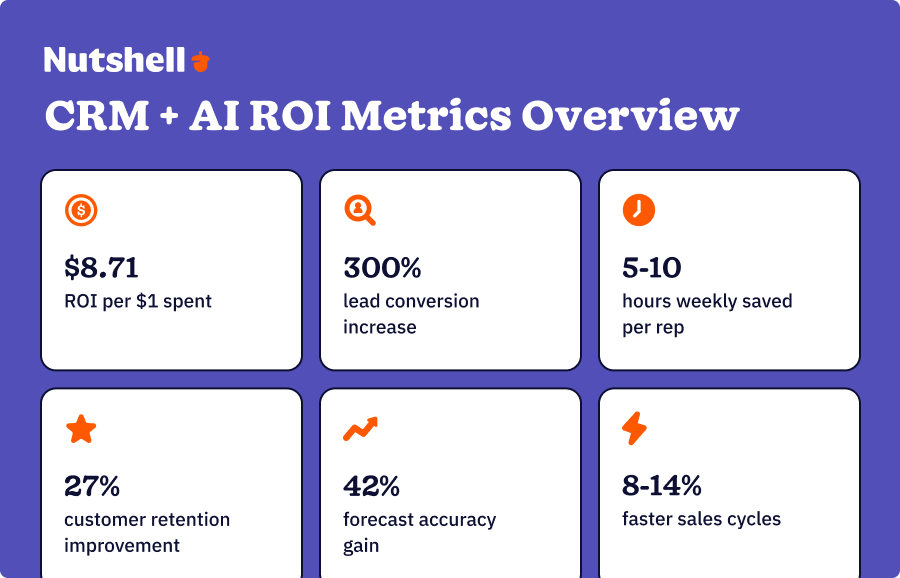
An AI-powered CRM investment goes beyond new technology—it’s about driving tangible financial and operational benefits. For small businesses, every dollar and every hour counts, and the return on investment from integrating AI into your customer relationship management is profound and quantifiable. This isn’t just about efficiency; it’s about robust, measurable growth.
Here’s the breakdown of real-world ROI small businesses can expect:
- Exceptional financial return: For every $1 spent on CRM, businesses can expect an average return of $8.71. This staggering ROI underscores that CRM is an investment, not an expense.
- Boosted lead conversion: With proper automation and AI-driven insights, small businesses can see a 300% increase in lead conversion potential, turning more prospects into paying customers.
- Significant time savings: Sales reps save an average of 5–10 hours per week by leveraging CRM and automation. This time is redirected from administrative tasks to actual selling, relationship building, and strategic outreach.
- Improved customer retention: AI-powered CRM contributes to a 27% improvement in customer retention. By enabling more personalized and timely communication, it fosters stronger, longer-lasting customer relationships, directly impacting recurring revenue.
- Enhanced forecasting accuracy: Gain a 42% improvement in sales forecasting accuracy. Better predictability allows for more informed business planning, resource allocation, and strategic decision-making.
- Reduced sales cycle time: Experience an 8–14% reduction in sales cycle time. AI-driven insights and automation help streamline processes, accelerate deal progression, and close sales faster, boosting cash flow.
These aren’t abstract numbers; they represent fundamental shifts in how effectively your small business can operate, sell, and grow in a competitive market.
Harness the power of AI with Nutshell
We’ve journeyed through the landscape of AI tools for small businesses, and the core message remains clear: CRM + AI integration fundamentally outperforms standalone AI tools for small business revenue growth. While generative AI like ChatGPT and Google Gemini offer incredible value for content and research, they aren’t substitutes for a sales-first platform that seamlessly weaves artificial intelligence into every stage of your customer lifecycle.
The real differentiator lies in a next-action sales approach—AI that doesn’t just predict what might happen, but actively guides your team on the most impactful steps to take right now to secure a deal.
The choice ahead isn’t about if you should adopt AI, but how. The crucial step is action. Ready to transform your sales operations? Sign up for your free 14-day Nutshell trial and experience the CRM that actually gives you time back—no credit card required. Or contact our sales team to explore how Nutshell works for your specific business needs.
FAQs: AI for small businesses
-
What is the best AI tool for a small business?
The best AI tool for a small business, particularly for driving revenue, is a CRM with integrated AI, like Nutshell. Unlike standalone AI tools, an integrated AI CRM doesn’t just predict; it prioritizes and automates the next best action for your sales team. This intelligent integration into your sales process is critical, as evidenced by the fact that 83% of AI CRM users exceed sales goals. It ensures AI actively guides your team towards closing deals, rather than just providing general insights.
Among CRM options, Nutshell stands out because its next-action AI doesn’t just predict leads—it tells your team exactly what to do next to close them, combined with a 30-minute setup and affordability that works for SMBs.
-
How do I use AI to run my small business?
AI can transform a small business across several key areas:
- Automation: Automating repetitive tasks like email follow-ups, task assignments, and data entry
- Lead scoring & qualification: AI automatically scores incoming leads based on engagement and fit, directing sales reps to the most promising opportunities
- Sales forecasting: Providing more accurate predictions of future sales and revenue
- Workflow optimization: AI can automatically generate and schedule personalized follow-up emails after initial contact, create tasks for sales reps when a lead shows high engagement, and even move deals to the next pipeline stage based on prospect actions
These concrete workflows save time and boost efficiency significantly.
-
Which AI tool is best for a business plan?
For drafting a business plan, strategy documents, or performing market research, general AI tools like ChatGPT or Google Gemini can be highly effective. They excel at synthesizing information and generating text. However, for the operational aspect of sales and customer management—where the majority of a small business’s revenue is generated—a dedicated CRM with integrated AI is paramount. It’s about choosing the right tool for the job: conceptual work versus direct revenue-driving activities.
-
Is there a better AI than ChatGPT?
Whether an AI is “better” than ChatGPT entirely depends on your specific use case. For tasks involving creative content generation, brainstorming, or quick information retrieval, ChatGPT (and Gemini) are exceptional. However, for sales teams and robust customer relationship management, an AI CRM is demonstrably superior. It offers an $8.71 ROI per 1 spent and significantly higher goal achievement rates because it’s built to directly impact sales workflows, not just provide general AI assistance.
Don’t dismiss ChatGPT. Instead, reframe it as a tool for different jobs: ChatGPT for content and brainstorming, CRM + AI for sales automation and revenue generation.
-
How much should I expect to pay for AI tools?
AI-powered CRMs for small businesses typically range from $50 to $150 per user per month, though some can go higher. Many platforms offer tiered pricing, allowing you to choose a plan that fits your team size and feature needs. While there’s an investment, the ROI is rapid, with most businesses seeing significant payback within 3–6 months. The cost is an investment that quickly pays for itself through time savings and increased revenue. Free trials are also common, enabling you to test the waters before committing. Don’t forget to compare: enterprise tools cost $300+/user/month; SMB-focused tools save 60-70% on licensing costs.
-
Can small businesses afford AI tools?
Absolutely. Small businesses can not only afford AI tools, but they often can’t afford not to use them. The key is strategic selection, focusing on tools that offer a clear return on investment. Tiered pricing models make AI accessible for various team sizes. The cost of an AI CRM is an investment that quickly pays for itself through time savings and increased revenue, highlighted by that impressive $8.71 ROI per $1 spent. Don’t hesitate to take advantage of free trials to assess value directly before making financial commitments.
BACK TO TOP
Ready to try
Nutshell for Free?Thank you! Your submission has been received!Oops! Something went wrong while submitting the form.






What Is Revenue Intelligence? An All-Encompassing Guide
Published on: January 24, 2024Highly Effective Strategies for Elevating Sales Team Performance
Published on: November 10, 2022Join 30,000+ other sales and marketing professionals. Subscribe to our Sell to Win newsletter!










