Easy to add new contacts
Upload a spreadsheet or let our team do it for you.

“Nutshell is super user-friendly and intuitive
“I would highly recommend Nutshell
“Easy to use and... wait for it ... 100% buy in!
“Nutshell is both simple and powerful
Unify all your contacts, emails, notes, and activities into one timeline so your team can build stronger relationships.
🎉 No credit card required!
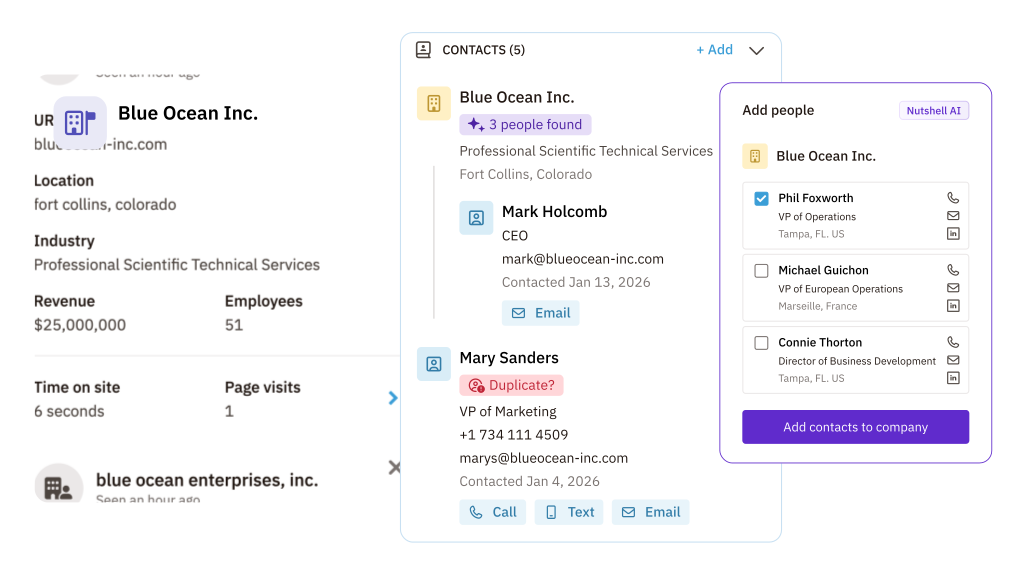
Unlike other CRMs, we don’t force you to a higher plan just because you have more contacts. Plus, we make it easy to add new and update current contacts.

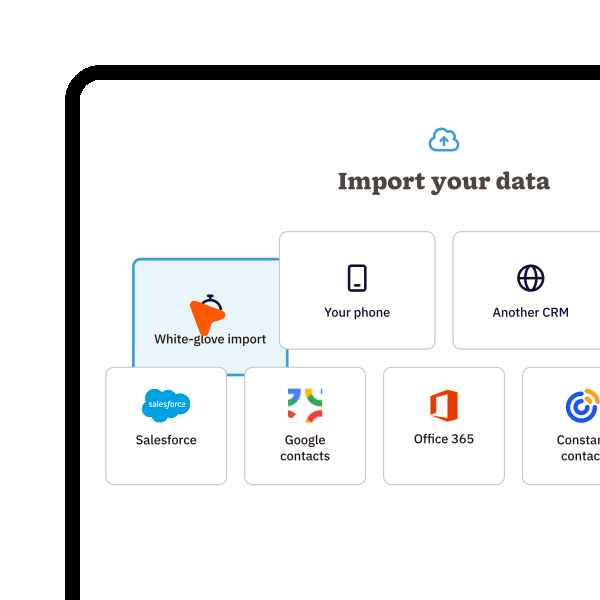
Upload a spreadsheet or let our team do it for you.

Easily detect duplicate and update contact records.

Add more details to your contacts.

Every CRM plan comes with unlimited contacts.
Bring your contact data into Nutshell from spreadsheets, legacy CRMs, or just about anywhere, and let our free white-glove data import service handle the heavy lifting.
That means less manual setup, less disruption for your team, and a faster path to getting everyone up and running in one place on Day One.
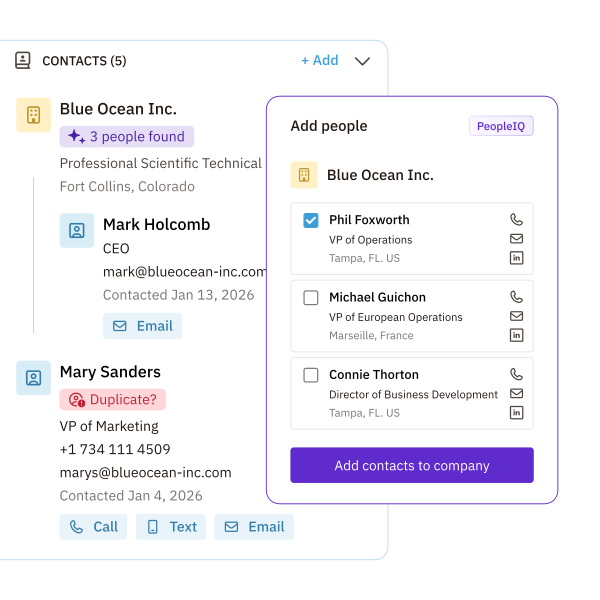
Skip the manual research.
With Nutshell’s contact enrichment tools, you can turn a basic record into a richer profile with job titles, company details, social profiles, location, and other firmographic data.
That added context on People, Company and Leads helps your team personalize outreach, identify decision-makers, and qualify opportunities faster.
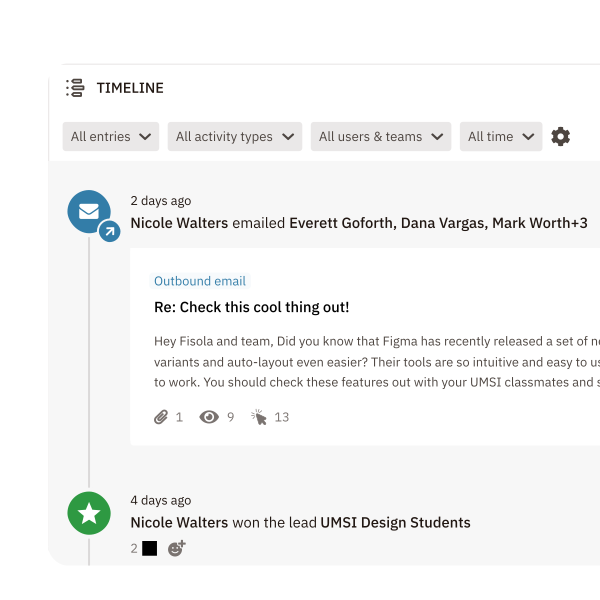
Staying in touch doesn’t have to take all your energy. Nutshell helps your team automate the next step with
The result is a more consistent follow-up rhythm, less busywork, and fewer opportunities falling through the cracks.

Give every teammate the full story before they jump into a conversation.
Nutshell makes it easy to add and pin notes, comment on timeline entries, @mention coworkers, and notify the right people when something needs attention, all inside the same shared record.
With one place for notes, emails, activities, and team feedback, handoffs get smoother and customer experiences stay consistent.

Being able to filter down to the exact list of contacts you need to contact is key. With Nutshell, you can:
Nutshell has powerful filtering tools to make it easy to manage your contacts in bulk.
Whether your team is in the office, on the road, or between meetings, Nutshell keeps customer data close at hand and protected.
On mobile, reps can:
Nutshell is SOC 2 audited, encrypts data in transit and at rest, and gives admins controls to block sensitive emails or limit what syncs into the CRM.

Try Nutshell free for 14 days or let us show you around before you dive in.
🎉 No credit card required!

Customer database management software, or customer information database software, is a digital tool used by businesses to store, organize, and manage their customer data. Typically, this includes company, person, and lead contact information, as well as records of contact interactions and related notes.
Storing all essential contact data in one central software hub makes it easier to access and manage company data and encourages a higher degree of data accuracy and better customer experiences.
Different CRM systems may offer different options for creating a new contact. Here are some of the ways you can add a new Company, Person, or Lead in Nutshell:
The primary features to look for when choosing the best client database software for your organization include the following:
Yes! Nutshell provides free white glove import assistance for all customers during onboarding. Our team will review your data, match columns to appropriate fields, create custom fields if needed, and handle the entire import process within 24 to 48 business hours. Enterprise customers also get ongoing import support.
Contact enrichment fills in missing professional details like job titles, company info, and social profiles, turning basic contact records into complete profiles. With Nutshell’s PeopleIQ, your team gets the context needed to personalize outreach, identify decision-makers, and qualify leads faster—helping you focus on high-value opportunities.
Yes, on Nutshell Pro and above, you can create parent-child company relationships to track leads across multi-location businesses, franchises, or subsidiaries. View consolidated lead data across all child companies, improve reporting accuracy, and maintain detailed records for each location—all from one unified view.

Put time-wasting tasks on autopilot so your team can focus on building relationships and nurturing leads through your sales pipeline.

Create custom pipelines and manage them easily with multiple views to nurture leads efficiently and stay on top of every deal.

Provides robust reporting and analytics to help you track your team’s performance and to help you gain quick insights with automated reporting.

One-click calling, AI call summaries, AI next steps, and easy scheduling.

Increase sales efficiency with Nutshell’s powerful email automation tool. Create personalized campaigns & track success right in your CRM

Streamline daily processes using the generative power of AI in Nutshell to simplify sales activities and open up a world of possibilities.

Create and manage virtual meetings and sync the information with your Calendar without leaving your CRM.

Quickly create, send, track, and get signatures on custom quotes, invoices, and contracts directly from Nutshell.

Store customer notes, interactions and easily bring colleagues into the conversation and stay notified of everything that needs your attention.

Easily accelerate revenue-driving tasks in your CRM, so you and your team can spend more time on selling.

Improve calendar, email, & contact organization from any source with Nutshell’s contact management software.

Quickly import your entire products and services list with Nutshell’s Product Importer, so you and your team can spend less time on administration and more time on selling.

Search through over 200 million contacts, add ideal customers to your CRM, and connect with your future buyers.
Pinpoint the companies and individuals visiting your site so you can proactively target warm leads.
Locate specific individuals working at the companies in your book of business and reveal their contact information so you can start the conversation.

With channel and source data automatically added to your new leads, you can know where your best leads come from and invest smarter in your marketing.

Connect with our world-class support team to get fast, friendly, and free support when needed.

Easily sync your email and calendar with Nutshell to make your CRM work where you do.

We take the security and reliability of your data seriously. We partner with the industry’s most trusted infrastructure provider, Amazon Web Services.


Find out more about Nutshell’s extensive range of Marketing Suite features

Learn more about Nutshell’s industry-leading Engagement Suite features

Discover the broad spectrum of features and tools available to Nutshell customers