Best CRM for E-commerce in 2026: Complete Guide for Shopify & WooCommerce

-

Quick answer: What is the best CRM for e-commerce?
The best CRM for e-commerce is one that integrates directly with your store platform, like Shopify or WooCommerce, so your customer data, purchase history, and marketing tools all live in one place, making it easier to build lasting customer relationships and drive repeat sales.
Every second, a customer adds items to their cart and walks away. Seventy percent of online shoppers abandon their carts before checkout—and for the average ecommerce store, that’s thousands of dollars vanishing every month. But here’s what most store owners miss: those abandoned carts aren’t lost sales yet. They’re opportunities waiting for the right nudge.
The real problem isn’t cart abandonment itself. It’s that most ecommerce teams lack the tools to recover those sales. Customer data sits scattered across Shopify, email platforms, chat apps, and social media. Your support team doesn’t know what your sales team promised. Your marketing emails go to the same generic list regardless of purchase history. And manual follow-ups? They’re consuming hours you could spend actually growing the business.
That’s where a CRM built for ecommerce comes in. A good one doesn’t just recover abandoned carts—it unifies your customer data, automates repetitive tasks, and helps small teams punch above their weight. In this guide, we’ll walk you through what to look for in an ecommerce CRM, review the top solutions, and show you how to implement one in weeks, not months.
Key takeaways
Seventy percent of online shoppers abandon their carts—costing ecommerce stores USD 350,000+ annually. But here’s what most owners miss: those abandoned carts aren’t lost sales yet. They’re opportunities waiting for the right automation. A CRM solves this problem, and the ROI is immediate.
- Cart recovery pays for itself instantly. A CRM recovers 5–10% of abandoned carts through automated emails—that’s USD 17,500–35,000 in additional annual revenue for a typical store. Most CRMs cost USD 1,000–3,000/year, meaning 8–17x ROI in month one alone.
- You’re losing USD 50,000–150,000+ annually without one. Fragmented customer data across Shopify, email, chat, and support, combined with manual follow-ups and poor retention, creates a massive drain. A CRM centralizes everything and eliminates the chaos.
- Implementation is fast (2–4 weeks). Nutshell, Pipedrive, and Freshsales are built for quick deployment with white-glove support. You’re not waiting 6–12 months like Salesforce—you see results in weeks.
- Nutshell is the best value for ecommerce SMBs. At USD 13–59/user/month with unlimited contacts, native Shopify/WooCommerce integration, and proven cart recovery templates, it’s 60–75% cheaper than HubSpot while delivering superior ecommerce features.
Top ecommerce CRMs at a glance
- Nutshell – Best for affordable, flexible ecommerce sales automation – $13–59/user/month, unlimited contacts, next-action sales methodology, 2–4 week implementation
- Pipedrive – Best for visual pipeline management and sales-focused teams – $9–99/user/month, strong deal pipeline, visual Kanban boards
- HubSpot – Best for integrated marketing and sales (higher cost) – $50+/user/month, comprehensive automation, marketing-first approach
- Zoho CRM – Best for customization and unlimited contact scaling – $18–65/user/month, unlimited contacts, deep customization options
- Monday.com – Best for team workflows and project collaboration – $10–30/user/month, work management focus, visual task boards
- Freshsales – Best for budget-conscious SMBs with strong support – $9–79/user/month, affordable pricing, reliable support
- Klaviyo – Best for email marketing and segmentation (ecommerce-first) – $20–1,200/month tiered pricing, email marketing focus
- Salesforce – Best for enterprise ecommerce teams – Enterprise pricing, comprehensive platform, steep learning curve
Table of contents
- Why E-commerce Businesses Need a CRM
- Key Features Every E-commerce CRM Should Have
- How We Selected the Best CRM for E-commerce
- Comparison Table
- Best CRM Software for E-commerce: Detailed Reviews
- How to Recover Abandoned Carts With Your CRM
- The Real Cost of Not Using a CRM
- CRM Implementation Guide for E-commerce Teams
- Omnichannel Customer Support in a CRM
- CRM Integrations E-commerce Teams Need
- FAQ
Why E-commerce Businesses Need a CRM
Let’s talk numbers. When 70% of shoppers abandon their carts, the average ecommerce store loses far more than the immediate transaction. If your store processes 10,000 monthly visitors with a $50 average order value, that’s $350,000 in lost annual revenue – just sitting there, waiing for a gentle nudge.
Here’s the bigger picture: recovering even 5% of those abandoned carts adds $17,500 annually with zero new customer acquisition cost. Most CRMs pay for themselves in the first month through cart recovery alone.
But abandoned carts are just the beginning. Sixty-five percent of your revenue comes from existing customers, not new ones. Yet acquiring a new customer costs five to seven times more than retaining an existing one. Without a CRM tracking customer history, preferences, and behavior, you’re spending heavily on acquisition while leaving retention dollars on the table.
Then there’s the operational chaos. Your customer data lives in Shopify. Your email campaigns live in Mailchimp. Support tickets sit in Zendesk. Chats happen in Facebook Messenger. And nobody has a complete picture of who your customer is or what they’ve told you. This fragmentation costs you in multiple ways.
Service failures compound the problem. According to recent research, 70% of consumers will abandon a brand after just two negative experiences, while nearly 24% will stop purchasing after only one bad experience. When your support team doesn’t know a customer’s purchase history, or when your sales team misses a follow-up because it was logged in an email thread instead of a system, you create those bad experiences.
Finally, there’s the productivity drain. Manual CRM tasks—logging calls, updating spreadsheets, copying customer info between systems, sending emails one by one—consume five to ten hours per week per sales rep. That’s time not spent on selling, retention, or strategy.
A good ecommerce CRM solves all these problems at once. It centralizes customer data, automates the workflows that matter, and helps small teams do more with less. And ecommerce businesses typically see results in weeks, not months.
Want even more tips for driving sales success?
Ready to become the best sales manager for your team? Get 70+ leading tips and strategies from the experts for sales management success with our Sales Manager’s Survival Guide.
Key Features Every E-commerce CRM Should Have
Platform Integration (Shopify and WooCommerce)
This is the foundation. Your CRM needs to sync directly with your store’s platform—not through a third-party connector like Zapier, though those can work as a backup.
What it is: Native data integration means your CRM automatically pulls customer information, purchase history, order details, and inventory from Shopify or WooCommerce without any manual setup or exports.
Why it matters: Real-time sync means that when a customer buys on your store, their profile updates instantly in the CRM. This is critical for triggering abandoned cart emails within minutes of abandonment, not hours later. It also saves your team five to ten hours per week that would otherwise go to manual data entry.
What to look for: Direct integration (not Zapier), automatic customer profile creation, order data captured with timestamps, real-time updates, and the ability to sync custom fields (like customer tier or product preferences).
Cart Recovery and Abandonment Management
This is the feature that pays for your CRM.
What it is: Your CRM captures when a customer abandons their cart (adds items but doesn’t complete checkout) and triggers an automated email sequence designed to recover the sale.
Why it matters: Seventy percent abandonment rates mean this is your single biggest revenue recovery opportunity. Studies show proper abandonment sequences recover five to ten percent of lost carts. For a store with 10,000 monthly visitors and a $50 average order value, that′s s17,500 to $35,000 in additional annual revenue.
What to look for: Ability to trigger emails based on cart events, multi-step sequences (not just one reminder), personalization using cart contents and customer history, A/B testing of subject lines and copy, and clear reporting on recovery rates and revenue recovered.
Customer Segmentation and Personalization
One-size-fits-all marketing doesn’t work in ecommerce. You need to treat loyal repeat customers differently from one-time buyers.
What it is: Your CRM divides customers into groups based on shared characteristics—purchase history, lifetime value, engagement level, product category preference, or recency of purchase.
Why it matters: Segmented campaigns convert three to five times better than blasted emails. A repeat customer who spent $500 needs different messaging than someone who browsed once. A customer who hasn’t purchased in six months needs a win-back campaign, not a new product announcement.
What to look for: Ability to segment by purchase behavior, RFM (recency, frequency, monetary) analysis, custom fields, engagement history, and ability to create dynamic segments that update automatically.
Omnichannel Support (Email, Chat, Phone, SMS, Social)
Your customers contact you through email, live chat, WhatsApp, Facebook Messenger, Instagram DMs, and phone calls. Omnichannel means tracking all those interactions in one place.
What it is: A unified inbox that shows every customer interaction—email, chat, social message, SMS, support ticket—in their contact record so your team sees the full conversation history.
Why it matters: When a customer emails support about a product question, then messages you on social, then calls—without omnichannel, your team answers the same question three times and provides inconsistent information. Omnichannel eliminates this. Your team responds faster, provides better context, and customers get resolved issues, not frustration.
What to look for: Email integration (native or pop-in), live chat integration, SMS capabilities (or integration with Twilio/Plivo), social media monitoring, and a unified timeline showing all interactions in chronological order.
Sales Automation and Workflows
Let your CRM do the repetitive work so your team can focus on selling.
What it is: Automated sequences that trigger based on customer behavior—when a customer lands on your site, when they abandon cart, when they purchase, when they go inactive—your CRM automatically moves them through your sales funnel.
Why it matters: Manual follow-ups are inconsistent and labor-intensive. Automation ensures every customer gets the right message at the right time, and your sales team focuses on high-touch selling, not administrative work.
What to look for: Ability to create multi-step workflows based on customer actions, conditional logic (if customer does X, then do Y), email sequences, task assignments, deal pipeline automation, and clear visibility into active workflows.
Analytics and Reporting (Pipeline, Customer LTV, Retention Metrics)
You can’t improve what you don’t measure.
What it is: Real-time dashboards showing pipeline health, sales velocity, customer lifetime value, retention rates, cart recovery performance, and other key ecommerce metrics.
Why it matters: Ecommerce moves fast. You need to know if your retention rate is improving, which products have the highest LTV, and whether your cart recovery campaigns are actually working—not months later in an Excel report, but today so you can adjust.
What to look for: Customizable dashboards, pre-built ecommerce metrics (LTV, retention, churn, CAC, etc.), ability to drill down into data, historical trend lines, and reporting that shows both activity and outcomes.
Affordability and Transparent Pricing
A CRM that costs more than it saves is just overhead.
What it is: Clear per-user pricing (usually $9–60/user/month for SMB solutions) without hidden fees, with honest communication about what’s included at each tier.
Why it matters: Small ecommerce teams operate on thin margins. A $500/month CRM is a big commitment. You need to know upfront what you’re paying and how many users you can add before costs spiral.
What to look for: Per-user pricing clearly stated on the website, no surprise add-on fees, unlimited or high contact limits at reasonable prices, and free or affordable trials so you can test before committing.
Ease of Use and Team Adoption
The best CRM in the world is worthless if your team doesn’t use it.
What it is: An intuitive interface that doesn’t require technical expertise or extensive training—your sales and support teams can be productive within days, not weeks.
Why it matters: Small teams often resist CRM adoption because they fear complexity. A CRM designed for ease of use (like those built for SMBs, not enterprises) gets adopted faster, data stays cleaner, and ROI comes quicker.
What to look for: Clean, intuitive interface, in-app guidance and tutorials, responsive support team, live training and onboarding, and mobile access so your team can work from anywhere.
How We Selected the Best CRM for E-commerce
We evaluated eight leading CRM solutions based on ecommerce-specific criteria. Here’s what mattered most:
Platform integration: We prioritized CRMs with native Shopify and WooCommerce integration—not Zapier workarounds—because real-time data sync is essential for cart recovery and inventory tracking.
Cart recovery and abandonment workflows: A CRM is only as good as its ability to recover lost sales. We tested each platform’s email automation and segmentation capabilities for triggered abandonment sequences.
Customer segmentation: Ecommerce teams need to divide customers by purchase history, value, engagement level, and behavior. Platforms that make this easy ranked higher.
Omnichannel support: We evaluated how well each CRM centralizes customer interactions across email, chat, phone, social, and SMS so support and sales teams see the full conversation history.
Sales automation and deal management: Since ecommerce stores sell via multiple channels (your website, marketplaces, wholesale), we looked for solid pipeline management and workflow automation.
Real-time analytics and reporting: Metrics that matter for ecommerce—customer lifetime value, retention rates, sales velocity, pipeline health—needed to be accessible and actionable.
Affordability for SMBs: We focused on solutions in the $9–60/user/month range, where most small-to-medium ecommerce teams operate. Enterprise-only solutions were evaluated separately.
Ease of use and speed to productivity: We weighted implementation time, user interface intuitiveness, and quality of support because small teams can’t afford learning curves.
All ratings use a five-point scale with one-decimal precision (e.g., 4.3, 4.5, 3.8). Ecommerce-specific value determined ranking—meaning a CRM that excels at cart recovery ranks higher than one that’s stronger at cold outreach.
Comparison Table
Feature Nutshell Pipedrive HubSpot Zoho CRM Monday.com Freshsales Klaviyo Salesforce Base Price $13/user $9/user $50/user $18/user $10/user $9/user $20–1,200/mo Enterprise Contact Limits Unlimited Capped Capped Unlimited N/A Capped Capped Unlimited Shopify Integration ✅ Native ⚠️ Zapier ✅ Native ⚠️ Zapier ⚠️ Zapier ✅ Native ✅ Native ⚠️ Limited Cart Recovery ✅ Yes ⚠️ Limited ✅ Yes ✅ Yes ⚠️ Limited ✅ Yes ⭐ Email focus ⚠️ Limited Ease of Use ⭐⭐⭐⭐⭐ ⭐⭐⭐⭐ ⭐⭐⭐⭐ ⭐⭐⭐ ⭐⭐⭐⭐ ⭐⭐⭐⭐ ⭐⭐⭐ ⭐⭐⭐ Implementation Time 2–4 weeks 3–6 weeks 4–8 weeks 4–6 weeks 2–3 weeks 2–4 weeks 1–2 weeks 6–12 months Support Quality ⭐⭐⭐⭐⭐ ⭐⭐⭐⭐ ⭐⭐⭐ ⭐⭐⭐⭐ ⭐⭐⭐ ⭐⭐⭐⭐ ⭐⭐⭐⭐ ⭐⭐⭐⭐ Best For Ecommerce SMBs Sales teams Marketing + sales Customization Teams Budget SMBs Email marketing Enterprise Best CRM Software for E-commerce: Detailed Reviews
1. Nutshell
Rating: 4.5/5
Best for affordable, scalable ecommerce sales automation
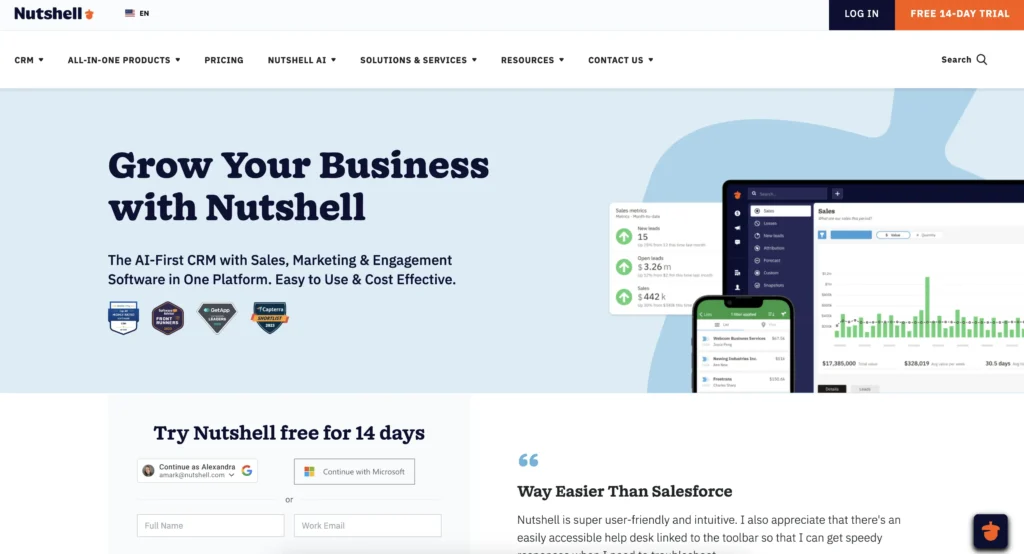
Nutshell is the clear winner for ecommerce SMBs who want to recover lost sales without breaking the bank. It combines native Shopify and WooCommerce integration with unlimited contact limits, flexible automation, and a unique “next-action” sales methodology that keeps small teams focused on the deals that matter most. Implementation happens in two to four weeks with dedicated support, so you’re recovering revenue fast. The biggest differentiator is affordability—at $13–59/user/month with unlimited data, Nutshell costs 60–75% less than HubSpot while delivering superior ecommerce-specific features.
Key features:
- Native Shopify and WooCommerce integration – Automatic real-time syncing of customer orders, product views, and cart data without Zapier workarounds
- Next-action sales methodology – Unique feature that helps small teams prioritize which customers to contact and when, solving the overwhelming “what do I do next?” problem for busy sales reps
- Unlimited contacts and email automation – No limits on how many customers jpw wyou can track or how many emails you can send, which is critical for ecommerce where customer lists grow monthly
Pros:
- Most affordable CRM for unlimited growth – Scale contacts and users without hitting pricing walls or per-contact charges
- White-glove onboarding and support – Dedicated implementation specialist walks you through setup; reduces time to productivity and ensures cart recovery workflows are optimized from day one
- Fastest ROI for cart recovery – Pre-built abandoned cart workflow templates get you recovering sales within days of launch
Cons:
- Smaller feature set than enterprise platforms – If you need deep predictive analytics or AI-powered lead scoring, HubSpot or Salesforce offer more; however, for most ecommerce SMBs, Nutshell’s features are more than sufficient
- Smaller user community – Fewer third-party integrations and add-ons compared to Salesforce or HubSpot ecosystem (though native integration with Shopify/WooCommerce covers the essentials)
Pricing:
$13–59/user/month depending on feature tier; unlimited contacts included at all levels. Free 14-day trial available.
Need a user-friendly CRM to boost sales and team efficiency?
Take our guided tour to explore Nutshell’s incredible features!

2. Pipedrive
Rating 4.3/5
Best for visual pipeline management and sales-focused teams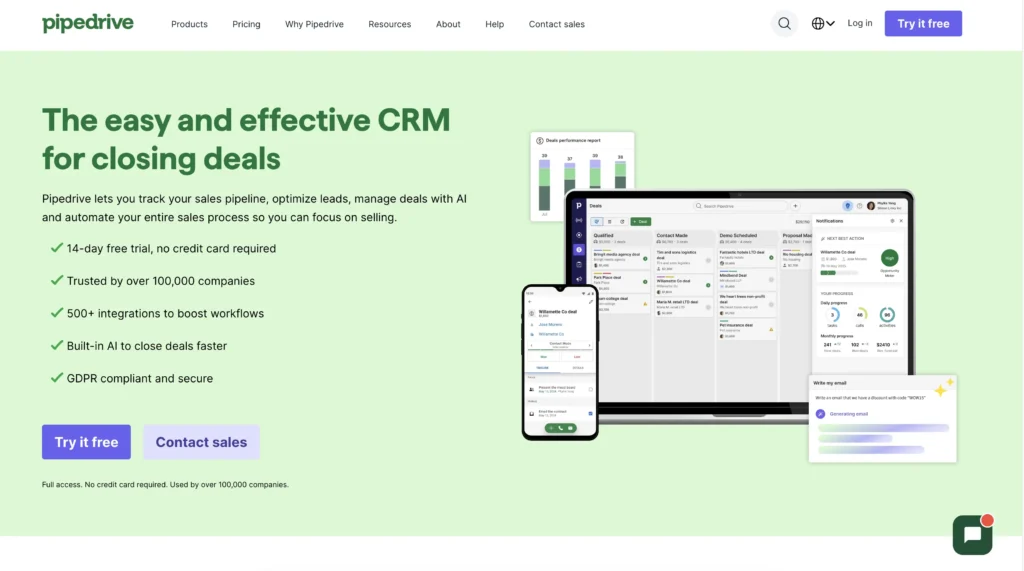
Pipedrive is built for sales teams obsessed with pipeline visibility. Its signature drag-and-drop pipeline interface makes it dead simple to see which deals are close, which are stalled, and which need attention. For ecommerce stores with a sales team handling B2B sales or wholesale accounts, Pipedrive excels. Integration with Shopify is available via Zapier (not native), which adds a layer of complexity but still works well for most use cases. Pricing is competitive, starting at $9/user/month.
Key features:
- Visual Kanban board pipeline – Drag deals across stages as they progress; instantly see pipeline health and stuck deals
- Deal-focused workflows – Automation that triggers based on deal status changes, not just email or contact actions
- Email integration and tracking – Open and click tracking built directly into the CRM; see if customers opened your abandoned cart recovery emails
Pros:
- Lowest entry price ($9/user/month) – Strong pricing makes it accessible for bootstrapped ecommerce teams
- Highly visual interface – Sales reps immediately understand pipeline health; no learning curve
- Strong deal tracking and forecasting – Pipeline-focused teams see accurate sales forecasts and close rates by stage
Cons:
- Zapier-only Shopify integration – Data sync isn’t real-time; abandoned cart triggers may be delayed by minutes to hours
- Contact limits capped at lower tiers – Free and Essentials plans have significant contact restrictions; scale beyond 5,000 contacts and you’re moving to higher-cost tiers
- Limited ecommerce customization – Built for general sales, not ecommerce-specific workflows; cart recovery requires manual setup
Pricing:
$9–99/user/month depending on tier; contact limits vary by plan starting at 2,000 on the free plan.
3. HubSpot
Rating: 4.2/5
Best for integrated marketing and sales (higher cost)
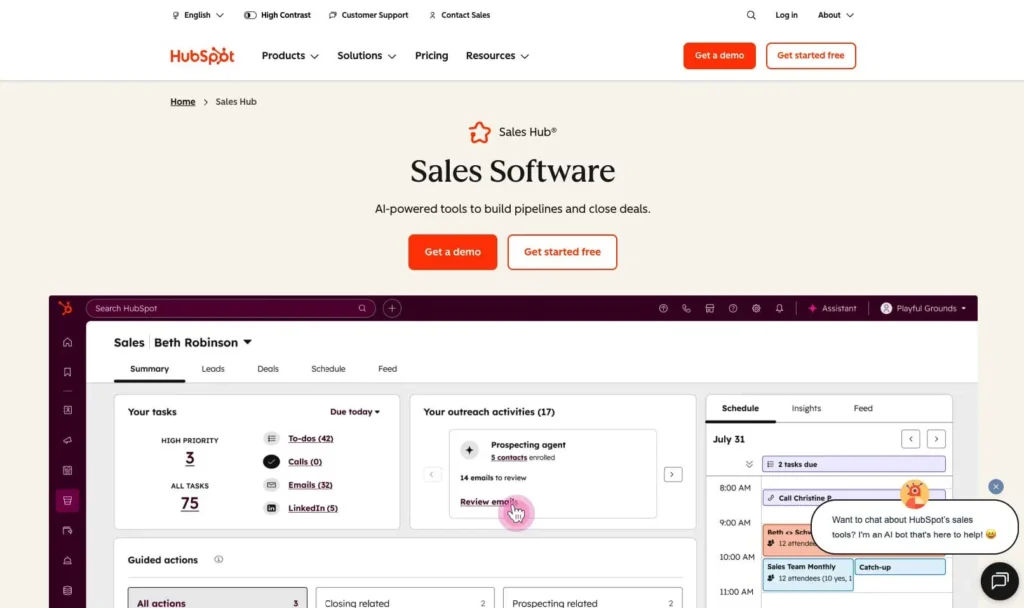
HubSpot is the all-in-one platform for teams wanting to unify sales, marketing, and customer support. It includes powerful email marketing, landing pages, and form builders alongside CRM functionality. For ecommerce stores that want to run sophisticated marketing campaigns and track attribution across channels, HubSpot’s breadth is compelling. The tradeoff is cost—at $50+/user/month for the Sales Hub, it’s significantly pricier than Nutshell or Pipedrive. Implementation also takes longer (four to eight weeks) because there’s more to set up.
Key features:
- Native Shopify integration – Real-time customer and order syncing without Zapier
- Email marketing platform included – Build and send campaigns directly from HubSpot without external tools like Mailchimp
- Detailed attribution reporting – See which marketing touchpoints influenced a sale, valuable for understanding your customer journey
Pros:
- All-in-one platform – Consolidates sales, marketing, and support so teams collaborate seamlessly
- Strong reporting and attribution – Detailed dashboards showing which campaigns drive ecommerce revenue
- Large app marketplace – Extensive integrations with third-party tools give you flexibility
Cons:
- Expensive for small teams – $50+/user/month adds up quickly; a five-person team is $3,000/month.
- Slower implementation – Takes four to eight weeks to get fully productive due to feature complexity
- Steeper learning curve – Not as intuitive as Nutshell or Pipedrive; requires more training
- Contact limits on lower tiers – Free and Starter plans have capped contacts; unlimited contacts start at higher price points
Pricing:
50–3,200/month depending on tier; SalesHub starts at $50/user/month with tiered contact limits.
4. Zoho CRM
Rating: 4.1/5
Best for customization and unlimited contact scaling
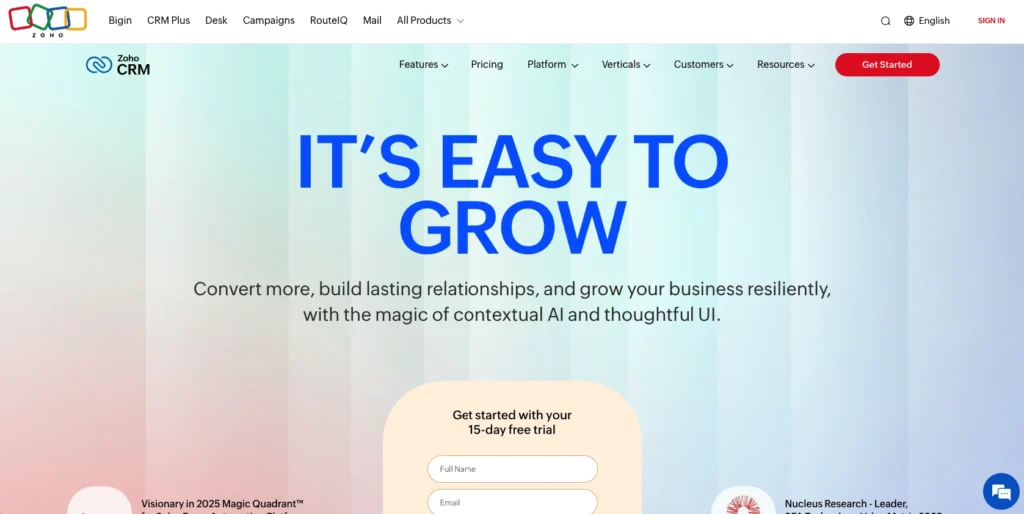
Zoho CRM is the power user’s choice for teams wanting deep customization. It offers unlimited contacts at all price tiers, flexible automation, and extensive custom field options. For ecommerce stores with unique business processes—like wholesale, marketplace, and DTC all running simultaneously—Zoho’s flexibility shines. The learning curve is steeper than Nutshell or Pipedrive, and it requires more technical configuration, but for sophisticated teams, it’s worth it.
Key features:
- Unlimited contacts at all tiers – No surprise contact limits; pay per user, add as many customers as you want
- Deep customization – Custom fields, custom modules, custom workflows; build the CRM exactly as you need it
- Zapier integration for Shopify – Connects to Shopify via Zapier; real-time sync is possible with proper setup
Pros:
- Unlimited contacts and data – No hidden scaling costs; transparently priced per user
- Highly flexible workflows – Complex automation logic and conditional routing give you control
- Affordable for large contact bases – $18–65/user/month makes it economical if you’re managing 100,000+ customers
Cons:
- Steep learning curve – Customization power requires technical knowledge; non-technical users struggle
- Implementation is time-intensive – Requires 4–6 weeks and possibly professional services to set up properly
- Support quality varies – Smaller support team; response times can be slower than competitors
- Zapier-only Shopify integration – Not native; adds latency to cart recovery workflows
Pricing:
$18–65/user/month; unlimited contacts across all tiers. Free tier available with limited features.
5. Monday.com
Rating: 3.9/5
Best for team workflows and project collaboration

Monday.com is primarily a work management and project collaboration tool, but it has CRM capabilities. It’s a strong choice for teams that blur the line between CRM and project management—for example, a team running multiple marketplace accounts or handling custom orders that involve significant coordination. The visual interface is appealing, and pricing is competitive. However, it’s less purpose-built for ecommerce than dedicated CRM solutions, so cart recovery and customer automation feel tacked-on rather than core.
Key features:
- Visual work management boards – Kanban-style workflows for managing customer interactions and orders
- Team collaboration built-in – Comments, file sharing, and timeline view help teams coordinate
- Flexible custom fields – Build boards tailored to your exact ecommerce workflow
Pros:
- Affordable pricing – $10–30/user/month makes it budget-friendly
- Strong for cross-functional teams – Sales and fulfillment teams can coordinate seamlessly
- No contact limits – Track unlimited customers without hitting a wall
Cons:
- Not a true CRM – Built for project management; customer data and contact management feel like an afterthought
- Weak ecommerce features – No native Shopify integration, limited cart recovery automation, no built-in email sequencing
- Steep for non-technical teams – Requires significant setup to make it work for sales processes
Pricing:
$10–30/user/month depending on tier; pricing is per workspace, and you may need multiple workspaces to keep sales separate from operations.
6. Freshsales
Rating: 3.8/5
Best for budget-conscious SMBs with strong support
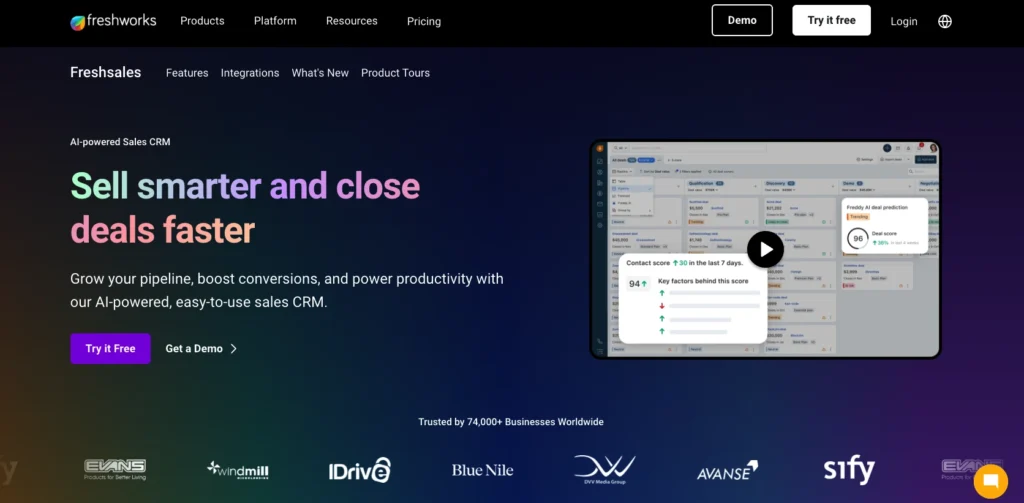
Freshsales is Freshworks’ CRM offering, built for small teams on tight budgets who need core CRM functionality without enterprise complexity. It includes native Shopify integration, solid automation, and surprisingly good support for the price. Implementation is quick (two to four weeks), and the interface is straightforward. The main limitation is contact limits at lower tiers and fewer advanced features compared to Nutshell or Zoho.
Key features:
- Native Shopify integration – Real-time customer and order syncing
- Built-in email and phone – Make calls and send emails directly from the CRM; no switching between tools
- AI-powered lead scoring – Automatically identifies high-priority leads (though basic compared to enterprise platforms)
Pros:
- Affordable SMB pricing – $9–79/user/month competes directly with Nutshell and Pipedrive
- Excellent support for the price – Responsive team with solid documentation
- Quick implementation – 2–4 weeks to productivity
Cons:
- Contact limits on lower tiers – Free and Starter plans cap contacts at 1,000–5,000; you’ll hit limits faster than with Nutshell’s unlimited model
- Limited advanced features – Fewer customization options and fewer integrations than competitors
- Smaller ecosystem – Fewer third-party add-ons and app integrations
Pricing:
$9–79/user/month depending on tier; contact limits vary by plan. Free tier available.
7. Klaviyo
Ratings: 3.6/5
Best for email marketing and segmentation (ecommerce-first)
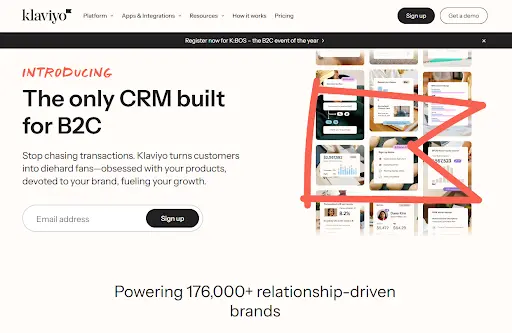
Klaviyo is an email marketing platform with CRM features bolted on, not a CRM with email marketing. It’s specifically designed for ecommerce and excels at email segmentation, automation, and revenue attribution. If your primary goal is email marketing and you don’t need sales pipeline management, Klaviyo is an excellent choice. Pricing is tiered on contacts, not users, which is different from other CRMs; it’s cheap to start (free up to 500 contacts) but can scale expensively.
Key features:
- Ecommerce-first segmentation – Out-of-the-box segments for abandoned carts, repeat customers, high-value buyers, etc.
- Email marketing focus – Powerful email builder, templates, and automation specifically tuned for ecommerce
- Revenue attribution – See exactly which emails drive sales; measure ROI per campaign
Pros:
- Purpose-built for ecommerce – Features are specifically designed for store owners; minimal learning curve
- Affordable at small scale – Free tier up to 500 contacts; scales reasonably for growing stores
- Excellent for email marketing – Best-in-class email builder and segmentation
Cons:
- Not a true CRM – Limited deal pipeline, no sales process management, minimal contact management
- Expensive at scale – Contact-based pricing gets costly once you’re managing 100,000+ customers
- No sales automation – Limited workflow capabilities beyond email; doesn’t handle multi-channel customer interactions
- Limited Shopify integration – Can sync customer data, but less deep than native CRM integrations
Pricing:
Free up to 500 contacts; $20–1,200+/month depending on contact volume and features.
8. Salesforce
Rating: 3.4/5
Best for enterprise ecommerce teams
Salesforce is the enterprise standard—powerful, comprehensive, and expensive. It’s the right choice for large ecommerce organizations (10+ sales reps, complex workflows, custom development) with dedicated IT support and budget. For most SMB ecommerce stores, Salesforce is overkill. Implementation takes six to twelve months and can cost $100,000+. You’ll need a Salesforce admin on staff to maintain it.
Key features:
- Unlimited customization – Custom objects, workflows, Einstein Analytics; build anything you can imagine
- Enterprise scale – Handles organizations with thousands of users and millions of records
- Comprehensive platform – Sales Cloud, Service Cloud, Commerce Cloud all integrated
Pros:
- Enterprise power – Handles the most complex business processes
- Massive ecosystem – Thousands of apps and integrations
- Strong reporting – Sophisticated dashboards and analytics
Cons:
- Extremely expensive – Enterprise pricing; easily $500–5,000/month for a small team
- 6–12 month implementation – Not a quick deployment; requires significant organizational effort
- Steep learning curve – Requires formal training and a Salesforce admin to manage
- Overkill for SMBs – 80% of features go unused for small ecommerce teams
- Limited ecommerce focus – Built for enterprise, not ecommerce-specific workflows
Pricing: Enterprise pricing (custom quotes); typically $300–500/user/month at minimum.
How to Recover Abandoned Carts With Your CRM
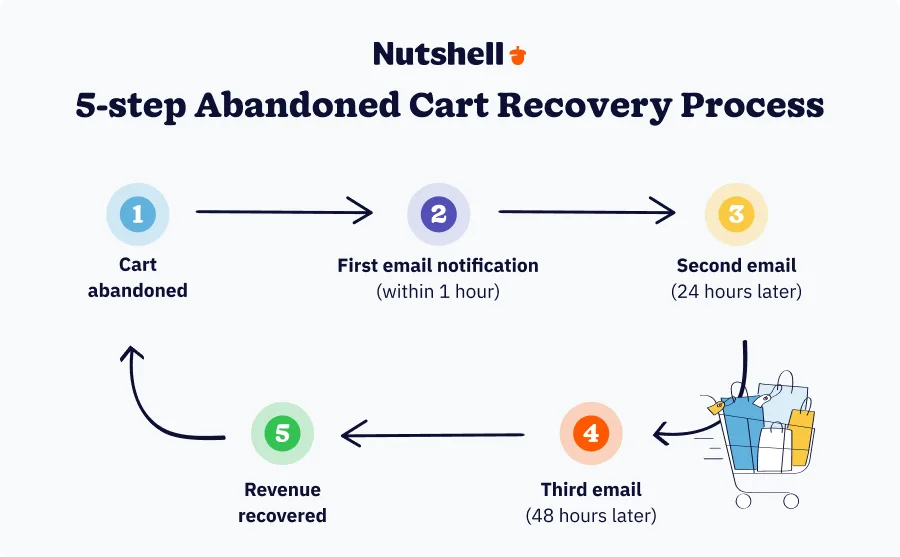
Abandoned carts are your biggest revenue opportunity. Seventy percent of carts are abandoned, but here’s the good news: most of them can be recovered with the right sequence.
Here’s how a CRM makes cart recovery automatic:
Step 1: Capture the abandonment event. Your CRM watches for carts added but not completed. When a customer leaves your store without checking out, the CRM logs this event and captures the cart contents, customer email, and timestamp.
Step 2: Trigger the first email within one hour. Most abandoned carts are recovered in the first hour. Your CRM immediately queues a reminder email with a personalized subject line (“Sarah, you left behind a blue sweater + 2 other items”) and a direct link back to the cart.
Step 3: Run a multi-step sequence. If the customer doesn’t recover the cart after the first email, your CRM automatically sends a second email 24 hours later (usually with a discount code or urgency angle like “only 2 left in stock”). A third email goes out 48 hours later. Some teams use four to five emails over three to five days, depending on their industry.
Step 4: Personalize based on customer history. A repeat customer who’s spent $500 with you gets different messaging than a first-time browser. Your CRM segments the sequence based on customer lifetime value, purchase history, and engagement level. High-value customers get white-glove treatment; browsers get a straightforward recovery offer.
Step 5: Track results and optimize. Your CRM shows you exactly how many abandoned carts you recovered, revenue recovered, email open rates, and click-through rates. You can A/B test subject lines and copy to improve recovery rates over time.
5-10% recovery rate on abandoned carts. For a store with 10,000 monthly visitors, a $50 average order value, that’s $17,500 to $35,000 in additional annual revenu. Most CRMs cost $1,000 to $3,000 per year, meaning the abandoned cart recovery feature alone typically pays for the entire platform in the first month.
The Real Cost of Not Using a CRM
Let’s quantify what abandoning a CRM actually costs your ecommerce business.
The abandonment problem: Seventy percent of carts are abandoned.
For a store with 10,000 monthly visitors and a $50 average order value, that’s 7,000 abandoned carts per month × $50 = $350,000 in lost annual revenue.If you recover just 5%, that’s $17,500 in annual revenue. If you recover 10%, that’s $35,000. A $2,000/year CRM investment returns 8–17x its cost in year one.
The retention opportunity cost: Sixty-five percent of your revenue comes from existing customers, yet acquiring a new customer costs five to seven times more than retaining an existing one. Without a CRM, you have no systematic way to track repeat customers, segment them, or send targeted retention campaigns. Result: your repeat customer rate stays flat while competitors using CRM-driven retention see 15–20% annual improvements. Over a year, a 5% retention improvement equals 25–95% profit increase, depending on your industry.
The multi-channel chaos cost: When customer data lives scattered across Shopify, email, chat, social, and support tickets, your team can’t see the full picture. A customer emails support, then DMs you on Instagram, then calls—and each channel handles them independently. This fragmentation costs you in multiple ways. Support tickets go unresolved because context is lost. Duplicate communications frustrate customers. Opportunities fall through cracks. According to recent research, 70% of consumers will abandon a brand after just two negative experiences, while nearly 24% will stop purchasing after only one bad experience. Without a CRM centralizing interactions, you create those bad experiences daily.
The productivity drain: Manual CRM tasks consume time. Logging calls, updating spreadsheets, copying customer data between systems, sending emails one-by-one instead of automated sequences—this burns five to ten hours per week per sales rep. For a three-person sales team, that’s 15–30 hours weekly, or 780–1,560 hours annually. At $50/hour fully loaded cost, that’s 39,000 –78,000 in wasted productivity every year. A CRM that saves just half that time pays for itself.
Here’s the reality: not using a CRM costs you $50,000 – $150,000+ annually in lost revenue and wasted productivity. The actual investment in a good CRM is $1,000– $3,000 per year for SMBs—is infinitesimal compared to the cost of operating without one.
CRM Implementation Guide for E-commerce Teams
You don’t need a six-month implementation timeline. Here’s how to go live in two to four weeks:
Week 1: Setup and Shopify integration
- Day 1–2: Sign up for free trial (no credit card required; 14-day access). Explore the interface; watch a few product videos.
- Day 3–4: Schedule onboarding call with your CRM provider’s implementation specialist. They’ll assess your current setup, answer questions, and outline the integration plan.
- Day 5–7: Connect your Shopify or WooCommerce store. If using Nutshell or HubSpot, native integration takes five minutes. If using Zapier-based tools, set up the connector (15 minutes, minimal technical knowledge required). Your CRM should immediately start syncing customer data and orders.
Week 2: Data import and pipeline setup
- Day 8–10: Import your existing customer data from email lists, past invoices, or spreadsheets. Your implementation specialist can do this white-glove or show you how. Takes one to two hours depending on data size.
- Day 11–14: Set up your sales pipeline. Define your deal stages (Prospect, Quote, Negotiation, Closed Won, Closed Lost, etc.). This usually takes 30 minutes to an hour with your team discussing what stages matter for your business.
Week 3: Automation and workflows
- Day 15–18: Create your abandoned cart recovery workflow. Your CRM provider has templates; you customize the emails and timing. Takes one to two hours with your implementation specialist walking you through it.
- Day 19–21: Set up additional automation (welcome sequences for new customers, win-back campaigns for inactive customers, follow-up tasks for sales reps). Most CRMs provide templates; you customize them.
Week 4: Training and go-live
- Day 22–24: Train your sales and support teams. Most CRM providers offer one-hour live training sessions. Use in-app tutorials for ongoing reference. Your team should be productive by day two of training.
- Day 25–28: Go live. Start using the CRM for all new customer interactions. Your implementation specialist remains available for questions. Most questions are answered within 24 hours.
Total timeline: Two to four weeks from signup to full productivity, depending on data complexity and team size.
Omnichannel Customer Support in a CRM
Your customers contact you through email, live chat, WhatsApp, Facebook Messenger, Instagram DMs, phone calls, and support tickets. Without omnichannel in your CRM, each channel is siloed—your team doesn’t see the full conversation history.
Here’s the problem: A customer emails your support team asking about shipping. Your support rep replies via email. The customer doesn’t see it (it went to spam) and messages you on Facebook Messenger. A different team member responds, unaware of the email exchange. The customer, frustrated by the duplicate conversations and different information, switches to a competitor.
Omnichannel solves this. Every interaction—email, chat, social, SMS, phone call—lands in the customer’s CRM record in one unified timeline. Your support team sees the full conversation history. The customer gets consistent, fast responses. Problems get resolved instead of duplicated.
What omnichannel includes:
- Email integration – All customer emails appear in their CRM record with full conversation threading
- Live chat – Website chat conversations auto-log to customer records
- Social media monitoring – Mentions, DMs, and comments from Facebook, Instagram, Twitter auto-log
- SMS integration – Text conversations appear in the timeline
- Phone call logging – Call transcripts and notes auto-record (with Twilio integration or built-in phone)
- Support ticket integration – Zendesk, Freshdesk, Gorgias tickets auto-sync to the customer record
Real example: A customer buys from your Shopify store. Three days later, they email asking if the item ships to Canada. Your support team sees this email in their CRM and replies, “Yes, ships to Canada in 5–7 business days.” The customer then messages your Facebook page asking about returns. Your social media team sees the full conversation history in the CRM, including the email exchange, and responds, “Returns are easy—30-day window, free return shipping.” The customer feels heard and supported, not bounced between disconnected teams.
The business impact: Omnichannel CRM support reduces response time, increases first-contact resolution, and improves customer satisfaction. Studies show customers with omnichannel support are 2x more likely to stay loyal. For ecommerce, where retention and repeat purchases drive profitability, omnichannel is a competitive advantage.
CRM Integrations E-commerce Teams Need
Your CRM doesn’t work in isolation. It needs to integrate with the tools your team actually uses: Shopify, email, accounting, communication, and support platforms.
Essential integrations:
- Shopify and WooCommerce – These are foundational. Your CRM syncs customer profiles, purchase history, and order data automatically. Choose a CRM with native integration (not Zapier) for real-time, lag-free syncing.
- Email marketing platforms – Mailchimp, Constant Contact, ActiveCampaign, or Klaviyo. Your CRM should sync customer segments to your email tool so you can run targeted campaigns based on purchase history and behavior.
- Accounting and billing – QuickBooks, Xero, FreshBooks. When a customer is added to your CRM and converts to a sale, the transaction should auto-record in accounting without manual entry. Reduces errors and saves your accountant hours.
- Communication tools – Slack, Microsoft Teams. When a deal closes or a customer needs attention, the CRM notifies your team in real-time via Slack instead of forcing them to log into the CRM separately.
- Support platforms – Zendesk, Freshdesk, Gorgias. Support tickets auto-sync to customer records in your CRM so your support and sales teams see the full interaction history.
- SMS and messaging – Twilio, Plivo, or built-in SMS. For ecommerce, SMS follow-ups and order notifications are critical. Your CRM should be able to send and track SMS messages.
Example workflow: A customer purchases a $200 item on your Shopify store → Shopify syncs the order to your CRM → your CRM automatically creates an invoice in QuickBooks → an email confirms the purchase and requests a review (sent via your email tool) → a Slack notification alerts your customer success team to follow up → if the customer has a support question, it lands in Zendesk and auto-links to their CRM record → your team responds using the full conversation context from the CRM.
Why integration matters: Every manual data entry is a potential error. Every time your team has to copy information between tools, you lose time and accuracy. Integrations eliminate manual work, keep data clean, and help your team move faster. For ecommerce, where speed and accuracy directly impact revenue, integrations aren’t luxuries—they’re essentials.
Your ecommerce business is bleeding revenue. Scattered customer data across platforms. Inconsistent follow-ups. Abandoned carts that never get recovered. Manual tasks eating up your team’s time. Support failures that lose customers forever.
You need a CRM that actually solves these problems—not enterprise bloat, not oversimplified software. You need something built for SMBs running real businesses on Shopify or WooCommerce.
Nutshell is the ecommerce CRM that punches above its weight. It recovers lost sales, unifies your customer data, automates workflows that matter, and helps small teams compete with bigger players. Best part? You’re seeing results in weeks, not months.
Here’s why Nutshell wins for ecommerce SMBs:
- Native integrations with Shopify and WooCommerce—no technical headaches
- Unlimited contacts and email—grow without hitting limits
- Intuitive interface—your team learns it fast, not slowly
- “Next-action” methodology—built to help small teams prioritize the chaos of juggling dozens of customers
- White-glove support—actual people who care about your success
- Affordable pricing—USD 13–59 per user per month, a fraction of HubSpot or Salesforce
No credit card required. Connect your Shopify or WooCommerce store, set up your first abandoned cart workflow, and watch revenue you’ve been leaving on the table come back home.
Your competitors aren’t waiting. Neither should you.
FAQ
-
1. Does a CRM work with Shopify and WooCommerce?
Yes, absolutely. Most modern CRMs integrate natively with both Shopify and WooCommerce. Nutshell, HubSpot, Zoho, and Freshsales all offer direct integrations—meaning automatic data sync without manual export or import. Some platforms (like Pipedrive) rely on Zapier integration, which adds a middleman but still works well for most use cases. The key difference is that native integration syncs data in real-time, while Zapier-based integration may have a lag of a few minutes.
-
2. Can a CRM help me recover abandoned carts?
Yes, that’s one of its primary functions for ecommerce. A CRM captures the abandonment event (customer adds items but doesn’t complete checkout) and triggers automated email sequences designed to recover the sale. Studies show 5–10% recovery rates on abandoned carts, which translates to significant incremental revenue. For a store with 10,000 monthly visitors, a USD 50 average order value, and 70% abandonment rate, that’s USD 17,500–USD 35,000 in additional annual revenue.
-
3. How Much Does an Ecommerce CRM Cost?
Pricing ranges from USD 9–60 per user per month for SMB options (Nutshell, Pipedrive, Freshsales) to enterprise pricing of USD 175+ per user for Salesforce. Most SMB CRMs include unlimited contacts and data. Klaviyo prices differently—it’s contact-based, not user-based, starting at free for up to 500 contacts and scaling up to USD 1,200+ per month at 100,000+ contacts. The key is choosing a solution that fits your team size and budget. Most ecommerce SMBs spend USD 1,000–3,000 annually on a CRM.
-
4. Will my small sales team actually use a CRM?
If it’s intuitive and solves a real problem, yes. Nutshell and Pipedrive are specifically known for easy adoption. Most teams become productive within two weeks of implementation. The key is choosing a CRM designed for SMBs (not enterprise complexity) and investing in proper onboarding. Avoid platforms like Salesforce that require months of training and a dedicated admin. Choose ones with in-app tutorials, responsive support, and fast implementation timelines.
-
5. What’s the ROI of implementing a CRM?
Studies show an average 29% revenue increase, 34% productivity improvement, and 27% retention improvement after CRM implementation. For ecommerce specifically, cart recovery alone often pays for the CRM in the first month. Additional ROI comes from reduced customer churn, faster sales cycles, fewer manual tasks, and better data-driven decision-making. Calculate your own ROI by estimating monthly revenue loss from cart abandonment, multiplying that by your recovery rate, and comparing it to your annual CRM cost. For most ecommerce stores, the CRM pays for itself in month one.
-
6. How long does it take to set up a CRM?
It depends on which platform. Nutshell: two to four weeks with white-glove support. Pipedrive and Freshsales: three to four weeks self-service. HubSpot: four to eight weeks. Salesforce: six to twelve months. The difference is driven by implementation support quality and feature complexity. For ecommerce SMBs who want fast results, prioritize CRMs with rapid onboarding (two to four weeks). Avoid enterprise solutions.
BACK TO TOP
Ready to try
Nutshell for Free?Thank you! Your submission has been received!Oops! Something went wrong while submitting the form.






Sales Performance Reviews: 9 Tips to Make Them Valuable
Published on: November 10, 2022Email Personalization: The SMB Guide to Turning Data Into Revenue
Published on: January 19, 2026Join 30,000+ other sales and marketing professionals. Subscribe to our Sell to Win newsletter!










