Skip to main content ↓

Best CRMs For Outbound Sales: Top 9 Solutions Compared For 2025

blog post featured image for the best CRMs for outbound sales comparison article

Outbound sales is a high-stakes numbers game. Your team needs to reach hundreds of prospects daily, personalize every touchpoint, and track multi-channel conversations, all while maintaining the human connection that actually closes deals. The challenge? Most CRMs weren’t built for this reality.

Generic CRMs fall short for outbound teams in several key ways: limited email campaign support, clunky interfaces that slow reps down, inability to track outbound-specific metrics, and lack of segmentation tools. According to research conducted by Persana AI, outbound generates 55% of all leads, despite the rise of inbound marketing—a significant portion that underscores the importance of choosing the right outbound sales software.

In this guide, we’ve evaluated the best CRMs for outbound sales to help you find the perfect fit for your team. We tested nine leading platforms, comparing their outbound-specific features, ease of use, automation capabilities, and value for money.


Best outbound sales CRMs at a glance

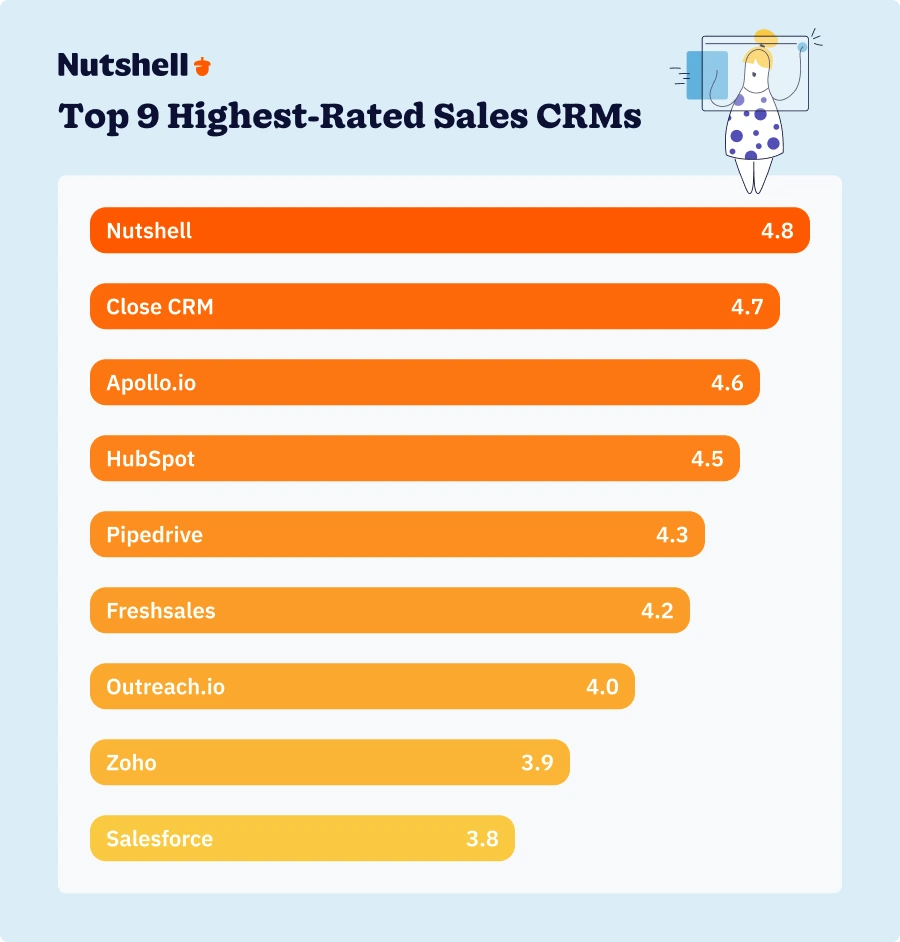
  1. Nutshell CRM (4.8/5): Best for growing sales teams seeking simplicity and affordability
  2. Close CRM (4.7/5): Best for high-volume outbound calling teams
  3. Apollo.io (4.6/5): Best for data-driven prospecting with built-in contact database
  4. HubSpot Sales Hub (4.5): Best for teams wanting all-in-one sales and marketing
  5. Pipedrive (4.3/5): Best for visual pipeline management and deal tracking
  6. Freshsales (4.2/5): Best for AI-powered lead scoring and automation
  7. Outreach.io (4.0/5): Best for enterprise sales engagement and sequencing
  8. Zoho CRM (3.9/5): Best for budget-conscious teams needing customization
  9. Salesforce Sales Cloud (3.8/5): Best for enterprise teams with complex requirements

Need a user-friendly CRM to boost sales and team efficiency?

Take our guided tour to explore Nutshell’s incredible features!

How we selected the best CRM for outbound sales

We didn’t rely on marketing materials or sales demos alone. Our evaluation process included hands-on testing, product demos, analysis of thousands of customer reviews, expert consultations, and real-world testing with actual outbound workflows. 

Each CRM was evaluated across five equally weighted criteria:

  • Outbound-specific features (20%): We evaluated the core capabilities that make or break outbound success: email sequencing and automation, built-in dialer and calling features, multi-channel outreach (email, phone, SMS, LinkedIn), and lead segmentation.
  • Ease of use (20%): We assessed design quality, learning curve and onboarding time, mobile app functionality, and setup simplicity.
  • Automation & workflow (20%): According to Nutshell’s CRM statistics, 98% of businesses prioritize sales automation features when selecting a CRM. We evaluated task automation capabilities, follow-up automation, workflow customization options, and AI-powered features. 
  • Pipeline & reporting (20%): We examined visual pipeline management, customizable reporting, analytics depth and insights, and forecasting capabilities.
  • Value for money (20%): We assessed pricing relative to features offered, scalability of pricing tiers, free trial availability, and contract flexibility.

Key features every outbound sales CRM should have

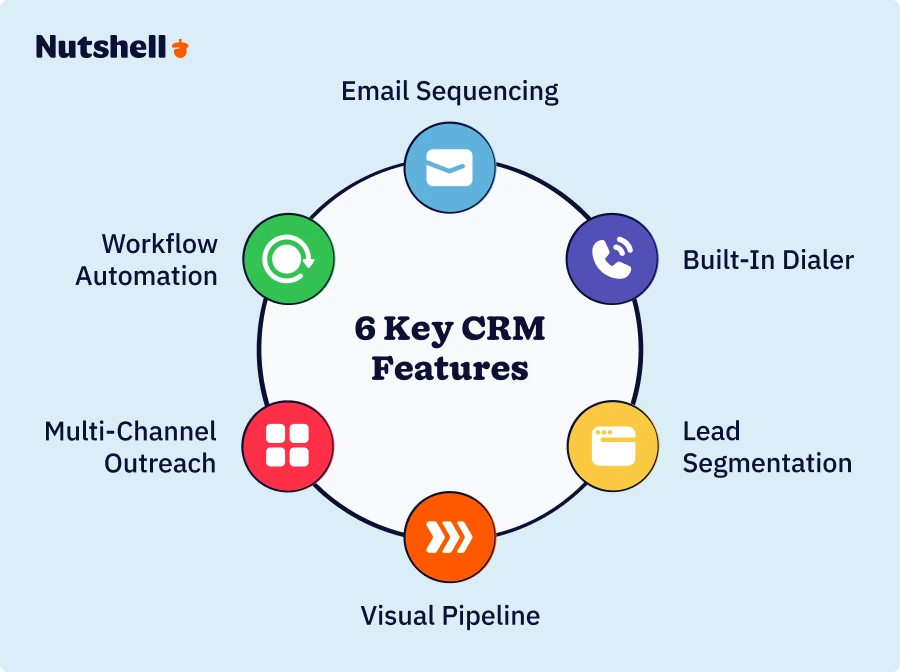
Not all CRMs are created equal when it comes to outbound sales. Here are six essential features your platform must include to support high-performing outbound teams.

infographic showing the 6 key features every outbound sales CRM should have
  • Email sequencing and automation: Outbound teams need to send hundreds of personalized emails daily without sacrificing quality. The best email sequencing tools feel like you’re sending individual emails, even when you’re reaching hundreds of prospects. 
  • Built-in dialer and calling features: Integrated calling features eliminate tool switching, automatically log all calls, and maintain complete context for every conversation.
  • Lead segmentation and scoring: Outbound teams deal with massive lead volumes — you need to focus efforts on prospects most likely to convert. Smart segmentation ensures your best reps spend time on your best opportunities.
  • Visual pipeline management: When you’re managing dozens or hundreds of active deals, visual pipeline management helps you spot problems before they become crises and identify which deals need attention today.
  • Multi-channel outreach capabilities: Modern buyers respond to different channels at different times. Your CRM should coordinate outreach across email, phone, SMS, and LinkedIn – not force you to juggle disconnected tools.
  • Workflow automation and task management: Automation saves 10-15 hours per week per rep by eliminating administrative busywork. This frees reps from administrative work to focus on high-value activities like building relationships and closing deals.

Comparison table: Best CRMs for outbound sales

CRM NameRatingStarting PriceEmail SequencesBuilt-in DialerPipeline ManagementMobile App
Nutshell CRM4.8$13/user/month


Close CRM4.7$49/user/month
Apollo.io4.6$49/user/month
HubSpot Sales Hub4.5$20/user/month
Pipedrive4.3$14/user/monthLimitada
Freshsales4.2$9/user/month
Outreach.io4.0Custom pricing
Zoho CRM3.9$14/user/month
Salesforce Sales Cloud3.8$25/user/month

Pricing as of 2025. Visit official websites for the most current pricing.

infographic showing the top 9 highest-rated outbound sales CRMs by rating

Best CRM software for outbound sales: Detailed reviews

Here are our detailed reviews of the nine best CRMs for outbound sales, listed in descending order by rating.

1. Nutshell

Rating: 4.8/5
Best for growing sales teams seeking simplicity and affordability
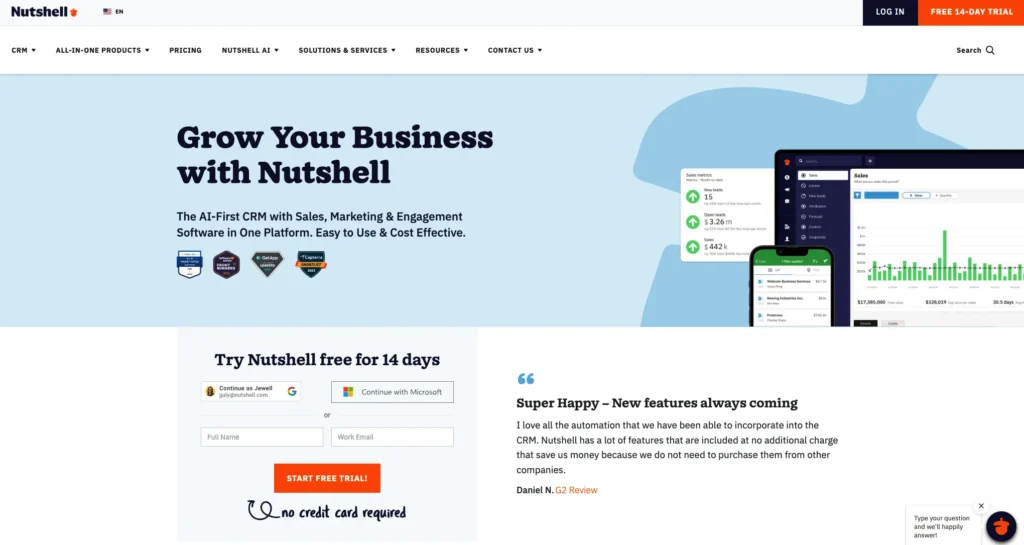
Nutshell CRM home page screenshot showing in-app and mobile app Sales dashboard

Quick Summary

Nutshell is the best overall CRM for outbound sales teams, delivering an exceptional balance of comprehensive features, ease of use, and unbeatable affordability. What sets Nutshell apart is its next-action sales approach that keeps reps focused on what matters most—moving deals forward rather than drowning in administrative tasks.

Key Features

  • Sales automation with automated follow-ups and intelligent task management
  • Visual pipeline management 
  • Email integration and tracking that syncs seamlessly with Gmail, Outlook, and other providers
  • Reporting & analytics with customizable dashboards and outbound-specific metrics
  • Mobile app for on-the-go access to customer data and pipeline updates
  • Integration capabilities with popular sales tools and platforms

Prós

  • Best value for money
  • Extremely easy to use with minimal learning curve—teams are productive in days
  • Quick implementation (up and running in days, not weeks or months)
  • Comprehensive features without overwhelming complexity
  • Excellent customer support with a responsive team
  • Next-action focus increases rep productivity and reduces decision paralysis

Contras

  • Calling features are not as advanced as other CRMs in this list
  • Fewer pre-built integrations

Pricing

$13/user/month (Foundation) when paid annually, with all core features included

Ready to experience Nutshell?

Start your free 14-day trial today—no credit card required.

2. Close CRM

Rating: 4.7/5
Best for high-volume outbound calling teams
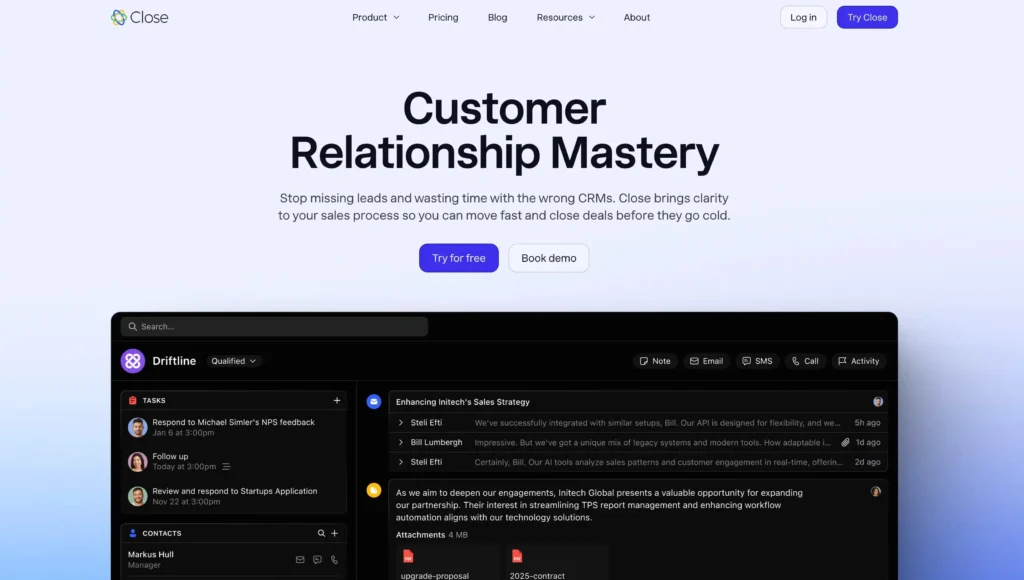
A screenshot of the Close CRM homepage for the comparison of the best CRM for sales.

Quick Summary

Close CRM is purpose-built specifically for outbound sales with heavy emphasis on calling. It offers the best-in-class power dialer and calling features in the industry, making it ideal for SDR/BDR teams making 100+ calls per day.

Key Features

  • Advanced power dialer
  • Built-in calling
  • Email sequences with automation
  • Pipeline management and outbound-specific reporting

Prós

  • Best calling features in the category
  • Purpose-built for high-volume outbound sales
  • Excellent email and SMS integration

Contras

  • More expensive than similar CRMs
  • Less comprehensive than all-in-one platforms (focused primarily on outbound)
  • Limited marketing automation features

Pricing

Starting at $49/user/month

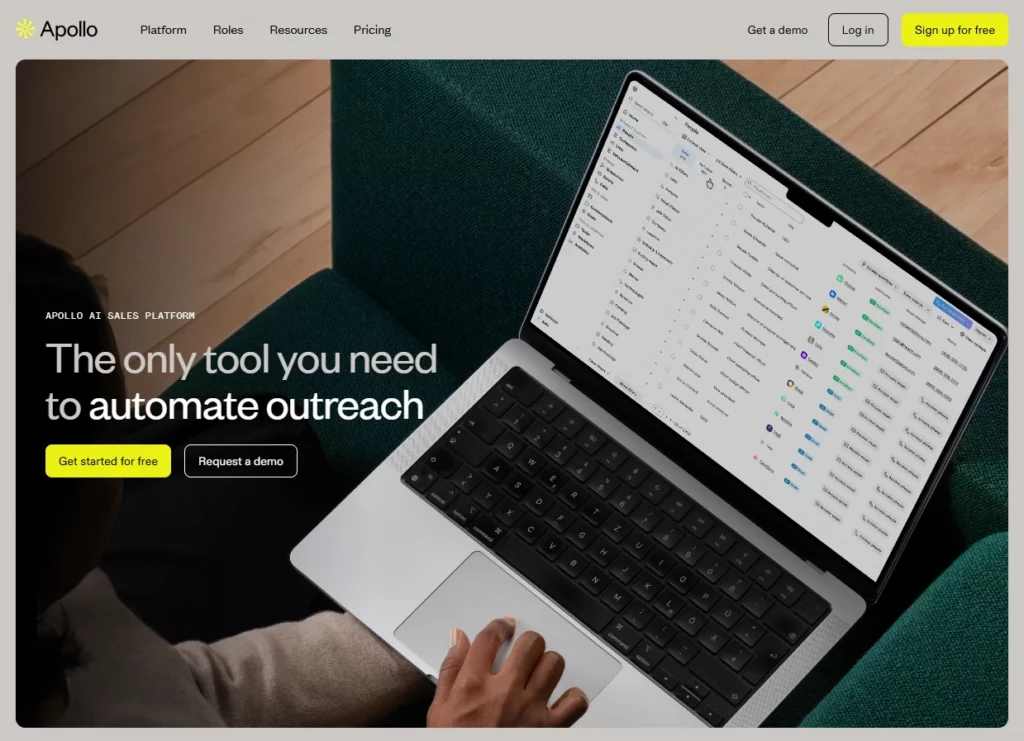
3. Apollo.io

Rating: 4.6/5
Best for data-driven prospecting with a built-in contact database
apollo data enrichment tool

Quick Summary

Apollo.io combines CRM functionality with a massive 275M+ contact database, making it a strong choice for teams that need prospecting data and CRM in one platform.

Key Features

  • 275M+ contact database with advanced search filters
  • Email sequencing and automation
  • Built-in dialer
  • Data enrichment and validation

Prós

  • Massive contact database
  • Good email automation features
  • Affordable compared to buying a separate data provider + CRM

Contras

  • Interface can be overwhelming for new users
  • Data quality varies by region and industry
  • Less intuitive than Nutshell or Pipedrive

Pricing

Free plan available (limited features), paid plans starting at $49/user/month for a Basic plan

4. HubSpot CRM

Rating: 4.5/5
Best for teams wanting an ecosystem of separate hubs
A screenshot of HubSpot's CRM page for the best CRM for sales comparison.

Quick Summary

HubSpot offers a free basic CRM tier and connects you to a larger ecosystem, which can become complex as you add paid hubs for marketing, service, etc.

Key Features

  • Email sequences and templates
  • Meeting scheduling and tracking
  • Gerenciamento de pipeline 
  • Relatórios e análises

Prós

  • Excellent integration ecosystem
  • Strong reporting
  • Free CRM tier available

Contras

  • Expensive as you scale ($20-$1,200+/user/month depending on tier)
  • Many outbound-specific features require paid tiers
  • Can be overly complex

Pricing

Free tier for basic CRM; starting at $9/user/month for Sales Hub Starter plan, paid annually

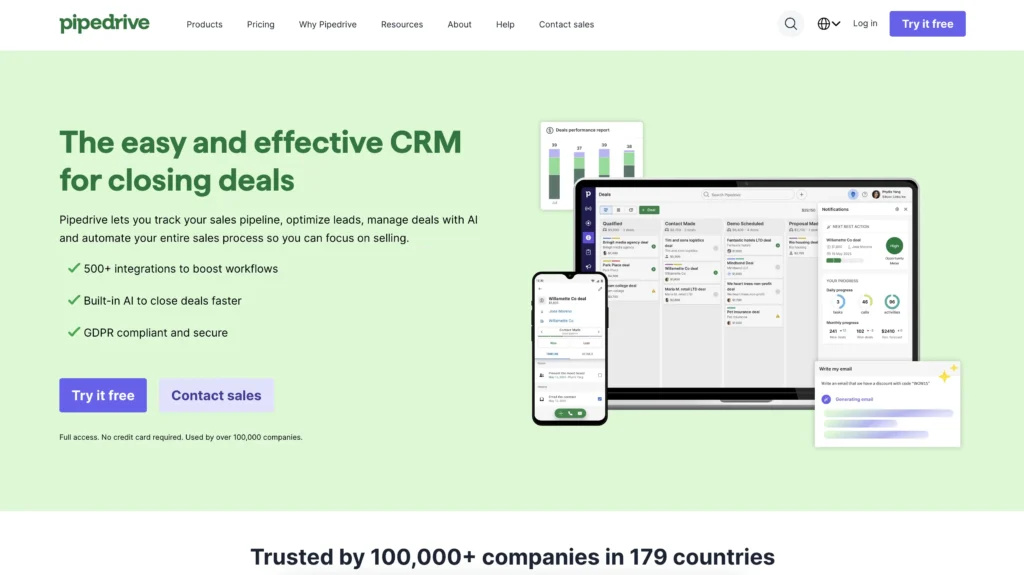
5. Pipedrive

Rating: 4.3/5
Best for visual pipeline management and deal tracking
Best CRM for Sales: The homepage for Pipedrive's CRM.

Quick Summary

Pipedrive offers an excellent visual pipeline interface with intuitive drag-and-drop functionality. It’s strong for deal tracking and pipeline management, but it has limited outbound-specific features compared to specialized tools.

Key Features

  • Highly visual pipeline
  • Email integration and tracking
  • Activity and goal tracking
  • Mobile app

Prós

  • Clear pipeline visualization
  • Good mobile experience
  • Strong deal tracking

Contras

  • Limited email sequencing capabilities (basic compared to competitors)
  • No built-in dialer (requires third-party integration)

Pricing

Starting at $14/user/month for its Lite plan when paid annually, but key features require more expensive tiers

6. Freshsales

Rating: 4.2/5
Best for AI-powered lead scoring and automation
A screenshot of the Freshworks CRM homepage for the best CRM for sales comparison.

Quick Summary

Freshsales offers strong AI-powered features for lead scoring and prioritization. It provides good automation capabilities with a free tier available for small teams.

Key Features

  • AI-powered lead scoring
  • Built-in phone
  • Gerenciamento de pipeline
  • Automação do fluxo de trabalho

Prós

  • Strong AI features
  • Free plan available for small teams
  • Good automation capabilities

Contras

  • Less outbound-focused than specialized tools
  • AI features require higher-tier plans
  • Limited customization options

Pricing

Starting at $9/user/month for the Growth plan (annual pricing)

7. Outreach.io

Rating: 4.0/5
Best for enterprise sales engagement and sequencing
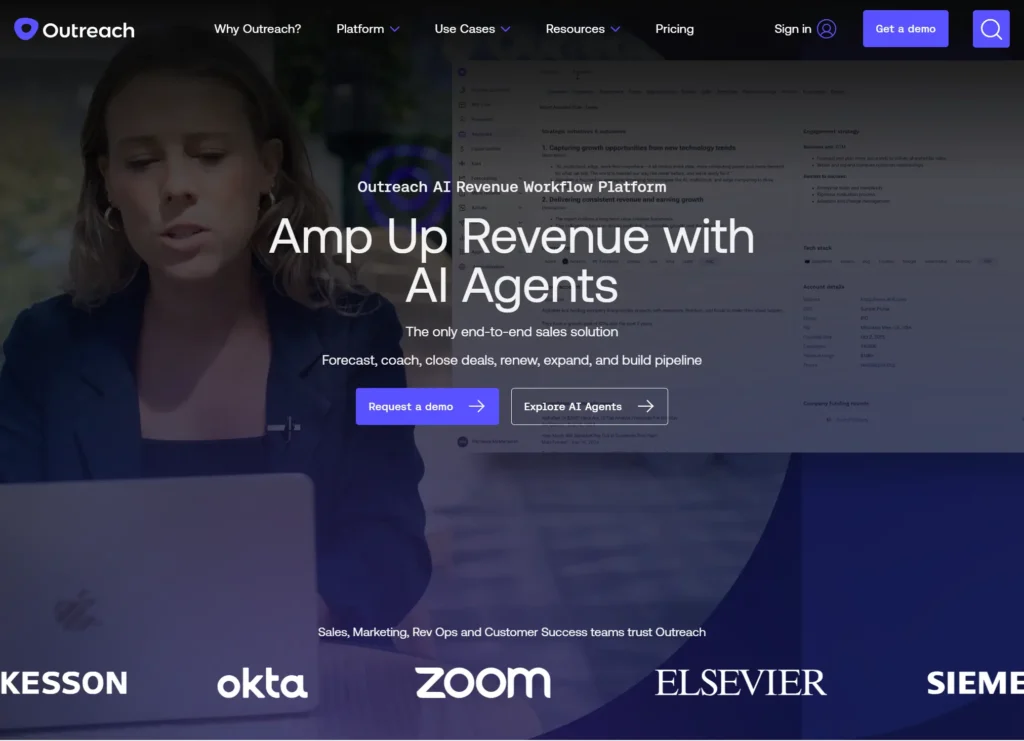
Homepage of Outreach.io

Quick Summary

Outreach.io is an enterprise-grade sales engagement platform with advanced sequencing and automation capabilities. Note that it’s not a standalone CRM—it requires integration with your existing CRM system.

Key Features

  • Advanced multi-channel sequences 
  • A/B testing for emails and calls
  • Sales analytics and reporting
  • Conversation intelligence features

Prós

  • Advanced sequencing capabilities
  • Excellent for enterprise teams
  • Strong analytics and reporting

Contras

  • Very expensive (custom pricing, typically $100+/user/month)
  • Curva de aprendizado íngreme
  • Requires dedicated admin resources
  • Not a standalone CRM (requires integration with existing CRM)

Pricing

Contact sales for a custom pricing quote; typically starts at $100+ per user per month for the enterprise plan

8. Zoho CRM

Rating: 3.9/5
Best for budget-conscious teams needing customization
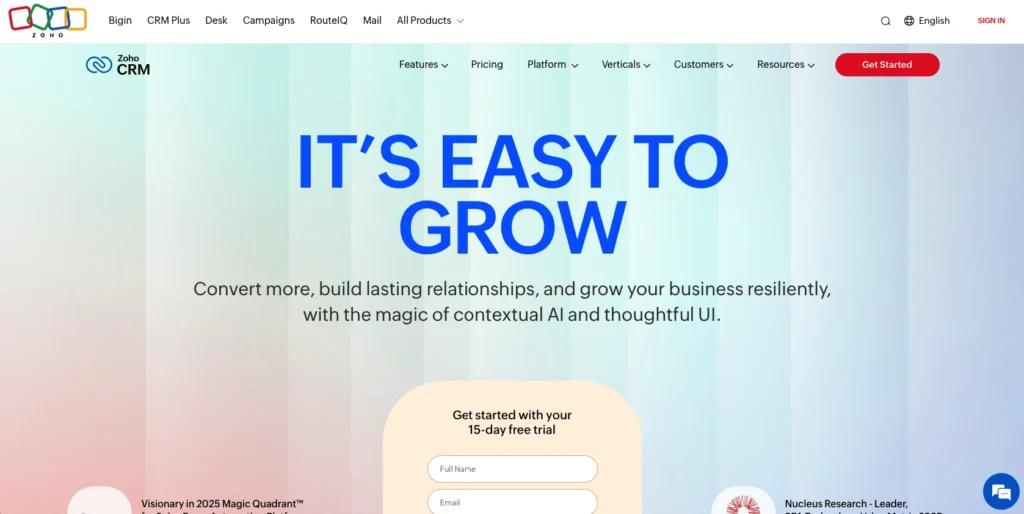
Zoho CRM Homepage

Quick Summary

Zoho CRM is part of the Zoho suite of business applications and offers good value, but it comes with a steeper learning curve due to its extensive customization options.

Key Features

  • Email automation and templates
  • Telephony integration (requires third-party provider)
  • Gerenciamento de pipeline
  • Automação do fluxo de trabalho

Prós

  • Free plan for up to 3 users
  • Highly customizable
  • Multi-currency support

Contras

  • Curva de aprendizado íngreme
  • Interface can feel dated 
  • Customization is overwhelming for new users

Pricing

Starting at $14/user/month for the Standard plan (annual billing)

9. Salesforce

Rating: 3.8/5
Best for enterprise teams with complex requirements
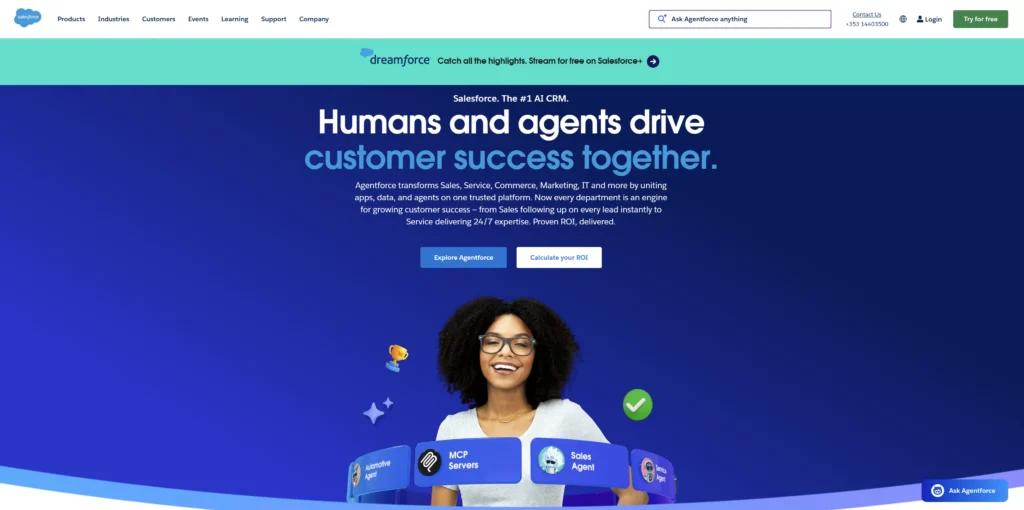
A screenshot of Salesforce's website homepage

Quick Summary

Salesforce Sales Cloud is best for large enterprises with complex needs and dedicated resources, but it can get overly complex and expensive for most outbound teams.

Key Features

  • Comprehensive sales automation
  • Relatórios avançados
  • AI insights
  • AppExchange marketplace

Prós

  • Extremely customizable
  • Robust enterprise features
  • Strong for complex sales processes

Contras

  • Very expensive ($25-$330+/user/month depending on tier)
  • Curva de aprendizado íngreme
  • Requires dedicated admin and technical resources

Pricing

Starting at $25/user/month for the Essentials plan; 30-day free trial available

How to choose the right outbound sales CRM for your team

Selecting the right CRM is one of the most important decisions you’ll make for your sales organization. Here’s how to approach the decision systematically.

Assess your team size and structure

Your team size dramatically impacts which CRM will work best:

  • 1-5 reps: Focus on simplicity and affordability. Consider Nutshell, Pipedrive, or Zoho. You need quick setup, minimal training, and straightforward features that won’t overwhelm a small team.
  • 5-20 reps: Balance features and ease of use. Nutshell, Close, or HubSpot work well at this scale.
  • 20+ reps: Consider scalability and advanced features. Nutshell, Salesforce, or Outreach.io can handle larger teams. You need enterprise features, advanced analytics, and dedicated support. 

Beyond headcount, consider your team structure. Inside vs. outside sales teams have different needs. SDR/AE splits require different workflows than full-cycle reps. Geographic distribution affects mobile app requirements. 

Identify your primary outbound channels

Different CRMs excel at different channels:

  • If calling-focused: Close CRM offers the best dialer in the industry, but Nutshell provides good calling plus comprehensive features for teams that need more than just phone capabilities.
  • If email-focused: Nutshell offers strong sequences, HubSpot provides comprehensive email tools, and Apollo combines email with prospecting data.
  • If multi-channel: Nutshell delivers a balanced approach across channels, Close excels at email plus calling, and Outreach.io provides enterprise-grade multi-channel sequencing.
  • If data-driven prospecting: Apollo includes a built-in database of 275M+ contacts, while Nutshell integrates seamlessly with data providers.

Most teams need multi-channel capabilities—don’t limit yourself to single-channel tools. Modern buyers respond to different channels at different times, so your CRM should coordinate outreach across email, phone, SMS, and social.

Evaluate your budget and ROI expectations

According to AnswerIQ, CRM can boost conversion rates by 300%—but only if you choose a platform your team will actually use and can afford to scale.

Calculate total cost of ownership beyond the advertised per-user pricing. Factor in implementation costs, training time, integration fees, add-ons for essential features, and ongoing support costs. Many CRMs advertise low starting prices but require expensive add-ons for features that should be included.

Consider the ROI timeline. Some CRMs deliver quick wins (Nutshell and Pipedrive get teams productive in days), while others require longer implementation periods (Salesforce and Outreach.io can take weeks or months to show value).

Consider technical expertise and resources

Be honest about your team’s technical capabilities:

  • Have dedicated admin/technical resources? You can handle complex systems like Salesforce or Outreach.io that require ongoing configuration and maintenance.
  • Need quick setup with minimal IT involvement? Choose user-friendly options like Nutshell, Pipedrive, or Close that don’t require technical expertise to implement and maintain.

Evaluate training requirements realistically. How much time can you invest in onboarding? Complex platforms may offer more features, but if your team never learns to use them, you’ve wasted your investment.

Consider ongoing maintenance needs as well. Some CRMs require constant admin attention to maintain workflows, integrations, and customizations. Others work reliably with minimal ongoing management.

Test before you commit

Most CRMs offer 14-30 day free trials—use them! This is your opportunity to verify that the platform actually works for your specific use case.

What to test during your trial period:

  • Ease of setup and data import process
  • Daily workflow and user experience for actual reps (not just managers)
  • Key features for your specific use case
  • Mobile app functionality for field teams
  • Customer support responsiveness and quality

Critical: Involve actual users in testing, not just managers or decision-makers. The people who will use the CRM daily should have input on the selection. Their adoption determines whether your CRM investment succeeds or fails. Import a sample of your actual data, set up real sequences, and have reps use the system for actual outreach.

Common mistakes when choosing an outbound sales CRM

Avoid these common pitfalls that lead to poor CRM selection and low adoption rates.

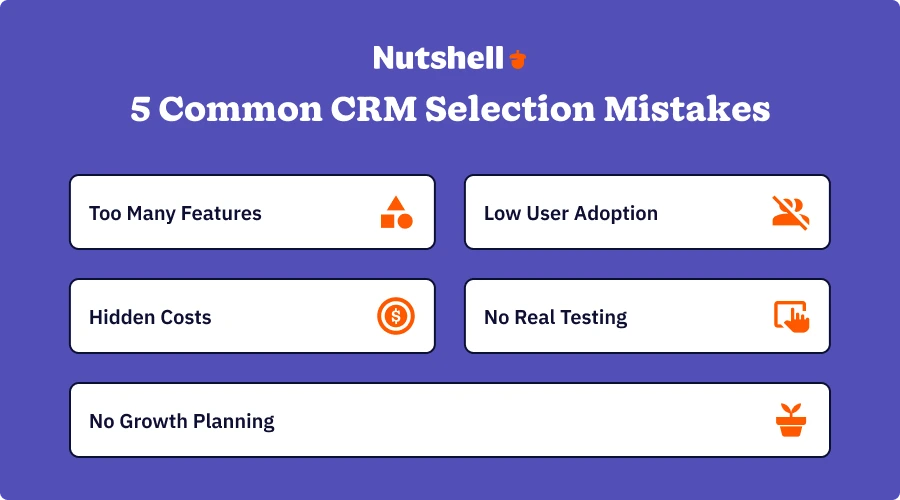
infographic showing the 5 common CRM selection mistakes for outbound sales teams
  • Choosing based on features alone: “Most features” doesn’t mean “best CRM.” Many features go unused if the system is too complex for your team to master. Better to have fewer features that matter for your specific outbound workflow than hundreds of features that sit idle.
  • Ignoring user adoption challenges: The importance of an intuitive interface and minimal training requirements can’t be overstated. Get buy-in from actual users (reps, SDRs), not just management. Consider change management and resistance to new systems—even the best CRM fails if your team won’t use it.
  • Underestimating total cost of ownership: Per-user pricing is just the starting point. Factor in implementation costs, training time, integration fees, add-ons for essential features, and premium support costs.
  • Failing to test with real workflows: Don’t rely on sales demos alone. Test with actual data and real use cases from your team. Verify that key workflows work as expected in practice, not just in theory. 
  • Not planning for growth: Consider where your team will be in 1-2 years, not just today. Switching CRMs later is costly, disruptive, and time-consuming. Choose a platform that grows with you, like Nutshell’s scalable plans that add features as you need them without forcing you to completely change platforms.

Frequently asked questions about outbound sales CRMs

  • 1. What is the best CRM for outbound sales?

    Based on our testing, Nutshell CRM (4.8 rating) is the best overall choice for most outbound sales teams. It offers an exceptional balance of comprehensive features, ease of use, and affordability that’s hard to beat.

  • 2. What features should an outbound sales CRM have?

    Every outbound CRM should include these essential features:

    • Email sequencing and automation for personalized outreach at scale
    • Built-in dialer or seamless calling integration for high-volume calling
    • Lead segmentation and scoring to prioritize high-value prospects
    • Visual pipeline management for tracking deal progression
    • Multi-channel outreach capabilities (email, phone, SMS, LinkedIn)
    • Workflow automation to eliminate repetitive tasks
    • Mobile access for field sales teams
    • Reporting and analytics for outbound-specific metrics
  • 3. What’s the difference between inbound and outbound CRM?

    Outbound CRMs focus on proactive prospecting and outreach. They emphasize cold email sequences for reaching new prospects, power dialers for high-volume calling, lead list management and segmentation, outreach tracking across multiple touchpoints, and automation for repetitive tasks.

    Inbound CRMs emphasize lead capture and nurturing. They focus on form tracking and lead capture from websites, marketing automation for nurturing campaigns, lead nurturing workflows based on behavior, website visitor tracking and engagement scoring, and content management.

  • 4. How much does an outbound sales CRM cost?

    Pricing varies widely by platform and features. Expect to pay $9-16/user/month for budget-friendly CRMs. For enterprise options, it can cost as much as $100+/user/month.

    Remember to consider the total cost of ownership beyond per-user pricing. Hidden costs include implementation fees, training time, integration costs, add-ons for essential features, and premium support.

  • 5. Can I use a free CRM for outbound sales?

    Several CRMs offer free tiers, such as HubSpot and Zoho. However, free tiers come with significant limitations. Most lack email sequences and automation, have no advanced automation features, restrict user counts (typically 3-5 users max), offer basic reporting only without advanced analytics, provide limited integrations, and include no premium support.

  • 6. How long does it take to implement an outbound sales CRM?

    Implementation timelines vary by CRM complexity. CRMs such as Nutshell can be implemented in a matter of days, while other, more complex systems can require weeks to months to fully implement.

    Factors affecting implementation time include data migration complexity (cleaning and importing existing data), customization requirements (custom fields, workflows, automations), integration needs (connecting to existing tools), and team size and training requirements.

Choosing the best CRM for your outbound sales team

Choosing the right CRM is critical for long-term outbound sales success. After comprehensive evaluation of nine leading platforms, Nutshell (4.8 rating) emerges as the best overall choice for most outbound sales teams. 

Nutshell delivers the perfect balance of comprehensive features, exceptional ease of use, unbeatable value at $13/user/month, quick implementation that gets teams productive in days, and a next-action focus that keeps reps focused on what matters most.

That said, different teams have different needs. Close CRM (4.7) is a good choice for calling specialists who make 100+ calls daily. Apollo.io (4.6) excels for data-driven teams. Salesforce (3.8) remains the decent option for large enterprises with complex requirements.

Take advantage of free trials to test platforms before committing. Involve your actual users in the evaluation process, test with real data and workflows, and verify that the CRM handles your specific outbound process effectively.

How about starting your decision process here with a free 14-day trial of Nutshell? 

Try Nutshell today to experience how the right CRM transforms outbound sales from chaotic and reactive to systematic and proactive. With Nutshell, your team is empowered to focus on what matters most—building relationships and closing deals—rather than wrestling with complicated software at exorbitant prices.

Your outbound sales success starts with the right foundation. Choose wisely, test thoroughly, and watch your pipeline grow. 

See Nutshell in action!

Try Nutshell free for 14 days or let us show you around before you dive in.

VOLTAR AO TOPO

Join 30,000+ other sales and marketing professionals. Subscribe to our Sell to Win newsletter!