The Best CRMs With Invoicing for Service Businesses

-

When your sales and invoicing systems don’t talk to each other, cash flow suffers. Your sales reps close deals in one tool, your accounting team manually re-enters data into another, and somewhere between those two systems, mistakes happen.
The numbers are sobering. Manual invoicing costs $12–$40 per invoice to process, and 60% of invoicing errors originate from manual data entry. Worse still, 48% of subscription churn stems directly from billing issues—customers leave not because they don’t want your product, but because paying you is frustrating.
The solution is straightforward: a CRM with invoicing built in from day one. These integrated platforms combine sales management with quote generation, invoicing, and payment tracking in one unified space. No more double-entry. No more data silos. No more guessing whether an invoice was actually sent.
Key takeaways
- Integrated invoicing delivers measurable ROI: 445% average return with 12–13 month payback period, plus 21–30% sales revenue increase
- Manual invoicing errors cost significantly: 60% of errors originate from manual data entry; automating reduces this to near zero
- Sales and billing workflows should be connected: Automatic triggers reduce payment delays, errors, and involuntary churn by up to 48%
- A CRM with invoicing in one unified platform outperforms multiple disconnected tools: Eliminates duplicate data entry, enables faster implementation, and creates a single source of truth for customer history
The result is measurable. Integrated CRM invoicing delivers 445% ROI with a payback period of just 12–13 months, plus a 21–30% increase in sales revenue for teams that implement it properly.
This isn’t about replacing your accounting software. It’s about bringing your CRM and invoicing together so your sales process connects directly to your cash flow. When a deal closes, an invoice should generate automatically. When a customer makes a payment, your team should see it instantly. When something goes wrong, you should catch it before it becomes a problem.
We’ve researched the five best CRM platforms with invoicing specifically for service businesses—companies in professional services, field service, accounting firms, and subscription-based models. Our focus is on solutions that integrate sales and invoicing seamlessly, not bolt-on tools that feel like extra work.
Best CRMs with invoicing: Quick list
- Nutshell – 4.6: Best for service businesses seeking affordable, purpose-built CRM with native invoicing. Combines next-action sales methodology with built-in quotes and invoices, making it ideal for professional services, field service, and accounting firms. Purpose-designed for SMBs, with proven success across 5,000+ companies.
- HubSpot – 4.5: Best for mid-market teams that prioritize ecosystem flexibility. Strong CRM with integrated invoicing through Payments, broad app marketplace, but steeper learning curve and higher costs than specialized solutions.
- Zoho CRM – 4.3: Best for businesses already invested in the Zoho ecosystem. Native invoicing with tight QuickBooks integration, affordable pricing, good for small teams managing simple billing workflows.
- Pipedrive – 4.2: Best for sales teams who want a visual pipeline with add-on invoicing. Pipeline-first design appeals to traditional sales teams; invoicing works but feels secondary to the sales interface.
- Salesforce – 3.5: Best for enterprise teams with complex invoicing and compliance needs. Market-leading enterprise CRM with extensive invoicing and accounting integrations, but overkill and expensive for most service businesses.
Table of Contents
- How we selected the best CRM with invoicing
- Key features every service business CRM should have
- Comparison table: Best CRM software with invoicing
- Best CRM software with invoicing: Detailed reviews
- Why CRM invoicing integration matters for your bottom line
- CRM invoicing requirements by industry
- Built-in invoicing vs. integrated invoicing: The key differences
- How to implement CRM invoicing successfully
- Frequently asked questions
How we selected the best CRM with invoicing
We evaluated five CRM platforms on six criteria designed specifically for service businesses evaluating integrated invoicing solutions. Here’s what we looked for:
- Native invoicing functionality: The most important distinction. Is invoicing built into the platform from day one, or was it bolted on later? Built-in invoicing means automatic data flow from sales to billing, triggered invoice generation, and seamless reporting. Bolted-on invoicing requires manual setup, separate integrations, and more administrative overhead.
- Ease of implementation and user adoption: How quickly can your team go live? Most SMBs can’t afford a six-month implementation. We prioritized solutions that launch in days or weeks, not months. User adoption matters too—if your team doesn’t use the tool, it doesn’t generate ROI.
- Affordability for small-to-mid-market businesses: Enterprise features shouldn’t require enterprise budgets. We focused on platforms priced for teams with 5–50 people, not Fortune 500 companies. Affordability isn’t just about the monthly bill—it’s about total cost of ownership, including implementation, training, and integrations.
- Integration ecosystem and flexibility: Your CRM shouldn’t force you into a proprietary billing system. Can it connect with QuickBooks? Xero? NetSuite? We evaluated both native integrations and API flexibility through tools like Zapier.
- Alignment with next-action sales methodology: The best CRMs keep teams focused on what matters—the next-action sales methodology. When a quote is accepted or a project completes, invoicing should trigger automatically. We prioritized platforms that make this connection intuitive and automatic.
- Suitability for service business workflows: Service businesses don’t sell products; they sell time and expertise. That means project-based billing, retainer fees, time tracking integration, and milestone-based invoicing matter more than product catalogs. We evaluated each platform through the lens of professional services, field service, and accounting firm workflows.
Our ratings use a 5-point scale with tenths place (e.g., 4.6, 4.5, 4.3). Nutshell leads at 4.6 due to its combination of built-in invoicing, purpose-designed next-action sales methodology, SMB affordability, and proven track record with 5,000+ companies. Salesforce ranks lowest not because it’s a poor product, but because it’s overkill for the target audience and misaligned with SMB priorities. Different businesses may prioritize different features—this ranking reflects suitability for small-to-mid-market service businesses, not overall CRM capability.
Key features every service business CRM should have
When you’re evaluating a CRM with invoicing, specific features determine whether it’s a time-saver or an administrative headache. Here’s what separates best-in-class from basic:
Automation & workflow
- Automated invoice generation triggered by sales events: The ideal workflow: deal closes → invoice generates automatically. Alternatively, project completes or milestone is achieved → invoice triggers. This eliminates manual steps and ensures nothing falls through the cracks. Best-in-class platforms let you customize these triggers, so retainer clients get recurring invoices on a schedule, fixed-price projects invoice at completion, and time-tracked work invoices weekly.
- Recurring/subscription invoice automation for retainer-based services: If you bill monthly retainers or have recurring service contracts, this is non-negotiable. The platform should handle recurring invoice generation, payment processing, and failure recovery automatically. When a payment fails, it should retry according to your rules, send customer notifications, and flag failed payments for your team.
Customization, compliance & integration
- Customizable invoice templates with company branding: Your invoices represent your business. Can you add your logo? Customize payment terms? Include notes or project details? Multi-language support matters if you work with international clients. The best platforms let you create multiple templates for different services or customer segments.
- Tax calculations and multi-currency support: Manually calculating sales tax, GST, or VAT is error-prone and time-consuming. Modern platforms calculate tax automatically based on customer location and service type. If you serve international clients, multi-currency support and automatic currency conversion should be standard.
- Native integration with accounting software: Your invoicing shouldn’t create extra work in QuickBooks or Xero. Invoices should sync automatically, payment data should flow in real time, and you should have a single source of truth for financial data. The best integrations are two-way—not just CRM-to-accounting, but accounting-to-CRM as well.
Payment & visibility
- Integrated payment processing and automated payment reminders: Accept payments directly in the CRM—credit card, ACH, PayPal. When an invoice isn’t paid by the due date, automatically send a reminder. The platform should track payment status in real time, so your team always knows which invoices are outstanding, which are overdue, and which are paid. This single visibility eliminates the need to check multiple systems.
- Real-time reporting dashboard for invoice status, aging, and payment tracking: Your team needs instant visibility into cash flow. How much revenue is outstanding? Which invoices are overdue? What’s your average days-to-payment? The best platforms offer dashboards that answer these questions at a glance, plus historical trends so you can track improvement over time.
- Customer portal enabling self-service payment and invoice access: Your customers should be able to log in, view invoices, download PDFs, and make payments without contacting your team. This reduces support overhead and accelerates payment. Self-service portals also improve customer satisfaction—nobody likes calling just to pay an invoice.
- Mobile access allowing field teams to generate and send invoices on-site: For field service businesses, this is transformative. Your technician finishes the job, generates an invoice on the tablet or phone, gets paid on-site, and emails the receipt. No invoices get lost. No payment delays. No manual re-entry.
Nutshell’s advantage: Nutshell includes real-time reporting dashboard for invoice status natively within the platform—no external add-ons required. Its AI-powered automation triggers invoices automatically when deals reach specific stages aligned with the next-action sales methodology, creating a natural connection between deal progression and cash flow. It integrates seamlessly with QuickBooks, Xero, and 1,000+ tools via the App Marketplace and Zapier.
Need a user-friendly CRM to boost sales and team efficiency?
Take our guided tour to explore Nutshell’s incredible features!

Comparison table: Best CRM software with invoicing
CRM Rating Native Invoicing Pricing Starting At Best For Integration Ecosystem Nutshell 4.6 ✓ Add-on available $13/user/month Service businesses with affordability priority QuickBooks, Xero, 1,000+ via App Marketplace HubSpot 4.5 ✓ Native (via Payments) Free Mid-market teams prioritizing ecosystem 1,000+ integrations, robust app marketplace Zoho CRM 4.3 ✓ Built-in Free Zoho ecosystem users Zoho Books, QuickBooks, NetSuite Pipedrive 4.2 ✓ Add-on available $24/user/month Sales teams wanting visual pipeline 500+ integrations via Zapier, native limited Salesforce 3.5 ✓ Native (complex) $25 per user per month Enterprise teams with complex needs 10,000+ integrations, extensive APIs Best CRM software with invoicing: Detailed reviews
Nutshell
Rating: 4.6
Best for: Service businesses seeking affordable, native invoicing
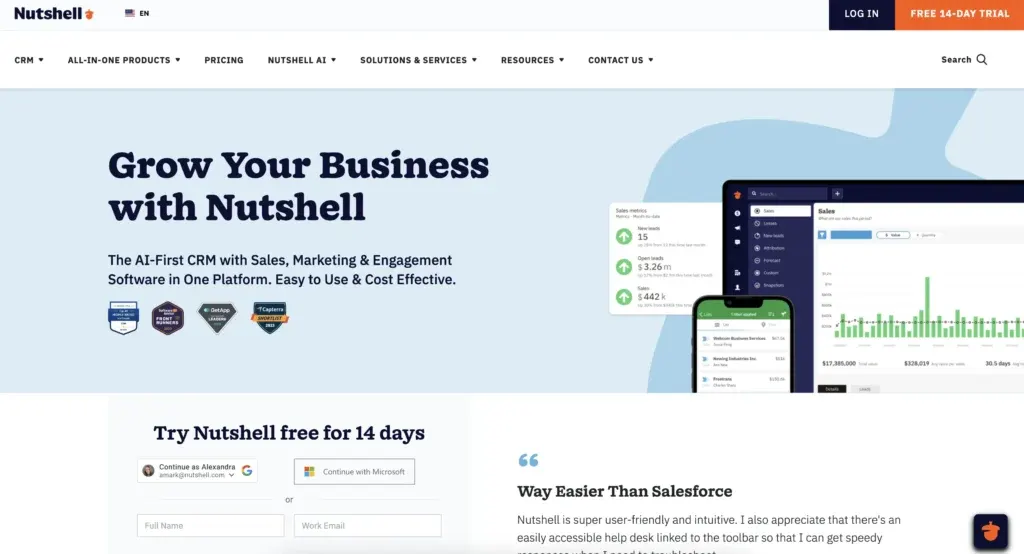
Nutshell is purpose-built for service businesses that need CRM and invoicing in one place, without the complexity or cost of enterprise platforms. Founded in 2009 and trusted by 5,000+ companies across 50 countries, Nutshell combines a proprietary next-action sales methodology with native quotes and invoicing designed to work together seamlessly. When a deal reaches the right stage, an invoice can trigger automatically. Add QuickBooks or Xero integration, and your financial data stays synchronized with zero manual entry. What sets Nutshell apart? It was designed for SMBs from day one—not retrofitted later.
Key features:
- Next-action sales methodology drives invoicing automation: The platform guides reps to the most important next action on each deal. When a deal closes or reaches a specific stage, invoicing triggers automatically—no manual steps, no forgotten invoices.
- Built-in quotes and invoices with customizable templates: Create professional-looking quotes and invoices directly in Nutshell, brand them with your logo and colors, and send instantly. Retainer clients automatically generate recurring invoices on schedule.
- Two-way sync with QuickBooks and Xero: Invoices sync automatically to your accounting software. Payment data flows back to Nutshell. Your team sees a unified view of sales and cash flow in one platform.
Pros:
- Fast implementation: Most teams go live in days, not months. The interface is designed for speed—minimal configuration required
- 1,000+ integrations via App Marketplace: Connect with accounting software, payment processors, email tools, and more without custom development
- Transparent next-action methodology: Sales teams understand priorities immediately, which translates directly to faster deal closure and more predictable invoicing
- Proven track record with service businesses: 5,000+ companies across professional services, field service, accounting, and SaaS verticals trust Nutshell
Cons:
- Smaller ecosystem than HubSpot or Salesforce: While 1,000+ integrations cover most needs, you might need custom development for highly specialized workflows
- Less advanced marketing automation than HubSpot: If you need sophisticated lead nurturing and campaigns, you’ll likely supplement with a dedicated marketing platform
- Customization limited compared to monday.com or ClickUp: This is by design—Nutshell prioritizes simplicity over unlimited customization
Pricing: Starting at $13/user/month (billed annually). Email marketing add-on is $5/month. Start your free 14-day trial – No credit card required.
HubSpot
Rating: 4.5
Best for: Mid-market teams prioritizing ecosystem flexibility
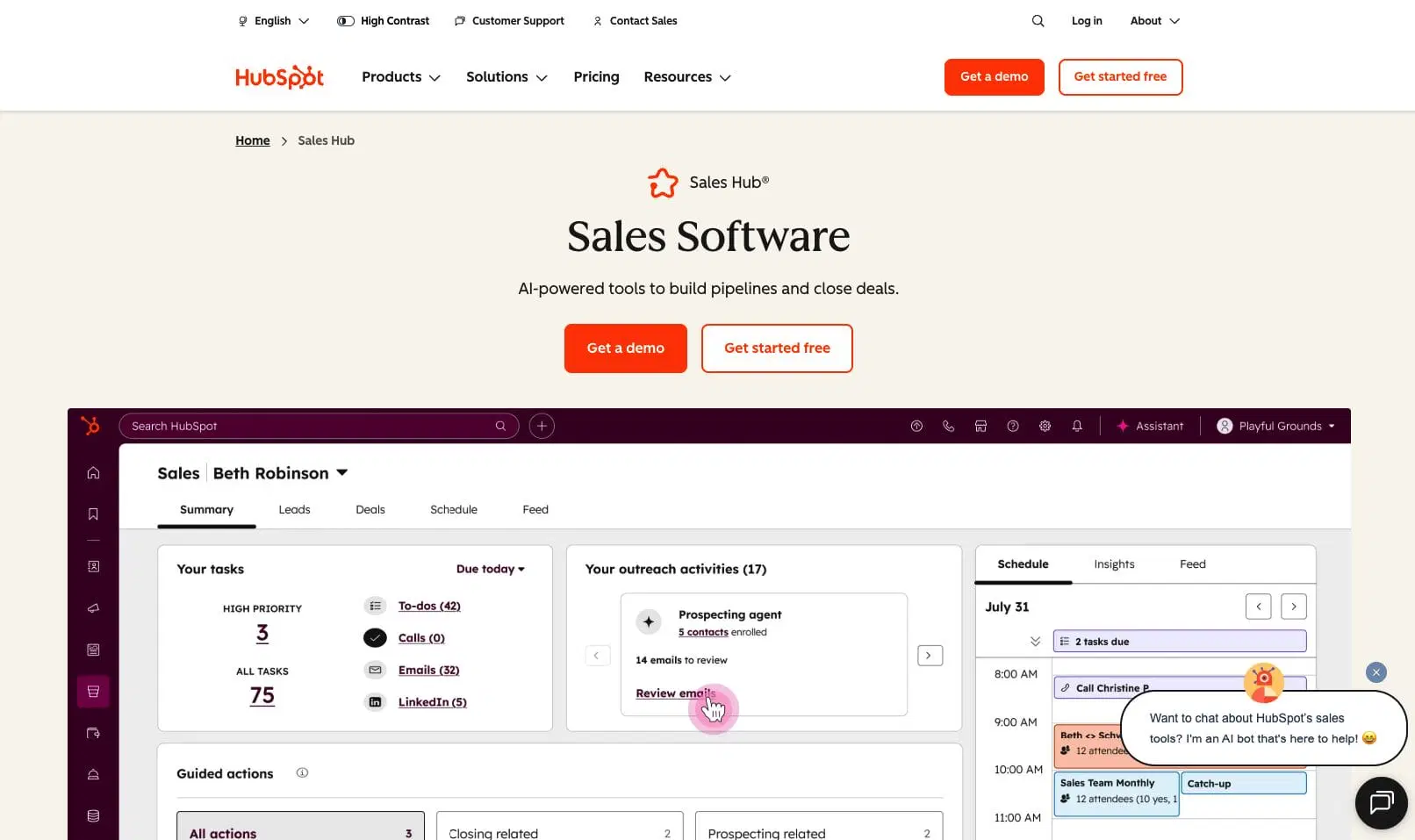
HubSpot is the market-leading CRM for SMBs and mid-market companies, known for ease of use and extensive integrations. Native invoicing (through HubSpot Payments) is now integrated into the platform, but invoicing is secondary to HubSpot’s primary strength: bringing sales, marketing, and customer service into one ecosystem. HubSpot works well for teams that want broad functionality—you get CRM, marketing automation, customer service, and invoicing all in one place. The tradeoff: complexity and cost. HubSpot’s feature depth means a steeper learning curve, and pricing scales quickly as you add team members and functionality.
Key features:
- Integrated invoicing through HubSpot Payments: Generate invoices directly in HubSpot, send instantly, and accept credit card payments online.
- Broad integration ecosystem: 1,000+ native integrations plus Zapier mean HubSpot connects with nearly every business tool.
- Strong marketing automation: If you need lead nurturing campaigns, email sequences, and marketing reporting alongside CRM, HubSpot is best-in-class.
Pros:
- Comprehensive platform: Sales, marketing, service, and invoicing in one place—no tool switching
- Excellent support and resources: HubSpot Academy offers thousands of training resources; community is large and active
- Strong for mid-market teams: Scales well as you grow; more advanced features than Nutshell for larger teams
- Payments integration works smoothly: Direct payment processing, automated reminders, and payment tracking are reliable
Cons:
- Pricing escalates quickly: Starter invoicing is limited; professional tier required for full features. Multi-user costs add up fast
- Invoicing feels secondary: HubSpot is a sales and marketing platform first; invoicing is an add-on. If invoicing is your primary need, more specialized solutions feel more natural
- Steeper learning curve than Nutshell: Extensive features mean more time to onboard and configure
- Can feel like overkill for simple invoicing workflows: If you just need CRM + invoicing, HubSpot’s breadth is unnecessary
Pricing: Free tier available for up to two users; paid plans start at $9/user/month (Sales Hub Starter). Professional, the next tier up costs $90 per user per month.
Zoho CRM
Rating: 4.3
Best for: Businesses already invested in the Zoho ecosystem
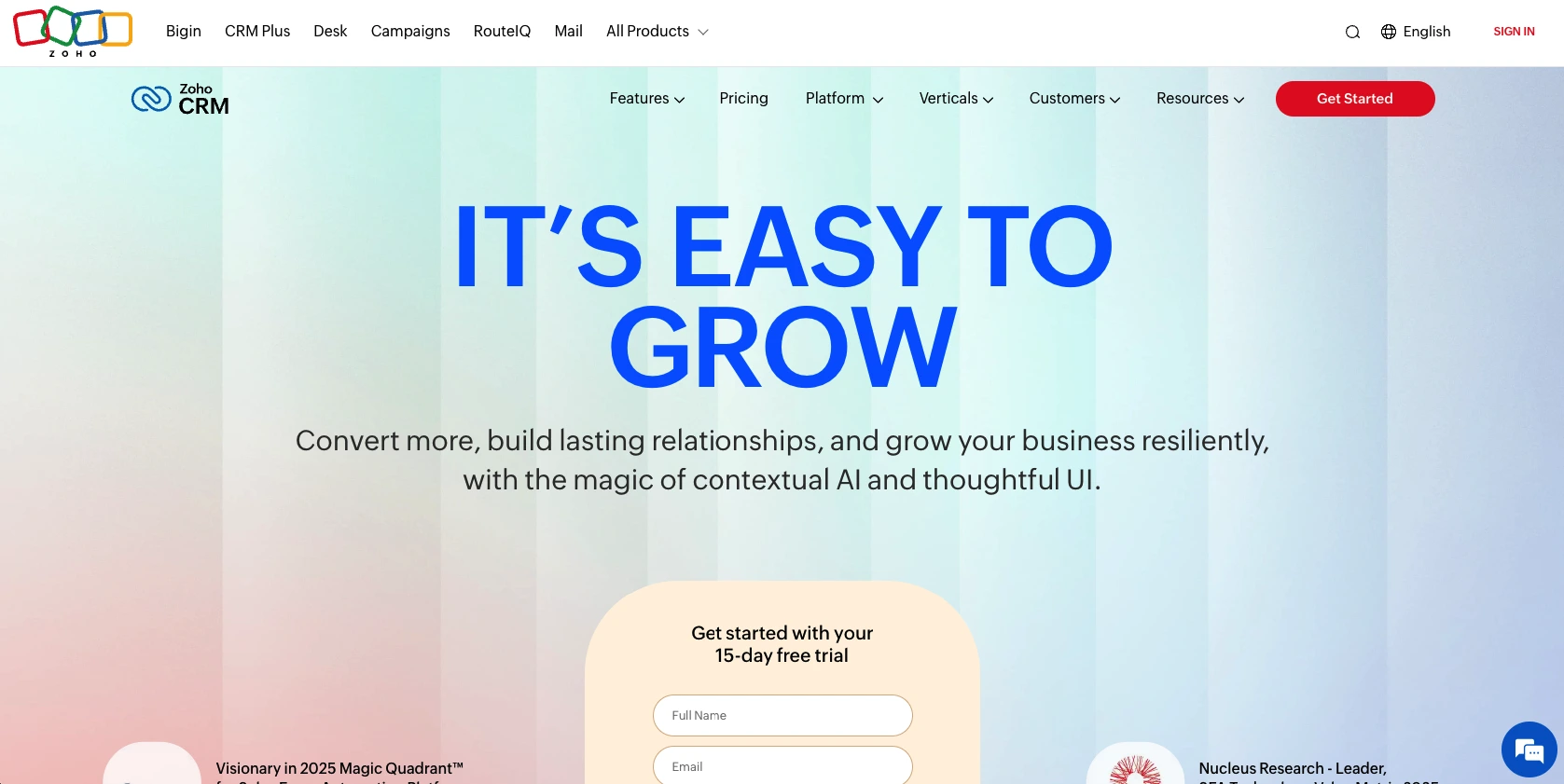
Zoho CRM is an affordable, capable CRM with native invoicing that works particularly well for teams already using other Zoho products like Zoho Books (accounting) or Zoho Desk (support). The Zoho ecosystem is extensive—over 50 applications—and they integrate tightly. If you’re starting fresh and considering Zoho Books as your accounting software, Zoho CRM makes financial sense. Invoicing is native and straightforward, though not as elegant as newer platforms. Zoho’s strength is affordability combined with depth; the tradeoff is user experience, which feels dated compared to competitors.
Key features:
- Native invoicing with multiple template options: Create custom invoices, set payment terms, and track payment status. Recurring invoices automate retainer billing.
- Two-way sync with Zoho Books: Data flows seamlessly between CRM and accounting. No manual reconciliation.
- Tight QuickBooks integration: If you use QuickBooks instead of Zoho Books, invoices still sync automatically.
Pros:
- Deep Zoho ecosystem: If you use Zoho Desk, Zoho Books, or other Zoho tools, integration is seamless
- Flexible invoicing: Multiple templates, custom fields, and automation rules give you control over billing workflows
- Global reach: Zoho supports 140+ countries, multiple currencies, and localized tax rules
Cons:
- User interface feels outdated: Compared to Nutshell, HubSpot, or Pipedrive, Zoho’s design feels older and less intuitive
- Customer support inconsistency: While Zoho’s resources are extensive, support responsiveness varies
- Smaller North American community: Zoho is strong globally but has smaller community and case study base in North America
- Implementation more complex than Nutshell: Configuration requires more technical knowledge; faster to implement than Salesforce but slower than Nutshell
Pricing: $14-52/user/month (billed annually); 15-day free trial available
Pipedrive
Rating: 4.2
Best for: Sales teams wanting visual pipeline with add-on invoicing
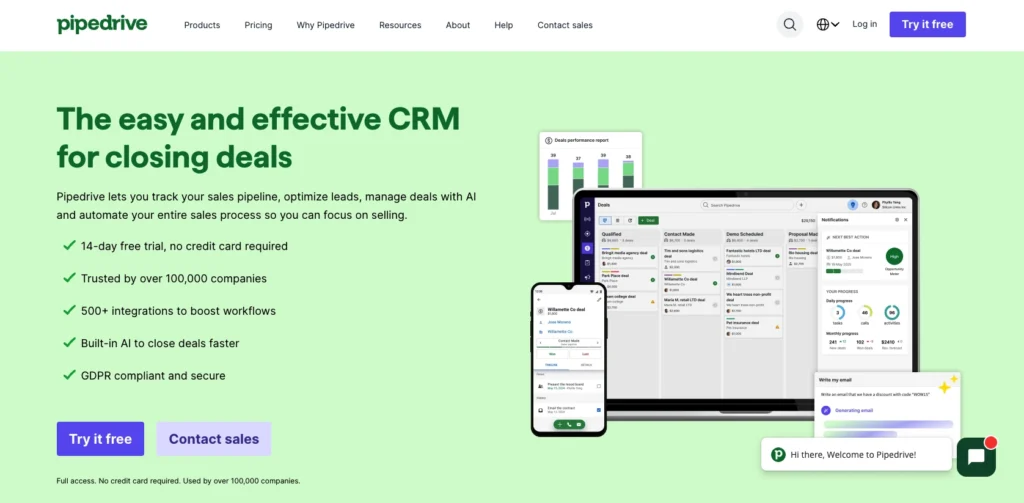
Pipedrive is a sales-focused CRM built around visual pipeline management. Reps drag deals through stages, and the platform provides transparency into what’s happening in the pipeline. Invoicing is available as an add-on, not built into the core product, but it works reliably when activated. Pipedrive appeals to traditional sales managers who think in terms of pipeline stages and deal value. If your primary need is pipeline visibility and deal tracking, Pipedrive excels; if invoicing is equally important, the add-on nature means more configuration and less integration than native solutions.
Key features:
- Visual pipeline management: The core strength—drag-and-drop deal progression with real-time visibility.
- Invoicing add-on: Create invoices, send them, and track payment status. Less integrated than native solutions but functional.
- Customizable deal stages and fields: Configure the pipeline exactly how your team works.
Pros:
- Best-in-class pipeline visualization: No competitor does sales pipeline better than Pipedrive
- Strong for pure sales teams: If sales pipeline management is the primary need, Pipedrive is ideal
Cons:
- Invoicing feels like an add-on: Less integrated, more administrative overhead than native solutions
- Smaller integration ecosystem than HubSpot: 500+ integrations via Zapier, but fewer native integrations
- Limited marketing and service features: If you need CRM, marketing, and support in one place, Pipedrive falls short
- Invoicing automation requires more setup: Unlike Nutshell’s automatic triggering, invoicing requires more manual intervention
Pricing: Pipedrive starts at $24/user/month (Essential plan). The Campaigns add-on for email marketing is available on higher-tier plans.
Salesforce
Rating: 3.5
Best for: Enterprise teams with complex invoicing and compliance needs
Salesforce is the market-leading enterprise CRM, trusted by large organizations worldwide. Native invoicing is available through Salesforce Billing, an advanced module designed for complex billing scenarios—usage-based pricing, subscription management, revenue recognition, and global compliance. Salesforce excels at scale. The problem: for most service businesses with 5–50 people, Salesforce is serious overkill. Implementation takes months, costs hundreds of thousands, and requires dedicated IT support. Your team will spend 80% of their time in the 20% of features you actually use. Unless you have complex invoicing requirements (usage-based billing, advanced revenue recognition, global multi-entity setup), Salesforce is the wrong choice for service businesses.
Key features:
- Salesforce Billing (advanced): Sophisticated invoicing for complex billing scenarios—subscriptions, usage-based pricing, revenue recognition.
- Enterprise integrations: Deep connections with Oracle, SAP, NetSuite, and other enterprise accounting systems.
- Advanced customization: Unlimited customization through code, Lightning Platform, and Apex.
Pros:
- Scales to any size: If you grow to 500+ people, Salesforce grows with you
- Advanced billing capabilities: If you need usage-based pricing or complex revenue recognition, Salesforce Billing is best-in-class
- Extensive integrations: 10,000+ pre-built integrations plus API-first architecture
- Proven at scale: World’s most used CRM; trusted by enterprises globally
Cons:
- Long, complex implementation: 6–12 months typical; requires dedicated project team
- Steep learning curve: Not designed for small teams; requires IT support to maintain
- Massive overkill for SMBs: You’re paying for features and capabilities you’ll never use
- Invoicing requires separate Billing module purchase: Not included in base CRM
Pricing: At $25 USD per user per month, billed monthly or annually, this plan offers basic CRM functionalities including marketing, sales, service, and commerce features suitable for small businesses. It supports dynamic email marketing, out-of-the-box sales processes, and seamless customer service.
Why CRM invoicing integration matters for your bottom line
Here’s what usually happens in most businesses: sales and invoicing run through separate systems. Your sales team tracks deals in one platform. Your accounting team invoices from another. In between those two systems? Manual re-entry.
Your sales rep closes a deal and enters it into the CRM. Then your accounting team manually creates an invoice based on that information. The customer name gets typed twice. The deal amount gets entered twice. The payment terms get configured twice. And in that duplication, errors creep in.
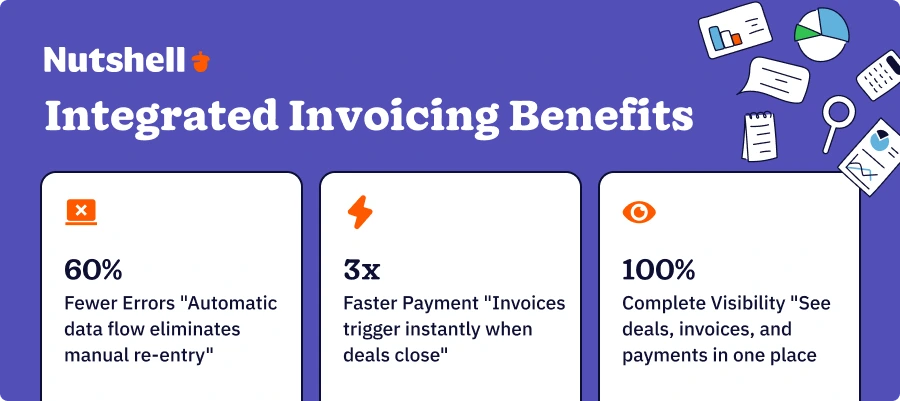
Automatic data flow eliminates manual re-entry: When invoicing integrates with sales, data flows automatically. No re-entry. No typos. No mistakes. The 60% of errors that plague manual systems virtually disappear.
Triggered invoicing speeds payment collection: With disconnected systems, invoicing often gets delayed. Deals close Tuesday; invoices send Thursday; payment comes in the following week. Integrated systems trigger invoices immediately when deals close. Recurring retainers invoice automatically on schedule. Payment comes faster and more reliably.
Complete visibility reduces back-and-forth: Your rep needs to follow up on an account. With disconnected systems, they see the deal in the CRM but have to check QuickBooks to see if the customer paid. With integrated invoicing, they see both in one place. Deal closed? Check. Invoice sent? Check. Payment received? Check. One system answers all the questions. This single visibility reduces support overhead and improves customer relationships.
The broader impact is clear: businesses using integrated CRM invoicing report a 445% average ROI with a payback period of just 12–13 months. That translates to roughly $4.45 returned for every dollar spent, with the investment recouped in just over a year. The combination of error reduction, faster payment collection, and time savings compounds quickly.
CRM invoicing requirements by industry
Service businesses don’t all invoice the same way. The requirements vary by industry.
Professional services and field service
Law firms, consulting companies, accounting firms, and field service technicians all invoice based on time and deliverables. Your CRM needs time tracking integration so reps can log hours directly, and the platform should support multiple billing models—hourly, fixed-fee, and retainer. Project-based invoicing is critical; when a project completes, an invoice should trigger automatically. Recurring retainer billing for ongoing clients should automate without manual intervention. Mobile invoicing is essential for field teams who need to generate and collect payment on-site.
SaaS and subscription billing
Subscription businesses need recurring invoice automation that actually works. Your CRM should handle monthly, quarterly, and annual billing automatically. Usage-based pricing requires integration so invoices adjust based on customer usage. Failed payment recovery (automatic retries and customer notifications) is critical; when a customer’s card declines, the system should retry automatically, send notifications, and alert your team to follow up. Multi-currency support matters if you serve international customers.
Each of these has different priorities, and the wrong CRM will create frustration. Nutshell handles professional services and field service workflows well. HubSpot and Zoho are stronger for SaaS subscription billing. Pipedrive is solid for field service teams prioritizing pipeline visibility. Choose based on your specific invoicing needs, not just general reputation.
Built-in invoicing vs. integrated invoicing: the key differences
When evaluating CRMs with invoicing, you’ll hear two terms: “built-in” and “integrated.” They sound similar but represent fundamentally different approaches with real consequences for your business.
Built-in invoicing is native to the CRM—it’s part of the platform from day one. Nutshell is a perfect example. Invoicing is part of the core product. Built-in invoicing comes with automatic data synchronization; when you create a quote or close a deal, the underlying customer and amount data flows automatically to the invoice. No re-entry. No manual steps. You see one unified view of sales and billing. Implementation is fast because invoicing is already configured; you just customize templates and payment terms. And because it’s all one platform, support is simpler—if something breaks, you contact one vendor, not two.
Integrated invoicing means the CRM connects to a separate invoicing or accounting platform through an API or integration. HubSpot is an example—it has invoicing capabilities through HubSpot Payments, but for many teams, the primary invoicing happens in a separate accounting system like QuickBooks, and HubSpot integrates with it. Integrated invoicing requires more setup. You need to configure the connection, map fields, and decide which system owns which data. When data updates in one system, it needs to sync to the other, which adds complexity. But integrated invoicing offers flexibility—if you need specialized invoicing features that your CRM doesn’t have, you can use a best-in-class invoicing platform and connect them.
When to choose built-in invoicing: If you’re a small service business (5–50 people) with relatively straightforward invoicing needs, built-in invoicing usually wins. You’ll implement faster, have fewer systems to manage, and get better data flow. Nutshell, Zoho CRM, and Freshsales are all built-in examples that work well for SMBs.
When to choose integrated invoicing: If you have specialized invoicing needs or are already invested in a particular accounting system, integrated invoicing makes sense. For example, if you use QuickBooks religiously and need custom billing automation, you might choose HubSpot for CRM and keep QuickBooks as your invoicing source of truth, with tight integration between them. Alternatively, Nutshell offers two-way sync with QuickBooks built-in—no configuration needed. Or if you’re a SaaS company needing sophisticated usage-based billing, you might use Salesforce CRM with Zuora for advanced billing, integrated together.
The catch: Integrated invoicing creates more points of failure. Data has to sync between systems. If the integration breaks, invoices might not generate. If fields are mapped incorrectly, data ends up in the wrong place. You’re managing two vendors instead of one. For most SMBs, the complexity outweighs the benefits. Built-in invoicing keeps you focused on selling, not managing system integrations.
How to implement CRM invoicing successfully
Choosing a CRM is just step one. Implementation determines whether you realize the promised ROI or waste time and money. Here’s how to do it right.
1. Map your current workflow
Before you implement, understand your actual process today. Track a deal from lead to invoice to payment. Where does it live currently? Who touches it at each stage? What information gets recorded where? What gets lost or delayed? This current-state map reveals where the new CRM should automate. If invoices always take three days to send because they sit in someone’s inbox, the new CRM should trigger them automatically. If customers always pay late because they never receive invoices, implement a customer portal and automated payment reminders.
2. Identify automation opportunities
Working through your current map, identify 3–5 places where automation would have the biggest impact. Usually these are: deal closure triggering invoice generation, failed payment triggering automatic retry, invoice overdue by 7 days triggering reminder email, recurring retainer invoices generating automatically on schedule, and project completion triggering project closeout and final invoice.
3. Test integrations with accounting software
Before full implementation, test the connection between your new CRM and QuickBooks (or Xero, or whatever you use). Create a test invoice in the CRM and verify it syncs to accounting. Create a customer in accounting and verify it syncs to the CRM. Check that payment data flows both directions. Any breaks here should be caught before you’re live and your whole team depends on the integration.
4. Configure invoicing and enable self-service
Most CRMs ship with generic templates. Customize them so invoices reflect your brand—add your logo, match your colors, include your preferred payment terms, and add any custom fields that matter for your business. Enable your customer portal so customers can view invoices and make payments without contacting your team.
5. Go live and monitor
Once you’re live, track these metrics weekly: average days from invoice to payment, percentage of invoices paid on time, invoice error rate, and time spent on invoicing tasks per week. After 30 days, you should see improvement in all of these. If not, something in the setup needs adjustment.
Frequently asked questions
-
1. Should I choose built-in or integrated invoicing?
Ask three questions: (1) How complex is your invoicing? Simple billing (fixed fees, retainers)? Built-in invoicing works fine. Complex billing (usage-based, tiered pricing, revenue recognition)? You might need specialized invoicing software, integrated with your CRM. (2) Are you already committed to accounting software? If you’re a QuickBooks shop and QuickBooks handles your invoicing well, build around that and integrate your CRM with it. If you’re starting fresh, built-in invoicing is usually simpler. (3) What’s your team size? Micro-teams (1–5 people) almost always benefit from built-in simplicity. Larger teams (20+ people) might benefit from specialized invoicing software integrated with their CRM. For most service businesses with 5–50 people, built-in wins.
-
2. How quickly will I see ROI from CRM invoicing?
Realistic expectation: 445% ROI with a 12–13 month payback period, plus 21–30% sales revenue increase. Individual results vary based on your current process maturity and invoicing volume. A company processing 500 invoices per month will see faster, higher ROI from automation than a company processing 50 invoices per month. Companies currently handling invoicing manually will see bigger savings than companies already using semi-automated systems. Conservative estimate: in year one, expect to recoup your software investment and save 10+ hours per employee per month on invoicing tasks. In year two and beyond, the savings compound—lower administrative overhead, faster cash flow, and fewer errors that cause churn.
-
3. What if my current CRM doesn’t have invoicing?
You have two options: (1) Switch to a CRM with built-in invoicing like Nutshell, Zoho CRM, or Freshsales. This is often the simplest path for SMBs. (2) Integrate your current CRM with specialized invoicing software like QuickBooks, Xero, or Wave using Zapier or native integrations. This works but requires more configuration and ongoing management. For most service businesses, switching to a CRM with native invoicing is faster and less expensive than building a custom integration.
Taking the next step with integrated CRM invoicing
Integrated CRM invoicing isn’t a luxury—it’s a business necessity for service businesses seeking cash flow accuracy and efficiency. Manual invoicing costs compound: $12–$40 per invoice × volume × years adds up to serious money. Worse, the 60% of errors from manual data entry directly drive 48% of subscription churn. You’re literally losing customers because paying you is frustrating.
The three core benefits of integrated CRM invoicing are: faster cash flow through automation and payment reminders, fewer errors from a single source of truth, and unified customer view combining sales and payment history. As mentioned earlier, the financial case is compelling: 445% ROI with a 12–13 month payback isn’t theoretical—it’s what service businesses see when they move from disconnected systems to integrated invoicing.
Nutshell stands out as the recommended choice for most service businesses. It combines an affordable CRM ($13/user/month), native invoicing built in (available as an add-on), the next-action sales methodology that connects deal progression to automatic invoicing, and proven success with over 5,000 companies across professional services, field service, and accounting. There’s no integration setup, no bolted-on complexity, no learning curve. You sign up, configure your templates and payment terms, and start invoicing the same day.
The best part? CRM invoicing doesn’t feel like invoicing—it just feels like your sales process working correctly. A deal closes and an invoice appears. A customer opens the portal and pays on-site. Your team sees payment status in real time without checking multiple systems. Cash comes in faster. Errors disappear. Everyone wins.
Ready to experience the difference integrated CRM invoicing makes?
See Nutshell in action!
Try Nutshell free for 14 days or let us show you around before you dive in.
 BACK TO TOP
Ready to try
Nutshell for Free?Thank you! Your submission has been received!Oops! Something went wrong while submitting the form.




Sales Performance Reviews: 9 Tips to Make Them Valuable
Published on: November 10, 2022Join 30,000+ other sales and marketing professionals. Subscribe to our Sell to Win newsletter!










