-

Quick answer: What’s the best Insightly alternative?
The best Insightly alternative is Nutshell, which eliminates the core pain points driving teams away from Insightly: unlimited contacts on every plan (no more deleting old records), transparent pricing with no hidden feature gates ($13−$79/user/month), and built-in automation included on all tiers. Other strong alternatives include HubSpot (for integrated marketing), Pipedrive (for visual pipeline management), and Zoho CRM (for budget-conscious teams). The right choice depends on your priorities of contact limits, pricing transparency, automation needs, or specific industry features.
Key Takeaways
- Insightly’s contact limits, hidden feature costs, and modular design are driving teams to seek the best alternatives to Insightly. Platforms like Nutshell eliminate these pain points with unlimited contacts, transparent pricing, and unified automation on every plan.
- Transparent pricing and built-in automation are the two features that matter most when switching CRMs. Avoid platforms that gate critical features behind expensive tiers—look for all-in-one solutions where costs are predictable, and features are included from day one.
- Nutshell’s host of features, AI-powered tools, and affordable tiered pricing make it the top Insightly alternative for teams seeking clarity, speed, and simplicity.
If you’ve been using Insightly, you’ve likely reached the point where the limitations start feeling less like quirks and more like deal-breakers. Contact limits force you to delete old records—essentially destroying historical data—to make room for new ones. Automation features that cost extra when they should be standard. A modular design that creates silos instead of solving problems.
You’re not alone. Sales and marketing teams across industries are actively searching for the best Insightly alternatives—and for good reason. With significant demand for CRM alternatives, as reflected in ongoing keyword searches, sales and marketing teams are actively evaluating options. The good news? There are options that solve exactly what’s frustrating you about Insightly.
In this guide, we’ll walk you through the best Insightly alternatives available in 2026, with a focus on transparent pricing, built-in automation, and AI-powered guidance that actually helps your team close deals faster. Whether you’re overwhelmed by hidden costs, frustrated by contact limits, or simply ready for a more intuitive platform, we’ll help you find the right fit.
The best Insightly alternatives at a glance
- Nutshell (4.6/5): Teams prioritizing next-action AI guidance and transparent pricing
- HubSpot (4.4/5): Growing SMBs wanting integrated marketing automation
- Pipedrive (4.3/5): Sales teams focused on pipeline visualization and deal management
- Zoho CRM (4.2/5): Budget-conscious teams needing affordability with deep customization
- Monday CRM (4.1/5): Teams preferring a visual, flexible work management approach
- Capsule (3.9/5): Small teams and freelancers needing simplicity and affordability
- LeadLoft (3.7/5): Sales teams seeking advanced lead enrichment and intent data
- Method (3.5/5): Teams requiring tight QuickBooks accounting integration
Table of Contents
Why teams are leaving Insightly
Insightly has built a solid reputation over the years, but a growing number of teams are discovering that the platform’s limitations outweigh its strengths—especially as companies scale.
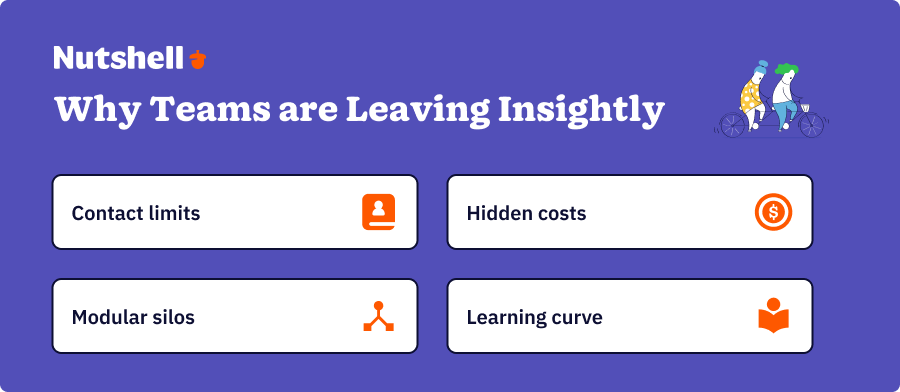
- Contact limits create constant headaches: Insightly caps the number of contacts based on your plan, which means you’re either paying for unused features or deleting old records to make room for new ones. That’s not just inefficient—it’s a recipe for lost data and frustrated teams. Most switchers find this constraint absurd in an era when contact management should be limitless.
- Essential features come with surprise price tags: Automation, lead scoring, and API access aren’t built into every plan—they’re locked behind higher tiers or add-ons. Teams often discover these costs only after committing to the platform, leading to budget overruns and resentment.
- The modular design creates silos rather than fostering integration: Insightly’s compartmentalized approach means that features don’t communicate with each other as seamlessly as they should. Sales, marketing, and support teams often end up working in isolated pockets, which undermines collaboration and leads to duplicate data entry.
- Adoption friction slows down implementation: When your team has to learn a complex interface and workaround strategies just to use the platform effectively, you lose momentum. Insightly’s learning curve is steeper than that of many alternatives, which can delay the return on your investment.
These pain points compound over time, making teams wonder whether switching might actually save time and money in the long run.
How we selected the best Insightly alternative
Finding a true Insightly alternative requires evaluating platforms across multiple dimensions that matter most to switchers. Here’s our methodology:
We evaluated each CRM on seven key criteria:
- Pricing transparency: Does the platform clearly disclose what’s included at each tier, or do you discover costs later?
- Ease of use – Can a team get productive quickly, or is there a steep learning curve?
- Automation capabilities: Are automation features available on every plan, or are they locked behind paywalls?
- AI-powered guidance: Does the platform offer AI coaching that helps reps determine the next step?
- Customer support and onboarding: Are migration and training included?
- Data migration support: Can you easily move your data from Insightly without losing records?
- Suitability for Insightly switchers: Does the platform specifically address the pain points that drove you to leave?
We also prioritized next-action methodology as a competitive differentiator. This approach instructs sales reps on the exact next action to take, based on the deal context. It’s rare in the CRM market—and it’s a game-changer for teams tired of guessing what to do next with each opportunity.
Each CRM was rated on a 5-point scale (with tenths place precision) to provide a clear ranking. All platforms reviewed met minimum quality standards, with no ratings below 3.0.
Key features every CRM switcher should prioritize
As you evaluate alternatives, keep an eye out for these features—they’re what separates platforms that solve your Insightly pain points from those that just replicate them.
- Built-in automation on all plans: If automation features are gated behind higher tiers or add-ons, you’re setting yourself up for surprise costs. The best Insightly alternatives offer automation capabilities across every pricing tier, enabling your entire team to automate repetitive tasks from the outset.
- Transparent, tiered pricing with no hidden costs: You should understand exactly what you’re paying for and why. Avoid platforms where features like API access, advanced reporting, or automation appear only in higher-tier plans without a clear explanation.
- AI-powered sales guidance and next-action recommendations: Modern CRMs should tell your team what to do next, not just store data about what they’ve already done. Look for AI features that provide context-aware guidance based on deal stage, customer behavior, or sales best practices.
- Data migration support and onboarding assistance: Switching CRMs is only worthwhile if the transition is smooth. Platforms that offer dedicated migration support, data mapping assistance, and structured onboarding will get you up and running faster.
- Unlimited contacts on all plans: Never settle for contact limits again. The best alternatives offer unlimited contact storage across every pricing tier, eliminating the need for workarounds.
Top Insightly alternatives: Comparison table
CRM Name Rating Best For 1. Nutshell 4.6
Teams prioritizing next-action AI guidance and transparent pricing2. HubSpot 4.4 Growing SMBs wanting integrated marketing automation 3. Pipedrive 4.4 Sales teams focused on pipeline visualization and deal management 4. Zoho CRM 4.2 Sales teams focused on pipeline visualization and deal management 5. Monday CRM 4.1 Budget-conscious teams needing affordability with deep customization 6. Capsule 3.9 Teams preferring a visual, flexible work management approach 7. LeadLoft 3.7 Sales teams seeking advanced lead enrichment and intent data 8. Method 3.5 Teams requiring tight QuickBooks accounting integration 
Let’s Talk
Have a question? Need a volume discount? Send us a message or book a meeting with a Sales rep to start the conversation.

Best CRM to replace Insightly: Detailed reviews
1. Nutshell
Rating: 4.6/5
Best for teams prioritizing next-action AI guidance and transparent pricing
Quick Summary
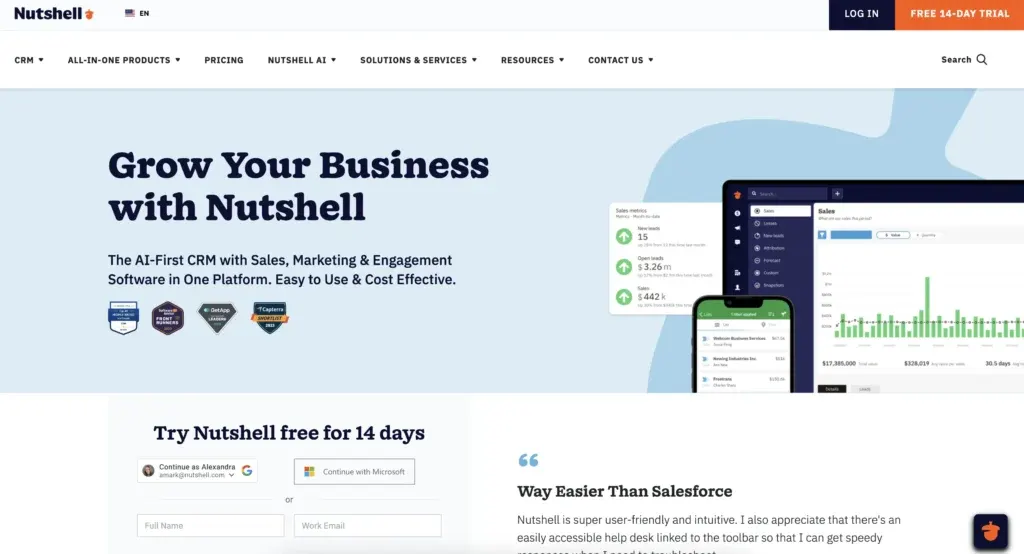
Nutshell is a transparent, unified CRM built specifically for teams tired of hidden costs and complex modularity. Its standout feature is the AI Sales Coach, which provides next-action guidance, telling reps exactly what to do next with each opportunity. With unlimited contacts, built-in automation on every plan, and transparent tiered pricing, Nutshell eliminates the pain points that drive teams away from Insightly.
Key Features
- AI Sales Coach: Provides next-action recommendations based on deal context, customer behavior, and sales best practices
- Built-in automation: Workflows, lead scoring, and follow-up automation included on every plan (not gated behind paywalls)
- Unlimited contacts: No contact limits on any tier—scale your database without worrying about overages
Pros
- Transparent pricing ($13–$79/user/month) with no hidden costs or surprise feature gates
- Unified interface eliminates silos between sales, marketing, and support teams
- AI Sales Coach delivers a competitive advantage that other platforms don’t emphasize
- Typically live in days, not weeks—reducing time to productivity
- Migration support and onboarding assistance included
Cons
- Smaller ecosystem compared to HubSpot (fewer pre-built integrations out of the box)
- Less established brand recognition among enterprise buyers (though growing rapidly)
Pricing
Nutshell offers transparent, tiered pricing, ranging from $13 to $79/user/month depending on features and team size. All five plans include unlimited contacts, data storage, email integration, and access to AI features.
Nutshell vs. Insightly: Side-by-side comparison
Feature Nutshell Insightly Pricing Structure Transparent tiered ($13–$79/user/month) Tiered with feature gates ($29–$99+/user/month) Contact Limits Unlimited on all plans Limited by plan; additional contacts cost extra Automation Included on every plan Requires higher-tier plans or add-ons AI Features AI Sales Coach with next-action guidance Limited AI; no next-action coaching Lead Scoring Built-in on all plans Limited AI; no next-action coaching Setup Time Live in days Available on higher tiers only Migration Support Dedicated support included 1–2 weeks typical Customer Support 24/5 phone, email, chat Standard support; additional fees may apply 2. HubSpot
Rating: 4.4/5
Best for growing SMBs wanting integrated marketing automation
Quick Summary
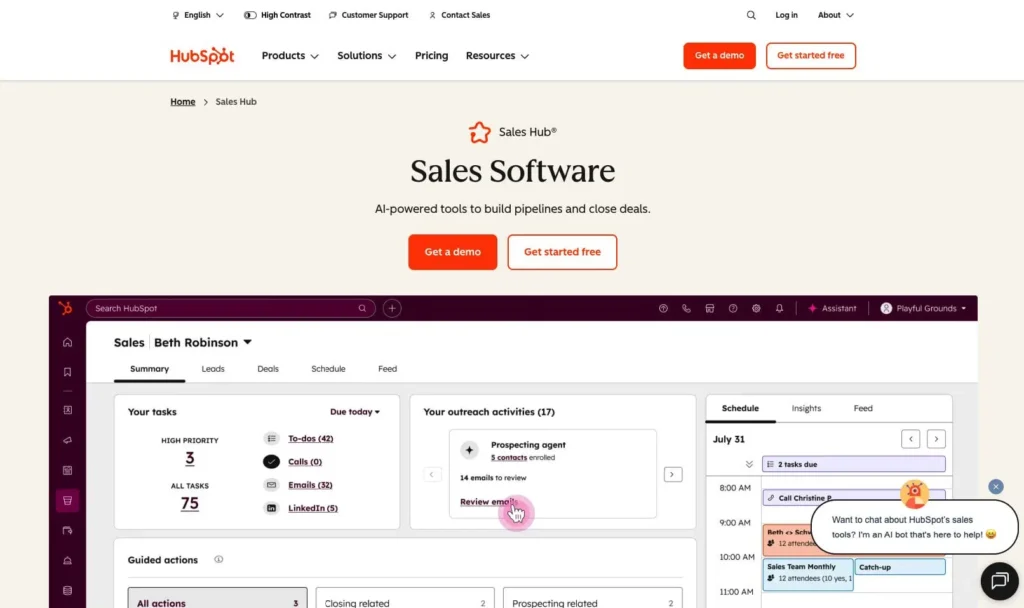
HubSpot is an all-in-one platform combining CRM, marketing automation, sales automation, and customer support. It’s ideal for teams that want to move beyond sales and need integrated marketing capabilities. HubSpot’s free tier is popular with startups, though costs scale quickly as you add users and features.
Key Features
- Integrated marketing automation: Email campaigns, landing pages, and lead nurturing built into the platform
- Sales sequences: Automated follow-up sequences and task reminders
- Extensive app marketplace: 1,000+ pre-built integrations and extensions
Pros
- Free tier gets you started without upfront costs (though feature-limited)
- Strong marketing automation capabilities make it ideal for revenue teams
- Large community and extensive documentation
- Excellent mobile app for on-the-go sales work
Cons
- Pricing escalates quickly once you move beyond the free tier—it can become expensive for larger teams
- Steep learning curve due to feature richness—many teams underutilize the platform
- Less transparent pricing model—true costs become apparent only after adding users and features
Pricing
HubSpot Sales Hub pricing starts at free (with limited features) and then scales to $10–$150/user/month for Starter, Professional, and Enterprise tiers. Marketing and sales hub features are often sold separately, which increases the total cost.
3. Pipedrive
Rating: 4.3/5
Best for sales teams focused on pipeline visualization and deal management
Quick Summary
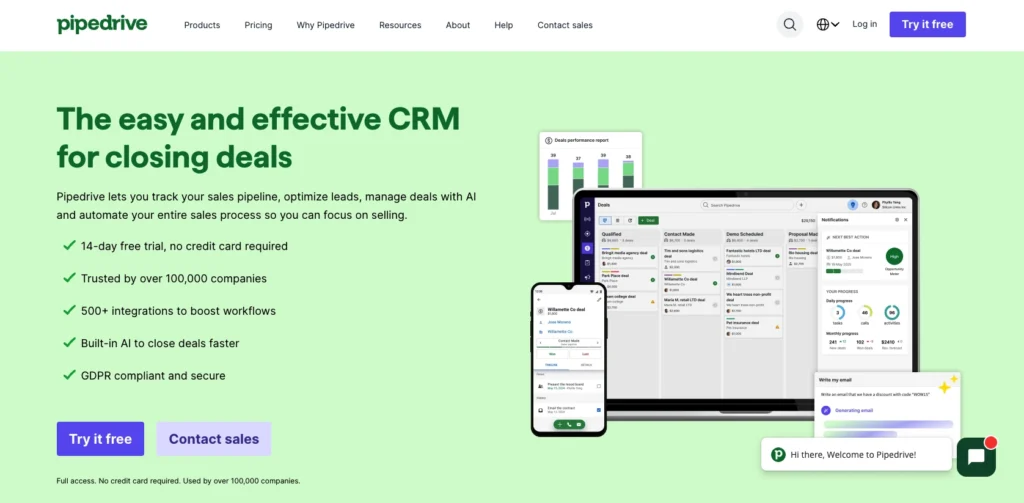
Pipedrive is built by sales teams for sales teams. Its visual pipeline interface and deal-focused approach make it intuitive for sales reps. The platform excels at helping teams track and manage opportunities through custom sales stages, with strong reporting on deal progress and conversion rates.
Key Features
- Visual pipeline: Drag-and-drop interface shows your entire sales pipeline at a glance
- Custom deal stages: Define sales stages that match your specific process
- Strong reporting: Detailed dashboards and forecasting tools help sales managers track performance
Pros
- Highly visual and intuitive for sales teams—reps love the interface
- Quick implementation (typically within weeks, not months)
- Good balance of features and ease of use
- Solid automation capabilities without premium pricing
Cons
- Marketing automation features are limited compared to HubSpot
- Smaller contact limits on lower-tier plans (requires upgrade for Insightly switchers with large databases)
- Integration ecosystem is smaller than HubSpot’s
Pricing
Pipedrive offers tiered pricing starting at $24–$99/user/month, depending on plan and features. Contact limits vary by tier.
4. Zoho CRM
Rating: 4.2/5
Best for budget-conscious teams needing affordability with deep customization
Quick Summary
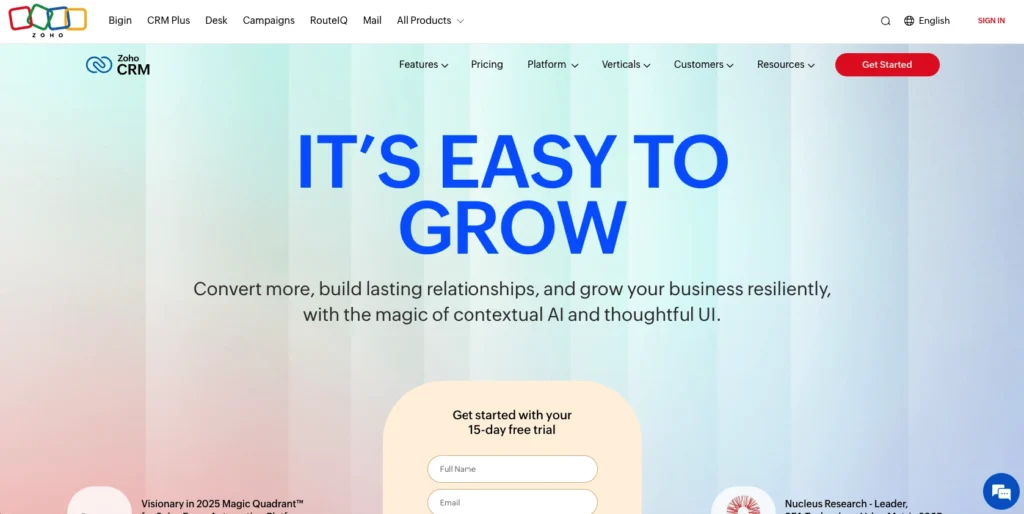
Zoho CRM is the budget-friendly option for teams that need powerful customization without enterprise pricing. It’s part of the larger Zoho ecosystem, which means deep integration with other Zoho apps (accounting, HR, projects, etc.). Zoho CRM offers surprising depth for the price, making it ideal for cost-conscious teams willing to invest in setup.
Key Features
- Deep customization: Build custom fields, modules, and workflows to fit your exact process
- Zoho ecosystem integration: Seamless connection to Zoho Books, Zoho Projects, Zoho Campaigns, and other tools
- Affordable automation: Workflow automation available at lower price points than many competitors
Pros
- Lowest cost among full-featured CRMs (starting around $18/user/month for essential features)
- Powerful customization for teams with unique processes
- Good automation capabilities at affordable price points
- Strong reporting and analytics
Cons
- User interface feels outdated compared to modern competitors
- Customer support can be slower and less responsive than premium platforms
- Steeper learning curve due to customization complexity—requires more setup work upfront
Pricing
Zoho CRM starts at $14–$45/user/month, depending on tier. More affordable than most competitors, but deeper features require higher-tier plans.
5. Monday CRM
Rating: 4.1/5
Best for teams preferring a visual, flexible work management approach
Quick Summary
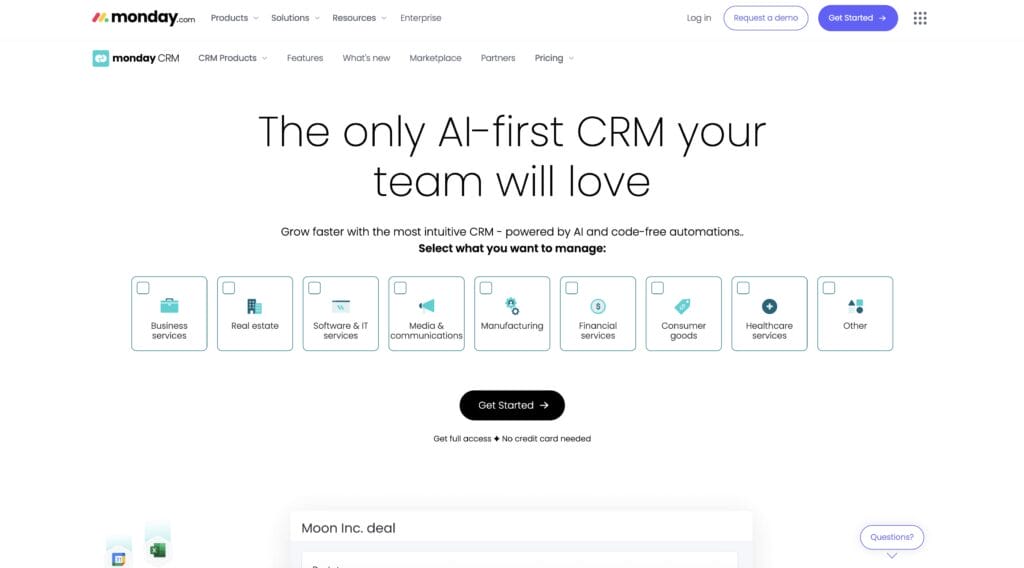
Monday CRM brings the visual work management approach from Monday.com into a CRM context. If your team already uses Monday for project management, the integrated CRM experience can streamline your workflow. It’s best for teams that prefer kanban-style boards and visual task management over traditional sales pipeline views.
Key Features
- Visual work management: Kanban boards and timeline views for sales deals
- Integration with Monday ecosystem: Connect to other Monday.com apps for unified work management
- Flexible customization: Build views and workflows that match your team’s preferred working style
Pros
- Intuitive visual interface appeals to non-technical teams
- Good integration with Monday ecosystem if you’re already using other Monday tools
- Flexible workflow and board customization
- Mobile app is clean and functional
Cons
- Pricing is higher per-seat than many competitors for comparable features
- Less mature CRM feature set compared to dedicated CRM platforms
- Smaller integration ecosystem outside of Monday products
- Limited AI and automation compared to specialized CRM platforms
Pricing
Monday CRM pricing starts at $15/user/month, with its Pro plan at $33/user/month and custom pricing available for enterprise teams, depending on the plan and team size (minimum of three seats).
6. Capsule
Rating: 3.9/5
Best for small teams and freelancers needing simplicity and affordability
Quick Summary
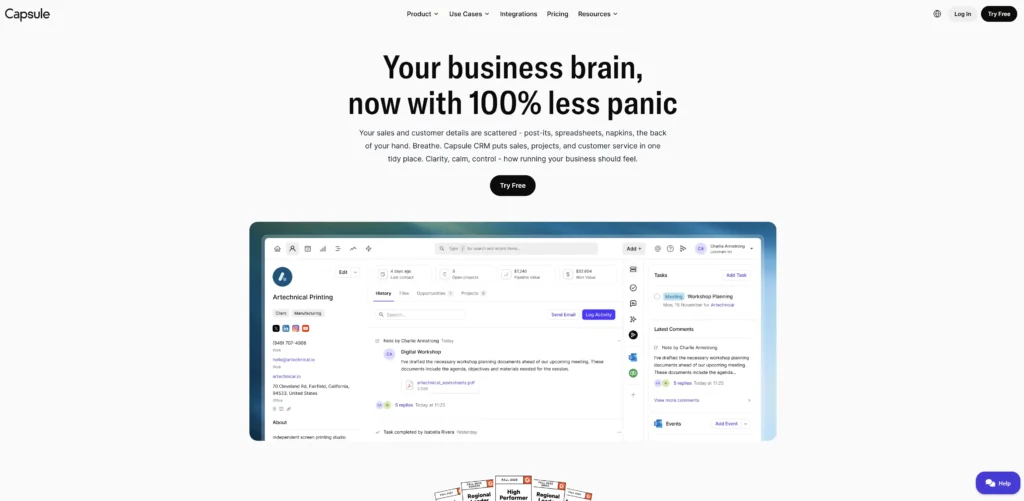
Capsule is purpose-built for small teams and solopreneurs who need a lightweight, affordable CRM without unnecessary complexity. It combines contact management, sales pipeline, and task tracking in a clean, simple interface that doesn’t require extensive training to use effectively.
Key Features
- Lightweight and simple: No overwhelming features—focused on core CRM essentials
- Contact management: Flexible contact organization with custom fields and notes
- Task and activity tracking: Simple pipeline and task management without complexity
Pros
- Quick to set up and learn—minimal onboarding needed
- Clean, uncluttered interface appeals to users tired of feature bloat
- Good mobile experience
Cons
- Limited automation compared to enterprise platforms
- Smaller feature set overall—may feel too simple as your team grows
- Limited reporting and analytics capabilities
- Fewer integration options compared to larger competitors
Pricing
Capsule offers affordable pricing with a basic free plan, and paid plans ranging from $21/user/month to $60/user/month.
7. LeadLoft
Rating: 3.7/5
Best for sales teams seeking advanced lead enrichment and intent data
Quick Summary
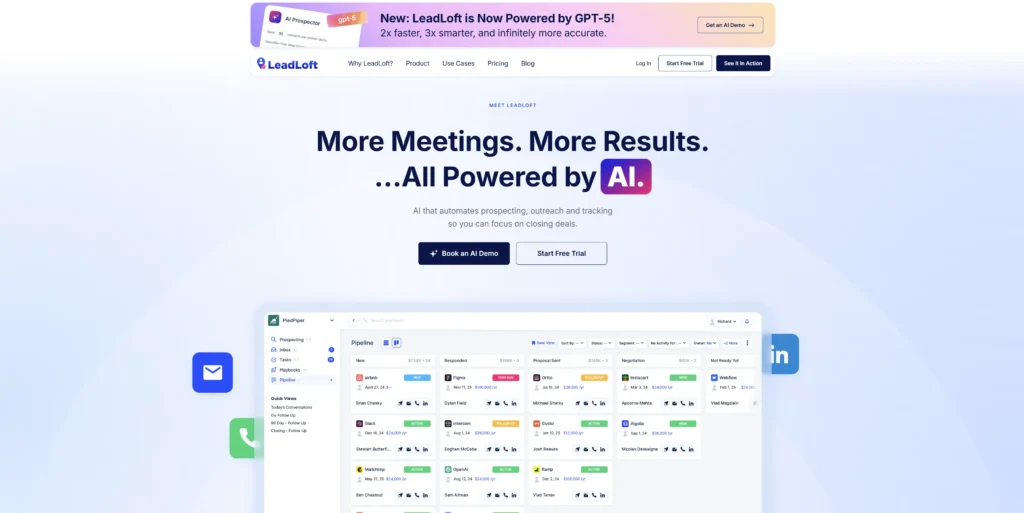
LeadLoft combines CRM functionality with lead enrichment and intent data, making it powerful for teams focused on prospecting and lead generation. It’s ideal for sales teams that need to identify and prioritize high-intent prospects before reaching out.
Key Features
- Lead enrichment: Automatically enrich contact records with firmographic and technographic data
- Intent data integration: Identify companies and decision-makers showing buying intent
- Sales engagement: Multi-channel outreach tools (email, phone, social) in one platform
Pros
- Advanced lead intelligence helps teams target higher-quality prospects
- Intent data reduces time spent on unqualified leads
- Good sales engagement and outreach features
- Helpful for prospecting-focused teams
Cons
- Higher price point reflects lead enrichment data costs
- Less suitable for teams managing existing customer relationships
- Smaller feature set for deal management compared to broader CRM platforms
- Steeper learning curve due to advanced prospecting features
Pricing
LeadLoft pricing is customizable and typically higher due to the costs associated with lead enrichment data. It advertises two plans on its website, namely the Unlimited plan starting at $99/user/month and its Scale AI plan from $400/user/month.
8. Method
Rating: 3.5/5
Best for teams requiring tight QuickBooks accounting integration
Quick Summary
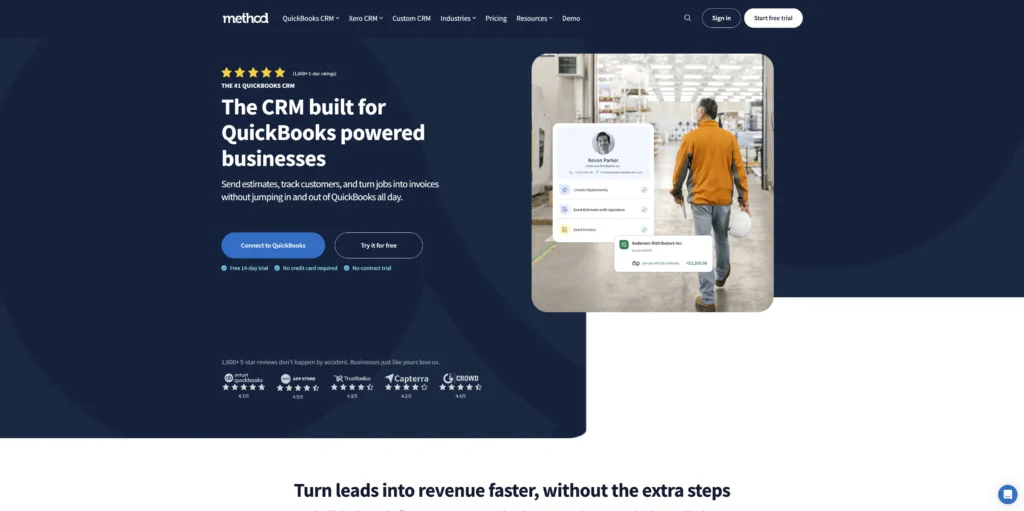
Method is designed for small to mid-market teams that need CRM functionality tightly integrated with QuickBooks accounting. It’s ideal for service-based businesses and contractors who manage projects, track time, and need seamless accounting synchronization.
Key Features
- QuickBooks integration: Deep two-way sync between CRM and QuickBooks data
- Project and time tracking: Manage service projects and track billable time within the CRM
- Invoice and accounting sync: Pull financial data directly into the CRM
Pros
- Unmatched QuickBooks integration for teams already using QuickBooks
- Good for service businesses, contractors, and agencies
- Reduces duplicate data entry between CRM and accounting systems
- Affordable for SMBs
Cons
- Limited if you’re not using QuickBooks—value proposition disappears
- Smaller feature set overall compared to broader CRM platforms
- Less developed automation and AI compared to modern CRM alternatives
- User interface feels dated compared to contemporary platforms
Pricing
Method pricing is typically $35 to $97/user/month, depending on the features and add-ons your team needs.
Real results: How teams improved after switching
The decision to switch CRMs isn’t academic—it directly impacts your bottom line. Here’s what teams experience after making the move:
- Close deals faster: Nutshell customers report 14.9% faster close times after implementation. This acceleration comes from reduced administrative overhead and faster deal progression enabled by next-action guidance.
- Keep more customers: According to industry data, teams that switch to unified, automated CRM platforms see a 27% improvement in customer retention. This happens because better visibility into customer needs translates to proactive support and fewer surprises.
- Earn strong ROI: Research from Nucleus Research indicates that CRM implementation yields $8.71 ROI for every $1 invested. When you switch from a platform with hidden costs and contact limits to one with transparent pricing and unlimited scalability, that ROI compounds.
The pattern is consistent: Teams that move to platforms addressing Insightly’s specific pain points—particularly those offering transparent pricing and built-in automation—see measurable improvements in speed, retention, and financial performance.
Why transparent pricing matters for growing teams
Let’s talk about the “tier trap”—a problem unique to platforms like Insightly that gates critical features behind increasingly expensive plans.
With Insightly, you might start on the Plus plan at $29/user/month. As your team grows and requires automation, lead scoring, and API access, you discover that these features aren’t included. You upgrade to Professional ($49/user/month) for automation. Then you reach API limits and need to upgrade to Enterprise ($99/user/month) for full access.
Suddenly, your $29 monthly investment has become $99 per user, and you discovered each cost separately rather than knowing upfront.
Nutshell eliminates this guessing game. Pricing ranges from $13 to $79/user/month, with every tier including unlimited contacts, built-in sales automation, lead scoring, and email integration. There are no hidden feature gates. A team of five paying $79/user/month knows exactly what they’re spending: $395/month, completely predictable.
This transparency matters for budgeting, forecasting, and team adoption. When your CFO asks, “How much will this cost next year?”, you can answer with certainty rather than guesses.
Growing teams benefit most from transparent pricing because they scale predictably. You add users as you grow, not features. Your cost per user stays the same. No surprises, no tier traps.
Switching from Insightly: Migration guide
The fear of data loss or a painful transition often keeps teams locked into platforms they’ve outgrown. Here’s the reality: switching CRMs is straightforward if you follow a structured process.
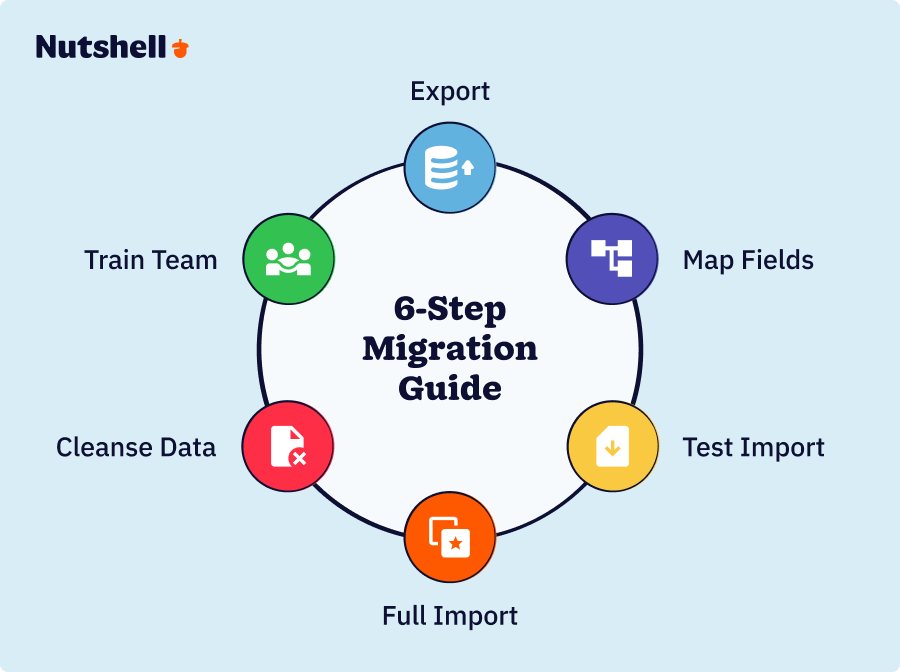
- Step 1: Export your Insightly data: Insightly allows you to export contacts, organizations, and deal data as CSV files. Export everything you’ll need, including custom fields and relationships. Keep these files organized and backed up.
- Step 2: Map your fields: Before importing into your new platform, map Insightly’s custom fields to equivalent fields in your new CRM. For example, if Insightly has a “Decision Maker” custom field, identify which field in your new platform serves the same purpose. This ensures that data imports are directed to the correct locations.
- Step 3: Test the import with sample data: Run a test import with 100–200 records before importing your entire database. This reveals any field mapping issues or data format problems you can fix before importing everything.
- Step 4: Import your complete dataset: Once testing is complete, import your full contact and deal dataset. Expect this to take a few hours, depending on the database size.
- Step 5: Cleanse and verify: Review imported data to ensure accuracy. Fix any mapping issues, deduplication errors, or missing information. This is your opportunity to clean up data that may have become messy in Insightly.
- Step 6: Train your team: Set up your new CRM to match your process, then train your team on the new interface and workflows. Most teams need 1–2 weeks of hands-on practice before reaching full productivity.
Most Insightly migrations take 1–2 weeks from export to full team adoption, assuming your database contains fewer than 50,000 records. Larger migrations may take longer.
Nutshell’s migration support includes dedicated onboarding assistance, data mapping help, and structured training to ensure a smooth transition.
Frequently asked questions
-
1. Can I migrate my Insightly data to a new CRM without losing records?
Yes. Insightly allows you to export contacts, organizations, and deals as CSV files. Most CRMs (including Nutshell) accept CSV imports and provide field mapping tools to ensure data goes to the right places. The key is to test with sample data first, then verify the complete import.
-
2. Does Nutshell have contact limits like Insightly?
No. Nutshell includes unlimited contacts on every pricing tier, from the Foundation plan ($13/user/month) through the Enterprise plan ($79/user/month). You’ll never need to delete old records to make room for new ones.
-
3. What about hidden costs? Will I discover unexpected feature charges later?
No. Nutshell’s pricing is completely transparent. Every plan includes core features like automation, lead scoring, email integration, and API access. There are no surprise add-ons or higher-tier feature gates. Pricing ranges from $13 to $79/user/month, depending on the plan level—what you see is what you pay.
-
4. How long does the Insightly migration typically take?
For most teams with fewer than 50,000 records, migration typically takes 1–2 weeks, spanning from data export to full team training. The actual data import is quick (ranging from minutes to hours, depending on the database size), but the bulk of the time is spent on field mapping, data verification, and team training.
-
5. Do I get onboarding support when switching to Nutshell?
Yes. Nutshell includes dedicated migration and onboarding support to help your team transition smoothly. This includes data mapping assistance, training sessions, and post-implementation support.
-
6. Which Nutshell plan is right for my team?
This depends on your team size and required features. Foundation ($13/user/month) is suitable for small teams with straightforward sales processes. Growth ($25/user/month) provides teams with additional reporting, lead prioritization, and automation features. Pro ($42/user/month) adds advanced automation and reporting. Business ($59/user/month) includes advanced AI-powered tools and advanced analytics. Enterprise ($79/user/month) adds priority support and custom integrations.
-
7. What if I’m not satisfied after making the switch?
Nutshell offers a free 14-day trial with no credit card required, so you can test the platform risk-free before committing. This eliminates switching anxiety—try it, see if it works for your team, then decide.
The time to switch is now—here’s why teams are choosing Nutshell
Switching from Insightly isn’t about finding a platform with more features—it’s about finding one that solves the problems that made you want to leave in the first place.
Contact limits shouldn’t exist. Hidden costs shouldn’t ambush your budget. Automation shouldn’t require expensive upgrades. And your CRM shouldn’t force you into a modular, siloed experience when you need integrated, seamless workflows.
Nutshell addresses every one of these pain points with transparent pricing, unlimited contacts on all plans, built-in automation, and an AI Sales Coach that tells your team exactly what to do next. For teams tired of Insightly’s complexity and costs, it’s a genuine upgrade—not just a lateral move.
The best time to switch is now. The platform costs are transparent. Migration support is included. Your data will transfer cleanly. And you can try it risk-free with a 14-day trial—no credit card required.
Stop settling for a CRM that limits your growth. Start your free trial today and see why thousands of sales teams have made the switch.
See Nutshell in action!
Try Nutshell free for 14 days or let us show you around before you dive in.
 BACK TO TOP
 Written by
Sam Poole Associate Content MarketerEdited by
Will Gordon Sr. Director of MarketingReviewed by
Andy Fowler Co-FounderReady to try
Nutshell for Free?Thank you! Your submission has been received!Oops! Something went wrong while submitting the form.





When Persuasion Becomes Deception: Where Should Salespeople Draw the Line?
Published on: November 10, 2022
12 Creative Sales Email Ideas to Instantly Catch a Prospect’s Attention
Published on: November 10, 2022
What Is Revenue Intelligence? An All-Encompassing Guide
Published on: January 24, 2024Highly Effective Strategies for Elevating Sales Team Performance
Published on: November 10, 2022Join 30,000+ other sales and marketing professionals. Subscribe to our Sell to Win newsletter!










