9 Best Open Source CRMS in 2026: Complete Comparison

-

Quick answer: What are the best open source CRMs?
Top open source CRMs include SuiteCRM, EspoCRM, and Odoo—each offering deep customization and control, but requiring significant developer time, longer implementation timelines, and higher total costs than they appear upfront.
For most sales teams without dedicated IT staff, a managed CRM like Nutshell, Zoho, or HubSpot will be easier to adopt and cheaper to own over time.
Key Takeaways
Open source CRMs offer genuine advantages for organizations with dedicated IT staff and substantial customization requirements. However, for most sales and administration teams, the hidden implementation costs, extended timelines, and adoption challenges make managed CRM solutions more practical and cost-effective.
- The core trade-off: Open source platforms provide deep customization and control but require significant developer time, integration expertise, and internal resources to deploy and maintain.
- What makes this guide different: Rather than promoting one category over another, we expose the hidden costs and adoption challenges that research shows drive CRM failure.
- Key insight: The difference between CRM success and failure isn’t usually the platform itself—it’s user adoption. Research shows that interface complexity and poor adoption drive CRM failure far more than technical capability.
Open source CRMs appeal to buyers for three reasons: control, customization, and cost savings. You get access to the source code, the ability to modify the system exactly how you want it, and theoretically, you only pay for hosting and development resources.
Sounds great on paper, right?
But here’s what most businesses discover after committing to an open source CRM:
- The true cost of ownership is 1.5 to 2 times higher than initial budget estimates.
- Implementation timelines typically extend from 8 to 16 weeks (compared to 2–3 weeks for managed alternatives).
- Most CRM implementations fail—primarily because the interface complexity drives poor user adoption and sales reps simply abandon the system.
This guide cuts through the marketing claims and industry hype to deliver an honest assessment of open source CRMs. We’ll review nine leading platforms, break down the real costs and timelines, explain why adoption fails, and help you determine whether an open source solution actually fits your team’s resources and goals.
We’ll also introduce you to managed CRM alternatives that solve the core pain points driving most open source failures—because sometimes the best decision isn’t between different open source platforms, but between open source and a practical managed alternative.
The top open source CRMs at a glance
- Nutshell (4.8⭐️): Best for affordable, easy-to-use CRM with fast implementation and minimal hidden costs
- SuiteCRM (4.1⭐️): Best for enterprises with dedicated IT staff needing deep customization and legacy system integration
- EspoCRM (4.0⭐️): Best for mid-market teams wanting feature balance between customization and ease of use
- Zoho CRM (3.9⭐️): Best for budget-conscious teams seeking a managed alternative with extensive automation
- Twenty (3.8⭐️): Best for tech-forward teams prioritizing modern UX and willing to manage customization
- Freshworks CRM (3.8⭐️): Best for SMBs wanting affordable managed CRM with AI-powered features
- Odoo (3.7⭐️): Best for integrated business operations across sales, inventory, accounting, and HR functions
- HubSpot CRM (Free) (3.6⭐️): Best for startups seeking free cloud-based entry point with marketing automation connection
- Salesforce (3.5⭐️): Best for large enterprises with dedicated IT resources and complex customization requirements
- How we selected the best open source CRMs
- Key features every open source CRM should have
- Comparison table
- Best open source CRM software: Detailed reviews
- The managed CRM alternative: Why sales and admin teams are switching
- The real implementation reality: Timeline, costs, and hidden expenses
- Why user adoption fails: The 55% implementation failure rate
- Open source vs. managed CRM: Which is right for your team?
- FAQs
How we selected the best open source CRMs
We evaluated open source and managed CRM platforms using a transparent, six-criteria methodology designed specifically for sales and administration teams—not IT departments or enterprise technical buyers. Our goal was to answer a critical question: which CRMs will your team actually adopt and use consistently?
Our six evaluation criteria
1. Implementation timeline
How long does it take to move from purchase to productive use? We prioritized platforms requiring 8 weeks or less for basic deployment, recognizing that extended timelines create internal disruption and delay pipeline visibility. Research from Johnny Grow shows that 70% of CRM implementations experience timeline overruns, often extending projects by 30% or more.
2. User adoption potential
Will your sales and admin team actually use this system? We evaluated interface intuitiveness, learning curve, and documented adoption rates. This criterion is critical because SLT Creative research shows the average CRM adoption rate is only 26%, with top-performing sales firms 81% more likely to use CRM consistently—a massive gap driven primarily by ease of use rather than feature capability.
3. Three-year total cost of ownership (TCO)
What will this platform actually cost your organization over three years, including all hidden expenses? We factored in developer time, data migration, integrations, internal staff training, and ongoing maintenance. Research from Optrua reveals that true CRM TCO is typically 1.5 to 2 times the initial Year 1 budget, a reality most evaluations conveniently overlook.
4. Integration capabilities
How easily does this platform connect to the tools your team already uses? Your existing tech stack might include:
- Calendar
- Accounting software
- Communication platforms
We examined native integrations, API documentation, and real-world integration costs. For most teams, integrations consume 20–25% of the total implementation budget—which is why Nutshell’s 500+ pre-built integrations eliminate this cost category entirely. Most open source platforms require custom integration development, adding $2,000–$5,000 per integration.
5. Mobile CRM functionality
Does the platform offer a genuine mobile app with full feature access, or mobile limitations that force sales reps back to the desktop? Remote and field-based teams require native iOS and Android applications with offline access and real-time sync.
Many open source CRMs offer weak mobile experiences, forcing reps back to the desktop for critical tasks. This limitation directly drives adoption failure for mobile-first teams.
6. Support quality and accessibility
Can your team get help when they need it? We evaluated support models (community forums vs. professional support), response times, and documentation quality. Open source solutions typically offer community forums only, while managed platforms like Nutshell include professional support with every plan—even during your free trial. For sales and admin teams without dedicated IT staff, 24/7 professional support is often a necessity, not a luxury.
Rating scale & methodology
We used a 5-point scale with tenths precision (e.g., 4.3, 3.8) based on how well each platform performs across these six criteria, weighted toward sales and administration team needs rather than IT or technical customization priorities.
Here’s how they break down:
- Ratings above 4.0 indicate a strong fit for the target audience.
- Ratings 3.5–4.0 represent solid options with specific trade-offs.
- Ratings below 3.5 indicate platforms with significant limitations for sales and admin teams though they may serve other use cases well.
Why Nutshell is included
We include Nutshell because it directly solves the core pain points driving open source CRM failures. For sales and admin teams specifically, the best choice often isn’t open source at all.
Key features every open source CRM should have
What should you actually look for in an open source CRM? Feature requirements vary wildly—and not all of them matter for sales and admin teams. Understanding what actually moves the needle helps you cut through the marketing and focus on what works.
360-degree customer view and contact consolidation
A true CRM centralizes all customer information in one place: contact details, communication history (email, phone, meetings), deal stage, notes, and attachments. Without this unified view, your team spends time hunting for information instead of selling. Open source platforms vary significantly in how cleanly they consolidate this data, especially when integrations pull information from multiple sources.
Sales force automation and workflow automation
Repetitive manual tasks kill productivity. Look for automation that handles follow-up reminders, task assignment, deal progression, and email logging. The best platforms automate data entry (the single biggest time-waster for sales reps) and trigger workflows based on customer actions. Open source solutions often require developer customization to implement meaningful automation.
Contact management with powerful search and organization
You need to find the right contact in seconds, segment customers by industry or deal stage, and organize communication history chronologically. Poor search functionality forces your team to manually browse records, a time-waste that directly impacts adoption. This sounds basic, but many open source CRMs struggle with search speed and logical organization.
Pipeline management with visual tracking
Sales success depends on visibility. A proper CRM displays your pipeline visually, with various configurations available:
- Kanban board
- Deal progression
- Forecast
This visualization shows each deal’s stage, next steps, and probability of closure. Your team needs to know what’s moving forward and what’s stalled. Open source platforms often have rigid pipeline structures that don’t reflect how your specific sales process actually works.
Full-featured mobile CRM functionality
If your team is in the field or working remotely, mobile access isn’t optional—it’s essential. But “mobile access” varies dramatically. A responsive web interface is not the same as a native iOS/Android app with offline capability. Many open source CRMs offer weak mobile experiences, forcing reps back to the desktop for critical tasks. Managed platforms like Nutshell include native iOS and Android apps with offline access and real-time sync—exactly what field and remote teams need.
Email and calendar integration
Your sales team lives in email and calendar. Native sync with Outlook or Gmail (automatic contact capture, meeting logging, follow-up scheduling) is a huge productivity boost. Many open source solutions require workarounds or plugins that feel clunky compared to platforms with native integration.
Reporting and analytics
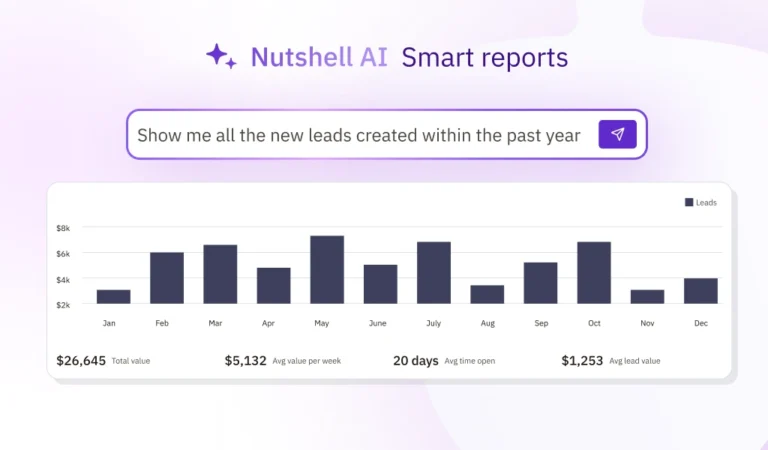
Your managers need visibility into team performance: pipeline health, win rates, sales cycle length, forecast accuracy. Ideally, the platform includes AI-powered insights that identify at-risk deals or bottlenecks. Open source CRMs vary widely in reporting capability, and many require significant customization to deliver actionable insights.
Integration ecosystem (API, webhooks, pre-built connectors)
Beyond email and calendar, your CRM needs to connect to various tools such as:
- Accounting software: QuickBooks, Xero
- Marketing platforms: HubSpot, Marketo, Klaviyo
- Communication tools: Slack, Teams
- Video conferencing: Google Meet, Zoom
- Custom internal systems
You’ll also want to know whether the platform has solid API documentation and pre-built connectors that reduce integration costs.
User adoption and ease-of-use potential
This is the most critical factor, and it’s often overlooked in platform evaluations. A powerful feature set means nothing if your team refuses to use the system because it requires too many clicks or the interface feels clunky. Research shows that sales reps will abandon a CRM if it requires even two more clicks than email. Intuitive design and fast workflows directly correlate with adoption success.
Security and compliance responsibility clarity
Who is responsible for data protection, breach response, compliance with GDPR/HIPAA, and security updates? With open source platforms, your organization often becomes liable for security, updates, and compliance—a significant operational burden. Understand where responsibility lies before commitment.
⚠️ Critical consideration: Research shows that mobile functionality limitations and user adoption challenges cause 55% of open source CRM implementations to fail. This isn’t about feature gaps—it’s about whether your team will consistently use the system to move deals forward. Don’t overlook adoption potential in favor of impressive feature lists.
Comparison table: Open source CRMs at a glance
CRM Rating Implementation Time Customization Depth Support Model Security Responsibility Nutshell 4.8⭐️ 2–3 weeks Moderate 24/7 professional Vendor-managed SuiteCRM 4.1⭐️ 12–16 weeks Very high Community/paid support Self-managed EspoCRM 4.0⭐️ 8–12 weeks High Community/paid support Self-managed Zoho CRM 3.9⭐️ 4–6 weeks Moderate 24/7 professional Vendor-managed Twenty 3.8⭐️ 6–10 weeks Very high Community support Self-managed Freshsales 3.8⭐️ 3–4 weeks Moderate 24/7 professional Vendor-managed Odoo 3.7⭐️ 10–14 weeks Very high Community/paid support Mixed HubSpot CRM (Free) 3.6⭐️ 1–2 weeks Limited Email support only Vendor-managed Salesforce 3.5⭐️ 16–24 weeks Unlimited 24/7 professional Vendor-managed Best open source CRM software: Detailed reviews
1. Nutshell
Rating: 4.8⭐
Best for affordable, easy-to-use CRM with fast implementation
Official website: https://www.nutshell.com/
Free trial: Yes (14 days)
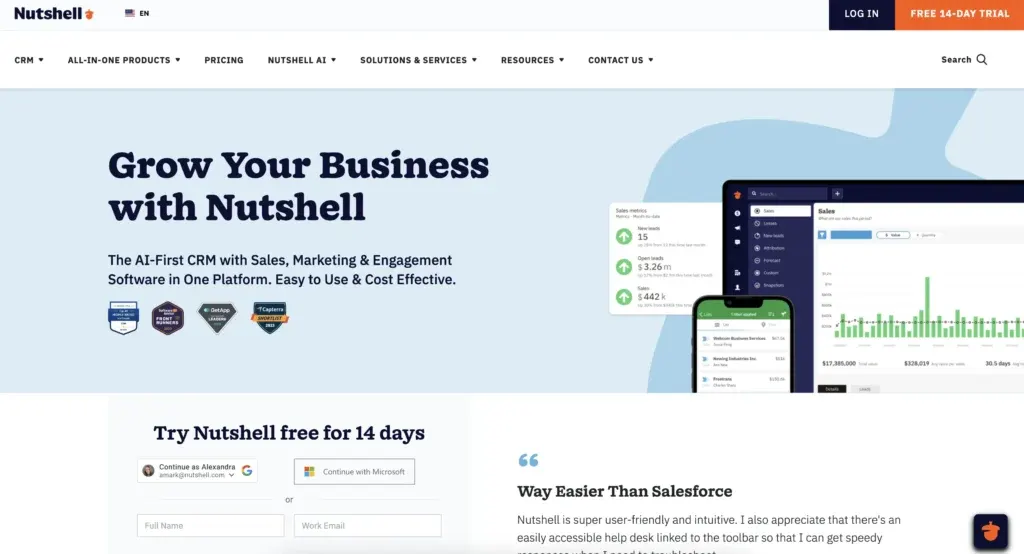
Quick summary: Nutshell is a cloud-based CRM designed specifically for sales and marketing teams seeking an intuitive, affordable alternative to complex platforms like Salesforce. The platform emphasizes ease of use over deep customization, enabling teams to go live in days rather than weeks. With transparent pricing ($13–$79 per user per month with annual billing) and no hidden implementation fees, Nutshell eliminates the cost surprises that plague open source deployments.
Key features:
- Next-action sales methodology: Nutshell guides your team to the single most important action to move each deal forward, reducing decision paralysis and keeping sales reps focused on what matters
- Intuitive contact and deal management: Clean, logical interface makes data entry fast and adoption natural; native email and calendar sync with Outlook and Gmail requires zero configuration
- AI-powered insights: Built-in artificial intelligence identifies at-risk deals, predicts close probability, and recommends next steps without requiring custom configuration
Pros:
- Fastest implementation timeline (2–3 weeks) gets businesses up and running faster than most competitors
- Transparent pricing with no setup charges eliminates hidden costs or surprise fees
- Highest ease-of-use rating (4.8/5) directly addresses research showing interface complexity drives CRM adoption failure
- 500+ pre-built integrations save businesses $2,000–$5,000 per integration, a common issue for open source CRMs
- Native iOS/Android apps provide full CRM access for remote and field-based teams—a critical feature many open source solutions lack
Cons:
- Limited deep customization compared to platforms like SuiteCRM or Salesforce; designed for sales/marketing teams rather than complex multi-department operations
- Smaller organization than competitors, though this often translates to more responsive, personalized support
Pricing:
$13–$79 per user per month with annual billing ($19-$89 per user per month with monthly billing) depending on plan tier
See Nutshell’s pricing page for a detailed plan comparison.
2. SuiteCRM
Rating: 4.1⭐️
Best for enterprises needing deep customization
Official website: https://www.suitecrm.com/
Free trial: Yes (30 days vendor-hosted)
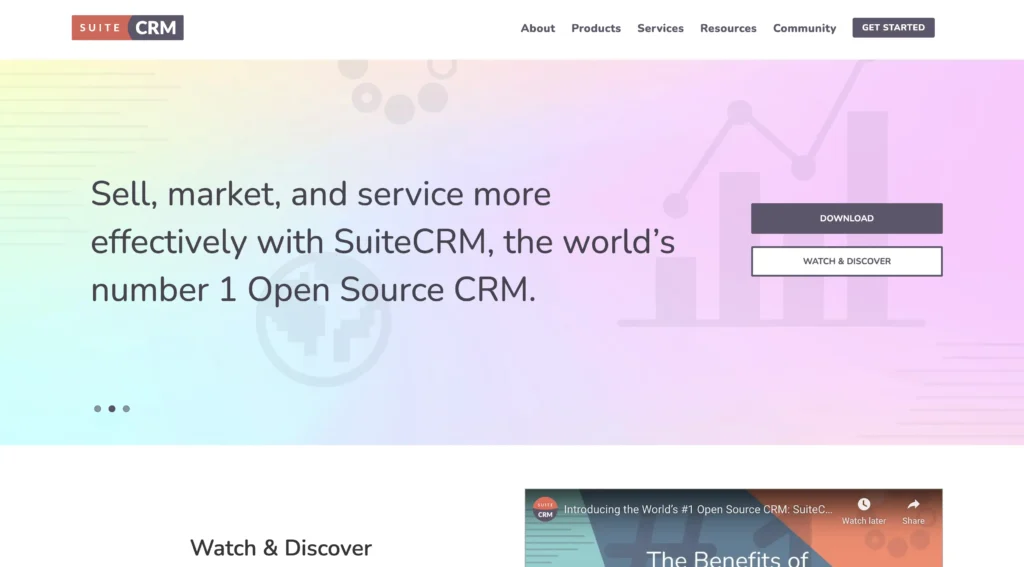
Quick summary: SuiteCRM is an open source fork of the original SugarCRM platform, maintained by a dedicated community. It offers extensive customization capabilities and deep integration options, making it attractive to larger organizations with dedicated IT staff and complex operational requirements. SuiteCRM requires significant developer resources but delivers unmatched customization depth.
Key features:
- Unlimited customization: Access to source code means every aspect of the platform can be modified to match your specific business processes; ideal for organizations with unique workflows
- Enterprise-grade features: Advanced reporting, workflow automation, and multi-currency support suitable for large organizations or those managing complex sales processes across regions
- Extensive API and integration ecosystem: 100+ documented integrations with popular business tools; custom integrations possible through direct code modification
Pros:
- Deepest customization available in open source space with no feature limitations imposed by the platform
- Zero licensing costs; free to download and deploy on your own servers
- Large community and extensive documentation support custom development
- Suitable for organizations already running on-premise infrastructure with existing IT teams
Cons:
- Longest implementation timeline (12–16 weeks typical) due to customization and configuration complexity; 30% timeline overrun is common
- Highest learning curve for non-technical team members; typically requires dedicated admin staff for ongoing maintenance
- Security updates and compliance fall entirely on your organization; breach liability and remediation costs are your responsibility
- Mobile app functionality is limited compared to modern managed platforms; mostly web-based with poor offline capability
- Total cost of ownership typically reaches $15,000–$50,000+ over three years when factoring in developer time, integration costs, and ongoing maintenance
Pricing: Free to download and deploy, though hosting costs vary ($100–$500+ per month depending on cloud provider); developer time represents the primary expense. You can also choose to use SuiteCRM’s servers for $175+ per month.
Most organizations using SuiteCRM budget $5,000–$15,000 for initial implementation and $2,000–$5,000 annually for ongoing maintenance and customization.
3. EspoCRM
Rating: 4.0 ⭐️
Best for mid-market teams wanting feature balance
Official website: https://www.espocrm.com/
Free trial: Yes (cloud hosted for up to 1 month)
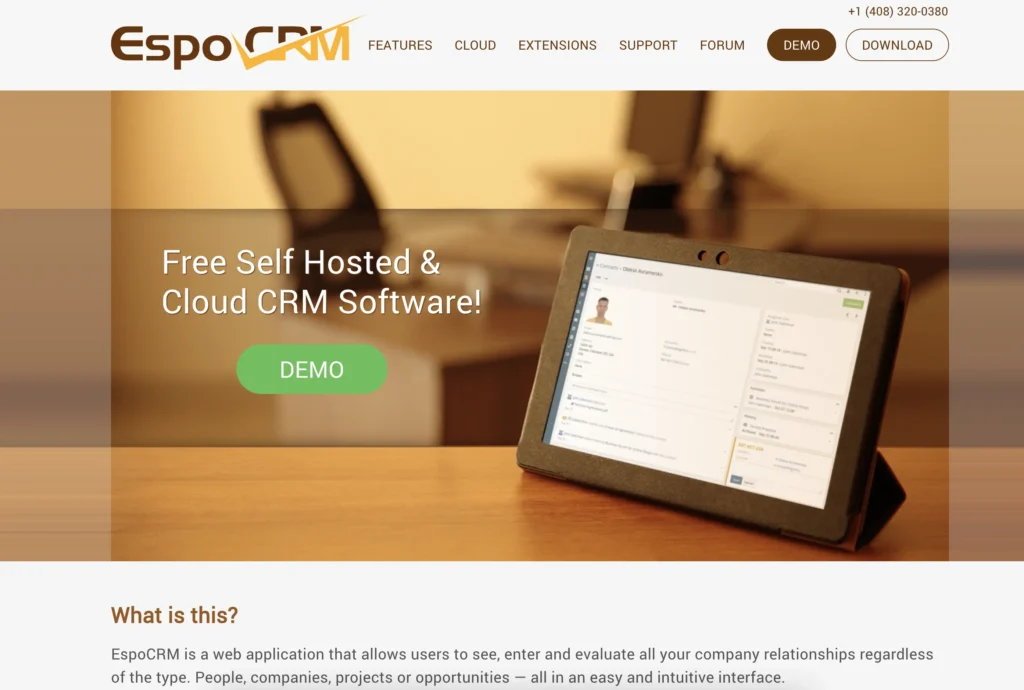
Quick summary: EspoCRM is a lightweight open source CRM balancing customization capability with ease of implementation. It’s designed for mid-market organizations seeking more flexibility than managed solutions offer without the massive implementation burden of enterprise platforms like SuiteCRM. EspoCRM maintains solid performance and a reasonably intuitive interface.
Key features:
- Flexible workflow automation: Build custom workflows without code through visual workflow builder; handles multi-step processes and conditional logic
- Advanced reporting and analytics: Customizable dashboards and reports; export data to various formats
- Multi-language and multi-currency support: Suitable for organizations operating across regions with different languages and currencies
Pros:
- More intuitive than SuiteCRM but more customizable than managed solutions; good middle ground for mid-market teams
- Moderate implementation timeline (8–12 weeks) balances customization with reasonable deployment speed
- Reasonable learning curve for admin and power users; better interface design than some open source competitors
- Workflow automation builder enables non-technical admins to create useful automation without coding
Cons:
- Mobile app functionality is primarily web-based rather than native iOS/Android applications
- Community support model means you’re responsible for troubleshooting and problem resolution; professional support available but adds cost
- Security and compliance remain your organization’s responsibility; no vendor-managed security updates
- Integration costs remain significant ($2,000–$4,000 per integration); not as many pre-built connectors as managed solutions
- Three-year TCO typically $10,000–$35,000+ depending on customization depth and integration complexity
Pricing: Free to download and self-host, with a cloud-hosted version costing $5–$20 per user per month.
Most organizations budget $2,000–$3,000 for initial implementation plus $1,000–$2,000 annually for ongoing support and customization.
4. Zoho CRM
Rating: 3.9⭐️
Best for budget-conscious teams seeking a managed alternative
Official website: https://www.zoho.com/crm/
Free trial: Yes (15 days)
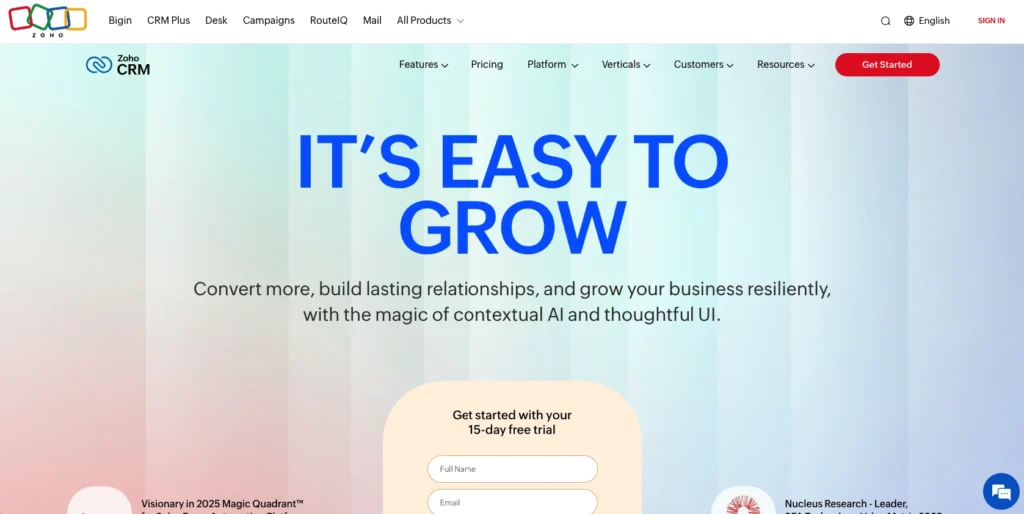
Quick summary: Zoho CRM is a managed cloud-based solution offering impressive feature depth and integration ecosystem at competitive pricing. While technically a managed platform rather than open source, Zoho serves budget-conscious teams as a practical alternative to open source complexity while delivering reliability and support. Zoho emphasizes automation and analytics capabilities.
Key features:
- AI-powered sales assistant (Zia): Artificial intelligence analyzes sales patterns, predicts deal closure, and recommends next actions; identifies high-value opportunities and at-risk deals
- Advanced automation and workflows: Visual workflow builder handles complex multi-step processes, conditional routing, and task automation without coding
- Extensive integration ecosystem: 1,000+ pre-built integrations with popular business tools; API for custom integrations
Pros:
- Extremely competitive pricing (from $14–$65 per user per month) with no hidden implementation fees
- Fast implementation (4–6 weeks) with guided setup and professional onboarding
- Strong mobile apps (iOS and Android) with offline access and real-time sync
- 24/7 professional support reduces your reliance on internal IT resources
- Automation capabilities reduce manual data entry and follow-up task burden
Cons:
- Less customization than open source platforms; designed for standard sales processes rather than highly unique workflows
- Interface can feel overwhelming to non-technical team members due to feature density; steeper learning curve than simpler managed platforms
- Some automation features require additional training to use effectively
- Data export and customization options are less flexible than open source alternatives
Pricing: $14–$52 per user per month with annual billing depending on plan tier ($20–$65 per user per month with monthly billing). Users typically experience a 4–6 week implementation with professional onboarding included.
The three-year cost typically reaches $720–$2,340 per user, significantly lower than open source total cost of ownership despite ongoing subscription fees.
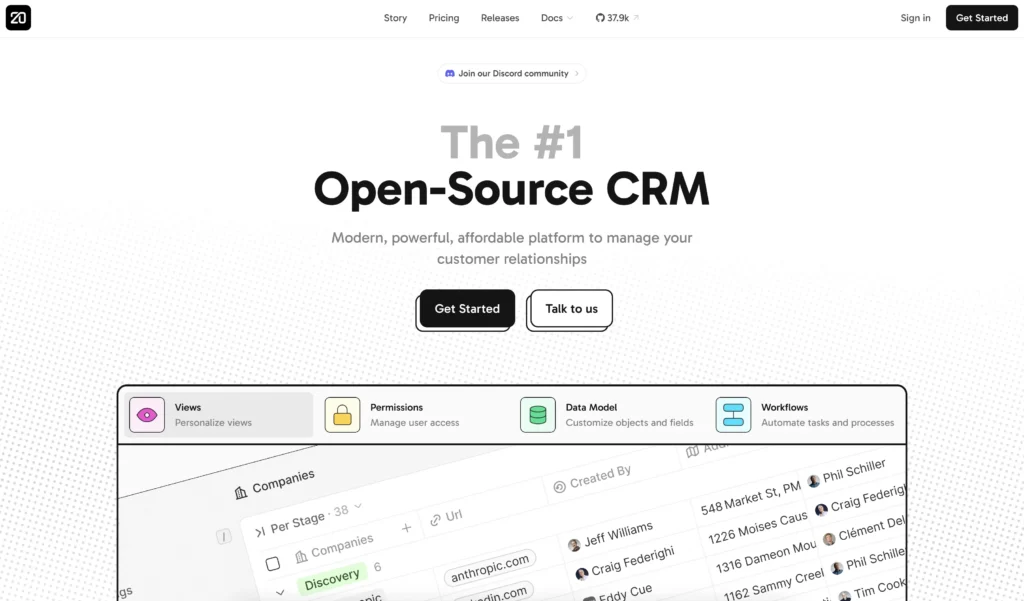
5. Twenty
Rating: 3.8 ⭐️
Best for tech-forward teams prioritizing modern UX
Official website: https://twenty.com/
Free trial: Yes (7–30 days)
Quick summary: Twenty is a newer open source CRM emphasizing modern user experience and developer-friendly customization. It appeals to technical teams prioritizing contemporary design and code quality over feature breadth. Twenty is actively developed with strong engineering practices but less mature than established competitors.
Key features:
- Modern, intuitive interface: Clean, contemporary design reduces the learning curve for non-technical team members; emphasizes usability and aesthetic appeal
- Developer-friendly codebase: Well-documented code and APIs make custom development and integration easier than some open source alternatives
- Flexible data modeling: Customize objects, fields, and relationships without modifying core code; powerful for building custom CRM structures
Pros:
- Modern interface and UX design make adoption more natural for teams accustomed to contemporary software
- Active open source community with regular updates and improvements
- Good documentation and developer-friendly architecture facilitate customization
- Reasonable implementation timeline for open source (6–10 weeks)
Cons:
- Newer platform with less real-world deployment history than SuiteCRM or EspoCRM; fewer case studies and proven implementations
- Mobile app is web-based rather than native iOS/Android applications; limited offline capability
- Smaller ecosystem of pre-built integrations, meaning costly custom integration development may be necessary
- Professional support is community-based rather than 24/7; self-support responsibility is high
- Three-year TCO typically reaches $8,000–$25,000+ depending on customization needs and developer time
Pricing: $9–$19 per user per month with annual billing ($12–$25 per user per month with monthly billing). Self-hosting required.
Organizations budget $1,500–$2,000 for initial setup and configuration, plus $500–$1,500 annually for ongoing maintenance and customization.
6. Freshsales
Rating: 3.8⭐️
Best for SMBs wanting affordable managed CRM
Official website: https://www.freshworks.com/crm/
Free trial: Yes (21 days)
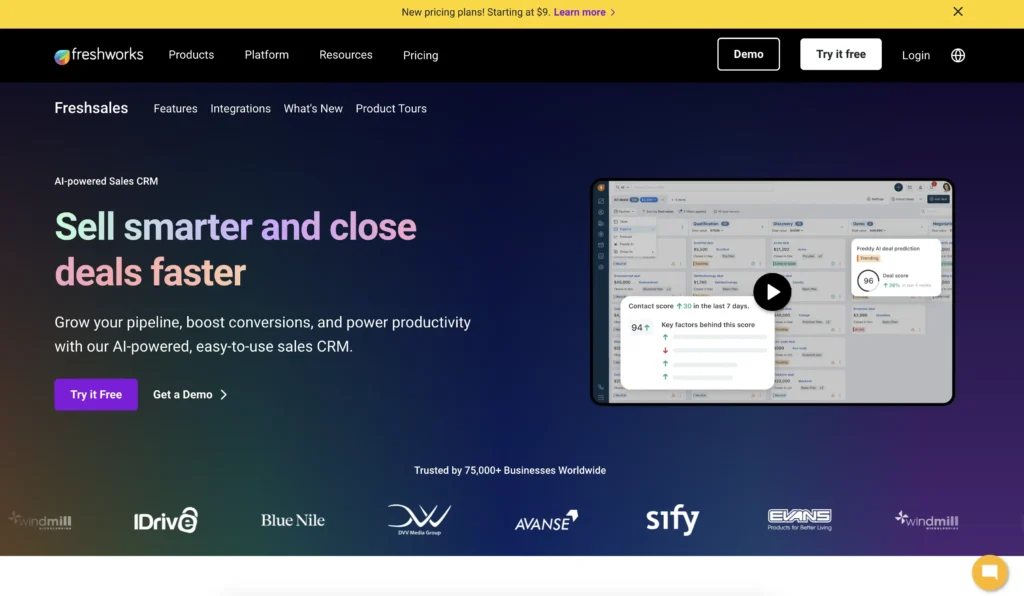
Quick summary: Freshworks CRM (also called Freshsales) is a managed cloud CRM designed specifically for small and medium-sized businesses. It emphasizes ease of use, affordability, and built-in AI features without requiring extensive customization. Freshworks offers strong mobile apps and impressive automation capabilities at competitive pricing.
Key features:
- Freddy AI assistant: Built-in artificial intelligence suggests next actions, predicts deal closure, and identifies sales opportunities; learns from your sales patterns over time
- Powerful mobile apps: Native iOS and Android applications with offline access, allowing field teams full CRM functionality away from desk
- Built-in telephony and engagement tools: Click-to-call, SMS, and email capabilities integrated directly into the platform reduce tool-switching
Pros:
- Very competitive pricing ($9–$71 per user per month) with transparent, predictable costs
- Fastest implementation among feature-rich managed platforms (3–4 weeks)
- Excellent mobile apps with full feature access; ideal for remote and field-based teams
- AI-powered insights and recommendations included in all plans, not premium add-ons
- 24/7 professional support reduces reliance on internal IT resources
Cons:
- Less customization than open source or enterprise platforms; designed for standard sales processes
- Some users report interface complexity around advanced features; customization requires support tickets
- Smaller integration ecosystem compared to Zoho or HubSpot (though 1,000+ pre-built integrations cover most needs)
Pricing: $9–$59 per user per month depending on plan tier with annual billing ($11–$71 per user per month with monthly billing).
The three-year cost typically reaches $540–$2,484 per user, significantly lower than open source total cost of ownership and faster to productive use.
7. Odoo
Rating: 3.7 ⭐️
Best for integrated business operations
Official website: https://www.odoo.com/
Free trial: Yes (15 days)
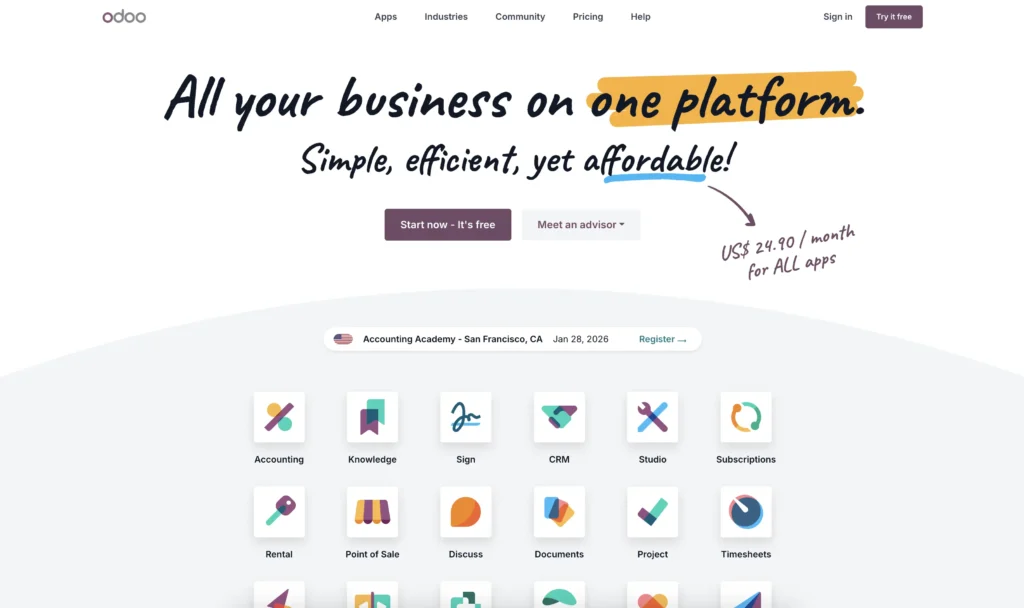
Quick summary: Odoo is a comprehensive open source business management suite including CRM, accounting, inventory, HR, and marketing automation in one integrated platform. It appeals to organizations seeking a unified system across multiple functions rather than a best-of-breed CRM. Odoo emphasizes integration across business functions.
Key features:
- Unified business platform: CRM, accounting, inventory, manufacturing, HR, and marketing all integrated in one system; eliminates data silos across departments
- Strong automation capabilities: Workflow automation, email integration, and task automation reduce manual data entry across the organization
- Extensive customization and development tools: Powerful framework for building custom modules and integrations specific to your business
Pros:
- Excellent for organizations needing to integrate CRM with accounting, inventory, or HR functions; unified data reduces manual reconciliation
- Lower per-user costs (Free to $61.10 per user per month) compared to many cloud-based alternatives
- Native mobile apps (iOS and Android) with reasonable functionality for remote teams
- Large active community and extensive marketplace of add-on modules
- Professional support available through Odoo partners and resellers
Cons:
- Broader platform scope means CRM-specific features may be less polished than dedicated CRM solutions
- Longer implementation timeline (10–14 weeks) due to multi-module complexity; total cost can escalate if integrating multiple functions
- Learning curve is steeper for organizations deploying the full suite rather than just CRM
- Customization and implementation expertise varies significantly by partner; quality can be inconsistent
- The three-year TCO typically reaches $360–$1,440 per user if only using CRM, but significantly higher if integrating additional modules
Pricing: Hosting only the CRM app on your own infrastructure is free, but Odoo also offers two cloud-hosted paid plans ranging from $24.90–$49 per user per month with annual billing ($31.10–$61.10 per user per month billed monthly).
Implementation costs vary widely ($5,000–$20,000+) depending on the partner and scope of modules being implemented.
8. HubSpot CRM (Free)
Rating: 3.6 ⭐️
Best for startups seeking free cloud-based entry
Official website: https://www.hubspot.com/products/crm
Free trial: No (free tier available for up to 2 users)
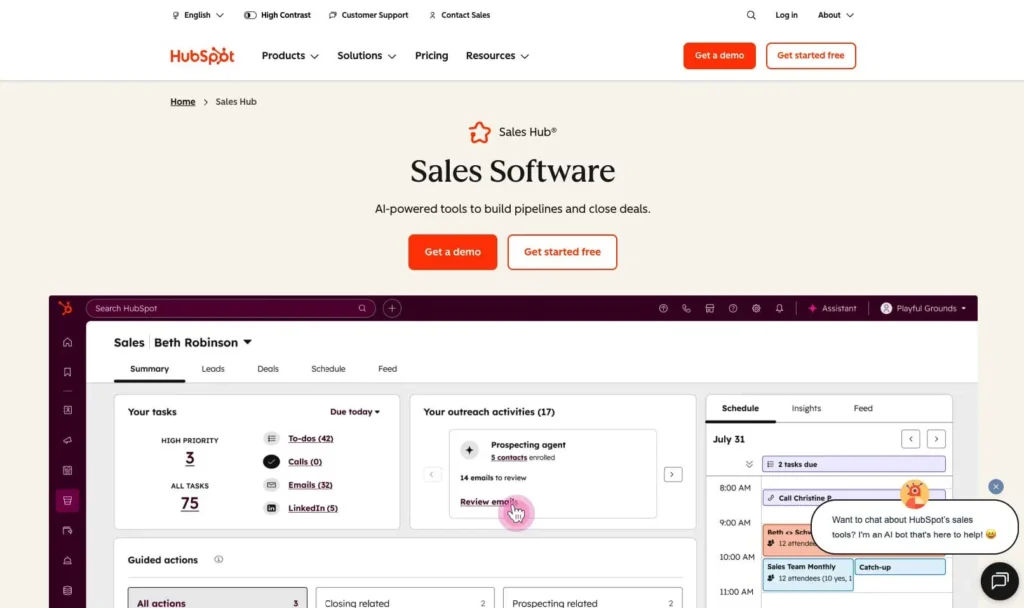
Quick summary: HubSpot’s free CRM tier provides unlimited contacts, deals, and email tracking without payment—ideal for startups and very small businesses just entering CRM. The free version integrates seamlessly with HubSpot’s paid marketing automation platform but can be used standalone. HubSpot emphasizes simplicity and inbound sales methodology.
Key features:
- Contact and deal management: Clean interface for tracking contacts, deals, and follow-ups; email tracking shows when prospects open emails and click links
- Email integration: Automatic email logging (Gmail and Outlook) without manual data entry; meeting scheduling integration
- Mobile access: Native iOS and Android apps with deal management and contact access
Pros:
- Completely free for unlimited users with core CRM features; ideal for budget-constrained startups
- Fastest implementation (1–2 weeks) with intuitive setup and virtually no learning curve
- Excellent mobile apps with full feature access
- No vendor lock-in; easily export data if you outgrow the platform
- Seamless upgrade to paid HubSpot Sales Hub ($50–$120 per user per month) if you need advanced features
Cons:
- Limited automation compared to paid CRM platforms; rules and workflows are basic
- Limited reporting and analytics; insights require upgrade to paid tier
- Integration ecosystem is smaller than enterprise platforms; some custom integrations require additional cost
- Not ideal for complex sales processes or multiple-team scenarios
- Costs rise quickly through the paid tiers as you add users and features; free version works only for very small teams
Pricing: Completely free with core CRM features. You can also upgrade to the paid Sales Hub at $9–$150 per user per month (depending on tier and billing frequency) for advanced automation and analytics.
The three-year cost typically starts at $0 (free forever option) or $1,800–$4,320 per user if transitioning to paid tiers.
9. Salesforce
Rating: 3.5⭐
Best for large enterprises with complex requirements
Official website: https://www.salesforce.com/crm/
Free trial: No (free tier available for up to 2 users)
Quick summary: Salesforce is the market-leading enterprise CRM serving large organizations with complex sales processes, multiple teams, and extensive customization requirements. Salesforce offers unlimited customization and integration but requires significant IT resources, deep expertise, and budget commitment. It’s the platform of choice for enterprises that can afford dedicated Salesforce administration and development.
Key features:
- Unlimited customization: Complete access to configuration tools, APIs, and custom code allows any conceivable modification
- Enterprise-grade features: Sophisticated workflow automation, advanced reporting, multiple business units, complex approval processes, and custom objects
- Massive integration ecosystem: 2,000+ pre-built integrations via AppExchange; direct API access for custom integrations
Pros:
- Most powerful customization and integration capabilities; essentially no limitations on what you can build
- 24/7 professional support with dedicated account management available
- Market leadership means extensive community resources, training, and talent pool
- Suitable for complex, multi-team operations with highly specific workflow requirements
Cons:
- Highest total cost of ownership; platform pricing is steep ($165–$330+ per user per month) plus implementation and customization costs
- Longest implementation timeline (16–24 weeks typical) due to customization requirements; budget overruns are common
- Steepest learning curve and highest training requirements; non-technical users struggle with complexity
- Requires dedicated Salesforce administrator and often dedicated development team; ongoing cost is high
- Mobile experience requires custom app development for optimal results
- Total three-year cost typically reaches $5,400–$11,880+ per user for mid-sized deployments, often reaching $50,000–$500,000+ for enterprises
Pricing: The free tier is available for up to 2 users. You can also upgrade to the Salesforce CRM paid tiers, which range from $25–$100 per user per month depending on edition;
Implementation costs can range $20,000–$200,000+ depending on complexity; ongoing administration and customization add $5,000–$50,000+ annually. Not suitable for small or medium teams due to cost structure.
The managed CRM alternative: Why sales and admin teams are switching
Here’s the conversation most open source CRM evaluations avoid: managed CRMs solve the core problems driving open source CRM failures for sales and administration teams.
We’re not saying open source CRMs are bad. We’re saying that for most sales and admin teams, managed solutions address the specific pain points that cause implementations to fail.
How managed CRMs solve open source problems
Problem 1: Slow implementation and extended productivity loss
Open source CRMs require 8–16 weeks for deployment. Managed CRMs deploy in 2–3 weeks. That 6–13 week difference means:
- Your sales team gains pipeline visibility weeks earlier
- You start closing deals sooner (not 3+ months later)
- Extended implementation complexity doesn’t cause frustration and adoption resistance
- Your team spends less time in configuration meetings and more time selling
Problem 2: Hidden costs and budget overages
Open source CRMs look cheap upfront but cost 1.5–2× Year 1 budget over three years. Managed CRMs have transparent, predictable pricing with zero hidden fees.
Nutshell pricing example:
- Clear pricing: $13–$79 per user per month
- What’s included: Email/calendar integration, 500+ pre-built integrations, 24/7 support, mobile apps, unlimited storage
- What’s NOT included: Nothing. No surprise setup fees, no per-integration charges, no surprise renewal costs
- Three-year total cost (10-person team): $14,040–$95,760 depending on plan tier
Compare to open source reality:
- Platform cost: $0 (free)
- Hidden implementation costs: $15,000–$30,000
- Year 1 total: $15,000–$30,000
- Three-year cost: $25,000–$50,000+ (not including ongoing maintenance)
Managed CRM pricing is higher per user monthly but dramatically lower in total cost of ownership when you factor in avoided implementation costs and time savings.
Problem 3: User adoption failure
Research from SLT Creative shows that adoption rate almost triples (from 26% to 81%) when the platform prioritizes ease of use over feature depth.
Managed CRMs designed for sales teams (Nutshell, Freshworks, HubSpot) achieve 65–90% adoption rates because they:
- Minimize clicks required for common tasks: Logging an activity, creating a deal, or updating contact information takes minimal steps
- Integrate with tools sales reps already use: Email and calendar sync is seamless (not requiring workarounds or plugins)
- Provide clean, intuitive interfaces: No complex menus or configuration options that confuse non-technical team members
- Include guided onboarding and training: Professional support helps teams adopt quickly and correctly
Problem 4: Integration complexity and costs
Open source platforms include limited pre-built integrations. Building custom integrations costs $2,000–$5,000 per integration.
Managed platforms include 500–2,000 pre-built integrations covering:
- Email (Gmail, Outlook)
- Calendar (Google Calendar, Outlook Calendar)
- Accounting (QuickBooks, Xero, NetSuite)
- Marketing (HubSpot, Marketo, Klaviyo)
- Communication (Slack, Teams, Zoom)
- Hundreds of other popular business tools
This eliminates the largest hidden cost category for open source implementations—integration development.
Problem 5: Mobile functionality gaps
Many open source platforms lack native iOS/Android apps, forcing remote teams back to desktops.
Managed CRMs (Nutshell, Zoho, Freshworks, HubSpot) include:
- Native mobile apps: Optimized for iOS and Android
- Offline access: Allowing field teams to work without internet connectivity
- Real-time sync: Keeping mobile and desktop data current
- Mobile-optimized workflows: Designed for salespeople working from cars, customer sites, or homes
For remote-first sales teams, this difference is enormous. Your team can close deals from anywhere without needing to return to the office.
Problem 6: Security and compliance responsibility
Open source CRM breaches create liability for your organization. Managed CRM vendors handle security, compliance, and breach response.
Your organization is responsible for:
- Selling and managing customer relationships
- Managing sales team performance
- Analyzing sales data and forecasting
Your vendor is responsible for:
- Security infrastructure and monitoring
- Compliance with GDPR, HIPAA, SOC2
- Security updates and patches
- Breach detection and response
- Data backup and disaster recovery
This shift of responsibility is worth thousands of dollars annually in avoided security infrastructure and compliance management costs.
Nutshell as the practical alternative
Nutshell specifically solves these pain points for sales and marketing teams:
- Transparent pricing: $13–$79 per user per month billed annually with no hidden costs. What you see is what you pay. No surprise setup fees, no per-integration charges, no surprise customization bills.
- Fast implementation: Go live in 2–3 weeks with guided onboarding and free live support. Your sales team gains pipeline visibility quickly, not months later.
- High ease-of-use rating: Nutshell earns **4.8/5 rating for ease of use**—directly addressing research showing interface complexity drives CRM adoption failure. Sales reps adopt Nutshell naturally because the interface is intuitive.
- Included integrations: 500+ pre-built integrations cover email, calendar, accounting, marketing, communication, and hundreds of other popular tools. No custom integration costs. No hidden integration expenses.
- Native mobile apps: iOS and Android apps with full CRM access, offline capability, and real-time sync. Field and remote teams have complete access away from their desks.
- AI-powered insights: Nutshell includes artificial intelligence to identify at-risk deals, predict close probability, and recommend next actions. These advanced features are included in all plans.
- 24/7 professional support: Your team gets support when they need it, not just community forums or documentation.
⚠️ No hidden implementation costs. No surprise fees. Fully transparent pricing.
This is the core value proposition for managed CRM: predictable costs, fast implementation, and adoption-focused design that actually works for sales teams.
The real implementation reality: Timeline, costs, and hidden expenses
Open source CRMs look appealing on spreadsheets. Download free software, host it internally or on a cloud server, and avoid vendor lock-in. But the moment you begin actual implementation, hidden costs appear.
Implementation timeline: Weeks vs. months
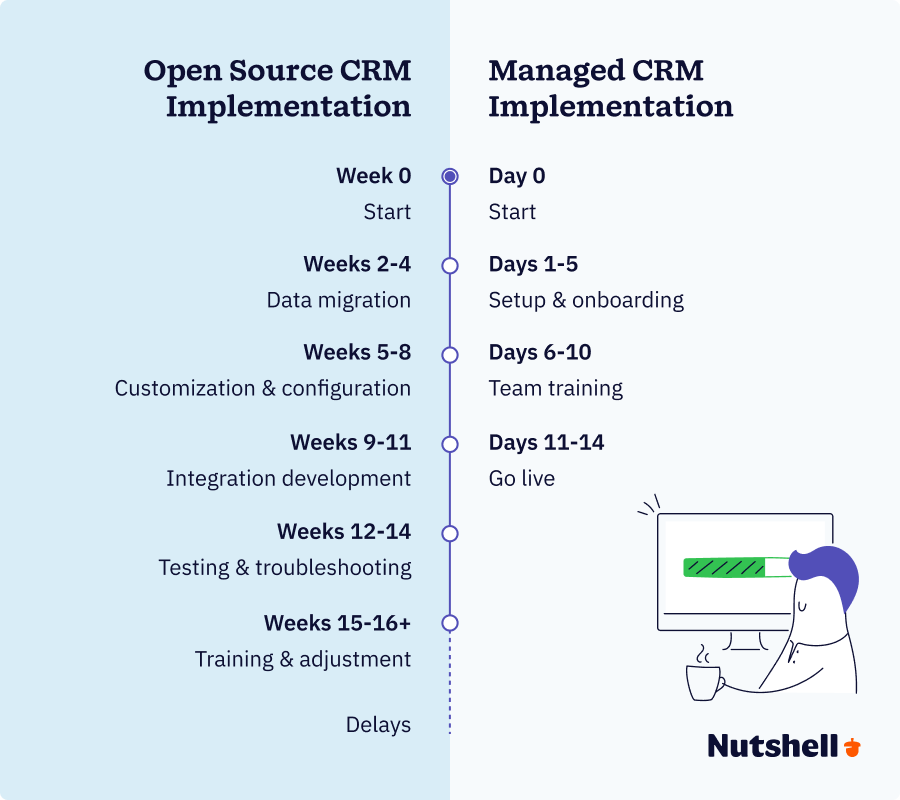
The gap between promised timelines and reality is dramatic. Managed platforms like Nutshell deploy in 2–3 weeks. Salesforce typically requires 16–24 weeks. Open source platforms fall somewhere in between, typically closer to the enterprise end.
Here’s why timelines extend:
Data migration takes longer than expected. Your existing customer data lives in spreadsheets, old CRM systems, or scattered across multiple tools. Consolidating, cleaning, and importing that data correctly requires careful planning and validation. A typical company with 5,000–10,000 customer records needs 2–4 weeks just for migration work.
Integration development consumes significant time. Your CRM needs to connect to email (Outlook or Gmail), accounting software (QuickBooks or Xero), marketing platforms, and communication tools. Each integration requires configuration, testing, and validation. Research shows integration work consumes 20–25% of the total implementation budget. A single custom integration averages $2,000–$5,000 in developer time and testing.
Customization and configuration stretches timelines. Open source platforms require developers to modify workflows, create custom fields, and configure the system to match your specific business processes. What seems like straightforward customization often reveals dependencies and complexity that weren’t apparent initially.
Internal resource coordination creates delays. Your team needs to participate in planning, data validation, testing, and training. Pulling busy sales and admin staff away from revenue-generating work creates bottlenecks. Many implementations stall waiting for internal stakeholders to complete their portion of work.
Here’s an example: An e-commerce company expected 8-week SuiteCRM implementation but actually took 16 weeks because:
- Data migration revealed duplicate and incomplete customer records (2 weeks to resolve)
- Integration with their accounting system required custom development (3 weeks)
- Sales team availability for testing limited progress (4 weeks of delays)
- Training and adjustment period added 2 weeks
This company lost 8 weeks of pipeline visibility while the system was in limbo—a costly delay for sales productivity.
The hidden cost breakdown
Platform licensing costs are transparent. Developer time is where budgets explode. Here’s the realistic cost structure:
Developer time (30–40% of total cost): Open source platforms require developers for customization, integration, and configuration. At $100–$200 per hour, typical implementations require 80–200 developer hours = $8,000–$40,000 before other costs are factored in.
Data migration and integration (20–25% of total cost): Migrating existing customer data, cleaning data quality issues, and building integrations to email, accounting, and other tools consumes significant resources. Budget $5,000–$10,000 per integration plus $3,000–$5,000 for data migration work.
Internal staff time (30–40% of total cost): Your sales managers, admin staff, and IT people spend substantial time on implementation planning, testing, training, and adjustment. Even if you don’t allocate a cost to internal time, it’s a real business expense in lost productivity.
Training and change management (10–15% of total cost): Sales reps need training on the new system, and many will resist the change. Budget $2,000–$5,000 for training materials, workshops, and ongoing support.
Ongoing support (15–20% of ongoing cost): After launch, your organization needs to maintain the system, troubleshoot issues, apply security updates, and manage ongoing customizations. Budget $1,500–$3,000 monthly for ongoing IT support.
Real-world cost comparison
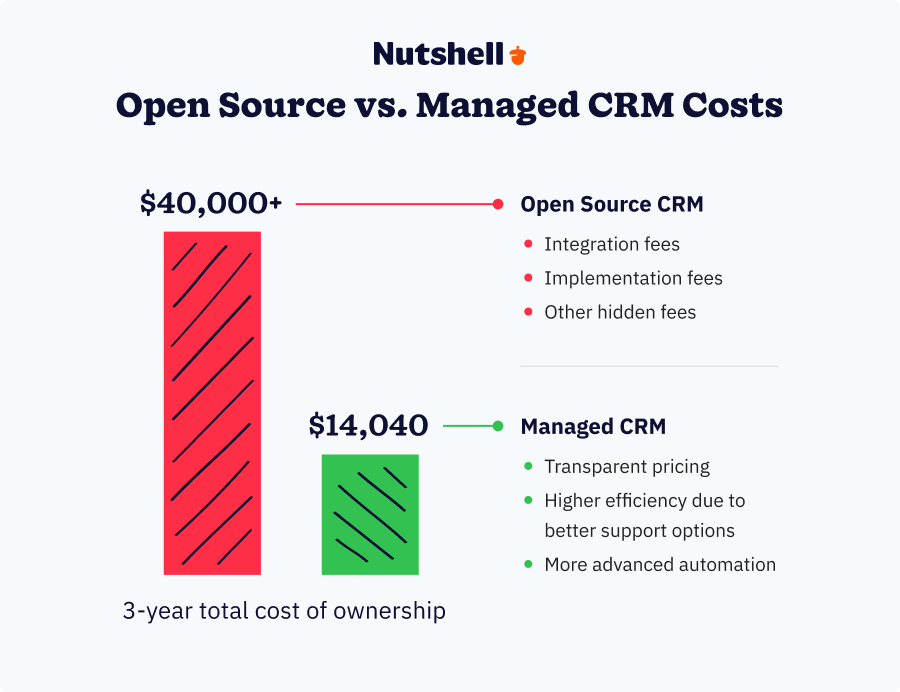
According to Optrua research, the true total cost of CRM ownership is 1.5 to 2 times the initial Year 1 budget. Here’s what that means in practice:
Open source CRM (SuiteCRM example):
- Year 1 costs: $5,000 platform setup + $20,000 developer time + $8,000 integrations + $3,000 training = $36,000
- Years 2–3: $2,000 annual maintenance × 2 = $4,000
- 3-year total: $40,000 (or 1.1× Year 1 budget—actually conservative estimate; many organizations spend 2× Year 1 cost)
Managed CRM (Nutshell example, 10-person team):
- Year 1 costs: $39/user/month × 10 users × 12 months = $4,680
- Years 2–3: Same cost per year = $9,360
- 3-year total: $14,040 (0.39× Year 1 open source cost)
Additionally, implementation of a managed CRM takes 2–3 weeks vs. open source’s 12+ weeks of extended productivity loss.
The managed CRM option costs roughly one-third as much over three years and reaches productive use nine weeks faster. That’s not even accounting for the pipeline visibility lost during the extended open source implementation timeline.
Why budget overages happen
Research from Johnny Grow shows that:
- 70% of CRM implementations experience timeline overruns averaging 30%+ beyond original estimates
- 30–49% experience budget overages beyond original projections
- Only 25% achieve objectives, timeline, and budget simultaneously
These aren’t failures of the platforms themselves—they’re failures of realistic planning. Most organizations dramatically underestimate the complexity of data migration, integration, and customization work. Ambitious timelines get pushed back repeatedly as unexpected dependencies emerge.
The difference between open source and managed CRMs compounds over time. Teams using intuitive CRMs consistently use the system and benefit from accurate data. Teams using complex systems work around the system and lose data quality.
Why user adoption fails: The 55% failure rate context
When you hear that 55% of CRM implementations fail, understand what “fail” means:
- The project doesn’t deliver expected ROI
- The team doesn’t achieve the adoption rates needed for the CRM to be valuable
- The system becomes a compliance burden rather than a productivity tool
- The company considers ripping out and replacing the system within 2–3 years
The CRM platform itself isn’t “failing.” Your team is choosing not to use it because the friction exceeds the perceived benefit.
Ongoing maintenance burden
After launch, open source CRMs require continuous attention:
- System administration: Monitoring performance, managing user access, troubleshooting issues. Budget: 4–8 hours per week for mid-sized deployments (one part-time admin).
- Update management: Applying security patches, maintaining dependencies, and testing updates for compatibility. Budget: 2–4 hours per week.
- Customization maintenance: Custom code requires upkeep as the open source platform evolves. Customizations may break with platform updates, requiring developer attention.
- Performance optimization: Monitoring database performance, optimizing queries, and managing storage growth. Technical expertise required.
- User support: Troubleshooting user issues, providing training, and handling configuration requests. Budget: 2–3 hours per week for a 20-person team.
- Real cost: For a mid-sized organization, ongoing CRM administration typically costs $2,000–$4,000 monthly in staff time and contractor fees.
Managed platforms include all ongoing maintenance and support. Nutshell, for example, handles all updates, security, compliance, and infrastructure management—your team focuses on using the system, not maintaining it.
Open source vs. managed CRM: Which is right for your team?
Not every organization should choose open source, but not every organization should choose managed. The right choice depends on your specific situation.
Decision criteria
Evaluate your organization across these six dimensions:
1. Team size and available IT/technical resources: Do you have dedicated IT staff, or is this an add-on responsibility for your admin team? Open source requires at least one person with technical expertise and time availability. Managed CRM works for teams with no technical staff.
2. Budget constraints and capital vs. operational spending: Can you absorb significant upfront implementation costs, or do you prefer predictable monthly spending? Open source often requires $15,000–$30,000 upfront but lower ongoing costs. Managed requires lower upfront costs but predictable monthly spending.
3. Timeline urgency and productivity loss tolerance: How long can your sales team operate without the new CRM? Fast deployment (2–3 weeks) means minimal lost pipeline visibility. Slow deployment (12+ weeks) creates extended productivity loss. How much lost opportunity cost can you tolerate?
4. Integration complexity: How many systems does your CRM need to connect to? Simple integrations (2–3 tools) are manageable with open source. Complex integrations (8+ tools) favor managed solutions with pre-built connectors.
5. Mobile and remote team requirements: Are your sales reps in the field regularly? Do they need full CRM access away from their desks? Mobile-heavy teams need native apps and offline capability—where managed solutions excel.
6. Compliance and security requirements: Does your industry require specific compliance (HIPAA, GDPR, SOC2)? High-compliance industries benefit from vendors managing compliance responsibility. Lower-compliance industries can self-manage more easily.
When IS open source the right choice?
You should choose open source CRM for your organization if:
✓ Dedicated IT staff is available. You should have at least one person with 10+ hours per week to manage customization, updates, and maintenance.
✓ You have complex customization requirements. Your sales process is significantly different from standard CRM flows, requiring deep modification and adjustment.
✓ A long implementation timeline is acceptable. You can absorb 12+ weeks without the new CRM, and your business can function during extended implementation.
✓ You have high integration needs. You’re willing to invest in custom integrations rather than relying on pre-built connectors
✓ Code transparency is critical. Your organization values open source philosophy and wants full access to source code.
✓ You have a sufficient budget for implementation. You can allocate $15,000–$40,000+ for Year 1 implementation costs.
When IS managed CRM the right choice?
Choose managed CRM (like Nutshell) if:
✓ Your IT resources are limited. You don’t have dedicated IT staff, and CRM administration is an add-on responsibility for sales admin.
✓ Fast deployment is a priority. Your team needs pipeline visibility quickly; 2–3 week implementation matters.
✓ Your organization has an adoption-focused culture. You prioritize user adoption and ease of use over unlimited customization.
✓ Your team is mobile- or remote-heavy. Your sales reps operate in the field or remotely, so they need native mobile apps and offline access.
✓ You have integration-focused needs. You need the CRM to connect to 5+ systems; pre-built integrations save time and cost.
✓ You prefer vendor-managed security/compliance. You’d rather have a vendor handle security updates, compliance, and breach responsibility.
✓ Predictable, transparent pricing is critical. You prefer fixed monthly costs with no hidden implementation fees or surprise customization bills.
What are some red flags for open source implementation?
Avoid open source CRM if:
🚩 You have a small team without dedicated IT. If your team has fewer than 10 people and no IT staff, open source maintenance will be overwhelming.
🚩 You have a predominantly remote/mobile sales force. If most of your sales team works from customer sites or home offices, limited mobile functionality will become a critical gap.
🚩 Your workflows are integration-heavy. If you need 8+ system integrations, managing custom integrations will be expensive and time-consuming
🚩 You operate in a compliance-intensive industry. If you operate in HIPAA, GDPR, or SOC2-required industries, compliance liability is too high for self-managed open source tools.
🚩 You need 24/7 support. If your sales team operates across time zones, needing support outside your local business hours, vendor-managed support is essential.
🚩 You’re on an aggressive timeline. If you need to go live within 6 weeks, open source implementation timelines are too slow.
🚩 You have a tight implementation budget. If you can’t allocate $15,000+ for Year 1 implementation, the hidden costs of an open source solution will quickly exceed your budget.

Decision framework checklist
Use this simple checklist to guide your decision:
Your situation: Answer yes or no to each statement
Our organization has at least one staff member with 10+ hours per week to manage CRM administration and customization
Our sales process is significantly different from standard CRM workflows and requires deep customization
We can absorb 12+ weeks for CRM implementation without impacting sales productivity
We plan to integrate the CRM with 8 or more business systems
Code transparency and open source philosophy are critical priorities for our organization
We have $15,000–$40,000+ budgeted for Year 1 CRM implementation
Scoring:
- 4–6 “yes” answers: Open source CRM is likely appropriate; you have resources to manage complexity
- 2–3 “yes” answers: Consider hybrid approach or lean toward managed solution with customization options
- 0–1 “yes” answers: Managed CRM is almost certainly the better choice; open source complexity will exceed your resources
Frequently asked questions to common open source CRM
-
1. What is an open source CRM?
An open source CRM is customer relationship management software where the source code is publicly available and can be modified by anyone. Unlike proprietary CRMs (Salesforce, HubSpot), open source CRMs like SuiteCRM or EspoCRM allow your organization to download the code, customize it however you want, and host it on your own servers or a cloud provider.
The appeal is clear: control, customization, and (theoretically) cost savings. The reality is more nuanced—you trade simplicity and support for flexibility and complexity.
-
2. What are the hidden costs of open source CRM?
While platform licensing is free for many open source CRMs, the total cost of ownership includes:
- Developer time: $100–$200/hour × 80–200+ hours = $8,000–$40,000 for customization and configuration
- Data migration and integration: $2,000–$5,000 per integration; typical organizations need 5–8 integrations = $10,000–$40,000
- Internal staff training and change management: Sales managers and admin staff time; budget $2,000–$5,000
- Ongoing maintenance and support: $1,500–$3,000 monthly for IT support, updates, and troubleshooting
Real total: Most organizations find Year 1 costs of $25,000–$50,000+. Add Years 2–3 maintenance costs, and three-year TCO typically reaches $40,000–$80,000+—far exceeding initial “free software” expectations.
-
3. How long does it take to implement an open source CRM?
The typical timeline ranges from 8–16 weeks for functional deployment. Some of the factors affecting this timeline include:
- Data migration complexity (2–4 weeks): Cleaning and moving existing customer data
- Customization and configuration (4–8 weeks): Building custom workflows and fields
- Integration development (2–6 weeks): Building connections to accounting, email, marketing, and other systems
- Internal resource availability (variable): Delays waiting for stakeholder input and testing
- Testing and adjustment (2–3 weeks): Finding and fixing issues before launch
For comparison, managed CRMs deploy in just 2–3 weeks—meaning your team gains productive use 6–13 weeks sooner.
-
4. Why do 55% of CRM implementations fail?
According to industry research, the majority of CRM failures break down as:
- User adoption failure (40–60% of failures): Sales team doesn’t use the system consistently; they continue relying on email and spreadsheets instead
- Lack of system integration (17% of failures): CRM doesn’t connect to the tools the team already uses, creating friction
- Complexity of use (7% of failures): Interface requires too many clicks; sales reps perceive the system as slowing them down
The root cause? Interface complexity and poor user adoption potential. The data clearly shows organizations with intuitive CRMs achieve 81% adoption vs. 26% average—a more than 3× difference driven primarily by ease of use.
-
5. Should we choose open source or managed CRM?
The decision depends on your specific situation. You should choose open source software if:
- You have dedicated IT staff with 10+ hours per week available for CRM administration
- Your sales process is significantly different from standard CRM workflows (deep customization required)
- You can absorb 12+ weeks for implementation without productivity loss
- You plan 8+ system integrations and want to manage custom integration development
- Code transparency and open source philosophy are critical organizational values
- You have $15,000–$40,000+ budgeted for Year 1 implementation
However, you should choose managed CRM if:
- You have limited IT resources; CRM administration is an add-on responsibility
Fast deployment is critical; you need the system live within 6 weeks
Your team prioritizes adoption and ease of use over unlimited customization
Most of your sales team works remotely or in the field (need native mobile apps)
You need 5+ system integrations (prefer pre-built connectors over custom development)
You want vendor-managed security, compliance, and infrastructure responsibility
You prefer transparent pricing with zero hidden implementation fees
The bottom line? Your best CRM choice depends on your organizational resources and priorities, not just the ticket price.
Making the right CRM choice for your team
Open source CRMs are legitimate, powerful solutions. They offer genuine advantages for organizations with dedicated IT resources, complex customization requirements, and long-term commitment to managing their own infrastructure.
But here’s what the research tells us: most CRM implementations fail. implementations fail. And the primary driver isn’t platform capability—it’s user adoption. Sales teams abandon CRMs when the interface feels complex, when the system requires too many clicks, when mobile access is weak, or when the system doesn’t integrate seamlessly with the tools they already use.
Open source platforms often struggle in these areas. They prioritize customization depth and feature breadth over user experience design. For organizations with dedicated IT teams, that trade-off makes sense. For most sales and administration teams, it doesn’t.
The real decision isn’t “open source vs. paid.” It’s “customization and control vs. speed and adoption.”
The best CRM is the one your team will actually use—consistently, without resistance, and in a way that moves deals forward. Your job is determining whether that’s an open source platform your IT team manages, or a managed platform your sales team adopts naturally.

Let’s Talk
Have a question? Need a volume discount? Send us a message or book a meeting with a Sales rep to start the conversation.
 BACK TO TOP
Ready to try
Nutshell for Free?Thank you! Your submission has been received!Oops! Something went wrong while submitting the form.





For Nutshell Customers Only: Get 20% Off Paymo, Your New Favorite Project Management Software
Published on: November 10, 2022
Double Your Close Rate With These Sales Phone Script Examples & Templates
Published on: November 10, 2022Highly Effective Strategies for Elevating Sales Team Performance
Published on: November 10, 2022Establishing a System for CRM Data Entry and Management
Published on: April 11, 2023Introducing Nutshell Forms Spam Prevention
Published on: April 22, 2024Join 30,000+ other sales and marketing professionals. Subscribe to our Sell to Win newsletter!










