The Truth About HubSpot’s Free CRM: Costs, Limitations, and Affordable Alternatives

-

Quick answer: Is HubSpot’s free CRM actually free?
While HubSpot’s CRM is genuinely free to start, it is designed with significant limitations—such as a 1,000-contact cap, a 2-user limit, and no automated workflows—that often force growing businesses to upgrade to expensive paid tiers within 6–12 months. For small teams that need more flexibility, affordable alternatives like Nutshell, Freshsales, and Zoho CRM offer essential features like full automation and custom reporting at a much lower starting price point.
Key takeaways
- HubSpot’s free CRM is genuinely free, but it’s designed to get you hooked before upselling you on premium features
- Most SMBs outgrow the free plan within one year due to automation limitations, contact limits, and reporting restrictions
- Better alternatives exist that offer more features at lower price points, including Nutshell, Freshsales, and Zoho CRM
- Automation is the biggest gap in HubSpot’s free plan—you’ll need to upgrade to $50/month to access basic workflows
- Transparent pricing matters—some CRMs like Nutshell include automation and unlimited contacts from day one
We hear this question all the time: Is HubSpot’s free CRM really free?
On the surface, HubSpot’s free plan looks like an incredible deal—up to 1,000 contacts, basic deal tracking, and email integration without paying a dime. But here’s what we’ve learned from working with thousands of SMBs: more software providers are ending or de-prioritizing their free plans in favor of free trials and low-cost starter plans. Free CRMs that have stuck around often come with hidden limitations that force you to upgrade sooner than you’d expect.
We’ve been helping businesses find the right CRM for over 15 years, and we’ve seen this pattern repeat itself. Companies start with HubSpot’s free plan, hit a limitation within 6-12 months, and suddenly they’re looking at a $50+ monthly bill per seat for features they thought would be included. That’s why we created this guide—to give you the honest truth about HubSpot’s free CRM and show you what actually works for growing SMBs.
Table of Contents
- What’s included in HubSpot’s free CRM
- Comparison table: HubSpot’s free plan features
- Critical limitations of HubSpot’s free plan
- The hidden cost problem
- When HubSpot’s free plan actually makes sense
- When HubSpot’s free plan falls short
- Better alternatives to HubSpot’s free CRM
- Nutshell vs. HubSpot free: Detailed comparison
- Implementation and adoption: Why ease of use matters
- Making the decision: Is HubSpot free right for you?
- Industry-specific CRM considerations
- Integration & data migration
- Security and data privacy
- Mobile CRM: Why it matters
- Training and onboarding
- Frequently asked questions
What’s included in HubSpot’s free CRM
HubSpot’s free plan includes a solid foundation of core CRM features. Here’s what you actually get:
- Contact management with unlimited contacts
- Deal pipelines and sales tracking
- Email integration and tracking
- Basic reporting dashboard
- Task management and reminders
- Meeting scheduler
- Form builder
- Chat flows and chatbots
- Document management
- Mobile app access
- Breeze Assistant (AI-powered beta feature)
- CRM import tools
- Basic company/account management
Comparison table: HubSpot free plan features
Feature Included Not Included Contact Management ✅ Deal Pipelines ✅ Email Integration ✅ Task Management ✅ Basic Reporting ✅ Automation/Workflows ❌ Custom Reporting ❌ A/B Testing ❌ Advanced Permissions ❌ Multiple User Seats Limited (2) API Access Limited To be fair, HubSpot has done a good job making their free plan genuinely useful for solo founders and very small teams. The interface is clean, the onboarding is straightforward, and you can actually run a basic sales operation without paying anything. But that’s exactly where the limitations start to bite.
Critical limitations of HubSpot’s free plan
Here’s where the “free” label starts to feel misleading. HubSpot’s free plan has several hard stops that will force you to upgrade sooner than planned.
Contact limit gotcha
While HubSpot advertises “unlimited contacts,” there’s a catch: the free plan limits you to 1,000 contacts in your CRM. Once you hit that number, you can’t add more without upgrading. For a solo founder or tiny team, reaching this limit might take 6-12 months. But for any team with real sales activity, you’ll hit this wall quickly.
Think about it. If you’re doing any kind of outreach, you’re probably adding 50–100 contacts per month. That means you’ve got roughly 10–20 months before you’re stuck. And when you do hit the limit, you can’t just add a few more—you have to upgrade your entire account.
No advanced automation
This is the biggest limitation. HubSpot’s free plan includes basic task reminders and email tracking, but it doesn’t include workflows or automation. You can’t automatically send follow-up emails, create tasks based on deal stage changes, or trigger actions based on contact behavior.
Want to send a welcome email to every new contact, or automatically create a task when a deal moves to a certain stage in your pipeline? You’ll need to upgrade to the Starter plan ($50/month).
For a sales team, this is a deal-breaker. Automation is what separates a true CRM from a glorified contact database.
Limited reporting
While the free plan gives you a basic reporting dashboard, you can’t create custom reports. You’re stuck with whatever HubSpot decides to show you. If you need to track specific metrics, create custom dashboards, or generate reports for your board, you’ll need to upgrade to Professional ($50/user/month).
Limited user seats
HubSpot’s free plan allows only 2 user seats. If you have a team of 3 or more people, you’re already over the limit. Each additional user requires an upgrade to a paid plan.
Other limitations
- No required fields on forms or contact records
- No permission sets to control what different team members can see or do
- No duplicate management tools
- Limited integrations compared to paid plans
- No API access for custom integrations
- Community support only (no direct support from HubSpot)
The hidden cost problem
Here’s what we see happen with HubSpot’s free plan: companies start with the free version, everything feels great for the first few months, and then they hit a limitation. Suddenly, they’re looking at upgrading to Starter ($15−$20/month/user), then Professional ($50-$75/month/user), and before they know it, they’re paying more than $200 per month for a team of 3–4 people.
Free plans are disappearing across the CRM industry, and HubSpot’s free plan is a perfect example of why. It’s not really free—it’s a loss leader designed to get you invested in the platform before hitting you with upgrade costs.
HubSpot pricing progression table
Plan Price per User/Month Best For Key Limitations Free $0 Solo founders No automation, 1,000 contact limit, 2 users Starter $15-$20 Small teams Limited automation, basic reporting Professional $50-$75 Growing teams Full automation, custom reporting Enterprise $120+ Large organizations Advanced features, dedicated support Real-world cost example:
Let’s say you’re a 3-person sales team using HubSpot’s free plan. You hit the 1,000 contact limit after 8 months and need automation for follow-ups. Here’s what you’d pay:
- Month 1-8: $0 (free plan)
- Month 9+: $50/month/user × 3 users = $150/month
- Annual cost after upgrade: $1,800/year
Compare that to Nutshell, which costs $13/month/user (billed annually) with automation and unlimited contacts included from day one:
- Month 1-12: $13/month/user × 3 users = $39/month
- Annual cost: $468/year
That’s a $1,332 difference in year one alone. And that’s before you factor in the time your team spends managing workarounds for missing features.
You can also compare Nutshell vs HubSpot directly to see everything included at each price point.
When HubSpot’s free plan actually makes sense
Let’s be balanced here. HubSpot’s free CRM isn’t a scam—it genuinely works for certain situations.
HubSpot’s free plan is right for you if:
- You’re a solo founder with fewer than 500 contacts
- You don’t need automation or workflows
- You’re okay with basic reporting
- You’re willing to upgrade within 6-12 months
- You want to test-drive a CRM before committing to paid software
- You’re primarily using HubSpot for contact management, not sales automation
Checklist: Is HubSpot free right for you?
- ☐ Your team has 2 or fewer people
- ☐ You have fewer than 500 contacts
- ☐ You don’t need automated workflows
- ☐ You’re comfortable with basic reporting
- ☐ You’re not integrating with other tools
- ☐ You’re okay with community support only
If you checked 5+ boxes, HubSpot’s free plan might work for you. If you checked fewer than 3, keep reading—there are better options.
When HubSpot’s free plan falls short
For most growing SMBs, HubSpot’s free plan falls short pretty quickly. Here are the scenarios where it becomes a problem:
Sales teams needing automation
If you’re running any kind of sales operation, you need automation. You need to automatically send follow-ups, create tasks, and trigger actions based on deal progress. HubSpot’s free plan doesn’t have this. You’ll be manually managing everything, which defeats the purpose of having a CRM.
Growing businesses hitting contact limits
Once you hit 1,000 contacts, you’re stuck. You can’t add more without upgrading. For any business with real sales activity, this happens fast. And when it does, you’re forced to upgrade your entire account, not just add a few more contacts.
Teams needing custom reporting
The free plan’s basic reporting dashboard is fine for a solo founder, but if you need to track specific metrics, create custom dashboards, or generate reports for stakeholders, you’ll need to upgrade. This is especially true if you’re trying to measure ROI or track sales performance.
Multi-user teams
If you have more than 2 people on your team, HubSpot’s free plan doesn’t work. You’ll need to upgrade to a paid plan, which means paying for each additional user.
Businesses needing integrations
HubSpot’s free plan has limited integration options. If you need to connect to your email marketing platform, accounting software, or other business tools, you might hit limitations. Paid plans have access to more integrations.
Better alternatives to HubSpot’s free CRM
If HubSpot’s free plan doesn’t fit your needs, there are better options. We’ve evaluated the top CRM alternatives for SMBs, and here’s what we found:
CRM Rating Best For Starting Price Automation Reporting Integrations Nutshell 4.7/5 SMBs prioritizing transparency and automation $13/user/month, charged annually ✅ Full ✅ Custom 1,900+ Freshsales 4.5/5 Sales teams wanting AI automation $9/user/month, charged annually ✅ Full ✅ Custom 500+ Zoho CRM 4.4/5 Growing SMBs needing customization $14/user/month, charged annually (free plan available for 3 users) ✅ Full ✅ Custom 1,000+ Close 4.3/5 High-velocity sales teams $9/user/month, charged annually ✅ Full ✅ Custom 500+ EngageBay 4.2/5 Affordable HubSpot alternative for small teams $13.79/user/month, charged annually (free plan available) ✅ Full ✅ Custom 400+ Pipedrive 4.1/5 Sales teams prioritizing pipeline management $14/user/month, charged annually ✅ Full ✅ Custom 500+ HubSpot Free 3.8/5 Solo founders with minimal needs Free ❌ Limited ❌ Basic Limited Let’s break down each alternative:
Nutshell: Best for SMBs prioritizing transparency and automation
Rating: 4.7/5
Best for: Budget-conscious SMBs that want automation included from day one

Quick summary: Nutshell is built specifically for SMBs that want a transparent, affordable CRM without surprise upgrade costs. Unlike HubSpot, automation is included in every plan, and there are no hidden contact limits. We’ve worked with over 5,000 companies across 40+ industries, and we’ve built our platform around the “next-action” approach—helping teams focus on the most important tasks to move deals forward.
Key features:
- Automation included: Full workflow automation from day one
- Transparent pricing: $13/month per user with no surprise upgrades
- No contact limits: Unlimited contacts at every price point
- 1,900+ integrations: Connect to your entire tech stack
- Industry-specific tools: Built for B2B, professional services, manufacturing, tech, construction, and home services
- Next-action approach: Focuses teams on the most important tasks
- Human support: Real support from real people, not just community forums
Pros:
- Automation included in every plan (no $50/month upgrade)
- Transparent pricing with no hidden costs
- Unlimited contacts at every price point
- Designed specifically for SMBs
- 1,900+ integrations
- Strong customer support
- Industry-specific expertise
Cons:
- Smaller company than HubSpot (but that’s also an advantage—more personalized support)
- Fewer AI features than some competitors
- Smaller user community than HubSpot
Pricing: Starting at $13/month per user (billed annually).
Freshsales: Best for sales teams wanting AI automation
Rating: 4.5/5
Best for: Sales teams that want AI-powered automation and lead scoring
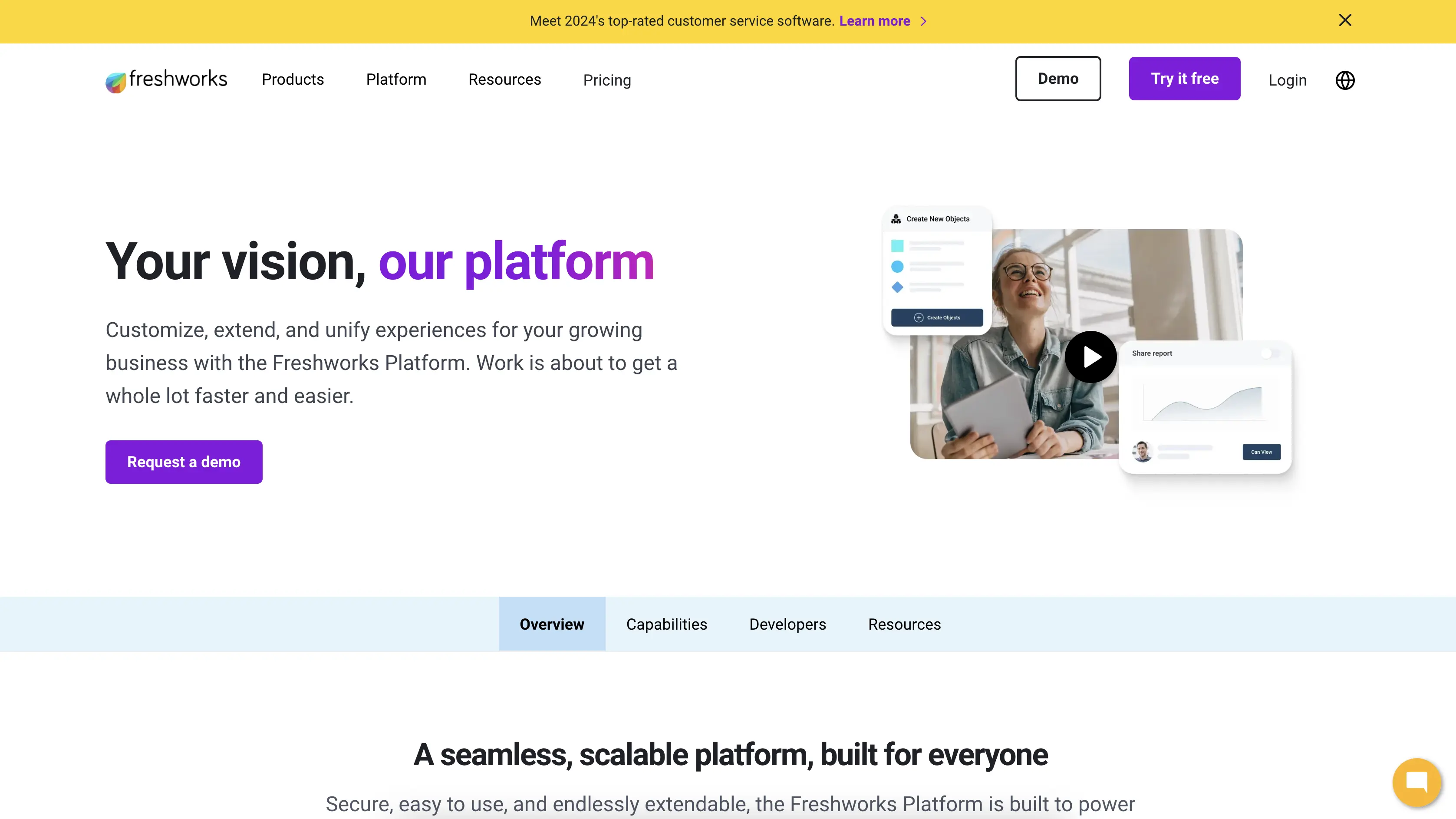
Quick summary: Freshsales is built for sales teams that want advanced automation and AI features. It includes AI-powered lead scoring, predictive analytics, and intelligent automation. The interface is clean and sales-focused, making it easy for reps to adopt.
Key features:
- AI-powered lead scoring: Automatically prioritize high-value leads
- Predictive analytics: Forecast sales and identify at-risk deals
- Advanced automation: Full workflow automation included
- Sales acceleration tools: Built-in calling, SMS, and email
- Mobile-first design: Optimized for sales reps on the go
- 500+ integrations: Connect to your existing tools
Pros:
- AI features included from day one
- Affordable pricing starting at $9/month
- Sales-focused interface
- Strong mobile app
- Good automation capabilities
Cons:
- Smaller integration ecosystem than Nutshell
- Less customization than Zoho
- Smaller user community
Pricing: Starting at $9/month per user.
Zoho CRM: Best for growing SMBs needing customization
Rating: 4.4/5
Best for: Growing SMBs that need deep customization and advanced features
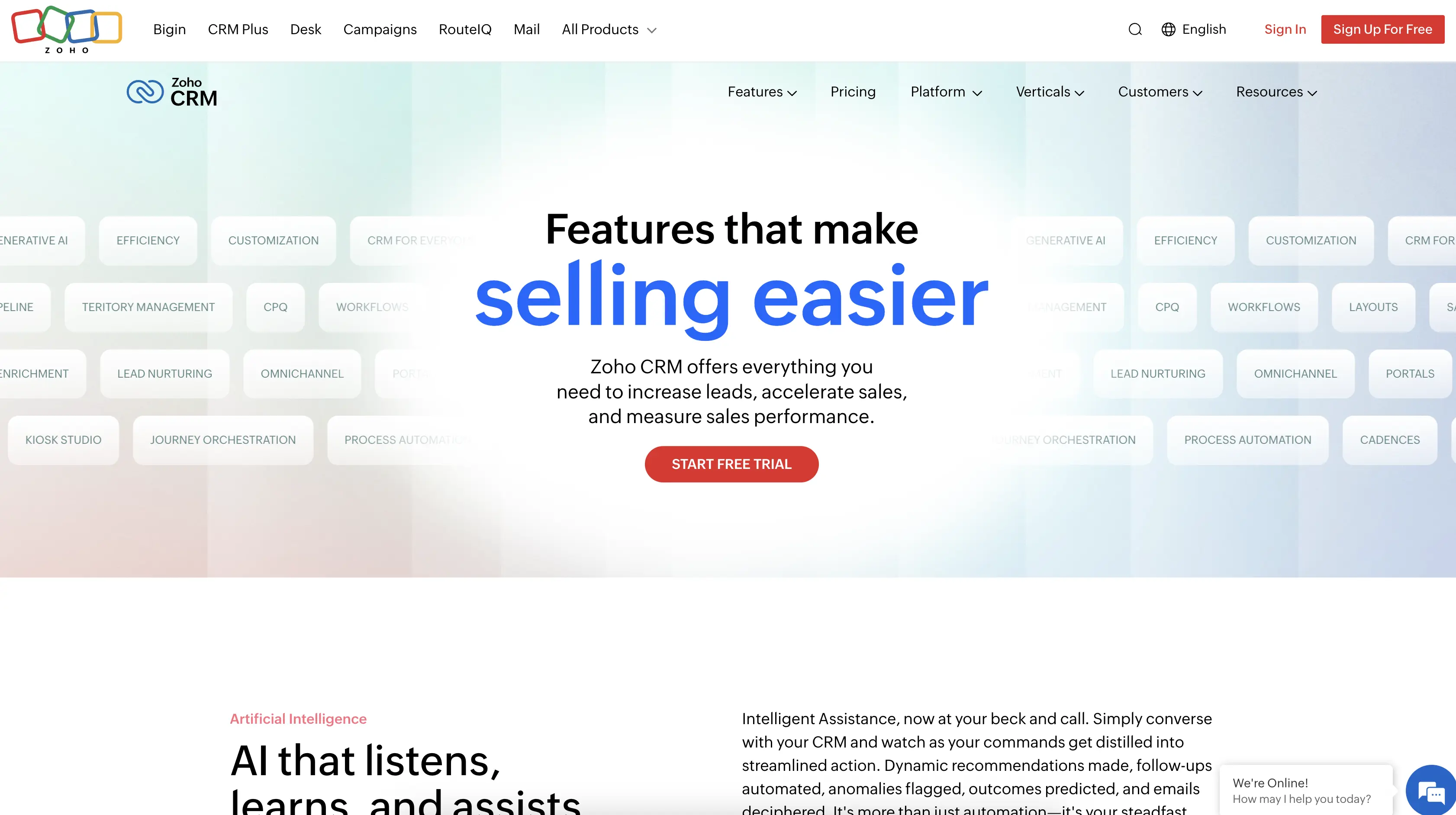
Quick summary: Zoho CRM is a powerful, customizable platform that grows with your business. It’s part of the larger Zoho ecosystem, which means you can integrate with dozens of other Zoho apps. The platform is feature-rich and flexible, making it ideal for teams with specific needs.
Key features:
- Deep customization: Build custom fields, modules, and workflows
- 1,000+ integrations: Connect to your entire tech stack
- Advanced automation: Full workflow automation included
- AI-powered insights: Zia AI assistant for predictions and recommendations
- Multi-channel communication: Email, phone, SMS, social media
- Scalable: Grows with your business
Pros:
- Highly customizable
- Affordable pricing starting at $14/month
- 1,000+ integrations
- Part of larger Zoho ecosystem
- Strong automation capabilities
Cons:
- Steeper learning curve than simpler platforms
- Interface can feel overwhelming for small teams
- Smaller user community than HubSpot
Pricing: Starting at $14/month per user.
Close: Best for high-velocity sales teams
Rating: 4.3/5
Best for: Sales teams that need calling, SMS, and email built into one platform
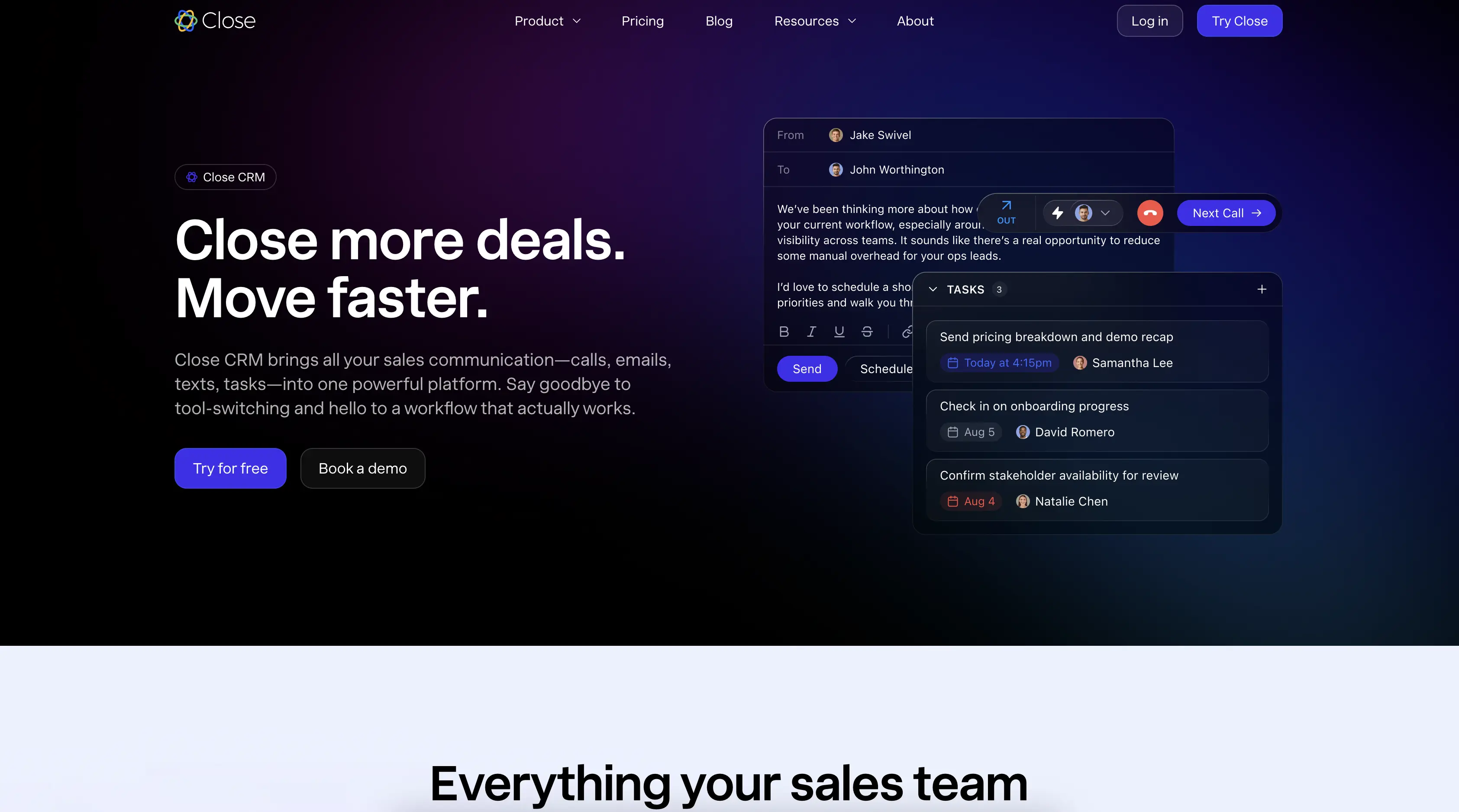
Quick summary: Close is built for high-velocity sales teams that need to move fast. It includes built-in calling, SMS, and email, so you don’t need separate tools. The platform is designed to minimize friction and keep reps focused on selling.
Key features:
- Built-in calling: Make calls directly from the CRM
- SMS automation: Send automated text messages
- Email automation: Full email automation included
- Activity tracking: Automatic logging of calls, emails, and SMS
- Pipeline management: Visual pipeline with drag-and-drop deals
- 500+ integrations: Connect to your existing tools
Pros:
- Built-in calling and SMS (no separate tools needed)
- Affordable pricing starting at $9/month
- Fast, streamlined interface
- Strong automation capabilities
- Good for high-volume sales teams
Cons:
- Fewer customization options than Zoho
- Smaller integration ecosystem
- Less suitable for non-sales teams
Pricing: Starting at $9/month per user.
EngageBay: Best for an affordable HubSpot alternative
Rating: 4.2/5
Best for: SMBs that want CRM, marketing automation, and customer support in one platform
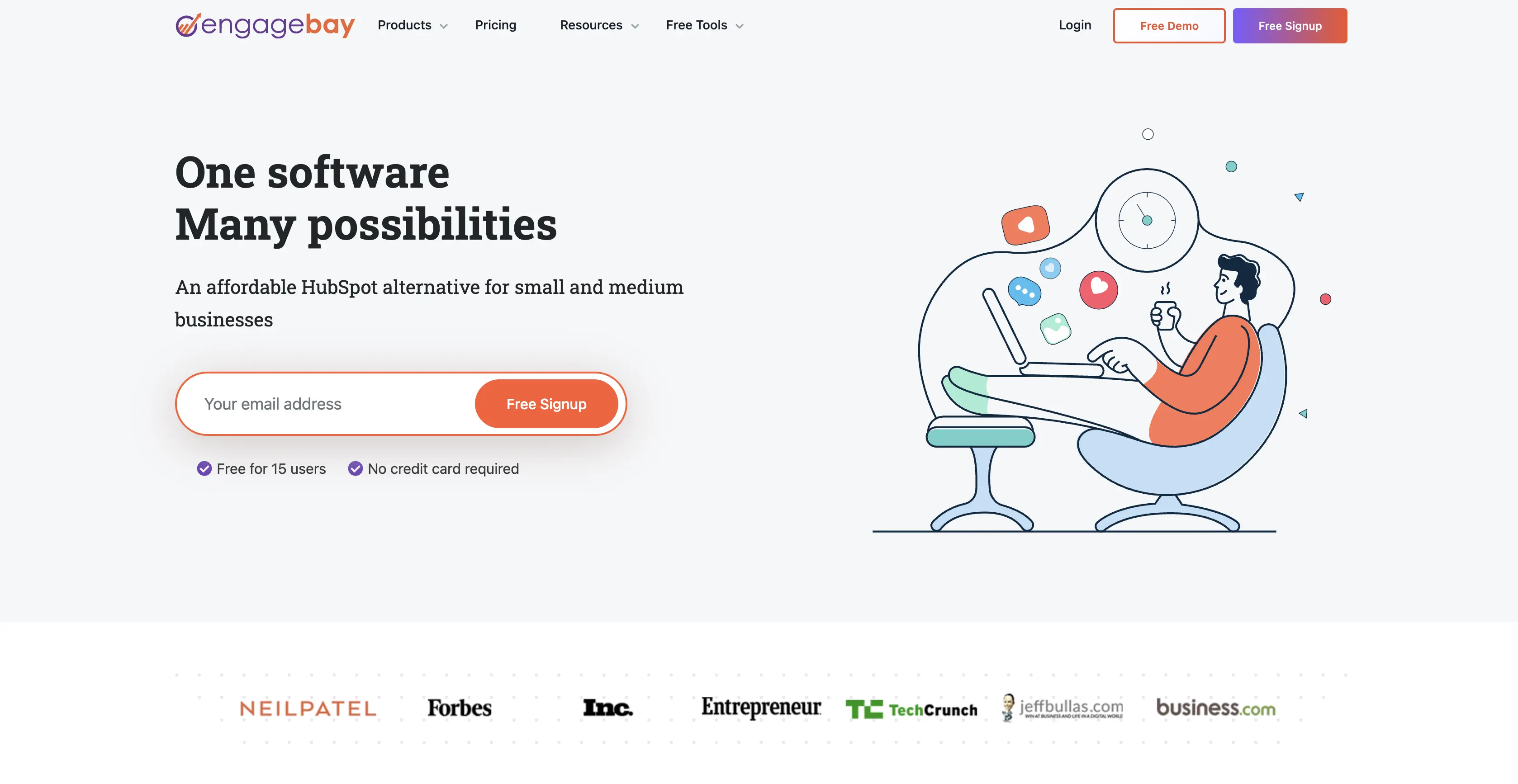
Quick summary: EngageBay is an all-in-one platform that combines CRM, marketing automation, and customer support. If you want to consolidate your tools and reduce costs, EngageBay is worth considering. It’s particularly good for SMBs that don’t need enterprise-level features.
Key features:
- All-in-one platform: CRM, marketing automation, and support
- Affordable pricing: Starting at $9/month
- Full automation: Workflows and automation included
- 400+ integrations: Connect to your existing tools
- Email marketing: Built-in email marketing automation
- Customer support: Ticketing and support tools included
Pros:
- All-in-one platform reduces tool sprawl
- Affordable pricing
- Good for SMBs
- Includes marketing automation and support
- Full automation included
Cons:
- Less specialized than dedicated CRM platforms
- Smaller user community
- Fewer advanced features than specialized tools
Pricing: Starting at $9/month per user.
Pipedrive: Best for sales teams prioritizing pipeline management
Rating: 4.1/5
Best for: Sales teams that want a visual, pipeline-focused CRM
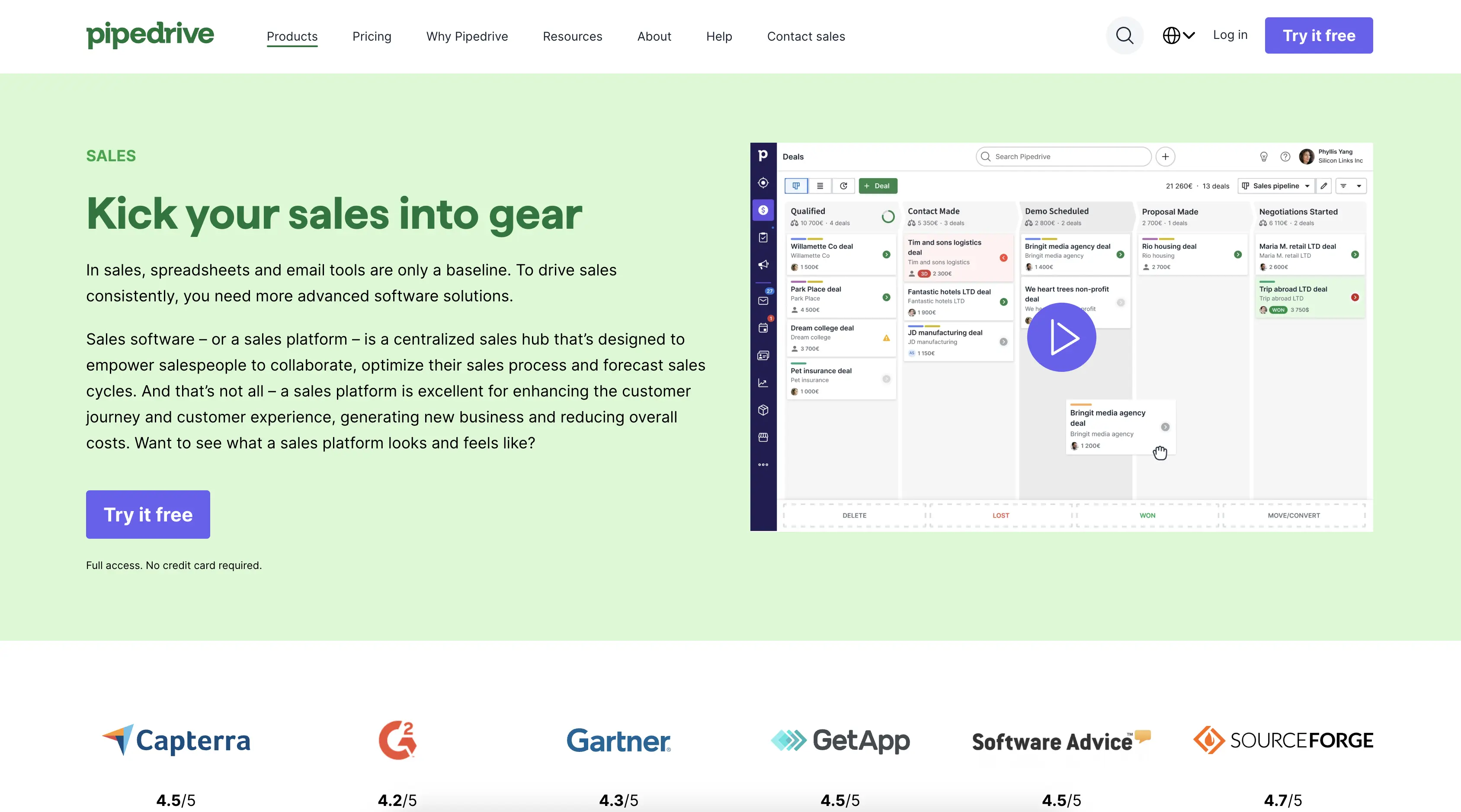
Quick summary: Pipedrive is built for sales teams that think in terms of pipelines. The interface is visual and intuitive, with a focus on deal management. It’s particularly good for teams that want to see their entire pipeline at a glance.
Key features:
- Visual pipeline: Drag-and-drop deal management
- Activity reminders: Automatic reminders to follow up
- Sales forecasting: Predict revenue based on pipeline
- Mobile app: Full CRM access on the go
- 500+ integrations: Connect to your existing tools
- Automation: Full workflow automation included
Pros:
- Excellent visual pipeline interface
- Affordable pricing starting at $9/month
- Strong mobile app
- Good for sales-focused teams
- Full automation included
Cons:
- Less suitable for non-sales teams
- Fewer customization options than Zoho
- Smaller integration ecosystem than Nutshell
Pricing: Starting at $9/month per user
Nutshell vs. HubSpot free: Detailed comparison
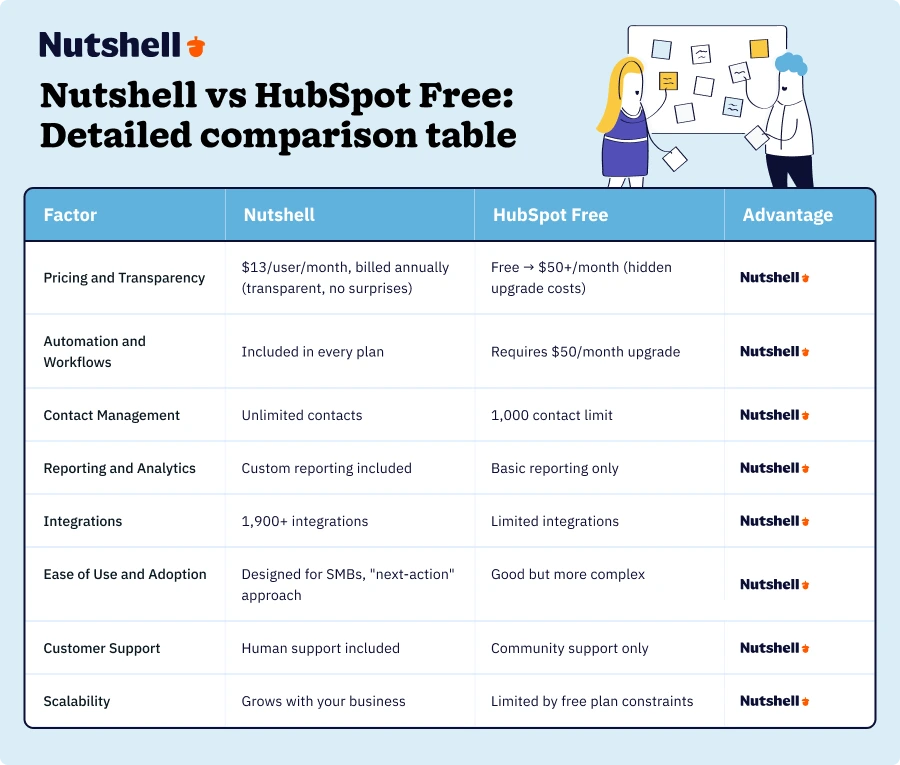
Since Nutshell is the top CRM on our list, you might have some questions about how it can help you replace HubSpot’s free plan. If you’re trying to decide between the two platforms, here’s a detailed breakdown of how they compare across 8 key factors:
Nutshell vs. HubSpot free: Detailed comparison table
Here’s a real-world cost example. Let’s compare the total cost of ownership for a 3-person sales team over 12 months:
HubSpot path:
- Months 1-8: $0 (free plan)
- Months 9-12: $150/month ($50/month × 3 users for Professional plan with automation)
- Total year 1 cost: $600
- Year 2+ cost: $1,800/year
Nutshell path:
- Months 1-12: $39/month ($13/month × 3 users)
- Total year 1 cost: $468
- Year 2+ cost: $468/year
Savings with Nutshell: $132 in year 1, $1,332 in year 2+
Plus, you get automation from day one with Nutshell, which means your team is more productive immediately.
Customer testimonial:
“We started with HubSpot’s free plan, but hit the contact limit after 6 months. When we saw the upgrade costs, we looked for alternatives. Nutshell gave us everything we needed—automation, unlimited contacts, and transparent pricing—at a fraction of what HubSpot wanted to charge us. We’ve saved thousands and our team is actually more productive.” — Sarah M., Sales Manager
Key statistics on CRM adoption and ROI:
- $8.71 ROI per dollar spent on CRM software
- 20-70% of CRM projects fail due to poor adoption
- 29% increase in sales with CRM implementation
- 81% more likely to succeed with consistent CRM usage
- 65% of sales reps with mobile CRM achieved quota
Implementation and adoption: Why ease of use matters
Here’s something most CRM vendors won’t tell you: the software doesn’t matter if your team doesn’t use it. This is why ease of use is so critical.
Key adoption statistics:
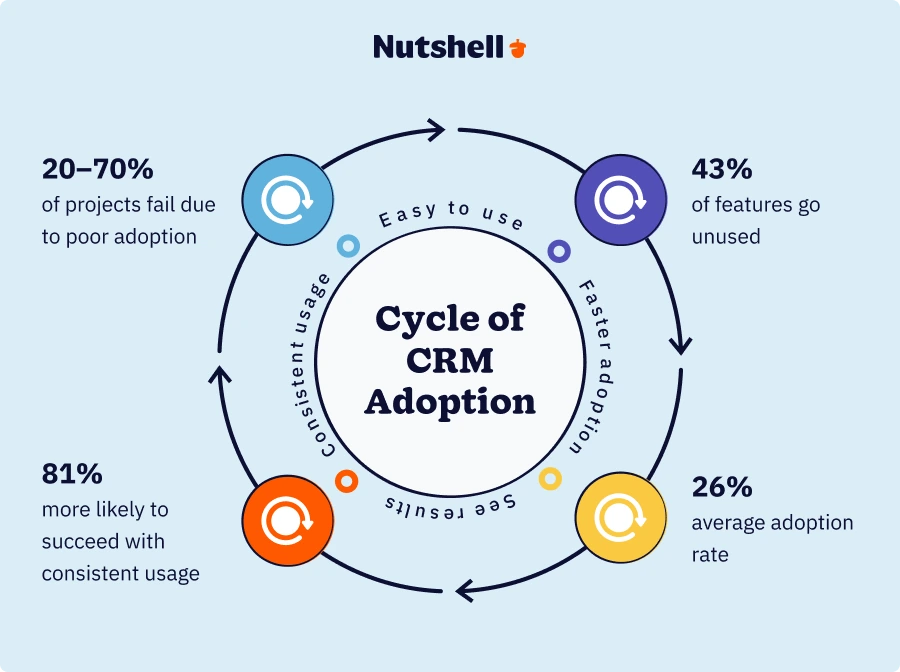
- 20-70% of CRM projects fail primarily due to poor user adoption
- 43% of CRM features go unused due to complexity
- Average CRM adoption rate is only 26% across all sectors
Think about that: if you implement a CRM and only 26% of your team actually uses it, you’re wasting money and missing out on the benefits.
Why ease of use matters:
When your team finds a CRM easy to use, they adopt it faster. When they adopt it faster, they see results faster. When they see results, they use it more consistently. It’s a virtuous cycle.
HubSpot’s interface is good, but it’s designed for larger teams with dedicated CRM administrators. Nutshell’s interface is designed specifically for SMBs—it’s simpler, more intuitive, and requires less training.
Nutshell’s “next-action” approach:
One of the reasons Nutshell has strong adoption rates is the “next-action” approach. Instead of overwhelming your team with options, the CRM highlights the most important task for each deal. This keeps your team focused on what matters most—moving deals forward.

Checklist for successful CRM implementation:
- Choose a CRM designed for your team size (not enterprise software for a 3-person team)
- Invest in training and onboarding (don’t just turn it on and hope)
- Start with core features (don’t try to use everything at once)
- Get executive buy-in (leadership needs to champion adoption)
- Measure adoption metrics (track who’s using it and how)
- Provide ongoing support (don’t abandon your team after launch)
Making the decision: Is HubSpot free right for you?
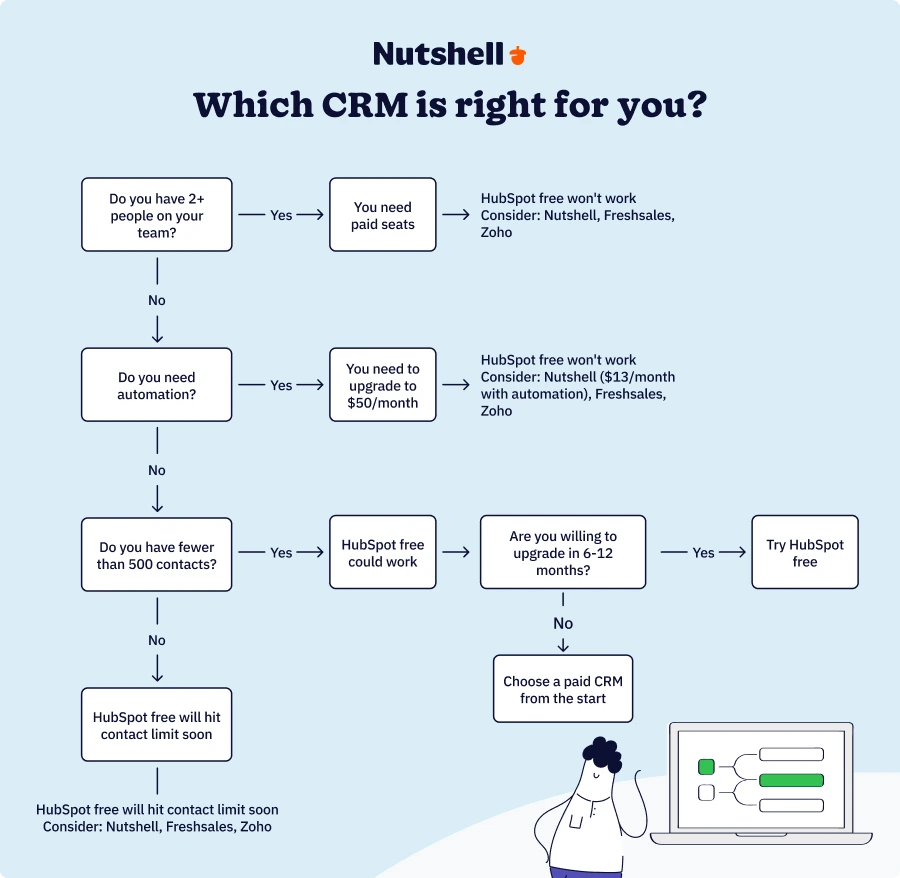
Let’s cut through the noise so you can make a decision. Answer these 6 questions honestly:
Decision checklist:
- Do you have 2 or fewer people on your team?
- Yes → Continue to question 2
- No → HubSpot free probably won’t work (you’ll need paid seats)
- Do you have fewer than 500 contacts?
- Yes → Continue to question 3
- No → HubSpot free will hit the 1,000 contact limit soon
- Do you need automation or workflows?
- Yes → HubSpot free won’t work (you’ll need to upgrade to $50/month)
- No → Continue to question 4
- Are you okay with basic reporting?
- Yes → Continue to question 5
- No → HubSpot free won’t work (custom reporting requires upgrade)
- Are you willing to upgrade within 6-12 months?
- Yes → Continue to question 6
- No → Consider a paid CRM from the start
- Is your primary goal to test-drive a CRM before committing?
- Yes → HubSpot free could work
- No → Consider a paid alternative
Scoring guidance:
- 5-6 “Yes” answers: HubSpot’s free plan could work for you
- 3-4 “Yes” answers: Consider a paid alternative like Nutshell or Freshsales
- 0-2 “Yes” answers: Definitely choose a paid CRM—HubSpot free will frustrate you
Download our Sales Manager’s Survival Guide!
Ready to become the best sales manager for your team? Get 70+ leading tips and strategies from the experts for sales management success with our Sales Manager’s Survival Guide.
Industry-specific CRM considerations
Different industries have different CRM needs. Here’s why industry-specific features matter.
A CRM built for B2B sales has different features than one built for real estate or construction. The best CRM for your business is one that understands your industry’s specific workflows, terminology, and challenges.
Industry examples:
- B2B sales: Need long sales cycles, multiple stakeholders, and complex deal tracking
- Professional services: Need project tracking, time tracking, and resource management
- Construction: Need job management, scheduling, and equipment tracking
- Home services: Need appointment scheduling, service tracking, and customer communication
Nutshell serves 40+ industries including B2B, professional services, manufacturing, tech, construction, and home services.
Integration & data migration
One of the biggest headaches with switching CRMs is data migration. Here’s what you need to know:
Why integrations matter:
Your CRM doesn’t exist in a vacuum. It needs to connect to your email, accounting software, marketing automation platform, and other business tools. The more integrations available, the more seamlessly your CRM fits into your existing tech stack.
Data migration guidance:
When switching from HubSpot to another CRM, you’ll need to migrate your contacts, companies, deals, and activity history. Here’s what to expect:
- Export your data: Most CRMs allow you to export data as CSV files
- Clean your data: Remove duplicates and outdated information
- Map your fields: Make sure fields match between systems
- Test the migration: Do a small test migration first
- Plan for downtime: Schedule migration during off-hours
- Train your team: Make sure everyone knows how to use the new system
Nutshell integrates with 1,900+ applications, including:
- Email platforms (Gmail, Outlook, etc.)
- Marketing automation (Mailchimp, ActiveCampaign, etc.)
- Accounting software (QuickBooks, Xero, etc.)
- Communication tools (Slack, Microsoft Teams, etc.)
- Project management (Asana, Monday.com, etc.)
- And hundreds more
Security and data privacy
When choosing a CRM, security and data privacy should be top priorities. Here’s why security matters: Your CRM contains sensitive customer data—contact information, deal details, communication history, and more. A security breach could expose this data and damage your reputation.
Key security considerations:
- Data encryption: Is data encrypted in transit and at rest?
- Access controls: Can you control who sees what data?
- Compliance: Does the CRM comply with GDPR, CCPA, and other regulations?
- Backup & recovery: Does the CRM have automatic backups?
- Audit trails: Can you track who accessed what data and when?
- Two-factor authentication: Can you require 2FA for account access?
Nutshell takes security seriously. We offer:
- 256-bit SSL encryption for all data in transit
- Role-based access controls to limit who sees what
- GDPR and CCPA compliance for data privacy
- Automatic daily backups with disaster recovery
- Audit trails for compliance and security
- Two-factor authentication for account security
Mobile CRM: Why it matters
In today’s world, your sales team isn’t always at their desk. They’re meeting with clients, attending events, and working from coffee shops. That’s why mobile CRM access is critical—while 65% of sales reps with mobile CRM access achieved quota, only 45% of sales reps without it could do the same.
Mobile capabilities to look for:
- Full CRM access: Can you access all CRM features on mobile?
- Offline access: Can you work without internet connection?
- Push notifications: Do you get alerts for important events?
- Easy data entry: Can you quickly add contacts and log activities?
- Call integration: Can you make calls directly from the app?
- Native apps: Are there native iOS and Android apps (not just web)?
Nutshell’s mobile advantage:
Nutshell offers native iOS and Android apps with full CRM access. Your team can:
- View and update contacts on the go
- Log calls and activities
- Update deal stages
- Access reports and dashboards
- Receive push notifications for important events
- Work offline and sync when reconnected
Training and onboarding
Here’s a hard truth: 20-70% of CRM projects fail due to poor adoption. The software doesn’t matter if your team doesn’t use it.
Training resources to look for:
- Onboarding guides: Step-by-step setup instructions
- Video tutorials: Visual guides for key features
- Knowledge base: Searchable documentation
- Live training: Webinars or training sessions
- Email support: Direct support from the vendor
- Community forums: Peer-to-peer support
Nutshell’s training advantage:
Nutshell provides comprehensive training and support:
- Personalized onboarding: We help you set up your account
- Video library: Hundreds of tutorial videos
- Knowledge base: Searchable documentation
- Live webinars: Regular training sessions
- Email & phone support: Direct support from our team
- Success manager: Dedicated support for enterprise customers
Guidance for evaluating CRM training:
When evaluating a CRM, ask these questions:
- Do they offer live onboarding or just self-service?
- Are there video tutorials for key features?
- Is there a knowledge base or documentation?
- Can you contact support via email, phone, or chat?
- Do they offer ongoing training or just initial setup?
- Is there a community forum for peer support?
Conclusion
HubSpot’s free CRM has value, but it comes with significant limitations that force most businesses to upgrade within 6-12 months. The contact limit, lack of automation, and limited reporting make it unsuitable for growing teams.
Here’s what we’ve learned:
Free plans are disappearing across the CRM industry because they’re not sustainable for vendors or users. HubSpot’s free plan is a perfect example—it looks great on the surface, but the hidden limitations and upgrade costs make it expensive in the long run.
The key takeaway:
If you’re a solo founder with minimal needs and fewer than 500 contacts, HubSpot’s free plan might work. But if you’re running a real sales operation, you need a CRM designed for SMBs—one that includes automation, unlimited contacts, and transparent pricing from day one.
Our recommendation: Choose a CRM that grows with your business without surprise costs. Nutshell offers automation, unlimited contacts, and transparent pricing starting at just $13/month per user. You’ll save money, your team will be more productive, and you won’t hit artificial limitations that force expensive upgrades.
Frequently asked questions
-
1. Is HubSpot CRM actually free?
Yes, HubSpot’s CRM is genuinely free. There’s no credit card required, no trial period, and no expiration date. You can use the free plan indefinitely. However, the free plan has significant limitations (1,000 contact limit, no automation, 2 user seats), so most businesses upgrade within 6-12 months.
-
2. What’s the difference between free and paid HubSpot plans?
The main differences are:
- Automation: Free plan has none; Starter plan ($50/month) includes basic workflows
- Reporting: Free plan has basic dashboard; Professional plan ($50/month) includes custom reporting
- User seats: Free plan allows 2 users; paid plans allow unlimited users
- Contact limit: Free plan has 1,000 limit; paid plans have no limit
- Support: Free plan has community support only; paid plans include email/phone support
-
3. How many contacts can I have in HubSpot’s free plan?
HubSpot’s free plan allows up to 1,000 contacts. Once you hit this limit, you can’t add more without upgrading to a paid plan. This is a hard stop—you can’t add even one more contact without upgrading.
-
4. What are the main limitations of HubSpot’s free plan?
The main limitations are:
- 1,000 contact limit: You can’t add more contacts without upgrading
- No automation: No workflows or automated actions
- Limited reporting: Only basic dashboard, no custom reports
- 2 user seats only: Can’t add more team members without upgrading
- Community support only: No direct support from HubSpot
- Limited integrations: Fewer integration options than paid plans
-
5. Is HubSpot’s free plan good for small businesses?
HubSpot’s free plan can work for very small businesses (1-2 people) with fewer than 500 contacts and no need for automation. However, most small businesses outgrow it within 6-12 months. If you’re planning to scale, consider a CRM designed for SMBs like Nutshell that includes automation and unlimited contacts from day one.
-
6. What’s the best free CRM alternative to HubSpot?
If you’re looking for a free CRM alternative, your options are limited—most CRMs have moved away from free plans. However, if you’re willing to pay a small amount, Nutshell Foundation ($13/user/month, billed annually) offers better value than HubSpot′s free plan because it includes automation, unlimited contacts, and transparent pricing.
Other affordable alternatives include Freshsales Growth ($9/user/month when billed annually), Zoho CRM Standard ($14/user/month, billed annually), and Close Solo ($9/user/month, billed annually).

Let’s Talk
Have a question? Need a volume discount? Send us a message or book a meeting with a Sales rep to start the conversation.
 BACK TO TOP
 Written by
Will Gordon Sr. Director of MarketingEdited by
Sam Poole Associate Content MarketerReviewed by
Andy Fowler Co-FounderReady to try
Nutshell for Free?Thank you! Your submission has been received!Oops! Something went wrong while submitting the form.


How to Authentically Acknowledge LGBTQ+ Experiences During Pride Month
Published on: December 8, 2022
What Is Revenue Intelligence? An All-Encompassing Guide
Published on: January 24, 2024Highly Effective Strategies for Elevating Sales Team Performance
Published on: November 10, 2022Join 30,000+ other sales and marketing professionals. Subscribe to our Sell to Win newsletter!










