Best Microsoft Dynamics Alternatives for Growing Businesses

-

Key takeaways
- Modern CRM alternatives cost 60–75% less than Dynamics while implementing in 1–4 weeks instead of 24 weeks.
- Many Dynamics switchers cite complexity as a primary reason for leaving; intuitive alternatives drive better adoption and faster ROI.
- Integrated email automation and lead scoring unlock significant productivity gains and higher email engagement.
Microsoft Dynamics is powerful—but it’s not built for everyone. If you’re running a small or mid-sized business, you’ve probably noticed the friction: the 24-week implementation timelines, the $165+ monthly per-user cost, the steep learning curve that leaves your team dependent on IT support, and the scattered email and marketing tools that don’t talk to each other.
You’re not alone. 55% of CRM implementations fail to achieve their planned objectives, with poor adoption as a leading cause. And when it comes to Dynamics specifically, complexity and cost are driving SMBs to look elsewhere.
The good news? There are now purpose-built CRM alternatives designed specifically for growing businesses. We analyzed the top options based on ease of use, implementation speed, cost, and integrated sales and marketing capabilities. Here are eight alternatives that actually work for SMBs—and why Nutshell stands out for teams seeking simplicity, affordability, and speed.
The best Microsoft Dynamics alternatives at a glance
- Nutshell – Best Overall for SMBs: Combines ease of use, integrated marketing automation, affordable pricing, and 1–2 week implementation for growing teams
- HubSpot – Best for Marketing-First Teams: Free tier; strong email automation and lead nurturing workflows; ideal for inbound-focused businesses
- Zoho CRM – Best for Highly Customizable Solutions: Flexible platform supporting complex workflows; mid-range pricing ($14-52/user/month); best for teams requiring extensive customization
- Pipedrive – Best for Sales-Focused Teams: Visual pipeline management; mobile-first design; ideal for teams prioritizing transparent deal visibility
- Freshsales – Best for AI-Powered Lead Scoring: Intelligent lead prioritization; predictive analytics; strong automation workflows
- Insightly – Best for Professional Services: Project tracking, billable hours, and client collaboration features; ideal for service-based businesses
- SuperOffice – Best for Enterprise Features at Mid-Market Pricing: Advanced reporting and compliance tools; stronger feature set than Dynamics for specific verticals
- Salesforce – Best for Large-Scale Enterprise Deployments: Unlimited customization and enterprise support; best for companies with 200+ users and dedicated CRM teams
Table of Contents
- Why companies leave Microsoft Dynamics
- What to look for in a Dynamics alternative
- How we selected the best Microsoft Dynamics alternatives
- Key features every Dynamics alternative should have
- Best CRM software for Microsoft Dynamics alternatives: Detailed reviews
- How to successfully switch from Microsoft Dynamics to a new CRM
- Sales and marketing alignment: Why integrated CRMs matter
- FAQs about Dynamics alternatives answered
Why companies leave Microsoft Dynamics
Microsoft Dynamics has three critical pain points that are driving SMBs away. Let’s look at each—and why modern alternatives solve them so much better.
1. Complexity and steep learning curve derail adoption
Many teams that switch from Dynamics cite complexity and difficulty learning the platform as a primary reason. Here’s the reality: Dynamics was built for enterprise organizations with dedicated IT teams. The interface has steep learning curves, configurations require technical expertise, and non-technical team members become dependent on support.
When your sales reps waste hours navigating the system instead of selling, adoption plummets. That’s why CRM failure rates are significant in the first place. Modern alternatives prioritize intuitive design, letting teams use the CRM without IT bottlenecks.
2. Implementation timelines and hidden costs pile up fast
Standard Microsoft Dynamics implementations take 24 weeks or longer. During that time, you’re paying consultants, dedicating IT resources, managing data migrations, and training teams on a system they can’t yet leverage for selling.
The hidden costs compound quickly: custom development, third-party integrators, extended training, deployment delays, and productivity loss during transition. By contrast, modern CRM solutions deploy in 1–4 weeks, meaning your team goes live and starts selling immediately.
3. Limited email and marketing integration creates data silos
A significant number of Dynamics switchers cite limited email and marketing integration as a frustration. Dynamics requires add-on tools or custom integrations to handle email automation, lead nurturing, and campaign management. This fragmentation forces your sales and marketing teams to work with disconnected data, duplicate entry, and workflow friction.
When leads aren’t automatically scored, nurtured, and handed to sales at the right moment, deal cycles lengthen. Unified platforms eliminate this friction.
What to look for in a Dynamics alternative
Switching CRMs is a significant decision. Before evaluating specific platforms, define what matters most to your team.
Must-have features for modern CRM operations
Your Dynamics alternative should include:
- Pipeline and opportunity management: Visual, intuitive pipeline tracking without rigid stages
- Lead scoring and prioritization: Automated lead ranking to focus teams on high-value prospects
- Native email automation and integration: Seamless email capture, tracking, and nurture workflows
- Workflow automation and task management: Reduced manual work and improved team collaboration
- Robust integration ecosystem: Zapier, Slack, native connectors to eliminate data silos
These features directly address Dynamics’ limitations and accelerate your team’s ability to sell and close deals.
SMB-friendly evaluation criteria
Beyond features, prioritize:
- Ease of use and adoption: Intuitive UI that non-technical reps can learn in days, not weeks
- Fast implementation: Go live in 1–4 weeks, not months
- Transparent and predictable pricing: No surprise add-ons; scale as you grow
- Strong mobile app: Critical for field sales and remote teams
- Responsive customer support: Accessible help when you need it
Why these matter: real ROI drivers
These criteria directly translate to measurable business impact. Lead scoring significantly increases sales productivity by focusing teams on the highest-intent prospects. Email automation generates higher open rates by nurturing leads at scale without manual effort. Mobile CRM access improves quota achievement among field sales teams. And intuitive design prevents high CRM failure rates caused by poor adoption.
In other words: investing in these capabilities pays for itself quickly.
Need a user-friendly CRM to boost sales and team efficiency?
Take our guided tour to explore Nutshell’s incredible features!

How we selected the best Microsoft Dynamics alternatives
We evaluated eight leading CRMs using a transparent, six-factor methodology designed specifically for SMBs (5–50 employees) evaluating Dynamics migration alternatives.
Our evaluation criteria:
- Ease of use and adoption speed: How quickly non-technical teams can learn the system and drive value. Higher ratings favor intuitive interfaces and minimal setup overhead.
- Implementation timeline and cost: How fast the platform goes live and total cost of deployment (including training, setup, and data migration). Faster and cheaper = higher ratings.
- Sales and marketing integration: Native email automation, lead scoring, campaign management, and seamless data flow between teams. This addresses the #1 Dynamics pain point.
- Affordability for SMBs: Transparent, per-user pricing and total cost of ownership at 20–50 person scale. Lower cost without sacrificing features = higher ratings.
- Mobile app functionality: Quality of mobile experience for field sales, remote teams, and on-the-go access. Significant quota achievement depends on mobile-first design.
- Customer support quality: Responsiveness, availability, and quality of resources. SMBs need accessible help, not enterprise-grade support theater.
We rated each CRM on a 5-point scale with tenths (e.g., 4.5, 4.3, 4.2) to reflect relative fit within the SMB segment. CRMs are listed in descending order by rating. All alternatives evaluated are viable for growing businesses; ratings reflect fit specifically for teams of 5–50 employees seeking to replace Microsoft Dynamics.
Key features every Dynamics alternative should have
These features aren’t optional—they’re the foundation of modern, efficient selling.
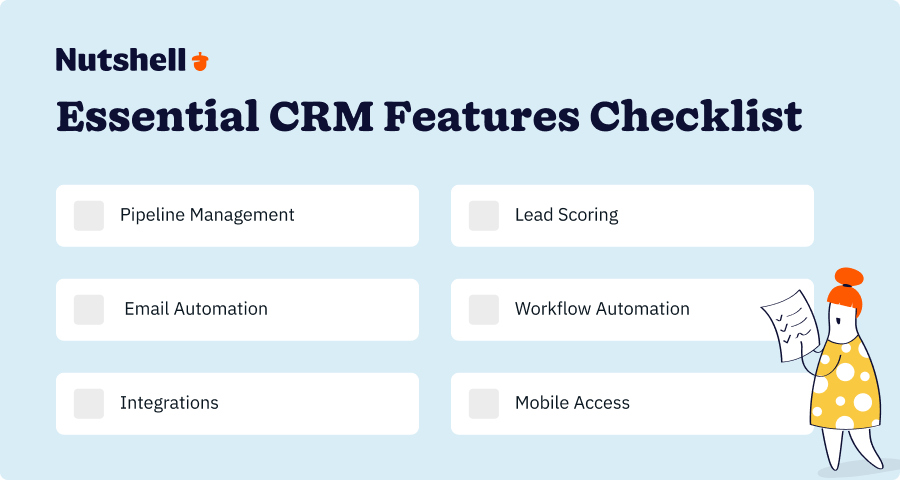
1. Pipeline and opportunity management
Your CRM should visualize your sales pipeline intuitively, letting reps drag opportunities through stages, forecast revenue at a glance, and focus on deals stuck in specific stages. Dynamics’ rigid pipeline structure forces custom development to adapt to your unique sales process. Modern alternatives embed flexibility into their core design, letting your team define stages without engineering support.
2. Lead scoring and prioritization
Lead scoring improves sales productivity by automatically ranking prospects based on engagement, fit, and buying signals. Your CRM should score leads natively (not as an add-on), update scores in real-time, and route hot leads to reps immediately. Nutshell’s AI-powered lead scoring updates in real-time and learns from your team’s interactions to rank leads by true buying intent. This prevents low-value leads from cluttering pipelines and ensures your team focuses on prospects ready to buy.
3. Email automation and integration
Native email integration means prospects’ emails automatically log to their records, your team can send templated follow-ups from within the CRM, and nurture sequences run without manual work. This built-in capability—rather than an add-on—is a key differentiator for alternatives like Nutshell. Email automation generates significantly higher open rates than generic outreach. Dynamics requires add-ons; modern alternatives include this out of the box.
4. Workflow automation and task management
Workflow automation reduces manual data entry, triggers follow-up tasks automatically, and ensures nothing falls through the cracks. With a CRM like Nutshell, you can automate task creation based on pipeline stage changes, freeing your team to focus on selling. For resource-constrained SMBs, this frees your team to focus on selling rather than administrative busywork. Examples: auto-logging emails, creating follow-up tasks when deals stall, triggering alerts when leads go quiet.
5. Integration ecosystem
Modern CRMs work with your existing tools—Slack, email, accounting software, marketing automation platforms, and hundreds of others via Zapier. This prevents data silos and eliminates the need for custom integrations that plague Dynamics implementations.
6. Mobile app access
Mobile CRM access significantly impacts quota achievement among field sales teams. Your CRM should offer a robust mobile app that lets reps update opportunities, log calls, capture leads, and close deals from anywhere. Nutshell’s mobile app provides full feature parity with the web platform, ensuring your field teams stay productive whether they’re in the office or on-site. A weak mobile experience pushes reps back to spreadsheets and email.
Best CRM software for Microsoft Dynamics alternatives: Detailed reviews
CRM Ease of Use Implementation Email Automation Lead Scoring Mobile App Nutshell ✅ Excellent 1-2 weeks ✅ Native ✅ Native ✅ Strong HubSpot ✅ Very Good 2-3 weeks ✅ Native ✅ Native ✅ Strong Zoho CRM ⚠️ Good 2-4 weeks ✅ Native ✅ Native ✅ Strong Pipedrive ✅ Very Good 1-2 weeks ⚠️ Limited ⚠️ Limited ✅ Excellent Freshsales ✅ Very Good 2-3 weeks ✅ Native ✅ AI-powered ✅ Strong Insightly ⚠️ Good 2-4 weeks ✅ Native ✅ Native ⚠️ Fair SuperOffice ⚠️ Fair 4-6 weeks ⚠️ Limited ✅ Native ⚠️ Fair Salesforce ❌ Complex 8-24 weeks ⚠️ Add-on ✅ Native ✅ Strong 1. Nutshell
Rating: 4.5⭐️/5
Best for: Affordable, easy-to-use SMB alternative

Nutshell is purpose-built for growing SMBs seeking a modern alternative to Dynamics. It combines intuitive sales management, integrated marketing automation, and transparent pricing (starting at $13/user/month, billed annually)—going live in 1–2 weeks. Unlike Dynamics, there’s no IT bottleneck, no 24-week implementation, and no surprise add-on costs.
Key Features:
- Integrated sales and marketing – Native email automation, lead scoring, nurture sequences, and campaign tracking eliminate the data silos that frustrate Dynamics users. Sales and marketing teams work from a unified lead database.
- Next-action selling – Nutshell’s signature approach focuses teams on the most important task to move each deal forward, reducing decision fatigue and accelerating deal cycles.
- AI-powered insights – Predictive analytics, lead scoring automation, and intelligent task prioritization help teams sell smarter without manual configuration.
- Fast implementation – Go live in 1–2 weeks; minimal setup; works for non-technical teams from day one.
Pros:
- Intuitive, clean interface that sales reps and marketers learn without IT support
- Integrated email automation and lead scoring address the #1 Dynamics pain point (data silos)
- Transparent pricing
- Exceptional customer support and onboarding for SMBs
- Serves 5,000+ companies across 40+ industries; proven SMB credibility
Cons:
- Smaller feature set than Salesforce; not ideal for massive enterprises with highly complex custom workflows
- Limited third-party integrations compared to HubSpot or Salesforce (though Zapier covers most use cases)
Pricing: Starting at $13/user/month (billed annually). Start your free 14-day trial – No credit card required.
Implementation Timeline: 1–2 weeks from signup to live selling; no IT expertise required.
The CRM for Microsoft that Saves Time and Money
Nutshell is the easy-to-use CRM that works well with Outlook and Microsoft 365. Emails, meetings, and contacts sync automatically—no copy-paste, no busywork.
Check out our native Microsoft 365 integration or start your free trial today!

2. HubSpot
Rating: 4.3⭐️/5
Best for: Marketing-focused teams
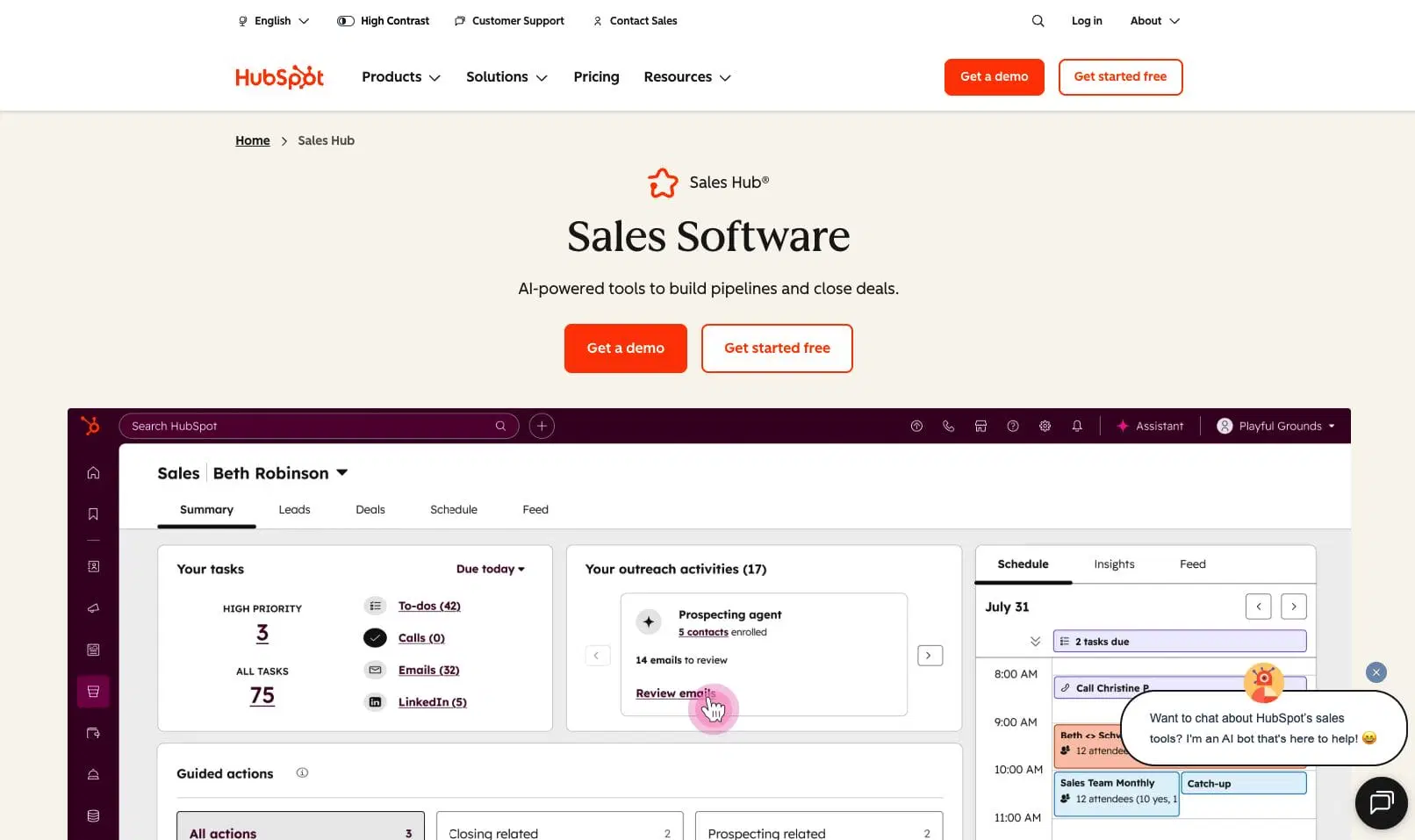
HubSpot excels for businesses prioritizing inbound marketing and lead nurturing. Its free CRM tier is the best no-risk entry point for SMBs, and paid tiers unlock strong sales and marketing automation. It’s ideal for teams that view marketing and sales as deeply integrated functions.
Key Features:
- Free CRM tier – Start without budget justification; scales as you grow
- Robust email marketing automation – Campaign builder, A/B testing, automated nurture sequences
- Lead scoring and workflow automation – Native lead scoring based on engagement and fit
- Seamless sales and marketing integration – Shared lead database, unified reporting, smooth handoff workflows
Pros:
- Free tier means zero financial risk for small teams testing CRM value
- Marketing automation is stronger than Dynamics; nurture sequences rival dedicated platforms
- Excellent documentation and free educational resources (HubSpot Academy)
- Strong mobile app; works well for remote teams
- Large user community; abundant third-party integrations
Cons:
- Pricing escalates quickly once you add sales, service, and custom features; hidden costs for advanced functionality
- Interface can feel cluttered with too many features; steeper learning curve than Nutshell
- Customer support is slower and more self-service oriented than Nutshell’s responsive team
Pricing: Free tier available for up to two users; paid plans start at $9/user/month (Sales Hub Starter). Professional, the next tier up, costs $90 per user per month.
Implementation Timeline: 2–3 weeks for paid tiers; free tier can go live immediately.
3. Zoho CRM
Rating: 4.2⭐️/5
Best for: Highly customizable solutions
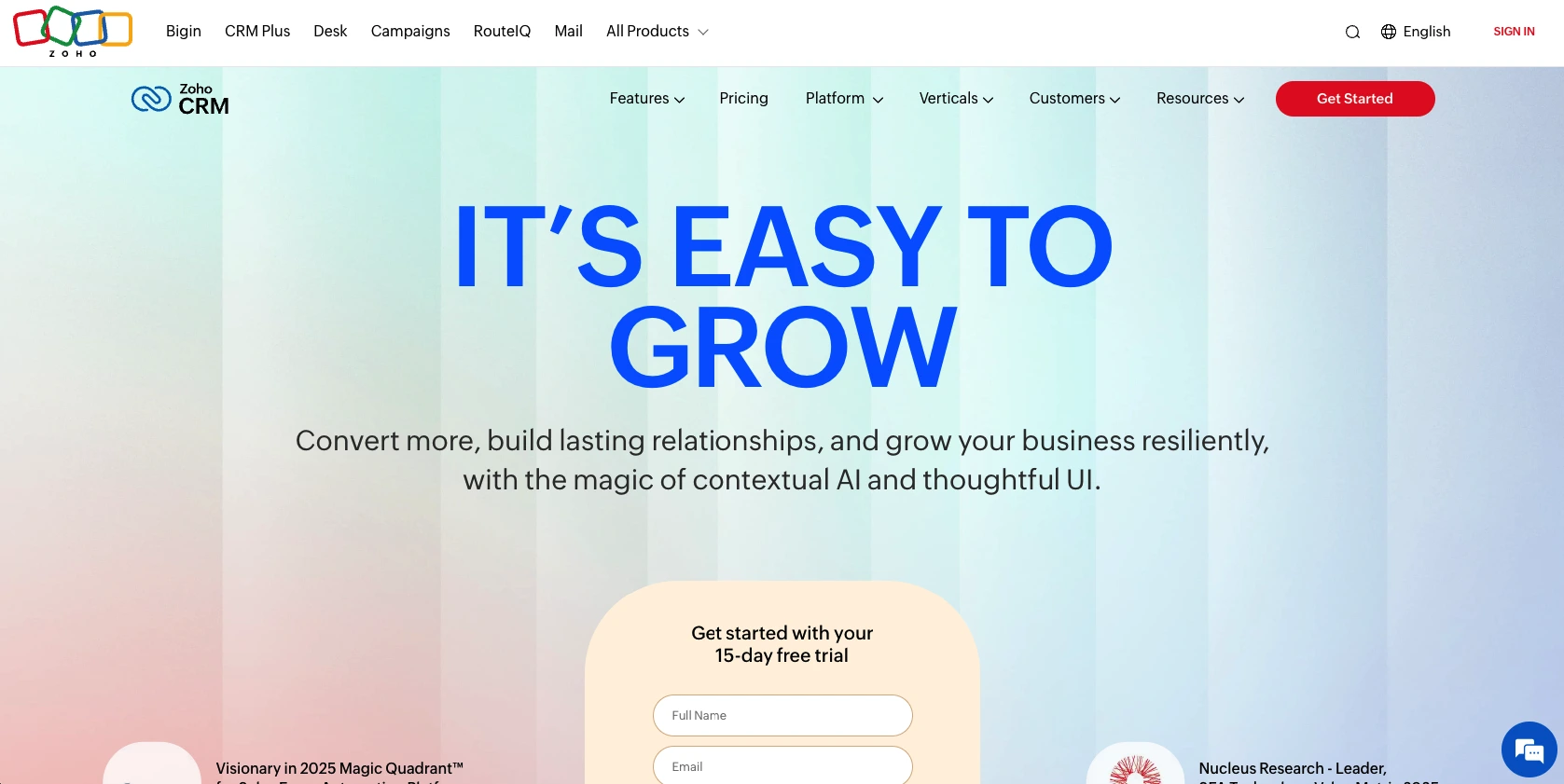
Zoho CRM excels for businesses with unique, highly specific workflows. Its free CRM tier is the best no-risk entry point for SMBs, and paid tiers unlock strong sales and marketing automation. It’s ideal for teams that view marketing and sales as deeply integrated functions.
Key Features:
- Free CRM tier – Start without budget justification; scales as you grow
- Robust email marketing automation – Campaign builder, A/B testing, automated nurture sequences
- Lead scoring and workflow automation – Native lead scoring based on engagement and fit
- Seamless sales and marketing integration – Shared lead database, unified reporting, smooth handoff workflows
Pros:
- Free tier means zero financial risk for small teams testing CRM value
- Marketing automation is stronger than Dynamics; nurture sequences rival dedicated platforms
- Excellent documentation and free educational resources (HubSpot Academy)
- Strong mobile app; works well for remote teams
- Large user community; abundant third-party integrations
Cons:
- Pricing escalates quickly once you add sales, service, and custom features; hidden costs for advanced functionality
- Interface can feel cluttered with too many features; steeper learning curve than Nutshell
- Customer support is slower and more self-service oriented than Nutshell’s responsive team
Pricing: $14-52/user/month (billed annually); 15-day free trial available
Implementation Timeline: 2–3 weeks for paid tiers; free tier can go live immediately.
4. Pipedrive
Rating: 4.1⭐️/5
Best for: Sales-focused teams with visual pipeline
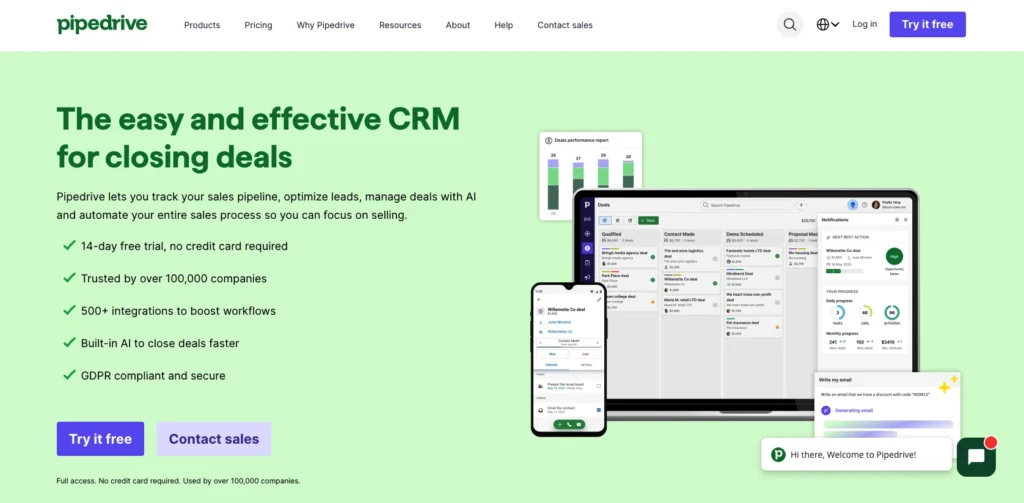
Pipedrive is built for sales teams obsessed with pipeline visibility. Its visual deal management, mobile-first design, and emphasis on sales motions (not marketing) make it ideal for B2B enterprises and inside sales teams. The starting price is affordable ($12.50/user/month), and implementation is fast.
Key Features:
- Visual pipeline management – Drag-and-drop deal management; clear stage progression; excellent for sales process visibility
- Mobile-first design – Best-in-class mobile app; field sales can manage entire pipeline from phone
- Activity-based selling – Activities (calls, emails, meetings) drive pipeline progression; excellent for activity-focused teams
- Sales automation – Automated tasks, reminders, and follow-ups based on deal stage
Pros:
- Exceptional mobile app; best for field sales and remote teams
- Simple, clean interface focused on sales (not marketing)
- Fast implementation: 1–2 weeks for most deployments
- Strong sales culture; used by thousands of enterprises
Cons:
- Limited marketing automation; email features are basic
- Integration with marketing platforms requires workarounds
- Reporting is less comprehensive than Salesforce or Nutshell
- Customer support quality is inconsistent
Pricing: Pipedrive starts at $24/user/month (Essential plan). The Campaigns add-on for email marketing is available on higher-tier plans.
Implementation Timeline: 1–2 weeks; minimal setup required.
5. Freshsales
Rating: 4.0⭐️/5
Best for: AI-powered lead scoring and automation
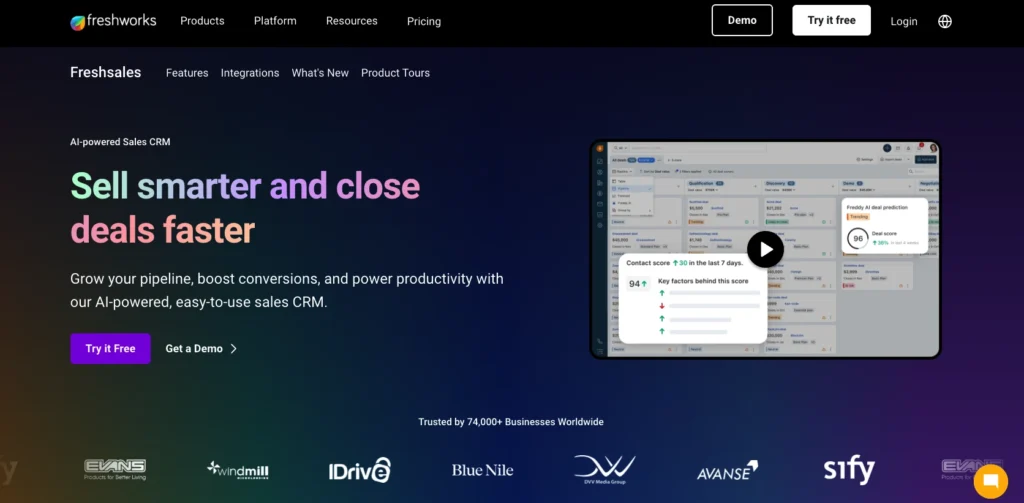
Freshsales combines intelligent lead scoring, predictive analytics, and workflow automation with clean design and transparent pricing. It’s an excellent middle ground between Pipedrive’s simplicity and Salesforce’s complexity, powered by AI to help teams prioritize and nurture leads.
Key Features:
- AI-powered lead scoring – Predictive algorithms rank leads by buying intent; continuously improve as your team engages
- Advanced workflow automation – Auto-logging, task creation, alert generation; reduces manual work
- Built-in phone and email – Native calling and email eliminate tool switching
- Pipeline analytics – Predictive revenue forecasting; identify deals at risk
Pros:
- Intelligent lead scoring is strongest among all alternatives (except Nutshell)
- Clean, modern interface; strong UX for sales reps
- Transparent pricing; no surprise add-ons
- Responsive customer support
- Great mobile app for field teams
Cons:
- Marketing automation features are weaker than HubSpot or Nutshell
- Pricing varies by plan complexity; can be unclear
- Smaller ecosystem of third-party integrations
- Limited customization compared to Zoho or Salesforce
Pricing: Paid plans start at $9/month for Sales Hub
Implementation Timeline: 2–3 weeks; straightforward setup
6. Insightly
Rating: 3.8⭐️/5
Best for: Professional services and project-based businesses
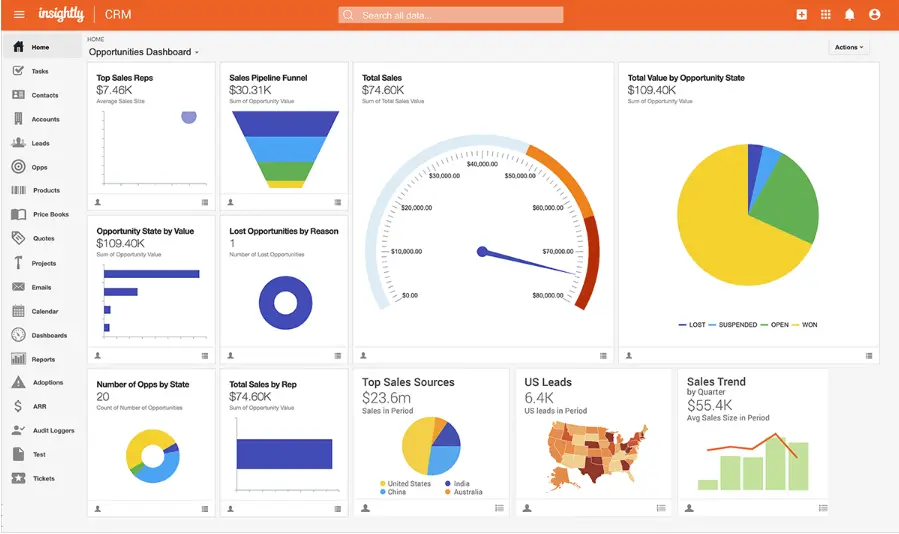
Insightly bridges CRM and project management, making it ideal for professional services firms, consulting companies, and agencies managing client relationships alongside billable projects. It includes time tracking, project portfolios, and client collaboration—features Dynamics lacks.
Key Features:
- Project management integration – Track projects, tasks, timelines, and budgets alongside opportunities
- Billable hours tracking – Monitor time spent on client work; integrate with accounting software
- Client collaboration portal – Clients access project status, deliverables, and communication without logging into your CRM
- Relationship intelligence – Org charts, contact management, and relationship mapping
Pros:
- Only alternative specifically designed for professional services workflows
- Excellent for managing client relationships across multiple projects and engagements
- Billable hours and time tracking eliminate manual invoicing
- Client portal improves transparency and reduces status-update emails
- Responsive support; strong community
Cons:
- More expensive than Nutshell or Pipedrive for comparable features
- Email automation and lead scoring are weaker than pure CRMs
- Interface feels less polished than Nutshell or HubSpot
- Limited for pure sales teams (overkill if you don’t manage projects)
Pricing: Starting at $29/user/month
Implementation Timeline: 2–4 weeks; requires more configuration than Nutshell
7. SuperOffice
Rating: 3.7⭐️/5
Best for: Enterprise features at mid-market pricing
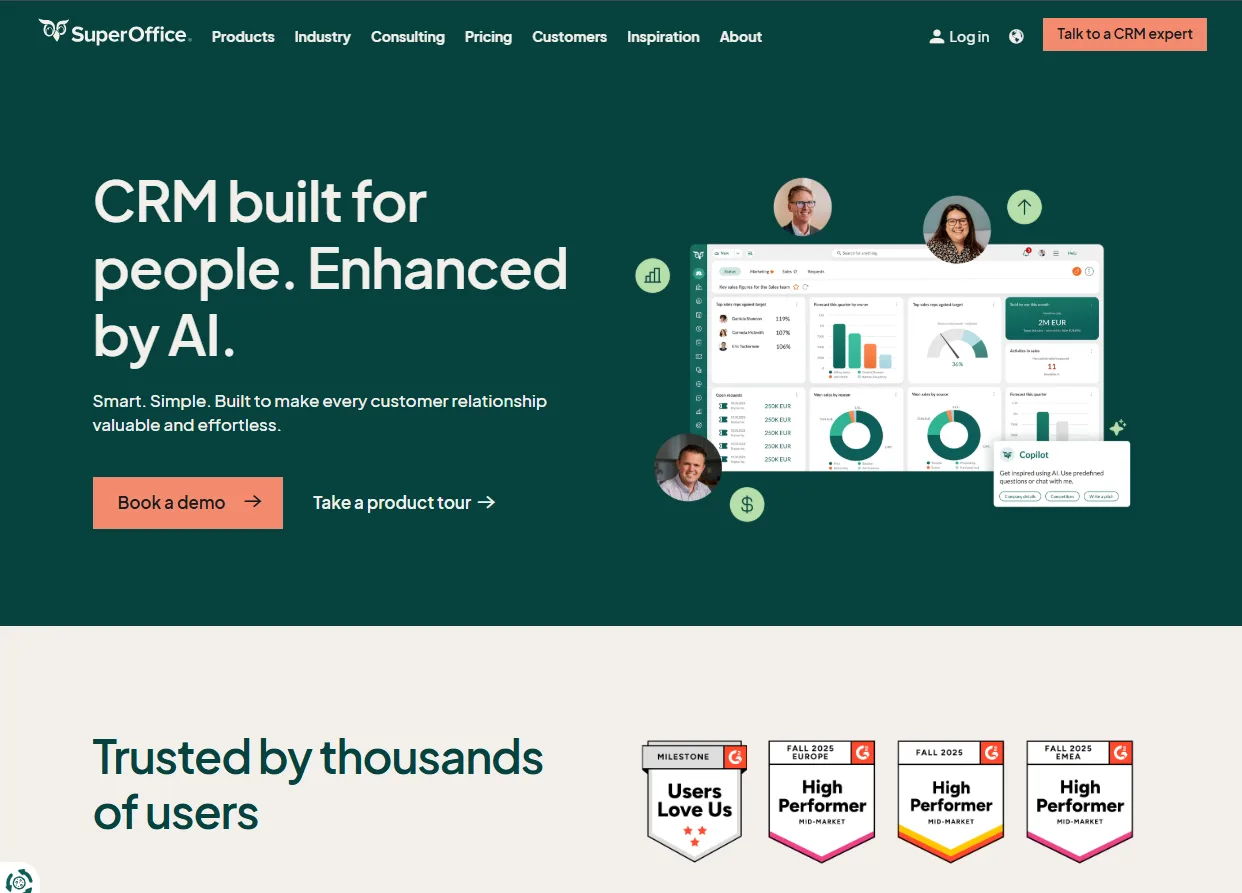
SuperOffice is a mature, European-built CRM positioned between mid-market and enterprise. It offers advanced reporting, compliance tools, and customization capabilities at a lower cost than Salesforce—but higher complexity than Nutshell. Best for businesses needing enterprise features without Salesforce’s price tag.
Key Features:
- Advanced reporting and analytics – Sophisticated reporting engine; custom dashboards; compliance-grade audit trails
- Marketing automation – Email campaigns, lead scoring, nurture sequences
- Customer service integration – Service module for support teams; ticket tracking
- Global compliance – GDPR, ISO, and regional regulatory compliance built-in
Pros:
- More powerful reporting and analytics than Nutshell
- Strong compliance and audit capabilities for regulated industries
- Mid-range pricing between SMB-focused and enterprise solutions
- Good integration with Microsoft ecosystem (Outlook, Teams, Microsoft 365)
- Mature platform with strong European presence
Cons:
- Less intuitive than Nutshell; steeper learning curve
- Implementation takes 4–6 weeks; more setup overhead
- Smaller North American presence; support can feel distant
- Overkill for simple sales teams
Pricing: Starting at $57/user/month
Implementation Timeline: 4–6 weeks; more complex setup than Nutshell
8. Salesforce
Rating: 3.5⭐️/5
Best for: Large-scale enterprise deployments
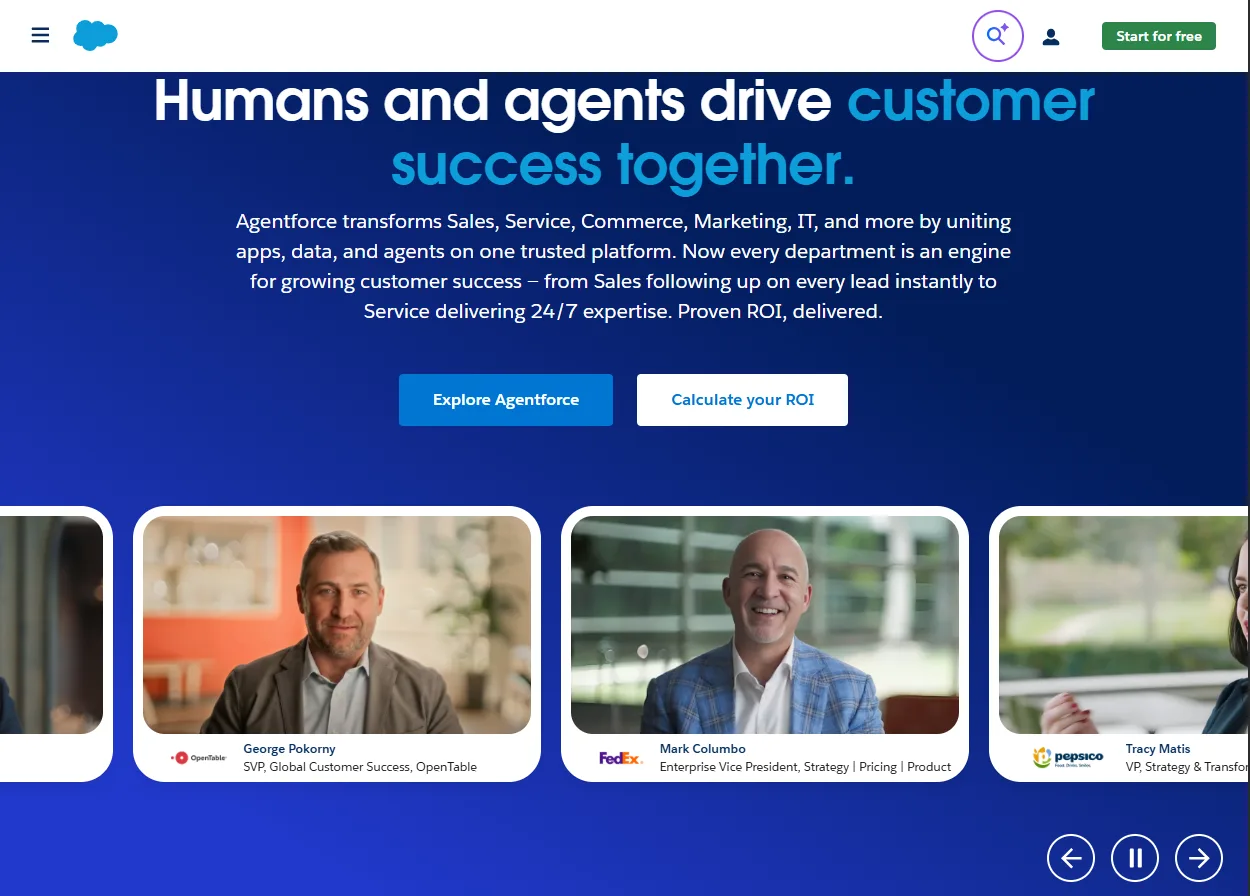
Salesforce is the enterprise standard for large organizations with dedicated CRM teams, unlimited budgets, and complex, highly customized sales processes. For SMBs evaluating Dynamics alternatives, Salesforce is overkill—it shares Dynamics’ complexity, cost, and implementation burden without SMB-specific design.
Key Features:
- Unlimited customization – Build virtually any CRM capability through custom development; no limits on configuration
- Enterprise-grade support – Dedicated success managers; 24/7 global support; enterprise SLAs
- AppExchange ecosystem – 6,000+ partner applications extend functionality
- Advanced AI (Einstein) – Predictive analytics, recommendation engine, automated field population
Pros:
- Most powerful customization engine available; adapts to any business process
- Strongest ecosystem and partner network
- Enterprise support is comprehensive
- Unlimited scaling for massive teams
- Industry-specific solutions available
Cons:
- Starting price of $165/user/month makes it unaffordable for SMBs
- 8–24 week implementation timeline rivals Dynamics
- Notoriously complex; requires dedicated admin and IT teams
- Hidden costs accumulate quickly (licensing, customization, consulting, add-ons)
- Over-engineered for SMB needs; like using a truck to buy groceries
Pricing: $25/user/month
Implementation Timeline: 8–24 weeks typical; can extend much longer for custom development.
How to successfully switch from Microsoft Dynamics to a new CRM
Switching CRMs seems daunting, but a structured approach minimizes risk and accelerates ROI. Here’s how to execute a smooth migration.
Get executive buy-in and secure budget upfront
Before selecting a new CRM, secure leadership support and budget approval. Migration requires time from your team, potential consulting support, and training investment. When leadership understands the financial and efficiency benefits of switching (24-week to 1-2 week implementation, 60% cost savings, higher adoption), they’re more likely to support the project.
Quantify the ROI: Show how your current CRM costs, implementation timeline, adoption failures, and lost productivity compare to modern alternatives. A spreadsheet comparison makes the business case clear.
Involve end-users in selection and planning
Your sales reps and marketers will use the new CRM every day. Involve them early in evaluation. Let them trial free tiers, attend product demos, and provide feedback. When teams feel heard, they’re more invested in the new system—and you avoid selecting a tool your team will reject.
Research shows that CRM adoption rates correlate directly with user involvement in selection—teams that have a voice in CRM choice are more likely to embrace the platform.
Include end-users in data migration planning. They understand data quality issues better than anyone and can help identify what data actually matters.
Audit and clean data before migration
Dirty data in Dynamics will migrate to your new system. Before switching, audit your current database: remove duplicates, clean up old records, validate email addresses and phone numbers, and standardize data formatting.
This cleanup takes time but pays massive dividends. You’ll start fresh in your new CRM with high-quality, actionable data—not inherited problems.
Use a phased rollout approach
Don’t flip the switch overnight. Instead, start with your core sales team (your best performers), go live with essential features (pipeline, opportunities, activities), and expand gradually to secondary features and broader teams.
This phased approach reduces risk, allows time for training and adjustment, and lets you troubleshoot issues with a smaller group before scaling.
Define success metrics upfront
Before migration, define what success looks like: adoption rate (target 80%+), time-to-first-deal-logged, forecast accuracy, email engagement rates, lead-to-customer conversion time, and pipeline visibility.
Measure these metrics before and after migration to quantify the impact of switching. You’ll likely see faster deal cycles, higher adoption, and lower total cost of ownership within 90 days.
Sales and marketing alignment: why integrated CRMs matter
One of the most powerful reasons to leave Dynamics is the opportunity to finally align your sales and marketing teams—and that alignment directly impacts revenue.
The hidden cost of data silos
When sales and marketing use separate systems, three problems emerge: duplicate data (prospects exist in both systems, forcing double entry), stale information (marketing sends nurture sequences to leads already in deals), and missed handoffs (hot leads aren’t recognized by sales because marketing’s engagement data isn’t visible).
Each of these costs time and revenue. A prospect you’ve nurtured through five emails gets a cold outreach call. A lead sits in marketing’s nurture sequence for six months while your sales team independently pursues them. A deal stalls because sales doesn’t realize the prospect recently engaged with a case study.
How unified platforms solve alignment
Integrated CRMs like Nutshell eliminate silos by giving sales and marketing access to the same lead database, shared lead scoring (automatic ranking based on engagement and fit), unified email tracking (marketing and sales both see email engagement), and collaborative workflows (tasks, alerts, and handoffs trigger automatically).
When marketing nurtures a lead to a sales-ready state, the CRM automatically alerts the right sales rep. When a rep engages a prospect, marketing sees the interaction and adjusts nurture sequences accordingly. This coordination accelerates deal cycles and prevents duplicated effort.
The ROI of alignment
Aligned sales and marketing teams achieve higher lead quality scores, better email engagement (because sequences are coordinated, not competitive), and faster sales cycles (because nurturing and selling happen in tandem, not sequence).
These improvements directly impact revenue. A company with $2M annual sales might gain significant incremental revenue from alignment alone.
Final thoughts: making the switch
Microsoft Dynamics is a powerful enterprise platform. It’s also overkill for most SMBs, and the costs—both financial and in productivity—make it an inefficient choice for growing businesses.
Here’s what we know:
- Dynamics alternatives cost 60–75% less while delivering faster implementation (1–2 weeks vs. 24 weeks) and higher adoption (strong adoption rates vs. 55% failure rate).
- Integrated email, marketing, and lead scoring—built into modern CRMs—eliminate the data silos that frustrate Dynamics users and accelerate deal cycles.
- Ease of use matters. Many Dynamics switchers cite complexity as their reason for leaving. When your team actually enjoys using the CRM, adoption soars and ROI follows.
- Nutshell is the clear winner for SMBs, combining affordability ($40–80/user/month), ease of use (1–2 week implementation), integrated sales + marketing (no add-ons), and exceptional support.
If you’re evaluating alternatives to Dynamics, you’re not alone. Thousands of SMBs have made the switch to Nutshell and haven’t looked back.
Ready to see real growth? Nutshell helps businesses like yours achieve significant improvements in key performance areas.
Start your free 14-day Nutshell trial today. No credit card required. No sales call necessary. Just you, your team, and the fastest path to higher adoption and faster deal closure.
If you want to explore side-by-side comparison with Dynamics pricing and features, request a detailed comparison sheet from our team.
Your next deal is waiting. Let’s stop wasting time on CRM complexity.
FAQs about Dynamics alternatives answered
-
What is replacing Microsoft Dynamics?
Modern, purpose-built CRMs like Nutshell, HubSpot, and Zoho are replacing Dynamics for SMBs. These platforms prioritize ease of use, fast implementation, and integrated sales + marketing—solving the exact pain points that drive teams away from Dynamics.
Nutshell is the #1 choice for SMBs seeking an affordable, intuitive alternative that combines CRM and marketing automation without Dynamics’ complexity or cost.
-
Is there a free Microsoft Dynamics alternative?
HubSpot’s free CRM tier is the best no-risk option for SMBs. You get core CRM functionality—contacts, deals, tasks, email tracking—with no payment required. When you’re ready for sales automation, lead scoring, or marketing features, paid tiers unlock.
Zoho offers extremely affordable entry points, approaching “free” for budget-conscious teams.
However, free tiers have limits. If you need integrated email automation, lead scoring, and marketing from day one, Nutshell’s pricing is more cost-effective than free tiers that require paid add-ons.
-
How long does it take to switch from Dynamics to a new CRM?
Modern alternatives go live in 1–4 weeks—a stark contrast to Dynamics’ 24-week migrations.
The difference: Modern platforms are designed for fast deployment with minimal configuration. Dynamics implementations require extensive custom development, data migration consulting, and IT coordination.
For a phased rollout (recommended), plan 2–3 weeks for core team launch, another 2–3 weeks to scale to broader teams. Total migration time: 4–6 weeks vs. Dynamics’ 24 weeks.
Most of the time is spent cleaning data and training teams—not technical setup.
-
Which alternative is easiest to use?
Nutshell, HubSpot, and Pipedrive are the easiest. All three prioritize simplicity and intuitive design.
Zoho is powerful but requires more setup knowledge. Salesforce is complex and requires dedicated IT support.
If ease of use is your top priority, stick with the three listed above—they’re built specifically for non-technical teams.
-
Can small teams use these CRMs without IT support?
Absolutely. In fact, intuitive design is the core reason teams leave Dynamics.
Best for non-technical teams:
- Nutshell: Purpose-built for non-technical users; no coding required
- HubSpot: Clean interface with extensive documentation
- Pipedrive: Simple, visual design
Require more technical skill:
- Zoho CRM: Highly customizable but requires configuration expertise
- Salesforce: Complex, requires IT support
Modern platforms are designed so sales reps and marketers configure workflows themselves—no IT bottleneck. This autonomy accelerates time-to-value and prevents adoption failures.

Let’s Talk
Have a question? Need a volume discount? Send us a message or book a meeting with a Sales rep to start the conversation.
 BACK TO TOP
Ready to try
Nutshell for Free?Thank you! Your submission has been received!Oops! Something went wrong while submitting the form.






Conducting Competitor and Market Analysis for Creating Your Sales Strategy
Published on: April 18, 2023

What Is Revenue Intelligence? An All-Encompassing Guide
Published on: January 24, 2024Highly Effective Strategies for Elevating Sales Team Performance
Published on: November 10, 2022Join 30,000+ other sales and marketing professionals. Subscribe to our Sell to Win newsletter!










