The Best AI CRM for Small Businesses in 2026

-

Quick answer: What are the best AI CRMs?
The best AI CRMs include Nutshell, HubSpot, Salesforce Einstein, Zoho CRM, and Pipedrive, which use artificial intelligence to automate tasks, predict sales outcomes, and provide intelligent recommendations. AI-powered CRMs can automatically log emails, score leads based on likelihood to convert, suggest next-best actions, and generate insights from your sales data. This helps sales teams work more efficiently by reducing manual data entry and making smarter, data-driven decisions.
Key Takeaways
- AI CRMs are no longer just for enterprise teams. Modern solutions offer lead scoring, predictive analytics, and next-action recommendations at SMB-friendly prices (14–29/user/month).
- The best AI CRM for your business depends on your specific needs. A solopreneur has different requirements than a 10-person sales team—evaluate based on your team size and pain points.
- Implementation speed matters more than features. CRMs that get you running in 30 minutes to one day typically see faster adoption and better ROI than complex, customizable platforms.
- Next-action recommendations are a game-changer. Unlike traditional CRMs that show where you are, next-action AI tells you what to do next—reducing decision fatigue and increasing deal velocity.
- Transparent pricing and realistic ROI expectations matter. Calculate your true cost of ownership (software, plus implementation, plus training) and expect to see results within 6–12 weeks of launch.
Jump to comparison table | Jump to detailed reviews
Small businesses are sitting on a goldmine of opportunity, yet most don’t realize it. According to Nucleus Research, companies see $8.71 ROI for every $1 spent on CRM software. That’s a remarkable return that rivals most business investments. Yet here’s the catch: most AI CRMs on the market were built for enterprise teams with IT departments, six-month implementation timelines, and budgets to match.
If you’re running a small business, you’ve probably felt the pinch. Enterprise CRMs are overkill. Traditional systems are clunky. And honestly, most AI CRM options feel like they were designed by someone who’s never actually sold anything. We get it—you need a solution that works for your team’s reality: limited budget, fast setup, and genuinely useful AI that tells you what to do next instead of just tracking what happened yesterday.
The good news? The CRM landscape has shifted. A new generation of AI-powered solutions is now purpose-built for small teams. These platforms combine enterprise-grade AI capabilities—lead scoring, predictive analytics, and intelligent automation—with the simplicity and affordability that small businesses actually need. Most modern AI CRMs designed for SMBs require minimal IT involvement, allowing your team to get set up and running without dedicated IT resources.
In this guide, we’ve tested and compared nine leading AI CRMs specifically for small business use. We’ll show you how to evaluate them, highlight the features that matter most, share real success stories from teams like yours, and provide a clear framework for choosing the right solution for your business.
Ready to find your team’s perfect CRM match? Start with Nutshell’s 14-day free trial—no credit card required.
Need a user-friendly CRM to boost sales and team efficiency?
Take our guided tour to explore Nutshell’s incredible features!

Best AI CRM list at a glance
- Nutshell (4.4/5): Best for SMBs wanting next-action guidance and easy adoption
- HubSpot (4.3/5): Best sales alignment and automation
- Zoho CRM (4.2/5): Best for affordable, all-in-one AI CRM with advanced Zia AI
- Softr (4.2/5): Best for building a custom, AI-powered CRM without code
- Pipedrive (4.1/5): Best for sales teams needing AI deal insights and activity recommendations
- Salesforce (4.0/5): Best for enterprise customization with Einstein AI
- Freshsales (3.9/5): Best for small teams with Freddy AI automation
- Attio (3.8/5): Best for flexible, no-code AI CRM customization
- Monday CRM (3.7/5): Best for visual, flexible CRM with AI integration
Table of Contents
- What is AI CRM?
- How we selected the best AI CRM for small businesses
- Key features every AI CRM should have
- Best AI CRM comparison table
- Best AI CRM software: Detailed reviews
- AI CRM ROI: Measuring success for your business
- How to choose the right AI CRM for your business
- AI CRM trends to watch in 2026 and beyond
- Frequently asked questions about AI CRM
What is AI CRM?
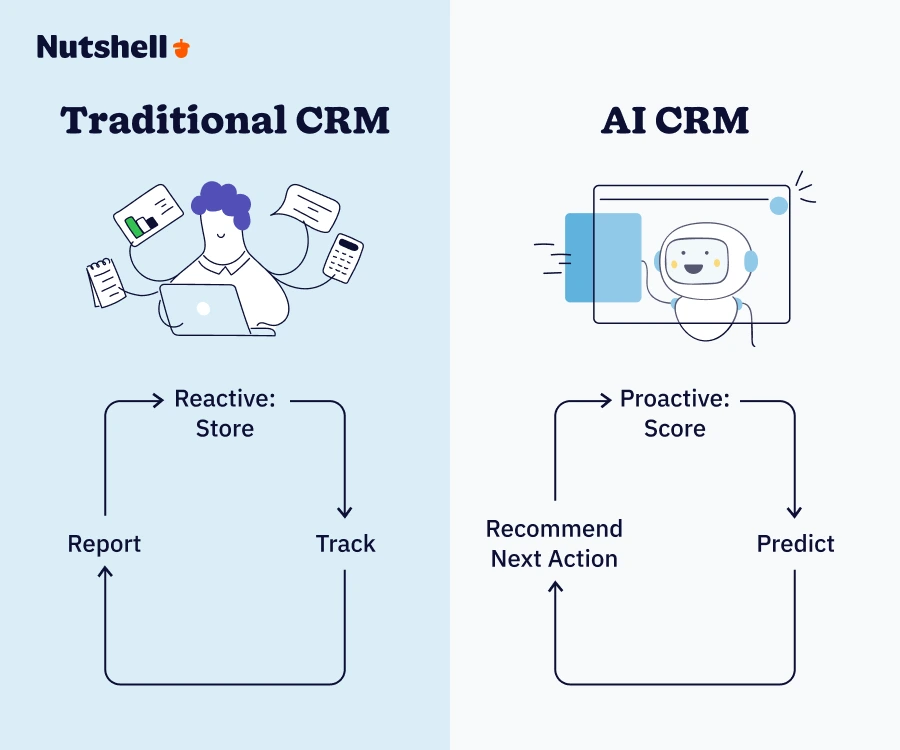
An AI CRM is a CRM that actually helps your team. Instead of just tracking what happened, it automates the busywork, predicts what’s likely to happen, and tells your team what to do next.
Traditional CRMs are reactive. They store data, organize contacts, and track what happened. AI CRMs are proactive. They automatically score leads based on engagement patterns, predict which deals are likely to close, and recommend your next action—whether that’s following up with a hot prospect or moving a stalled deal forward.
For small businesses specifically, AI CRM capabilities matter because they level the playing field. A three-person sales team using an AI CRM can accomplish what used to require a 10-person team at a company with dedicated data analysts. Lead scoring eliminates guesswork about which leads are hot. Predictive analytics show you deal probability and revenue forecasts. Email automation saves hours every week on follow-ups. And next action recommendations reduce the decision paralysis that kills productivity in small teams.
The real competitive advantage? SMBs can now access the same AI intelligence that enterprise teams spend over $10,000 monthly on—with minimal IT involvement. Here’s the real win: Platforms like Nutshell specialize in next-action selling. Instead of leaving reps to guess what to do next, the system tells them exactly which prospect to call, which proposal to send, and which lead to nurture. This eliminates decision paralysis and dramatically accelerates deal velocity.
How we selected the best AI CRM for small businesses
We evaluated nine leading AI CRM platforms specifically on criteria that matter to business owners and sales teams.
Our evaluation framework
- AI capabilities: Does the platform actually have useful AI? We tested lead scoring accuracy, predictive analytics reliability, email automation sophistication, and next-action recommendation quality. We didn’t just check if AI features existed; we tested whether they actually work and provide value to small teams.
- Affordability and pricing transparency: We examined starting prices, per-user costs, and—critically—whether hidden costs arose during implementation. Most SMBs have tight budgets, so we excluded any platform that requires a significant up-front investment.
- Ease of use and user interface: How quickly can a non-technical person start using this? We evaluated the number of setup steps, the intuitiveness of navigation, and the learning curve required for core features. If your team needs weeks of training, it doesn’t make our list.
- Implementation speed: Can a small team be up and running in 30 minutes to one day? We tested signup-to-selling timelines and noted any IT involvement required. Quick implementation wins because adoption happens faster.
- SMB-specific focus: Was this platform designed for small teams, or is it an enterprise system that has been scaled down for smaller teams? We preferred platforms built from the ground up for SMBs.
- Adoption speed: Will your team actually use this, or will it become shelfware? We evaluated UI intuitiveness, mobile functionality, integration with tools teams already use, and how naturally the platform fits into daily workflows.
Important note
We have specifically tested each platform for use cases involving teams of one to five people and solopreneurs. We excluded platforms that required enterprise contracts, implementations lasting three months or more, or dedicated IT involvement.
Key features every AI CRM should have
Not all AI CRM features are equally important. Here are the capabilities that actually move the needle for small businesses.
Essential AI capabilities
- Lead scoring: The system automatically identifies which prospects are most likely to buy based on engagement patterns, company fit, and interaction frequency. This is table-stakes for any modern AI CRM. Without it, your team is still guessing about priority.
- Predictive forecasting: AI provides you with deal probability, revenue predictions, and pipeline health insights at a glance. You know whether you’ll hit quota based on data, not gut feeling. This is particularly powerful for small teams where one or two deals can make or break the month.
- Follow-up emails: These are triggered automatically based on prospect behavior or the elapsed time. Your team spends time selling instead of writing the same follow-up email for the hundredth time. Real productivity gain here.
- Next-action recommendations: The system tells you what to do next: “Call Sarah at TechCorp—she opened your email three times.” “Send a proposal to Mike.” “Follow up with the leads from last week’s webinar.” This reduces decision fatigue and keeps deals moving.
Usability essentials
- Mobile access: Your team manages deals from anywhere: the parking lot before a customer visit, a coffee shop during lunch, the road between appointments. A mobile-first CRM like Nutshell ensures your team stays connected and data stays current—critical for field sales teams.
- Minimal training required: Setup should take 30 minutes, not 30 days. An intuitive UI means your team can start using it effectively without the need for a training program. If you need to hire a consultant to set it up, it’s too complex for your team.
Integration needs
- Email and calendar sync: The CRM should automatically log emails, pull calendar information, and sync contact details. No manual entry required.
- Common business tools: Slack, Zapier, email platforms, and accounting software. Your CRM should integrate with tools your team already uses, not force you to abandon your workflow.
Scalability requirement
The platform must grow seamlessly from one person to 50+ employees. Pricing should scale proportionally. No major re-implementation needed as you add users.
Here’s a concrete example of these features in action: It’s Tuesday morning. Your AI CRM automatically flags three hot prospects based on weekend email activity. The system recommends your next action for each: “Call prospect A today.” “Send proposal to prospect B.” “Schedule demo with prospect C.” Your team opens the mobile app, sees these prioritized actions, and executes them during their morning calls. By 10 a.m., three deals have progressed. That’s the power of AI CRM for small teams.
Best AI CRM comparison table
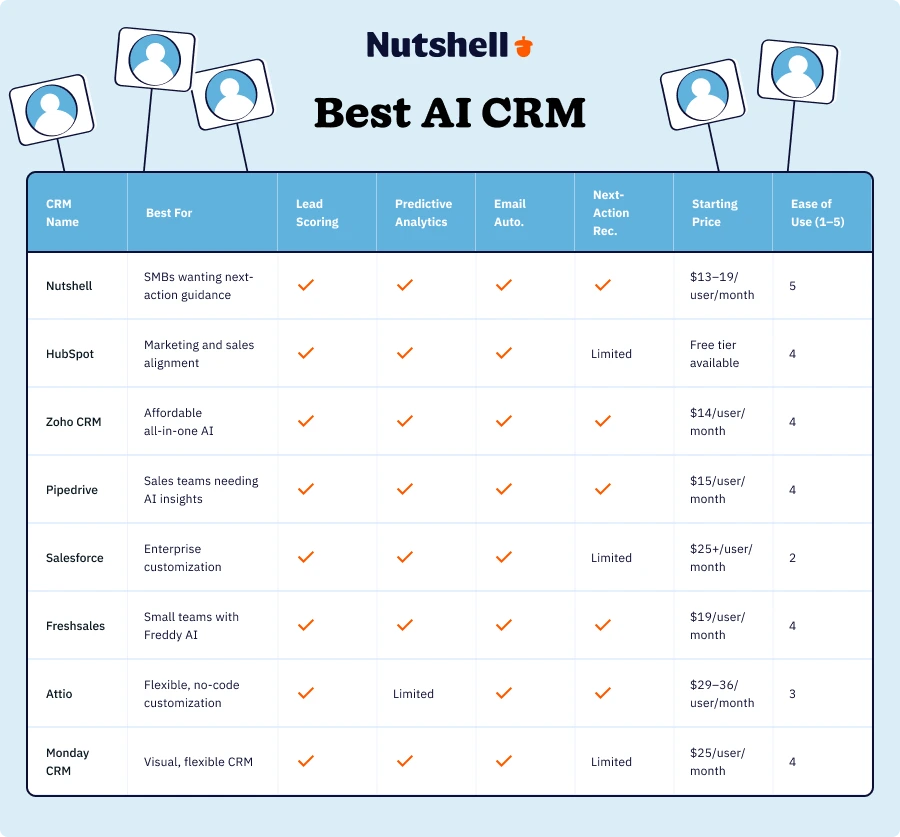
CRM Name Lead Scoring Predictive Analytics Email Automation Next-Action Recommendations Starting Price Ease of Use (1–5) Nutshell ✓ ✓ ✓ ✓ $13–19/user/month 5 HubSpot ✓ ✓ ✓ Limited Free tier available 4 Zoho CRM ✓ ✓ ✓ ✓ $14/user/month 4 Softr ✓ ✓ ✓ ✓ Free plan available 3 Pipedrive ✓ ✓ ✓ ✓ $15/user/month 4 Salesforce ✓ ✓ ✓ Limited $25+/user/month 2 Freshsales ✓ ✓ ✓ ✓ $19/user/month 4 Attio ✓ Limited ✓ ✓ $29–36/user/month 3 Monday CRM ✓ ✓ ✓ Limited $25/user/month 4 
Let’s Talk
Have a question? Need a volume discount? Send us a message or book a meeting with a Sales rep to start the conversation.

Best AI CRM software: Detailed reviews
Below are comprehensive reviews of each platform, organized by overall rating. Each review evaluates the solution’s fit for small business teams specifically, rather than its complexity or feature depth for enterprises.
1. Nutshell
Rating: 4.4/5
Best for businesses wanting next-action guidance and easy adoption
Quick Summary
Nutshell stands out because it was designed for teams that actually sell—not committees that debate processes. The platform combines the AI sophistication of enterprise CRMs with the simplicity and affordability of solutions built for small teams.
The next-action recommendation engine is the real differentiator here: instead of just tracking pipeline, Nutshell tells your team exactly what to do next, reducing decision paralysis and accelerating deal velocity. Implementation takes 30 minutes, adoption happens naturally, and ROI becomes visible within weeks.
Key Features
- Next-action recommendations: AI analyzes your pipeline and tells your team the single best action to move each deal forward, eliminating guesswork
- Intelligent lead scoring: Automatically identifies hot prospects based on engagement patterns and interaction history
- Email automation with context: Follow-ups trigger based on prospect behavior; the system remembers conversation history and suggests personalized messaging
Pros
- Fastest implementation for small teams (30 minutes to full operational status)
- Next-action recommendations dramatically reduce deal cycle time and increase activity velocity
- Transparent pricing with no hidden implementation or training costs
- Mobile-first design means your team manages deals from anywhere
- Built specifically for one to 50-person teams—scales naturally as you grow
Cons
- Feature depth is less extensive than enterprise alternatives (some teams need more customization)
- Smaller integration library compared to HubSpot or Salesforce (though core integrations cover 95% of SMB needs)
Pricing
Nutshell’s pricing starts at $13/month per user (annual billing) or $19/month per user (monthly billing) for the Foundation plan, with the Pro tier at $25/month (annual) or $32/month (monthly) per user. No setup fees, implementation costs, or hidden charges.
Want to dig deeper? Compare Nutshell’s AI features against every major CRM side by side.
2. HubSpot
Rating: 4.3/5
Best for sales alignment with AI automation
Quick Summary
HubSpot is the go-to choice if you need marketing and sales teams to actually collaborate. The platform’s free tier allows you to start without commitment, and its AI automation capabilities are particularly impressive, especially in email sequences and lead nurturing.
HubSpot’s AI assistant helps with prospecting, content suggestions, and workflow automation. The main trade-off: HubSpot isn’t specifically built for next-action selling, unlike Nutshell, and the free version lacks lead scoring depth.
Key Features
- Powerful email automation: AI-driven sequences, A/B testing, and send-time optimization
- Lead scoring and qualification: Identifies sales-ready leads automatically
- Marketing-sales integration: Shared pipeline visibility and unified reporting between teams
Pros
- Free tier lets you start without budget commitment—scales affordably as you grow
- Excellent integration ecosystem (1,000+ integrations available)
- Strong for marketing automation combined with sales management
- AI assistant provides helpful suggestions across the platform
Cons
- Lead scoring depth is limited in the free version (requires paid tier for full capabilities)
- Next-action recommendations are not as sophisticated as specialized sales platforms
- Free tier has feature limitations—paying tier is necessary for full AI benefits
- Slightly steeper learning curve than Nutshell for non-technical users
Pricing
HubSpot offers a free tier with basic CRM features, followed by paid tiers starting at around $50/month.
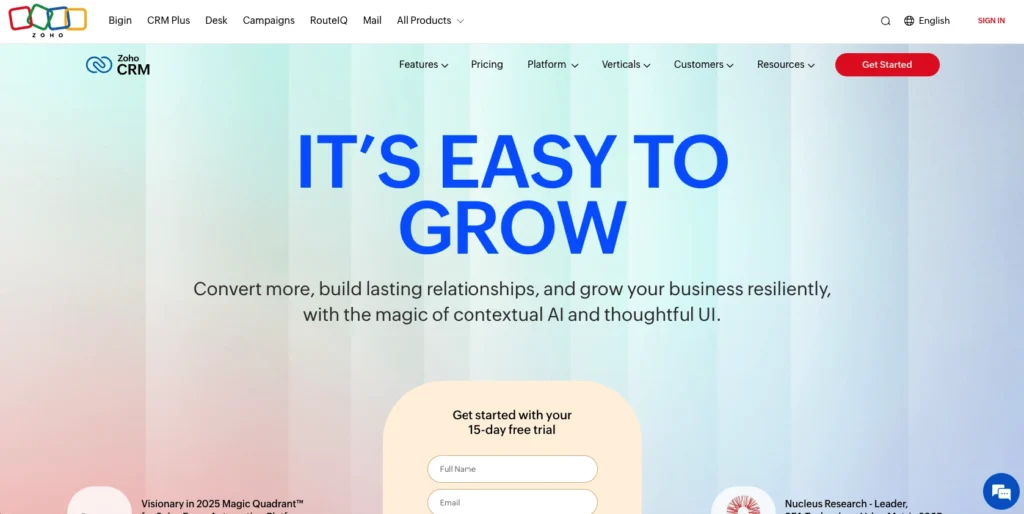
3. Zoho CRM
Rating: 4.2/5
Best for affordable, all-in-one AI CRM with advanced Zia AI
Quick Summary
Zoho CRM is the budget option that doesn’t compromise on AI sophistication. Zia, their AI engine, delivers lead scoring, predictive analytics, and workflow automation at a fraction of competitor pricing.
If affordability is your primary concern and you’re willing to spend a bit more time on setup and customization, Zoho delivers enormous value. The platform includes email automation, detailed reporting, and solid mobile functionality. The learning curve is moderate—more features to configure than Nutshell, but still manageable for small teams.
Key Features
- Zia AI engine: Predictive lead scoring, deal closing probability, and workflow recommendations
- Built-in email and communications: No need for a separate email platform; everything is integrated
- Extensive customization: More flexibility than competitors if you need it
Pros
- Lowest cost option for AI CRM (starting at $14/user/month)
- Zia AI offers sophisticated predictive analytics despite low pricing
- All-in-one platform (email, CRM, automation, analytics included)
- Good mobile app and offline access
- Generous free tier for testing
Cons
- Setup and customization are more complex than Nutshell (requires more configuration time)
- The user interface is slightly less intuitive than modern competitors
- Less emphasis on next-action recommendations compared to specialized platforms
- Requires more IT involvement for integrations and customization
Pricing
Zoho CRM starts at $14/user/month for the Standard plan.
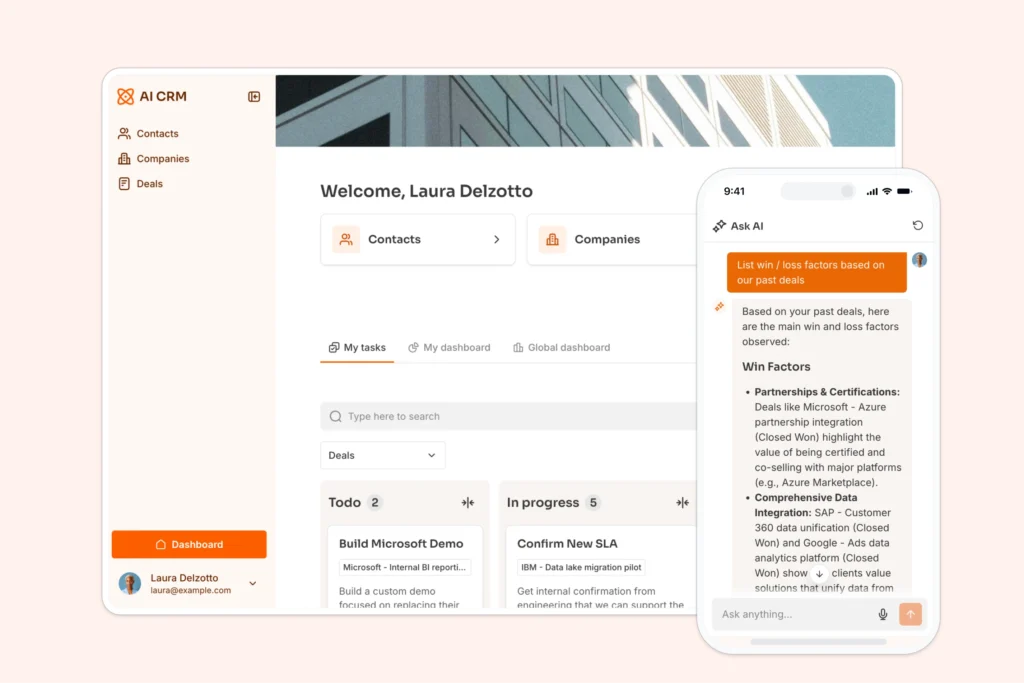
4. Softr
Rating: 4.2/5
Best for building a custom, AI-powered CRM without code
Quick Summary
Softr takes a different approach from dedicated sales CRMs. Instead of a pre-built pipeline, it’s an AI app builder that lets you create a CRM tailored to your exact process, along with the client portals, internal tools, and dashboards that surround it.
Describe what you need, and Softr’s AI Co-Builder generates the app, complete with pages, permissions, and logic you refine in a visual editor. Because you connect your own data and define your own fields and stages, you get a CRM that matches how your team actually works, rather than bending your process to fit a template. If your sales motion is non-standard, or you want your CRM, customer data, and the AI tools around it living in one platform, Softr is worth a look.
Key Features
- AI app generation: Describe your CRM or internal tool in plain language, and Softr’s AI Co-Builder builds it for you
- Fully customizable data model: Define your own contacts, deals, fields, and stages with a built-in relational database
- Live data sync: Connect 17+ sources, including Airtable and Google Sheets, with records kept in sync automatically
Pros
- Combines app building, data management, and automation in one platform
- Fully customizable to non-standard sales processes (build exactly the fields and stages you need)
- Strong for customer-facing portals and internal tools, not just sales tracking
- Switch between AI prompting and visual editing at any time
- Generous free-forever plan to test the platform
Cons
- Not a purpose-built sales CRM, so lead scoring and next-action recommendations aren’t built in
- Requires setup time to build your CRM versus signing in to a ready-made one
- Sales-specific AI and reporting are less mature than dedicated CRM platforms
Pricing
Softr has a free plan with no time limit. Paid plans start at $49/month.
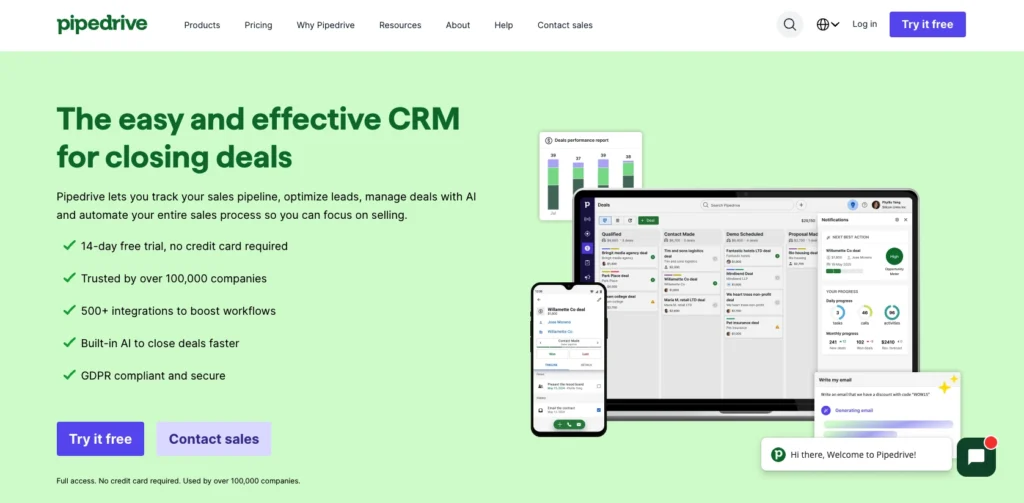
5. Pipedrive
Rating: 4.1/5
Best for sales teams needing AI deal insights and activity recommendations
Quick Summary
Pipedrive was built by salespeople for salespeople. The platform excels at visualizing your pipeline and keeping deals moving. The AI provides activity recommendations (which deals need attention, who you should call today) and deal probability forecasting.
Setup is straightforward, and the mobile app is excellent. For teams that live and breathe their sales pipeline, Pipedrive offers the visibility and AI guidance needed to close deals faster. The main limitation: Pipedrive is sales-focused, so it lacks built-in marketing automation compared to HubSpot.
Key Features
- Visual pipeline management: Drag-and-drop deal progress, color-coded activity status
- Activity recommendations: AI suggests which deals need attention and which activities matter most
- Deal probability forecasting: Predictive analytics show the likelihood of closing and expected revenue
Pros
- Intuitive interface with visual pipeline clarity (great for visual learners)
- Strong mobile app and mobile deal management
- Activity recommendations and deal insights powered by AI
- Affordable pricing with transparent feature availability
- Quick setup and implementation
Cons
- Lacks an integrated email platform (relies on integrations with Gmail, Outlook)
- Less sophisticated marketing automation compared to HubSpot
- Limited customization compared to Salesforce
- Lead scoring is less advanced than some competitors
Pricing
Pipedrive starts at $15/user/month (annual billing).
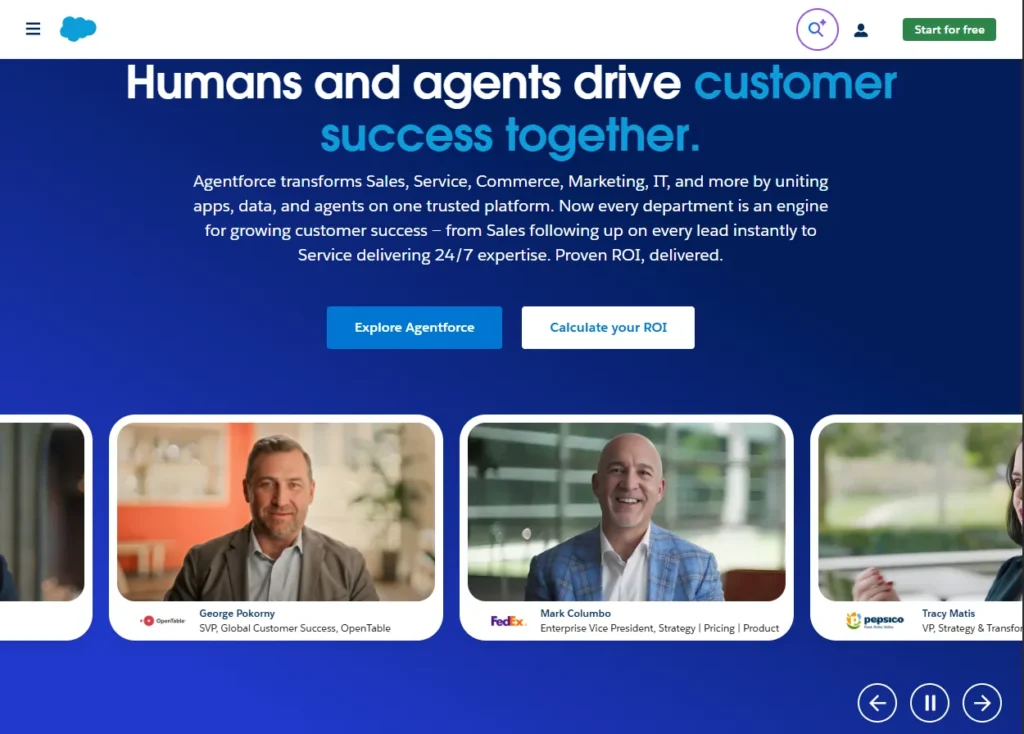
6. Salesforce
Rating: 4.0/5
Best for enterprise customization with Einstein AI
Quick Summary
Salesforce is the enterprise default—and for good reason. Einstein AI powers sophisticated predictive analytics, lead scoring, and workflow automation at scale. If your business needs extensive customization, complex integrations, or you’re already committed to the Salesforce ecosystem, Einstein AI delivers incredible capability.
However, Salesforce isn’t designed for small teams. Implementation typically requires consultants, costs significantly more, and the learning curve is steep. Only consider Salesforce if you have the budget, timeline, and IT support that small teams typically lack.
Key Features
- Einstein AI: Advanced predictive analytics, lead scoring, and insight recommendations
- Extensive customization: Endless configuration options for enterprise workflows
- Enterprise integrations: Seamless integration with enterprise tools and systems
Pros
- Most powerful and flexible AI for large-scale operations
- Extensive integration possibilities and ecosystem
- World-class reporting and analytics
- Suitable for complex, multi-team environments
Cons
- Significantly higher cost (starts $25+/user/month, often much higher with implementation)
- Steep learning curve and requires dedicated training
- Implementation typically requires Salesforce consultants (adds three to six months and significant cost)
- Overkill for small teams (you pay for enterprise features you’ll never use)
- Not designed for fast, frictionless adoption
Pricing
Salesforce starts at $25/user/month (Essentials) but realistically requires at least the $50/month tier for AI features. Add implementation, training, and consulting costs.
7. Freshsales
Rating: 3.9/5
Best for small teams with Freddy AI automation
Quick Summary
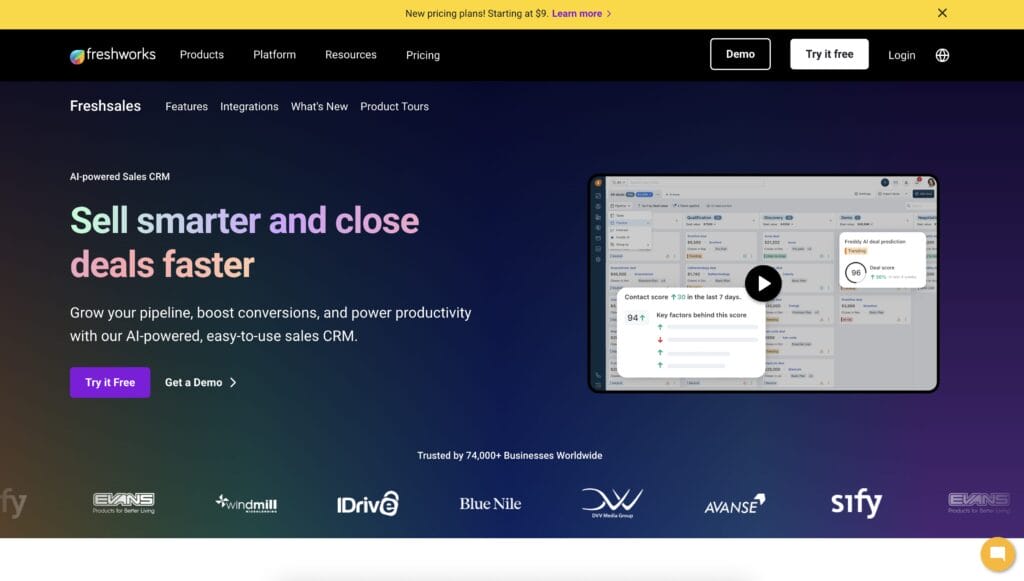
Freshsales brings Freddy AI—Freshworks’ AI assistant—to sales teams. Freddy helps with email suggestions, deal probability predictions, and sales content recommendations. The platform is designed for growing teams and offers solid email integration, activity tracking, and mobile access. Implementation is straightforward, and the pricing is reasonable.
Where Freshsales loses ground against our top picks: the next-action recommendation engine isn’t as sophisticated, and the interface feels slightly cluttered compared to more modern competitors. Still, if you like Freshworks’ ecosystem and want AI-powered email assistance, Freshsales delivers.
Key Features
- Freddy AI assistant: Suggests email content, predicts deal probability, recommends next actions
- Built-in email and communication: Email platform integrated directly in Freshsales
- Activity tracking and insights: Automatic logging of calls, emails, and meetings
Pros
- Freddy AI provides helpful email suggestions and deal insights
- Built-in email platform (no need for separate integration)
- Reasonable pricing for the feature set
- Good mobile app and field sales support
- Quick implementation for small teams
Cons
- Next-action recommendations are less sophisticated than top-tier competitors
- Interface feels slightly cluttered compared to modern competitors
- Limited customization compared to Salesforce
- Less emphasis on the visual pipeline compared to Pipedrive
- Marketing automation capabilities are limited
Pricing
Freshsales starts at $19/user/month.
8. Attio
Rating: 3.8/5
Best for flexible, no-code AI CRM customization
Quick Summary
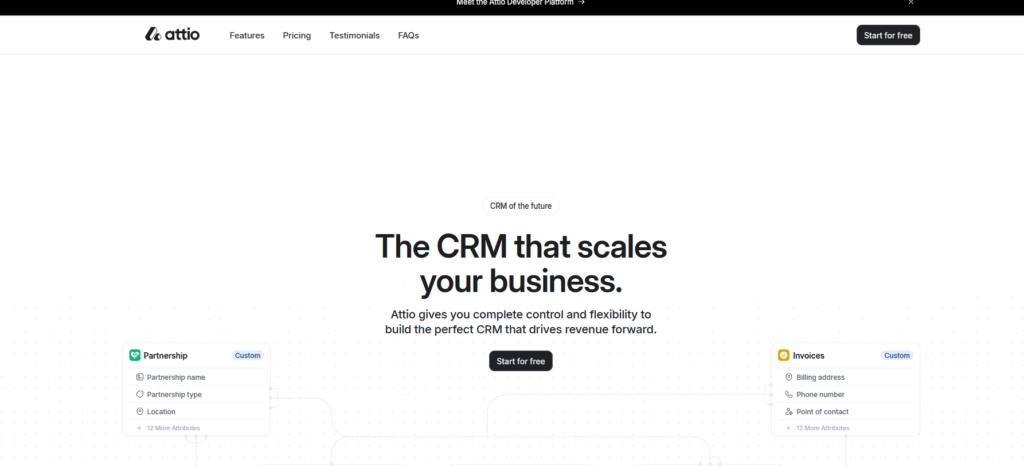
Attio is the new-generation CRM built on a no-code foundation. You can customize almost everything without touching code—great if you have specific workflows or want to build something unique. The platform includes AI lead scoring and automation recommendations. The interface is modern and clean.
The trade-off: Attio is still newer to the market than established competitors, so the ecosystem is smaller, and some advanced features (such as complex predictive forecasting) are less mature. It’s ideal if you want flexibility and customization without hiring a developer.
Key Features
- No-code customization: Build custom fields, workflows, and automations visually
- AI lead scoring: Automatically identifies hot prospects based on engagement
- Flexible relationship mapping: Create custom connections between data points
Pros
- Highly customizable without needing developers
- Modern, clean interface design
- Founder-friendly (built by founders for founders)
- No-code automation builder empowers non-technical team members
- Reasonable pricing for flexibility offered
Cons
- Smaller ecosystem and integration library compared to established platforms
- Predictive analytics is less mature than its competitors
- Next-action recommendations are less sophisticated than specialized sales platforms
- Smaller user base means less community support and fewer integrations
- A newer platform means less proven track record at scale
Pricing
Attio starts at $29/month per user (annual) or $36/month per user (monthly).
9. Monday CRM
Rating: 3.7/5
Best for visual, flexible CRM with AI integration
Quick Summary
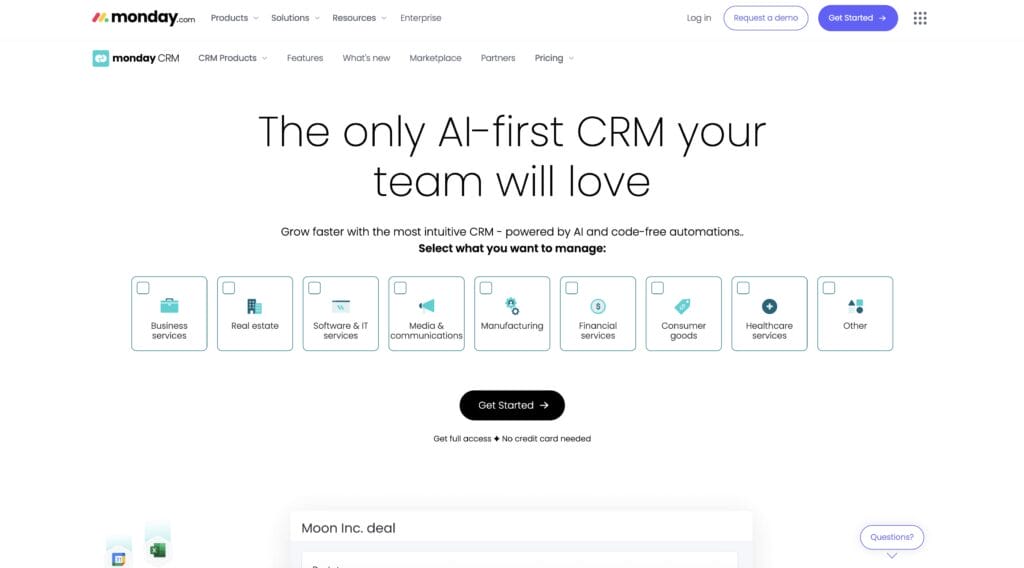
Monday CRM brings the work management platform’s visual, flexible approach to customer relationship management. If your team lives in monday.com and wants CRM functionality without switching platforms, this is a logical choice. The platform offers lead scoring, pipeline visualization, and AI-powered insights. The interface is colorful and intuitive.
However, Monday CRM feels more like a work management tool adapted for CRM rather than a purpose-built sales platform. For teams that prioritize flexibility and visual workflows over specialized sales features, Monday CRM works well.
Key Features
- Visual board interface: See your entire pipeline at a glance with customizable boards
- AI-powered insights: Lead scoring and activity recommendations integrated with monday’s AI
- Flexible workflow builder: Create custom processes without coding
Pros
- Excellent visual pipeline and workflow management
- Integrates seamlessly if you’re already using monday.com
- Customizable interface adapts to your specific workflow
- Affordable pricing for the value provided
- Good collaboration features for team transparency
Cons
- Less specialized for sales compared to dedicated sales CRMs
- Predictive analytics is less sophisticated than purpose-built platforms
- Next-action recommendations limited
- Interface customization can become complex and cluttered
- Smaller sales-specific feature set compared to Pipedrive or Nutshell
Pricing
Monday CRM starts at $25/user/month.
AI CRM ROI: Measuring success for your business
The feature list is nice. But what matters is return on investment. Let’s talk about what to measure and when to expect results.
Key metrics to track
- Deal velocity (cycle time): How long does it take from initial contact to closed deal? AI CRMs typically reduce this by 25% to 50%. Track this from day one as your baseline, then measure again at 30, 60, and 90 days. Even a 10% improvement is a significant ROI.
- Time saved on admin: Track how many hours per week your team spends on data entry, follow-up management, and manual task creation. Most teams report saving two to five hours per week per representative after implementing an AI CRM. At $25/hour loaded cost, that′s $2,600 to $6,500 value per rep annually.
- Adoption rate: What percentage of your team actively uses the CRM? Aim for 80%+ daily usage within 30 days. If adoption stalls below 60%, you’ve picked the wrong platform.
- Revenue per rep: Track total revenue closed per sales representative. AI CRM typically increases this 15–30% within six months as reps spend less time on busy work and more time selling.
- Forecast accuracy: Compare your AI forecast to actual results. After two to three months of data, accuracy typically reaches 70–85%. This lets you plan with confidence instead of guessing.
- Lead conversion rate: What percentage of leads become customers? Lead scoring and intelligent prioritization typically improve this by 25% to 45% as your team focuses its efforts on high-probability prospects.
How to calculate ROI
Here’s what your AI CRM ROI calculation would look like if you have a 5-person sales team considering an AI CRM tool that costs $19 per user per month.
1. Time Savings
- Before: Each rep spends 5 hours/week on admin tasks (emails, data entry, etc.)
- After: The AI CRM cuts this to just 1 hour/week per rep
- Savings: 4 hours/week per rep × 5 reps = 20 hours/week saved
- Annual value: 20 hours/week × 52 weeks × $25/hour = $26,000/year
2. Faster Deal Cycles (Revenue Boost)
- Before: Average deal takes 60 days to close
- After: AI CRM speeds it up to 45 days (25% faster)
- Impact: Your team can now close more deals per year from the same $500K annual revenue pipeline
- Additional revenue: This translates to $166,667 more revenue annually
3. Cost of the Tool
- $19/user/month × 5 users × 12 months = $1,140/year
4. Calculate ROI
ROI = (Total Gains – Cost) ÷ Cost × 100%
Component Amount Time savings $26,000 Additional revenue $166,667 Total gains $192,667 Less: Tool cost ($1,140) Net profit $191,527 ROI 16,801% In plain English: For every $1 you spend on the tool, you receive $168 in return. Your company makes back the annual cost in less than a day.
Realistic timelines for results
- Weeks 1–2: Setup and initial adoption. No ROI yet, but the team is getting comfortable with the platform.
- Weeks 3–4: Early wins emerge. You see the first examples of automation in action (emails sent automatically, leads scored, and follow-ups triggered).
- Weeks 5–8: Measurable productivity gains. Time savings become obvious. Adoption accelerates.
- Weeks 9–12: Revenue impact visible. Deals close faster. Pipeline moves more predictably.
- Months 4–6: Full ROI potential realized. Your team is operating at peak efficiency with the platform. Forecasting becomes reliable.
Expected metrics showing results
According to Nucleus Research, companies implementing CRM software report:
- $8.71 ROI for every $1 spent on CRM software
- 83% of AI CRM users exceed their sales goals within the first six months
- 25–45% increase in deals closed from lead scoring and prioritization
- Two to five hours per week saved per rep from automation
- 30% improvement in forecast accuracy after 90 days of data
The bottom line: If you choose the right AI CRM for your team, you should see measurable ROI within 8–12 weeks. If you don’t see improvements by week 12, you’ve likely picked the wrong platform.
How to choose the right AI CRM for your business
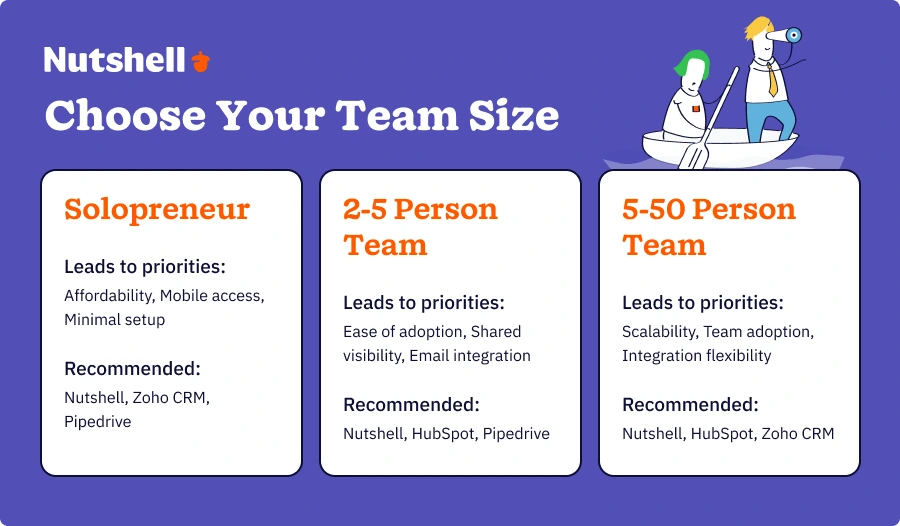
Not every AI CRM is right for every team. Use this framework to evaluate based on your specific situation.
Decision matrix by business size
If you’re a solopreneur:
- Priority #1: Affordability (budget is tight)
- Priority #2: Mobile access (you manage deals everywhere)
- Priority #3: Minimal setup time (you don’t have admin support)
- Recommended platforms: Nutshell, Zoho CRM, Pipedrive
- What to avoid: Complex platforms requiring weeks to implement (you don’t have time)
If you have a 2–5 person team:
- Priority #1: Ease of adoption (every minute of implementation is selling time you lose)
- Priority #2: Shared pipeline visibility (the team needs to see what each person is doing)
- Priority #3: Email integration (not adding extra tools to your stack)
- Recommended platforms: Nutshell, HubSpot, Pipedrive
- What to avoid: Platforms requiring IT support or extensive customization
If you have a 5–50 person team:
- Priority #1: Scalability (will this still work when you hire 10 more people?)
- Priority #2: Team adoption (if half your team doesn’t use it, you don’t get ROI)
- Priority #3: Integration flexibility (you’ve probably built a tech stack; the CRM needs to play nice with it)
- Recommended platforms: Nutshell, HubSpot, Zoho CRM, Pipedrive
- What to avoid: Platforms with per-user costs that become prohibitive at scale
Buying questions to ask before committing
- “Can my team get up and running in 30 minutes?”: If the answer is “not really” or “with help,” it’s too complex. You want a platform that’s intuitive enough for your team to start using immediately.
- “What’s the true cost of ownership, including implementation and training?”: Ask about setup fees, training costs, customization charges, and integration expenses. Many vendors quote low software costs but bury real expenses elsewhere.
- “Will my team actually use this, or will it sit unused?”: This is the real question. A feature-rich product isn’t valuable if nobody uses it. Demo with your actual team and get their honest feedback.
- “Can this grow with us if we add team members?”: Ask specifically: Do we need to re-implement when we add five more people? Does pricing scale reasonably? Is there a data migration concern?
- “Does it integrate with tools we already use?”: If your team uses Gmail, Slack, and Zapier, does the CRM integrate with these applications? If integrations require custom development, costs add up fast.
- “What’s your onboarding process if we get stuck?”: Good CRM vendors have responsive support. Bad ones leave you hanging. Test their support before buying.
Red flags to watch for
- Too many features you’ll never use: Feature-rich doesn’t mean value-rich for your team. Complexity kills adoption.
- Implementation cost exceeds annual software cost: If they quote $5,000 to implement a $2,000/year platform, run. That’s a warning sign of unnecessary complexity.
- No mobile option: Modern sales teams expect mobile access. If the mobile app is weak or absent, your team will resent the system.
- Steep learning curve for non-technical users: If you need a consultant to set it up or if training takes weeks, it’s too complex.
- Pricing unclear or hidden costs mentioned after demo: Transparent pricing matters. Vendors who bury costs after you’re invested are red flags.
Sample evaluation matrix
Use this approach to compare your top two to three choices side-by-side:
Decision Factor Weight Nutshell HubSpot Zoho CRM Setup time 20% 30 min (5/5) 2–4 hours (3/5) 4–8 hours (2/5) Cost per user 20% $13–19 (5/5) Free+ (5/5) $14 (5/5) Ease of use 20% 5/5 4/5 3/5 Mobile quality 15% 5/5 4/5 4/5 Team adoption likelihood 15% 5/5 4/5 3/5 Weighted Score 100% 4.55/5 4.1/5 3.5/5 The highest score wins. (This example assumes your priorities match the weights shown—adjust based on your actual needs.)
AI CRM trends to watch in 2026 and beyond
The CRM landscape is evolving rapidly. Understanding these trends helps you pick a platform built for the future, not yesterday’s technology.
Trend #1: Next-action recommendations becoming standard
More AI CRMs are adopting “what should I do next?” recommendations. This was once a Nutshell differentiator. In 2026, it’s becoming table-stakes. The platforms winning the adoption race are those that reduce decision paralysis by telling your team exactly what to prioritize. Platforms that simply track deals (without guiding you on the next steps) will feel antiquated within a year.
What this means for your CRM choice: Prioritize platforms with next-action recommendations. This feature directly correlates with improved deal velocity and rep productivity. It’s no longer a nice-to-have; it’s becoming a requirement.
Trend #2: Predictive AI improving in accuracy
Lead scoring used to be a novelty. Today it’s essential. And the accuracy is improving rapidly. Modern AI learns your specific sales patterns and continually improves predictions on a monthly basis. Deal forecasting is moving from “educated guess” to “data-driven prediction” territory.
What this means for your CRM choice: Look for platforms that learn over time. Your CRM’s AI should get smarter the longer you use it, not stay static.
Trend #3: Mobile-first design as a nonnegotiable requirement
Five years ago, mobile access was a differentiator. Today it’s table-stakes. Sales teams expect full CRM functionality on their phone. Desktop-first platforms feel clunky and outdated.
What this means for your CRM choice: Test the mobile app thoroughly before making a commitment. Can you actually work from your phone, or is it just a read-only companion? Mobile functionality significantly influences adoption among field sales teams.
Trend #4: No-code customization expanding
SMBs want platform flexibility without needing developer help. No-code tools (visual workflow builders, custom field designers, automation platforms like Zapier) are expanding. In 2026, you shouldn’t need to hire consultants to customize your CRM.
What this means for your CRM choice: Look for platforms with visual customization tools. You should be able to build custom workflows, create custom fields, and set up automations without needing to write code.
Trend #5: AI transparency and “explainability” gaining importance
Users want to understand WHY AI made a recommendation. Black-box AI (“the system says call this person, trust us”) is losing trust. Explainable AI (“the system recommends calling this person because they opened three emails, visited your website twice, and engaged with two pieces of content in the last week”) is gaining adoption.
What this means for your CRM choice: Choose platforms where AI reasoning is transparent. You should understand why the system is recommending a particular action.
How Nutshell fits these trends
Nutshell is ahead of most of these curves. Next-action recommendations aren’t a new feature—they’re core to Nutshell’s methodology. Mobile-first design is standard (not an afterthought). The platform is built for SMBs specifically, so complexity is minimized, and ease of use is prioritized. As these trends accelerate, Nutshell’s positioning as an SMB-focused, next-action CRM becomes increasingly valuable.
Frequently asked questions about AI CRM
-
1. What’s the best AI CRM for small business?
The answer depends on your specific needs, but Nutshell, HubSpot, and Zoho CRM are consistently top picks for affordability, ease of use, and genuine AI capabilities. Use the decision framework above to evaluate based on your team size and priorities.
If you need next-action recommendations and the fastest implementation, consider Nutshell. If you need marketing and sales alignment, HubSpot is the solution. If you need the lowest cost, Zoho CRM.
Before committing, test free trials with your actual team. See which platform feels most intuitive.
-
2. How much does AI CRM cost?
Most SMB-friendly AI CRMs range 13–13–29/user/month:
- Zoho CRM: $14/user/month (lowest cost option)
- Pipedrive: $15/user/month
- Freshsales: $19/user/month
- Nutshell: $13–$19/month (Foundation plan)
- HubSpot: Free tier + $50+/month for paid
- Attio and Monday CRM: $25–$36/user/month
Important: Calculate the total cost of ownership. Software is just one piece. Add implementation costs, training, and integrations. Budget $2,000–$5,000 total for a small team’s first-year implementation.
-
3. Can AI really predict sales outcomes accurately?
Yes, with realistic expectations. AI lead scoring and deal forecasting improve with data. Most platforms reach 70–85% accuracy on lead quality predictions after two to three months of data. Deal forecasting accuracy varies based on sales cycle length and historical consistency.
Key insight: AI accuracy improves over time. After two to three months, your system understands your specific sales patterns and predictions become significantly more reliable.
-
4. Will AI CRM replace my sales team?
No—AI augments, doesn’t replace. AI handles routine tasks (follow-ups, data entry, lead prioritization). Humans build relationships and close deals. The real value: AI frees up rep time for high-value activities, meaning more deals closed per rep with the same headcount.
Think of AI as your team’s super-assistant, not their replacement.
-
5. How long does it take to implement AI CRM?
Implementation time varies dramatically:
- Quick-start platforms (Nutshell, HubSpot): 30 minutes to one day
- Mid-complexity platforms (Zoho, Pipedrive): One to two weeks
- Enterprise platforms (Salesforce): Weeks to months with custom configuration
Pro tip: Avoid complex implementations. Start simple, add features as your team learns. Faster implementation equals faster adoption, which equals faster ROI.
-
6. Which AI CRM is easiest to learn?
Top picks for simplicity include Nutshell (designed for non-tech teams), HubSpot’s free version (a great introduction), and monday CRM (with a visual interface).
Key factors: Mobile-first UI, intuitive navigation, minimal jargon. Most modern AI CRMs have a learning curve of less than one week for core features if they’re designed well.
-
7. What if I’m not ready to commit? Can I try before buying?
All major AI CRMs offer free trials:
- Nutshell: Free 14-day trial (no credit card required)
- HubSpot: Free tier with basic features plus paid trial
- Zoho CRM: Free tier available
- Pipedrive: 14-day free trial
- Freshsales: 21-day free trial
Use trials to test with your actual team. See which platform feels most natural. Don’t decide based on features—decide based on what your team will actually use.
Accelerate small business growth with the best AI CRM
The best AI CRM for your small business is the one your team will actually use. Every platform on this list works—what separates winners from also-rans is adoption. And adoption correlates directly with how intuitive, affordable, and aligned the platform is with your specific workflow.
Small businesses now have access to enterprise-grade AI—such as lead scoring, predictive forecasting, intelligent automation, and next-action recommendations—at prices and complexity levels that actually make sense for SMBs. This is genuinely new. Five years ago, this combination didn’t exist. Today, you have real choices.
Here’s what we know from testing and real-world usage: 83% of AI CRM users exceed their sales goals within the first six months. Those aren’t outliers—that’s the norm. The ROI is real. The productivity gains are measurable.
The key differentiator that separates good CRMs from great ones for small teams? Platforms built specifically for SMBs, not enterprise systems squeezed into smaller boxes. Nutshell’s AI features uniquely address the decision paralysis that kills productivity in small teams. Instead of just tracking your current location, it provides you with precise instructions on the next step—reducing friction and accelerating deal velocity.
Not a Nutshell customer yet? Sign up for a free 14-day trial to give our robust range of AI CRM features a try.
See Nutshell in action!
Try Nutshell free for 14 days or let us show you around before you dive in.
 BACK TO TOP
Ready to try
Nutshell for Free?Thank you! Your submission has been received!Oops! Something went wrong while submitting the form.







What Is Revenue Intelligence? An All-Encompassing Guide
Published on: January 24, 2024Highly Effective Strategies for Elevating Sales Team Performance
Published on: November 10, 2022Join 30,000+ other sales and marketing professionals. Subscribe to our Sell to Win newsletter!










