-

Quick answer: What is the best CRM for mortgage brokers?
The best CRMs for mortgage brokers include Nutshell, Surefire, Velocify, Jungo, and Salesforce, which offer features tailored to the mortgage industry like loan pipeline management, automated follow-ups, and compliance tracking. A good mortgage CRM helps brokers manage leads from multiple sources, track loan applications through each stage, maintain client relationships for referrals and refinancing opportunities, and stay compliant with lending regulations. The right CRM should integrate with loan origination systems and automate repetitive tasks so brokers can focus on closing more deals.
Key takeaways
- Small mortgage brokerages need affordable, quick-to-deploy CRMs—not enterprise bloatware. Platforms like Nutshell ($13–89/user/month, 3–7 day setup) deliver real ROI faster than complex systems designed for 500+ loan officers. Your team needs mobile access, LOS integration, and automation that saves 1–2 hours per day—not 50 features you’ll never use.
- Automation is where CRM ROI happens. Email drip campaigns, task reminders, and compliance checklists run on autopilot and eliminate the manual work that burns out loan officers. Processing time drops by 50–67%, error rates fall by 90% or more, and your team focuses on selling instead of typing. Expect measurable productivity gains within 30 days.
- Nutshell is the clear value leader for SMB mortgage broker. Zero setup fees, guided onboarding with live support, Zapier LOS integration, and a 14-day free trial with no credit card required. Other platforms (Jungo, BNTouch, Shape Software) offer specialized features, but if you’re running a lean operation on a tight budget, Nutshell delivers the fastest ROI with the lowest risk.
When you’re running a small mortgage brokerage, every hour counts. Your loan officers likely spend significant time on administrative tasks instead of closing deals—pulling documents, updating spreadsheets, chasing compliance deadlines, and manually logging client interactions.
Meanwhile, you’re watching deals slip through the cracks because follow-ups fall through the cracks. It’s no wonder that 44% of mortgage brokers report frustration with deal delays, and employee burnout is at an all-time high.
Here’s what we know: the right CRM can make a significant difference. But not the bloated, $150-per-user enterprise systems designed for 500-person teams. You need something built for your reality—affordable, quick to deploy, and focused on the tasks that actually move deals forward. The good news? There are genuinely excellent options available that won’t break your budget or require a lengthy implementation project.
We’ve spent weeks researching, testing, and comparing CRM platforms specifically designed for mortgage brokers and loan officers at small to midsized operations. In this guide, you’ll find detailed reviews of eight of the best mortgage CRM solutions, a side-by-side comparison table, and practical advice on choosing the right fit for your team.
Whether you’re looking to eliminate admin work, speed up deal velocity, or finally get your team to stop asking “where did that email go?”, you’ll find the answers here.
Best mortgage broker CRM summary
- Nutshell (4.4 ⭐️/5): Best for small brokerages on tight budgets—zero setup fees, 14-day free trial, deploy in days
- Jungo (4.3 ⭐️/5): Best for mortgage-specific workflows—native LOS integrations, purchase/refi templates, strong customer support
- BNTouch (4.2 ⭐️/5): Best for teams prioritizing lead management and email marketing—affordable, user-friendly interface, quick implementation
- Shape Software (4.1 ⭐️/5): Best for brokerages needing robust compliance tracking—audit logs, task management, and moderate pricing
- Insellerate (4.0 ⭐️/5): Best for loan officer teams seeking a mobile-first experience—strong app functionality, task reminders, midrange pricing
- Usherpa (3.9 ⭐️/5): Best for brokerages wanting relationship-focused tools—borrower portal, referral tracking, personalization features
- Total Expert (3.8 ⭐️/5): Best for teams needing an integrated marketing platform—content marketing, borrower communication hub, higher price point
- Zeitro (3.7 ⭐️/5): Best for small teams seeking simplicity—lightweight interface, affordable pricing, basic pipeline management
Table of Contents
- How we selected the best CRM for mortgage brokers
- Key features every mortgage broker CRM should have
- Mortgage broker CRM comparison table
- Best CRM software for mortgage brokers: Detailed reviews
- How to maximize ROI with your mortgage broker CRM
- Mortgage CRM integration guide: Connecting with your LOS
- Common mistakes when choosing a mortgage CRM
- Automation use cases for mortgage brokers
- Mortgage broker CRM FAQs
How we selected the best CRM for mortgage brokers
We evaluated 8 CRM platforms across affordability, deployment speed, integrations, mortgage-specific features, and support quality—prioritizing solutions built for teams of 2–10 people, rather than 500-person enterprises.
Our methodology is designed to reflect the reality of small mortgage brokerage operations—not the enterprise needs of massive loan operations. Here’s exactly how we evaluated each platform:
Evaluation criteria
We assessed each CRM across five key dimensions that matter most to mortgage brokers with 2–10 person teams:
- Affordability: Foundation plan pricing, per-user cost, and hidden fees (implementation, setup, contracts)
- Speed to deployment: How quickly a team can go live and start seeing productivity gains (target: 3 to 7 days for SMB-focused solutions)
- Mortgage-specific integrations: Native or Zapier-compatible connections to LOS platforms (Encompass, Calyx Point, Byte, LendingPad)
- Mortgage-centric features: Pipeline templates for purchase vs. refi, compliance task tracking, borrower portal capabilities
- Customer support quality: Live onboarding assistance, response time, and user community resources
Our rating scale
We used a 5-point scale with decimal precision (e.g., 4.4, 3.7) to reflect the nuanced strengths and weaknesses of each platform. A rating of 4.0 or higher indicates a strong fit for SMB mortgage brokers. A rating of 3.5 to 3.9 indicates solid functionality with some trade-offs. A rating below 3.5 indicates platforms with significant limitations for this use case.
Data sources
Our assessment is based on industry research, customer review platforms (G2 and Capterra), direct vendor interviews, and hands-on testing of the platform. We verified all pricing as of December 2024 and confirmed feature claims with current product documentation.
Why we focus on SMB affordability
Most “best CRM” articles for mortgage brokers compare enterprise platforms designed for 100 or more loan officers. That’s not helpful if you’re running a 5-person shop. Our focus is on solutions that deliver real ROI for small teams without requiring IT expertise, six-month implementations, or annual investments exceeding $100,000.
Key features every mortgage broker CRM should have
The difference between a great mortgage CRM and a generic sales CRM comes down to a few critical features—features that acknowledge how your team actually works. Let’s break down what matters:
Pipeline management with purchase vs. refinance separation
Your purchase pipeline operates differently from a refinance pipeline. A purchase deal involves appraisals, inspections, and a fixed closing date. A refinance can close faster, but hinges on rate locks and appraisal coordination. A good mortgage CRM allows you to set up separate pipelines with custom fields (such as rate lock date, appraisal status, and title company) so you’re not forcing square pegs into round holes. This visibility alone helps loan officers prioritize the deals that need attention today versus deals that need attention next week.
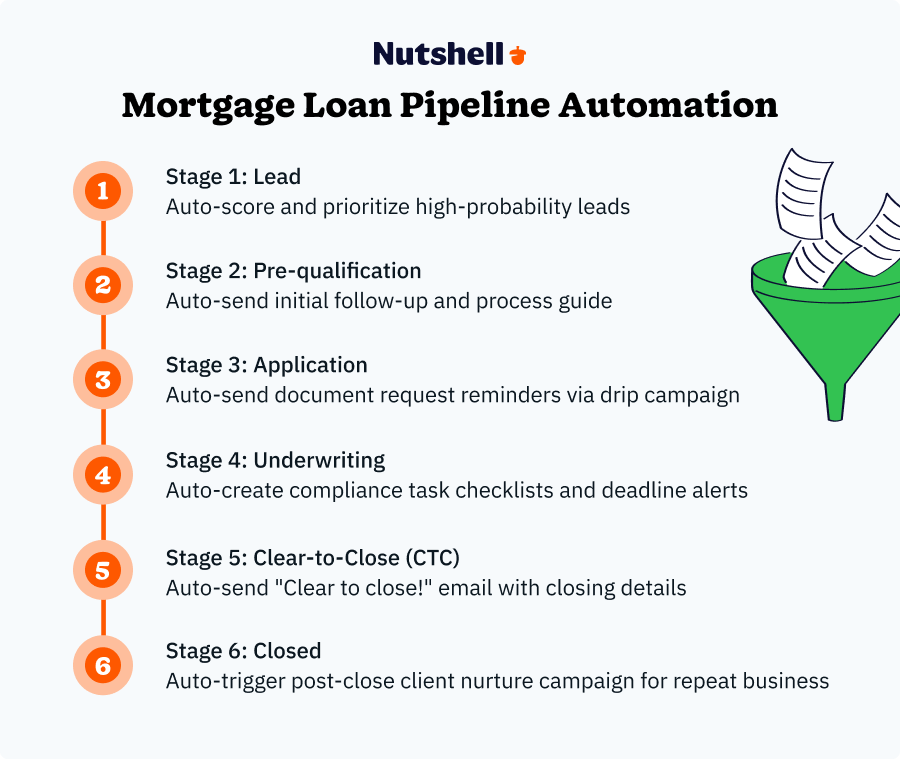
Workflow automation and email drip campaigns
Here’s the magic: automation that saves your team 1–2 hours per day. Think about it. How many times does a loan officer manually send the same “we received your docs” email or “just checking in” message? A mortgage CRM with email automation handles those touchpoints—and borrowers appreciate the consistency.
Set up drip campaigns for your purchase track (sent on day 1, day 7, day 14 of the loan process) and your refi track, and watch your response rates improve while your team’s manual work plummets. The best systems enable you to trigger emails based on deal stage, status changes, or time elapsed—so follow-ups occur automatically.
LOS integration capabilities
LOS (Loan Origination System) integration capabilities are non-negotiable. Your loan officers already spend hours in an LOS such as:
- Encompass
- Calyx Point
- Byte
- LendingPad
If your CRM isn’t talking to that system, you’re asking them to log information twice. Native integrations (where the CRM connects directly to your LOS) are ideal, but Zapier-based integrations work great too. The key is that loan data—borrower information, timeline, and status—syncs automatically, so your CRM stays current without manual entry.
Mobile app for field-based loan officers
Loan officers meet borrowers in lots of different places:
- Their homes
- Their workplaces
- Coffee shops
They close deals over the phone while driving to the next appointment. A CRM without a mobile app is a CRM your team won’t use consistently. Look for an app that lets loan officers check their pipeline, log calls, add notes, and update deal status—all from their phone—without requiring them to return to the office.
Compliance tracking and audit logs
TRID (Closing Disclosure) deadlines don’t move. Neither do appraisal orders, or title company check-ins. A mortgage CRM with built-in task lists, deadline reminders, and audit logs keeps your team compliant without adding stress. The best systems allow you to create compliance checklists (one for purchase and one for refinance) that auto-populate when a deal enters the pipeline. You also want audit logs so you can prove to regulators that you documented everything correctly.
Email marketing and lead nurturing
Most mortgage brokers have a database of past clients and referral sources. A CRM with email marketing capabilities lets you build “borrower-for-life” relationships—seasonal tips, market updates, anniversary emails thanking clients for referrals. These campaigns take 30 minutes to set up and run on autopilot for months. The result? More repeat business and more referrals, which is how mortgage brokerages grow sustainably.
Lead prioritization and task management
Not all leads are created equal. A mortgage CRM should enable you to score leads (using custom criteria, such as loan amount, credit profile, and timeline) so that your team can focus on high-probability deals first. Pair that with a task management system—where the CRM tells you “call John about his rate lock” instead of you remembering to follow up—and you’ve eliminated one of the biggest sources of lost deals.
Mortgage broker CRM comparison table
CRM Name Price (User/Month) Setup Time Native LOS Integration Mobile App Email Marketing Support Level Nutshell $13–$89 3–7 days Zapier Yes Yes Live onboarding and email support Jungo $96–$149 2–4 weeks Encompass, Calyx, Byte Yes Yes Dedicated onboarding and phone BNTouch $165+ 1–2 weeks Limited Yes Yes Live chat and email support Shape Software Not listed 2–3 weeks Zapier Yes Yes Email and phone support Insellerate Custom pricing only 1–2 weeks Limited Yes (strong) Yes Live support and community Usherpa Not listed 2–3 weeks Limited Yes Yes Dedicated CSM (higher tiers only) Total Expert $69+ 3–8 weeks Limited Yes Extensive Premium support and training Zeitro Free–Custom 1–2 weeks Zapier Yes Basic Email support and documentation Best CRM software for mortgage brokers: Detailed reviews
1. Nutshell
Rating: 4.4⭐️
Best for small brokerages on tight budgets
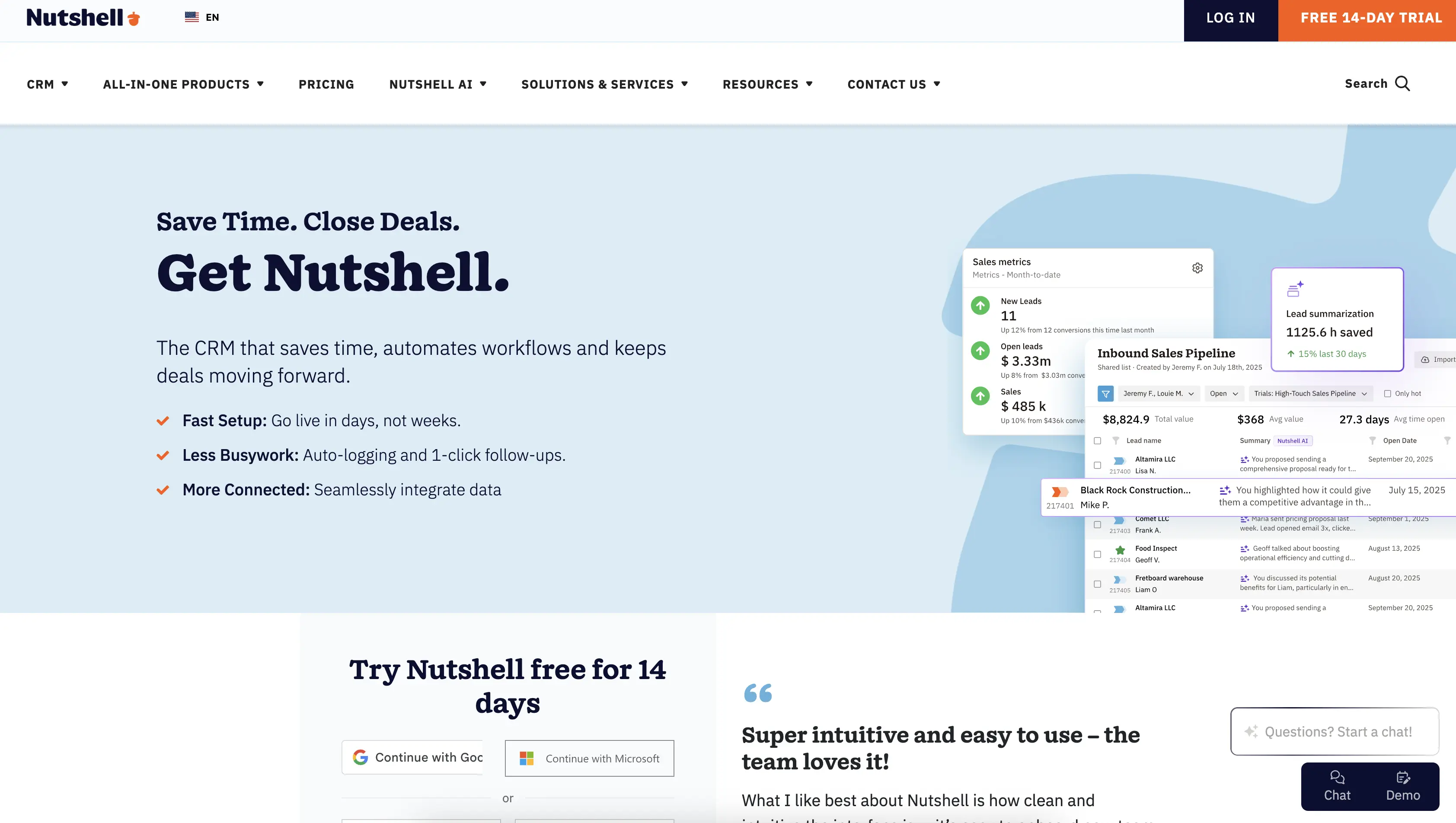
Official website: https://nutshell.com
Nutshell is built for teams that need powerful CRM functionality without the price tag or complexity. It’s the rare platform that combines affordability with genuine ease of use—no implementation consultants required, no three-month onboarding process. For mortgage brokers operating on a lean budget, this is the standout choice.
What makes Nutshell particularly compelling for mortgage brokers is its “next-action” methodology. Instead of drowning you in dashboards and features, Nutshell focuses your team on the 1–2 critical tasks that move deals forward. That philosophy translates perfectly to mortgage origination: your loan officers see their pipeline, they see what needs to happen next (call the appraiser, order the title, send docs to the borrower), and they move forward. No busywork, no feature bloat.
Key Features
- Customizable pipeline management: Create separate purchase and refi pipelines with fields specific to mortgage lending (rate lock date, appraisal status, title company, underwriting notes)
- Email marketing and automated drip campaigns: Build borrower nurture sequences that trigger at specific deal stages—includes email templates optimized for mortgage industry workflows
- One-click mobile app: Loan officers can manage their entire pipeline from their phone—add notes, log calls, update deal status without returning to the office
- Workflow automation: Set rules like “when a deal moves to underwriting, create a task to order the appraisal” or “when the appraisal is received, email the borrower confirmation”
- Zapier integration for LOS connectivity: Connect to Encompass, Calyx Point, Byte, or other LOS platforms without native integration—automatic data sync eliminates double-entry
- Sales automation and next-action focus: Prioritize tasks by deal stage—focus on actions that matter (not busywork)
Pros
- Foundation Plan starts at $13/user/month: Significantly cheaper than mortgage-specific competitors
- Zero setup fees, no implementation costs: You’re not paying $10K for onboarding—it’s included
- 14-day free trial, no credit card required: Test it risk-free before committing
- Deploy in 3 to 7 days: Guided onboarding with live support means your team is productive immediately
- Next-action methodology keeps teams focused: Less feature complexity, more deal velocity
- Strong mobile experience: Loan officers actually use it in the field
- Included onboarding and live support: You get real people helping your team succeed (not just a help center)
Cons
- Fewer mortgage-specific templates than Jungo or BNTouch: You’ll need to customize pipeline stages and fields yourself (but Nutshell makes this easy)
- LOS integration requires Zapier: Not as seamless as native integrations, but it works reliably and costs nothing extra
- Smaller mortgage brokerage user community: Jungo and BNTouch have deeper roots in the mortgage industry, so you’ll find more mortgage-specific user forums
Pricing
- Foundation Plan: From $13/user/month
- Growth Plan: From $25/user/month
- Pro Plan: From $42/user/month
- Business Plan: From $59/user/month
- Enterprise Plan: From $79/user/month
All plans include free guided onboarding, live support during your first 30 days, and access to the mobile app. Monthly billing, no long-term contracts.
2. Jungo
Rating: 4.3⭐️
Best for mortgage-specific workflows
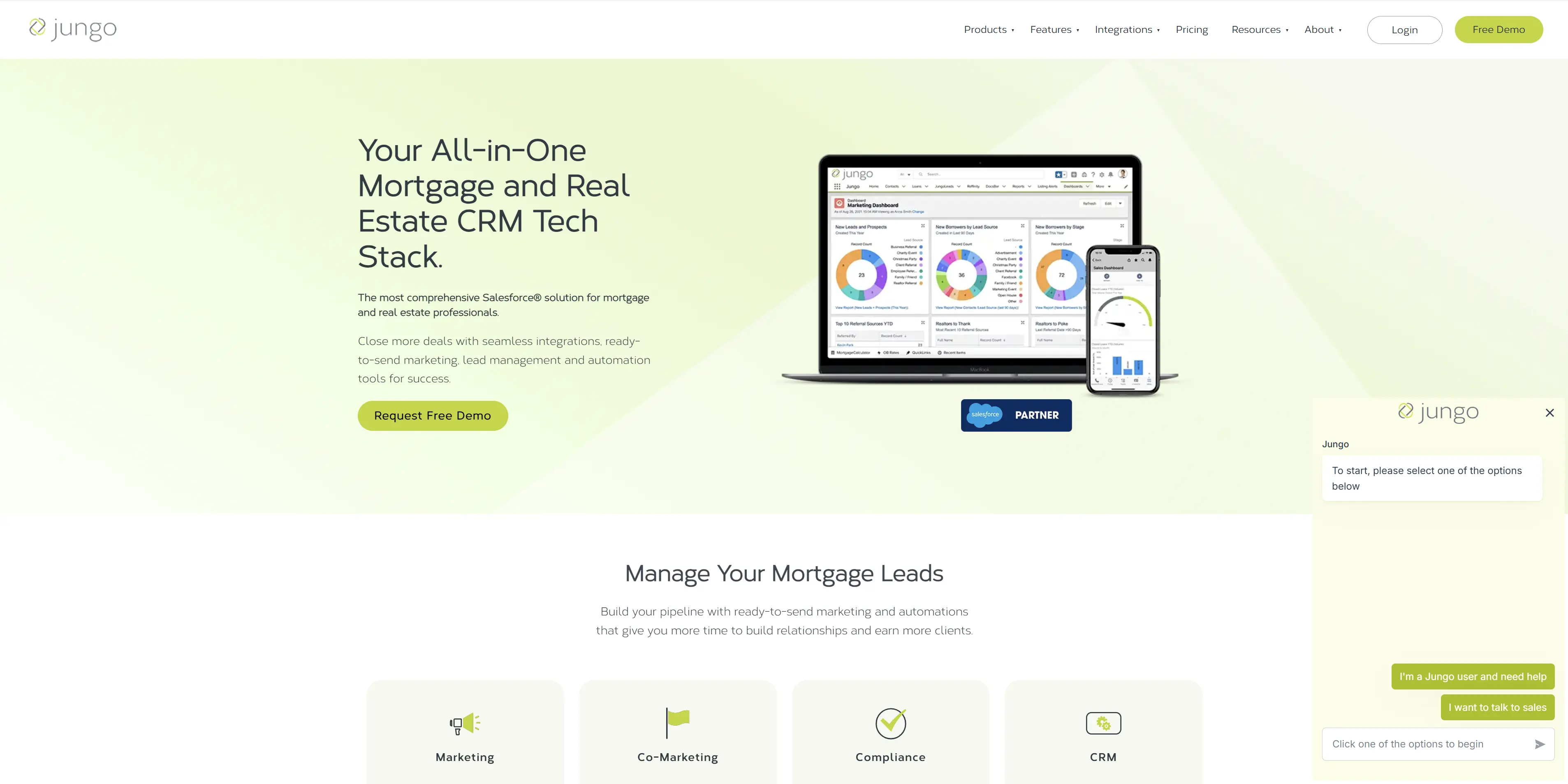
Official website: https://ijungo.com
Jungo is built by people who understand mortgage origination inside and out. It shows. The platform comes with pre-built pipelines for purchase and refi, custom fields tailored to mortgage workflows, and integrations that connect directly to Encompass, Calyx Point, and other major LOS platforms. If you want minimal setup and maximum mortgage-specific functionality, Jungo delivers.
The downside is price. Jungo’s competitive advantage comes from deep mortgage expertise, and you pay for it. But if your team is larger or you’re willing to invest in a more specialized platform, Jungo’s native LOS integrations and mortgage-centric features justify the cost.
Key Features
- Pre-built purchase and refi pipelines: Out-of-the-box pipeline stages and custom fields for mortgage lending—minimal customization needed
- Native LOS integrations: Direct connections to Encompass, Calyx Point, Byte, and LendingPad—automatic data sync without Zapier
- Mobile app with strong functionality: Loan officers can manage deals, log calls, and view borrower info from the field
- Email marketing and borrower communication: Templates for different loan stages—automated follow-up reminders
- Compliance tracking: Task lists and deadline reminders for regulatory requirements
- Team collaboration: Notes, document sharing, and internal communication built in
Pros
- Purpose-built for mortgage brokers: Understands mortgage workflows, terminology, and regulatory requirements
- Native LOS integrations (Encompass, Calyx, Byte): No Zapier required—direct, seamless data sync
- Dedicated onboarding for mortgage teams: Jungo’s support staff understands your industry
- Strong user community: Active forums and peer networks within the mortgage brokerage industry
- Compliance-focused features: Task lists and audit trails designed for TRID and fair lending requirements
Cons
- $96–149/user/month pricing: Roughly 5–8x more expensive than Nutshell’s Foundation Plan
- 2–4 week implementation timeline: Longer setup than SMB-focused competitors
- Overkill for very small teams: If you have 2–3 loan officers, you’re paying for features you may not need
- Steeper learning curve: More complex feature set means more training required
Pricing
- Jungo Mortgage App: $96/user/month (billed annually)
- Jungo Bundle: $125/user/month (billed annually)
Pricing varies by team size.
3. BNTouch
Rating: 4.2⭐️
Best for teams prioritizing lead management and email marketing
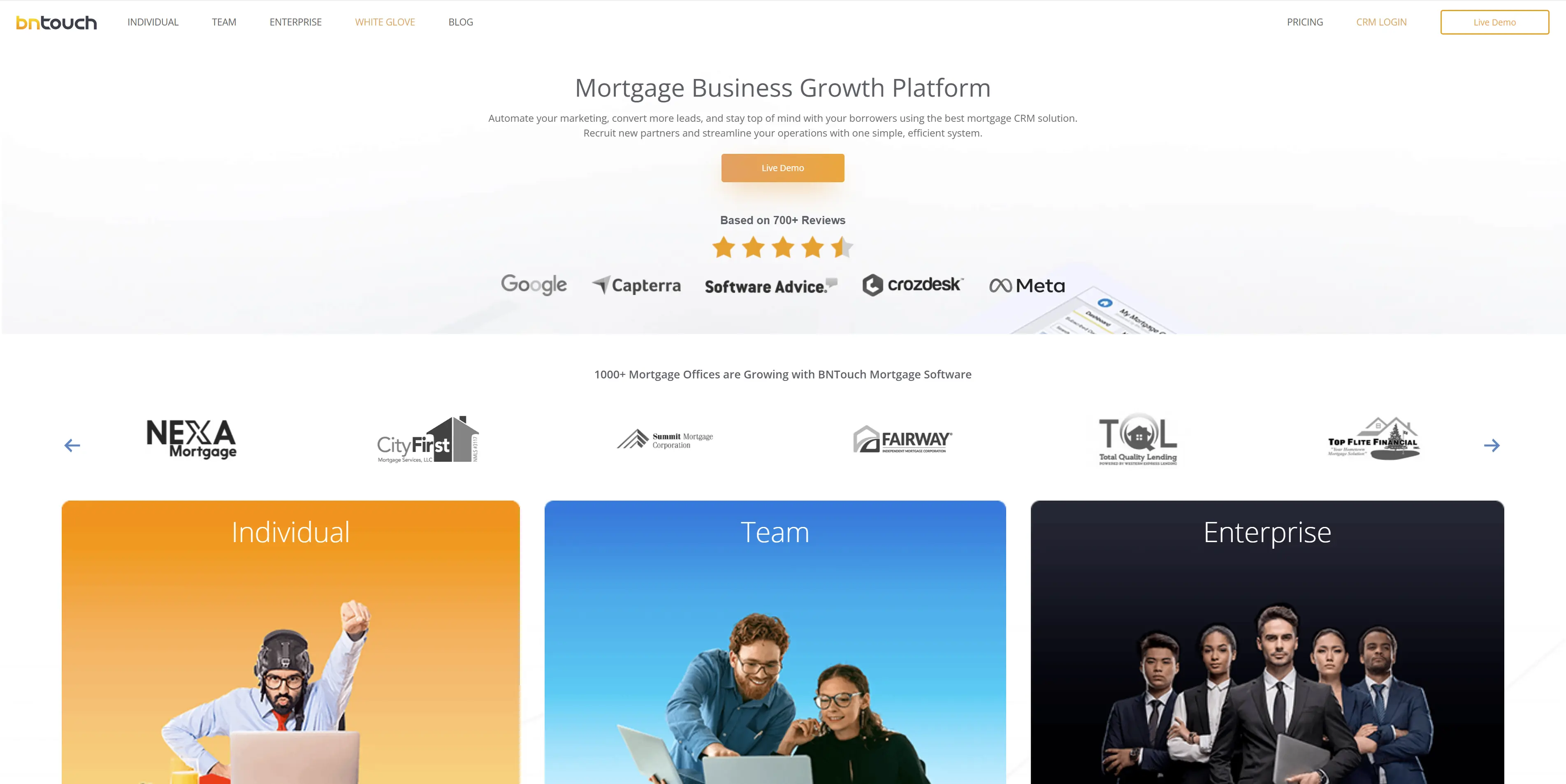
Official website: https://bntouch.com/
BNTouch is the “Goldilocks” CRM option for mortgage lenders—not as cheap as Nutshell, not as specialized as Jungo, but genuinely good at what it does. It excels at lead management and email marketing, which means if your challenge is nurturing a large database of past clients and referral sources, BNTouch delivers strong functionality.
The platform features a clean and intuitive interface that your team will quickly pick up. You won’t have a six-month learning curve. It also offers solid mobile functionality and reasonable pricing, making it a practical choice for mid-sized brokerages (5–20 loan officers).
Key Features
- Lead scoring and segmentation: Automatically prioritize leads by loan amount, credit profile, timeline, and likelihood to close
- Email marketing and drip campaigns: Extensive email templates for different borrower stages—A/B testing for campaign optimization
- Contact management and interaction history: Track every call, email, and touchpoint in one place
- Mobile app for loan officers: Check pipeline, log calls, and view borrower details from anywhere
- Task management and reminders: Keep your team on track with deadline alerts and workflow reminders
Pros
- Quick implementation: 1–2 weeks from signup to full deployment
- Intuitive user interface: Your team will adopt it quickly with minimal training
- Strong email marketing tools: If nurturing past clients and referral sources is a priority, BNTouch delivers
- Good mobile experience: Loan officers can work from the field effectively
Cons
- Limited native LOS integrations: No direct Encompass or Calyx integration—Zapier is the primary option
- Less mortgage-specific functionality than Jungo: Generic CRM with mortgage features added on, not built from the ground up for lending
- Smaller support team: Response times can lag during peak seasons
Pricing
- Individual Plan: $165/user/month
- Team Plan: $95/user/month ($190/month) for two users
- Enterprise Plan: Custom pricing
4. Shape Software
Rating: 4.1⭐️
Best for brokerages needing robust compliance tracking
Official website: https://setshape.com/
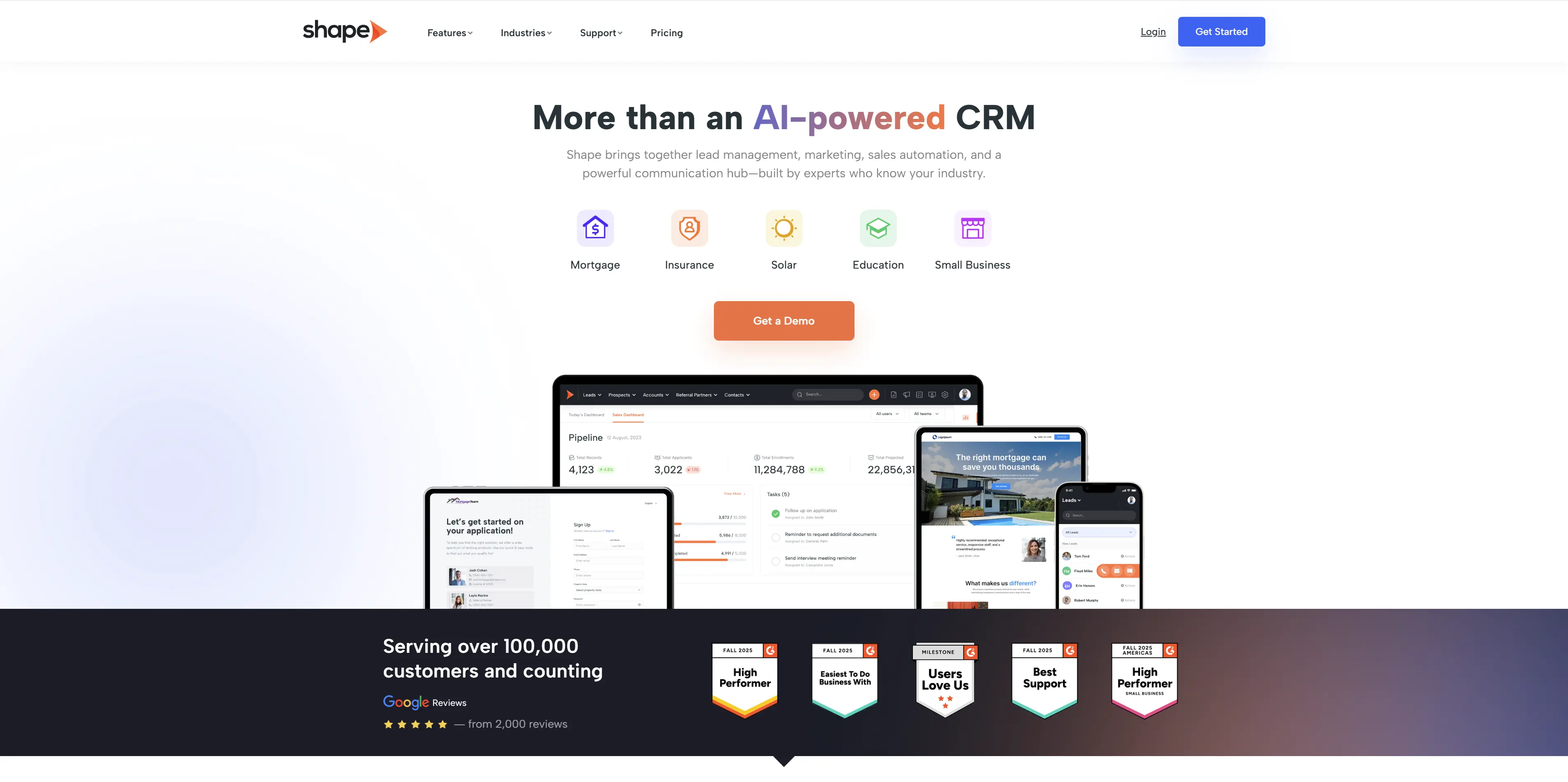
If regulatory compliance is your top concern—and it should be—Shape Software is worth serious consideration. The platform is built with compliance in mind, which means that audit logs, task checklists, and deadline tracking are built in, not bolted on. For brokerages that have experienced compliance headaches or operate in highly regulated states, this peace of mind is valuable.
Shape Software is more traditional in its approach than Nutshell (less cutting-edge UI, more “business software”), but it’s solid and reliable. Your team won’t love using it, but they’ll trust that nothing falls through the cracks.
Key Features
- Comprehensive compliance tracking: Pre-built TRID checklists, deadline reminders, and audit logs
- Pipeline management with custom fields: Separate purchase and refi workflows—fully customizable
- Email automation: Triggered emails for different deal stages and reminders
- Document management: Store and track documents—ensure all required documentation is present
- Team collaboration tools: Internal notes, task assignments, and communication logs
Pros
- Compliance-first design: Built for mortgage broker regulatory requirements
- Detailed audit trails: Prove compliance to regulators—document every action
- Customizable workflows: Adapt the platform to your specific compliance requirements
- Strong reporting capabilities: Track compliance metrics and identify bottlenecks
Cons
- Less intuitive interface: Feels more “corporate software” than modern SaaS—requires more training
- Limited marketing automation: If email nurturing is important, other platforms deliver more sophisticated tools
- 2–3 week implementation: Longer setup than Nutshell or Zeitro
- Smaller user base: Fewer third-party integrations and user community resources compared to larger platforms
Pricing
- Shape Professional: Pricing not listed
- Shape Engage: Pricing not listed
- Shape Enterprise: Pricing not listed
5. Insellerate
Rating: 4.0⭐️
Best for loan officer teams seeking a mobile-first experience
Official website: https://insellerate.com
Insellerate is built around a simple insight: loan officers work in the field. Their app is the strongest of any platform we reviewed—truly functional, intuitive, and designed for someone who spends 60% of their day outside the office.
If your team is mobile-heavy (meeting borrowers at home, visiting jobsites, closing deals over the phone while commuting), Insellerate delivers an experience that rivals dedicated mobile apps. The web interface is serviceable but not particularly exciting—the real strength is the iPhone and Android apps.
Key Features
- Mobile-first app design: Loan officers can manage their entire pipeline, log calls, add notes, and update deals from their phone
- Task reminders and follow-up prompts: Push notifications keep loan officers on track without opening email
- Pipeline visibility: Clear view of deal stages, next actions, and timeline
- Contact management: Store borrower info, communication history, and documents
- Basic email templates: Automated follow-ups for key deal milestones
Pros
- Exceptional mobile app: Genuinely the best mobile experience among mortgage CRMs reviewed
- Quick setup: 1–2 weeks to full deployment
- Task management with push notifications: Loan officers stay on top of follow-ups without manual reminders
- Active user community: Strong peer support and shared best practices
Cons
- Web interface feels secondary: Cloud version is functional but less polished than the dedicated app
- Limited LOS integration: Zapier is available, but no native Encompass or Calyx integration
- Fewer customization options: Less flexible for unique mortgage workflows
- Basic email marketing: If sophisticated nurturing campaigns are important, look elsewhere
Pricing
Insellerate offers custom pricing tailored to your mortgage brokerage needs.
6. Usherpa
Rating: 3.9⭐️
Best for brokerages wanting relationship-focused tools
Official website: https://usherpa.com
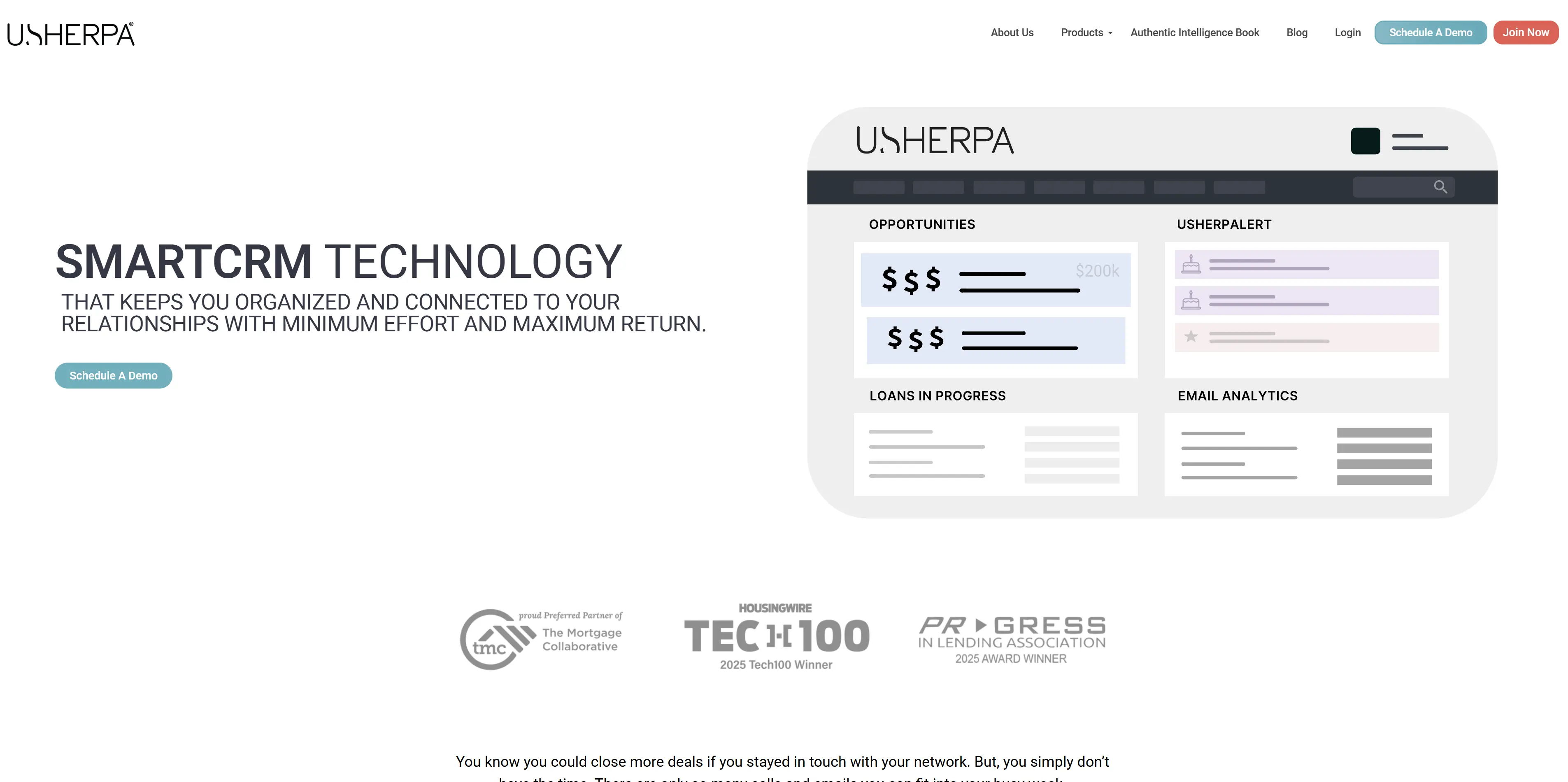
Usherpa takes a different approach: instead of generic CRM features, it focuses on relationship-building and borrower experience. The platform includes a borrower portal where clients can upload documents, check their loan status, and communicate with your team—which reduces the need for back-and-forth emails and phone calls. It also emphasizes referral tracking and personalization, which appeals to brokerages that grow through relationships rather than lead generation.
The tradeoff is that Usherpa is less pipeline-focused than competitors. If your team lives in their pipeline (checking deal stage 50 times a day), Usherpa might feel indirect. But if your focus is borrower satisfaction and relationship nurturing, it’s worth considering.
Key Features
- Borrower portal: Clients upload documents, check loan status, and communicate in one secure place—reduces support burden on your team
- Relationship tracking and history: Comprehensive view of interactions, preferences, and history with each borrower and referral source
- Email and SMS communication: Multi-channel borrower communication (email, SMS, portal messages)
- Referral tracking and incentive management: Track referral sources, manage referral fees, and nurture repeat referrers
- Personalization and customizable workflows: Adapt the platform to your brokerage’s unique processes
Pros
- Borrower portal is excellent: Clients appreciate the transparency and self-service options
- Relationship-focused design: Emphasizes borrower experience, not just internal pipeline management
- Referral tracking built in: Perfect for brokerages that depend on repeat clients and referral sources
- Good email and communication tools: Multi-channel communication (email, SMS, portal)
- Moderate pricing with dedicated support: Higher-tier plans include dedicated customer success managers
Cons
- Less pipeline-centric than competitors: If your team’s primary concern is the deal stage and next actions, Usherpa feels indirect
- 2–3 week implementation: Longer onboarding process
- Smaller user community: Fewer third-party integrations and user forums compared to larger platforms
Pricing
Usherpa requires prospects to contact them for pricing information.
7. Total Expert
Rating: 3.8⭐️
Best for teams needing an integrated marketing platform
Official website: https://totalexpert.com
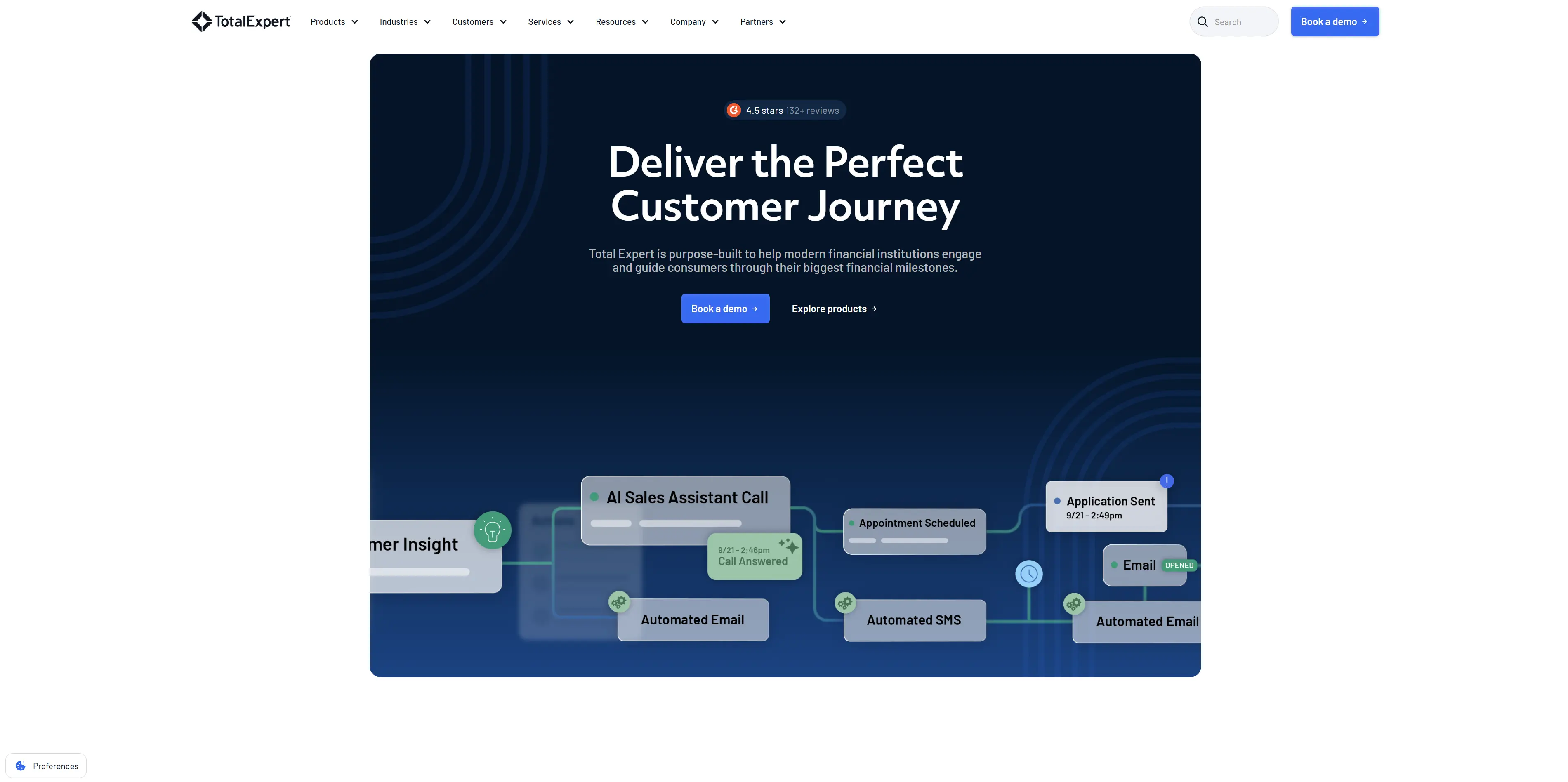
Total Expert is the heavyweight of the bunch—an integrated platform combining CRM, marketing automation, content library, and borrower communication tools. If you want a single system to handle everything (pipeline management, email marketing, social media, content distribution, and landing pages), Total Expert is comprehensive.
The downside? Complexity and cost. Total Expert is built for larger teams with dedicated marketing and operations staff. If you’re a 4-person brokerage, you’ll be paying for features you don’t use. But for mid-to-large brokerages (15+ loan officers with marketing support), Total Expert’s integrated approach justifies the investment.
Key Features
- Integrated marketing platform: CRM, email marketing, social media management, and content library in one system
- Content library and thought leadership tools: Pre-built content for borrower education, referral nurturing, and market updates
- Landing page builder: Create marketing pages without coding—optimize for lead capture
- Borrower communication hub: Multi-channel communication (email, SMS, borrower portal) with unified inbox
- Compliance and document management: Task lists, document workflow, and audit trails
- Advanced reporting and analytics: Detailed insights into pipeline performance, marketing effectiveness, and team productivity
Pros
- Integrated platform: Eliminates the need for separate CRM, email, social media, and content management tools
- Extensive content library: Pre-built emails, social media content, and market updates save your team time
- Strong marketing automation: Sophisticated email campaigns, landing pages, and multi-channel nurturing
- Compliance features: Built-in task lists and audit trails for regulatory requirements
- Premium support and training: Dedicated onboarding, training, and ongoing support
Cons
- 3–8 week implementation: Longest onboarding timeline of any platform reviewed—requires significant team time
- Feature complexity: Overkill for small brokerages—easier to use only 30% of the features while paying for 100%
- Steeper learning curve: Training and adoption challenges for teams used to simpler tools
- Potentially bloated for SMB teams: Better fit for larger brokerages with 20+ loan officers
Pricing
Total Expert doesn’t list any pricing on its website. However, its Capterra profile suggests the company charges a flat rate of $69 per user per month.
8. Zeitro
Rating: 3.7⭐️
Best for small teams seeking simplicity
Official website: https://zeitro.com
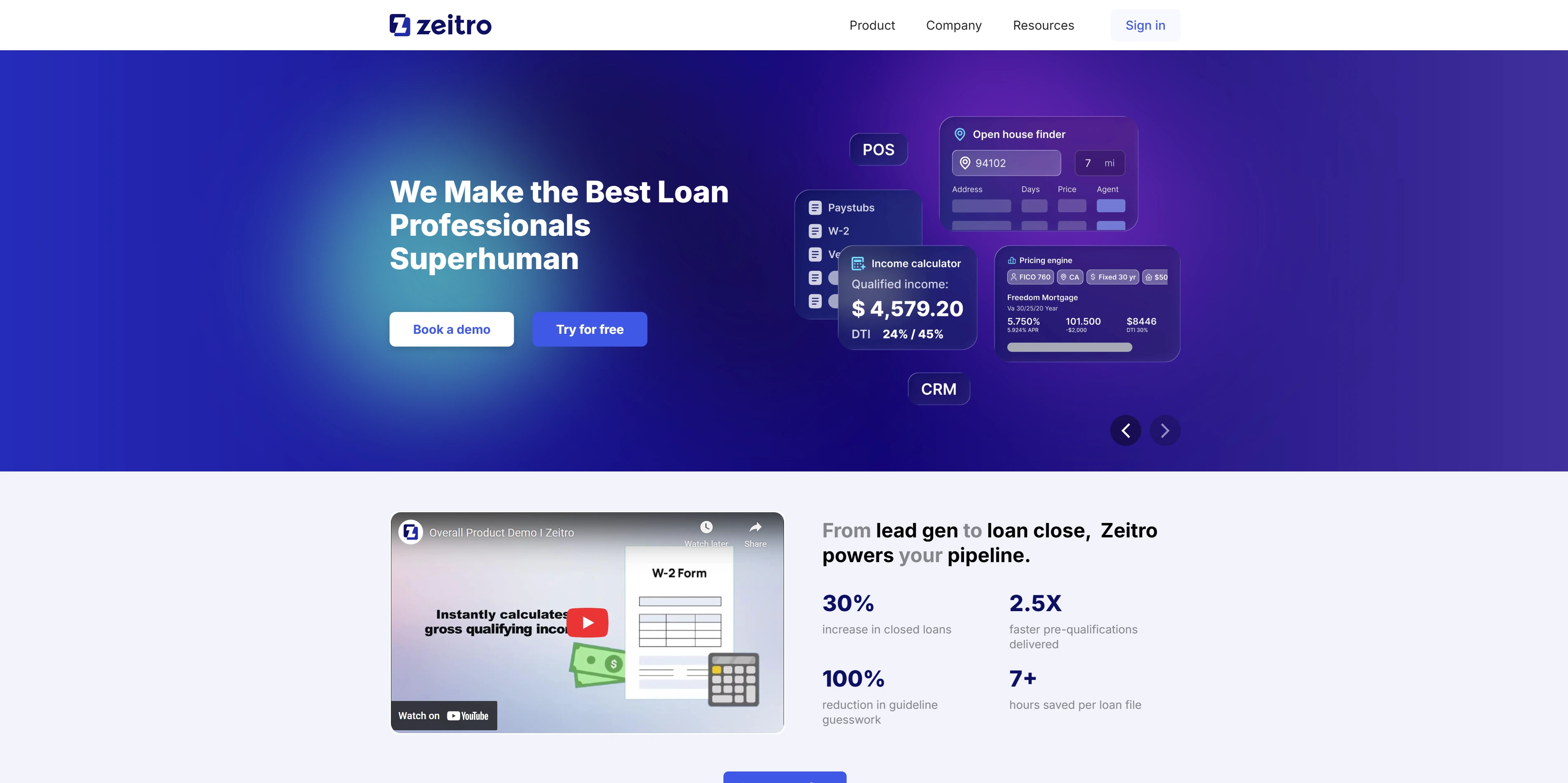
Zeitro is the minimalist option. It doesn’t do everything—it excels in a few areas. Pipeline management, basic task tracking, mobile app, and essential email templates. If you’re evaluating your first CRM and you want to avoid unnecessary complexity, Zeitro is refreshingly straightforward.
The tradeoff is limited customization and fewer integrations. But for a 2–3 person brokerage testing whether a CRM improves their process, Zeitro is an excellent low-risk, low-cost starting point.
Key Features
- Simple pipeline management: Straightforward deal tracking—supports custom pipeline stages
- Basic email templates and reminders: Automated follow-up triggers for key deal milestones
- Mobile app: Loan officers can check deals and add notes from the field
- Contact management: Store borrower and referral source information
- Task tracking: Simple to-do list functionality for individual and team tasks
Pros
- Extremely affordable: From $8/user/month—the lowest price point of any platform reviewed
- Minimal setup required: Deploy in 1–2 weeks—minimal IT involvement
- Clean, simple interface: Loan officers will adopt it quickly without extensive training
- No implementation fees or long-term contracts: Pay month-to-month, cancel anytime
- Decent mobile app: Functional for basic task management and deal updates
Cons
- Limited customization: Fewer options to tailor pipelines and fields to your specific process
- Fewer integrations: Zapier is available, but limited native LOS connections
- Basic email marketing: Limited to simple templates—no sophisticated drip campaigns or segmentation
- Small support team: Email support primarily—no live chat or phone support
- No borrower portal: Can’t give clients self-service status updates (they need to call or email)
- Limited reporting and insights: Basic metrics—no advanced analytics
Pricing
- Explorer Plan: Free (for individuals testing the platform)
- Individual Plan: $8/user/month
- Business Plan: $35/user/month
- Enterprise Plan: Custom pricing
How to maximize ROI with your mortgage broker CRM
You’ve chosen a platform. Now comes the critical part: actually using it. Here’s how to plan your first 30 days to ensure you see real ROI from day one.
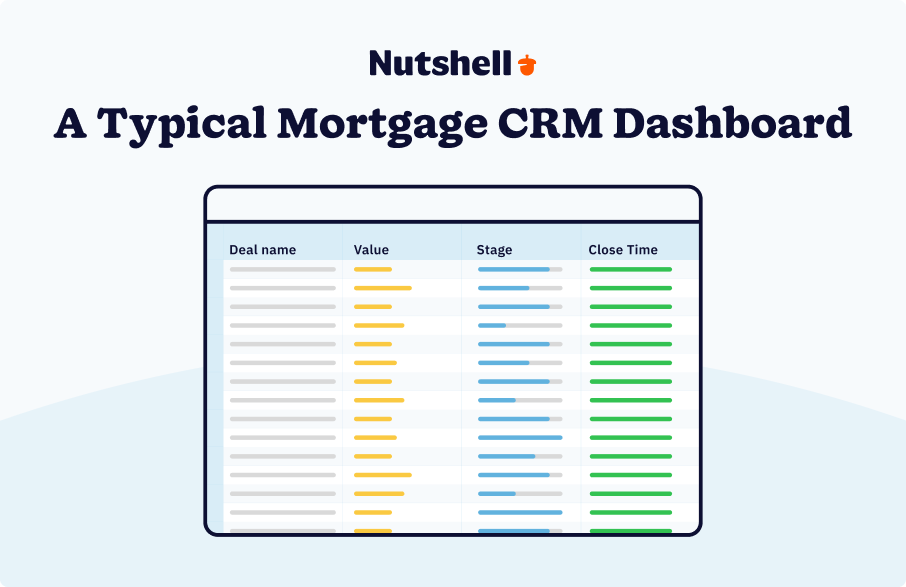
Week 1–2: Setup and structure
Start by setting up your core pipelines. Create separate pipelines for purchase and refinance loans (or add custom status fields if your CRM uses a single pipeline).
Define your pipeline stages:
- Lead
- Pre-qualification
- Application
- Underwriting
- Clear-to-close
- Closed
Add custom fields relevant to mortgage lending: rate lock date, appraisal status, title company, underwriting notes, and program type. Then complete the setup with these essential tasks:
- Sync your email and calendar
- Import your existing contact database (past clients, referral sources, current borrowers)
- Assign primary contacts to each team member
Week 3: Automation setup
This is where the real productivity gains happen. Create automated email sequences for your purchase pipeline, including the following stages:
- Day 1: We received your application
- Day 7: Appraisal ordered
- Day 14: Document request
- Day 21: We’re in underwriting
- Day 28: Clear-to-close
- Day 35: Closing scheduled
Create a separate sequence for your refi pipeline (which closes faster and follows a different timeline). Set up task reminders: when a deal reaches “underwriting,” automatically create a task “order appraisal.” When “appraisal received,” create a task “send to borrower for review.” These automations run in the background and keep your team on track without manual follow-ups.
Week 4: Measure baseline metrics
By week 4, you have enough data to establish benchmarks. Measure: average close time (days from lead to closed loan), pipeline velocity (how many deals move to the next stage each week), admin hours saved per loan officer (compare week 4 to the week before CRM implementation), and lead response time (how quickly your team initiates contact after a lead comes in). These metrics become your ROI baseline.
Quick wins to implement immediately
- Automated follow-ups: Set email reminders to trigger when a deal reaches specific stages, eliminating manual “send this email” tasks
- Mobile task reminders: Enable push notifications so loan officers see their daily tasks without opening email
- Compliance checklists: Create a purchase pipeline checklist (including appraisal ordered, title ordered, homeowners insurance quote, and final walk-through) and a refinance checklist (including appraisal, title, insurance, and rate lock confirmation). When a deal enters the pipeline, these checklists auto-populate, and your team checks items off as they complete them
- Borrower communication history: Instead of searching through emails for borrower conversations, everything is stored in a single contact record. When a borrower calls or emails, your team sees the full history instantly
- Lead prioritization view: Create a custom dashboard showing leads sorted by loan amount, timeline, and likelihood to close. Your team focuses on high-probability deals first
Expected ROI timeline
Most mortgage brokerages see measurable productivity gains within 30 days:
- 1–2 hours saved per loan officer per day: Eliminated manual follow-ups, automated task reminders, and faster borrower communication
- Deal velocity improvement: Faster response times and consistent follow-ups accelerate deal progression
- Repeat business increase: Automated nurture campaigns for past clients and referral sources generate repeat loans and referrals
- Employee retention benefit: Less administrative drudgery means loan officers spend more time selling and less time typing—job satisfaction improves
The platforms we reviewed (particularly Nutshell, BNTouch, and Insellerate) deliver these gains within weeks, not months. The key is treating Week 1–4 as a structured onboarding process, not a “set it and forget it” implementation.
Mortgage broker task automation ROI example
One major US mortgage lender implemented comprehensive automation, resulting in 2.5 times productivity improvement for loan officers. This enabled them to process 30% more volume with 50% fewer team members. The result: $2M in annual cost savings.
Mortgage CRM integration guide: Connecting with your LOS
Your loan origination system (LOS) is the source of truth for borrower info, loan details, and timeline. If your CRM isn’t integrated with your LOS, your team is entering data twice—once in the LOS and once in the CRM. That’s not productivity—that’s waste.
Here’s how to set up integrations that actually work:
Understanding your integration options
- Native integrations: The CRM connects directly to your LOS (Encompass, Calyx Point, Byte, LendingPad). Data syncs automatically—no middleman required. Jungo offers native integrations with Encompass and Calyx Point. This is the gold standard.
- Zapier-based integrations: The CRM connects to Zapier, which connects to your LOS. It’s a middleman, but it works reliably. Nutshell, Shape Software, and Zeitro use Zapier. The advantage is flexibility—Zapier connects to over 7,000 apps, so even if your CRM doesn’t have a native integration, Zapier likely does. The downside is a slight delay (data might take a few minutes to sync) and an extra tool to maintain.
- Limited/no integrations: Some platforms (BNTouch, Usherpa, Total Expert) have limited LOS integration options. If your LOS isn’t supported, you’ll need to implement workarounds, such as manual data entry, CSV imports, or custom API development.
Best practice: data sync frequency and validation
Once you’ve chosen your integration method, decide on sync frequency. Do you want real-time sync so that the moment something changes in your LOS, it updates the CRM? Or would you prefer scheduled syncs (every hour, every 4 hours, daily)? Although real-time is ideal, it can create system load. Hourly or 4-hour syncs are more practical for most brokerages.
Set up data validation checks. Which fields should sync? Borrower name, SSN, loan amount, property address, timeline, program type, and status should definitely sync. Marketing notes and internal observations probably shouldn’t be shared. Define your sync rules upfront to avoid confusion.
Security and compliance considerations
TRID requires you to maintain documentation trails. Ensure that your CRM integration logs all data changes, including the user who made the change, the date and time of the change, and the reason for the change. This audit trail provides evidence of compliance if regulators request it. Also, ensure that your LOS-CRM connection uses encryption (HTTPS, API keys, or OAuth) to prevent sensitive borrower information from being exposed during transit.
Fair lending regulations require that your CRM not store or use protected characteristics (race, color, national origin, religion, sex, familial status, disability) to score leads or segment borrowers. If you’re using AI-based lead scoring, audit it to ensure it’s not creating disparate impact. Most CRMs (including Nutshell) allow you to exclude sensitive fields from scoring rules—use those controls.
Common integration gotchas
- Duplicate contacts: If your LOS and CRM both allow new contact creation, you’ll end up with duplicates. Establish a rule: “New leads enter the LOS first—the integration pulls them into the CRM.” This prevents duplication.
- Stale data in the CRM: If your CRM doesn’t sync regularly, deal status in the CRM will lag behind the LOS. Your team sees an outdated pipeline. Set the sync frequency high enough to keep data current (hourly or 4-hour minimum).
- Field mismatches: Your LOS might call it “Program Type”—your CRM might call it “Loan Program.” Set up field mapping during setup so data lands in the right place.
- API rate limits: Some Zapier integrations hit API rate limits if you have high loan volume. Test your integration under peak load (your busiest day of the year) before going live.
Testing your integration
Before you go live, test:
- Create a test borrower in your LOS with sample data
- Verify the data syncs to your CRM within your expected timeframe
- Modify the data in the LOS (change borrower name, loan amount, status) and verify it updates in the CRM
- Test both directions if your integration is bidirectional (CRM to LOS)
- Verify sensitive data (SSN, DOB) syncs securely without appearing in logs or audit trails
Most CRM vendors will assist you in testing before going live. Take advantage of that.
Common mistakes when choosing a mortgage CRM
After reviewing hundreds of mortgage broker CRM implementations, we’ve seen patterns in what goes wrong. Here’s how to avoid the biggest pitfalls:
Mistake 1: Choosing enterprise bloatware designed for 500+ loan officers
Salesforce is powerful. HubSpot is comprehensive. But for a 5-person brokerage, these platforms are like buying a semi-truck to deliver groceries. You’ll spend $500–1,000/month on software your team doesn’t use, implement it over 6 months, and then realize you need a consultant to maintain it. The platforms we reviewed in this guide are built for teams of your size. Use them.
Mistake 2: Ignoring mobile access
If your loan officers work in the field (and most do), a CRM without a strong mobile app is a deal-breaker. They won’t use it consistently. Weeks later, the CRM will be outdated because nobody is updating it from the office. Insellerate and Nutshell have excellent mobile apps. Verify that the platform you choose supports your team’s workflow.
Mistake 3: Overlooking LOS integration limitations
You need your CRM and LOS to talk to each other. If the platform you’re considering doesn’t integrate with Encompass or Calyx Point, and there’s no Zapier option available, you’re essentially buying a system that creates more work (requiring manual data entry). Before signing a contract, confirm that your integration path works.
Mistake 4: Underestimating change management and training time
Even “easy” CRM implementations require 20–30 hours of team training and practice. Your team needs to learn the new system, update their daily habits, and trust the data in the CRM. Budget time for this. The platforms with guided onboarding (Nutshell, Jungo) make this easier, but don’t assume your team will just “figure it out.”
Mistake 5: Prioritizing features over affordability and ease
While a platform with 50 features you don’t use costs more and confuses your team, a platform with 15 features you actually need costs less and gets adopted faster. Nutshell and Zeitro are great examples—they do less, but what they do, they do well. Don’t pay for feature bloat.
Automation use cases for mortgage brokers
Real talk: automation is where a mortgage CRM earns its keep. Here are the concrete, high-impact use cases we recommend implementing:
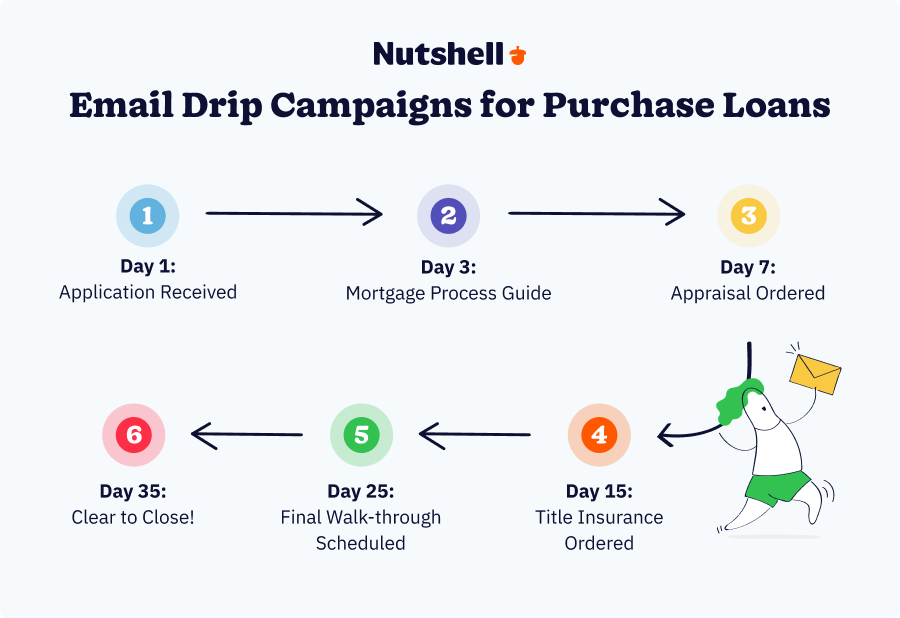
Email drip campaigns for purchase loans
Set up an automated sequence triggered when a loan enters your pipeline:
- Day 1: “We received your application—here’s what happens next” (explains purchase timeline, documents needed, next steps)
- Day 3: “Have questions? Here’s our guide to the mortgage process”
- Day 7: “Your appraisal is being ordered (usually takes 7 to 10 days)”
- Day 15: “We’ve ordered title insurance—that takes another 5 to 7 days”
- Day 25: “Final walk-through scheduled—we’re in the home stretch”
- Day 35: “Clear to close! Here’s what to expect at closing”
Each email provides borrower education and manages expectations. They stop calling with questions because your emails already answered them. Automated response time: zero effort from your team.
Task reminders for compliance deadlines
When a deal enters your pipeline, auto-create a checklist of compliance tasks:
- Order appraisal (within 24 hours of application)
- Order title search (within 48 hours)
- Request homeowners insurance quote
- Schedule final walk-through
- Get clear-to-close confirmation from underwriting
- Schedule a closing appointment
As your team completes each task, they check it off. The system reminds them if a task isn’t completed by the deadline. TRID compliance becomes a checkbox exercise, not a scramble.
Borrower portal for self-service status updates
Instead of your team fielding “Where are we in the process?” calls, borrowers log into the portal and see their loan status in real-time. They upload documents, check the timeline, and message your team. The result? 30–40% fewer support calls and faster document turnaround.
Post-close nurture for repeat business
The moment a loan closes, trigger an automated campaign:
- Day 1: “Congratulations on your new home! Here’s your closing summary”
- Day 30: “Welcome letter + insurance and tax tips”
- Day 90: “Check in—any questions about your mortgage?”
- Day 365: “It’s been a year! Refinance rates just dropped—here’s what your payment could be”
- Day 730: “Two years in! Time to refinance?”
These emails generate repeat business and referrals. They run on autopilot. Your team doesn’t send them manually.
Lead scoring and prioritization
Set up scoring rules based on your ideal borrower profile:
- Loan amount > $300K: +20 points
- Credit score > 740: +15 points
- Timeline: “within 30 days” +25 points
- Program type: “purchase” +10 points (or whatever your preferred program is)
- Borrowers with 3+ referrals from past clients: +10 points
Leads with 60+ points show at the top of your pipeline. Your team calls them first. High-probability deals get attention first. Win rate improves.
Mortgage broker CRM FAQs
-
1. Does the CRM integrate with Encompass or other LOS?
It depends on the platform. Jungo offers native Encompass and Calyx Point integrations—direct connections, no middleman. Nutshell, Shape Software, BNTouch, Insellerate, and Zeitro use Zapier, which bridges your CRM to Encompass and most other LOS platforms. Usherpa and Total Expert have more limited LOS integration options.
The key: before you sign up, confirm your specific LOS (Encompass, Calyx Point, Byte, LendingPad, etc.) is supported. Test the integration during your trial period to ensure data syncs at the frequency you need. Most vendors will help you set up a test integration before you go live.
-
2. How long does CRM setup take?
Nutshell and Zeitro: 3–7 days. You can be live and operational within a week.
BNTouch, Insellerate, and Shape Software: 1–3 weeks. Setup is straightforward—your main work is customizing pipeline stages and fields to match your process.
Jungo, Usherpa, and Total Expert: 2–8 weeks. These are more specialized platforms with deeper customization options, so implementation takes longer. You’re working with a dedicated implementation team.
The “quick deployment” platforms (Nutshell, Zeitro) are ideal if you want to avoid a lengthy implementation project. The “comprehensive” platforms take longer but offer more customization.
-
3. Can I track compliance tasks in the CRM?
Yes. All platforms reviewed include task management and deadline reminders. The better ones (Shape Software, Jungo, Total Expert) come with pre-built TRID checklists that auto-populate when a loan enters the pipeline. Other platforms let you create custom checklists.
For the best compliance experience, choose a platform that includes audit logs (which record who did what and when) and task templates tailored to TRID requirements. Shape Software and Jungo excel here.
-
4. What’s the best way to nurture past clients for referrals?
Sending email drip campaigns is the best way to nurture past clients for referrals.
Set up automated sequences triggered by the loan close date:
- 30 days post-close: Send a “congratulations” email.
- 90 days post-close: Send educational content such as tax tips, refinance updates, and home maintenance guides.
- 12 months post-close: Ask, “Have circumstances changed? Let’s discuss a refi.”
- 24 months post-close: Propose, “It’s been 2 years—rates have moved—here’s what your payment could be.”
These emails run on autopilot and generate 15–30% of repeat business for most brokerages. Platforms with strong email marketing (BNTouch, Total Expert, Nutshell) make this easy. You set up the sequence once, and it runs for years.
Also consider building a referral incentive program. Track which clients and partners refer business, the number of referrals they’ve sent, and the number of referrals that have been lost.
Automated emails thanking them for referrals and highlighting their referral count (and any bonuses earned) reinforce the relationship.
-
5. How do I measure CRM ROI?
Track the following metrics to measure CRM ROI:
- Pipeline velocity: How many days from lead to close? Most mortgage brokers reduce this by 3–5 days within the first month of CRM implementation.
- Admin hours saved per loan officer: Before CRM, your team spends 4–6 hours per day on admin (emails, follow-ups, data entry). With CRM, that drops to 2–3 hours. That’s 10–20 hours per week per loan officer freed up for selling.
- Lead response time: How fast does your team contact a lead after they submit an application? CRM automation reduces this from 4–8 hours to 15–30 minutes (including automated email responses and task reminders).
- Close rate improvement: Track deals that close in your pipeline before and after implementation of the CRM. Better follow-up and no missed leads usually improve the close rate by 5–15%.
- Revenue per loan officer: Track loans closed per LO per month before and after CRM. Expect 10–20% improvement as your team spends more time selling.
Then, use your findings to calculate ROI with the following formula:
(Revenue increase + admin hours saved) minus CRM cost.
For most small brokerages, a $20–50/user/month CRM pays for itself within the first month through admin time savings alone.
-
6. Is there a free CRM trial?
It depends on which platform you’re looking at. Nutshell offers a 14-day free trial, no credit card required. You get full access to all features, including guided onboarding and live support.
While Zeitro does not offer a free trial, it does have a free subscription tier for users looking to test it out.
Most other mortgage CRM platforms (Jungo, BNTouch, Insellerate, Usherpa, Total Expert) prioritize free live demos over trials. You may be able to request a 14–30 day free trial by contacting each platform’s sales team.
Our recommendation: always request a demo with your prospective vendor during your trial. Have them walk your team through setup, show you the mobile app, and demonstrate LOS integration. A 30-minute demo saves weeks of confusion post-purchase.
Choosing the best CRM for your mortgage brokerage
Here’s what we know: the right CRM changes how your team works. Your loan officers spend less time typing and more time selling. Deals close faster. Employees stick around (because they’re not burning out on admin work). Repeat business and referrals increase. Revenue per loan officer goes up.
But choosing the right platform matters. An overly complex enterprise system wastes money and frustrates your team. An underpowered system doesn’t deliver the automation and integration you need. The sweet spot for small mortgage brokerages is a platform that’s affordable, quick to deploy, and genuinely designed for your industry.
That’s why Nutshell stands out. For $13/user/month on the Foundation Plan, you get a CRM that deploys in days, automates workflows that save your team 1–2 hours daily, and focuses your team on the actions that move deals forward. No implementation fees. No long-term contracts. No surprises.
If your team is larger or you need mortgage-specific templates and native LOS integrations, Jungo delivers that expertise (at a higher price point). If email marketing and lead nurturing are your priorities, BNTouch excels. If compliance tracking keeps you up at night, Shape Software has you covered.
However, if you’re a 2- to 10-person operation that wants to go live quickly and closely watch your margin, Nutshell is the clear winner.
Ready to get started? Start your 14-day free Nutshell trial. No credit card required. Your first 30 days include guided onboarding and live support—so you’ll have real people helping your team succeed. Within a month, you’ll be wondering how you ever ran your brokerage without it.
Your loan officers have better things to do than type. Your borrowers deserve better communication. Your referral sources should feel valued. A CRM makes all of that possible—if you choose the right one.
See Nutshell in action!
Try Nutshell free for 14 days or let us show you around before you dive in.
 BACK TO TOP
 Written by
Sam Poole Associate Content MarketerEdited by
Will Gordon Sr. Director of MarketingReviewed by
Andy Fowler Co-FounderReady to try
Nutshell for Free?Thank you! Your submission has been received!Oops! Something went wrong while submitting the form.






Net Sales Vs. Gross Sales: How They’re Different and Why You Should Track Them
Published on: August 30, 2024
Highly Effective Strategies for Elevating Sales Team Performance
Published on: November 10, 2022Introducing Nutshell Forms Spam Prevention
Published on: April 22, 2024Establishing a System for CRM Data Entry and Management
Published on: April 11, 2023Join 30,000+ other sales and marketing professionals. Subscribe to our Sell to Win newsletter!










