Find the Best Invoice Generator to Streamline Your Billing
-
Last updated on: April 17, 2026
Invoicing is the lifeblood of any business, but it can also be a major time-drain. Think about it – chasing down payments, creating invoices from scratch, and managing all the paperwork can quickly eat into your valuable time. If you’re a freelancer or small business owner, you know this pain all too well.
That’s where invoice generators come in. These handy tools streamline your billing process, saving you time and helping you get paid faster. With so many options available, finding the right one is key. This article reviews some top invoice generators, highlighting features, pros, cons, and pricing. We’ll also explore how these tools can help you create and send professional invoices and streamline your sales process.
What is an invoice generator?
An invoice generator is a tool designed to simplify and expedite the process of creating invoices. Instead of manually crafting invoices from scratch, these tools provide a streamlined way to add your company branding and fill in essential invoice details.
Invoice generators come in various forms, ranging from basic templates to comprehensive invoicing and accounting software. Whether you need a quick PDF invoice or a system to manage your entire billing cycle, there’s an invoice generator to fit your needs.
Key features to look for in an invoice generator
Before diving into the reviews, let’s take a look at the essential features to consider when choosing an invoice generator:
- Ease of use: The tool should be intuitive and easy to navigate, even for those with limited technical skills. Look for a clean interface, drag-and-drop functionality, and clear instructions. A complicated tool will only add to your frustration.
- Customization: The ability to customize invoices with your logo, branding, and specific payment terms is crucial for maintaining a professional image. Ensure the tool allows you to add your logo, change fonts and colors, and create custom fields for specific information.
- Integration: Seamless integration with your existing accounting software, CRM, and payment gateways can save you time and reduce errors.
- Automation: Features like recurring invoices, automated payment reminders, and automatic payment processing can significantly streamline your billing process. These features can save you hours each month and help you get paid faster.
- Pricing models: Consider the pricing structure and whether it aligns with your business needs. Some tools offer free plans with limited features, while others offer paid plans with more advanced capabilities. Be sure to compare the features offered at each price point.
- Security: Ensure the tool uses secure encryption and data protection measures to safeguard your financial information. Look for tools that comply with industry security standards.
Need a user-friendly CRM to boost sales and team efficiency?
Take our guided tour to explore Nutshell’s incredible features!
6 of the best invoice generators
Here’s a look at some of the top invoice generators on the market, each designed to help you streamline your billing, get paid faster, and improve your overall financial management:
Nutshell Quotes

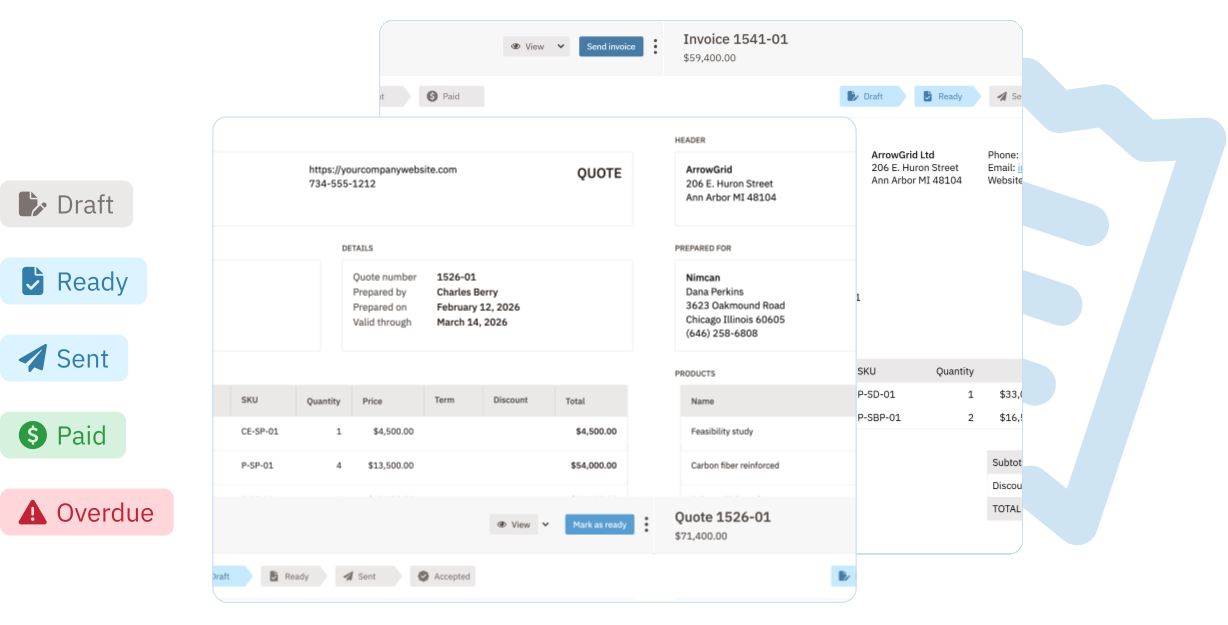
Nutshell is a powerful CRM that offers a built-in quoting feature, allowing you to create and send professional invoices directly from your CRM. This streamlines your sales process and keeps all your customer information in one place. With Nutshell Quotes, you can generate quotes quickly, track their status, and automatically update your sales pipeline based on quote activity.
Pros:
- Seamless integration with your CRM: No need to switch between different tools.
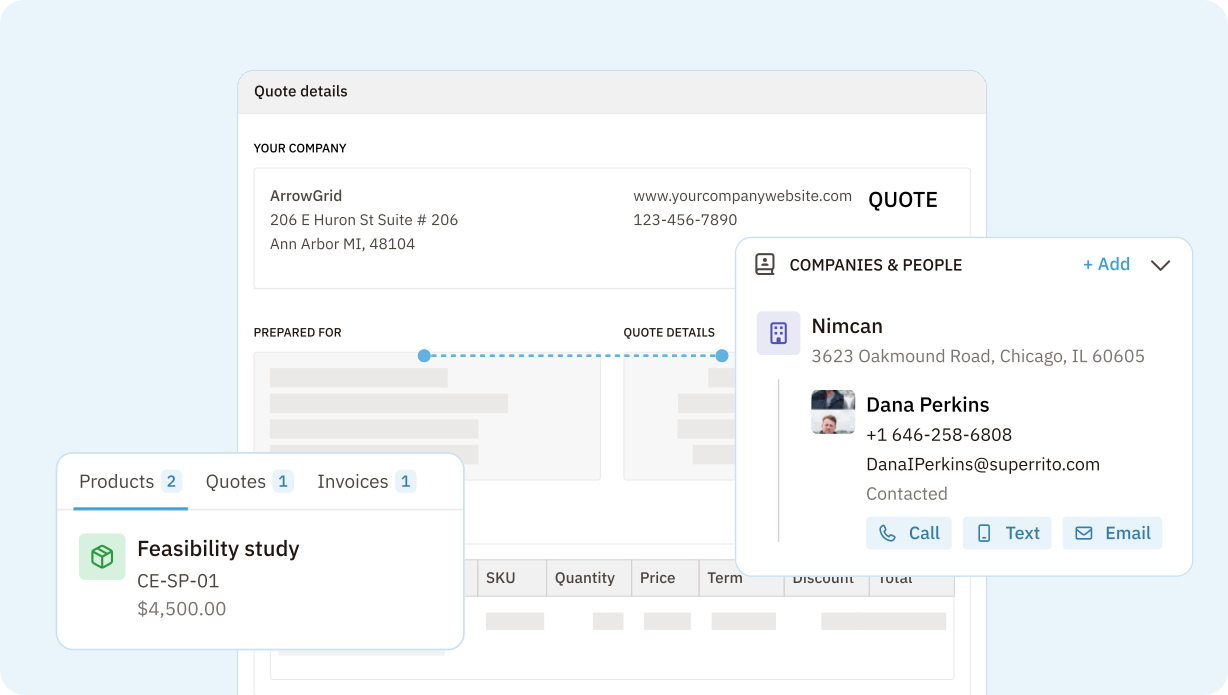
- Auto-populating lead details and product information: Saves time and reduces errors.
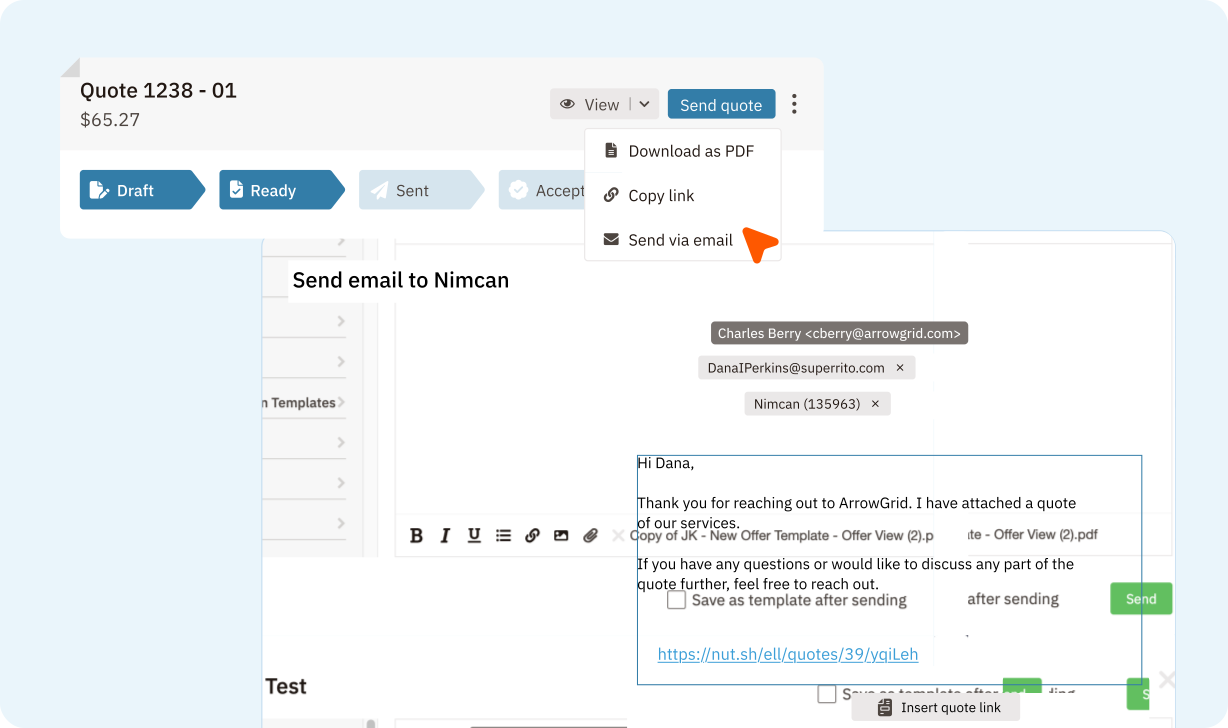
- Notifications when leads view or accept your quote: Allows for timely follow-up.
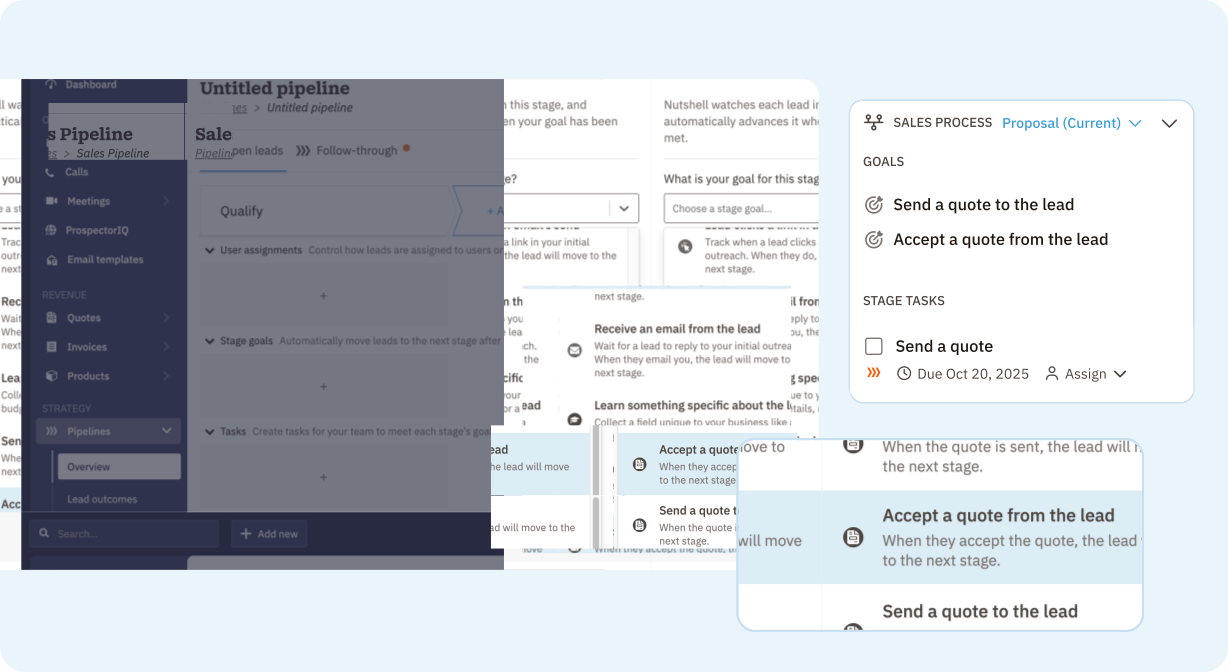
- Automated pipeline updates based on quote activity: Keeps your sales process moving smoothly.
Cons: Requires a Nutshell CRM subscription
Pricing: $45/month (per company, requires Nutshell Sales subscription)
Unique selling point: Tight integration with CRM, streamlining the sales process from lead to invoice.
FreshBooks

FreshBooks is a popular accounting software designed specifically for small businesses. It offers robust invoicing features, including customizable templates, automated payment reminders, and expense tracking.
Pros:
- User-friendly interface
- Excellent reporting capabilities
- Time tracking and project management features
Cons: Can be more expensive than other options, no free plan
Pricing: Starts at $21/month for the Lite plan
Unique selling point: All-in-one accounting solution with a strong focus on invoicing.
QuickBooks Online

QuickBooks Online is a comprehensive accounting software that offers a wide range of features, including invoicing, expense tracking, payroll, and more.
Pros:
- Robust accounting features
- Integration with other QuickBooks products
- Mobile app for invoicing on the go
Cons: Can be complex to use, especially for beginners
Pricing: Starts at $35/month
Unique selling point: Comprehensive accounting solution with strong invoicing capabilities.
Chargebee

Chargebee is a subscription billing and revenue management platform designed for businesses with recurring revenue models. It offers advanced features for managing subscriptions, handling payments, and automating billing processes.
Pros:
- Excellent for subscription-based businesses
- Automated billing and payment processing
- Robust reporting and analytics
Cons: Can be complex to set up, not ideal for one-time invoices
Pricing: Starts at $599/month
Unique selling point: Specialized for subscription billing and revenue management.
Harvest

Harvest is a time tracking and invoicing software designed for freelancers and small businesses. It allows you to track time, create invoices, and manage projects all in one place.
Pros:
- Easy time tracking
- Integration with project management tools
- Simple invoicing process
Cons: Limited accounting features
Pricing: Free plan available
Unique selling point: Seamless integration of time tracking and invoicing.
Xero

Xero is a cloud-based accounting software that offers a range of features, including invoicing, bank reconciliation, expense tracking, and more.
Pros:
- Comprehensive accounting features
- Integration with other business apps
- User-friendly interface
Cons: Can be more expensive than other options
Pricing: Starts at $29/month
Unique selling point: Cloud-based accounting solution with a focus on collaboration.
How to choose the right invoice generator for your business
The best invoice generator for your business will depend on your specific needs and priorities. Instead of just listing features, let’s consider some key aspects of your business to guide your decision:
Consider your business size
Are you a freelancer, a small business, or a large enterprise? Some tools are better suited for certain business sizes. A freelancer might only need a simple, free tool, while a larger business might require a more robust solution with advanced features and integrations.
Assess your industry needs
Some industries have unique invoicing requirements. It’s important to look for a tool that can accommodate your industry-specific needs. For example, a construction company might need a tool that can handle progress billing, while a service-based business might need a tool that can track time and expenses.
Identify your must-have features
What features are most important to you? Make a list of your must-have features, such as recurring invoices, automated payment reminders, or integration with your CRM. This will help you narrow down your options and focus on the tools that offer the features you need.
Establish your budget
Determine how much you’re willing to spend on an invoice generator. There are many free and affordable options available, but keep in mind that the cheapest option isn’t always the best. Consider the long-term value and potential ROI of each tool.
Tips for testing and evaluating different tools
- Take advantage of free trials: Most invoice generators offer free trials, so you can test out the software before committing to a paid plan. This is the best way to get a feel for the tool and see if it meets your needs.
- Read reviews: See what other users are saying about the tool. Look for reviews on reputable websites and pay attention to both the positive and negative feedback.
- Contact customer support: Test the responsiveness and helpfulness of the customer support team. This is important in case you run into any issues or have questions about the tool.
- Consider scalability: Choose a tool that can grow with your business. You don’t want to have to switch to a new tool in a year or two because your current one can’t handle your growing needs.
Stop chasing payments and start closing deals with integrated invoicing
Choosing the right invoice generator is a crucial step toward streamlining your billing and getting paid faster. But what if you could do more than just send invoices? What if you could connect your invoicing directly to your sales process, turning quotes into invoices with a click and tracking every interaction along the way?
That’s the power of Nutshell Quotes. Unlike stand-alone invoice generators, Nutshell integrates seamlessly with our powerful CRM, giving you a complete view of your customer relationships and sales pipeline. You’ll eliminate data silos, reduce manual entry, and gain valuable insights into your sales performance.
Ready to stop chasing payments and start closing more deals? Start your 14-day free trial of Nutshell today and see how our integrated quoting feature can transform your sales process from lead to revenue!
Get started with Nutshell Quotes!
Ready to accelerate your sales cycle with a quick and seamless quote process? Activate Nutshell Quotes today, and experience the ease of creating, sending, tracking, and managing quotes, all from inside your CRM!
BACK TO TOPWritten byReady to try
Nutshell for Free?Thank you! Your submission has been received!Oops! Something went wrong while submitting the form.
We’ve Made it Easier for You to Track Your Website Analytics, Send Marketing Emails, and More!
Published on: July 17, 2025
Nutshell Earns First-Ever ‘Leader’ Placement in G2’s Winter 2022 Grid® Report for Email Marketing
Published on: November 10, 2022Sales Performance Reviews: 9 Tips to Make Them Valuable
Published on: November 10, 2022Highly Effective Strategies for Elevating Sales Team Performance
Published on: November 10, 2022What Are the Top 3 Go-To-Market Strategies?
Published on: November 10, 2022Join 30,000+ other sales and marketing professionals. Subscribe to our Sell to Win newsletter!
- Product
- Nutshell Overview
CRM & Sales
Our powerful and easy-to-use flagship product.Marketing
Email marketing, forms, landing pages, and more.Engagement
Your omni-channel inbox in your CRM.Prospecting
Prospect for new leads and new contacts in your CRM.Quotes & Invoices
Quickly create quotes & invoices in your CRM.
AI
See why Nutshell is the leading AI CRM.Integrations
Connect to Google/Microsoft and over 5,000 Apps.
ReportingCreate reports and forecasts in an instant.CRM Advisor
Get a dedicated point of contact to get the most out of Nutshell.Partner Marketplace
Find trusted partners to help optimize your Nutshell CRM.
- Pricing
Nutshell AI
- Resources
- Contact Us
Contact Sales
Send us your questions or book a 1-on-1 demo.Join a Demo
Join a group demo for a general overview of Nutshell.
Contact Support
Contact our support team via live chat in app or via email.Become a Partner
Refer businesses to Nutshell & earn commissions.
Contact Marketing
Questions about our website or our marketing opportunities?Careers
Join our growing team! See current openings.