Affordable quoting software
One affordable price for your entire company to use, not charged per seat.

“Nutshell is super user-friendly and intuitive
“I would highly recommend Nutshell
“Easy to use and... wait for it ... 100% buy in!
“Nutshell is both simple and powerful

Easily build, send, and track completion on quotes, invoices, and contracts all from your CRM.
Start 14-day free trial Book free demo
🎉 No credit card required!
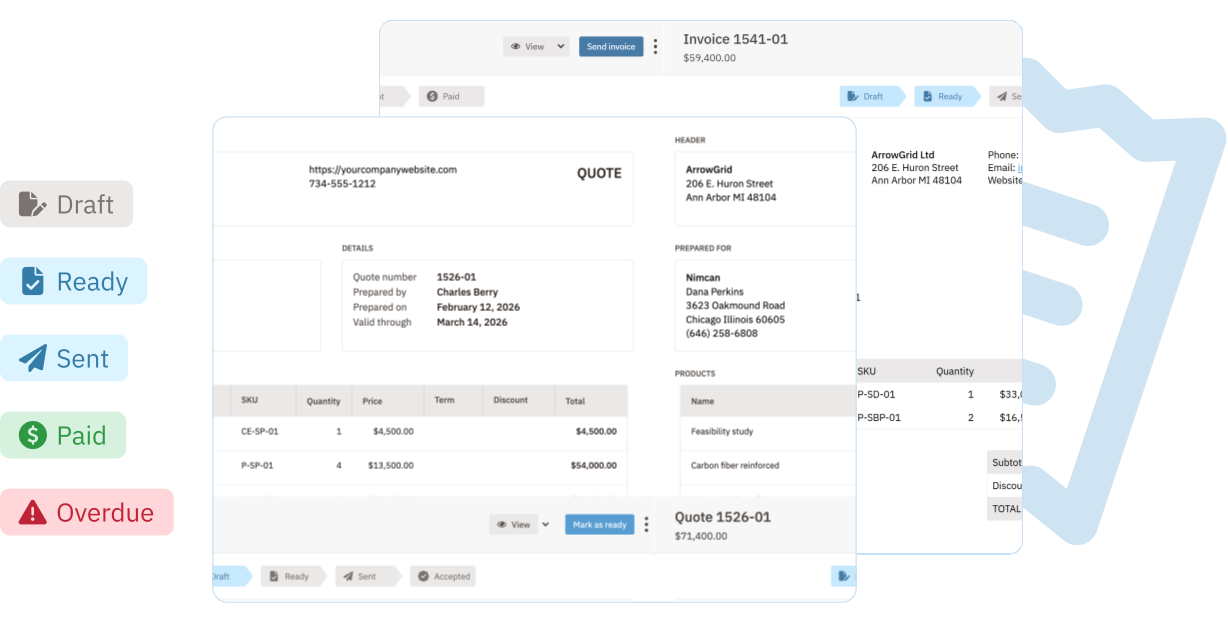

One affordable price for your entire company to use, not charged per seat.

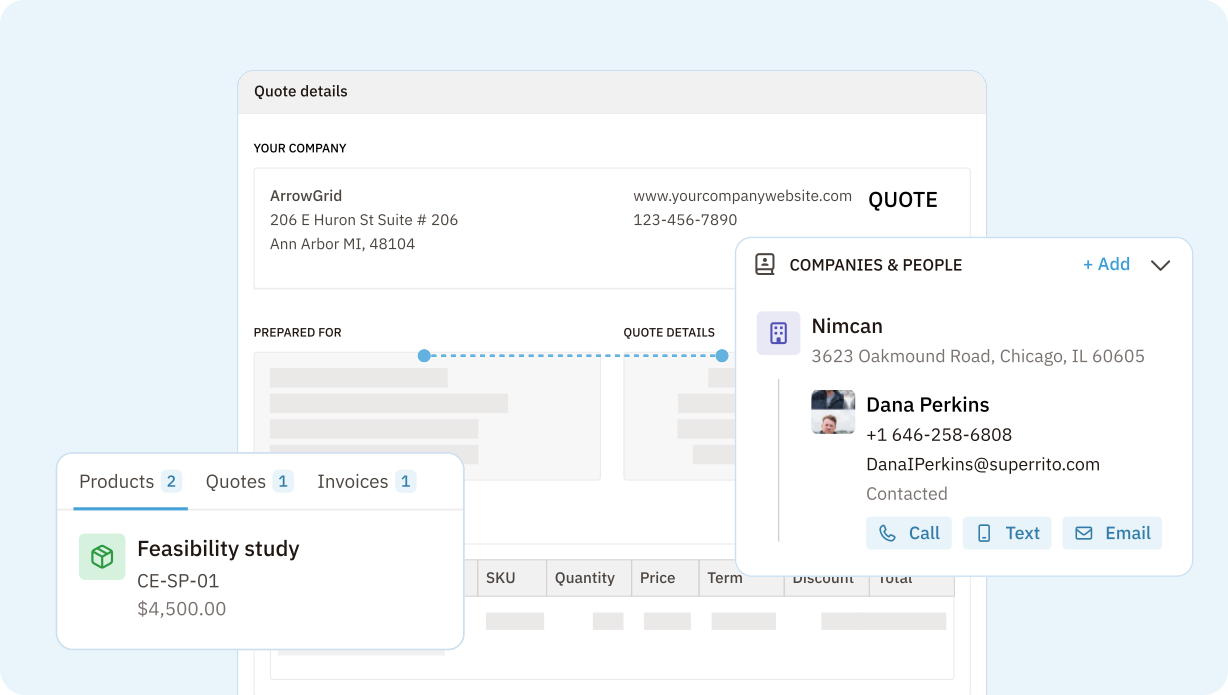
Add your logo, company details (phone, etc.), and any terms and conditions.

Automatically add company name, lead name, products/services.

Create, edit, send, track acceptance, and get signatures all in one place.
Streamline calls and meetings by connecting your calendar, calls, summaries, and logging into one seamless workflow.
 Customize templates that match your brandAdd your own T&CsAuto-populate with your CRM data
 Preview your quote before you send itCopy your quote link or download as a PDF to send to your customerCreate and send a new quote without leaving your lead page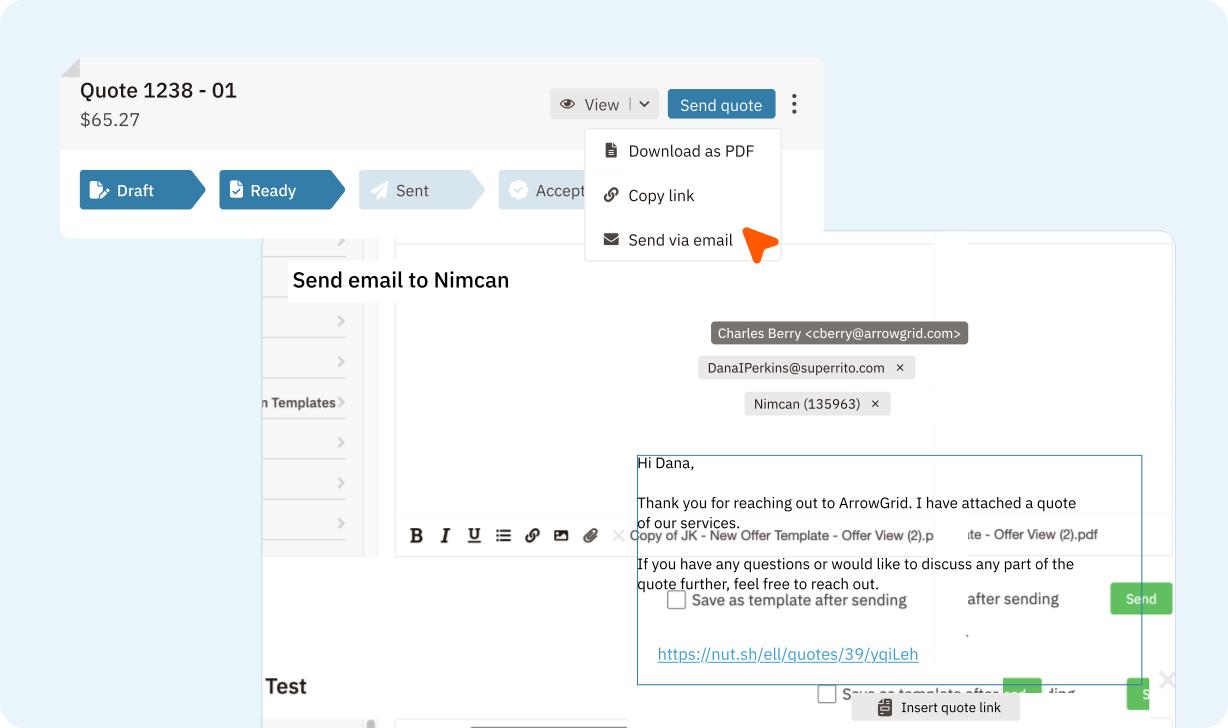

 View every quote and invoice across your pipeline at a glanceTrack status from draft to payment
 Set up follow-up sequencesReduce administrative overhead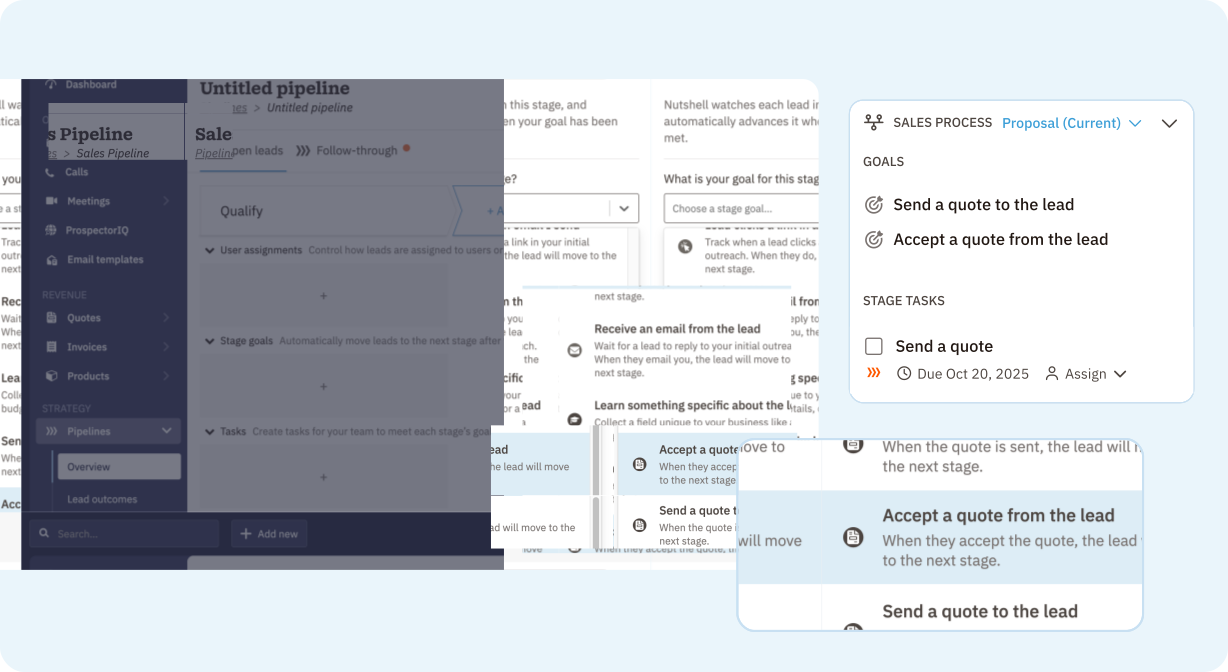
Try Nutshell (including Proposals & Invoices) free for 14 days or let us show you around before you dive in.
🎉 No credit card required!

Choose a CRM tier, then add Proposals & Invoices to your plan.
See all pricingA quote is a formal estimate you send before work begins, showing the customer what services cost. An invoice is issued after work is completed, requesting payment. Quotes help close deals; invoices collect payment. Nutshell handles both seamlessly from one place.
Send quotes three ways: email directly through Nutshell’s composer, generate a shareable link, or download as PDF. You can also preview exactly how your customer sees it before sending. Choose what works best for your workflow—Nutshell makes it simple.
Include your company details, itemized services with pricing, payment terms, quote validity date, and terms & conditions. Add a signature or approval field for easy acceptance. Clear, detailed quotes prevent scope confusion and help customers say “yes” faster.
Use quotes for small to medium projects needing quick turnaround with straightforward pricing. Use proposals for complex, high-value projects requiring detailed scope justification. Use estimates for rough pricing discussions. Each document serves different stages in the sales cycle.
Nutshell Quotes eliminates back-and-forth email chaos—create professional quotes in minutes, track acceptance instantly, and manage everything from your CRM. Faster quote turnaround + built-in tracking = shorter sales cycles and more closed deals for your team.