











Web Chat
Allow website visitors to start chatting with your team directly from your customized chat widget so you can meet their needs and open more opportunities.

“Nutshell is super user-friendly and intuitive
“I would highly recommend Nutshell
“Easy to use and... wait for it ... 100% buy in!
“Nutshell is both simple and powerful
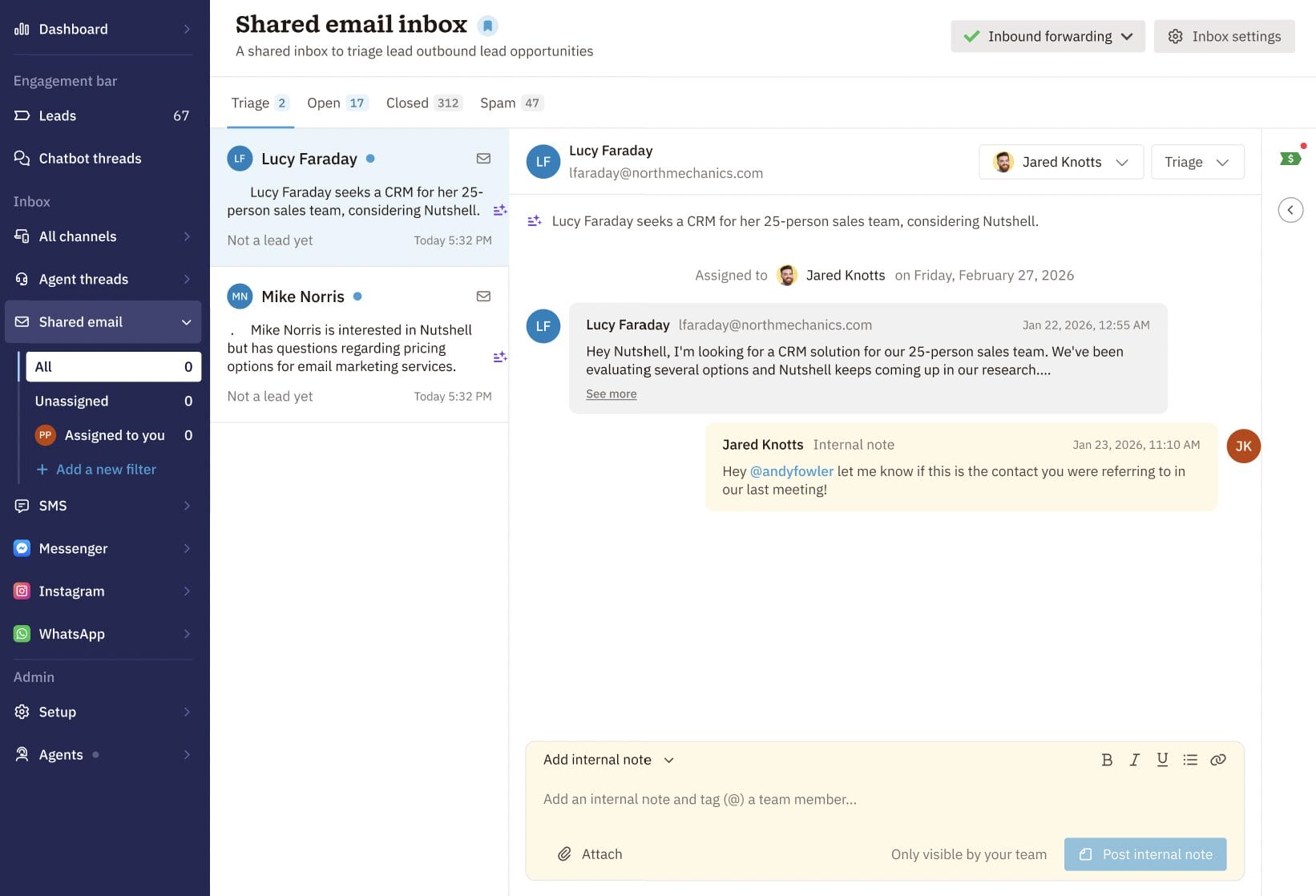
One shared address. Dozens of inbound emails. Zero confusion. Nutshell’s shared inbox gives your team a central, organized place to receive, manage, and respond to every message—right inside your CRM.
🎉 No credit card required!
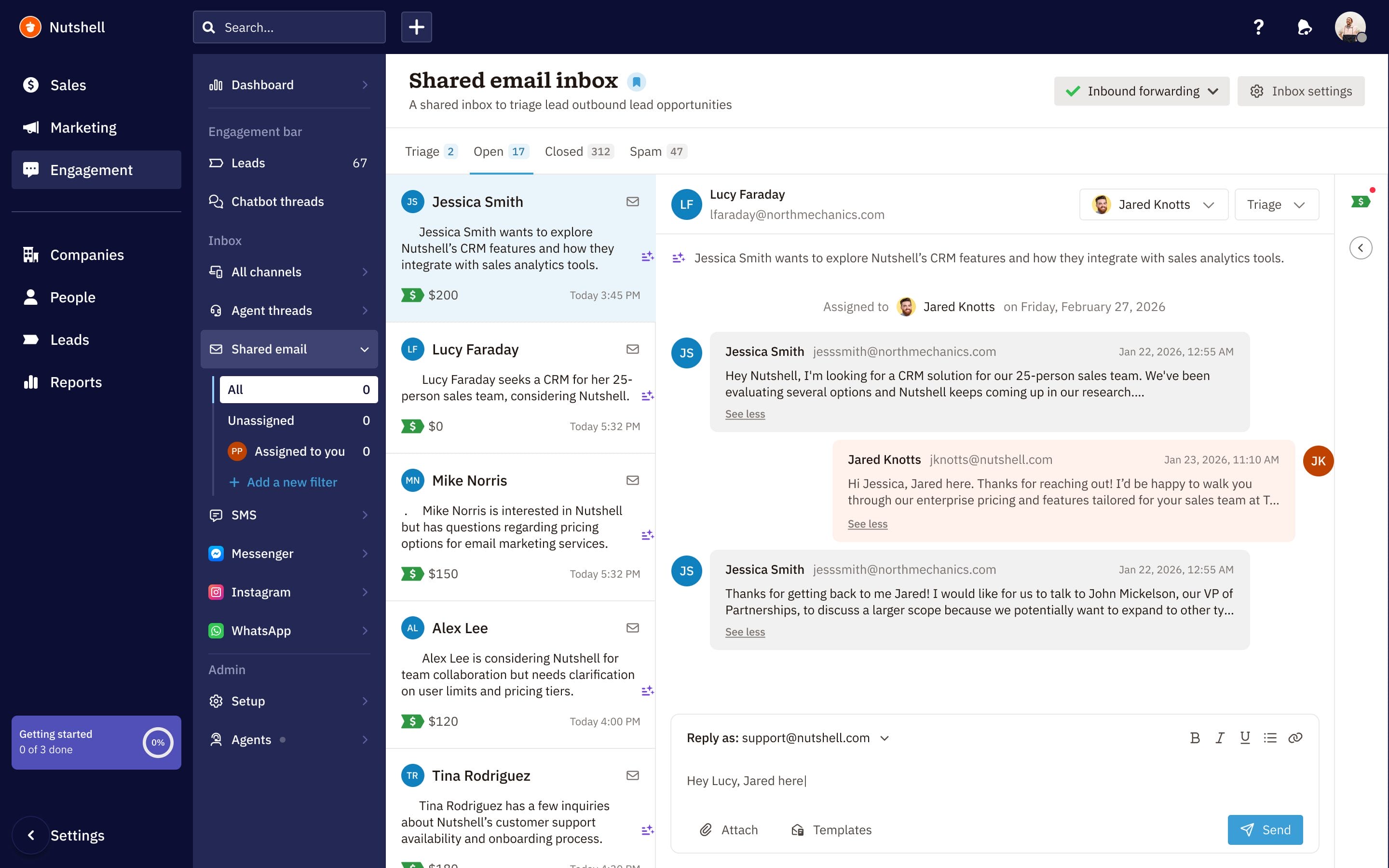
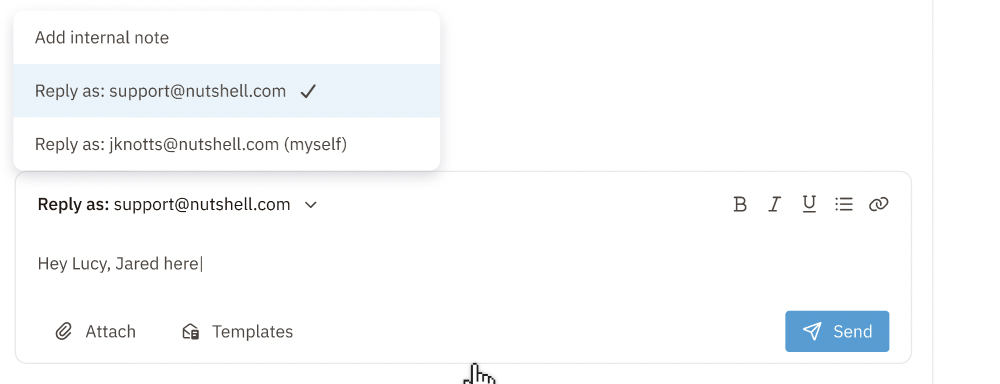
When a new email arrives, Nutshell AI reads it, pulls contact and company details from the signature, and creates a lead in the pipeline you choose—no manual entry required. And when it’s time to reply, your team gets to choose how they show up: as themselves, as the shared address, or both.
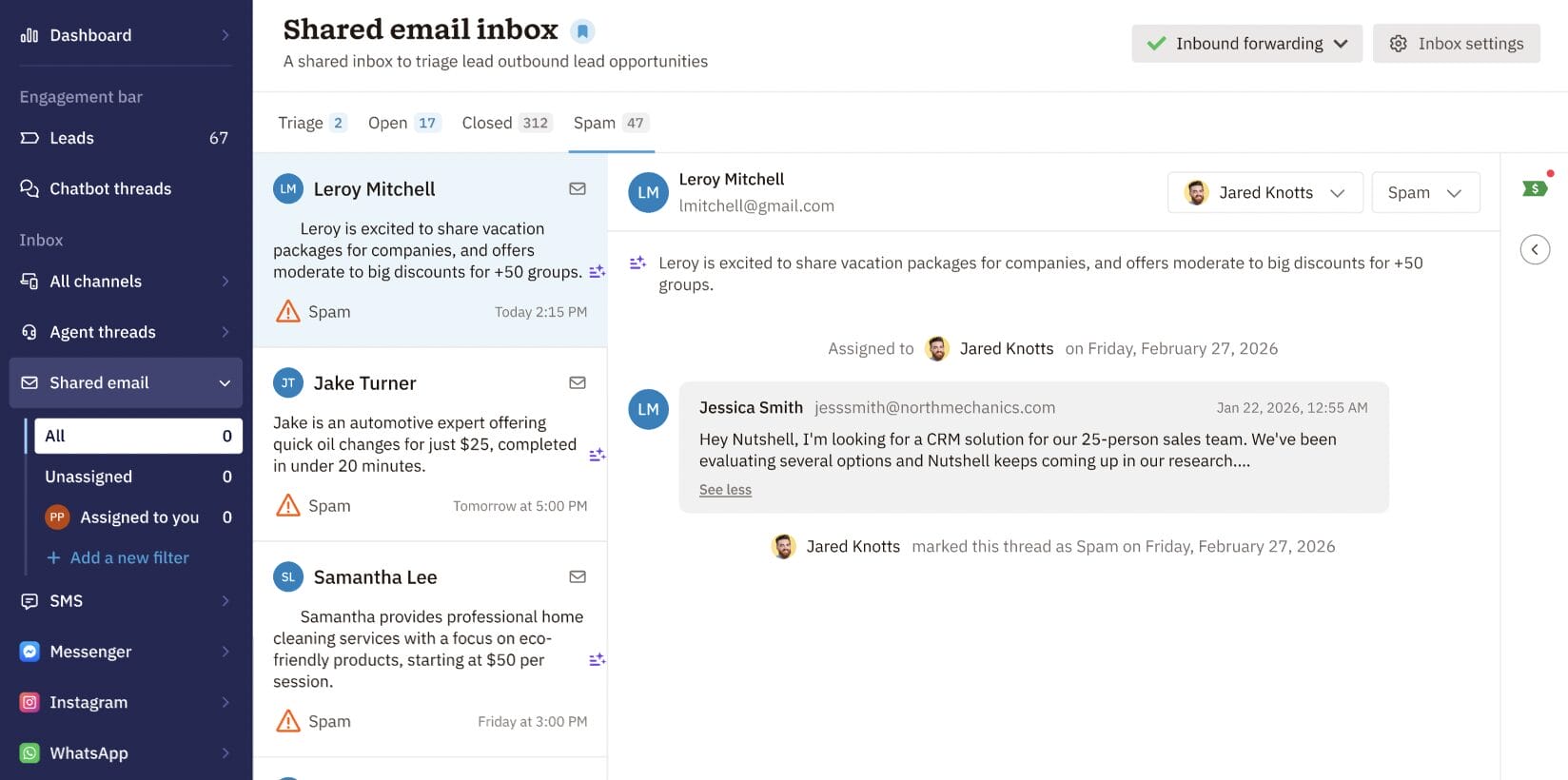
Not every email in your shared inbox deserves attention. Nutshell AI reviews every incoming message and categorizes it so your team only acts on what matters.
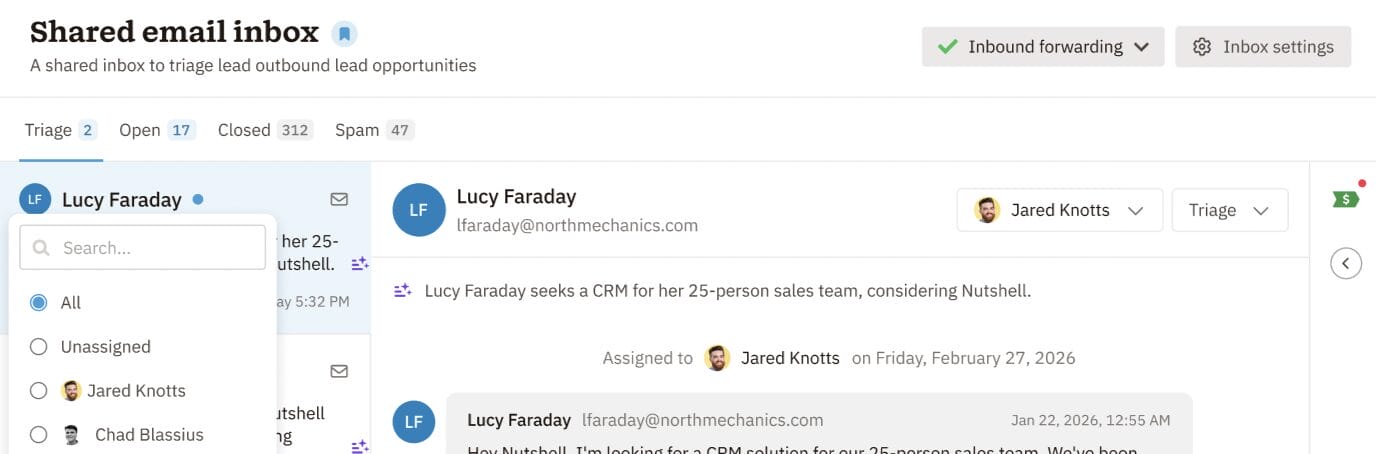
Choose how inbound emails get distributed across your team. Whether you prefer round-robin fairness, a dedicated rep, or a first-come approach, Nutshell handles it.
Every thread keeps the full conversation in one place: incoming messages, your team’s replies, and internal notes only visible to teammates. Hand off conversations, share context, and stay aligned—cleanly.
Try Nutshell free for 14 days or let us show you around before you dive in.
🎉 No credit card required!
A central hub where your team receives, manages, and collaborates on incoming emails from your shared address (like sales@ or info@). Every message becomes a visible thread that your whole team can act on together, ensuring nothing slips through the cracks.
Nutshell’s shared inbox lives inside your CRM, so threads automatically become leads, get assigned to reps, and sync with your contact and deal data. A standard shared inbox is just email—no CRM integration, no automation, no sales management capabilities.
Nutshell syncs natively with Google Workspace and Microsoft 365. Setup is straightforward—just configure email forwarding from your shared address to Nutshell. No complex integrations required.
Yes. Once your domain is verified, your team can reply directly from the shared inbox using your configured sender name and email address. Add signatures and rich text formatting—all without leaving your CRM.
Nutshell AI automatically categorizes incoming messages, flagging genuine leads and filtering spam and newsletters. You can fine-tune results with allow and deny lists, and the AI learns from any corrections you make over time.
Yes. Add multiple shared email addresses and configure each independently with different assignment rules, pipelines, and team members—useful for separate sales@, support@, and info@ inboxes.

Allow website visitors to start chatting with your team directly from your customized chat widget so you can meet their needs and open more opportunities.


Manage conversations with leads and customers across Facebook Messenger and Instagram DMs—all without leaving your CRM.

Connect with our world-class support team to get fast, friendly, and free support when needed.

We take the security and reliability of your data seriously. We partner with the industry’s most trusted infrastructure provider, Amazon Web Services.


Explore the comprehensive selection of features available in Nutshell’s Sales Suite

Find out more about Nutshell’s extensive range of Marketing Suite features

Discover the broad spectrum of features and tools available to Nutshell customers
Join 30,000+ other sales and marketing professionals. Subscribe to our Sell to Win newsletter!