Manage Incoming Messages With Inbound SMS

-
Last updated on: September 24, 2025
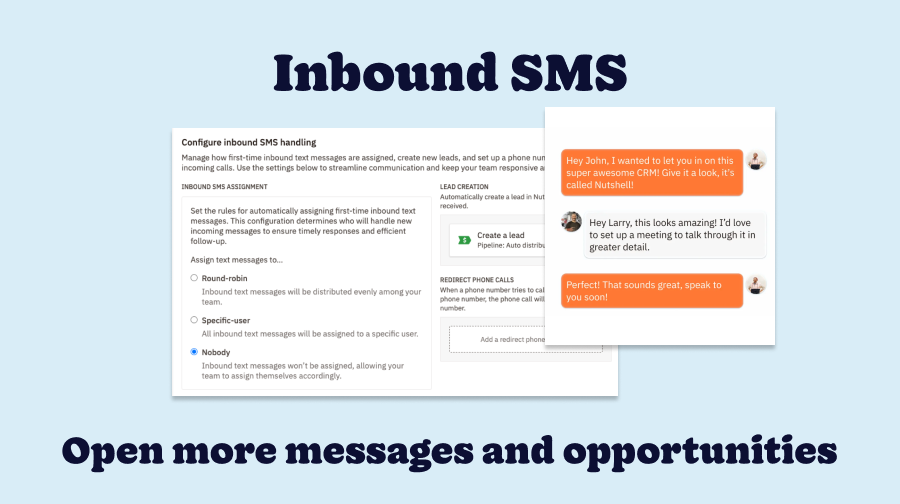
With the launch of Nutshell SMS, your team can leverage text messaging to increase engagement with leads and customers throughout your sales process. SMS empowers your team to reach out to prospects and customers to start a conversation and move deals down the funnel.
Now with Inbound SMS, conversations can begin both ways. Instead of your team having to be the first to reach out, contacts can text your business directly—and you can seamlessly manage every message in Nutshell to keep conversations organized.
What is Inbound SMS?
With Inbound SMS, anyone can text your business—whether they’re a prospect, customer, or someone entirely new. Inbound SMS opens your business to more opportunities to strengthen relationships and close more deals.
What can I do with Inbound SMS?
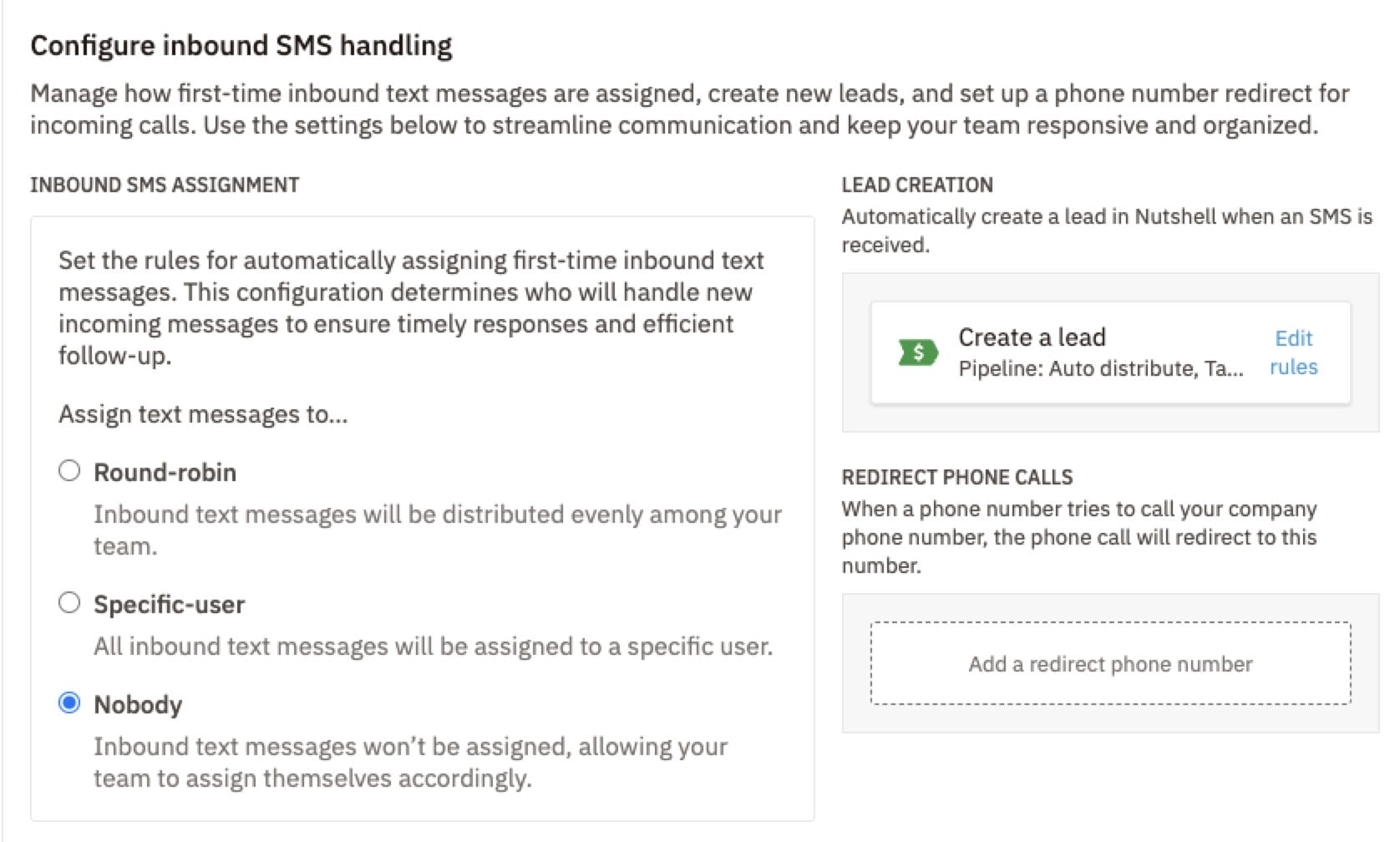
Inbound SMS unlocks a new set of settings under Engagement > Settings. The key configurations are:
Team member assignment
When someone new texts your business, who handles the message? With team member assignment rules, you can choose from:
- Round-robin assignment: Distribute inbound texts evenly between your team
- Assign to a specific user: Assign all inbound messages to a specific team member
- Add messages to a queue: Choose not to assign incoming messages but add them to a queue where your team members can assign themselves
Lead creation rules
The best part about joining your CRM with SMS? Automatic lead creation!
You can choose to automatically create a new lead in Nutshell when an inbound SMS is received. Specify which pipeline it should go through and which tags to add to the lead, so all your inbound SMS leads stay organized.
Redirect phone calls
Finally, add a phone number to redirect any incoming calls made to your SMS number.

How do I manage Inbound SMS messages?
Ready to share your Inbound SMS number? Copy it from either the SMS registration page or the SMS configuration dropdown and it to your website, email signature, etc.
When you receive new inbound messages, you can manage them in the same place you manage all SMS text threads: the SMS section within the Engagement suite. From here, admins can see all text threads, assign threads to team members, and create new leads for your prospects.
For more about managing your SMS inbox, see our SMS help article.
How can I get started?
Inbound SMS is only available on Engagement Suite Pro plans. With the Engagement Suite, your team can send and receive text messages from leads and customers, plus engage with website visitors through Web chat. Our sales team is happy to answer your questions about Engagement Suite plans!
Open more opportunities with Inbound SMS
Ready to have more conversations with leads and customers? Learn more about Nutshell’s Engagement Suite here or talk to our sales team to get started!
Get Started with Engagement Suite!
Want to start engaging with leads, customers, and website visitors right from your CRM? Add Engagement Suite to your Nutshell plan to get started!
BACK TO TOPWritten by
Chris Cain VP of Product Development, NutshellReady to try
Nutshell for Free?Thank you! Your submission has been received!Oops! Something went wrong while submitting the form.
Nutshell 3.0 Launched for the iPhone, Featuring Next-Level Filtering and Map Capabilities
Published on: November 10, 2022Sales Performance Reviews: 9 Tips to Make Them Valuable

Published on: November 10, 2022Highly Effective Strategies for Elevating Sales Team Performance
Published on: November 10, 2022What Are the Top 3 Go-To-Market Strategies?
Published on: November 10, 2022Join 30,000+ other sales and marketing professionals. Subscribe to our Sell to Win newsletter!

- Product
- Nutshell Overview
CRM & Sales
Our powerful and easy-to-use flagship product.Marketing
Email marketing, forms, landing pages, and more.Engagement
Your omni-channel inbox in your CRM.Prospecting
Prospect for new leads and new contacts in your CRM.Quotes & Invoices
Quickly create quotes & invoices in your CRM.
AI
See why Nutshell is the leading AI CRM.Integrations
Connect to Google/Microsoft and over 5,000 Apps.
ReportingCreate reports and forecasts in an instant.CRM Advisor
Get a dedicated point of contact to get the most out of Nutshell.Partner Marketplace
Find trusted partners to help optimize your Nutshell CRM.
- Pricing
Nutshell AI
- Resources
- Contact Us
Contact Sales
Send us your questions or book a 1-on-1 demo.Join a Demo
Join a group demo for a general overview of Nutshell.
Contact Support
Contact our support team via live chat in app or via email.Become a Partner
Refer businesses to Nutshell & earn commissions.
Contact Marketing
Questions about our website or our marketing opportunities?Careers
Join our growing team! See current openings.