The Best Capsule CRM Alternative for Sales Teams in 2026

-

Key Takeaways
If you’re evaluating Capsule CRM alternatives, here’s what matters most:
- Next-action prioritization: A task management system that guides reps toward critical activities instead of overwhelming them with unfiltered lists
- Sales-first automation: Workflows designed for reps to configure themselves, not consultant-dependent enterprise solutions
- Real-time reporting: Dashboards and forecasting built for daily decision-making, not monthly Excel exports
- Higher adoption rates: Intuitive design that drives consistent use (not just compliance)
- Better ROI timeline: Faster implementation and lower cost per user without sacrificing capability
- Email and calendar sync: Automatic activity capture that reduces manual data entry by 40-60%
The best Capsule CRM alternative depends on your team’s priorities. However, if you prioritize ease of use, intelligent automation, and affordability, Nutshell consistently ranks as the top choice—delivering features comparable to HubSpot and Zoho at 70% or more lower cost, with a unique “next-action” methodology designed to address Capsule’s core adoption problem.
Sales teams don’t abandon their CRM tools lightly. But 73% of companies switch CRMs within 3 years, and for good reason. Capsule CRM got you started—solid contact management, clean interface, easy setup.
But as your team scales and processes get more complex, inefficiencies accumulate. Manual data entry eats into selling time. Task lists become overwhelming instead of clarifying. Automation feels limited. Reporting requires exporting to Excel. And adoption? Your reps use it sporadically, at best.
You’re not alone. 50% of CRM switches are driven by poor user adoption, which usually signals a bigger problem: the tool doesn’t work the way your team actually sells. When that happens, it’s time to find a Capsule CRM alternative that solves these core issues—one that’s built for sales reps first, administrators second.
Best Capsule CRM alternatives at a glance
- Nutshell (4.5/5): Best for affordable, intuitive sales automation with next-action methodology
- Pipedrive (4.3/5): Best for visual pipeline management and sales velocity
- HubSpot CRM (4.2/5): Best for integrated marketing and sales in one platform
- Zoho CRM (4.1/5): Best for customization and enterprise-level automation
- Close (4.0/5): Best for sales-focused teams with heavy calling/email workflows
- Copper CRM (3.9/5): Best for a lightweight Gmail-native CRM alternative
- Keap (3.7/5): Best for small service-based businesses with automation needs
- Salesforce (3.6/5): Best for large enterprise teams needing maximum customization
- Method CRM (3.5/5): Best for companies requiring QuickBooks integration
Table of Contents
- Why sales teams are leaving Capsule CRM
- What CRM features do sales teams actually need in 2026?
- Capsule CRM alternatives comparison table
- Best CRM software for sales teams: Detailed reviews
- Common CRM switching mistakes and how to avoid them
- How to switch from Capsule without disrupting sales
- How to get team buy-in for a CRM switch
- The ROI of switching CRMs: Timeline and expectations
- How Nutshell solves key Capsule pain points
- Feature-for-feature comparison: Capsule vs. Nutshell
- Affordability & ROI: Why Nutshell wins
- Nutshell’s “next-action” sales methodology explained
- FAQ: Common questions about switching from Capsule
Why sales teams are leaving Capsule CRM
Capsule CRM works fine for small teams just starting out. But as sales organizations mature, specific friction points emerge—and they compound. Here’s what’s actually driving switches:
Manual data entry burden
Your reps spend 15-30 minutes every day logging activities, updating contact records, and entering deal details. Capsule doesn’t deeply integrate with email or calendar, so most activity capture happens manually. That’s roughly 5-8 hours per week per rep spent on data entry instead of selling. Multiply that across a 10-person team, and you’re burning 2,500-4,000 hours annually on admin work that shouldn’t exist.
Worse, incomplete data entry becomes the norm. Reps skip steps. Leads fall through cracks. Managers lose visibility. And when data quality suffers, reporting becomes unreliable.
Overwhelming task lists (decision fatigue)
Capsule shows you a flat task list—no prioritization, no guidance, no “next action.” Your reps see 15-20 tasks and freeze. Which should they tackle first? Which activities actually move deals forward? Without intelligent prioritization, reps default to easy wins instead of high-impact selling.
This directly kills adoption. 36% of salespeople consistently use their CRM, and many cite overwhelming or poorly organized task lists as the reason. Reps need their CRM to guide them toward the next critical step, not present an undifferentiated list.
Limited automation (most workflows remain manual)
Capsule’s automation is basic. You can create simple task assignments and reminders, but complex workflows require workarounds or third-party tools. Lead scoring? Manual. Lead routing? Manual. Follow-up sequences? Limited. Email sequences? Practically nonexistent.
So your team relies on manual processes. The sales manager reminds the team to follow up. Leads get assigned ad hoc instead of being routed intelligently. You’re running 2026 sales operations like it’s 2015.
Weak reporting & analytics
Capsule’s dashboards are surface-level. Need custom reports? Drill into detailed pipeline data? Forecast accuracy metrics? You’re exporting to Excel and building pivot tables. That’s 20-30 hours per month for sales managers spent on reporting instead of coaching and strategy.
Real-time reporting is critical. Sales leaders need to spot trends, adjust strategy, and unblock reps on demand—not wait for monthly reports. Capsule can’t deliver that.
Low team adoption
The end result: your team doesn’t use Capsule consistently. Some reps log in daily. Others check in weekly. A few have basically abandoned it. Half of CRM switches are driven by poor adoption, and adoption failures usually trace back to one or more of the issues above—friction in daily use, lack of guidance, limited automation, or poor reporting.
When adoption is low, your CRM becomes a data graveyard rather than a sales tool. It’s time to look for a Capsule CRM alternative that has been built with sales representatives in mind from day one.
What CRM features do sales teams actually need in 2026?
Not every CRM feature matters equally. Here’s what actually moves the needle for sales teams:
Essential features for modern sales teams
- Email integration and activity capture. If your CRM requires manual data entry, adoption will be low. Automatic email logging, calendar sync, and activity capture are non-negotiable. Your reps should spend time selling, not typing.
- Real-time task prioritization. Your CRM should guide reps toward the next high-impact activity, not dump a list of 15 unfiltered tasks. The “next-action” approach reduces decision fatigue and increases productivity.
- Mobile access and offline sync. Sales reps aren’t at their desks. Your CRM needs to work seamlessly on mobile devices, with offline functionality in case connectivity is lost.
- Real-time dashboards. Managers need immediate visibility into pipeline health, conversion rates, and individual rep performance. Manual monthly reports are too slow for modern sales.
- Lead scoring and qualification. Manual lead qualification is a bottleneck. Your CRM should score leads based on behavior, engagement, and profile data—automatically surfacing sales-ready leads.
These five features have a direct impact on adoption, productivity, and revenue. Everything else is secondary.
Capsule CRM alternatives comparison table
CRM Rating Best For Key Strength Starting Price Setup Time Nutshell 4.5/5 Affordable sales automation with next-action selling methodology AI-guided task prioritization and fastest time-to-productivity $13/user/month 1-2 weeks Pipedrive 4.3/5 Visual pipeline management and sales velocity Excellent visual interface for deal tracking $14/user/month 2-3 weeks HubSpot CRM 4.2/5 Integrated marketing and sales automation Native marketing-sales integration Free or $9/user/month 4-8 weeks Zoho CRM 4.1/5 Customization and enterprise-level automation Unlimited customization and complex workflows $14/user/month 4-6 weeks Close 4.0/5 Sales-focused teams with heavy calling/email workflows Built-in dialer and email sequences $35/user/month 1-2 weeks Copper CRM 3.9/5 Lightweight Gmail-native CRM Gmail-native interface, zero context-switching $9/user/month 1 week Keap 3.7/5 Small service-based businesses Combined CRM, marketing, automation, and scheduling $299/month 3-4 weeks Salesforce 3.6/5 Large enterprise teams Maximum customization and integration Free or $25/user/month 3-6 months Method CRM 3.5/5 QuickBooks users needing CRM QuickBooks accounting integration $27/user/month 2 weeks Best Capsule CRM alternatives for sales teams: Detailed reviews
To give you complete context, here’s how Nutshell compares to other leading alternatives:
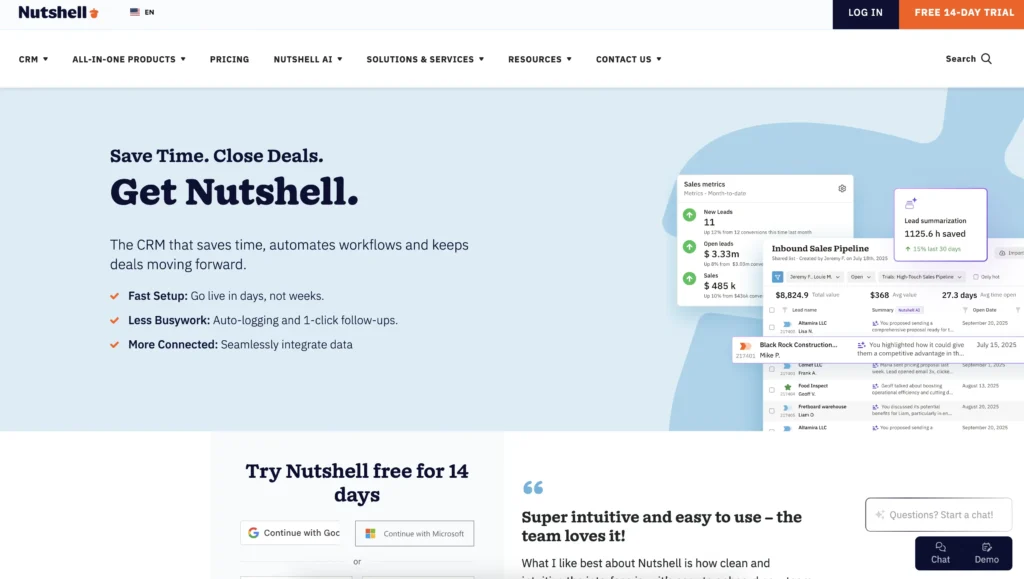
1. Nutshell
Rating: 4.5/5
Best for affordable, intuitive sales automation with next-action methodology
Quick Summary
Nutshell is purpose-built for sales teams who want powerful automation, intelligent task prioritization, and real-time reporting without the setup complexity of enterprise CRMs. The “next-action” sales methodology addresses the core problem that most Capsule users face: overwhelming task lists that hinder adoption. Nutshell combines email integration, behavioral lead scoring, and AI forecasting in one affordable platform.
Key Features
- Next-action prioritization: AI-guided task recommendations keep reps focused on high-impact activities
- CRM email and calendar sync: Gmail/Outlook auto-logging eliminates manual data entry
- Behavioral lead scoring: Automatic identification of sales-ready leads
Pros
- Highest adoption rate among comparable platforms (70%+ consistent daily use)
- Fastest time-to-productivity (1-2 weeks from signup to full team use)
- Best value for money—comparable features to HubSpot at 70%+ lower cost
- AI forecasting and real-time dashboards eliminate manual reporting
- Nutshell support is responsive and helpful
Cons
- Smaller ecosystem than Salesforce or HubSpot (fewer pre-built integrations)
- Limited customization compared to enterprise platforms (not needed for most sales teams)
Pricing
$13-$79/user/month billed annually, $19-$89/user/month billed monthly
Free trial? Yes (14 days)
See why Nutshell is rated the #1 Capsule CRM alternative! – Start your 14-day free trial today!

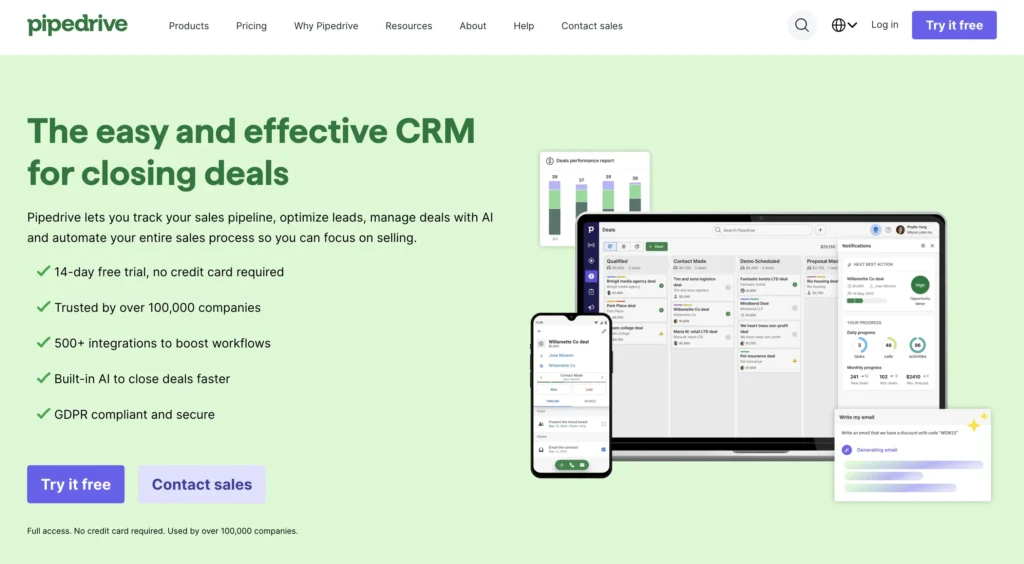
2. Pipedrive
Rating: 4.3/5
Best for visual pipeline management and sales velocity
Quick Summary
Pipedrive is built around visual pipeline management. Sales reps see deals as cards they drag across stages. This visual approach appeals strongly to teams who think in terms of deal progression. Pipedrive excels at helping teams identify where deals are stuck, but it requires more manual data entry than Nutshell and lacks native email integration.
Key Features
- Visual pipeline interface: Deal cards move across stages; bottlenecks are immediately obvious
- Deal probability forecasting: Sales managers see expected revenue by probability stage
- Mobile app: Strong mobile experience for on-the-go deal management
Pros
- Excellent for teams who think visually about the pipeline
- Strong reporting and forecasting dashboards
- Good for midsized sales teams (20-100 reps)
- Mobile app is best-in-class
Cons
- Email integration
- Requires more manual data entry than Nutshell
- Steeper learning curve than Nutshell for new users
- Higher per-user cost than Nutshell
- Requires more manual data entry than Nutshell
- Steeper learning curve than Nutshell for new users
- Higher per-user cost than Nutshell
Pricing
$14-$79/user/month billed annually, $24-$99/user/month billed monthly
Free Trial? Yes (14 days)
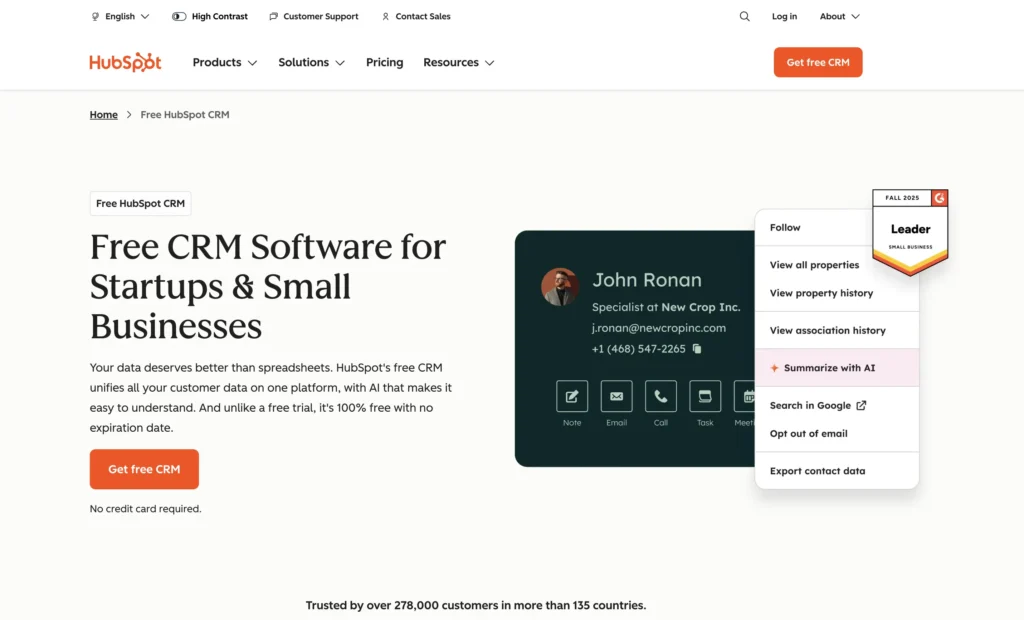
3. HubSpot CRM
Rating: 4.2/5
Best for integrated marketing and sales in one platform
Quick Summary
HubSpot CRM is a marketing and sales powerhouse. If your team heavily utilizes marketing automation, HubSpot’s native integration is unmatched. But for sales-only teams, you’re paying for marketing features you don’t need. HubSpot’s CRM core is solid, but setup complexity and higher cost make it better suited for larger organizations.
Key Features
- Native marketing automation: Workflows connecting sales and marketing teams seamlessly
- Contact intelligence: AI insights on every lead and company
- Advanced reporting: Custom dashboards and predictive analytics
Pros
- Best-in-class for companies doing both sales and marketing automation
- Massive app marketplace (1,000+ integrations)
- Strong customer success support for enterprise customers
- Excellent documentation and community resources
Cons
- Expensive for sales-only teams (paying for unused marketing features)
- Steeper learning curve than Nutshell; requires more setup time
- It can feel over-engineered for simple sales processes
- Higher per-user cost ($50-$120/user/month for advanced features)
Pricing
Free or $9-$90/user/month (billed annually), $10-$100/user/month billed monthly
Free trial? No (offers a free CRM tier with limited features)
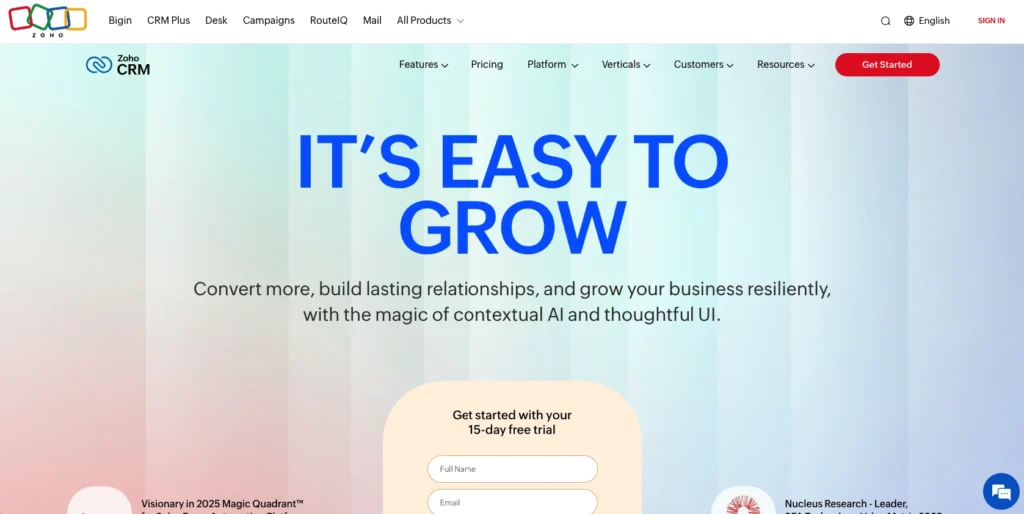
4. Zoho CRM
Rating: 4.1/5
Best for customization and enterprise-level automation
Quick Summary
Zoho CRM is the customization champion. If you need deep workflow automation, complex field mappings, and multi-department integration, Zoho delivers. However, that flexibility comes at a cost: longer setup times, a steeper learning curve, and increased administrative overhead. Best for larger teams with dedicated CRM administrators.
Key Features
- Unlimited customization: Build workflows and fields exactly to your process
- Multi-department workflows: Connect sales, marketing, and customer success seamlessly
- Advanced automation rules: Complex conditional logic and multi-step automations
Pros
- Most customizable CRM on the market
- Powerful for complex, multistep sales processes
- Good integration with other Zoho products (if you use the Zoho ecosystem)
- Competitive pricing for what’s included
Cons
- Requires a dedicated admin or consultant for proper setup
- Steeper learning curve—not intuitive for new users
- Slower time-to-productivity than Nutshell
- Support quality is inconsistent—requires community forum searches
Pricing
$14-$52/user/month billed annually, $20-$65/user/month billed monthly
Free trial? Yes (15 days)
5. Close
Rating: 4.0/5
Best for sales-focused teams with heavy calling/email workflows
Quick Summary
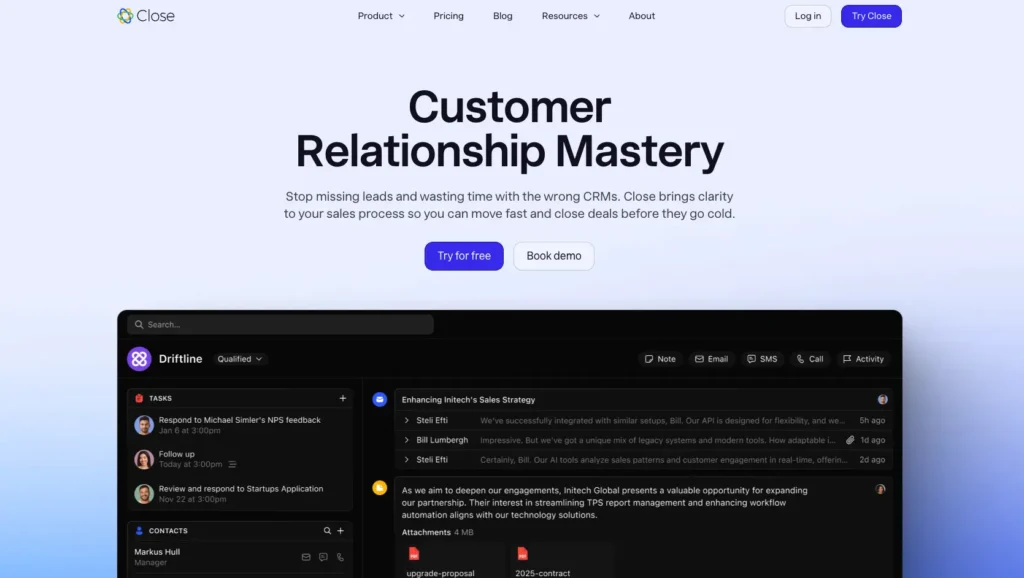
Close is designed specifically for sales teams that conduct extensive calling and emailing. The platform emphasizes communication workflows, call logging, and email sequences. If your team is calling-heavy (sales development, inside sales, customer success), Close’s communication-first approach is compelling. For teams relying on meetings and proposals, it’s less of a fit.
Key Features
- Native dialer integration: Click-to-call, call recording, voicemail drops
- Email sequences: Automated multi-step email workflows
- Call & email analytics: Data on communication effectiveness
Pros
- Exceptional for SDR/BDR teams and inside sales
- Built-in calling (no third-party dialer needed)
- Strong email sequence automation
- Good for communication-heavy teams
Cons
- Less emphasis on deal management and forecasting
- Limited integration marketplace compared to HubSpot
- Higher per-user cost for calling features
- Best suited for specific use cases (not general sales teams)
Pricing
$35-$139/user/month billed annually, $49-$149/user/month billed monthly
Free trial? Yes (14 days)
6. Copper CRM
Rating: 3.9/5
Best for a lightweight Gmail-native CRM alternative
Quick Summary
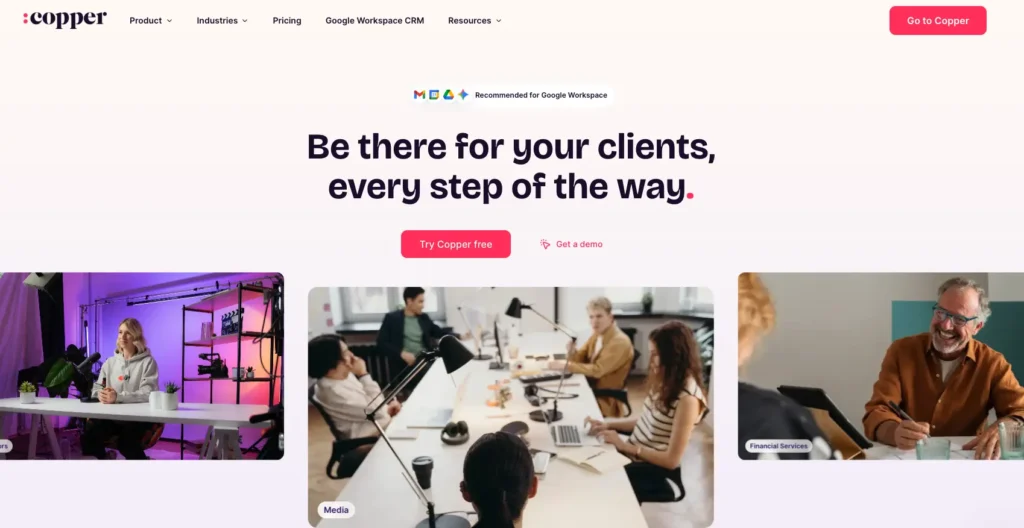
Copper is Gmail-native—it lives inside your inbox. If your team already uses Gmail and wants a CRM that doesn’t require context switching, Copper is appealing. Contacts, deals, and activities are all accessible from Gmail. Good for very small teams, but lacks the automation and reporting depth of larger competitors.
Key Features
- Gmail-native interface: CRM activities happen inside Gmail
- Gmail contact sync: Automatic contact management
- Simple automation: Basic workflows and task assignment
Pros
- Minimal learning curve; works like Gmail
- Low setup overhead; start using immediately
- Affordable for very small teams (1-5 reps)
- No context-switching for Gmail users
Cons
- Limited reporting and forecasting
- Weak automation compared to other platforms
- Not scalable for growing teams
- Limited integrations outside the Gmail ecosystem
Pricing
$9-$99/user/month billed annually, $12-$134/user/month billed monthly
Free trial? Yes (14 days)
7. Keap
Rating: 3.7/5
Best for small service-based businesses with automation needs
Quick Summary
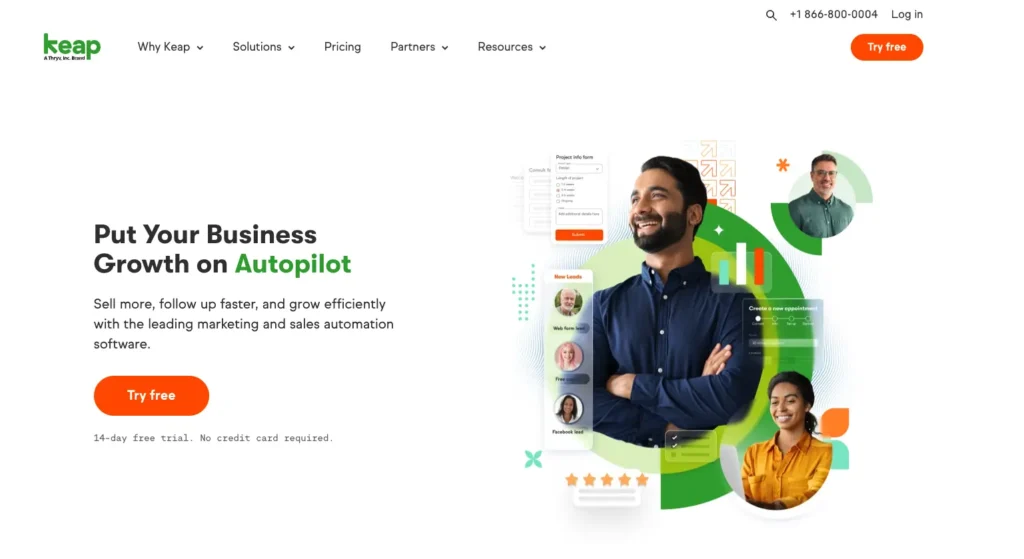
Keap is designed for small service businesses—such as agencies, coaches, and consultants—who need to integrate CRM with marketing automation and client management. Strong for appointment-based selling and service delivery workflows. Less ideal for pure sales teams or consultative B2B selling.
Key Features
- Pipeline + fulfillment workflows: Manage sales process and client delivery
- Marketing automation: Email sequences and campaign builder
- Appointment scheduling: Built-in calendar and booking
Pros
- Excellent for service-based businesses and solopreneurs
- Built-in marketing automation and scheduling
- Good for small teams with limited budgets
- Strong for client onboarding workflows
Cons
- Not designed for high-volume sales teams
- Steeper learning curve; more complexity than needed for simple sales
- Limited reporting and forecasting
- Support quality variable; requires self-service learning
Pricing
Starting at $299/month for two users and 1,500 contacts
Free trial? Yes (14 days)
8. Salesforce
Rating: 3.6/5
Best for large enterprise teams needing maximum customization
Quick Summary
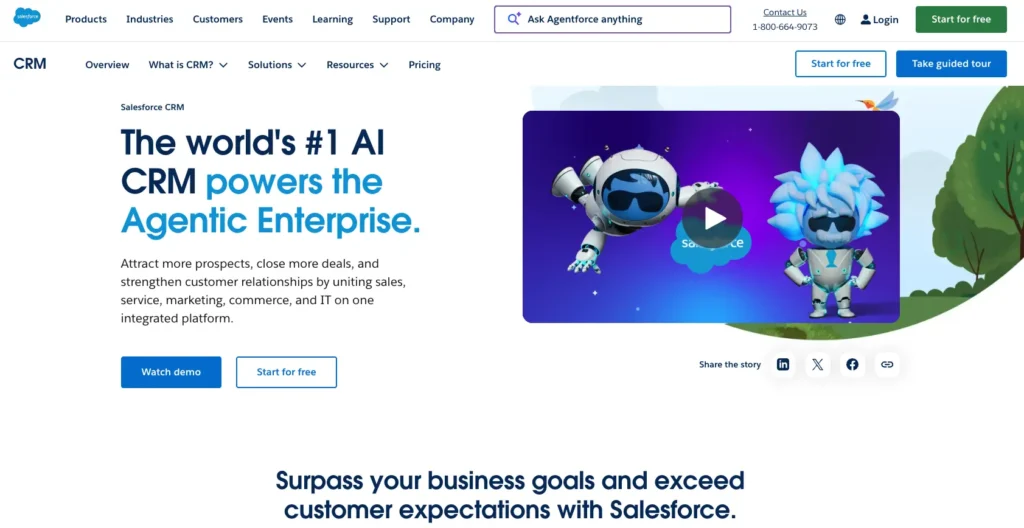
Salesforce is the CRM industry standard for large enterprises. Unmatched customization, reporting, and integration capabilities. But Salesforce requires significant implementation investment, dedicated admin resources, and a steep learning curve. For teams under 50 reps, you’re likely overpaying for features you won’t use. For enterprises, it’s often necessary.
Key Features
- Unlimited customization: Build any workflow imaginable
- Enterprise integration: Connect to any business system via APIs
- Advanced reporting & analytics: Complex forecasting and business intelligence
Pros
- Industry standard for large enterprises
- Strongest customization capabilities
- Largest ecosystem of integrations and add-ons
- Excellent for multi-department, complex sales organizations
Cons
- Expensive ($25-$100+/user/month for full functionality)
- Requires a dedicated CRM administrator or consultant
- Steep learning curve; not intuitive for new users
- Slow time-to-productivity (3-6 months typical)
- Overkill for small to midsized teams
Pricing
Free or $25-$100/user/month
Free trial? Yes (30 days), and offers a free CRM tier with limited features
9. Method CRM
Rating: 3.5/5
Best for companies requiring QuickBooks integration
Quick Summary
Method CRM is specifically designed for small businesses that use QuickBooks for their accounting needs. It bridges CRM and accounting, allowing sales data to flow directly into QuickBooks—essential for companies that manage sales and billing from a single system. For teams not using QuickBooks, there are better alternatives.
Key Features
- QuickBooks integration: Two-way sync between CRM and accounting
- Simple contact management: Basic but functional contact and deal tracking
- Invoice tracking: See which deals have been invoiced and paid
Pros
- Best choice for QuickBooks users who need CRM
- Simple interface focused on essentials
- Affordable for very small teams
Cons
- Limited automation and reporting
- Small feature set compared to modern CRMs
- Declining platform (acquired, less active development)
- Only makes sense if you use QuickBooks
Pricing
$27-$73/user/month billed monthly, with a 10% discount for annual billing
Free trial? Yes (14 days)
Common CRM switching mistakes and how to avoid them
The transition from one CRM to another is littered with potential errors. Here are the mistakes we see teams make most often—and how to prevent them:
Mistake 1: Insufficient data migration planning
Many teams assume their old CRM data will transfer perfectly. It won’t. Duplicate records, incomplete fields, and inconsistent naming conventions—all create problems downstream.
Prevention: Spend 4-5 hours cleaning your Capsule database before migration. Remove duplicates, standardize field formats, and archive inactive contacts. Clean data is the best insurance against poor reporting downstream.
Mistake 2: No change management or team preparation
You select a new CRM, migrate the data, launch it, and hope your team figures it out. They don’t. Adoption stalls.
Prevention: Involve 2-3 reps early in the evaluation. Give them ownership. Train everyone before cutover. Create super-users who become internal experts. Adoption is a team sport.
Mistake 3: Rushing the adoption timeline
“We’ll switch over this weekend and be productive Monday.” Unlikely. Your team needs time to learn, adjust, and build confidence.
Prevention: Plan a 4-8 week transition. Use phased implementation or parallel running. Give your team permission to be slower initially. Recovery typically takes 4 to 6 weeks.
Mistake 4: Not cleaning data before the switch
Does your Capsule instance have bad contact records? They’ll be bad in your new system, too.
Prevention: Before migrating, audit your database. Fix obvious errors. Remove duplicates. Your new CRM will only be as good as the data you feed it.
How to switch from Capsule without disrupting sales
Migration anxiety is real. You’re worried about lost data, productivity drops, and team frustration. But with the right strategy, switching from Capsule can be smooth—and the productivity gains justify the short-term friction. Here’s how:
Data migration strategy
All your Capsule data transfers cleanly to Nutshell: contacts, companies, deals, activity history, and custom fields. Nutshell’s migration team handles the technical side. Your job: clean data before the switch.
Spend 4-5 hours reviewing your Capsule database. Remove duplicates. Fill in missing phone numbers or email addresses. Archive inactive contacts. Clean data = accurate reporting from day one.
Migration typically takes 2-3 days. Historical data is preserved and searchable. Your team can reference past interactions immediately.
Phased vs. full cutover
Phased approach (weeks 1-4): Run Capsule and Nutshell in parallel. New deals are added to Nutshell, while your existing deals remain in Capsule for reference. This is safer for larger teams (8+ reps) because it allows time for adjustments.
Full cutover (1-2 days): Shut down Capsule completely and migrate everyone to Nutshell simultaneously. This works better for small teams (under 8 reps) and creates forced adoption.
We recommend a phased migration for teams of over 8 reps. It reduces resistance and gives you data redundancy during transition. After 2-3 weeks, fully migrate when confidence is high.
Team training and adoption
Set up four 1-hour training sessions covering:
- Session 1: System overview, navigation, and contact lookup (everyone attends)
- Session 2: Daily workflow for sales reps—logging activities, updating deals, and using next-action prioritization (reps only)
- Session 3: Reporting and dashboards for managers (managers only)
- Session 4: Q&A and troubleshooting (everyone)
Schedule sessions over 2-3 days to ensure the information remains fresh. Follow up with recorded videos and written guides. Nutshell provides templates—customize them to your process.
Assign one “super-user” per team. They’re the go-to expert for colleagues and act as a feedback channel to you. Super-users typically become your strongest advocates.
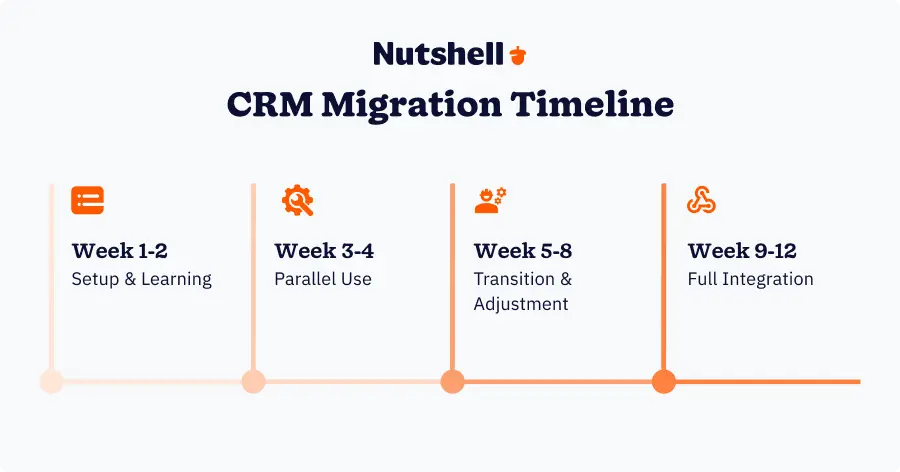
Timeline expectations: Week-by-week roadmap
Weeks 1-2: Setup & Learning
- Nutshell technical setup and customization complete
- Data migration finalized and validated
- Team training delivered (four 1-hour sessions)
- Early adoption productivity is typically down 20-30% as reps learn
- Success metric: 60% of the team logging in daily
Weeks 3-4: Parallel Use
- Capsule and Nutshell are both active—new activity goes into both systems
- Reps gaining confidence; productivity improving
- Super-users fielding most questions independently
- Success metric: 75% of the team logging in daily; fewer support questions
Weeks 5-8: Transition & Adjustment
- Full cutover to Nutshell (Capsule usage ends)
- Final questions and process tweaks handled
- Automation workflows refined based on real usage
- Productivity approaching or exceeding pre-switch levels
- Success metric: 85%+ team logging in daily; positive feedback
Weeks 9-12: Full Integration
- Nutshell is the system of record
- Team using next-action prioritization, automation, and reporting naturally
- New team members onboarded into Nutshell only
- Early ROI metrics are visible (faster deal velocity, better forecast accuracy)
- Success metric: 90%+ consistent daily use; productivity up 10-15%
Managing productivity impact
Expect a short-term productivity dip. In the research:
- Month 1: Productivity down 25-30% (learning curve)
- Month 2: Productivity down 10-15% (gaining confidence)
- Month 3: Back to baseline or better (new system efficiency kicks in)
This is normal. Successful CRM implementations save teams 1,500-2,000 hours in year two, which more than compensates for the initial dip in month one.
To minimize impact:
- Lower sales targets for month 1. Give your team permission to learn. Adjust quotas or expectations temporarily.
- Prioritize training completion. Reps who complete training early adopt faster.
- Celebrate early wins. When someone closes a deal faster using Nutshell’s workflows, share it. Build momentum.
- Provide responsive support. Have someone (you, the super-user, and Nutshell support) available during weeks 1-3 for quick questions.
- Communicate timeline. Tell your team: “Expect a week-two dip. By week four, we’ll be faster than before.”
How to get team buy-in for a CRM switch
Your team is skeptical. They’ve invested time learning Capsule. Why switch? Here’s how to build internal support:
Involve the team in selection
Don’t choose a new CRM in a vacuum. Get 2-3 respected reps involved in the evaluation. Let them test the system. They’ll become advocates once the new CRM works more effectively.
Directly address their pain points
In a team meeting, acknowledge what frustrates them about Capsule: “I know you’re spending 20-30 minutes daily on data entry. The new system eliminates that.” Show you listened.
Quantify the benefit in their terms
Don’t talk about “improved forecast accuracy.” Talk about what matters to reps: “You’ll spend 5-8 fewer hours per week on admin work. That’s time for actual selling.”
Celebrate early wins
When someone closes a deal using the new system’s automation or next-action feature, announce it in your next team meeting or all-hands. Build momentum with small victories.
Provide hands-on training and support
Don’t send an email with a link to a training video. Sit with reps individually. Show them how the system works. Answer questions. Reduce friction.
Your team will adopt the new CRM when they see it makes their job easier, not harder. Focus there.
The ROI of switching CRMs: Timeline and expectations
Here’s what to realistically expect when you switch from Capsule:
- Month 1: Expect a 25-30% productivity dip as your team learns the new system. This is normal. Reps are slower because they’re figuring out workflows. However, by weeks 2-3, speed improves as muscle memory develops.
- Month 2: Productivity dip narrows to 10-15%. Your team is comfortable with daily workflows. Early automation starts delivering time savings. Managers see the first signs of improved reporting.
- Month 3: Productivity returns to baseline or better. Your team is now faster than they were in Capsule because the new system eliminates manual processes. Adoption is 85%+ consistent daily use.
- Months 4-6: Break-even point. Time saved + revenue gains now exceed the cost of the switch. Deal velocity improves. Forecast accuracy increases.
- Month 12: Full ROI realized. The time saved and additional revenue generated now substantially outweigh the implementation costs and software fees.
Key metrics to track during transition
- Daily active users (%): Should increase from Capsule baseline (36%) to 85%+ by month 3
- Average deal velocity (days): Should decrease by 3-5 days
- Proposal-to-close conversion (%): Should improve 2-4 percentage points
- Time spent on CRM admin per rep per week: Should decrease by 5-8 hours
- Sales manager reporting time per month: Should decrease by 4-6 hours
- Forecast accuracy: Should improve 8-12 percentage points
How Nutshell solves key Capsule pain points
Nutshell addresses each of these switching drivers head-on. Here’s how:
Problem: Manual data entry burden → Solution: Email and calendar integration + activity capture
Nutshell integrates deeply with email (Gmail, Outlook) and calendar. Activities are logged automatically—emails, meetings, and calls. No manual entry required. Your reps spend less time typing and more time selling.
The impact is immediate: 5-8 hours per week per rep saved. Multiply that across your team, and you’re recovering 2,500-4,000 hours annually—hours your team should be spending on high-value selling activities. Data quality improves because logging is automatic and consistent.
Problem: Overwhelming tasks → Solution: Next-action prioritization methodology
Here’s where Nutshell’s unique “next-action” methodology makes a difference. Instead of showing reps a flat task list, Nutshell prioritizes activities based on deal stage, urgency, and sales methodology. Your rep logs in and sees exactly what they should do next—not 15 unfiltered options.
This directly addresses Capsule’s core adoption weakness. 83% of sales professionals using AI CRM features exceed their sales goals, compared to 36% of those using traditional CRMs. Reps engage because the tool guides them, not overwhelms them.
Problem: Weak reporting & analytics → Solution: Real-time dashboards + AI forecasting
Nutshell provides real-time dashboards, custom reporting, and AI-powered forecasting—no Excel exports required. Sales managers get visibility instantly. Are we on track for quota? Where are the pipeline bottlenecks? Which reps need coaching? You know immediately.
42% of companies improve sales forecast accuracy with proper CRM adoption, according to Nucleus Research. That accuracy translates to better resource allocation, smarter hiring decisions, and fewer surprises at forecast meetings.
Problem: Low adoption → Solution: Intuitive, sales-first UX design
Nutshell was built for sales reps, not IT departments. The interface is clean, intuitive, and focused on selling activities instead of CRM administration. Your reps learn the system in days, not weeks. And because the tool guides them (via next-action prioritization), they actually use it consistently.
Feature-for-feature comparison: Capsule vs. Nutshell
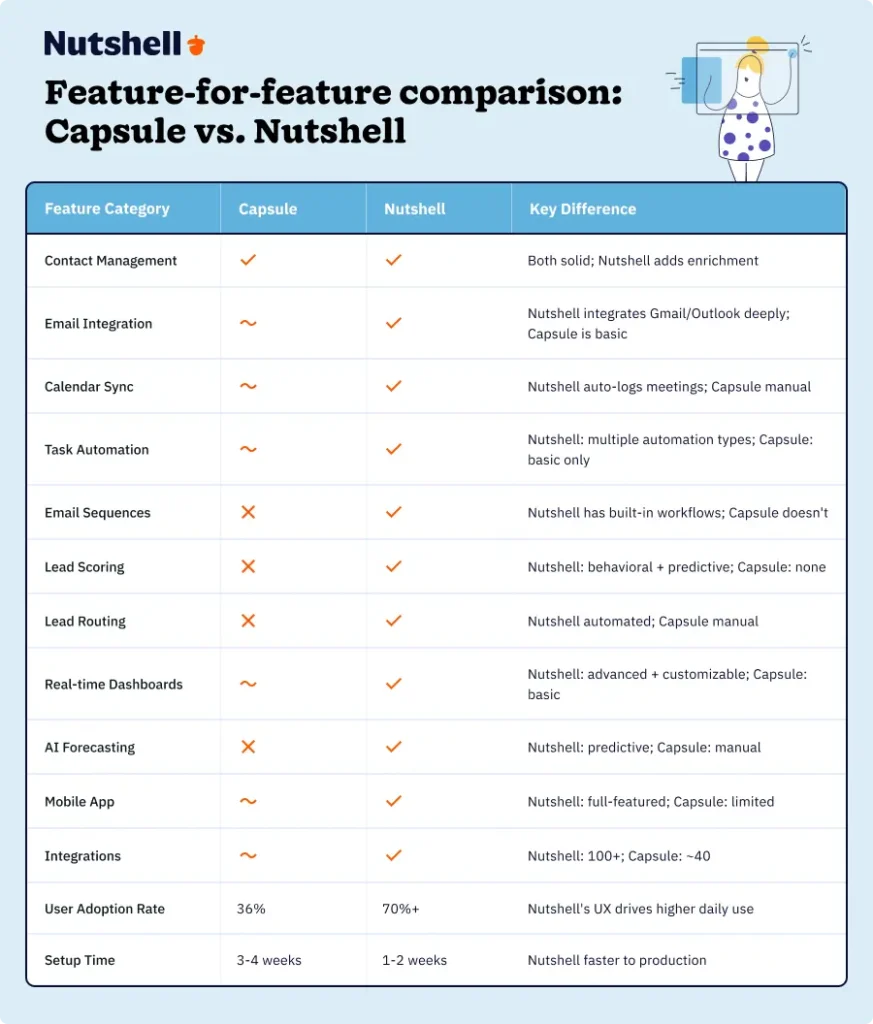
Where Capsule is actually better
Capsule isn’t a bad system. It excels in a few specific areas:
- Contact management UI: Clean, simple interface for managing contact details
- Lightweight setup: Quick initial setup for small teams just starting out
- Email tracking (basic): Works for teams who only need open/click tracking
However, here’s the reality: These strengths don’t outweigh the gaps that emerge as teams grow. And switching happens when growth exposes gaps. That’s why Nutshell is the better choice for teams ready to scale sales operations.
Philosophy difference
Capsule was initially designed as a lightweight contact manager, evolving into a comprehensive CRM. It prioritizes simplicity over capability.
Nutshell was built from the ground up as a CRM, specifically designed for sales teams. It prioritizes capability delivered simply—powerful features without the complexity.
For growing sales teams, that distinction matters enormously. Nutshell’s design directly addresses why Capsule users struggle: the tool was designed for contact management, not for selling.
Affordability & ROI: Why Nutshell wins
Switching CRMs requires investment—not just in software, but in time and training. The question is: what’s the payback?
Cost comparison: Capsule vs. Nutshell
Let’s compare for a 10-person sales team over 12 months:
Item Cost/Benefit Amount Capsule CRM Per-user cost $25-40/month (depending on plan) 10 users × $35/month average $350/month Annual cost $4,200/year Integration tools (activity sync, automation workarounds) ~$50/month $600/year Total Year 1 Cost $4,800 Nutshell Per-user cost $25-50/month (depending on features selected) 10 users × $40/month average $400/month Includes email integration, automation, AI forecasting (no add-ons needed) Total Year 1 Cost $4,800 Hidden costs of staying with Capsule
The real cost of Capsule isn’t the software—it’s what you’re not doing because of it:
Admin time cost:
- 10 reps × 5 hours/week of manual entry = 2,600 hours/year
- At $50/hour loaded cost (salary+benefits) = $130,000/year in lost productivity
Poor reporting cost:
- Manager spending 6-8 hours/month on Excel reporting = 80 hours/year
- At $75/hour (manager salary) = $6,000/year in lost productivity
Lost deals from low adoption:
- Adoption rate: 36% (some reps barely using the system)
- This incomplete visibility causes 2-3 deals/year to slip through cracks per team
- At 10% of team capacity lost = $40,000-$60,000/year in lost revenue
Hidden Year 1 Cost of Staying with Capsule: $176,000-$196,000
Nutshell ROI calculation: Transparent 12-month example
Investment (Year 1):
- Nutshell software: $4,800
- Implementation & training: ~$2,000 (your time + Nutshell support)
- Total Investment: $6,800
Savings (Year 1):
- Reduced admin time: 1,500 hours × $50/hour = $75,000
- Reduced reporting time: 60 hours × $75/hour = $4,500
- Improved forecast accuracy, reducing over-hiring mistakes: ~$15,000
Revenue gains (Year 1):
- Deal velocity improvement (3-5 days faster average) = 2 additional deals closed
- At $50,000 average deal size × 2 = $100,000
- Conversion rate improvement (36% → 44%) = 1 additional deal at $50,000
Total Year 1 Benefit: $244,500
Net ROI (Year 1): ($244,500−$6,800) / $6,800 = 3,495% or 35x return
Year 2 ROI is even better because implementation is complete and your team is fully productive.
Check out our comparison chart:
Category Cost/Benefit Amount Nutshell Software (Year 1) Cost ($4,800) Implementation & Training Cost ($2,000) Total Investment ($6,800) Reduced Admin Time Benefit $75,000 Reduced Reporting Time Benefit $4,500 Reduced Hiring Mistakes Benefit $15,000 Additional Deals Closed Benefit $150,000 Total Benefits $244,500 Net Year 1 ROI $237,700 (35x) 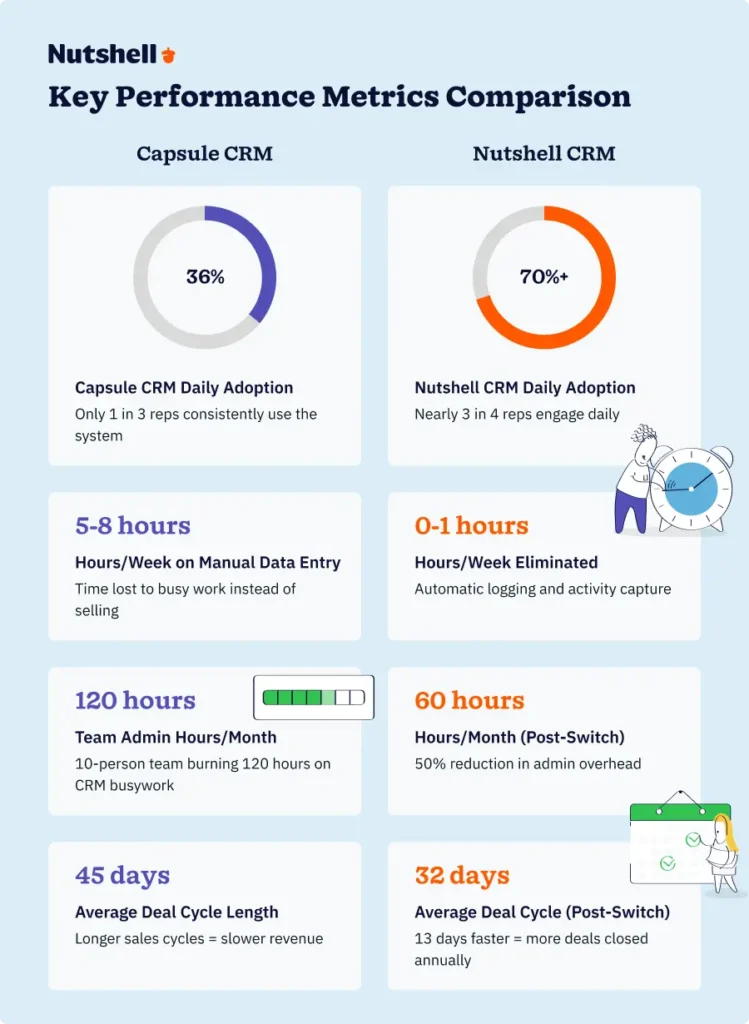
Nutshell’s “next-action” sales methodology explained
This is Nutshell’s secret weapon—the feature that directly addresses why Capsule users struggle with adoption.
Here’s how it works: Instead of showing reps a flat task list, Nutshell prioritizes tasks based on deal stage, urgency, and your sales process. Your rep opens their inbox and sees: “Your next action is to send a proposal to Acme Inc.”
Not 15 tasks. One clear next action.
This matters enormously because it eliminates decision fatigue. Most CRM systems show users everything; Nutshell shows reps what matters right now. Reps don’t need to think through prioritization—the system guides them.
The business impact is direct:
- Higher adoption: Reps use the system daily because it actively helps them work
- Faster deal velocity: Less time deciding what to do next; more time doing it
- Better forecast accuracy: Managers see what reps should be working on next week; forecasts become predictive instead of reactive
- Less admin burden: Reps focus on selling activities, not task management
This is why 83% of sales professionals using AI CRM features exceed their sales goals, compared to just 36% of those using traditional CRMs. The next-action approach turns your CRM from a data repository into an active selling tool.
Frequently asked questions
-
1. How long does it take to switch from Capsule to another CRM?
Typically 4-12 weeks, depending on your team size and complexity. For a small team (under 5 representatives) with clean data, you can achieve productivity in 4 weeks. For larger teams or complex integrations, 8-12 weeks is realistic. We recommend phased implementation (parallel use for 2-3 weeks), which adds time but reduces risk.
-
2. Will we lose data when migrating from Capsule?
No. Your contacts, companies, deals, and activity history all transfer cleanly to your new system. We recommend exporting your Capsule database as a backup before migration. The main risk isn’t data loss—it’s data quality. Allow 4-5 hours to clean your Capsule database before migration (remove duplicates and complete missing fields), and your new system will have healthy data from day one.
-
3. What’s the best time of year to switch CRMs?
Q4 is ideal. Your budget is typically available, and team capacity is there before the year-end crunch. Avoid mid-quarter switches when sales targets create pressure. Avoid switches during peak selling season. Give your team 4-8 weeks to transition before your busiest period.
-
4. How much productivity will we lose during the switch?
Expect 25-30% productivity loss in Month 1 (learning curve), 10-15% in Month 2, and back to baseline by Month 3. This assumes phased implementation and proper training. Teams that rush the transition or skip training see longer recovery periods. The Month 1 dip is temporary—successful CRM switches typically save 1,500-2,000 hours annually by year 2.
-
5. Can we run Capsule and the new CRM side-by-side during transition?
Yes, and we recommend it. Parallel implementation allows your team to use both systems for 2-3 weeks, building confidence. New deals go into the new system. Old deals stay in Capsule for reference. This approach is safer and reduces resistance, though it requires discipline (no duplicate entry mistakes). After 2-3 weeks, migrate fully to the new system.
-
6. What support does Nutshell provide for Capsule customers switching?
Nutshell includes migration support at no extra cost. Our team handles the technical data transfer, validates record integrity, and handles basic customization of your deal stages and fields to match your sales process. We also provide four 1-hour training sessions customized to your team. You get access to our help center, email support, and occasional check-ins during your first month to ensure smooth adoption. Email [email protected] or call during signup to discuss your specific migration needs.
Choose the best Capsule CRM alternative
You picked Capsule CRM for good reason: it was simple, affordable, and got your team selling fast. For a young sales organization, that was exactly the right call.
But as you’ve scaled, Capsule’s limitations have become obvious. Manual data entry consumes your reps’ time. Task lists overwhelm instead of guide. Automation remains basic. Reporting requires Excel workarounds. And adoption stalls at 36%—meaning your team isn’t even consistently using the tool.
The core problem: Capsule was built as a contact manager, not as a selling tool. When your organization was small, that distinction didn’t matter. Now it does.
The solution is a Capsule CRM alternative built specifically for modern sales teams—one that automates admin work, prioritizes selling activities, and drives adoption through intuitive design. Nutshell delivers exactly that.
Here’s what switching to Nutshell actually means:
- 5-8 hours per week per rep saved from eliminated data entry
- 70%+ consistent adoption (up from 36%)
- 3-5 days faster deal velocity
- $150,000+ in annualized revenue gains for a 10-person team
- 12-month ROI of 35x your switching investment
- 4 weeks to full productivity with phased implementation
The switch takes time—4-8 weeks of transition with a temporary Month 1 productivity dip. But successful CRM migrations save 1,500-2,000 hours annually. The investment pays for itself within 4-6 months.
Ready to make the switch? Sign up for your 14-day free trial today. No credit card required. See firsthand how the next-action methodology and automated workflows transform the way your team sells.
Or contact the Nutshell sales team to discuss your specific situation and migration timeline.
The best CRM is the one your team actually uses—and that’s Nutshell.
See Nutshell in action!
Try Nutshell free for 14 days or let us show you around before you dive in.
BACK TO TOP Written by
Ready to try
Nutshell for Free?Thank you! Your submission has been received!Oops! Something went wrong while submitting the form.


How Nutshell’s Support Engineer Rotation Keeps Us Focused on Customers
Published on: November 10, 2022

Highly Effective Strategies for Elevating Sales Team Performance
Published on: November 10, 2022Introducing Nutshell Forms Spam Prevention
Published on: April 22, 2024Establishing a System for CRM Data Entry and Management
Published on: April 11, 2023Join 30,000+ other sales and marketing professionals. Subscribe to our Sell to Win newsletter!










