Unify Team Meeting Processes for Increased Productivity With Nutshell Scheduler Managed Meetings
-
Tired of seeing reps burn selling time on setting up meetings? Scheduler managed meetings puts ready-made, admin-controlled meetings at their fingertips—so they skip the setup and jump straight to closing deals.
As a sales manager, it’s good to give your team some freedom with the meetings their offering up to leads and customers. However, the inconsistencies from rep to rep can make it a headache to manage and may cause inefficiencies that prevent growth.
To save your team time (and yourself a few headaches), Nutshell Admins can now simplify meeting management with Scheduler managed meetings. Admins now have the ability to create, assign, and maintain ready-to-share meeting types for their reps to use when scheduling.
What is Scheduler managed meetings?
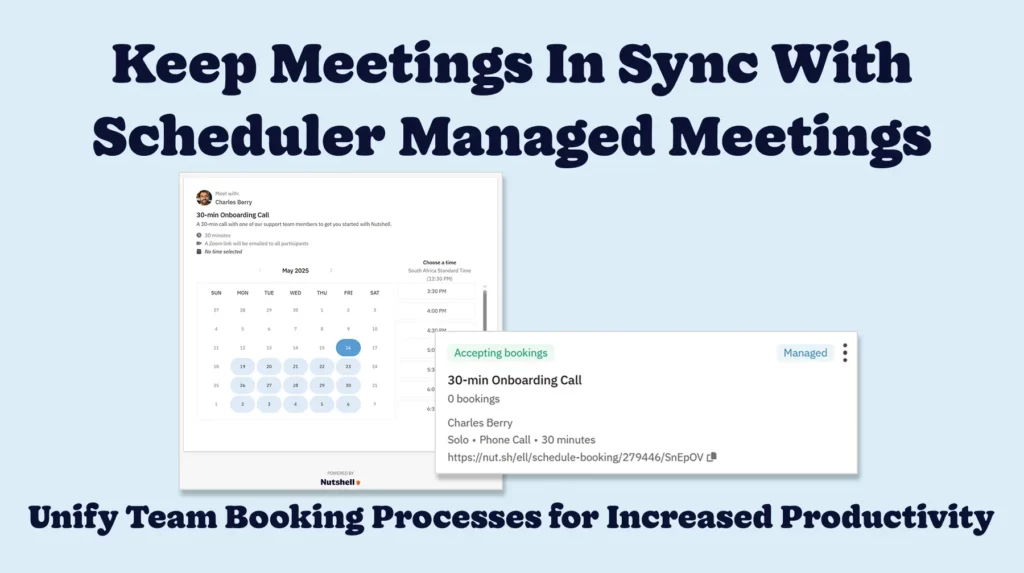
Scheduler managed meetings helps teams standardize the meeting types they offer. With Scheduler managed meetings, a Nutshell admin can set up a meeting type, like a discovery call or product demo, once in Nutshell and share it with their entire team. From there, team members can share a standardized booking link to the meeting as is.
What can I do with Scheduler managed meetings?
Making use of Scheduler managed meetings offers your admins and team members several key features to help streamline your current meeting booking system.
Roll out meeting templates at scale
As an admin, you can easily build go-to templates for the meeting types your team needs on your Nutshell Managed Meetings pages. This can include anything from discovery calls to product demos, onboarding calls, and so much more. A quick template build becomes a bookable event for your entire sales team.
Make onboarding new team members easier
Every new sales rep or customer rep likely needs the same set of meeting types as the rest of their team. With managed meetings, there is no reason to “recreate the wheel”. Simply assign the meeting types you’ve already created to your new team members.
Maintain meeting link consistency
With Scheduler managed meetings, irregular and off-brand meeting links are a thing of the past. All managed meetings will include the user’s Scheduler URL, keeping the meeting link on-brand and within the standard format, while adding some personalization for a better customer experience.
Assign meetings to team members
With the click of a button, you can assign a meeting type to specific users or your whole team, depending on your needs. When shared, these meetings will be accessible to all relevant current and future team members. Changes to meeting templates automatically update for all, ensuring assigned meetings include the correct meeting details.
Track and manage modified meetings
If a team member edits a meeting, Scheduler marks it as “Modified” and disconnects it from the original template. Nutshell admins can review any changes made and reset modified meetings to the original template format with a single click.
Monitor meeting statuses and types
Scheduler’s prominent pill indicators, ”Managed,” “Accepted,” and “Not Accepted,” make identifying the meeting type and status from your Managed Meetings interface easy.
How do I get started with Scheduler managed meetings?
Our Scheduler managed meetings feature is available to Scheduler users on our Nutshell Business and Enterprise plans. Nutshell admins can access the feature via the Managed Meetings tab inside Scheduler in Nutshell. Check out our detailed support article for more information on how to access and use this tool.
Keep meetings in sync and improve team efficiency
When meeting links and formats are consistent, your sales reps can rest assured that their booking process reflects the current team procedure. It also ensures a better booking experience for prospects and customers.
Scheduler managed meetings puts your admins in the driver’s seat, allowing them to standardize, adapt, and monitor meetings as strategies evolve. Get started with Scheduler managed meetings today to create your first managed meeting. Not a Nutshell customer yet? Give our leading CRM solution a try by signing up for a free 14-day trial, or reach out to our expert team for more information.
Increase meeting consistency and sales productivity with Scheduler managed meetings!
Hand your reps instant, admin-controlled booking links so they stop wasting time with meeting setup and start closing more deals.
BACK TO TOPWritten by
Chris Cain VP of Product Development, NutshellReady to try
Nutshell for Free?Thank you! Your submission has been received!Oops! Something went wrong while submitting the form.
Vanity Metrics: Definition, Examples by Channel, and What to Track Instead
Published on: November 10, 2022Sales Performance Reviews: 9 Tips to Make Them Valuable
Published on: November 10, 2022Unify Team Meeting Processes for Increased Productivity With Nutshell Scheduler Managed Meetings
Published on: May 16, 2025What Are the Top 3 Go-To-Market Strategies?
Published on: November 10, 2022Join 30,000+ other sales and marketing professionals. Subscribe to our Sell to Win newsletter!
- Product
- Nutshell Overview
CRM & Sales
Our powerful and easy-to-use flagship product.Marketing
Email marketing, forms, landing pages, and more.Engagement
Webchat, SMS, WhatsApp & more in your Omni-Channel Inbox.Prospecting
Prospect for new leads and new contacts in your CRM.Quotes & Invoices
Quickly create quotes & invoices in your CRM.
AI
See why Nutshell is the leading AI CRM.Integrations
Connect to Google/Microsoft and over 5,000 Apps.
ReportingCreate reports and forecasts in an instant.CRM Advisor
Get a dedicated point of contact to get the most out of Nutshell.Partner Marketplace
Find trusted partners to help optimize your Nutshell CRM.
- Pricing
Nutshell AI
- Resources
- Contact Us
Contact Sales
Send us your questions or book a 1-on-1 demo.Join a Demo
Join a group demo for a general overview of Nutshell.
Contact Support
Contact our support team via live chat in app or via email.Become a Partner
Refer businesses to Nutshell & earn commissions.
Contact Marketing
Questions about our website or our marketing opportunities?Careers
Join our growing team! See current openings.