Elevate Your Workflow With AI-Powered Click-to-Call

-
Last updated on: April 9, 2026
When leveraged at the right points in your workflow, AI is a powerful tool for saving time and working more efficiently. To help your sales and marketing teams accomplish more, Nutshell has launched several AI features including:
- Timeline summarization
- Zoom call transcriptions and summarizations
- A voice-to-text tool
- AI writing assistant in Nutshell Campaigns
Now Nutshell is expanding its AI even further with AI-powered click-to-call. This tool allows you to quickly transcribe and summarize phone calls made from inside Nutshell to keep team members in the loop about important conversations and make it easier to review key details. Learn more about click-to-call AI!
What is AI-powered click-to-call?
Nutshell’s click-to-call enables you to call prospects and customers from your browser and helps you track those conversations. Now you can also generate AI-powered audio transcriptions and call summaries, so you can save time and keep your team organized.
Nutshell’s built-in AI uses voice recognition to transcribe your phone conversation, making it easy to quickly review the details later. And call summarization uses AI to generate a brief summary of your conversation, enabling you to share key highlights with other team members.
How do I use click-to-call’s AI features?

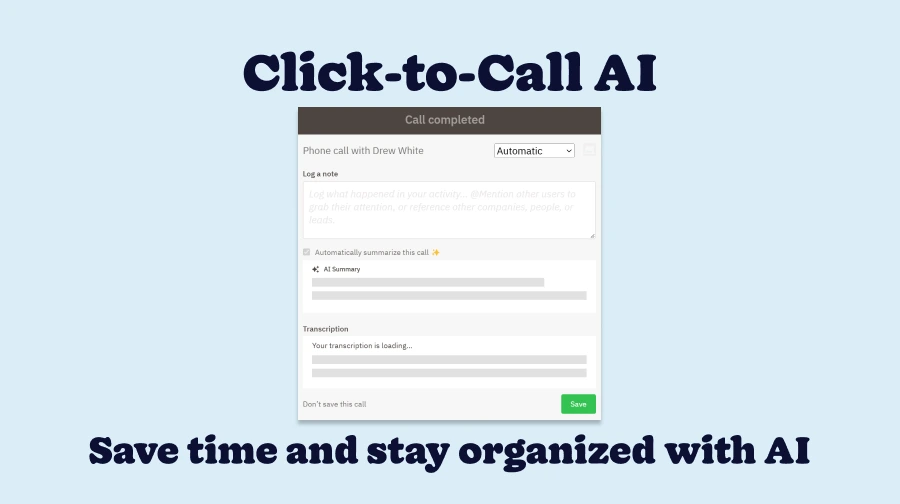
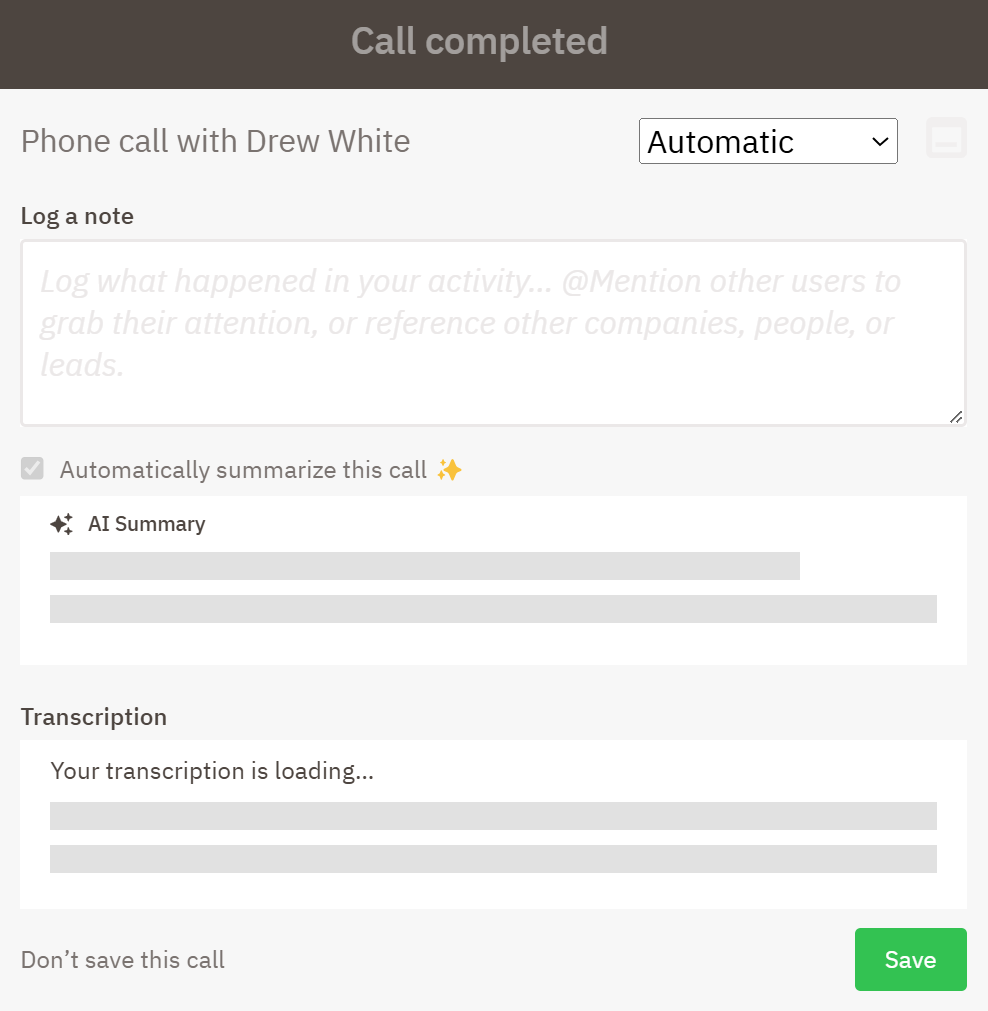
While on a phone call with click-to-call, you can check the box next to “Automatically summarize this call.” The dialog will show that the summary and transcription are generating. After your call is completed, the summary and transcription will process after a few minutes and then populate in the call dialog.
Frequently asked questions about AI-powered click-to-call
Want to know more about what you can do with AI-powered click-to-call? Check out the FAQs below:
-
How does click-to-call work?
Nutshell’s click-to-call enables you to click any contact’s phone number saved in Nutshell and immediately launch a phone call through your browser. You can optionally log your phone call as an activity, record the call, add notes, and generate transcriptions and summaries.
To learn more, visit the click-to-call support page.
-
Where can I see AI-generated transcriptions and summaries?

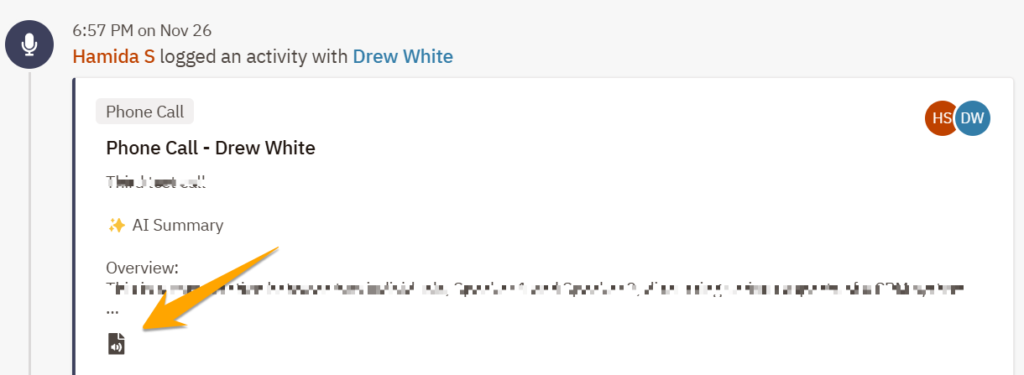
When you generate an AI-powered summary of your phone call, Nutshell attaches the summary or transcription to the logged activity on the person or company page you called from. Look out for the page with microphone icon above to identify logged phone calls with a transcription within the timeline.
-
How many AI-powered click-to-call transcriptions and summaries can I make?
AI-powered click-to-call is credit-based. To try out the features, all Nutshell plans include a limited number of transcriptions and summarizations per month. Business plans get unlimited transcriptions and 50 summarizations per user per month, while Enterprise plans get unlimited transcriptions and 100 summarizations per user per month. Summarization credits can also be used for timeline summarizations.
For more information on credits for AI features, view our plan comparison page.
Work faster with AI-powered click-to-call
With click-to-call AI, you can streamline customer management and collaboration with your team. And stacked on top of the other AI features in Nutshell, your team can power up multiple processes for greater efficiency.
Want to get started with AI-powered click-to-call? Nutshell users on Pro and below plans can try it out with a limited number of transcriptions and summaries per month. Upgrade to the Business or Enterprise plan to get greater access to these and all of Nutshell’s other AI features.
Contact our sales team with any questions, or check out the click-to-call support article for more information. Happy Nutshelling!
Get Started With Click-to-Call AI!
Want to supercharge your team’s efficiency? Try out AI-powered click-to-call today or upgrade to the Business plan for greater access!
BACK TO TOPWritten by
Chris Cain VP of Product Development, NutshellReady to try
Nutshell for Free?Thank you! Your submission has been received!Oops! Something went wrong while submitting the form.
Sales Performance Reviews: 9 Tips to Make Them Valuable
Published on: November 10, 2022Highly Effective Strategies for Elevating Sales Team Performance
Published on: November 10, 2022What Are the Top 3 Go-To-Market Strategies?
Published on: November 10, 2022Join 30,000+ other sales and marketing professionals. Subscribe to our Sell to Win newsletter!

- Product
- Nutshell Overview
CRM & Sales
Our powerful and easy-to-use flagship product.Marketing
Email marketing, forms, landing pages, and more.Engagement
Your omni-channel inbox in your CRM.Prospecting
Prospect for new leads and new contacts in your CRM.Quotes & Invoices
Quickly create quotes & invoices in your CRM.
AI
See why Nutshell is the leading AI CRM.Integrations
Connect to Google/Microsoft and over 5,000 Apps.
ReportingCreate reports and forecasts in an instant.CRM Advisor
Get a dedicated point of contact to get the most out of Nutshell.Partner Marketplace
Find trusted partners to help optimize your Nutshell CRM.
- Pricing
Nutshell AI
- Resources
- Contact Us
Contact Sales
Send us your questions or book a 1-on-1 demo.Join a Demo
Join a group demo for a general overview of Nutshell.
Contact Support
Contact our support team via live chat in app or via email.Become a Partner
Refer businesses to Nutshell & earn commissions.
Contact Marketing
Questions about our website or our marketing opportunities?Careers
Join our growing team! See current openings.