Skip to main content ↓

CRM vs marketing automation: The real difference, and why you might need both

Written by
Will Gordon director of Marketing at Nutshell
Will Gordon Sr. Director of Marketing
Last updated on: August 4, 2026
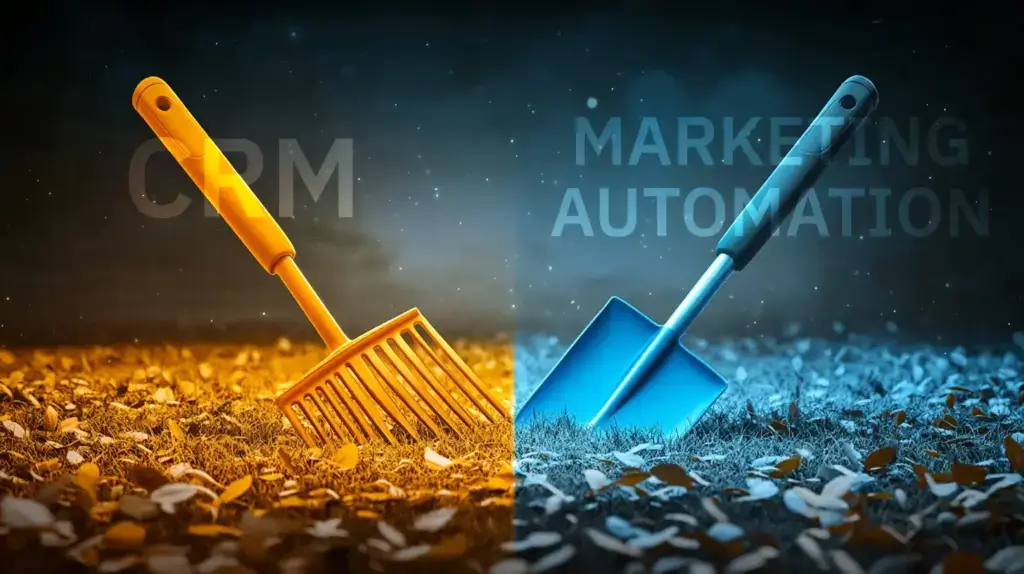
A rake and a shovel shown side by side to represent the difference between CRM and marketing automation

Quick answer: What’s the difference between CRM and marketing automation?

A CRM (Customer Relationship Management) system helps sales teams manage contacts, track deals, and close sales, while marketing automation software helps marketing teams nurture leads, send email campaigns, and score prospects before they’re sales-ready. CRMs focus on one-to-one relationship management and moving deals through the pipeline, whereas marketing automation focuses on one-to-many communication and engaging leads at scale. Many businesses use both tools together, with marketing automation feeding qualified leads into the CRM for sales follow-up.

Trying to decide between a CRM and marketing automation? Most growing teams need both, but for different purposes. The important decision is whether to get both in one platform or as two connected tools.

Yes, it can be confusing. Both handle and analyze your customer data. Both promise to help you close more deals. And vendors are happy to maintain the gray area between them, because confusion sells. This guide covers what each tool is for, whether you need one or both, and how to set them up so you’re not paying twice for the same job.

CRM vs Marketing Automation: Key Takeaways

  • CRM and marketing automation aren’t competing tools. They operate at different stages (one-to-one pipeline management vs. one-to-many top-of-funnel engagement), so asking, “Which one do I need?” is usually the wrong question.
  • The real decision most growing teams face isn’t CRM vs. marketing automation, it’s whether to run them as one integrated platform or two connected ones.
  • Most failures come from execution, not tool choice. Poor data hygiene and misaligned MQL/SQL definitions break the connection between the two more often than picking the wrong software does.

So, between CRM vs. marketing automation, which is better? That’s precisely what we’re going to cover in this blog post. Keep reading to find out more!

What’s the difference between CRM and marketing automation?

A CRM keeps track of your contacts, deals, and everything you know about a specific person or company you’re trying to sell to. It’s a collection of notes from countless customer interactions, such as what stage a deal is in the pipeline, what was said on the last call, and when to follow up next.

Marketing automation, on the other hand, does the complete opposite. It’s built for reaching lots of people at once, sending emails, running ad campaigns, and scoring leads based on behavior, without a person doing it manually every time.

Want even more tips for driving sales success?

Download our Playbook and Lorem ipsum dolor sit amet, consectetur adipiscing elit. Integer sit amet posuere erat, a feugiat nulla. Vestibulum sapien tellus, tristique et arcu ut, vehicula bibendum lorem.

Why do you need both, not one or the other?

If you had to pick a CRM or marketing automation tool for your company, which should you pick? Which is the best tool for you to have?

The answer is: Both.

As we just established, the two tools do totally different things. There’s a tiny bit of overlap, but not enough that one tool can replace the other, far from it. Trying to pick one over the other is like deciding between a rake and a shovel. They aren’t interchangeable because they do entirely different things. Why not just get both?

With the combined power of CRM and marketing automation, you can drive much bigger and better results for your business. You can use your CRM to learn how you can improve your campaigns, and then you can use your marketing automation tool to streamline those improvements.

What does this look like in practice?: A lead moving from campaign to close

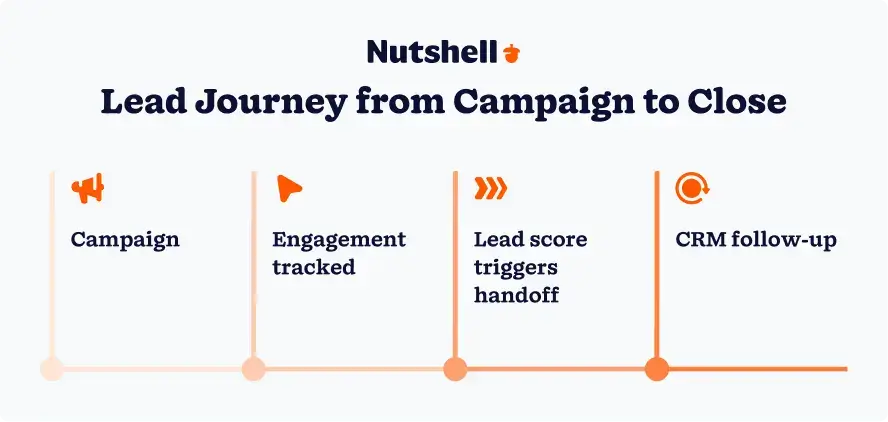
Diagram showing a lead's journey from marketing campaign to CRM handoff to sales follow-up

Here’s a real example of where marketing automation meets CRM, following one lead through both.

Take The Reuse Network, a real Nutshell customer. Six people connect schools and universities that are clearing out old furniture with charities that need it. The catch is that a school might need that service once every 15 or 20 years. 

No rep can personally keep in touch with thousands of contacts for two decades, so email campaigns do that job. They reach several thousand contacts at a time, staying recognizable for years. The result is that when a renovation is approached, The Reuse Network comes to mind.

Now put yourself in the shoes of the facilities director at one of those universities.

She finds The Reuse Network’s website while researching what to do with a building full of old dorm furniture and joins their email list. For the next two years, she gets an occasional email, opening some and ignoring many. Nobody from The Reuse Network needs to call her because there’s no project yet. That’s the nurture, and it costs the team almost nothing.

Then her institution’s renovation receives the funding it needs, so she replies to one of the emails and asks for a proposal. This is the handoff: The facilities director becomes a lead in the CRM, with her whole history attached, every email she opened, every page she visited, and how she was added to the email list in the first place.

From here, the work is one-to-one. The sales team tracks her project through its pipeline stages: Proposal, movers, recipient charities, and billing. A rep follows up at the right moments, knowing what she’s read and asked about, instead of heading into an interaction without any context.

Two years of staying top-of-mind for this lead only required a few email sends from the marketing team through marketing automation. Closing the project required a CRM that could manage every stage of the pipeline without dropping the lead. Neither tool could have done the job of the other.

Common pitfall: When the two aren’t talking to each other

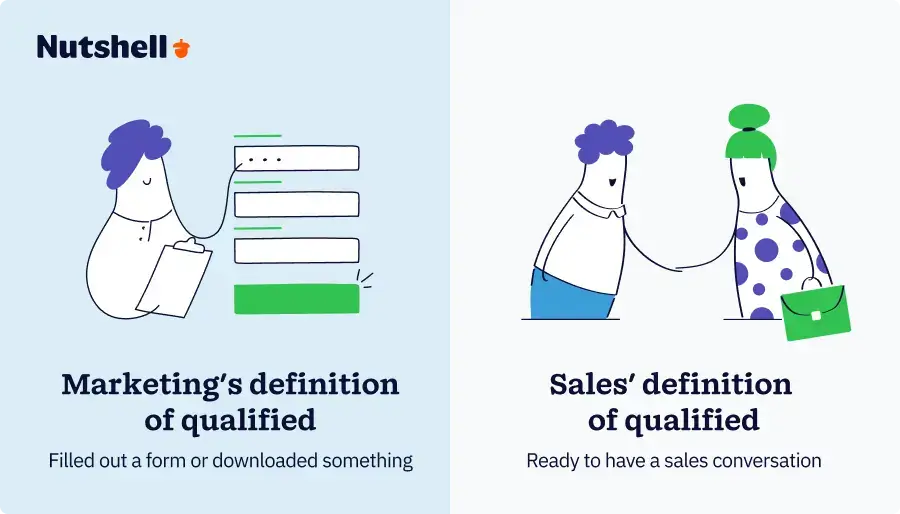
Comparison showing how marketing and sales often define a qualified lead differently

The handoff between marketing automation and sales CRM is typically where this setup breaks, and it usually breaks one of two ways.

The first is dirty data: Say our facilities director joined the email list twice, once through the website and once at a conference, and nobody merged the records. Her history would have split in two, resulting in the rep calling with only part of the story related to the lead. 

The second is misaligned definitions: If marketing counts every newsletter sign-up as “qualified,” sales gets flooded with leads that aren’t ready to convert. This can lead to the sales team ignoring the list, including those leads that may be ready to purchase.

Both problems are fixable, but neither is resolved by buying additional software. The duplicate-record problem comes down to data hygiene and getting sales and marketing working from one system. The definition problem comes down to agreeing on what counts as a qualified lead before the handoff, not after sales have stopped trusting the list.

Choosing the right setup: One platform or two?

Once you’ve decided you need both, the next question is whether you run them as one connected platform or two separate tools talking to each other. A few things to check before you decide:

  • Your budget: Most CRMs charge per user, and marketing automation is often a separate line item on top of that.
  • The features you actually need: Lead scoring, multi-channel campaigns, and behavioral triggers matter more for some teams than others. Don’t pay for what you won’t use.
  • How well they integrate: If you’re buying two separate tools, confirm they talk to each other seamlessly before you commit, not after.
  • A free trial: Test the real workflow with your team, not just the demo, before deciding.

For many small to midsized teams, the best approach is to invest in one platform that incorporates both CRM and marketing automation. Nutshell includes Nutshell Email Marketing, native email marketing automation built into the same CRM your sales team already uses, so leads move from a campaign to a rep’s pipeline without a separate integration to maintain.

Once you have both: Aligning your teams around them

Getting both tools is the easy part. Getting your sales and marketing teams to actually work off the same system, agreeing on what counts as a good lead and who owns a prospect at each stage, is the harder, more important part.

If you skip that step, you end up with two teams looking at two different pictures of the same customer. Marketing sees engagement data, sales sees deal history, and leads quietly fall through the gap between them. Get it right, and a lead will move from campaign to closed deal without anyone manually reconciling two disconnected systems.

Want to align your sales and marketing teams around one system? See How CRMs Unite Sales and Marketing Teams.

Curious how to define and hand off your best leads? See The Basics of MQLs.

FAQs

  • 1. Should I implement a CRM or marketing automation first?

    Most businesses should start with a CRM. It provides the foundation for managing customer relationships and sales pipelines, which you’ll need before scaling marketing efforts. Marketing automation works best when you have clean customer data and established sales processes already in place through your CRM.

  • 2. Why do I need to integrate CRM with marketing automation?

    Without integration, your two systems end up with two different, disconnected pictures of the same lead. Marketing sees engagement data, sales sees deal history, and neither sees the whole picture unless the two are connected. Integration is what turns two separate tools into one coherent view of the customer.

  • 3. What marketing tasks can automation handle that a CRM can’t?

    Marketing automation excels at tasks CRMs can’t do: managing multi-channel campaigns across social media and paid ads, creating sophisticated lead nurturing sequences with behavioral triggers, A/B testing email campaigns, tracking website visitor behavior, and automating social media posting. CRMs focus on sales pipeline management and customer data.

  • 4. Can a small business benefit from both CRM and marketing automation?

    Absolutely. Small businesses often see the biggest ROI from using both tools together. Start with an affordable CRM to organize your sales process, then add marketing automation as you grow. Many platforms like Nutshell offer scalable solutions that combine both, making it budget-friendly for small teams.

  • 5. How do I know if my CRM and marketing automation tools will integrate properly?

    Check three things: whether both platforms offer native integrations or API access, if they appear on each other’s official integration marketplace, and whether they support common data fields like contact info and lead scores. Test the integration during free trials and ask vendors for integration documentation before committing.

  • 6. Can I use a CRM with built-in marketing automation instead of separate tools?

    Yes, and it’s often the best choice for small to mid-sized businesses. All-in-one solutions like Nutshell with Nutshell Campaigns eliminate integration headaches and provide seamless data flow. You’ll only need separate specialized tools if you require advanced features like complex multi-touch attribution or enterprise-level campaign management.

See Nutshell in action!

Try Nutshell free for 14 days or let us show you around before you dive in.

BACK TO TOP
Join 30,000+ other sales and marketing professionals. Subscribe to our Sell to Win newsletter!