Skip to main content ↓

Improve Cash Flow Management and Get Paid Faster With Nutshell Invoices

Nutshell Invoices - Announcement Blog Post Image

When prospects say “yes,” the hard work isn’t over—you still need to get the money in the bank. Jumping between spreadsheets, PDF builders, and accounting tools steals time from essential sales activities and opens the door to costly mistakes.

Nutshell Invoices turns the quoting momentum you’ve already built into quick and clear invoices that help you close the revenue loop without ever leaving your CRM. Track and manage professional invoices in seconds, so cash can flow in while you keep selling.

What is Nutshell Invoices?

Nutshell Invoices is an update to our Quotes add‑on (now Nutshell Quotes & Invoices) that empowers your team to generate branded, itemized invoices the moment a deal is ready to bill. 

Because it lives inside Nutshell, every invoice automatically pulls the customer, product, and pricing details you’ve already captured—eliminating re‑typing, reducing errors, and giving you one source of truth for every deal.

What can I do with Nutshell Invoices?

Nutshell Invoices simplifies your billing workflows from proposal acceptance to payment request and invoice management. These are a few of the central functions of Nutshell Invoices:

  • Convert an accepted quote into an invoice or create one from scratch in just a few clicks
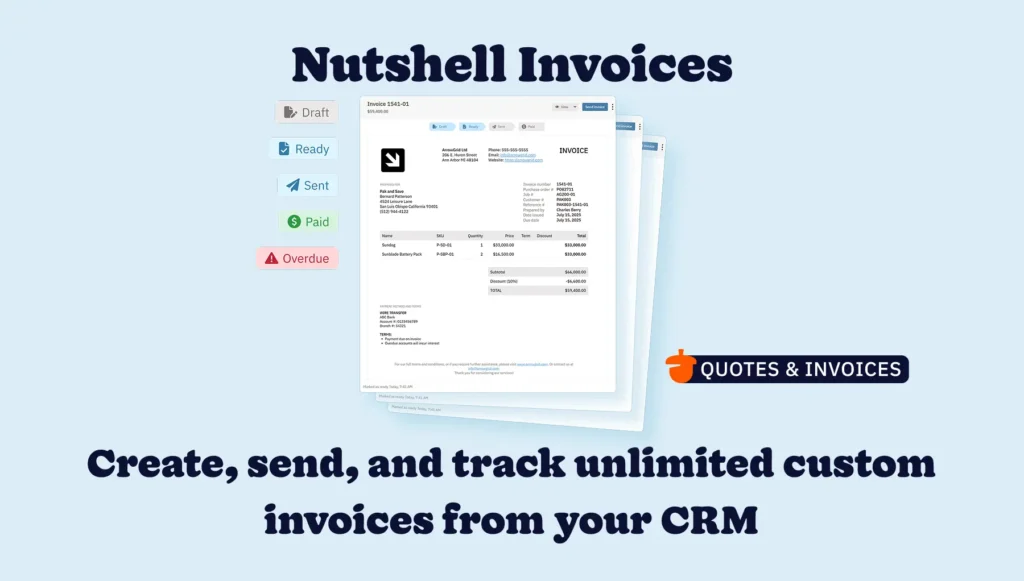
  • Monitor the invoice status with ease, from Draft to Ready, Sent, and Paid
  • Choose to share your invoice via a link, through email, or by downloading a PDF straight from the invoice interface
  • Set up automatic follow-ups to remind customers of overdue invoices 
  • Use your invoice management panel to see which invoices are paid, overdue, and need attention

Our detailed support article breaks down exactly how to set up Nutshell Invoices and all the features you’ll have at your disposal to help you get paid faster.

Nutshell Invoices - Quotes and Invoices Hub in CRM

How do I get started with Nutshell Invoices?

Nutshell Invoices is available as part of our Nutshell Quotes & Invoices add‑on for a flat rate of $67 per month. To get started, head to your billing page in Nutshell and add Quotes and Invoices to your plan.

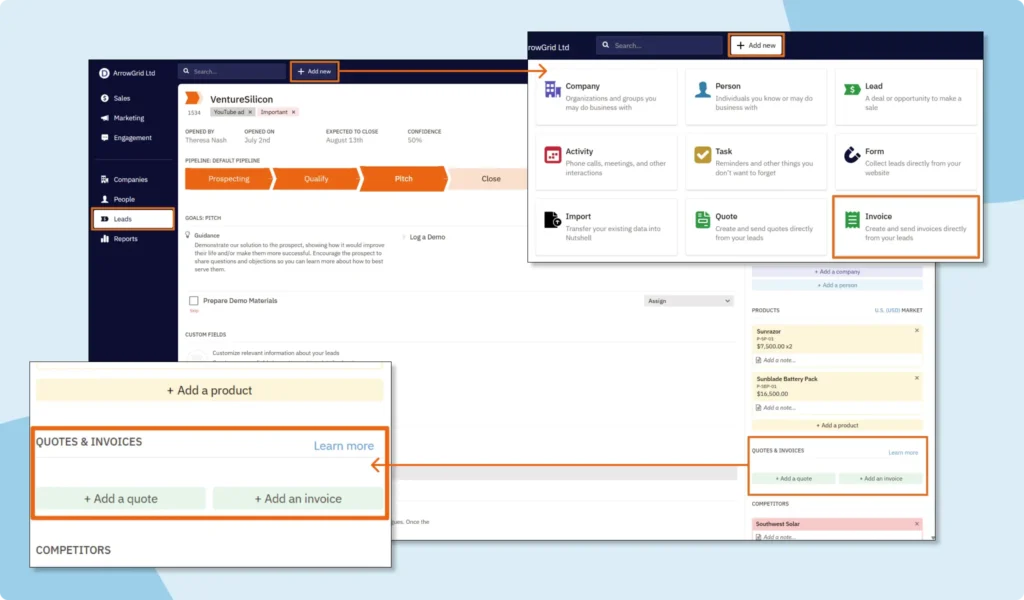
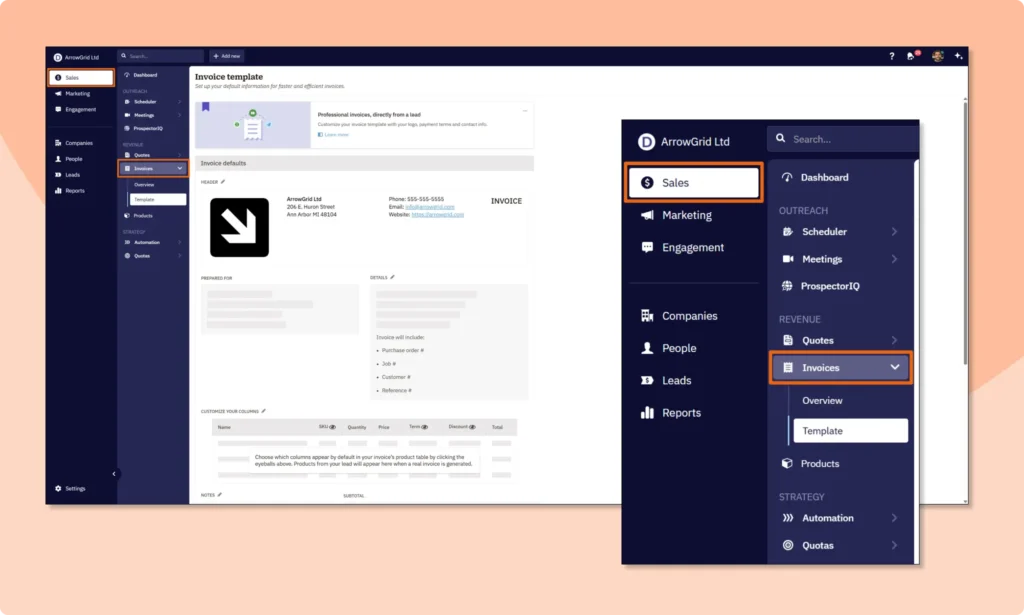
Once enabled, simply use the “+ Add new” menu or the Quotes and Invoices sidebar section on a Lead page to build your first invoice. Add your company logo, terms, taxes, and payment links before or when creating your first invoice. Include notes, discounts, PO numbers, shipping, and more with ease before reviewing and sending.

Frequently asked questions

  • 1. How does integrating invoicing directly into Nutshell CRM significantly boost my business’s cash flow and efficiency?

    Integrating invoicing with your CRM isn’t just about sending bills; it’s about transforming your entire sales-to-payment cycle. Beyond the basic ability to create and send invoices, Nutshell Invoices centralizes your financial data with your customer interactions. This means:

    • Faster Payments: By automating invoice creation from accepted quotes and setting up automatic follow-ups for overdue payments, you drastically reduce the time it takes to get paid. No more manual chasing!
    • Reduced Errors: All customer, product, and pricing details are pulled directly from your CRM, eliminating manual data entry and the costly mistakes that come with it. This ensures accuracy and builds customer trust.
    • Streamlined Workflows: Your sales team can generate invoices the moment a deal closes, without ever leaving Nutshell. This seamless transition from sales to finance saves valuable time that can be reinvested in selling.
    • Improved Financial Visibility: With all invoice statuses (Draft, Ready, Sent, Paid, Overdue) tracked within Nutshell, you gain a clear, real-time overview of your accounts receivable, empowering better cash flow management and forecasting.
  • 2. Can Nutshell Invoices handle recurring billing and subscription services, and how does it simplify this process?

    Absolutely! For businesses with subscription models or recurring services, Nutshell Invoices takes the headache out of repetitive billing. While the main article focuses on one-off invoices, Nutshell’s robust capabilities extend to managing recurring revenue with ease. You can:

    • Automate Recurring Invoices: Set up invoices to be generated and sent automatically at predefined intervals (monthly, quarterly, annually). This ensures consistent billing and predictable cash flow without manual intervention.
    • Customize Billing Cycles: Define specific frequencies and durations for each recurring invoice, tailoring them to individual client agreements.
    • Track Subscription Health: Monitor the payment status of all recurring invoices directly within Nutshell, giving you a clear picture of your subscription base and identifying any potential churn risks early.
    • Flexible Modifications: Easily adjust or cancel recurring invoices as client needs or service agreements change, maintaining accuracy and flexibility.
  • 3. How does Nutshell Invoices integrate with my existing accounting software or payment gateways to create a truly unified financial system?

    Nutshell Invoices is designed to be the central hub for your sales-to-payment process, but we understand that it’s part of a larger financial ecosystem. While Nutshell directly handles the creation, sending, and tracking of invoices, it facilitates seamless integration with popular accounting software and payment gateways to ensure a unified financial system.

    • Data Synchronization: Nutshell allows you to export invoice data, which can then be easily imported into your preferred accounting software (like QuickBooks, Xero, etc.). This minimizes double data entry and ensures your financial records are always consistent.
    • Payment Gateway Compatibility: You can include direct payment links from your chosen payment gateways (e.g., Stripe, PayPal) within your Nutshell invoices. This makes it incredibly convenient for your clients to pay you directly, speeding up the payment process.
    • Reduced Administrative Burden: By managing the front-end of your invoicing within Nutshell and then syncing with your accounting system, you reduce the administrative burden on your finance team, allowing them to focus on higher-value tasks.
  • 4. What advanced customization options are available for Nutshell Invoices to ensure they reflect my brand and meet specific business requirements?

    Your invoices are an extension of your brand, and Nutshell Invoices offers robust customization options to ensure they look professional and meet your unique business needs. Beyond simply adding your company logo, you can:

    • Branded Templates: Customize invoice templates with your company’s branding, colors, and fonts to maintain a consistent professional image across all client communications.
    • Flexible Fields: Include custom fields for purchase order (PO) numbers, shipping details, specific project codes, or any other information critical to your business operations.
    • Detailed Line Items: Easily add itemized lists of products or services, apply discounts, and calculate taxes accurately, providing full transparency to your clients.
    • Terms and Conditions: Incorporate your specific payment terms, legal disclaimers, or any other important notes directly onto your invoices, ensuring clarity and compliance.
    • Multi-Currency Support: For businesses operating internationally, Nutshell Invoices can support multi-currency options, allowing you to generate quotes and invoices in your clients’ preferred currency, simplifying global transactions.
  • 5. How can I leverage the data from Nutshell Invoices to gain deeper insights into my sales performance and financial health?

    Nutshell Invoices isn’t just a billing tool; it’s a powerful source of data that, when analyzed, can provide invaluable insights into your business’s sales performance and overall financial health. By keeping invoicing within your CRM, you can:

    • Analyze Sales-to-Payment Cycle: Track the average time from quote acceptance to invoice payment. Identifying bottlenecks can help you optimize your processes and improve cash flow.
    • Identify Top-Performing Products/Services: By linking invoices to specific products or services, you can easily see which offerings are generating the most revenue, informing your sales and marketing strategies.
    • Monitor Customer Payment Behavior: Gain insights into which customers pay on time, which frequently require reminders, and which might pose a credit risk. This helps in managing customer relationships and credit policies.
    • Forecast Revenue More Accurately: With a clear view of outstanding invoices and recurring revenue, you can create more accurate financial forecasts, aiding in strategic planning and resource allocation.
    • Evaluate Sales Team Effectiveness: Understand how quickly individual sales reps are moving deals from quote to paid invoice, providing data for performance reviews and coaching opportunities.

Making payment process management easier with Nutshell Invoices

Nutshell Invoices gives you a seamless, end‑to‑end payment process flow—from quote to cash—inside the CRM you already trust. Jump in today to start sending invoices and get payments in faster. Contact our support team if you need help getting started or have any questions.

Managing your quote-to-payment process just became easier!

Create, send, track, and manage invoices without leaving your CRM! Discover how Nutshell Invoices speeds up cash flow management and keeps revenue moving.

BACK TO TOP

Join 30,000+ other sales and marketing professionals. Subscribe to our Sell to Win newsletter!