Skip to main content ↓

The 30-day starting point that separates thriving beginner CRM users from those who struggle


Written by
Will Gordon director of Marketing at Nutshell
Will Gordon Sr. Director of Marketing
Last updated on: August 17, 2026
Two colleagues high-fiving at an office desk with a laptop open in front of them

Quick answer: What should CRM beginners do in their first 30 days to succeed?

Most new CRM users give up because they try to do too much, too fast. The key is to slow down and follow a structured week-by-week plan. Start with just 20 to 30 of your most important contacts, build a simple pipeline with no more than five stages, add only one automation, and then review how your team is actually using the tool before moving forward.

Many sales and marketing teams sign up for customer relationship management (CRM) software with the intention of using it, but barely do. A CRM allows teams to unify contact information and view the status of each deal across their organization. Teams also have the power to automate repetitive tasks and boost selling time with a CRM.

In a 2024 study, Nucleus Research found that for every dollar you spend on your CRM system, you can expect an average $3.10 return once the CRM is in use. The catch is that you actually have to use it.

Nutshell put this 30-day CRM implementation roadmap together to help improve new user adoption and build momentum.

Key takeaways

  • Diving in with a structured plan for those first four weeks can improve CRM adoption results in the long run.
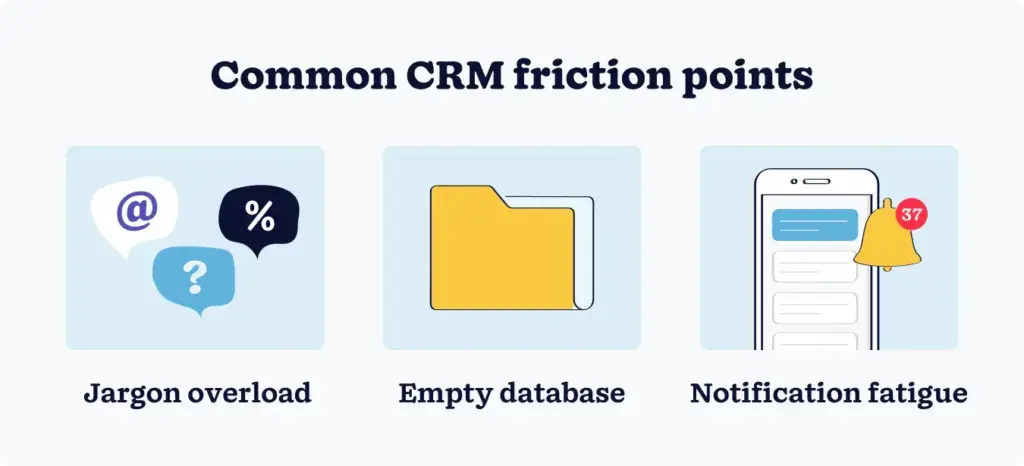
  • Three of the primary challenges impacting new user adoption are an empty database, excessive use of jargon, and notification fatigue, but they can all be avoided.
  • Building a four-week adoption plan that’s easy to follow gives CRM beginners a clear and achievable route to confident daily usage.

What trips up new CRM users, and how to sidestep it

New CRM users usually hit these same three roadblocks.

Three icons representing common CRM beginner challenges: jargon overload, empty database, and notification fatigue

1. Jargon overload

CRM systems have their own terminology, which can be confusing for new users. And terminology from one system to another can also differ, like terms describing leads, opportunities, deals, and life cycle stages.

When beginners are hit with what feels like a whole new language before they’ve even opened a contact record, it can make CRMs seem complex and scare them off. Pick the top five terms you’re most likely to use in your first week, learn those, and ignore the rest for now.

2. Empty database

An empty CRM is just software that’s not functional. Without a contact database, leads, or activities, the system (and your team) has nothing to work with. And beginners won’t be motivated to use the system if their first experience is an empty dashboard.

That said, avoid importing all customer records at once. Populating your database with about 20 to 30 contacts first can make the system feel real and kick-start the adoption process.

3. Notification fatigue

Many CRM systems come with alerts ready to be activated. But if you set too many alerts at once, your team will eventually ignore them all. So, only include the ones that matter.

Automation only adds value when users understand the process behind it. Start with zero automations, and when teams understand why a task is repetitive, automate it.

Why the first 30 days can make or break CRM success

A 2025 study published through ResearchGate determined that between 60% and 70% of CRM implementation projects fail to meet their objectives. Lack of adoption is often the culprit.

Research conducted by the G2 team shows that only 40% of businesses implementing a CRM actually see an adoption rate of 90% or more.

Then we look at Prosci’s 2022 research on change management, which revealed that implementation projects with a structured change management plan are seven times more likely to meet their goals.

Structured CRM onboarding phases should be about configuring the new CRM and integrating it into your day-to-day workflow. Your first month is critical to establishing a healthy adoption and usage routine.

Your 30-day CRM roadmap

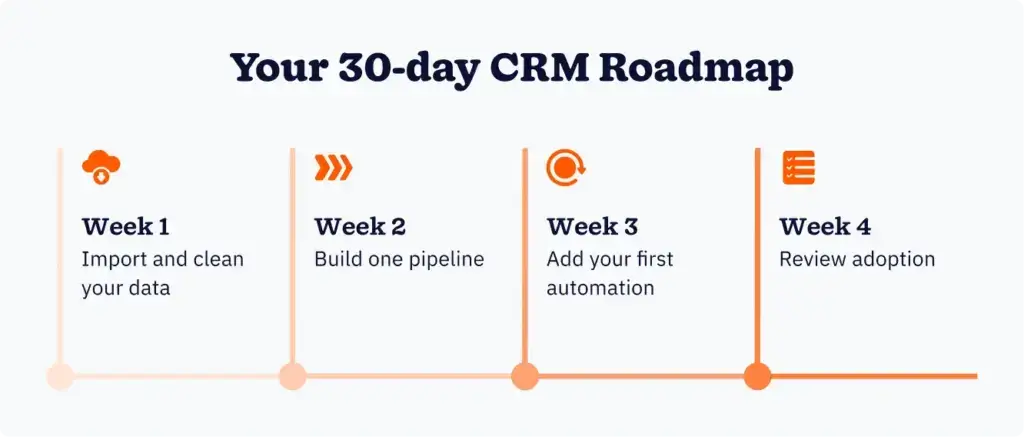
Develop your 30-day CRM implementation and adoption plan with one key objective per week. Avoid skipping ahead, because each week builds on the last. Jumping to automations before you have clean data is likely to cause issues.

Four-step 30-day CRM roadmap timeline showing import data, build pipeline, add automation, and review adoption

Week 1: Import and clean your data

Key objective: Import accurate and reliable data into your new CRM system.

Your CRM system provides a visual map of each sales process stage via the sales pipeline. But it only provides an accurate picture if your data is clean and organized. Start by exporting only the contacts you need from where they’re currently stored, whether it’s a spreadsheet, email service, or another tool.

Before you import, clean your data to eliminate duplicates, add missing information, and remove contacts you haven’t engaged with in several years. Import the 30 most important active contacts first, and ensure that these contacts populate correctly in your system before pulling in the rest.

Week 2: Build on pipeline

Key objective: Configure the system to support the way your team sells.

A sales pipeline is made up of distinct stages, representing the core steps of your sales process. Aim for no more than five sales process stages in your first pipeline as a start. Focus on mapping your pipeline to the way your team sells versus how you wish they would.

You could make your sales process stages simple, like “first call,” “sent proposal,” and “closing negotiation.” After you’ve set up your pipeline, assign some existing leads to it. Then, move a single deal through it from beginning to end before automating anything.

Week 3: Add your first automation

Key objective: Have the CRM system complete a repetitive task.

Earlier, we stipulated starting with zero automations until your team understands why. However, you’ll need to set up an automation in week three to ensure effective implementation and onboarding.

Only set up one CRM automation during this week. Teams typically find follow-up reminders the most useful automation to set up first.

Follow-up reminders help reps keep deals active, which can prevent lost sales. For example, you can set a reminder to assign a task to the deal owner after three days of inactivity. Once it’s set up, test the automation on an actual deal to make sure it works properly.

Week 4: Review adoption

Key objective: Verify that your team is using the software and correct any issues.

In week four, you’ll want to verify that your team members are actually using the software. Check that they’re processing deals correctly and that pipeline stage updates are happening automatically. And make sure that reps are adding new contacts to the system and not just storing them in their inbox.

If you come across any hiccups, they will tell you what to fix. Before week five, make sure you resolve the biggest issue preventing adoption.

Common CRM beginner mistakes to avoid

Teams adopting CRM for the first time can make several mistakes that are easy to identify. But a few common ones sink adoption in the first month, including:

  • Configuring too much: Setting up custom fields and complex workflows in your CRM can be useful, but not when you’re just starting out. For the first month, only add what you actually use to the system to minimize the risk of unnecessary friction.
  • Failing to cleanup data first: Messy data will still be messy after you’ve imported it into your CRM. Duplicate records, missing data, and stale information can quickly create mistrust in the system. So, clean your data first, then import.
  • Skipping the review stage: The decisions you made in the first three weeks are evaluated and adjusted in week four. Passing on this step means bringing potential problems into your second month that will then be more difficult to fix.
  • Generating reports too early: You need real data to generate reports that will be of any real value to your team. Focus on using the system as a working tool first, and gather the data you need over time. Then, generate your reports for deeper insights.

When teams get the basics right in the first month, the system starts paying for itself.

Your first 30 days set the tone for everything after

The first month for beginners is all about creating the habit. This involves getting real data into the system, mapping your process, automating one task, and checking that it’s working.

Even team members with zero CRM experience should be able to follow this sequence and enjoy a smooth adoption experience. Simply follow the roadmap, and your team won’t be starting over in their second month.

Frequently asked questions about CRM basics

  • 1. What is a CRM, and how does it work for beginners?

    A CRM, or customer relationship management system, is software that centralizes contact data, tracks sales deals, and automates follow-up tasks. For beginners, it works by serving as a single source of truth for every customer and prospect interaction, replacing scattered spreadsheets, email threads, and sticky notes with one organized system.

  • 2. What’s the easiest CRM setup for a small team?

    The easiest CRM setup is one that starts small. Import a limited set of active contacts, build a single pipeline with four to five stages, and add one automation before expanding. Platforms like Nutshell, HubSpot, and Pipedrive are designed with straightforward onboarding flows that guide new users through these foundational steps.

  • 3. How long does it take to learn a CRM?

    Most users reach a functional comfort level within 30 days when following a structured approach. Full proficiency, including advanced reporting, automation sequences, and integrations with tools like Zapier, Gmail, or Microsoft Outlook, typically develops over three to six months of consistent daily use.

  • 4. What data should I import into my CRM first?

    Start with your 20 to 30 most active current contacts and any open deals associated with them. Avoid importing your entire contact history on day one. Clean, relevant data makes the system immediately useful. Historical data can be added in batches once the core setup is working.

  • 5. How do I know if my CRM is actually working?

    At the 30-day mark, a working CRM should answer three questions instantly: How many open deals are in the pipeline? When was the last activity logged on each? What’s the next scheduled follow-up? If those answers aren’t readily available, the system needs more consistent data entry before it can deliver meaningful insights.

BACK TO TOP
Join 30,000+ other sales and marketing professionals. Subscribe to our Sell to Win newsletter!