











Sales Automation
Put time-wasting tasks on autopilot so your team can focus on building relationships and nurturing leads through your sales pipeline.

“Nutshell is super user-friendly and intuitive
“I would highly recommend Nutshell
“Easy to use and... wait for it ... 100% buy in!
“Nutshell is both simple and powerful
Create, customize, and publish forms in minutes, then watch leads flow directly into your CRM.
🎉 No credit card required!
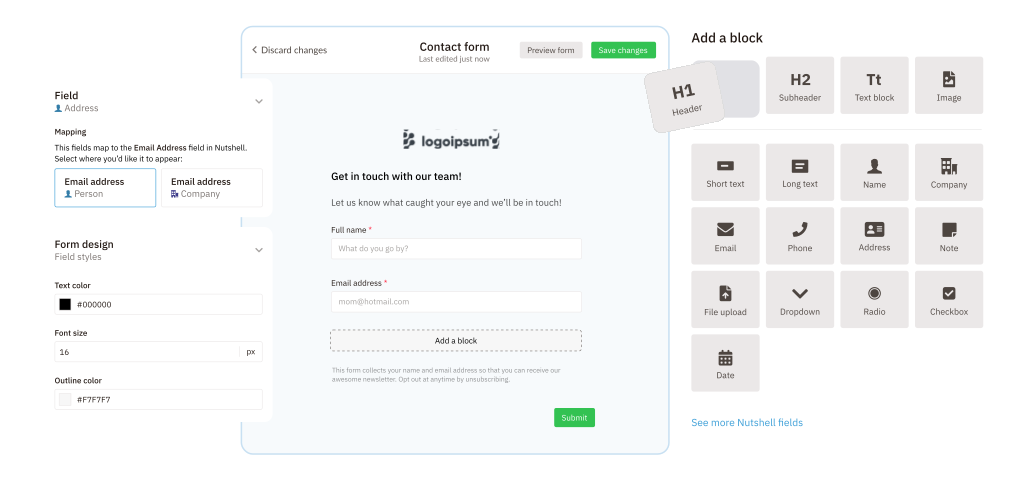
No developer? No problem. Our form builder is simple enough that anyone can create a sophisticated form in just minutes.
And if you already have forms built out, you can quickly connect them to Nutshell for instant data transfer after every submission.
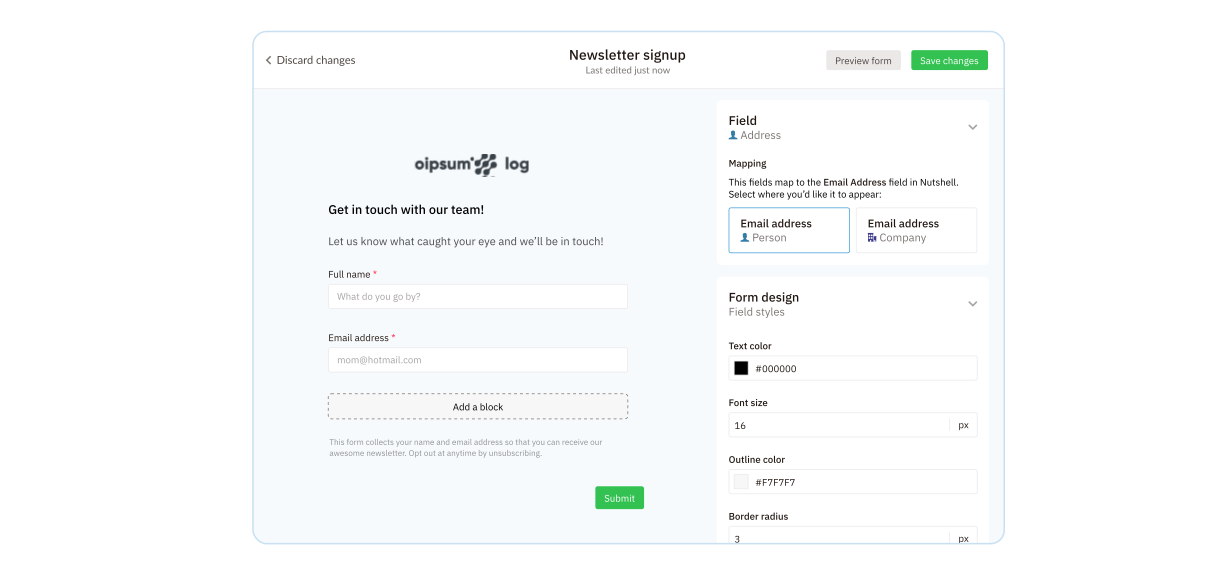
Publish your forms anywhere—website, landing pages, or links—and start capturing leads right away.
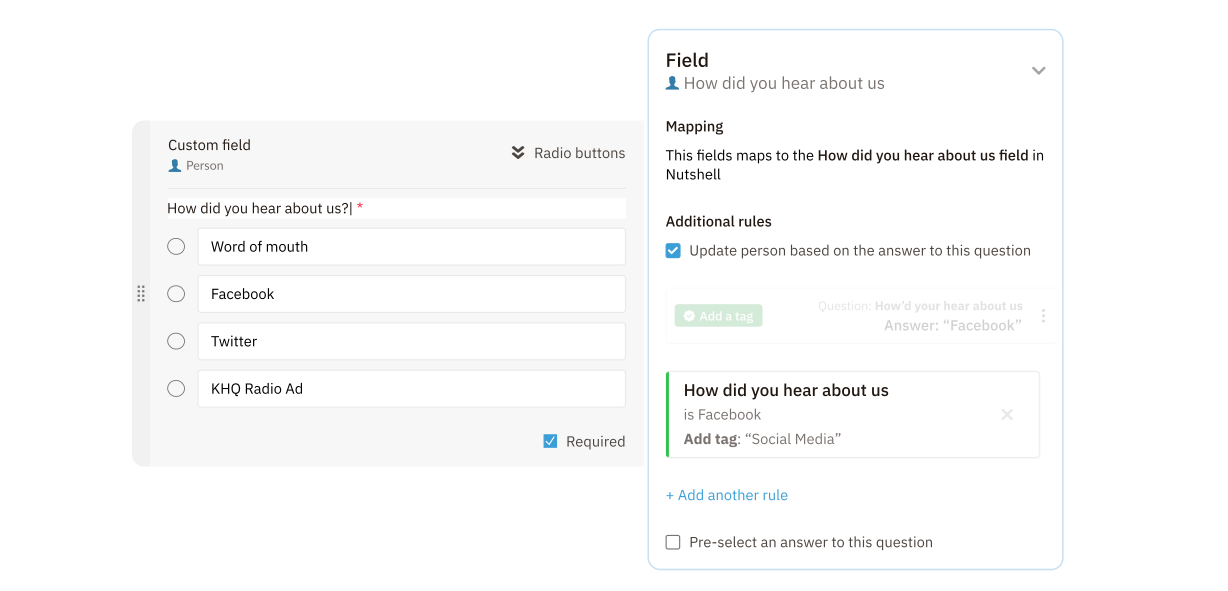
Use custom fields to collect exactly the information your team needs.
Plus, integration with Nutshell Analytics identifies lead sources upon form submission. Your marketing team automatically gets more data for more effective campaigns.
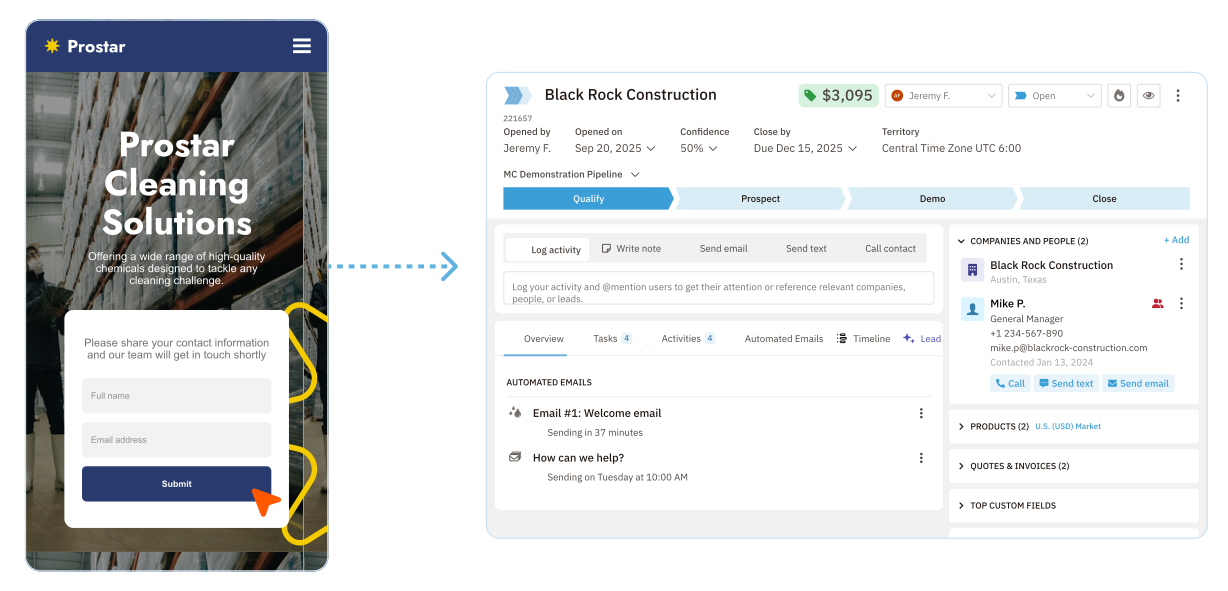
With Nutshell Forms, every submission automatically creates or updates an existing contact in your CRM—no imports, delays, or missed opportunities.
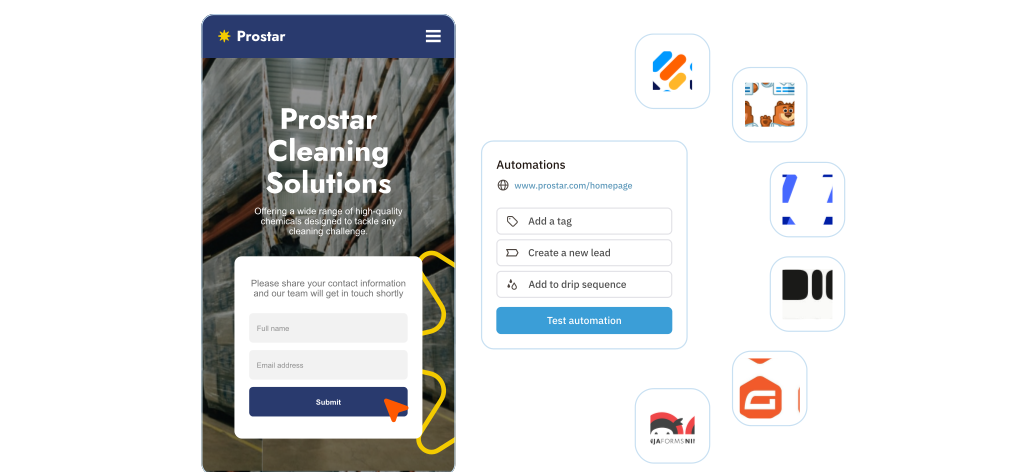
Make sure each lead follows the correct path. Nutshell can automatically assign leads to pipelines, reps, or stages based on your preferences. Plus, Nutshell notifies sales reps of new leads in real time so they can act while interest is still high.
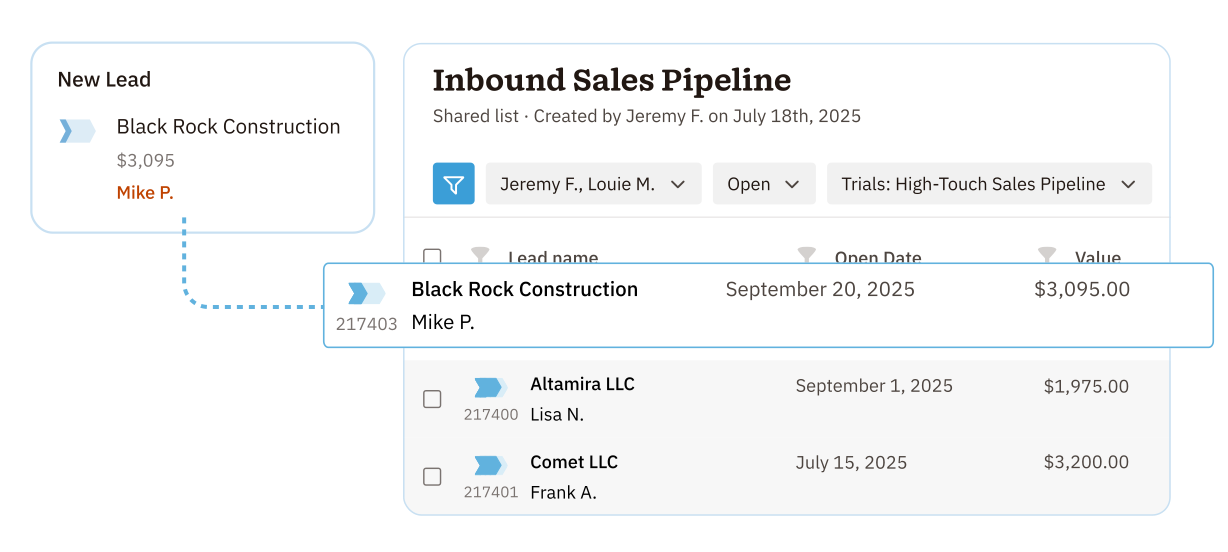
No need to wait for your form data to sync. Forms are built directly into Nutshell, so every submission becomes actionable immediately–without the need to keep paying for a third-party integration.
Try Nutshell free for 14 days or let us show you around before you dive in.
🎉 No credit card required!

A web lead form is a form placed on your website that is designed to help your business generate leads. Web lead forms typically collect specific information about the people submitting them, including name, company, email address, phone number, and other data that could be useful when developing a relationship with a prospect.
There are many ways to generate leads with web forms, including using them on a Contact Us page, adding a questionnaire, enabling bookings or event sign-ups, and allowing submitters to request quotes.
A contact form is one of the easiest ways to generate online leads through a form. There are many website visitors who become interested enough in your products or services to reach out to your team, and it’s essential to have a lead form you can use to collect these prospects and organize them for easier outreach.
A web form tool should be easy for your team to use, allow you to create professional forms, and make it easy to use the data you collect in lead generation. With Nutshell, your CRM and form builder are in the same platform. Here are a few features to prioritize in your search for a web form tool:
Nutshell Forms uses hCaptcha technology to block bots while keeping the experience smooth for real users. You can choose “mostly invisible” (shows only to suspected spammers), “always on,” or “no protection.” Even if spam slips through, Nutshell prevents fake leads from auto-creating in your CRM, keeping your data clean.
Yes! With Form Answer Automations, you can route leads to specific pipelines based on their form responses. You can also auto-tag contacts, add them to audiences, assign products, and track lead sources—all without manual sorting. This keeps hot leads moving fast and reduces admin work.
Nutshell Forms includes built-in analytics showing total submissions, conversion rates, and respondent details. Combined with Nutshell’s lead attribution reporting, you can see exactly which forms generate your best leads and track them through to closed deals—proving your marketing ROI.

Put time-wasting tasks on autopilot so your team can focus on building relationships and nurturing leads through your sales pipeline.

Create custom pipelines and manage them easily with multiple views to nurture leads efficiently and stay on top of every deal.

Provides robust reporting and analytics to help you track your team’s performance and to help you gain quick insights with automated reporting.

Increase sales efficiency with Nutshell’s powerful email automation tool. Create personalized campaigns & track success right in your CRM

Streamline daily processes using the generative power of AI in Nutshell to simplify sales activities and open up a world of possibilities.

Create and manage virtual meetings and sync the information with your Calendar without leaving your CRM.

Quickly create and send custom quotes and invoices, easily track quote and invoice progress and engagement, and effortlessly manage and share your quotes and invoices in different formats.

Store customer notes, interactions and easily bring colleagues into the conversation and stay notified of everything that needs your attention.

Easily accelerate revenue-driving tasks in your CRM, so you and your team can spend more time on selling.

Improve calendar, email, & contact organization from any source with Nutshell’s contact management software.

Quickly import your entire products and services list with Nutshell’s Product Importer, so you and your team can spend less time on administration and more time on selling.

Search through over 200 million contacts, add ideal customers to your CRM, and connect with your future buyers.
Pinpoint the companies and individuals visiting your site so you can proactively target warm leads.
Locate specific individuals working at the companies in your book of business and reveal their contact information so you can start the conversation.

With channel and source data automatically added to your new leads, you can know where your best leads come from and invest smarter in your marketing.

Connect with our world-class support team to get fast, friendly, and free support when needed.

Easily sync your email and calendar with Nutshell to make your CRM work where you do.

We take the security and reliability of your data seriously. We partner with the industry’s most trusted infrastructure provider, Amazon Web Services.


Find out more about Nutshell’s extensive range of Marketing Suite features

Learn more about Nutshell’s industry-leading Engagement Suite features

Discover the broad spectrum of features and tools available to Nutshell customers