











Sales Automation
Put time-wasting tasks on autopilot so your team can focus on building relationships and nurturing leads through your sales pipeline.

“Nutshell is super user-friendly and intuitive
“I would highly recommend Nutshell
“Easy to use and... wait for it ... 100% buy in!
“Nutshell is both simple and powerful
Nutshell automatically tracks each lead’s origin, so you can double down on what works and cut the rest.
🎉 No credit card required!
See where your leads come from without spending time on manual data input. With our Nutshell Analytics technology, powered by a single Nutshell tracking snippet, lead channel and source data will automatically be added to your new leads, so you can see exactly where they came from right away.
Nutshell also integrates with GA4 to track key engagement events like online bookings, form submissions, and chat actions.
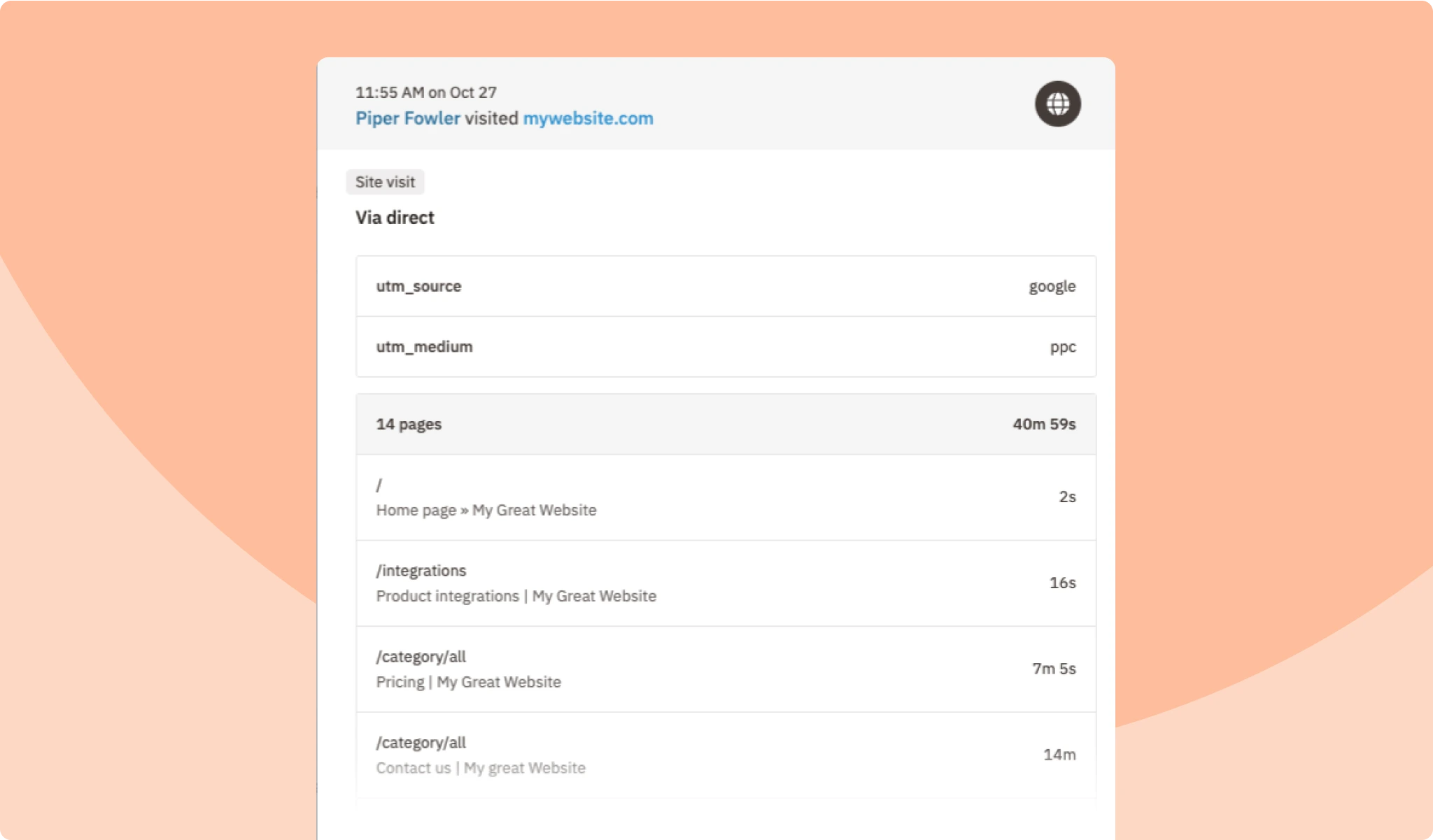
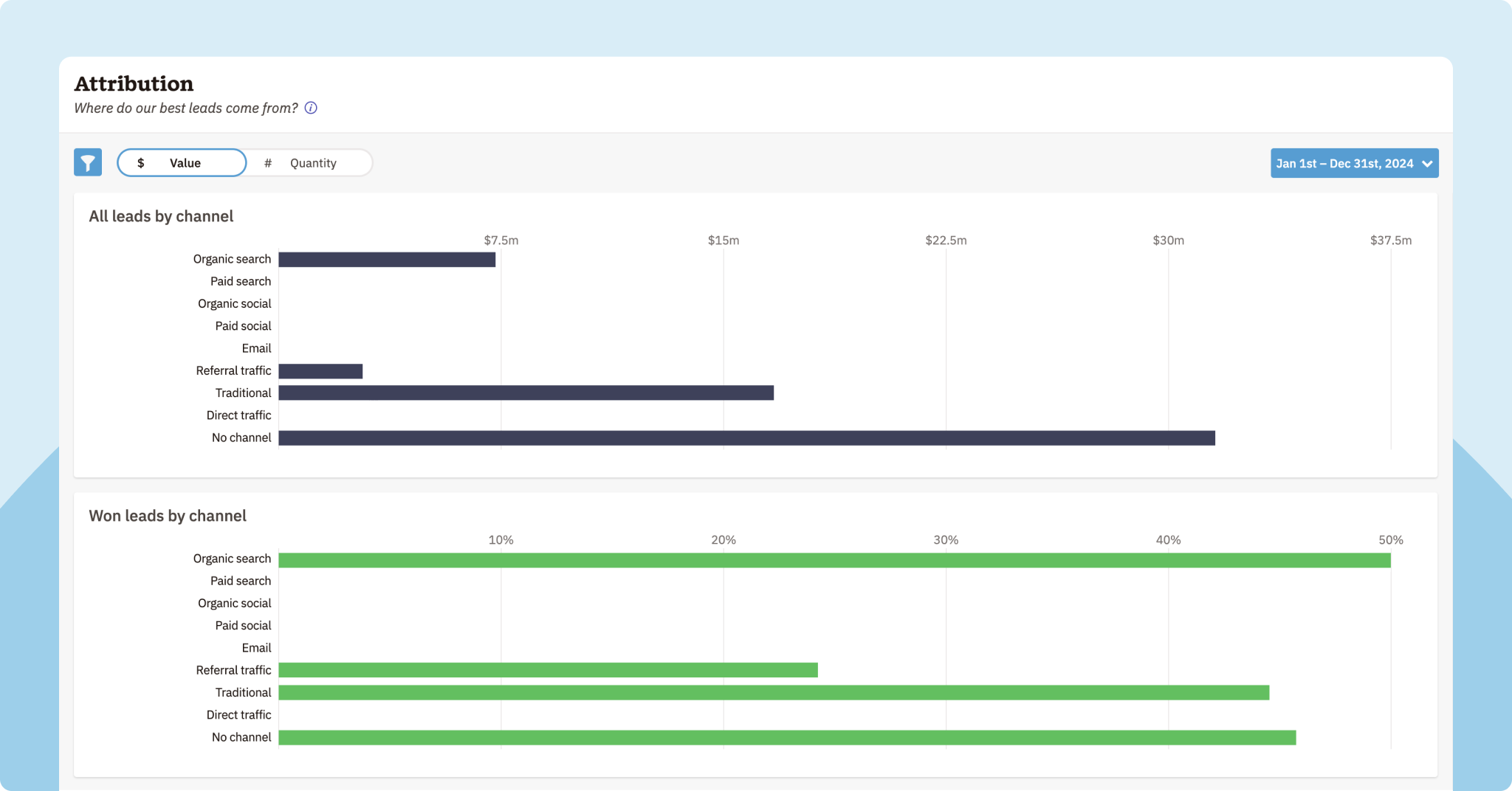
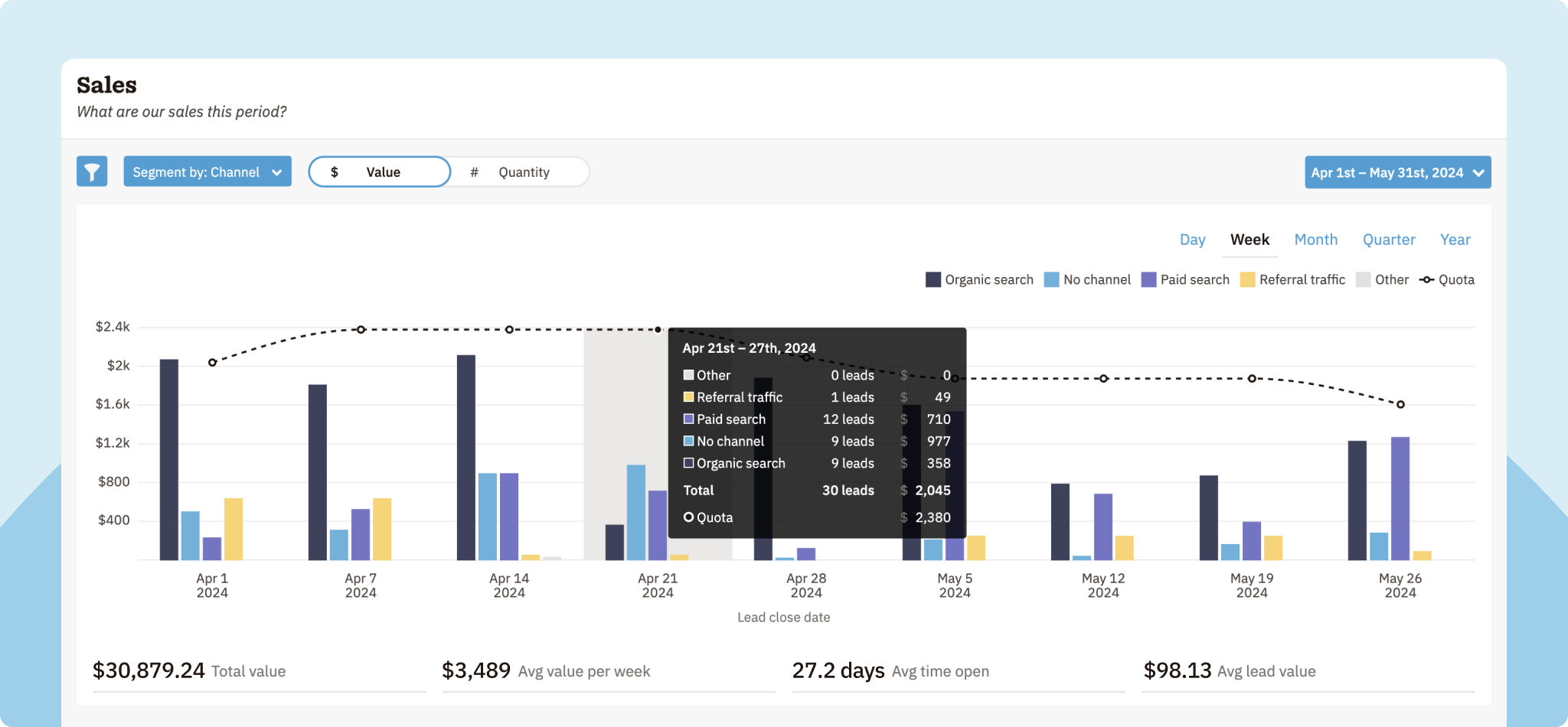
Want to learn more about your leads? With Nutshell, you’ve got options. Our easy-to-use lead marketing attribution reporting feature (available on the Sales Pro plan) breaks down leads and win rates by channel, giving you deeper insights for improved campaign decision-making and audience targeting. You can also filter your sales, losses, new leads, forecasts, and custom reports by channel.
With automatic lead channel attribution and reporting, you can better understand your audience and determine which of your campaigns are driving the most leads and sales, helping you optimize your marketing strategies.
Try Nutshell free for 14 days or let us show you around before you dive in.
🎉 No credit card required!

Lead attribution is a feature that allows you to pinpoint where your company’s leads come from. Channel tracking relates to actions performed by the software to monitor marketing channels and determine which of them generate the best quality leads for your business. These lead sources can include various marketing channels, such as web forms, online ads, organic search, email campaigns, and more.
Tracking lead attribution in your CRM platform is the ideal way to determine which of your marketing channels is most effective and capitalize on that information. You’ll have a clearer idea of the activities and sources that attract high-converting leads, and you’ll have the CRM tools to quickly optimize marketing campaigns, assign and nurture leads, share data, evaluate performance, and improve customer experiences.
You should consider the following three core features when looking for your business’s lead attribution tool:
We’ve made it easy to get started with lead attribution tracking. Begin by embedding Nutshell’s tracking snippet on your website through Marketing > Setup > Tracking Snippet. For WordPress or Google Tag Manager, installation takes minutes. Nutshell Analytics automatically captures lead source and channel data when visitors fill out forms. You can also manually add channels to leads in the sidebar. Access your attribution report in Reports > Attribution (available on Sales Pro plan and above).
Single-touch attribution credits only one touchpoint (first or last) for a conversion, working best for short sales cycles. Multi-touch attribution spreads credit across all touchpoints in the buyer’s journey, giving you a complete picture of what drives conversions. B2B companies typically benefit from multi-touch models since leads interact with multiple channels before converting.
Review your lead attribution model quarterly or at least every six months to ensure it continues to accurately reflect your business. Also, revisit it whenever you add new marketing channels, change your sales process, or notice shifts in customer behavior. Regular reviews help you stay aligned with your actual buyer journey and optimize your marketing spend accordingly.

Put time-wasting tasks on autopilot so your team can focus on building relationships and nurturing leads through your sales pipeline.

Create custom pipelines and manage them easily with multiple views to nurture leads efficiently and stay on top of every deal.

Provides robust reporting and analytics to help you track your team’s performance and to help you gain quick insights with automated reporting.

Increase sales efficiency with Nutshell’s powerful email automation tool. Create personalized campaigns & track success right in your CRM

Streamline daily processes using the generative power of AI in Nutshell to simplify sales activities and open up a world of possibilities.

Create and manage virtual meetings and sync the information with your Calendar without leaving your CRM.

Quickly create and send custom quotes and invoices, easily track quote and invoice progress and engagement, and effortlessly manage and share your quotes and invoices in different formats.

Store customer notes, interactions and easily bring colleagues into the conversation and stay notified of everything that needs your attention.

Easily accelerate revenue-driving tasks in your CRM, so you and your team can spend more time on selling.

Improve calendar, email, & contact organization from any source with Nutshell’s contact management software.

Quickly import your entire products and services list with Nutshell’s Product Importer, so you and your team can spend less time on administration and more time on selling.

Search through over 200 million contacts, add ideal customers to your CRM, and connect with your future buyers.
Pinpoint the companies and individuals visiting your site so you can proactively target warm leads.
Locate specific individuals working at the companies in your book of business and reveal their contact information so you can start the conversation.

With channel and source data automatically added to your new leads, you can know where your best leads come from and invest smarter in your marketing.

Connect with our world-class support team to get fast, friendly, and free support when needed.

Easily sync your email and calendar with Nutshell to make your CRM work where you do.

We take the security and reliability of your data seriously. We partner with the industry’s most trusted infrastructure provider, Amazon Web Services.


Find out more about Nutshell’s extensive range of Marketing Suite features

Learn more about Nutshell’s industry-leading Engagement Suite features

Discover the broad spectrum of features and tools available to Nutshell customers