Gravity Forms CRM Integration: How to Connect & Optimize Lead Capture

Last updated on: March 6, 2026-
Last updated on: March 6, 2026
Key Takeaways
Nutshell offers seamless integration via Zapier for easy data transfer from your WordPress site. Plus, it can help you replace Gravity Forms entirely with its powerful, user-friendly in-app form generator.
While top competitors like HubSpot CRM and Zoho CRM provide free tiers with direct integration and comprehensive features at competitive prices, Nutshell stands out for its flexibility and value.
Marketing teams can save significant time weekly by eliminating manual data entry, and businesses using marketing automation can see significant growth in qualified leads. For most businesses, the choice comes down to whether you want to maintain Gravity Forms with its integration costs of $500–$1,000/year or switch to native CRM forms for better efficiency.
If you’re using Gravity Forms on your WordPress site, you know how powerful it is for creating complex forms. But what happens to all those form submissions? Without a proper customer relationship management (CRM) integration, you’re likely losing valuable leads and wasting hours on manual data entry.
We’ve evaluated the top CRM solutions that work seamlessly with Gravity Forms to help you capture, nurture, and convert more leads. This guide covers everything you need to know, whether you’re integrating your existing Gravity Forms setup or switching to native CRM forms.
Table of Contents
- Why you need a CRM for Gravity Forms
- How we selected the best CRMs for Gravity Forms
- Best CRMs for Gravity Forms: Comparison table
- Best CRMs for Gravity Forms: In-depth reviews
- When to consider replacing Gravity Forms with CRM forms
- How to integrate Gravity Forms with any CRM
- Common integration challenges and solutions
- Gravity Forms CRM integration best practices
- Frequently asked questions
Why you need a CRM for Gravity Forms
Managing form submissions without a CRM is like trying to juggle while riding a unicycle—technically possible, but unnecessarily difficult.
When Gravity Forms submissions pile up in your WordPress dashboard or email inbox, you’re missing critical opportunities to engage leads while they’re hot.
A CRM helps you stay on top of new leads so you can win more deals.
The hidden costs of manual processes
The real cost of manual data entry goes beyond time. Every minute spent copying form data is a minute not spent selling. Worse, 21x more leads convert when contacted within 5 minutes versus 30 minutes, but manual processes make quick follow-up nearly impossible.
What proper integration delivers
Here’s what proper CRM integration delivers:
- Instant lead creation: Form submissions automatically create CRM contacts
- Automated follow-up: Trigger welcome emails and sales tasks immediately
- Lead scoring: Prioritize hot leads based on form responses
- Complete visibility: Track every interaction from first form submission to closed deal
Consider this: 73% of businesses now use CRM software, and those using CRM are 86% more likely to exceed sales goals. Without connecting your forms to a CRM, you’re competing with one hand tied behind your back.
Ready to eliminate manual data entry? Try Nutshell free for 14 days and see how easy form integration can be.
How we selected the best CRMs for Gravity Forms
We didn’t just pick popular CRMs and call it a day. Our selection process focused on real-world usability for WordPress users who rely on Gravity Forms for lead generation.
Our evaluation criteria:
- Integration quality: Native integration, Zapier compatibility, or API options
- Setup complexity: Time and technical skill required for connection
- Data mapping: Ability to map all Gravity Forms field types
- Automation features: Workflows triggered by form submissions
- Total cost: CRM pricing plus integration expenses
- Form alternatives: Native CRM forms that could replace Gravity Forms
We tested each CRM with multiple Gravity Forms setups—from simple contact forms to complex multi-step applications. We also considered that 815,959 websites currently use Gravity Forms, making seamless integration crucial for widespread adoption.
We paid special attention to:
- How each CRM handles duplicate contacts from multiple form submissions
- Speed of data sync (instant vs. delayed)
- Support for conditional logic and custom fields
- Mobile accessibility for sales teams
Best CRM for Gravity Forms: Comparison Table
CRM Rating Best For Integration Method Start Price Nutshell 4.7/5 Marketing teams wanting flexibility Zapier + Native forms $13/user/month (annual) HubSpot CRM 4.5/5 Free tier with limitations Direct add-on Direct add-on
Free (paid features extra)Zoho CRM 4.3/5 Extensive customization needs Zapier $10/user/month (annual) Pipedrive 4.2/5 Visual pipeline management Zapier Check current pricing Salesforce 4.0/5 Enterprise organizations Zapier/API $25/user/month ActiveCampaign 3.9/5 Email marketing focus Zapier $15/month (contact-based) Keap 3.8/5 Small business automation Zapier $199/month (2 users) See Nutshell’s form capabilities in action. Start your free trial and connect your forms in minutes.
Best CRMs for Gravity Forms: In-depth reviews
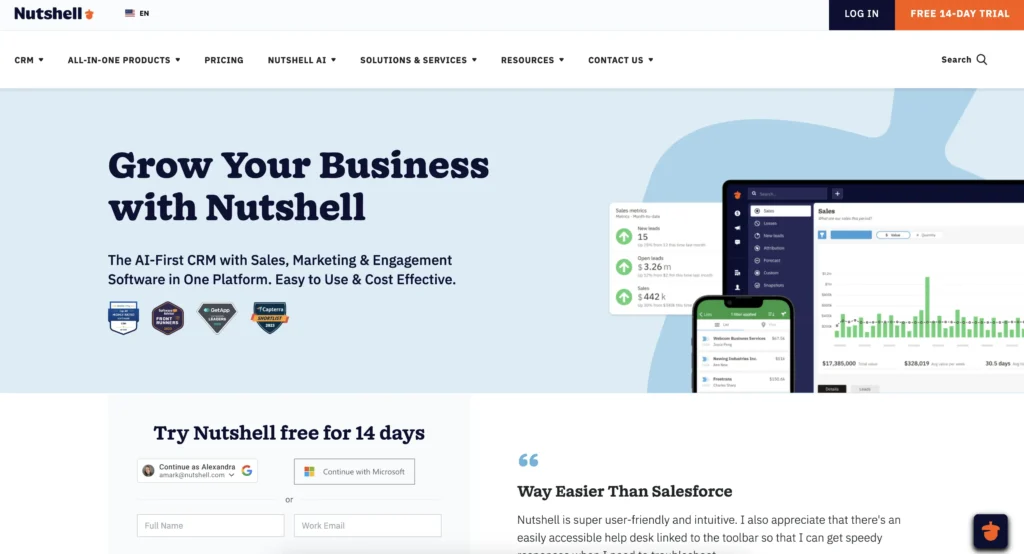
Nutshell
Rating: 4.7/5
Best for: Marketing teams wanting maximum flexibility with form management
Core features:
- Dual approach: Works with Gravity Forms via Zapier or native integration
- Built-in forms: Create unlimited forms at no extra cost
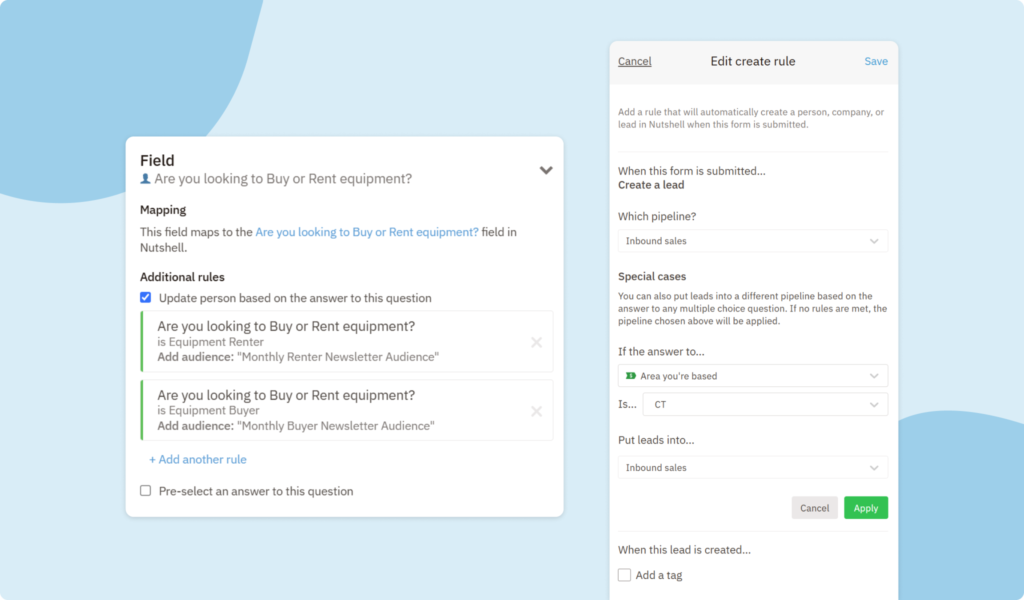
- Smart routing: Form answer automations assign leads automatically
Automation features:
- Sales automation: Automatically move leads through your pipelines based on form responses
- Email sequences: Trigger drip campaigns from submissions
Pros:
- No per-form pricing like other CRMs
- Forms included in all plans (even starter)
- 5-minute setup for basic integration
- Excellent customer support included
- Mobile app for instant lead access
Cons:
- No direct Gravity Forms add-on (requires Zapier)
- Its advanced form logic is less robust than Gravity Forms
- Limited payment processing in forms
Pricing: Starting at $13/user/month when billed annually. All plans include unlimited forms, email marketing, and reporting. No hidden fees for form submissions or contacts.Real results: The average Nutshell customer sees 60.3% more leads in their first year. See how Bloomerang achieved 100% annual revenue growth after implementing Nutshell with proper form integration.
HubSpot CRM
Rating: 4.5/5
Best for: Businesses wanting a free CRM with basic Gravity Forms integration
HubSpot offers the only direct Gravity Forms integration through an official add-on, making setup straightforward for non-technical users. However, the free tier’s limitations become apparent quickly for growing businesses.
Key features:
- Direct integration: Official Gravity Forms add-on available
- Contact timeline: See all form submissions in one view
- Free tier: Basic CRM features at no cost
- Marketing hub: Email and automation tools (paid)
- Reporting: Track form conversion rates
Pros:
- Free CRM with unlimited contacts
- No Zapier required for basic integration
- Strong marketing tools available
- Good educational resources
- Popular among marketers
Cons:
- Form features severely limited on free plan
- Expensive jump to paid tiers
- Complex pricing as you scale
- Limited customization without coding
Pricing: The CRM itself is free, though you’ll need to upgrade to the Starter Customer Platform plan at $9 per month per seat if your team includes more than two people.
Zoho CRM
Rating: 4.3/5
Best for: Businesses needing extensive customization options
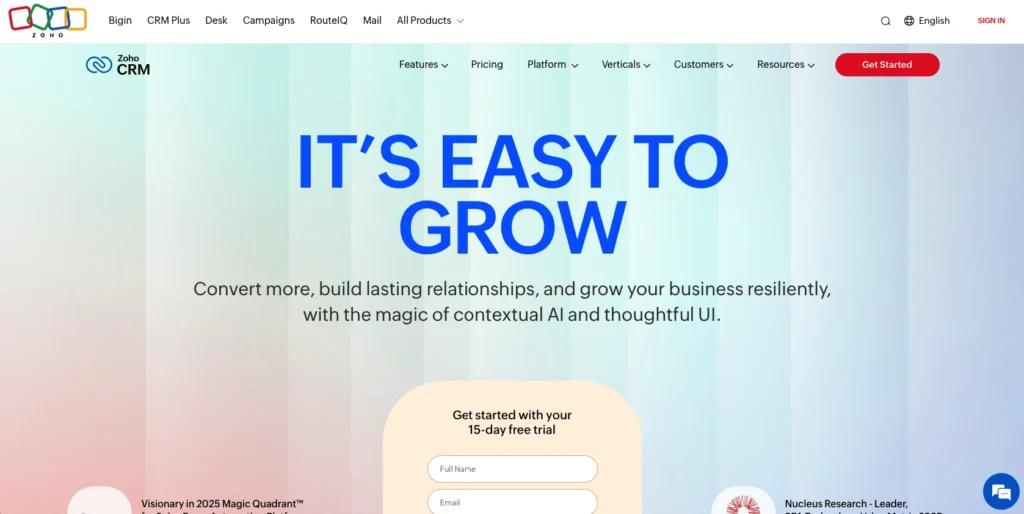
Zoho CRM offers incredible depth at competitive prices, though connecting to Gravity Forms requires Zapier or custom development. The platform excels at complex business processes but has a steeper learning curve.
Key features:
- Deep customization: Modify almost every aspect
- Workflow rules: Complex automation possibilities
- Multi-channel: Email, phone, chat, social integration
- AI assistant: Zia provides sales insights
- Blueprint: Enforce consistent processes
Pros:
- Excellent value for features offered
- Highly customizable without coding
- Strong mobile apps
- Good third-party integration ecosystem
- Competitive pricing
Cons:
- No direct Gravity Forms integration
- Interface can feel cluttered
- Steep learning curve
- Support response times vary
Pricing: The Standard plan starts at $14/user/month (billed annually). Upgrading to the Professional plan costs $23/user/month when paid annually and offers more features and capabilities.
Pipedrive
Rating: 4.2/5
Best for: Sales teams who think visually
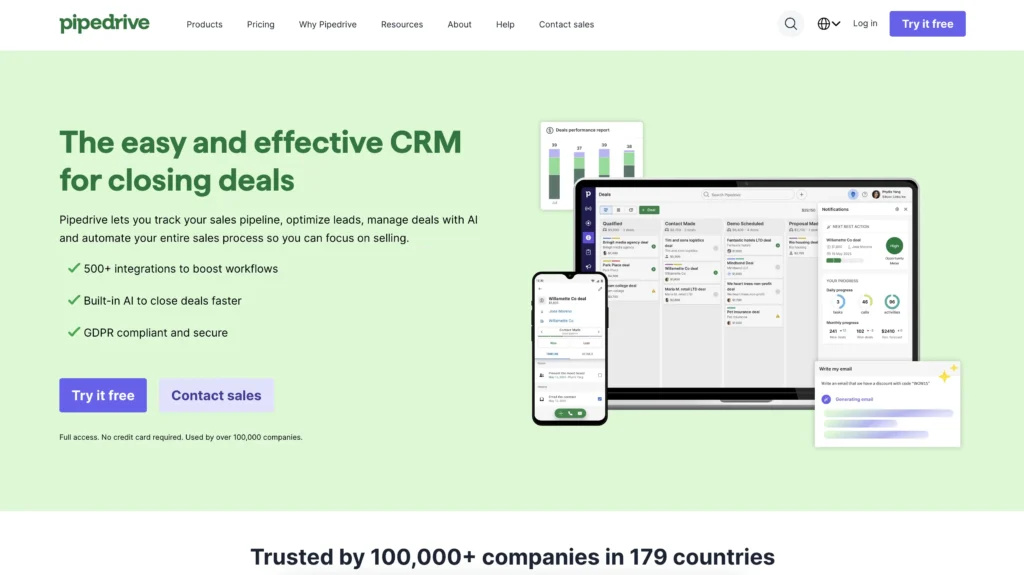
Pipedrive’s simplified pipeline management feature makes it easy to see where every Gravity Forms lead stands in your sales process. While it requires Zapier for integration, the intuitive interface helps teams adopt the CRM quickly.
Key features:
- Visual pipeline: Drag-and-drop deal management
- Activity reminders: Never miss follow-ups
- Email integration: Gmail and Outlook sync
- Mobile-first: Excellent mobile apps
- Sales reporting: Clear performance metrics
Pros:
- Intuitive interface reduces training time
- Strong focus on sales activities
- Good mobile experience
- Reliable Zapier integration
- Fair pricing structure
Cons:
- Limited marketing features
- No built-in form builder
- Requires Zapier for Gravity Forms
- Basic automation compared to others
Pricing: The Pipedrive Lite plan starts at $14 per user per month when billed annually.
Salesforce
Rating: 4.0/5
Best for: Enterprise organizations with complex needs
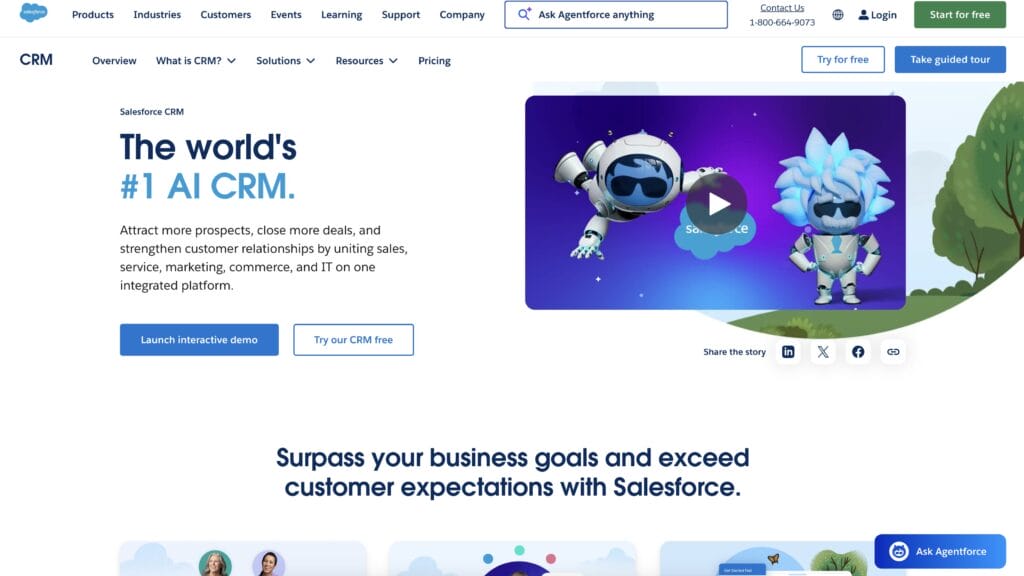
Salesforce remains the dominant player in the CRM market, offering unmatched power and flexibility. However, connecting Gravity Forms requires technical expertise and the overall complexity may overwhelm smaller teams.
Key features:
- Enterprise scale: Handles millions of records
- AppExchange: Thousands of integrations
- Custom development: Build anything you need
- Advanced analytics: Einstein AI insights
- Industry solutions: Vertical-specific features
Pros:
- Incredibly powerful and flexible
- Massive ecosystem of partners
- Strong enterprise features
- Excellent security and compliance
- Industry standard for large companies
Cons:
- Steep learning curve
- Expensive for small teams
- Requires technical expertise
- No simple Gravity Forms connection
- May be excessive for basic needs
Pricing: Starting at $25/user/month for the Starter Suite plan. Most businesses need the Pro Suite at $100/user/month or higher.
ActiveCampaign
Rating: 3.9/5
Best for: Businesses prioritizing email marketing automation
ActiveCampaign blends CRM with powerful email marketing, making it ideal for businesses where email drives sales. Gravity Forms integration through Zapier enables sophisticated automation sequences.
Key features:
- Email automation: Advanced campaign builder
- Lead scoring: Predictive sending and content
- Site tracking: Monitor visitor behavior
- Split testing: Optimize campaigns
- CRM integration: Deals and pipelines included
Pros:
- Excellent email marketing tools
- Good automation capabilities
- Predictive features helpful
- Strong deliverability rates
- Fair pricing for features
Cons:
- CRM feels secondary to email
- Limited sales features
- Requires Zapier for forms
- Can get expensive with contacts
Pricing: Starting at $15/month (pricing based on contacts, not users). Plus plan at $49/month adds CRM features.
Keap
Rating: 3.8/5
Best for: Small businesses wanting all-in-one automation
Key features:
- Campaign builder: Visual automation workflows
- Appointment scheduling: Built-in booking
- Invoice and payments: Complete sales cycle
- Lead capture: Landing pages included
- Text messaging: SMS automation
Pros:
- True all-in-one solution
- Strong automation capabilities
- Good for service businesses
- Includes payment processing
- Dedicated onboarding support
Cons:
- Expensive for small teams
- Dated interface
- Steep learning curve
- Limited customization
- Requires Zapier for Gravity Forms
Pricing: Starting at $299/month for 2 users and 1,500 contacts. The platform does not offer tiered subscriptions like other CRM solutions — instead, it’s priced based on the number of users and contacts you want to add.
When to consider replacing Gravity Forms with CRM forms
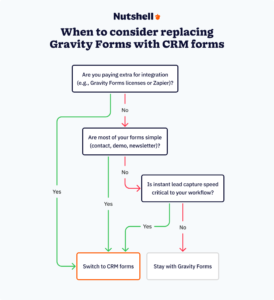
Here’s what many don’t realize: you might not need Gravity Forms at all. Modern CRMs include capable form builders that eliminate integration headaches entirely. But when does switching make sense?
Signs it’s time to switch
- You’re paying for integration. If you’re spending $500–$1,000 each year on Gravity Forms licenses and Zapier, that’s an additional cost you might not need. In contrast, Nutshell includes unlimited forms in all plans starting at $13 per user per month when billed annually—which is often less than integration costs alone.
- Simple forms dominate. Look at your forms honestly. If 80% are basic contact forms, demo requests, and newsletter signups, native CRM forms handle these perfectly.
- Speed matters. Native CRM forms create contacts instantly. No sync delays, no failed webhooks, no missing leads. When 21x more leads convert with 5-minute response times, every second counts.
What you gain with native CRM forms
Direct data flow advantages:
- Instant lead creation
- No sync delays or failures
- Form analytics tied directly to revenue
Feature comparison:
- What you might lose: Complex conditional logic, payment processing
- What you gain: Direct CRM integration, lead scoring, unified reporting
Here’s a more specific example. Nutshell Forms handles contact forms, demo requests, newsletter signups, and more. It includes spam prevention, file uploads, custom fields, and other customization capabilities to ensure your forms meet your business’s unique requirements.
Plus, form answer automations route leads automatically. Your sales team can respond to new leads faster with a CRM that intelligently moves them through your pipeline based on their responses.
How to integrate Gravity Forms with any CRM
Setting up Gravity Forms CRM integration doesn’t require a computer science degree, but understanding your options helps you choose the right approach. We’ll walk through each method, from simple to advanced.
Method 1: Native integrations (easiest)
Some CRMs offer direct Gravity Forms add-ons that install just like any WordPress plugin. Currently, only a few provide this option.
Setup process:
- Purchase and download the CRM’s Gravity Forms add-on
- Install and activate in WordPress
- Enter your CRM API credentials
- Create a “feed” mapping form fields to CRM fields
- Test with a form submission
Best for: Non-technical users who want the simplest setup
Limitations: Only available for select CRMs like HubSpotMethod 2: Zapier integration (most flexible)
Zapier acts as a bridge between Gravity Forms and virtually any CRM. With Nutshell’s seamless integration capabilities, including Gravity Forms through automation platforms, this method offers the most flexibility when learning how to integrate online forms with CRM.
Setup process:
- Create accounts with Zapier and your chosen CRM
- Install Gravity Forms Zapier Add-on ($59/year)
- Connect both apps to Zapier
- Create a “Zap” with Gravity Forms as trigger
- Map fields and test the connection
Costs to consider:
- Gravity Forms Zapier Add-on: $59/year
- Zapier subscription: $20–49/month for most businesses
- Total: $299–847/year just for integration
Method 3: Webhooks and APIs (most powerful)
For developers or businesses with technical resources, webhooks provide instant, customizable integration without ongoing fees. Think of webhooks like a doorbell—when someone submits a form (rings the bell), your CRM immediately knows (hears the ring) and can respond.
Requirements:
- Gravity Forms Elite license ($259/year) for webhooks
- Developer knowledge of APIs
- Custom code for field mapping
- Error handling and logging setup
Benefits:
- Instant data transfer
- Complete control over mapping
- Can handle complex logic
- No monthly Zapier fees
Method 4: WordPress plugins
Several WordPress plugins specialize in connecting forms to CRMs. Of course, modern CRMs like Nutshell now include built-in form builders that eliminate the need for these plugins entirely.
Popular options:
- WP Fusion: Syncs with 100+ CRMs
- Uncanny Automator: Visual automation builder
- AutomatorWP: Connects multiple plugins
Considerations:
- Another plugin to maintain
- Potential conflicts with other plugins
- May still require paid licenses
Common integration challenges and solutions
Even the best integrations hit snags. Here’s how to solve the most common issues we’ve encountered.
Gravity Forms duplicate entries
Duplicate contacts create major frustration for sales teams. This typically happens when people submit forms multiple times or use different email variations.
Solutions:
- Enable duplicate detection in your CRM
- Use email as unique identifier
- Set up merge rules for existing contacts
- Consider CRM forms that handle this automatically
Quick fix: Most CRMs can update existing contacts instead of creating duplicates. Enable “update existing” in your integration settings.
Field mapping between Gravity Forms and CRMs
Gravity Forms’s flexibility becomes a challenge when complex field types don’t match CRM fields. Multi-select fields, file uploads, and conditional fields cause the most issues.
Some common issues and solutions include:
- Multi-select fields: Use intermediate fields in Zapier
- File uploads: Link to files rather than attaching
- Conditional fields: Create separate zaps for different conditions
- Workaround example: For multi-select checkboxes, create a Zapier formatter step that converts array values into comma-separated text before sending to your CRM.
Integration costs add up quickly
Here’s what many don’t realize about the true cost of integration: it adds up fast. With both Zapier and Gravity Forms, your total cost might end up looking something like this:
- Gravity Forms Elite: $259/year
- Zapier Professional: $240/year when paid annually
- Total integration cost: $499/year
Cost-saving tip: Paying more than $70/month for form integration? A CRM with a built-in form builder can save your company valuable time and money.
Sync delays
Zapier’s convenience comes with a trade-off: speed. Depending on your plan, syncs happen every 1–15 minutes.
Here’s why those delays matter. E-commerce businesses report 20% higher conversion rates when responding to inquiries within 5 minutes. If you’re in a competitive market, even 15-minute delays hurt.
Direct CRM integrations, such as built-in form generators, are usually faster with instantaneous syncs that ensure your team members can jump on each new lead.
Gravity Forms CRM integration best practices
Getting the technical connection working is just the beginning. These best practices ensure your integration delivers real business value, not just a data dump.
Map your fields correctly
Field mapping mistakes cause more integration failures than any technical issue. Start by auditing your forms and CRM to ensure compatibility.
Best practices:
- Match Gravity Forms field types to CRM field types
- Use consistent naming conventions
- Map custom fields before standard fields
- Test with various input types
Pro tip: Create a spreadsheet documenting every field mapping. When forms or CRM fields change, you’ll know exactly what needs updating.
Set up automated workflows

The real benefit comes when form submissions trigger immediate action. Do more than just creating contacts—put them to work.
Automation ideas:
- Trigger welcome emails from form submissions
- Auto-assign leads based on form answers
- Create tasks for sales follow-up
- Use form answer automations to route based on responses
Real-world workflow: A software company routes demo requests based on company size. Enterprise leads go to senior sales reps, while small business leads go to inside sales. Response time dropped from hours to minutes.
Test your integration thoroughly
Lost leads and duplicate contacts damage credibility. Test thoroughly before going live. Tools like Nutshell’s form answer automations handle duplicate detection automatically, reducing testing complexity.
Testing checklist:
- Submit form with all fields filled
- Submit with minimum required fields
- Test special characters and long text
- Verify data appears correctly in CRM
- Check automation triggers fire properly
Consider form consolidation
Most businesses have form sprawl—dozens of forms doing similar things. Integration provides the perfect opportunity to consolidate.
Consolidation process:
- Audit all your Gravity Forms
- Identify which could move to CRM forms
- Keep Gravity Forms only for complex needs
- Calculate potential cost savings
Example audit results: One agency found 47 Gravity Forms across client sites. After analysis, 38 could be replaced with standard CRM forms, saving $847/year in integration costs.
Frequently asked questions
-
What is the best free CRM for Gravity Forms?
While some solutions offer free tiers, most growing businesses quickly outgrow these basic options. HubSpot CRM offers a free tier with direct integration through their official Gravity Forms add-on, making it the easiest free option.
However, the free tier limits form features and submissions and can impact a business’s ability to scale.
-
Can I replace Gravity Forms with a CRM form builder?
Absolutely, and many businesses find this approach simpler and more cost-effective. CRM form builders excel at lead capture, contact forms, and surveys.
Keep Gravity Forms for complex calculations, payment processing, or advanced conditional logic. The key is matching your needs to capabilities.
-
How much does Gravity Forms CRM integration cost?
Total costs vary based on your setup:
-
- Gravity Forms license: $59–$259/year
-
- Zapier (if needed): $240–$588/year
-
- CRM costs: Varies by provider
-
- Total: Often $500–$1,000/year just for integration
Compare this to CRMs with built-in forms. Nutshell, for example, includes unlimited forms starting at $13/user/month with no additional integration costs.
-
-
Do I need technical skills to connect Gravity Forms to a CRM?
The technical requirements depend on your chosen integration method:
-
- Native integrations: Basic technical knowledge is needed
-
- Zapier: No coding required but there is a learning curve
-
- Webhooks: Developer skills are absolutely necessary
-
- CRM native forms: Usually the simplest option
Most businesses successfully set up Zapier integrations without developer help. Budget two to four hours for initial setup and testing.
-
-
Should I keep using Gravity Forms or switch to CRM forms?

The answer depends on your specific needs:
-
- Keep Gravity Forms for: Complex logic, calculations, payments
-
- Switch to CRM forms for: Simple lead capture, cost savings, easier management
Many businesses use both for different purposes. Evaluate each form individually. If a form just collects contact information, CRM forms make more sense. Reserve Gravity Forms for complex requirements.
-
After evaluating every major CRM option, Nutshell emerges as the best choice for most businesses using Gravity Forms. Its unique flexibility—working seamlessly with your existing forms via Zapier OR replacing them with built-in forms—provides a growth path other CRMs can’t match.
The numbers tell the story. Businesses using marketing automation see more qualified leads and save significant time weekly on manual data entry. With 93% of businesses reporting higher customer retention after CRM implementation, the question isn’t whether to integrate, but how.
Consider Bloomerang’s experience: after implementing Nutshell with proper form integration, they achieved 100% revenue growth. The average Nutshell customer sees 60.3% more leads in their first year—results that justify the investment many times over.
Whether you choose to integrate your existing Gravity Forms setup or make the switch to native CRM forms, taking action today means capturing more leads tomorrow. With Nutshell’s 14-day free trial, you can test both approaches risk-free. Set up your Gravity Forms integration AND try Nutshell Forms to see which delivers better results for your business.
Discover why thousands of businesses trust their growth to our platform. Sign up for your free trial today.
BACK TO TOPReady to try
Nutshell for Free?Thank you! Your submission has been received!Oops! Something went wrong while submitting the form.
Affiliate Management: Effective Revenue-Boosting Management Techniques
Published on: November 26, 2024

What Are the Most Important CRM Features for Small Businesses? In-Depth Guide + Expert Advice
Published on: November 10, 2022Sales Performance Reviews: 9 Tips to Make Them Valuable
Published on: November 10, 2022Highly Effective Strategies for Elevating Sales Team Performance
Published on: November 10, 2022What Are the Top 3 Go-To-Market Strategies?
Published on: November 10, 2022Join 30,000+ other sales and marketing professionals. Subscribe to our Sell to Win newsletter!

- Product
- Nutshell Overview
CRM & Sales
Our powerful and easy-to-use flagship product.Marketing
Email marketing, forms, landing pages, and more.Engagement
Your omni-channel inbox in your CRM.Prospecting
Prospect for new leads and new contacts in your CRM.Quotes & Invoices
Quickly create quotes & invoices in your CRM.
AI
See why Nutshell is the leading AI CRM.Integrations
Connect to Google/Microsoft and over 5,000 Apps.
ReportingCreate reports and forecasts in an instant.CRM Advisor
Get a dedicated point of contact to get the most out of Nutshell.Partner Marketplace
Find trusted partners to help optimize your Nutshell CRM.
- Pricing
Nutshell AI
- Resources
- Contact Us
Contact Sales
Send us your questions or book a 1-on-1 demo.Join a Demo
Join a group demo for a general overview of Nutshell.
Contact Support
Contact our support team via live chat in app or via email.Become a Partner
Refer businesses to Nutshell & earn commissions.
Contact Marketing
Questions about our website or our marketing opportunities?Careers
Join our growing team! See current openings.