











Web Chat
Allow website visitors to start chatting with your team directly from your customized chat widget so you can meet their needs and open more opportunities.

“Nutshell is super user-friendly and intuitive
“I would highly recommend Nutshell
“Easy to use and... wait for it ... 100% buy in!
“Nutshell is both simple and powerful
Connect Shared inbox, Web chat, SMS, Facebook Messenger, Instagram DMs, and WhatsApp Business to your CRM—and respond to all of them without leaving Nutshell.
🎉 No credit card required!
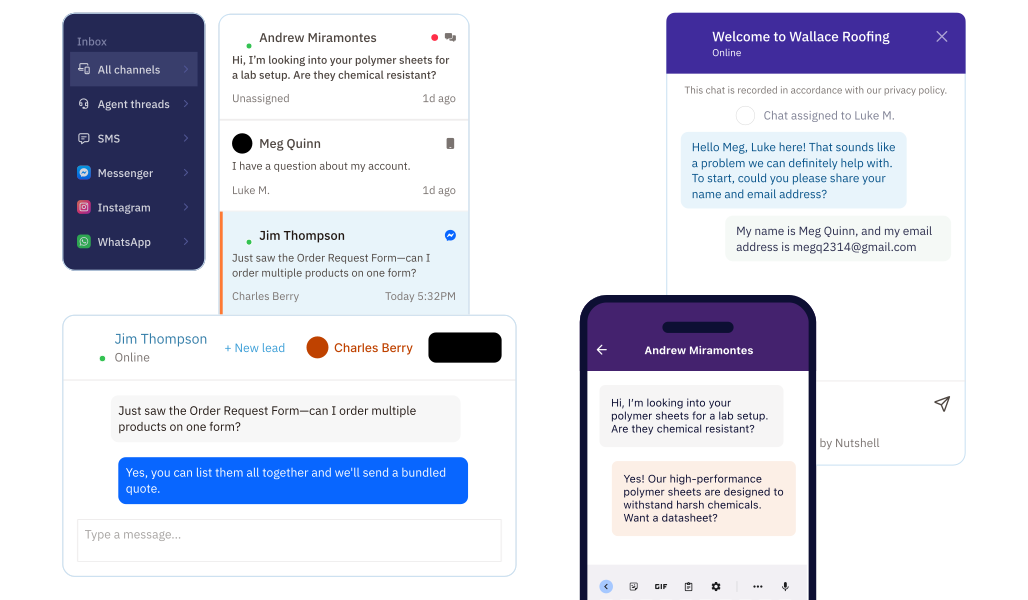
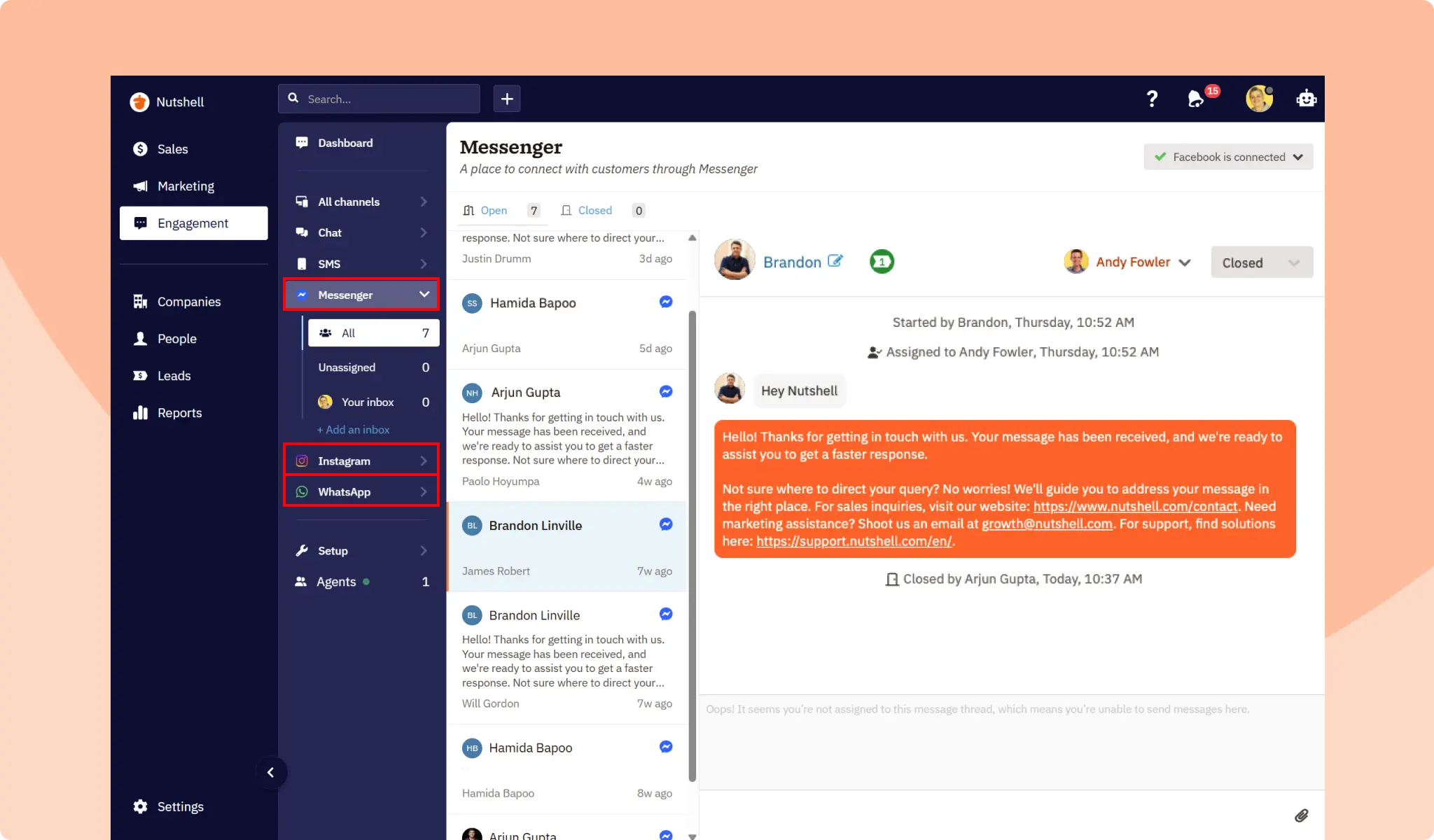
Receive messages via Facebook Messenger, Instagram DMs, and WhatsApp Business—message back—right in your Nutshell inbox. Nutshell will create contact pages for the new people sending messages to your company, plus pull in relevant information from their third-party messaging accounts, like name and profile picture. All so your CRM can be the main hub for tracking lead and customer interactions, from first message to first sale.
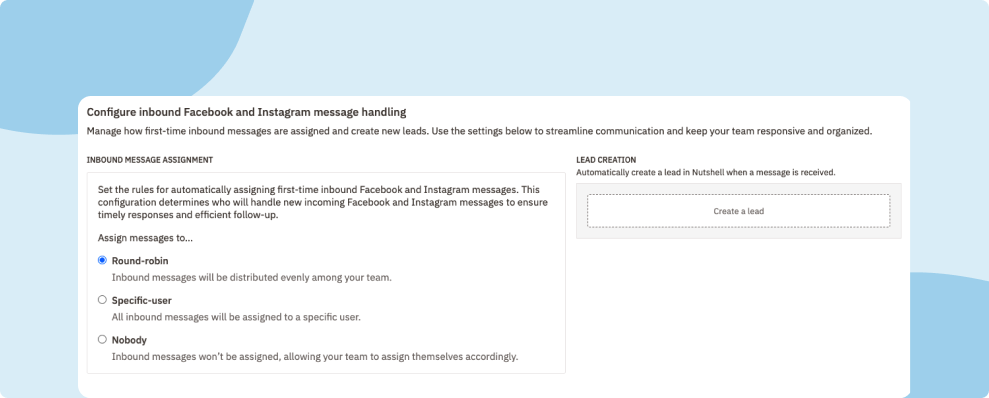
Admins choose how to assign incoming messages, so you can ensure your team is following up on every conversation. With assignment options like round-robin, specific-user, and queue, your team can prioritize new messages effectively.
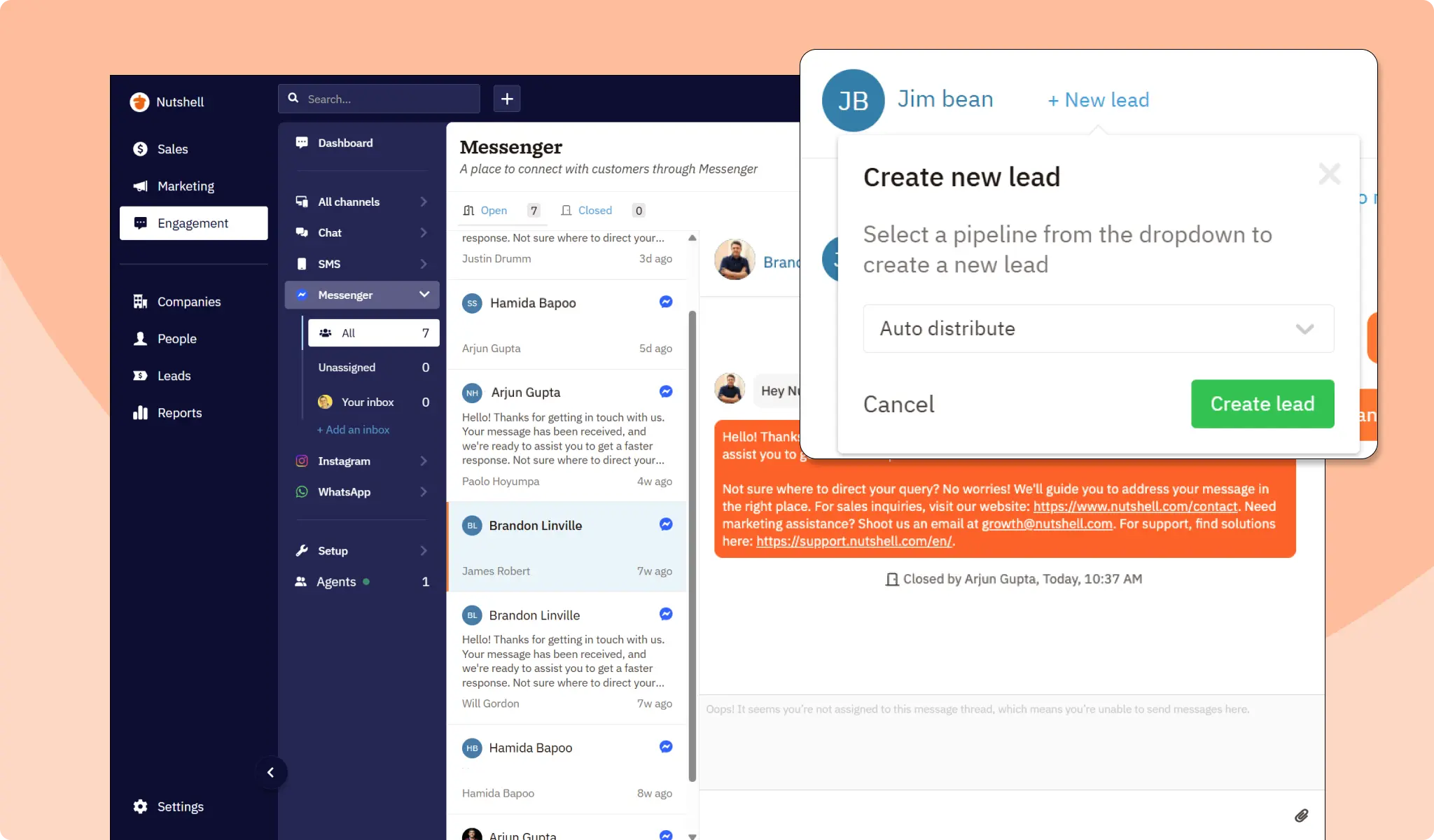
Messaging someone who is particularly interested in your products or services? Create a new lead for that contact with just a click so you can send them through the right sales pipeline. Or set up automatic lead creation rules to keep the new opportunities coming in.
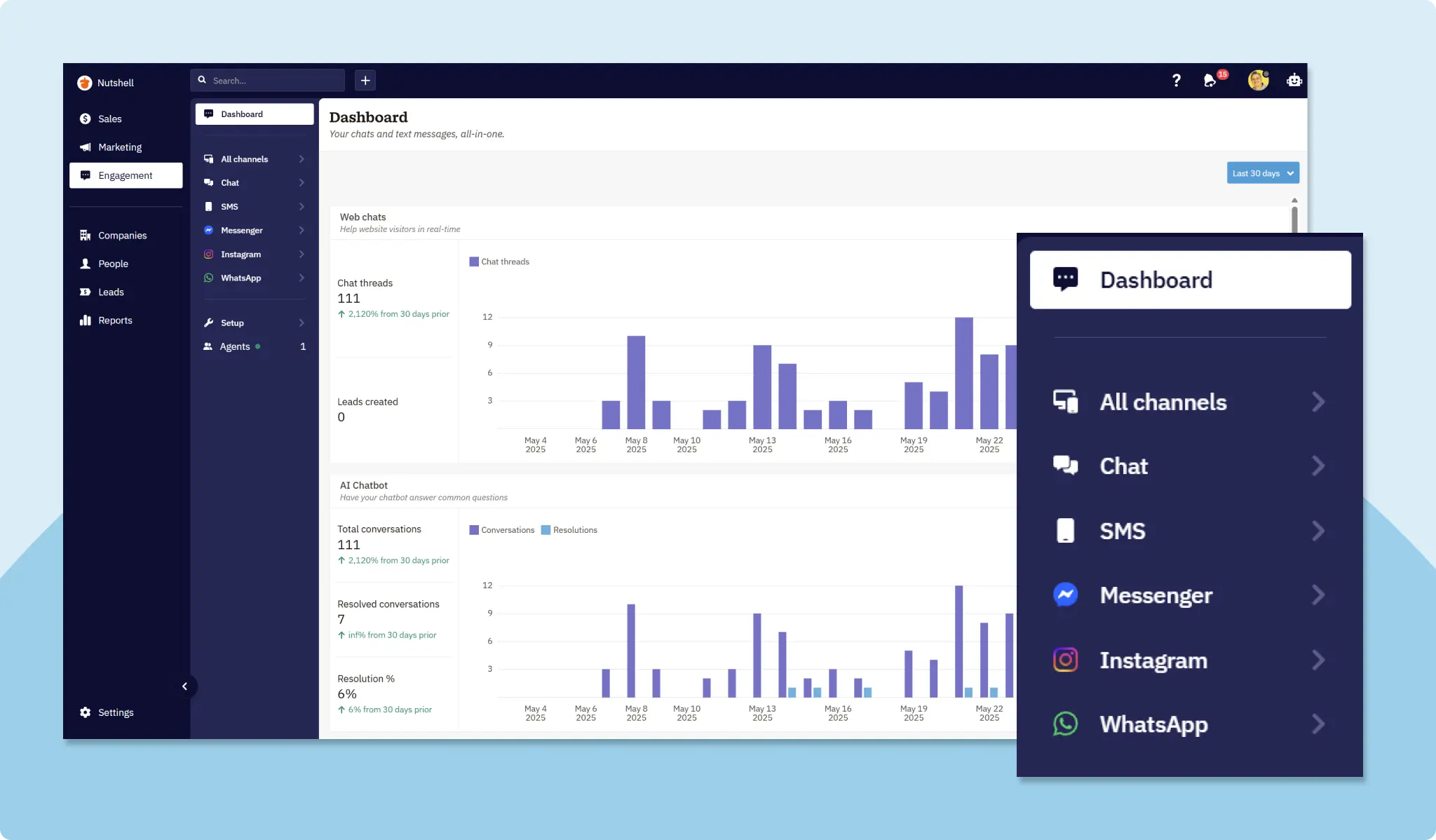
See an overview of all messages started with your company through Facebook, Instagram, and WhatsApp via the Engagement dashboard. Easy-to-use reports reveal the volume of messages received through each channel, simplifying your engagement strategy.
Try Nutshell free for 14 days or let us show you around before you dive in.
🎉 No credit card required!
Integrating your CRM with messaging apps like Facebook Messenger, Instagram, and WhatsApp Business ensures that your team can respond to messages promptly and keep track of every interaction with a contact.
You’ll set up messaging app integrations in the Engagement section of Nutshell.
Platforms like Facebook, Instagram, and WhatsApp can create valuable opportunities for connecting with customers and potential leads.
With these third-party messaging app integrations in Nutshell Engagement, your team can answer questions, provide support, and direct contacts to the resources they need.
Nutshell also lets you create new leads directly from Facebook Messenger, Instagram DM, and WhatsApp messages, then send them through your sales pipeline so you can start sending them information about your product, connect them with your sales team, and more.
Yes. Nutshell lets you set up automatic lead creation rules so that when someone messages you on Facebook Messenger, Instagram, or WhatsApp, they’re instantly converted into a lead in your CRM. You can configure these rules to automatically create leads based on specific criteria, or manually create leads with a single click from any conversation. This ensures no interested prospect falls through the cracks and keeps your pipeline full.
A unified inbox eliminates the need to switch between multiple apps and platforms, allowing your team to respond faster to customer inquiries. By managing all messaging conversations—Facebook, Instagram, WhatsApp, SMS, and web chat—in one place, your reps can focus on what matters: building relationships and closing deals. Faster response times lead to higher customer satisfaction and more opportunities to convert leads into customers.
Absolutely. Nutshell lets you assign messaging conversations to specific team members directly from your Engagement Inbox. You can manually assign conversations or set up automatic assignment rules based on team member availability, territory, or other criteria. This ensures every conversation gets the right attention and helps your team maintain clear ownership of customer relationships.
Yes. Nutshell uses bank-grade, 256-bit TLS 1.2 encryption for all data in transit and at rest. We’ve completed a Cloud Application Security Assessment (CASA) and comply with GDPR and other data privacy standards. When you integrate third-party messaging apps, your customer data remains protected through Nutshell’s secure infrastructure and vetted integration partners.

Allow website visitors to start chatting with your team directly from your customized chat widget so you can meet their needs and open more opportunities.


Manage conversations with leads and customers across Facebook Messenger and Instagram DMs—all without leaving your CRM.

Connect with our world-class support team to get fast, friendly, and free support when needed.

We take the security and reliability of your data seriously. We partner with the industry’s most trusted infrastructure provider, Amazon Web Services.


Explore the comprehensive selection of features available in Nutshell’s Sales Suite

Find out more about Nutshell’s extensive range of Marketing Suite features

Discover the broad spectrum of features and tools available to Nutshell customers