Yet many business owners still hesitate, worried about complex systems and enterprise-level pricing that could break their budget.
Here’s the truth. You don’t need to spend a fortune to get a CRM that transforms your business. The best cheap CRM software combines essential features with reasonable pricing, helping you organize customer data, automate follow-ups, and close more deals—without the complexity or cost of enterprise solutions.
Whether you’re a solopreneur juggling contacts in spreadsheets or a growing business ready to scale, we’ve found the best budget-friendly CRMs. We’ve researched and tested options that deliver real value. From free plans that actually work to paid solutions that won’t drain your cash flow, this guide covers everything you need to make the right choice for your business.
Best simple CRMs at a glance
Nutshell (5/5): Best overall value – All-in-one CRM with sales, marketing, and customer engagement features
Less Annoying CRM (4/5): Best for simplicity – Straightforward interface perfect for CRM beginners
Pipedrive (4/5): Best for sales teams – Visual pipeline management at competitive pricing
Capsule CRM (4/5): Best for solopreneurs – Simple, affordable option for one-person businesses
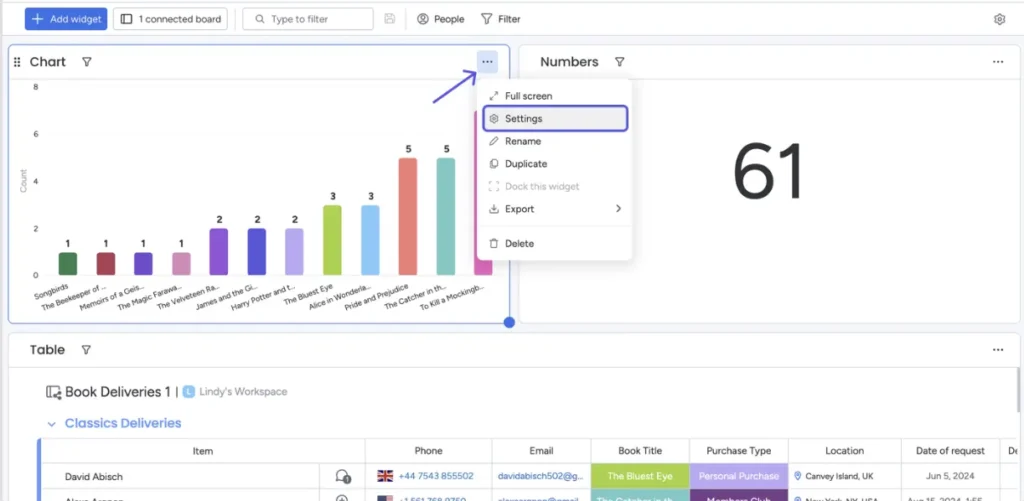
Monday.com CRM (4/5): Best for customization – Flexible platform that adapts to your workflow
Freshsales (4/5): Best for quick setup – User-friendly with fast implementation
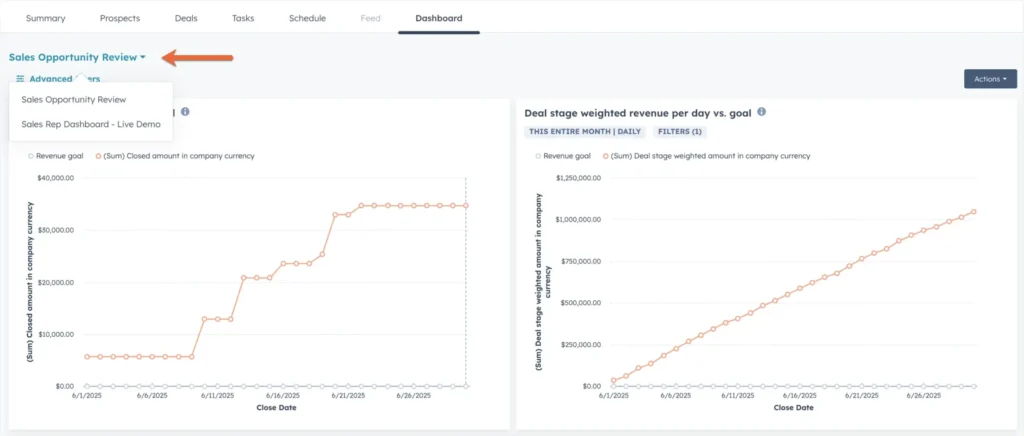
HubSpot CRM (3/5): Best free option – Robust free plan with core features (limited to 2 users)
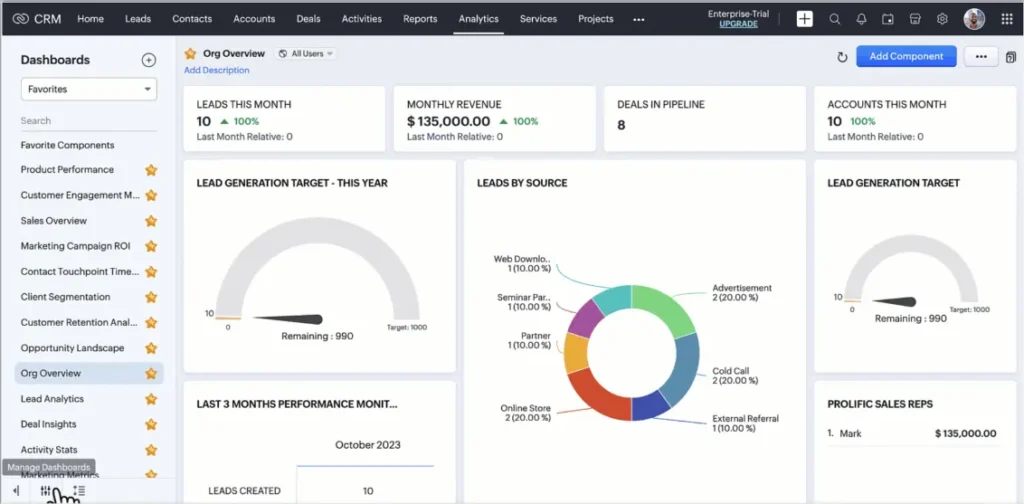
Zoho CRM (3/5): Best for scalability – Feature-rich platform with affordable upgrade path
EngageBay (3/5): Best for email marketing – Platform with strong marketing automation
Insightly (3/5): Best mobile experience – Excellent mobile app for on-the-go management
Now that you’ve seen our top picks at a glance, let’s dive into how we evaluated these CRM solutions to ensure they truly deliver value for small businesses.
We focused our selection process on finding CRM solutions that deliver maximum value without breaking the bank. We evaluated each platform based on:
Pricing Transparency: No hidden fees, clear upgrade paths, and honest pricing structures that small businesses can budget for.
Essential Features: Contact management, pipeline tracking, email integration, and basic automation—the must-haves for small business success.
Ease of Use: Intuitive interfaces that don’t require extensive training or technical expertise to master.
Scalability: Ability to grow with your business without forcing expensive upgrades too soon.
Customer Support: Accessible help when you need it, even on lower-tier plans.
Real User Feedback: We analyzed reviews from actual small business users, not just feature lists. When evaluating user feedback, we found that CRMs with dedicated support teams (like Nutshell’s award-winning support) consistently received higher satisfaction ratings.
ROI Potential:Based on industry data showing CRM users see up to 29% increase in sales revenue and save 5-10 hours weekly.
First, compare Nutshell’s pricing and features against the other CRMs on this list. Want to see how Nutshell stacks up against your requirements? Start your free 14-day trial and experience the difference an affordable, all-in-one CRM can make.
Total cost of ownership: what these CRMs really cost after the sticker price
The starting price on a CRM’s pricing page rarely tells the whole story. Here’s what changes once you factor in onboarding fees, required add-ons, and billing cadence.
Nutshell leads on transparency. Every plan — including the $13/user/month entry tier — includes unlimited contacts, unlimited data storage, and free live support. There’s no mandatory onboarding fee and no per-contact pricing that quietly inflates your bill as your list grows. The price on the page is the price you pay.
CRM
Sticker price
Hidden costs to watch for
Annual vs. monthly
Nutshell
$13/user/mo
None required. Optional add-ons (Email Marketing from $5/mo, Engagement from $16/user/mo) are priced separately and clearly.
Monthly billing available; annual saves $6/user/mo at this tier
HubSpot
$15/user/mo
Marketing Hub Professional requires a $3,000 one-time onboarding fee; pricing also scales with “marketing contacts,” so your bill grows independently of seat count as your list does
The list price is $20/user/mo billed monthly
Pipedrive
$14/user/mo (Lite)
Core marketing features aren’t included at any tier — email marketing (Campaigns), lead capture (LeadBooster), and document tools (Smart Docs) are all separate paid add-ons, starting around $13–$33/mo each
Pricing shown is annual; monthly billing runs higher (Pipedrive advertises “save up to 42%” with annual billing)
The pattern: Nutshell’s entry price and its real-world price are the same number. HubSpot and Pipedrive’s entry prices are a starting point that typically grows once you add the features most small teams actually need.
Best affordable CRM software: Detailed reviews
Let’s dive into our list of the best affordable CRMs, based on our in-depth research and testing.
1. Nutshell
Rating: 5/5
Best for growing small businesses (10-50 employees) that want a comprehensive CRM without enterprise complexity or pricing
Quick Summary
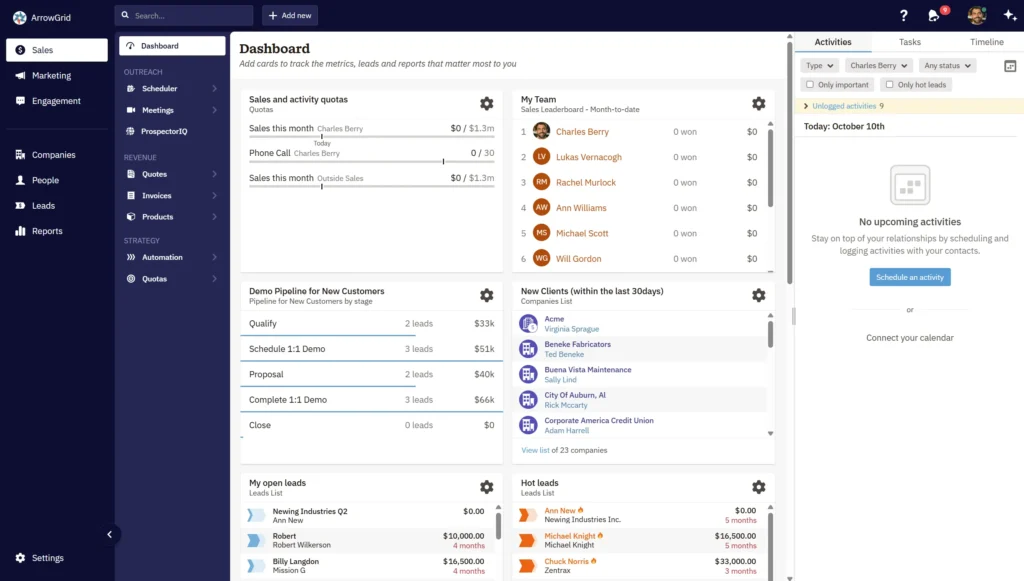
Nutshell stands out as our top pick for small businesses seeking the best balance of affordability and functionality. Built specifically for small businesses—not as a watered-down enterprise solution—Nutshell combines sales automation, marketing tools, and customer engagement features in one intuitive platform.
Key Features
Unlimited contacts and data storage
Visual sales pipeline with drag-and-drop functionality
Email sequences and marketing automation
Built-in reporting and sales forecasting
Team collaboration tools
14+ integrations with popular business tools
What We Love
All-in-one solution that eliminates the need for multiple tools
No setup fees or hidden costs—transparent pricing from day one
Excellent customer support with real humans who understand small business needs
Mobile app included at no extra charge
Quick implementation (most users are up and running in under 2 hours)
Potential Drawbacks
While feature-rich, some users might find they’re paying for capabilities they don’t need if they only want basic contact management.
Best for non-tech-savvy business owners who want a CRM they can actually use without training
Quick Summary
True to its name, Less Annoying CRM strips away complexity. It delivers exactly what small businesses need—and nothing they don’t.
Key Features
Contact and company tracking
Calendar and task management
Pipeline customization
File attachments
Basic reporting
What We Love
Incredibly simple interface anyone can master
Flat-rate pricing with no tiers or hidden fees
Excellent customer service included for all users
No contracts or setup fees
Potential Drawbacks
Limited advanced features and integrations compared to other options.
Pricing
$15/user/month
3. Pipedrive
Rating: 4/5
Best suited for sales teams that want a CRM focused on efficiently moving deals forward
Quick Summary
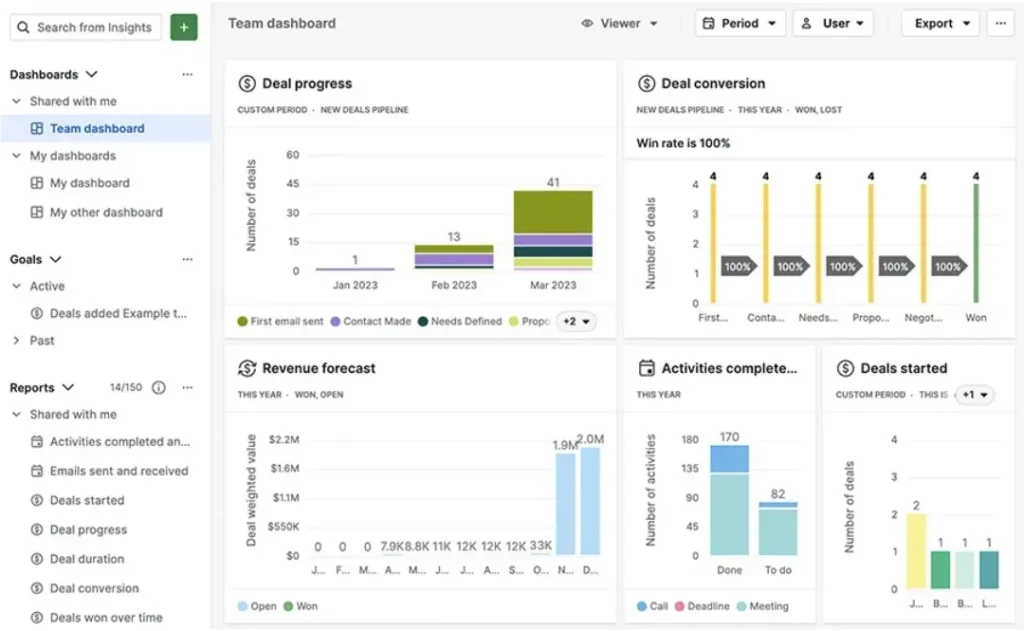
Pipedrive’s visual pipeline approach makes it a favorite among sales-focused teams who need clarity on deal progression.
Key Features
Customizable pipelines
Activity reminders
Email tracking
Goal setting and reporting
300+ integrations
What We Love
Intuitive visual pipeline
Focus on completing daily sales activities
Excellent mobile apps
Strong email integration
Potential Drawbacks
Marketing features require add-ons—they can get expensive with additional features.
Pricing
Starting at $14/user/month
4. Capsule CRM
Rating: 4/5
Best for solopreneurs who want the simplest possible CRM without distractions
Quick Summary
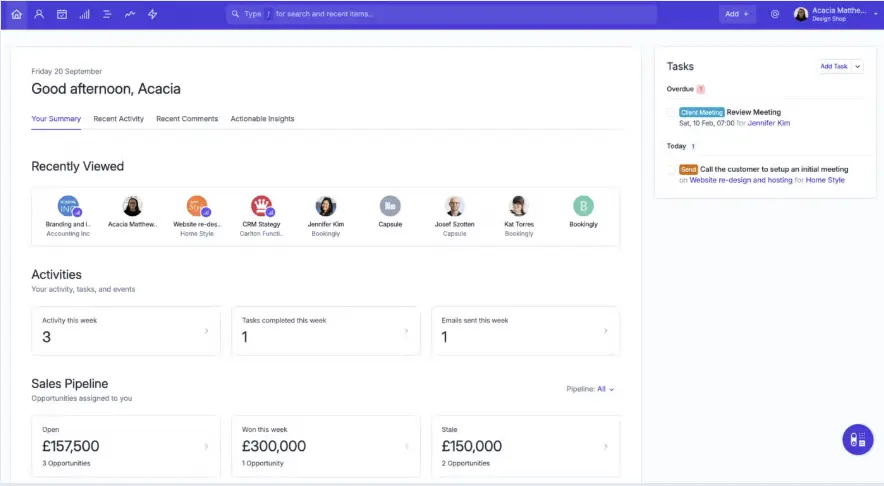
Capsule CRM is designed for simplicity and clarity. It’s one of the easiest CRMs to get started with, offering just the essentials: contacts, sales pipeline, and tasks.
Key Features
Contact and opportunity management
Sales pipeline tracking
Task management
Email integration
Basic reporting
What We Love
Minimal, clean interface that’s easy to learn
Great for tracking contacts, deals, and follow-ups
Google Workspace and Microsoft 365 integrations
Affordable pricing
Potential Drawbacks
Limited advanced features, such as automation and AI. May feel too “basic” for growing businesses.
Pricing
Starting at $18/user/month
5. Monday.com CRM
Rating: 4/5
Best for teams that want to customize every aspect of their CRM and already use monday.com for project management
Quick Summary
Monday.com CRM offers extreme flexibility, allowing you to build a CRM that matches your exact workflow and processes.
Requires a minimum of three users—it can be overwhelming due to the numerous customization options.
Pricing
Starting at $12/user/month (minimum 3 users)
6. Freshsales
Rating: 4/5
Best for teams that want a modern CRM with built-in communication tools and AI assistance
Quick Summary
Freshsales (by Freshworks) offers a clean, modern interface with AI-powered features that help sales teams work smarter, not harder.
Key Features
Contact and deal management
Built-in phone system
Email tracking and templates
AI-powered insights (Freddy AI)
Sales sequences
What We Love
Intuitive, modern interface
Built-in phone and email
AI-based lead scoring
Quick implementation
Potential Drawbacks
Limited customization compared to other options; AI features require higher tiers.
Pricing
Starting at $15/user/month
7. HubSpot CRM
Rating: 3/5
Best for startups and solopreneurs who need basic CRM functionality and don’t mind the 2-user limitation
Quick Summary
HubSpot’s free CRM has become the go-to starting point for many small businesses, and for good reason. It offers robust features at no cost, making it ideal for startups testing the CRM waters.
Key Features
Contact and company management
Email tracking and notifications
Meeting scheduling
Live chat and chatbot builder
Basic reporting dashboard
What We Love
Genuinely free core CRM features
No time limits on the free plan
Seamless integration with HubSpot’s marketing tools
Extensive educational resources and academy
Potential Drawbacks
Aggressive upselling and costs escalate quickly when you need more users or features.
Pricing
Free for up to 2 users; Starter plans from $15/user/month
8. Zoho CRM
Rating: 3/5
Best for small businesses that anticipate rapid growth and want a CRM that can scale with them
Quick Summary
Zoho CRM offers impressive functionality at every price point, making it ideal for businesses planning significant growth.
Key Features
AI-powered sales assistant (Zia)
Workflow automation
Multi-channel communication
Advanced analytics
Mobile apps
What We Love
Generous free plan for up to 3 users
Extensive feature set even on lower tiers
Strong automation capabilities
Part of larger Zoho ecosystem
Potential Drawbacks
The interface can be overwhelming for new users; customer support quality varies on lower-tier plans.
Pricing
Free for up to 3 users. Paid plans from $14/user/month
9. EngageBay
Rating: 3/5
Best for small businesses that want CRM plus marketing automation without paying for multiple tools
Quick Summary
EngageBay is an all-in-one platform that combines CRM with marketing automation and customer service tools, making it ideal for businesses that want integrated marketing capabilities.
Key Features
Email marketing and automation
Landing page builder
Social media management
Helpdesk functionality
Marketing automation workflows
What We Love
All-in-one solution with marketing, sales, and service
Generous free plan for solopreneurs
Strong email marketing features
Affordable pricing for the feature set
Potential Drawbacks
The interface can be cluttered; some features may feel less polished than those in dedicated tools.
Pricing
Free plan available—paid plans from $12.99/user/month
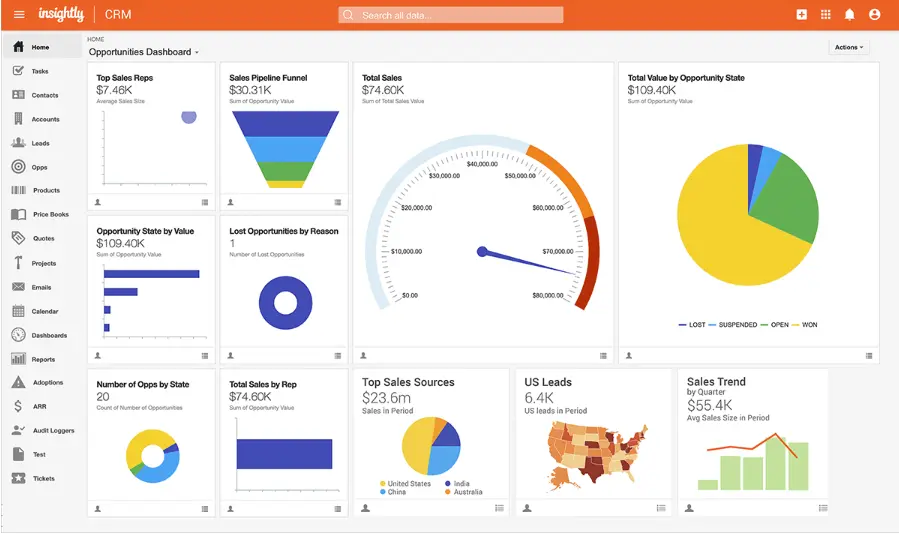
10. Insightly
Rating: 3/5
Best for service-based businesses that need CRM plus project management, especially those with mobile teams
Quick Summary
Insightly combines CRM with project management capabilities, making it perfect for businesses that need to track both sales and project delivery.
Key Features
Contact and opportunity management
Project management tools
Email integration and tracking
Workflow automation
Custom dashboards
What We Love
Excellent mobile apps for iOS and Android
Combined CRM and project management
Strong integration options
Good for service-based businesses
Potential Drawbacks
More expensive than other options; project features may be overkill for pure sales teams.
Pricing
Starting at $29/user/month
What makes a CRM affordable for small businesses?
Affordable doesn’t just mean cost-effective. For small businesses, an affordable CRM must deliver:
Predictable Pricing: No surprise costs or forced upgrades that blow your budget.
Quick Time-to-Value: You should see benefits within 30-60 days, not months of setup.
Low Total Cost of Ownership: Consider training time, integration costs, and ongoing support needs.
Positive ROI: The CRM should pay for itself through increased efficiency and sales.
Remember: The key is choosing a CRM that fits your needs without overpaying for unnecessary features.
Calculate your true CRM ROI with Nutshell. Try our affordable, feature-rich CRM free for 14 days—no credit card required.
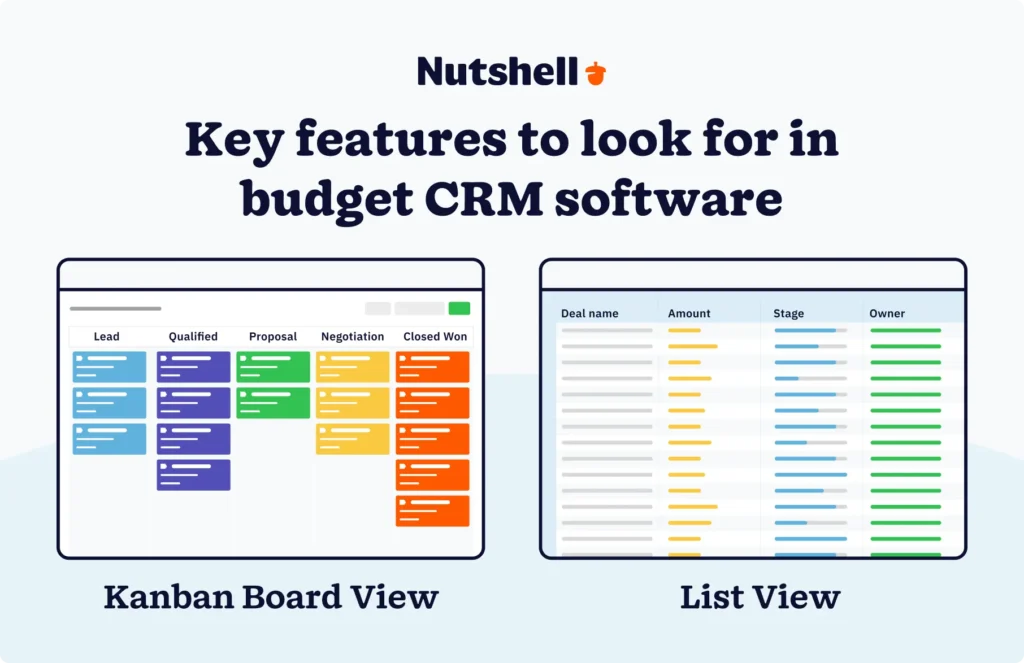
Key features to look for in budget CRM software
When evaluating affordable CRM options, prioritize these essential features:
Must-Have Features
Contact Management: Centralized database for all customer information
Pipeline Visualization: Clear view of deals and their stages
Email Integration: Sync with Gmail or Outlook
Task Management: Reminders and follow-up scheduling
Basic Reporting: Sales performance and activity tracking
Mobile Access: Manage your CRM on the go
Nice-to-Have Features
Marketing Automation: Email sequences and campaigns
Custom Fields: Adapt the CRM to your business
Team Collaboration: Shared notes and activities
API Access: Modern CRMs offer API access and tools like Zapier integration to connect your entire tech stack seamlessly
Advanced Analytics: Forecasting and trend analysis
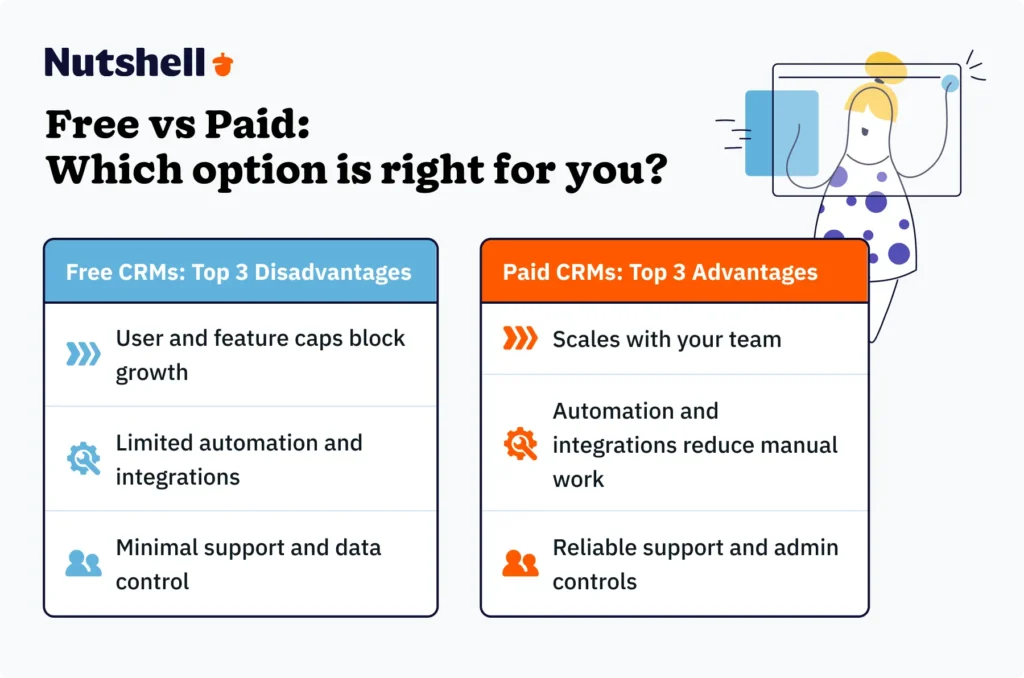
Free vs. paid: Which option is right for you?
Opting for a free system is tempting. But is it the right solution for your business needs?
Choose Free CRM If
You’re just starting out with fewer than 3 users
You need basic contact management only
You’re testing whether CRM is right for your business
Budget is extremely tight (under $50/month)
Choose Paid CRM If
You have 3+ team members
You need automation to save time
Customer support is important to you
You want to scale without switching systems
You need integrations with other tools
While free CRMs can work initially, most growing businesses find they need the features and support that come with paid plans. Learn more about CRM adoption best practices to ensure success.
How to choose the best affordable CRM for your business
Follow this step-by-step process to make the right choice:
Step 1: Assess Your Current Situation
How many contacts do you manage?
What’s your monthly budget for software?
How tech-savvy is your team?
What are your biggest pain points?
Step 2: Define Your Must-Haves
List 3-5 features you absolutely need
Identify deal-breakers (e.g., no mobile app)
Consider your growth plans for the next 2 years
Step 3: Take Advantage of Free Trials
Test your top 2-3 options
Import real data to see how it works
Have your team try daily tasks
Evaluate customer support responsiveness
Step 4: Calculate True ROI
Factor in time savings (5-10 hours/week average)
Consider the revenue increase potential
Include all costs: software, training, integration
Step 5: Make Your Decision
Choose based on value, not just price
Ensure it can grow with your business
Verify there are no hidden costs
Ready to implement a CRM that delivers real value? Join thousands of small businesses using Nutshell to streamline sales and boost revenue. Start your free trial today.
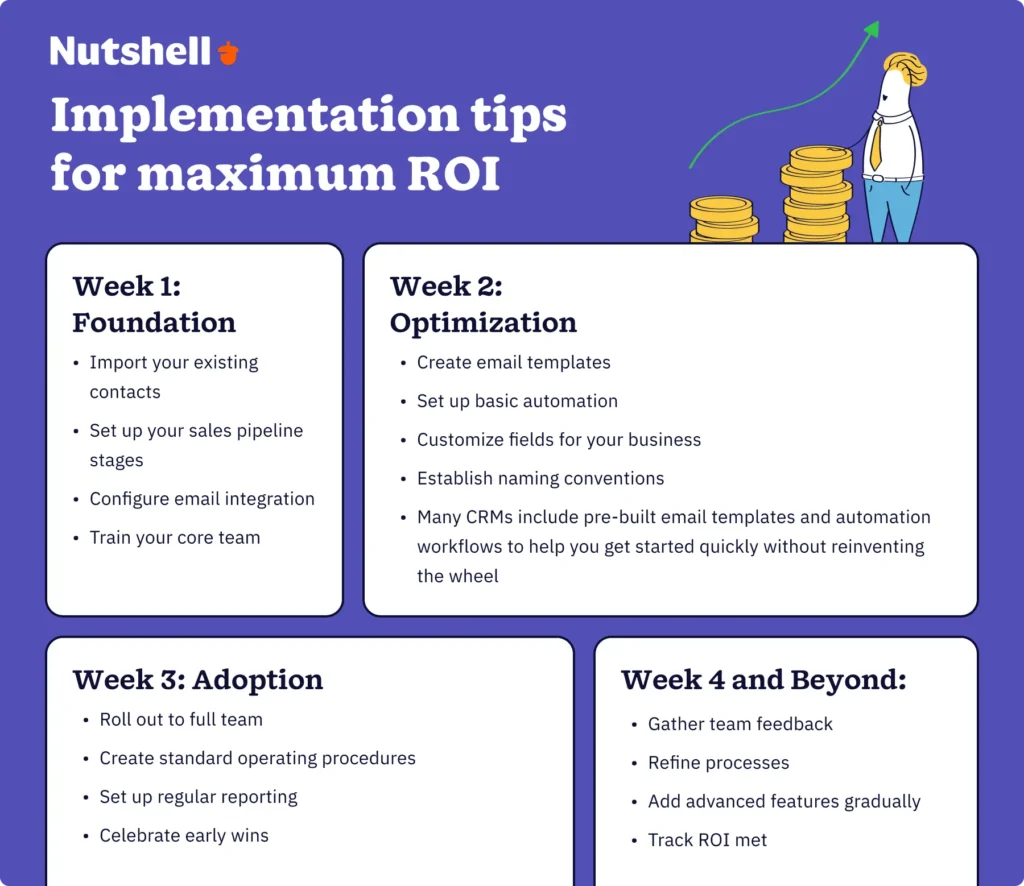
Implementation tips for maximum ROI
Avoid common CRM implementation failures with this proven approach:
Week 1: Foundation
Import your existing contacts
Set up your sales pipeline stages
Configure email integration
Train your core team
Week 2: Optimization
Create email templates
Set up basic automation
Customize fields for your business
Establish naming conventions
Many CRMs include pre-built email templates and automation workflows to help you get started quickly without reinventing the wheel
Week 3: Adoption
Roll out to full team
Create standard operating procedures
Set up regular reporting
Celebrate early wins
Week 4 and Beyond
Gather team feedback
Refine processes
Add advanced features gradually
Track ROI metrics
Pro Tip: Start simple. It’s better to use 5 features well than 50 features poorly.
Frequently asked questions
Still have questions about choosing the right affordable CRM? Here are answers to the most common questions we hear from small business owners:
1. What is the best and cheapest CRM?
The “best” affordable CRM depends on your specific needs. HubSpot offers the best free option for basic needs, while Nutshell provides the best overall value for growing businesses, starting at just $13/user/month.
The cheapest CRM is Monday.com CRM, with pricing starting at $12/user/month.
2. Which CRM is best for small businesses?
For most small businesses, Nutshell offers the ideal balance of features, affordability, and ease of use. It’s built specifically for small businesses and includes sales, marketing, and support features without enterprise complexity.
3. What is the simplest CRM tool to use?
Yes, the best simple CRMs (like Nutshell) are “growth-ready” – they have advanced features available when you need them, but don’t force complexity before you’re ready. Avoid “basic” CRMs that you’ll outgrow quickly.
4. How long does it really take to set up a simple CRM?
Less Annoying CRM lives up to its name as one of the simplest options. However, Nutshell prioritizes ease of use while offering more advanced features when you need them.
5. Can I really get a good CRM for under $20/user/month?
Absolutely. Several excellent CRMs, including Nutshell, Pipedrive, and Less Annoying CRM, offer robust features for under $20/user/month. The key is choosing one that matches your specific needs.
6. How long does it take to implement a CRM?
Most small businesses can be up and running with basic CRM functionality in 2-4 hours. Full implementation, including team training and process optimization, typically takes 2-4 weeks.
Ready to transform your business with affordable CRM?
Choosing the right CRM doesn’t have to be overwhelming or expensive. The key is finding a solution that fits your business today while providing room to grow tomorrow.
If you’re ready to join the 71% of small businesses already benefiting from CRM software, we recommend starting with a free trial of Nutshell. With its combination of powerful features, affordable pricing, and exceptional support, it’s the smart choice for small businesses serious about growth.
Sign up for a free trial today—No credit card required. See why thousands of small businesses trust Nutshell to manage their customer relationships and grow their revenue.
Have questions about choosing the right CRM for your business? Our team is here to help. Contact sales for a personalized recommendation based on your specific needs.
See Nutshell in action!
Try Nutshell free for 14 days or let us show you around before you dive in.