Give Subscribers the Power to Choose With Nutshell’s Email Preference Center
-
Last updated on: March 19, 2026
Avoid subscribers unsubscribing from all your marketing emails just because a single email missed the mark. With Nutshell’s new Email preference center, your contacts can tell you exactly what they want to see in their inbox, so you keep the right conversations going and keep churn at bay.
When your email marketing audiences only have a binary opt-in or opt-out choice, the moment a message fails to resonate, they could be gone for good. With Nutshell’s new Email preference center, you give your audience the power to choose while keeping them engaged with the messages that are most relevant to them.
What is Nutshell’s Email preference center?
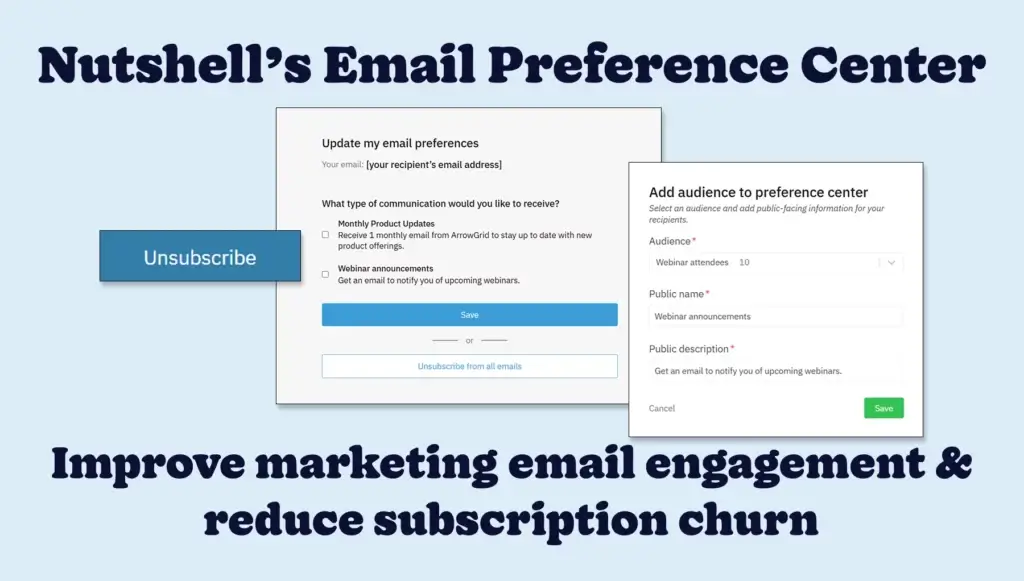
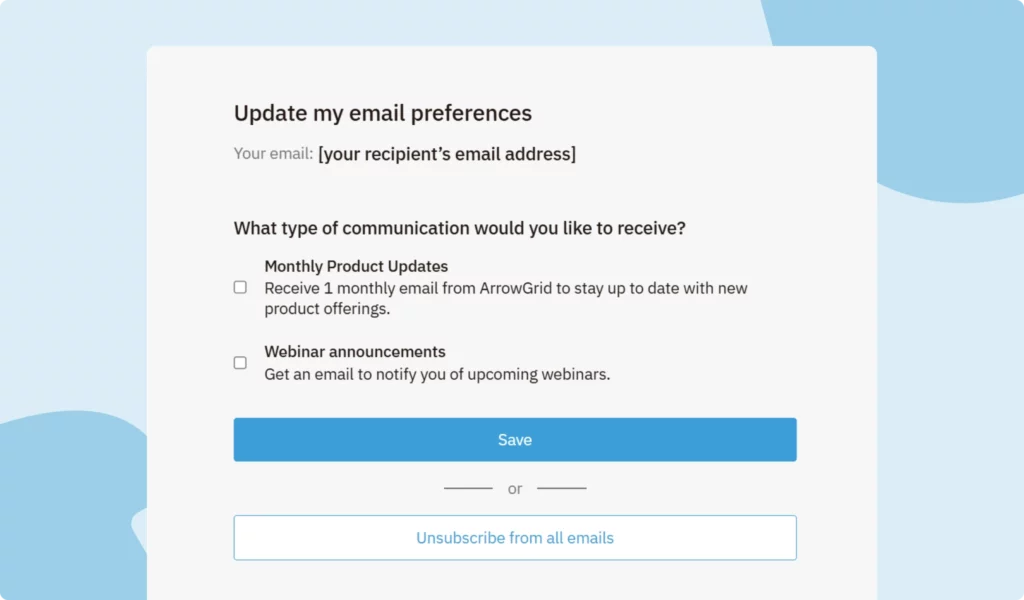
Our new Email preference center is a customizable page linked from the Nutshell Marketing emails you send. This page allows your email recipients the ability to fine-tune the types of messages they want to receive.

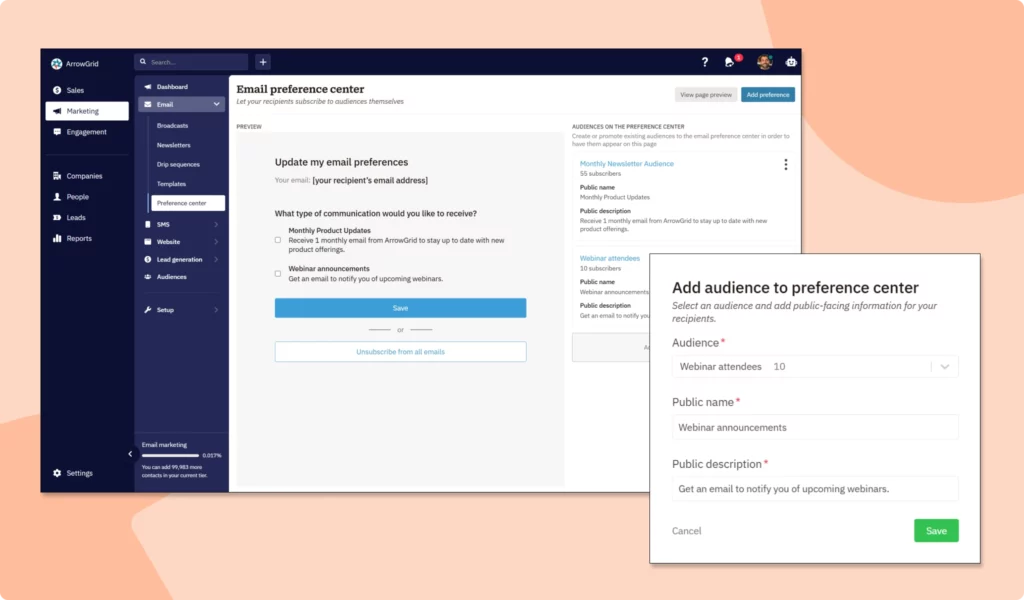
Nutshell admins can choose up to 10 audiences to showcase, each with a custom name and description. When a contact clicks the “unsubscribe” link in your email, they’ll be taken to the Email preference center page, where they can opt in or out of individual marketing emails. That means more choice for your audiences and more confidence for your marketing team.

FAQs about Nutshell’s Email preference center
-
1. Is Nutshell’s Email preference center available to all Nutshell users?
Yes. Anyone with a Nutshell Sales subscription has access to our Marketing Foundation plan, which includes our Email marketing feature with 150 monthly email marketing sends included (and then pay based on your number of contacts). This way, you can set up marketing audiences in Nutshell and send tailored marketing emails to those audiences.
-
2. How does Nutshell’s Email preference center work?
Setting up Nutshell’s Email preference center and using it is easy. You’ll start by selecting up to 10 of your Nutshell Audiences to feature, giving them each a custom public name and short description.
When a marketing email recipient clicks on the “unsubscribe” link in your email, they’ll be taken to your branded Email preference center to choose the specific emails they’d prefer to receive, with the option to re-subscribe to marketing emails if they choose. Nutshell immediately syncs each change so your audience lists remain accurate and up to date.
-
3. How many email audiences should I include in my preference center?
Start with 3-5 core email categories to avoid overwhelming subscribers. While Nutshell allows up to 10 audiences, research shows preference centers with too many options see lower engagement. Focus on your most distinct content types—like product updates, educational content, and promotions—then expand based on subscriber feedback and usage patterns.
-
4. What types of email categories work best for B2B companies?
Effective B2B preference categories include product updates and releases, industry insights and thought leadership, webinar and event invitations, customer success stories and case studies, and company news. Choose categories that reflect your actual email content and provide genuine value. Avoid creating categories you can’t consistently deliver on, as this damages trust.
-
5. Can an email preference center really reduce unsubscribe rates?
Yes. Well-designed preference centers can reduce unsubscribes by 20-30%. Since “receiving too many emails” is the top reason people unsubscribe, giving subscribers control over frequency and content types provides an alternative to leaving entirely. You’ll retain more subscribers while improving engagement by sending them only what they want.
-
6. Do I still need an unsubscribe link if I have a preference center?
Yes. CAN-SPAM and GDPR regulations require a clear, direct unsubscribe option in every marketing email. Your preference center complements—not replaces—the unsubscribe link. Include both: a preference center link for subscribers who want to adjust settings, and an unsubscribe link for those who want to opt out completely.
-
7. How should I promote my email preference center to subscribers?
Include a preference center link in every email footer alongside your unsubscribe link. Send a dedicated announcement email explaining the new options. Add it to your welcome email series and account management pages. The more visible your preference center, the more subscribers will use it instead of unsubscribing completely.
Ready to improve email marketing engagement?
Open the Email preference center page in Nutshell to set up your first set of preferences and start sending marketing emails with confidence. Our Email preference center support article provides all the information you need to set things up and get started.
Not a Nutshell customer yet? Sign up for a free 14-day trial to discover what Nutshell can do for your business and experience our new Email preference center feature.
Have more questions? Don’t hesitate to reach out to our expert team to learn more.
Reduce marketing email subscription churn with Nutshell’s Email preference center!
Keep your mailing lists healthy and your reputation shining by giving your audience clear, self‑serve control over the emails they receive with Nutshell’s Email preference center.
BACK TO TOPWritten by
Chris Cain VP of Product Development, NutshellReady to try
Nutshell for Free?Thank you! Your submission has been received!Oops! Something went wrong while submitting the form.
Sales Performance Reviews: 9 Tips to Make Them Valuable
Published on: November 10, 2022Highly Effective Strategies for Elevating Sales Team Performance
Published on: November 10, 2022What Are the Top 3 Go-To-Market Strategies?
Published on: November 10, 2022Join 30,000+ other sales and marketing professionals. Subscribe to our Sell to Win newsletter!
- Product
- Nutshell Overview
CRM & Sales
Our powerful and easy-to-use flagship product.Marketing
Email marketing, forms, landing pages, and more.Engagement
Webchat, SMS, WhatsApp & more in your Omni-Channel Inbox.Prospecting
Prospect for new leads and new contacts in your CRM.Quotes & Invoices
Quickly create quotes & invoices in your CRM.
AI
See why Nutshell is the leading AI CRM.Integrations
Connect to Google/Microsoft and over 5,000 Apps.
ReportingCreate reports and forecasts in an instant.CRM Advisor
Get a dedicated point of contact to get the most out of Nutshell.Partner Marketplace
Find trusted partners to help optimize your Nutshell CRM.
- Pricing
Nutshell AI
- Resources
- Contact Us
Contact Sales
Send us your questions or book a 1-on-1 demo.Join a Demo
Join a group demo for a general overview of Nutshell.
Contact Support
Contact our support team via live chat in app or via email.Become a Partner
Refer businesses to Nutshell & earn commissions.
Contact Marketing
Questions about our website or our marketing opportunities?Careers
Join our growing team! See current openings.