- Startseite
- Blog
- Managing Sales Activities Is Now Easier With Nutshell’s New CRM Activity Dialog
Managing Sales Activities Is Now Easier With Nutshell’s New CRM Activity Dialog
-
Last updated on: October 21, 2025
For any sales team, efficiency is the name of the game, and that means fewer clicks and steps to take notes or schedule follow-ups when logging activities in Nutshell. Our redesigned activity dialog replaces the clutter with a single, streamlined workflow, so you can capture the moment and plan the next one in seconds.
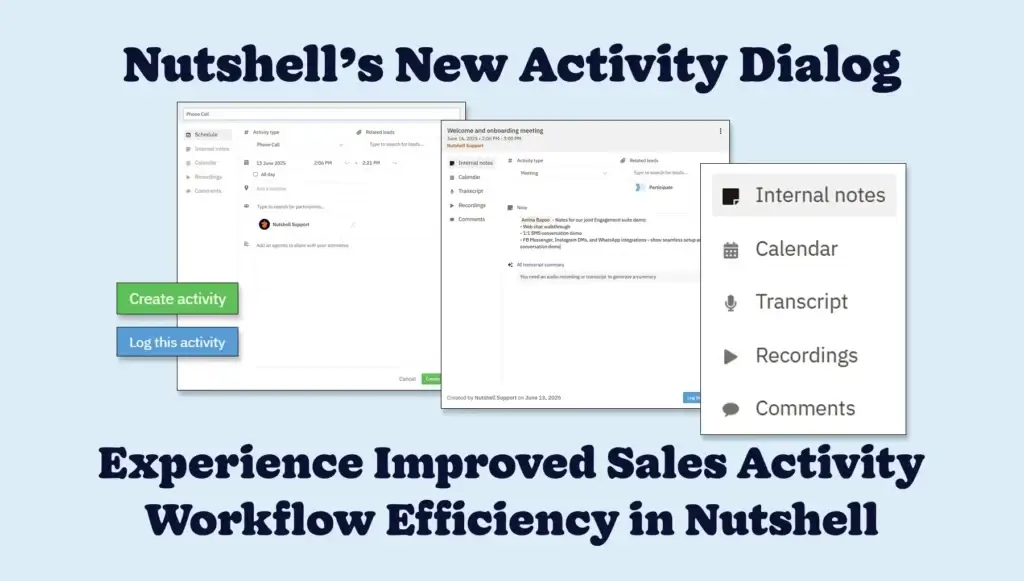
Nutshell’s CRM sales activity flow just got a facelift, putting every action—scheduling, note-taking, reviewing transcripts and summaries, and more—inside a single, sleek, mobile-ready dialog. No more jumping between different screens or modes to finish a single task, which means reps can stay focused on the conversation.

What can I do with the new CRM activity dialog?
Managing and tracking sales activities and key points discussed in Nutshell just became a whole lot easier. With our updated activity dialog, your team can:
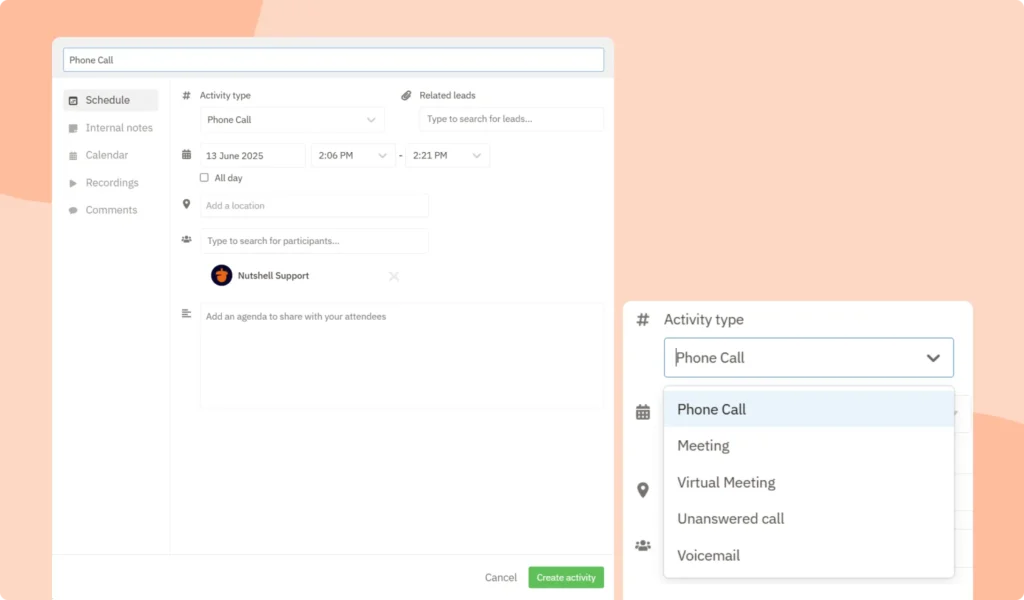
- Schedule and log in one place: Book future sales activities and capture completed ones without having to jump between screens.
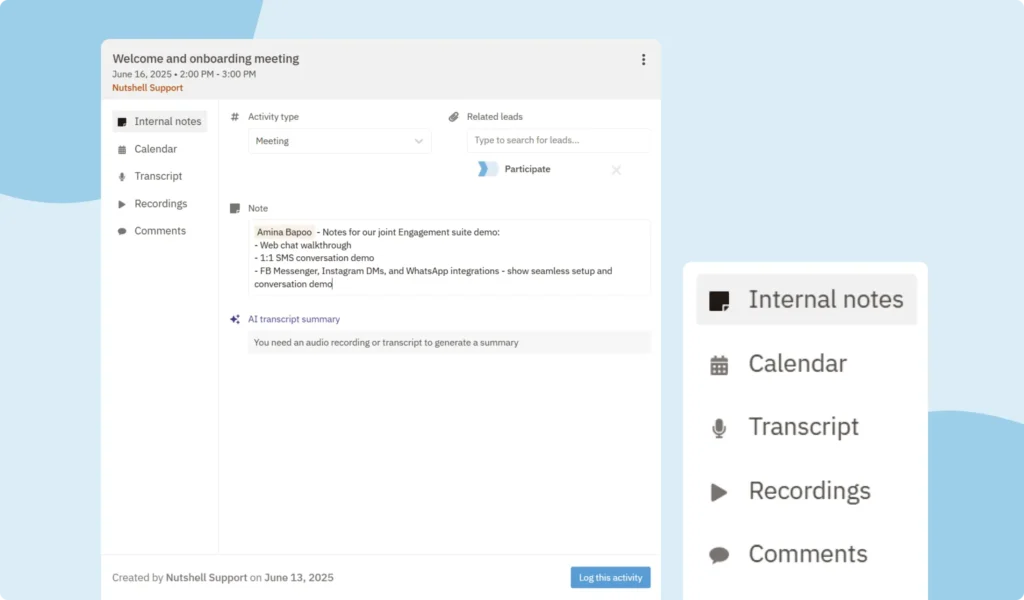
- Add notes immediately: Capture key discussion points before, during, and after your call with an always-accessible notes field.
- See the info that matters: Stay focused with quick access to the information you need through essential tabs—Internal Notes, Calendar, Transcript, Recordings, Comments—at the ready.
- Join meetings with ease: Hop onto your Zoom or Google Meet call with a single click using the meeting link visible within the scheduled activity.
- Stay in control on the go: Manage sales activities and notes from your mobile device with our intuitive, mobile-friendly interface.
- Gain conversation context with AI: Harness the power of AI to auto-transcribe and summarize calls, effortlessly giving you searchable call information.

Where can I find the new activity dialog in Nutshell?
You’ll experience the revamped CRM activity dialog anywhere you’re able to create, view, or log an activity in Nutshell, such as:
- “+ Add new” button: You’ll find this button at the top of the Nutshell interface, which lets you schedule a new sales activity.
- Person, Company, or Lead timeline: Click on a scheduled or completed activity in the timeline to edit it, add notes, or review transcripts and summaries.
- Nutshell Sales dashboard: Open upcoming activities or schedule a new one from your Activities tab in the Sales dashboard sidebar.
The new sales activity dialog gives you one home for all the information linked to an activity—including who created it, who logged it, and the leads or contacts linked to it—so nothing falls through the cracks.
Read our Activities support article to find out more about our new activity dialog interface and how to use it.
Simplify CRM sales activity management in Nutshell
Hop into Nutshell to start logging, scheduling, and managing activities with ease today. If you have any questions or need assistance with the refreshed interface, our support team is always ready to help.
Not a Nutshell customer yet? Sign up for a 14-day free trial now—no credit card required!
FAQs
-
1. How much time will the new activity dialog save my sales team?
Based on industry data, automated activity logging saves sales teams 2+ hours daily. With Nutshell’s unified dialog eliminating screen-switching and manual data entry, teams typically save 30-45 minutes per rep daily—that’s 2.5-3.75 hours weekly for more selling time.
-
2. Does the AI transcription feature work with all meeting platforms, or just Zoom and Google Meet?
Currently, AI transcription and summarization work with Zoom and Google Meet. Microsoft Teams integration is coming soon. For other platforms, you can still manually log activities and add notes, though automatic transcription won’t be available yet.
-
3. Can I customize which tabs appear in the activity dialog for my team?
The activity dialog comes with standard tabs (Internal Notes, Calendar, Transcript, Recordings, Comments) that aren’t customizable. However, you can train your team to use specific tabs for your workflow, and all tabs are accessible from both desktop and mobile interfaces.
-
4. How does the mobile activity dialog work offline?
While Nutshell’s mobile app requires internet connectivity for full functionality, you can still view previously synced data offline. Any activities or notes created offline will sync automatically once you reconnect, ensuring field reps never lose important information.
-
5. What’s the difference between logging an activity and scheduling one in the new dialog?
Scheduling creates future activities (like upcoming calls or meetings) that appear in your calendar and activity list. Logging records completed activities with notes, outcomes, and transcripts. Both use the same streamlined dialog, but logging captures what happened while scheduling plans what will happen.
Manage sales activities smarter with Nutshell!
See how effortless scheduling, logging, and managing your sales activities can be. Open Nutshell’s redesigned Activity dialog flow and give it a spin today!
ZURÜCK NACH OBENWritten by
Chris Cain VP of Product Development, NutshellBereit zum Ausprobieren
Nutshell kostenlos?Vielen Dank! Ihr Beitrag ist eingegangen!Huch! Beim Absenden des Formulars ist etwas schief gelaufen.
9 Gründe, warum Ihre Vertriebs-E-Mails im Spam-Filter hängenbleiben und was Sie dagegen tun können
Veröffentlicht am: November 10, 2022Sales Performance Reviews: 9 Tips to Make Them Valuable
Veröffentlicht am: November 10, 2022Highly Effective Strategies for Elevating Sales Team Performance
Veröffentlicht am: November 10, 2022Was sind die 3 wichtigsten Strategien für die Markteinführung?
Veröffentlicht am: November 10, 2022Schließen Sie sich 30.000+ anderen Vertriebs- und Marketingexperten an. Abonnieren Sie unseren Sell to Win-Newsletter!
- Produkt
- Nutshell Overview
CRM & Sales
Our powerful and easy-to-use flagship product.Marketing
Email marketing, forms, landing pages, and more.Engagement
Your omni-channel inbox in your CRM.Schürfen
Prospect for new leads and new contacts in your CRM.Quotes & Invoices
Quickly create quotes & invoices in your CRM.
AI
See why Nutshell is the leading AI CRM.Integrationen
Connect to Google/Microsoft and over 5,000 Apps.
BerichterstattungCreate reports and forecasts in an instant.CRM-Berater
Get a dedicated point of contact to get the most out of Nutshell.Partner Marketplace
Find trusted partners to help optimize your Nutshell CRM.
- Preisgestaltung
Nutshell AI
- Ressourcen
- Kontakt
Kontakt Vertrieb
Send us your questions or book a 1-on-1 demo.An einer Demo teilnehmen
Join a group demo for a general overview of Nutshell.
Kontakt zum Support
Contact our support team via live chat in app or via email.Partner werden
Refer businesses to Nutshell & earn commissions.
Contact Marketing
Questions about our website or our marketing opportunities?Karriere
Join our growing team! See current openings.