
Skip to main content ↓

Compare and Choose: 8 Powerful and Affordable HubSpot Alternatives

Image showing a businesswoman balancing her options to make an informed choice as she selects the best HubSpot alternative

Key takeaways

Looking for a HubSpot alternative that saves time without the price tag? Here’s what you need to know:

  • HubSpot offers robust tools, but its pricing can escalate quickly for small teams. Most alternatives offer comparable features at 40% to 60% lower costs for teams under 20 users.
  • Alternatives like Nutshell, ActiveCampaign, and Pipedrive provide more affordable, user-friendly CRM and marketing solutions tailored to specific needs like email automation, sales pipeline management, or e-commerce personalization.
  • Choosing the right tool depends on your team’s focus—whether it’s sales-first, marketing-driven, or all-in-one simplicity.

HubSpot has become synonymous with inbound marketing and sales automation, but it’s not the right fit for every business. Whether you’re dealing with pricing that scales faster than your revenue, complexity that slows down your team, or features you’re paying for but never use, you’re not alone in looking for alternatives.

According to recent research, 91% of companies with 10 or more employees now use CRM software—but choosing the wrong platform costs more than money. Wave Connect found that 55% of CRM implementations fail due to poor user adoption, often because the software is too complex for the team’s actual needs.

The good news? There are powerful HubSpot alternatives designed specifically for small to medium-sized sales teams that want to save time, automate workflows, and keep deals moving forward without the enterprise-level complexity or cost.

In this guide, we’ll walk you through eight proven alternatives, each evaluated on setup speed, ease of use, automation capabilities, and total cost of ownership. Whether you’re a five-person startup or a 20-rep sales team experiencing rapid growth, you’ll find options that deliver results without the headaches.


Best HubSpot alternatives at a glance

Here are the eight HubSpot alternatives we’ll cover, listed from highest to lowest rating:

  1. Nutshell (4.8/5): Best all-in-one CRM for teams who want sales automation, email marketing, and pipeline management in one platform
  2. ActiveCampaign (4.6/5): Best for advanced email marketing automation with CRM capabilities
  3. EngageBay (4.6/5): Best budget-friendly option for startups and small teams
  4. Brevo (4.5/5): Best for email-first marketing with basic CRM needs
  5. Drip (4.4/5): Best for ecommerce businesses and online retailers
  6. Pipedrive (4.3/5): Best for sales teams focused on visual pipeline management
  7. Ontraport (4.2/5): Best for service businesses with membership or course offerings
  8. Keap (4.2/5): Best for small businesses needing appointment scheduling and payment processing

Jump to comparison table | Jump to detailed reviews


Summarize with AI:

💬 ChatGPT
🔍 Perplexity
🤖 Claude
🔮 Google AI Mode
🐦 Grok

Introduction to HubSpot

Before we dive into our top HubSpot alternatives, let’s see what HubSpot is really about and why businesses might look for other options. HubSpot consists of a marketing automation solution, a customer relationship management (CRM), a content management system (CMS), and a help desk solution. Some of their standout features include:

  • A visual automation builder
  • Cross-property reporting
  • A complete blogging suite
  • Ad automation
  • Sequences, which is their sales email automation tool

HubSpot has always been good at providing an intuitive platform for growth-minded digital marketers. They have historically been a leading brand in the inbound marketing world, and the marketing aspects of the software certainly reflect that. Their marketing automation software and reporting functions are still some of the best on the market.

Want to streamline your sales and marketing processes with your CRM?

Learn how to boost your team’s efficiency with automation in your CRM with our guide to sales and marketing automation.

READ the GUIDE

Why look for HubSpot alternatives?

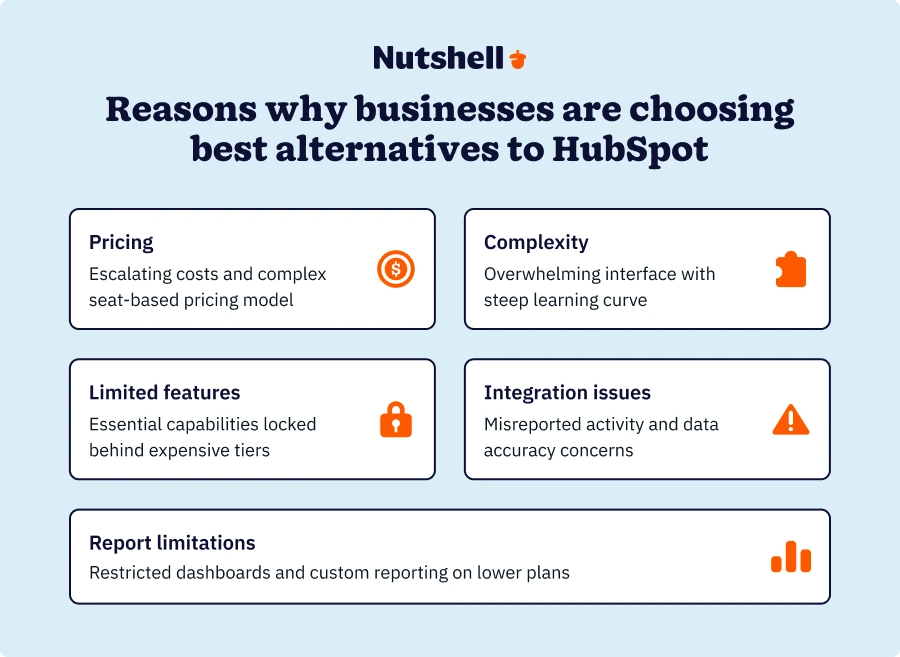
HubSpot is a powerful platform, but it’s not always the right choice for growing businesses. Here are the most common pain points that drive teams to evaluate alternatives:

Pricing that escalates quickly

HubSpot’s tiered pricing model can catch teams off guard. What starts as an affordable entry point quickly becomes expensive as you add users, contacts, or essential features locked behind higher tiers. Many teams find themselves paying for Marketing Hub, Sales Hub, and Service Hub separately, creating a fragmented experience at premium prices.

For teams with five to 20 sales reps, the cost difference between HubSpot and alternatives can be 500 to 1,500 per month—money that could be invested in hiring, training, or actual revenue-generating activities.

Complexity that slows down adoption

HubSpot offers extensive capabilities, but that breadth comes with a learning curve. Teams often spend weeks configuring workflows, setting up automation, and training users—time that doesn’t move deals forward.

Research from Wave Connect shows that 55% of CRM implementations fail due to poor adoption. The culprit? Software that’s more complex than the business actually needs. Sales reps want to spend time selling, not managing complex workflows or navigating feature-heavy interfaces.

Features you pay for but never use

HubSpot bundles features across marketing, sales, and service. If you’re primarily a sales-focused team, you’re paying for content management systems, social media tools, and customer service portals you may never touch.

Smaller, more focused platforms let you pay only for what you actually use—and often deliver those core features more intuitively than broader platforms.

Integration limitations and data silos

While HubSpot integrates with many tools, teams often find that crucial integrations either don’t exist or require expensive third-party middleware. This creates data silos, manual exports and imports, and workflow inefficiencies that defeat the purpose of having a CRM in the first place.

Migration challenges

Once you’ve built your workflows, contact database, and reporting dashboards in HubSpot, switching platforms feels daunting. But the longer you wait, the more data you accumulate and the harder migration becomes. Many HubSpot alternatives now offer dedicated migration support and data import tools specifically designed to ease this transition.
Real-world example: When HubSpot’s complexity becomes a barrier

A digital marketing agency serving small business clients found itself in a common predicament. They had adopted HubSpot to transition from project-based work to retainer-based relationships, attracted by the platform’s promise of efficiency and automation.

However, the reality proved different. While HubSpot offered powerful features, their small business clients—who had the motivation and drive to grow—struggled with the platform’s complexity. These business owners needed tools they could actually use, not enterprise-grade software that required extensive training and ongoing management.

This scenario plays out repeatedly across industries. Businesses invest in HubSpot expecting it to solve their growth challenges, only to discover they’re paying for capabilities they can’t fully utilize—or that require more time and resources to manage than they save.
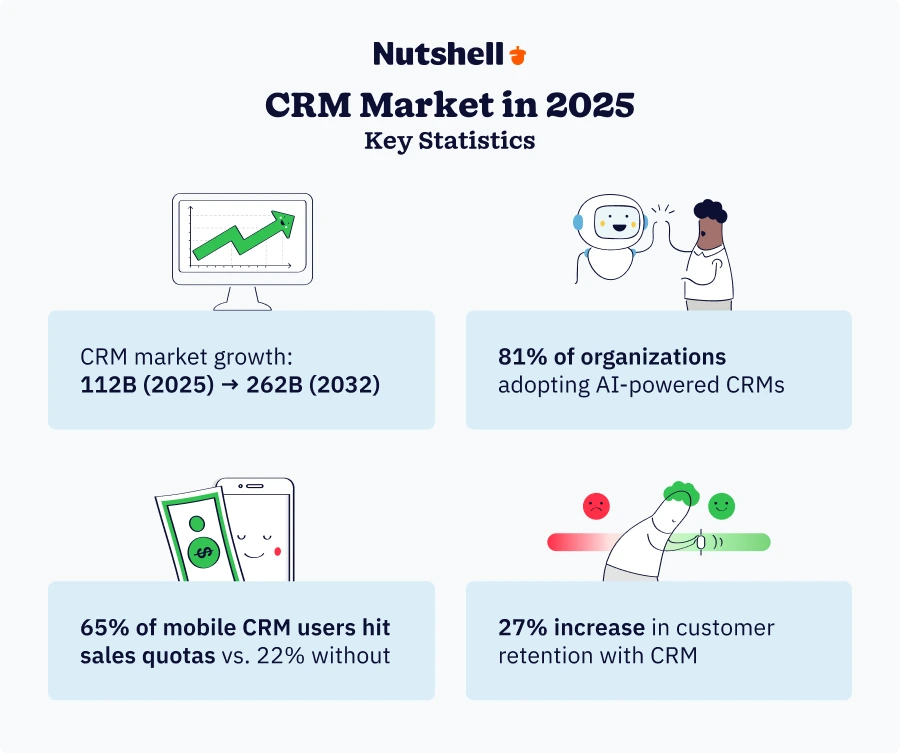
Before diving into specific alternatives, it’s important to understand the key trends reshaping the CRM landscape in 2025. These shifts are driving businesses to reconsider their CRM choices:

AI adoption is accelerating—but with balance

81% of organizations are expected to adopt AI-powered CRM systems by 2025, but businesses are also scaling back excessive automation to maintain authentic human connections. The best alternatives strike a balance between intelligent automation and personal touch.

Pricing transparency matters more than ever

In 2024, HubSpot shifted to a seat-based pricing model, and one company saved $33,300 per year simply by optimizing their seat allocation—highlighting how difficult it can be to manage HubSpot costs effectively.

Mobile-first is non-negotiable

With 70% of businesses now using mobile CRM systems and mobile users 150% more likely to exceed sales goals, mobile accessibility is essential for any HubSpot alternative you consider.

All-in-one platforms are winning

CRMs are evolving into comprehensive hubs with built-in email marketing, scheduling, quoting, and more—reducing the need for multiple tools and simplifying the tech stack.

How we selected the best alternatives to HubSpot

To ensure we’re recommending the most effective HubSpot alternatives, we evaluated each platform against seven critical criteria. These factors reflect what matters most when you’re investing in a CRM and marketing platform: usability, value, and the ability to help your team sell more effectively:

  • User experience: Software that’s easy to implement and use CRM is an absolute must, as it leads to greater sales, marketing, and service success, as well as improved team adoption.
  • Pricing structure: Any alternative considered should be priced competitively according to the overall sales and marketing CRM market and offer a good selection of features for the price advertised.
  • Functionality: A HubSpot substitute must at least provide the absolute essential marketing and sales features, such as email sync, sales automation, lead management, email sequences, and reporting tools.
  • Reporting and analytics: Candidate applications should offer more than basic sales activity reports or at least allow users to access more advanced reporting and analytics at a reasonable cost.
  • Mobile accessibility: We looked for solutions with mobile applications on iOS and Android that would add value for teams on the go.
  • Customer support: A company’s level of customer support can make or break your customer experience, which is why we opted for CRM platforms with top-tier support and service-related reviews.
  • Scalability: We tried to source CRM solutions that allow you to expand the functionality you need as your business grows, eliminating the need to switch CRMs at a later stage.

The 8 top HubSpot alternatives

To help you make an informed decision, here’s a detailed comparison of key features across leading HubSpot alternatives:

HubSpot alternativeRatingBest for
Nutshell4.8/5All-in-one CRM for teams who want sales automation, email marketing, and pipeline management in one platform
ActiveCampaign4.6/5Advanced email marketing automation with CRM capabilities
EngageBay4.6/5Budget-friendly option for startups and small teams
Brevo4.5/5Email-first marketing with basic CRM needs
Drip4.4/5Ecommerce businesses and online retailers
Pipedrive4.3/5Sales teams focused on visual pipeline management
Ontraport4.2/5Service businesses with membership or course offerings
Keap4.2/5Small businesses needing appointment scheduling and payment processing

Now that you know what you’re looking for, let’s take a look at the best HubSpot competitors we’ve found.
1. Nutshell

nutshell as a crm alternatives to hubspot

Rating: 4.8/5
Best for: All-in-one CRM for teams who want sales automation, email marketing, and pipeline management in one platform

Summary

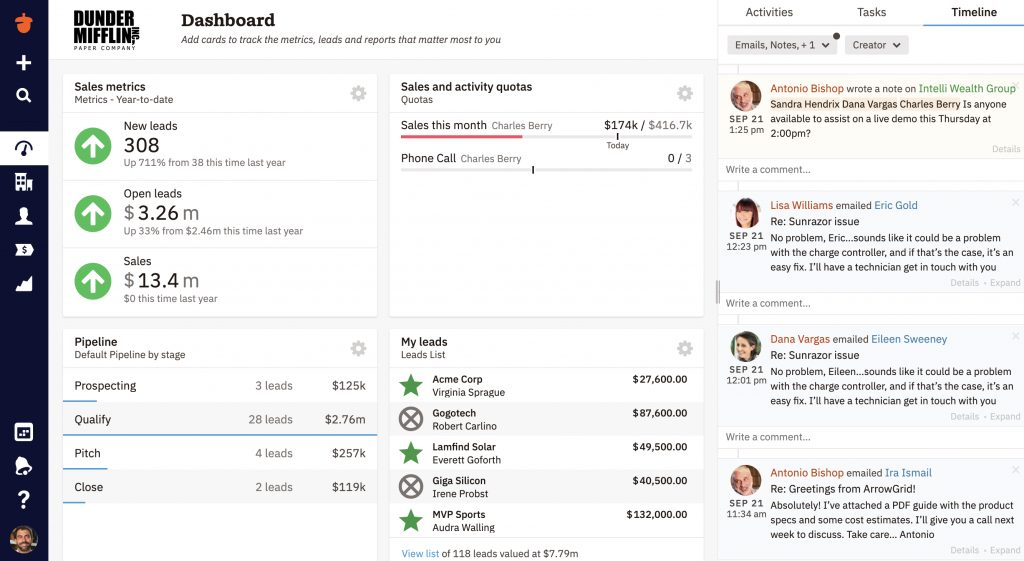
Nutshell is an all-in-one CRM and marketing automation platform built specifically for small to medium-sized B2B teams. Unlike HubSpot’s fragmented hub model, Nutshell combines sales pipeline management, email marketing, and automation in a single, intuitive interface. Teams can import their data and start selling within days, not weeks.

Real results speak volumes. Brothers Leather Supply, a wholesale distributor experiencing 40% month-over-month growth, outgrew spreadsheets and needed a CRM that could scale with them. “Nutshell is the best I’ve used by far,” says Adam Kail, their sales manager. The platform helped them manage rapid expansion without adding administrative overhead.

Research from Nucleus Research shows that CRM delivers an average ROI of $8.71 for every dollar spent. Nutshell maximizes this return by reducing manual data entry through automatic activity logging, one-click follow-ups, and built-in email sequences that keep deals moving forward.

Key features

  • Unified sales and marketing platform: Manage your pipeline, send email campaigns, and track customer interactions in one system—no separate hubs required.
  • Automatic activity logging: Every email, call, and meeting syncs to the right contact record automatically, saving hours of manual data entry each week.
  • Smart automation: Set up email sequences, task assignments, and deal stage transitions that run on autopilot, freeing your team to focus on high-value activities.
  • Robust reporting: Track pipeline health, forecast revenue, and measure rep performance with customizable dashboards that surface insights, not just data.
  • Fast implementation: Most teams are fully operational within three to five days, not the weeks or months required by enterprise platforms.
  • Built-in email marketing: Create, send, and track email campaigns without buying a separate marketing automation tool or paying per-send fees.

Pros

  • All-in-one efficiency: Sales automation and email marketing in a single platform means no data syncing between separate tools and no paying for multiple subscriptions.
  • Faster setup than HubSpot: Teams report being live and productive in less than a week, compared to several weeks for HubSpot implementations.
  • Transparent pricing: Flat monthly rate includes unlimited email sends, no surprise fees for adding contacts, and no forced upgrades to access core features.
  • Exceptional support: Nutshell customers consistently rate support quality at 4.8+ stars, with access to real humans who understand CRM strategy—not just technical troubleshooting.
  • Mobile-first design: The mobile app delivers full CRM functionality, letting reps log activities, update deals, and follow up with prospects from anywhere.

Cons

  • Marketing features less extensive than HubSpot: If you need advanced content management, social media publishing, or SEO tools, Nutshell focuses specifically on email marketing and automation rather than the full marketing suite HubSpot offers.
  • Fewer third-party integrations: While Nutshell connects with the most common business tools (Google Workspace, Microsoft 365, Slack, QuickBooks), the integration marketplace is smaller than HubSpot’s extensive app ecosystem.
  • Not ideal for enterprise complexity: Teams requiring complex multi-touch attribution, advanced lead scoring algorithms, or extensive customization may find Nutshell’s streamlined approach limiting.

Nutshell pricing

Nutshell offers five pricing tiers, all including CRM, sales automation, and email marketing:

  • Foundation: $13 per user per month (billed annually) or $19 per user per month (billed monthly). Includes unlimited contacts, pipeline management, email sequences, and basic reporting.
  • Growth: $25 per user per month (billed annually) or $32 per user per month (billed monthly). Includes activity reports, sales quotas, lead assignment rules, custom stage goals, and hot leads.
  • Pro: $42 per user per month (billed annually) or $49 per user per month (billed monthly). Adds email marketing campaigns, advanced reporting, multiple pipelines, and premium integrations.
  • Business: $59 per user per month (billed annually) or $67 per user per month (billed monthly). Adds custom pipelines, advanced meeting scheduler, audit log, and Gmail and Outlook email templates.
  • Enterprise: $79 per user per month (billed annually) or $89 per user per month (billed monthly). Adds unlimited pipelines and custom fields, enterprise SSO, SQL data access, and phone support.

All five plans include unlimited email sends, no per-contact fees, and full access to mobile apps. Custom enterprise pricing is available for teams over 100 users.

14-day free trial available with no credit card required.
nutshell hubspot salesforce pricing comparison

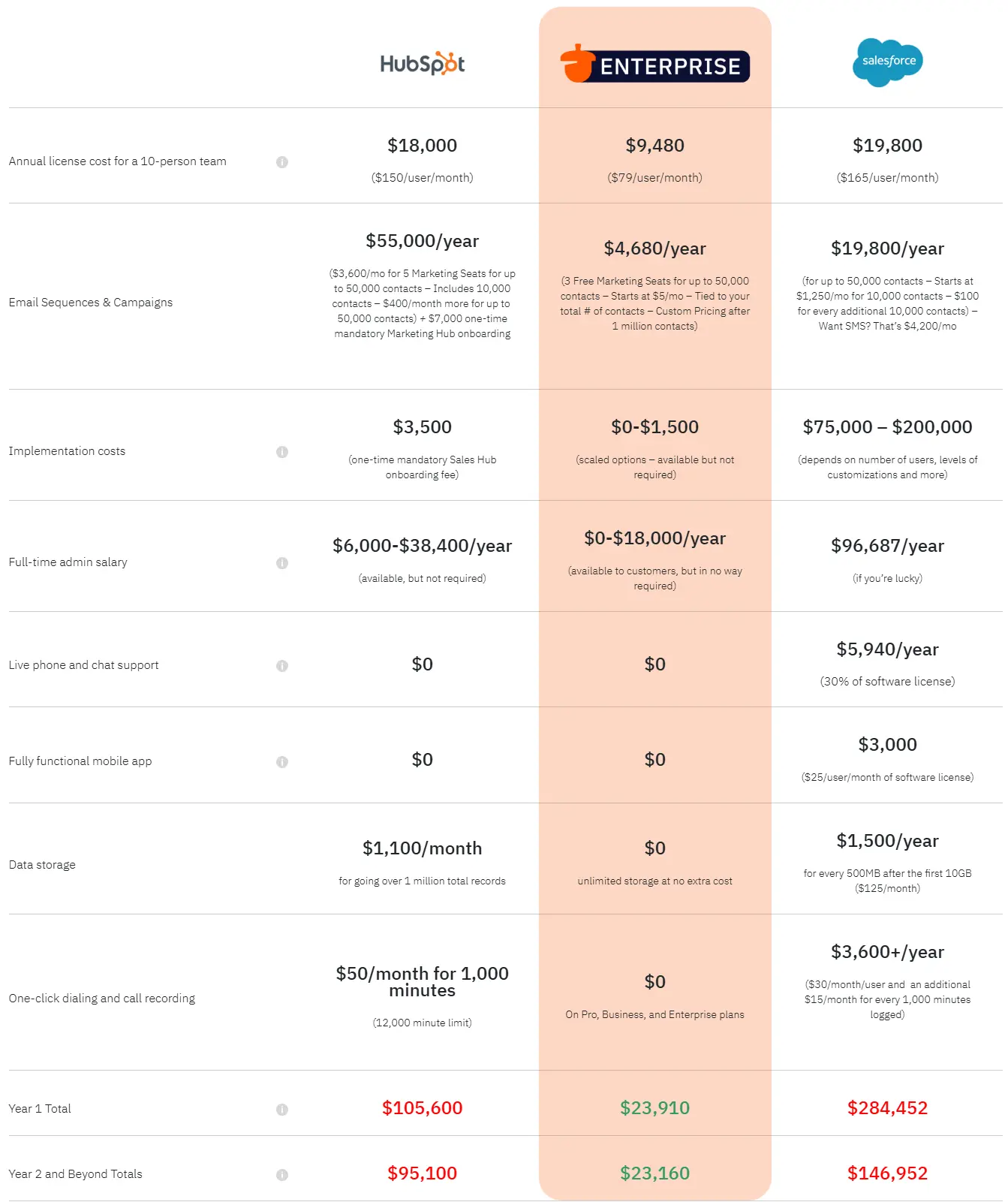
See how HubSpot pulls a bait and switch with their pricing model. Check out the real price of HubSpot.
Try Nutshell for free! Start a 14-day free trial today!

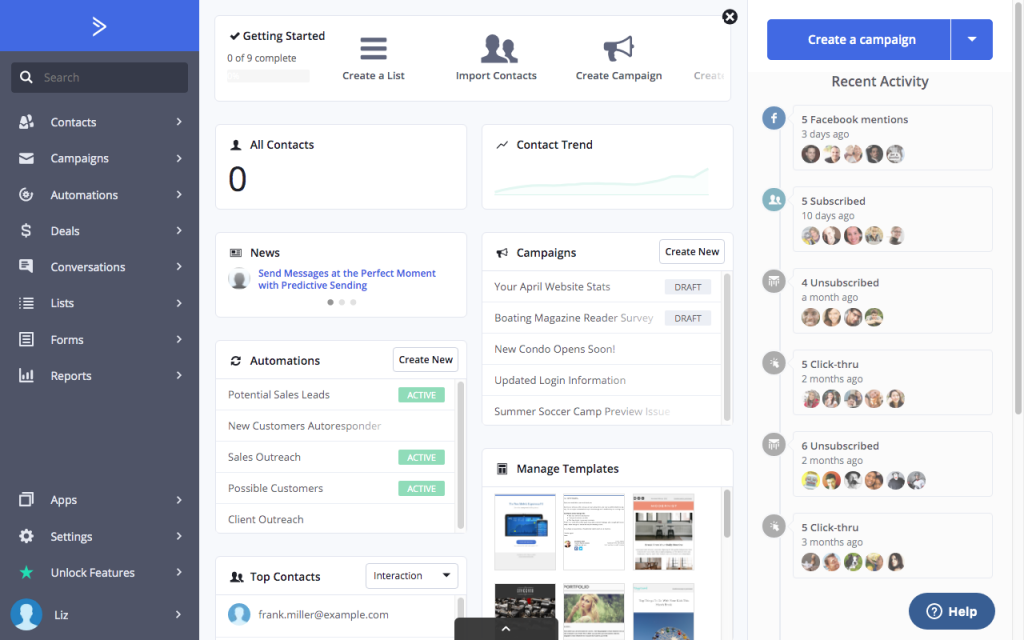
2. ActiveCampaign

activecampaign as one of the crm alternatives to hubspot
Source: MarketingSatchel

Rating: 4.6/5
Best for: Advanced email marketing automation with CRM capabilities

Summary

ActiveCampaign is a marketing automation-first solution that helps customer-centric companies grow with advanced automation capabilities, CRM functionality, and customer support tools rolled into one platform.

Key features

Some of the noteworthy features ActiveCampaign boasts are:

  • Automating SMS messages and emails
  • Automated win probabilities and lead scoring for contacts
  • Sales process management and pipeline tracking
  • A/B testing in automated marketing campaigns
  • Multi-touch attribution tracking
  • Birds-eye view mapping of your complete automation system
  • Email and landing page templates
  • Conditional content for personalization
  • Predictive sending optimization

ActiveCampaign pros

Some of ActiveCampaign’s pros include:

  • Marketing automation functionality with sophisticated workflow capabilities
  • Birds-eye view feature shows how all automations interact—invaluable for complex campaigns
  • Easy-to-use visual automation builder with A/B testing within automations (not offered by HubSpot)
  • Strong email marketing and segmentation capabilities
  • Good for businesses focused on marketing-led growth

ActiveCampaign cons

When considering ActiveCampaign as a HubSpot replacement, bear the following drawbacks in mind:

  • Sales automation lacks the ability to auto-drip emails from work email addresses
  • 1:1 sales emails and full pipeline management locked behind add-ons
  • High monthly cost for advanced features and multiple users
  • CRM features are not fully included—requires paid add-ons for deal tracking and pipelines
  • Steeper learning curve than simpler alternatives

ActiveCampaign pricing

Price may also be a concern for some businesses, as ActiveCampaign’s marketing plans start at $15/month per user for up to 1,000 contacts.

Who should use ActiveCampaign?

ActiveCampaign is a top-notch option for marketing automation nerds who already have a good landing page and CMS solution. However, ActiveCampaign’s sales automation lacks the ability to auto-drip emails to contacts from work emails. 
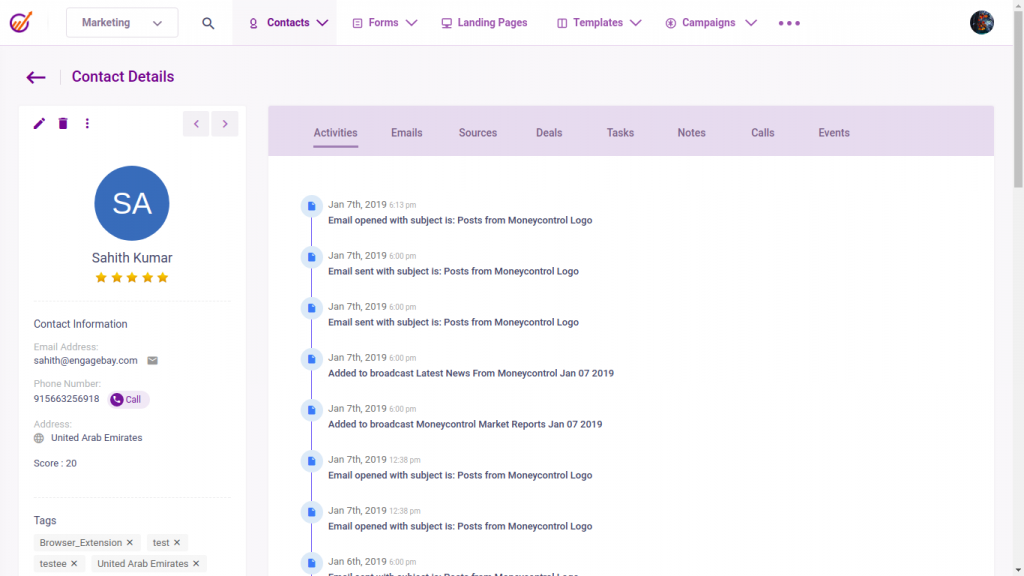
3. EngageBay

engagebay as a hubspot alternative

Rating: 4.6/5
Best for: Budget-friendly option for startups and small teams

Summary

EngageBay explicitly seeks to provide small businesses and entrepreneurs with the same kind of comprehensive marketing system that HubSpot provides to larger companies. They feature a CRM, a marketing automation solution, and a help desk offering.

Key features

Some noteworthy features include:

  • A landing page builder that includes a drag-and-drop editor
  • Automated SMS marketing sends
  • Social media automation, with monitoring abilities
  • Predictive lead scoring
  • An easy-to-use visual automation builder

EngageBay pros

Choosing EngageBay comes with the following advantages:

  • Affordable pricing makes it accessible for businesses with small marketing budgets
  • A combination of sales and marketing features means you don’t need multiple tools
  • Free plan available for basic features
  • Good value for the feature set provided
  • Suitable for entrepreneurs and solopreneurs getting started

EngageBay cons

EngageBay also comes with a few disadvantages, like these:

  • Basic plans lack essential features like marketing automation and A/B testing
  • Feature set is often lighter than some users expect
  • Limited advanced capabilities compared to more established platforms
  • May require upgrades to access truly useful functionality

EngageBay pricing

EngageBay’s “All-in-one” plan, which incorporates essential sales and marketing features, starts at $12.74 per user per month when billed every two years. It includes up to 500 contacts, lead scoring, and some third-party integrations, with plans increasing from there. As a result, though, EngageBay’s feature set is often lighter than some users expect.

Who should use EngageBay?

Engagebay is a solid option for experienced digital marketers with tiny budgets. EngageBay means you don’t have to settle for limited EMS functionality when you can make use of so much more.
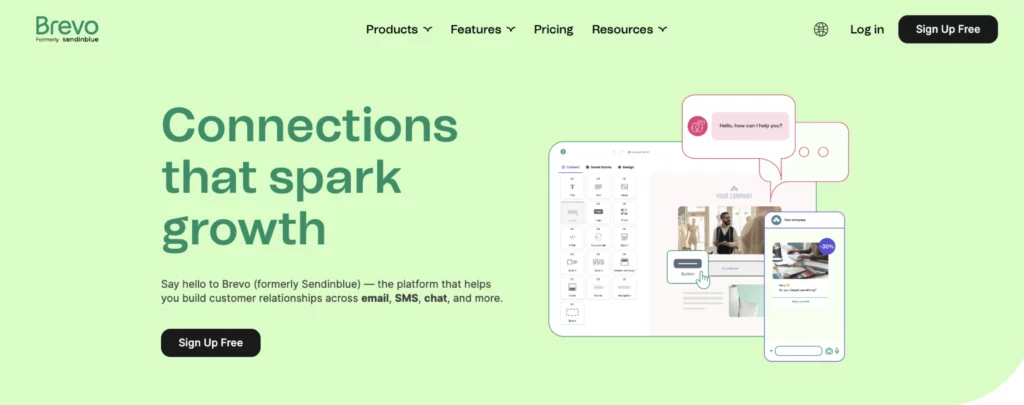
4. Brevo

brevo as a hubspot alternative

Rating: 4.5/5 
Best for: Email-first marketing with basic CRM needs

Summary

Brevo bills itself as an easy-to-use marketing software system focused on SMBs (though they do have an enterprise offering). Its foundation is an email marketing system, though it features some lite marketing automation features and a CRM and customer chat.

Key features

Brevo’s notable features include:

  • Automate retargeting ads.
  • Create landing pages and forms within SendinBlue
  • Send SMS messages with dynamic content
  • Drag-and-drop form builder
  • Quick set up for the CRM

Brevo pros

Brevo’s basic capabilities are great at helping beginners advance their digital marketing skills, and include:

  • Excellent ease of use for marketers who are new to CRM and marketing tools
  • Well-priced solution that even expert marketers find useful
  • Free plan available for up to 300 emails sent per day
  • Good for businesses without dedicated marketing staff
  • Straightforward interface with minimal learning curve
  • Strong email deliverability rates

Brevo cons

Common Brevo pain points include:

  • Lack of powerful CRM features compared to dedicated CRM platforms
  • Limited customer chat capabilities
  • Marketing automation features are basic compared to specialized tools
  • May outgrow the platform as marketing needs become more sophisticated

Brevo pricing

Brevo offers a free marketing plan for up to 300 emails sent per day. Paid plans start at $8.08 per month for up to 5,000 emails sent in a month. Its highest advertised price is $4,088.67 per month for 10,000,000 emails sent per month.

To combine your sales and marketing tools in one system, you’ll need to add a sales plan to your marketing plan starting at an additional $27.92 per month for Brevo’s Sales Essentials plan.

Who should use Brevo?

Brevo is an excellent growth marketing solution for a business without a dedicated marketer. Its ease of use makes it ideal for a marketing beginner to get a business rolling on modern digital marketing practices.
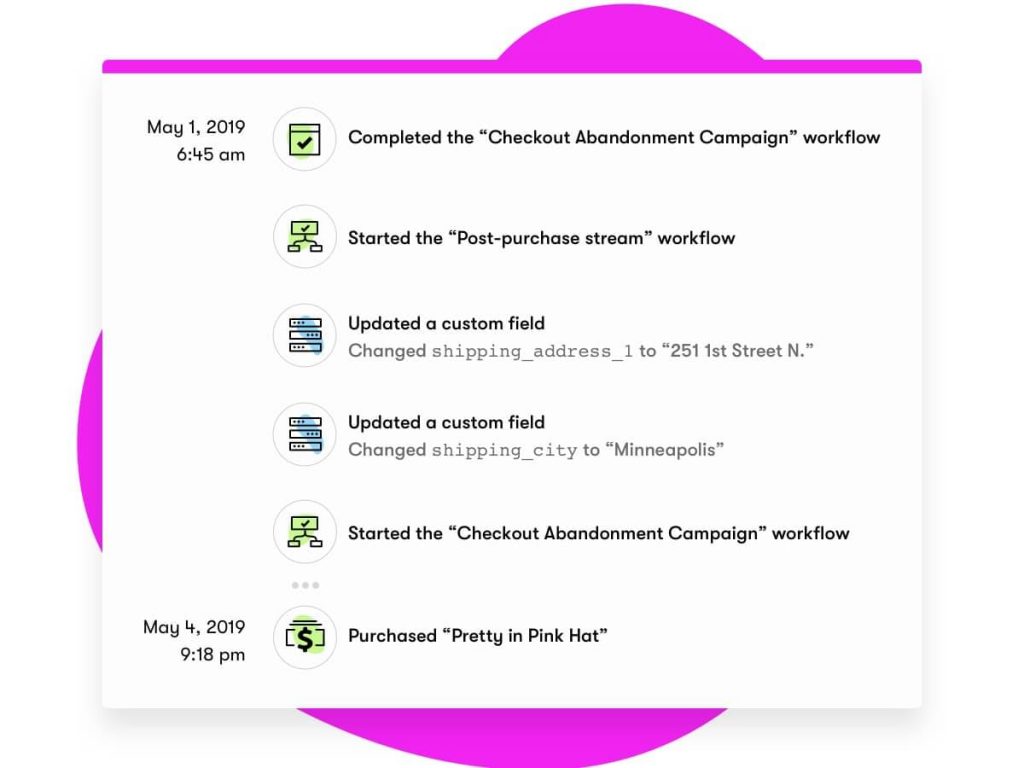
5. Drip

drip as a hubspot alternative

Rating: 4.4/5
Best for: Ecommerce businesses and online retailers

Summary

Drip is a fairly unique take on growth software. Its foundation is a B2C CRM best suited to service e-commerce marketing teams. The CRM and marketing automation systems are not as clearly defined from each other as other growth software solutions. Drip sees itself not as a suite but as a single solution that gathers contact data, customizes your storefront to that data, and then engages the customer where they are with email, SMS, and social media outreach.

Key features

Beyond the unusual perspective, Drip offers several notable features, such as:

  • Funneling your data from across your tech stack (like your Shopify store) into Drip, where you can analyze it all in one place.
  • Automating social media ads that complement campaigns you’re running, or pages the contact has just viewed.
  • Workflow split testing allows you to test not just email versions against each other, but different content types, like an email vs an ad.
  • Utilizing tracking events to trace your contacts’ behaviors

Drip pros

Without question, Drip does e-commerce well and excels in the following ways:

  • Good for e-commerce with 90+ integrations for online stores
  • Unified view of your e-commerce business with centralized reporting 
  • Strong personalization capabilities for storefront and marketing 
  • Advanced behavioral tracking and automation 
  • Purpose-built for B2C e-commerce customer journeys

Drip cons

Here are some of the Drip downsides you should know about:

  • Lack of B2B features like 1:1 sales emails, traditional CRM, and robust SMS capabilities
  • Not suitable for service-based or B2B businesses
  • Limited functionality outside of e-commerce use cases
  • Higher starting price than some alternatives

Drip pricing

Drip starts at $39 per month for up to 2,500 contacts. Listed pricing caps out at $1,999/month for up to 180,000 contacts. You’ll need to book a demo with one of Drip’s sales reps for pricing beyond 180,000 contacts.

Who should use Drip?

Growth-focused e-commerce marketers with a holistic view of the customer journey will find Drip to be a great tool.
6. Pipedrive CRM

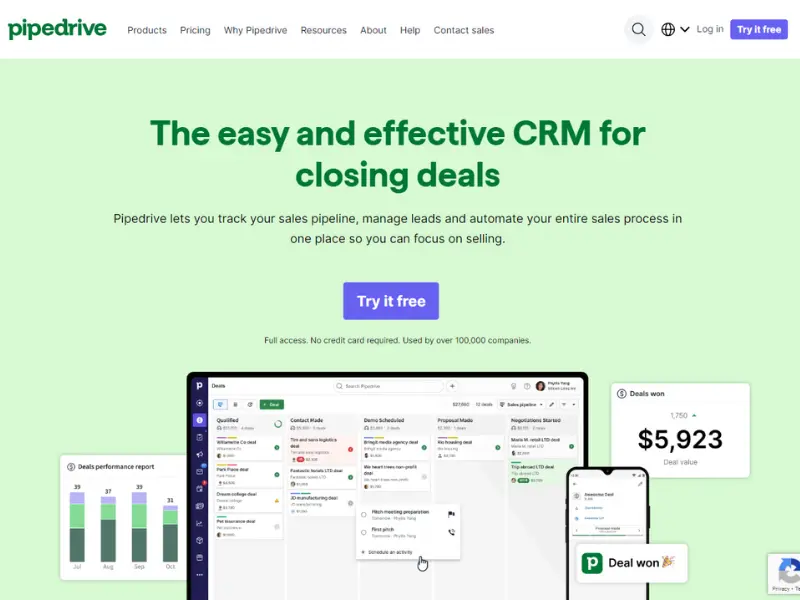
pipedrive crm as a hubspot alternative

Rating: 4.3/5 

Best for sales-focused teams prioritizing pipeline management

Summary

Pipedrive CRM is a popular choice utilized by companies globally, offering an intuitive interface and robust sales management features.

Key features

Notable Pipedrive features include:

  • Email sync and tracking
  • Email automation and templates
  • One-click calling functionality
  • Deal tracking and management
  • Activity and goal tracking
  • Sales reporting and forecasting
  • Contact and organization management

Pipedrive CRM pros

Designed by salespeople for salespeople, Pipedrive users have positive things to say about the following features:

  • Intuitive, user-friendly interface designed specifically for sales teams
  • Easy visual pipeline management with drag-and-drop functionality
  • Thorough reporting capabilities for sales performance tracking
  • Effective management of multiple contacts, projects, and workflows
  • Strong mobile app for on-the-go sales management
  • Customizable to fit various sales processes
  • Good value for sales-focused teams

Pipedrive CRM cons

Considering Pipedrive CRM as a HubSpot alternative? Here are the cons you should be aware of:

  • Limited marketing features—email campaign sending is basic
  • No SMS capabilities built in
  • Need to upgrade to Premium plan ($49/month per user) to unlock essential CRM features
  • Marketing automation is minimal compared to alternatives
  • Less suitable for businesses needing integrated marketing and sales

Pipedrive CRM pricing

Pipedrive offers a basic Lite plan starting at $14 per month per user, but you’ll need the Premium plan, which starts at $59 per month per user, to unlock the essential features necessary for effective CRM usage.

To initiate email marketing campaigns from your CRM, you’ll need to include Pipedrive’s Campaigns add-on, with pricing starting from $13.33 per month.

Who should use Pipedrive CRM?

Pipedrive is ideal for those seeking straightforward sales management. Its user-friendly interface and essential features make it suitable for businesses of any size. It helps sales teams reach their goals smoothly.
7. Ontraport

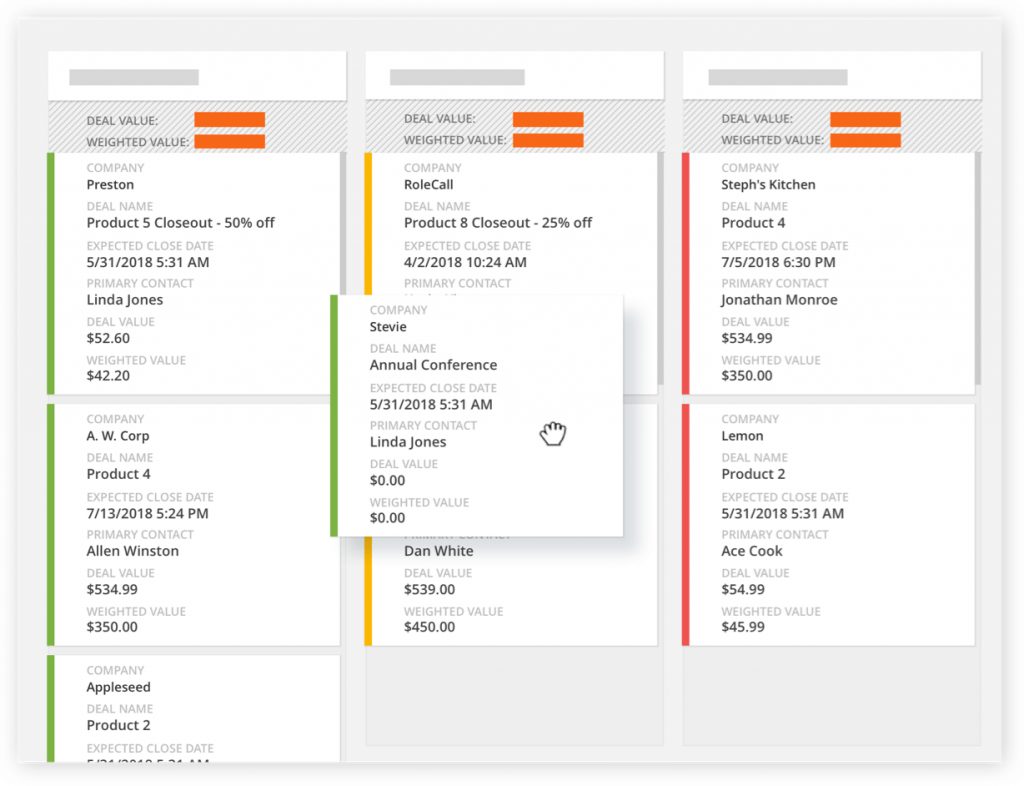
ontraport as a hubspot alternative

Rating: 4.2/5
Best for: Service businesses with membership or course offerings

Summary

Ontraport is focused on providing a simple solution to help entrepreneurs grow their businesses. The solution has a foundation of marketing automation with a CRM, a CMS, and an online payment processor built in.

Key features

Some of their standout features include:

  • A membership site feature that enables you to run a subscription-based business.
  • Email and SMS automation
  • Drag-and-drop builder for website pages
  • Automate responses to your text messages based on keywords
  • Sales task automation

Ontraport pros

For small businesses that don’t want to pay for multiple pieces of software, Ontraport is a solid solution:

  • Multifunctional solution reduces the need for multiple software subscriptions
  • Built-in payment processing is valuable for online businesses
  • Membership site functionality supports subscription models
  • Broad functionality helps entrepreneurs get businesses off the ground
  • Good for businesses wanting to centralize all operations

Ontraport cons

Here’s what you should look out for when considering Ontraport as an option:

  • Light features available for CRM, CMS, and payment processor functions compared to specialized tools
  • May not have the depth needed for businesses with complex requirements
  • Interface can feel dated compared to newer platforms
  • Limited advanced marketing automation compared to specialized tools

Ontraport pricing

Ontraport’s Basic plan starts at $24 per month for one user and up to 500 contacts. Their highest established price is $524 per month for their Enterprise plan for up to 10,000 contacts. After that, it’s custom pricing.

Who should use Ontraport?

A small team that doesn’t need deep functionality on any of Ontraport’s software types will find it very useful to center all their data in a single location.
8. Keap

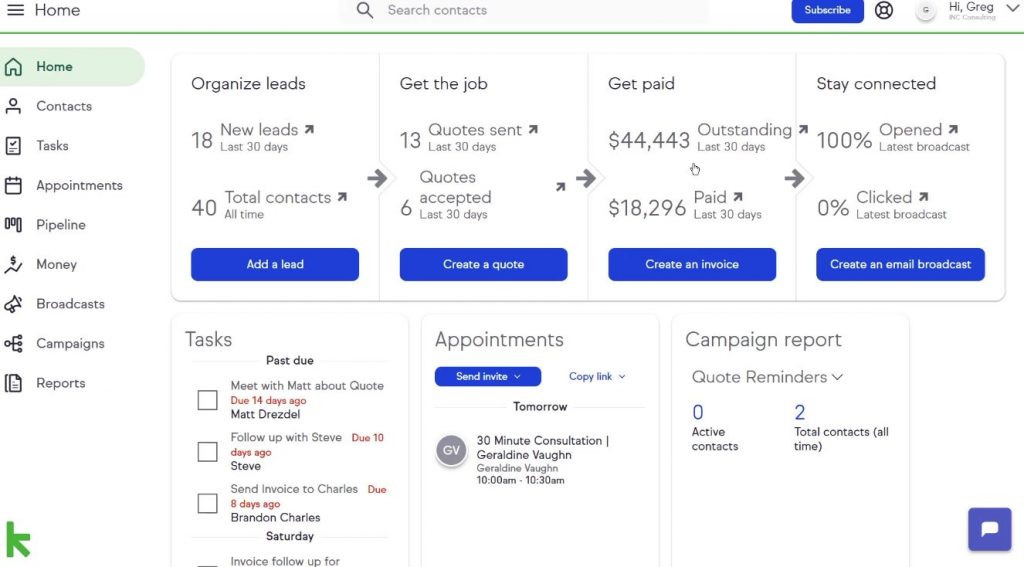
keap as a hubspot alternative

Rating: 4.2/5 

Best for SMBs with sales teams needing basic marketing functions

Summary

Built by the people at Infusionsoft, Keap is a CRM-first growth software designed for SMBs.

Key features

Keap’s notable features include:

  • Sales pipeline automation
  • The ability to send customers quotes
  • Send SMS messages from the CRM
  • Smartforms that make adding contact information easy

Keap pros

Here’s where Keap does well:

  • Strong CRM functions as the core offering
  • Works well as a “virtual secretary” for solopreneurs (according to user reviews)
  • Multifunctional approach at SMB scale
  • Good for businesses needing both sales and basic marketing
  • Includes payment processing capabilities

Keap cons

Although Keap excels in several areas, there are pitfalls—most notably:

  • All features are offered in one package
  • Cost can escalate quickly with larger teams
  • Higher starting price compared to most alternatives ($299/month minimum)
  • Limited flexibility in choosing only the features you need
  • Interface can feel dated compared to newer platforms

Keap pricing

Keap starts at $299 per month for two users and 1,500 contacts, along with your basic CRM functionality. Its established prices for its minimum of 2 users top out at $719 per month, which includes up to 26,500 contacts. Thereafter, custom solutions are available.

Who should use Keap?

SMBs with a sales team but no marketing person will find Keap a useful tool to set up some marketing functions for the company.

How to choose the right HubSpot alternative

Picking the right CRM isn’t about finding the platform with the most features—it’s about finding the one your team will actually use to move deals forward. Here’s a step-by-step framework to guide your decision.

Step 1: Define your primary use case

Start by honestly assessing what you need most:

  • Sales pipeline management: If your primary goal is tracking deals through stages and forecasting revenue, prioritize Nutshell, Pipedrive, or ActiveCampaign.
  • Email marketing automation: If sophisticated email campaigns drive your growth, focus on ActiveCampaign, Drip (for ecommerce), or Brevo.
  • Budget constraints: If keeping costs low is the top priority, evaluate EngageBay or Brevo’s generous free tiers first.
  • Ecommerce focus: If you sell products online, Drip’s ecommerce-specific features will deliver more value than general-purpose CRMs.
  • Course or membership business: Ontraport’s membership site hosting and payment processing make it uniquely suited for this business model.

Step 2: Calculate total cost of ownership

Don’t just look at the advertised starting price. Calculate what you’ll actually pay:

  • Number of users: How many sales reps, marketers, and support staff need access? Multiply the per-user cost across your entire team.
  • Contact count: Does pricing increase as your database grows? Estimate your contact count 12 months from now, not today.
  • Required features: What tier do you need to access essential features like automation, reporting, or integrations? Many platforms hide critical functionality behind higher-priced plans.
  • Email volume: If you send frequent campaigns, platforms charging per email (like Brevo) may cost more than unlimited-send competitors.
  • Add-ons and integrations: Will you need paid integrations, additional storage, or premium support? Factor these ongoing costs into your budget.

For a 10-person team with 5,000 contacts, here’s how costs typically compare:

  • Nutshell Pro: $420 to $490 per month
  • HubSpot Sales Hub Professional: $900+ per month
  • ActiveCampaign Plus: $186 to $249 per month
  • EngageBay Growth: $598 per month
  • Pipedrive Advanced: $290 per month

Step 3: Assess your team’s technical comfort

Be realistic about your team’s ability to manage complexity:

  • Limited technical skills: Choose platforms known for fast setup and intuitive interfaces—Nutshell, Pipedrive, and EngageBay prioritize simplicity over exhaustive customization.
  • Previous CRM experience: If your team has used CRMs before and wants more power, ActiveCampaign or Ontraport offer sophisticated automation capabilities.
  • IT support availability: Do you have dedicated technical staff to manage implementation and ongoing administration? If not, avoid platforms requiring extensive configuration.
  • Training time: How much time can you invest in training? Complex platforms like HubSpot or ActiveCampaign may take weeks to master, while Nutshell and Pipedrive get teams productive in days.

Step 4: Evaluate integration requirements

List the tools you can’t live without, then verify each platform’s integration capabilities:

  • Email: Does it sync bidirectionally with Gmail or Outlook?
  • Calendar: Can reps schedule meetings without leaving the CRM?
  • Accounting: Does it connect with QuickBooks, Xero, or your accounting system?
  • Communication: Will it integrate with Slack, Microsoft Teams, or your collaboration tools?
  • Ecommerce: If applicable, does it connect natively with Shopify, WooCommerce, or your retail platform?
  • Industry-specific tools: Does it integrate with vertical software specific to your industry?

Platforms with limited integration marketplaces may require expensive middleware like Zapier or manual data export/import—factor these workarounds into your evaluation.

Step 5: Test with real workflows

Sign up for free trials and test the platforms with your actual business processes:

  • Import real data: Use actual contact data (even a subset) to see how the import process works and how the platform handles your specific data structure.
  • Build a real workflow: Create an email sequence, pipeline stage automation, or lead scoring rule you’ll actually use—this reveals whether the automation builder fits your thinking.
  • Run a sales cycle: Track a real opportunity from lead to close, logging activities and moving it through stages as your team actually works.
  • Generate reports: Pull the reports you’ll review weekly or monthly to ensure they surface the metrics that matter to your business.
  • Test mobile apps: If your team works remotely or in the field, use the mobile app for at least a few days to evaluate functionality and user experience.

Step 6: Validate with your team

Get input from the people who will use the system daily:

  • Sales reps: Do they find the interface intuitive? Can they quickly log activities and update deals?
  • Sales managers: Does the reporting provide the forecasting and pipeline visibility they need?
  • Marketing team: If applicable, can they easily segment audiences, build campaigns, and measure results?
  • Customer support: Will they be able to view customer history and log support interactions?

The best CRM is the one your team actually adopts. A simpler platform used consistently beats a feature-rich system that sits ignored.

Migrating from HubSpot: What to expect

Switching CRMs feels daunting, but modern platforms have made migration significantly easier than it was even a few years ago. Here’s what the process typically looks like.

Before migration: Preparation phase

  • Clean your data: Before exporting anything from HubSpot, spend time archiving old contacts, merging duplicates, and removing test data. Migrating clean data prevents headaches in your new system.
  • Document your workflows: List your active email sequences, automation rules, deal stages, and custom fields. You’ll need to recreate these in your new platform.
  • Export your data: HubSpot allows you to export contacts, companies, deals, and activities as CSV files. Export everything you’ll need, including custom property values.
  • Map your fields: Create a spreadsheet mapping HubSpot fields to equivalent fields in your new CRM. This ensures data lands in the right places during import.

Data import

Most modern CRMs, including Nutshell, ActiveCampaign, and Pipedrive, offer:

  • CSV import tools: Upload your exported HubSpot data files and map columns to corresponding fields in the new system.
  • Automatic field matching: Intelligent import tools recognize common fields like email, name, phone, and company, automating most of the mapping.
  • Relationship preservation: Contact-to-company relationships and deal-to-contact associations typically import correctly if your data is properly structured.
  • Import preview: Review how your data will appear before finalizing the import, allowing you to catch mapping errors.

Rebuilding automations

This is typically the most time-intensive part of migration:

  • Email sequences: Recreate your nurture sequences, sales follow-up series, and automated campaigns using your new platform’s automation builder.
  • Workflow automation: Rebuild rules for deal stage progression, task assignment, and lead routing.
  • Email templates: Most CRMs let you copy and paste HTML from HubSpot email templates, though you may need to adjust formatting.
  • Reports and dashboards: Recreate the reports you reference regularly, though exact metrics may differ between platforms.

Timeline expectations

  • Simple migrations (under 5,000 contacts, basic workflows): Plan for one to two weeks from decision to full operation.
  • Medium complexity (5,000 to 20,000 contacts, multiple automations): Expect three to four weeks for complete migration and team training.
  • Complex migrations (20,000+ contacts, extensive customization): Budget four to eight weeks, and consider professional migration services.

Migration support available

  • Nutshell: Free migration assistance included with all plans, with dedicated onboarding specialists who help import data and rebuild key workflows.
  • Pipedrive: Offers paid migration services starting at $499 for up to 10,000 records.
  • ActiveCampaign: Provides migration concierge services for Professional and Enterprise plans.
  • EngageBay: Free migration support for annual plan subscribers.

Minimizing disruption

  • Run parallel systems temporarily: Keep HubSpot active while you set up and test your new CRM, then switch over during a slow period.
  • Migrate in phases: Start by importing contacts and basic data, then layer in deals, automations, and advanced features over time.
  • Train your team early: Get reps using the new system in sandbox mode before full migration so they’re comfortable when you switch.
  • Export everything: Before canceling HubSpot, export all data—even information you don’t think you’ll need. Storage is cheap; losing historical data isn’t.

The migration process is rarely as painful as anticipated. Most teams report being fully operational in their new CRM within two to four weeks, with improved user adoption rates thanks to simpler interfaces and more intuitive workflows.

Frequently asked questions about HubSpot and possible alternatives

These FAQs might provide some additional information that can help you choose the best HubSpot substitute for your team:

  • Why are businesses leaving HubSpot in 2026?

    Companies cite escalating costs, feature restrictions, and overwhelming complexity as primary reasons for leaving. The emergence of AI-powered alternatives and “CRM fatigue” from unused features accelerate this trend. Teams are choosing platforms like Nutshell that deliver enterprise features through intuitive interfaces their entire team can master in hours, not months.

  • What is the best HubSpot replacement?

    The best replacement depends on your needs. Salesforce suits enterprise teams, ActiveCampaign excels at marketing automation, but Nutshell offers the ideal balance for growing businesses. With built-in email marketing, sales automation, and unlimited contacts at every tier, it’s designed for teams that want to start selling immediately—not learning software.

  • What are the most affordable HubSpot alternatives for small businesses?

    Budget-friendly alternatives include Nutshell, EngageBay, Zoho CRM, and Pipedrive. However, true affordability considers hidden costs like add-ons, training time, and support fees. Nutshell includes email marketing, automation, and live support in all plans—features that others charge extra for—making it a smart investment for growing teams.

  • Can I get similar features to HubSpot without the complexity?

    Yes. Modern CRMs prove powerful doesn’t mean complicated. Nutshell delivers enterprise capabilities—pipeline automation, custom reporting, email sequences, and AI tools—through an interface built for productivity. Unlike HubSpot’s learning curve, most teams are fully operational within 48 hours.

  • Is it easy to export data from HubSpot?

    HubSpot’s data export has limitations—you’re restricted to 300 exports per day with only 3 running simultaneously. Large datasets arrive as multiple files, and API limits can cause timeouts. Many businesses use third-party tools to handle complex migrations. Nutshell offers free migration assistance, handling the technical work so you can focus on selling instead of spreadsheets.

  • What’s the cheapest HubSpot alternative?

    EngageBay offers the most affordable pricing, starting at $13.79 per user per month with unlimited contacts and no additional fees as your database grows. The free tier supports up to 1,000 contacts with basic CRM and email marketing features—genuinely useful for very small teams testing the platform.

    Brevo also offers a generous free tier allowing 300 emails per day with unlimited contacts, making it another strong budget option for businesses primarily focused on email marketing.

    For the best value rather than just the lowest price, Nutshell delivers comprehensive CRM and marketing automation starting at $13 per user per month—significantly less than HubSpot while providing more features than ultra-budget alternatives.

  • Can I migrate my data from HubSpot to these alternatives?

    Yes, all platforms reviewed here support data import from HubSpot via CSV files. HubSpot allows you to export contacts, companies, deals, and activities, which you can then import into your new CRM.

    Several platforms offer free or paid migration assistance: Nutshell includes free migration support with all plans, EngageBay provides free migration for annual subscribers, and Pipedrive offers paid migration services starting at $499.

    The migration process typically takes one to four weeks depending on database size and workflow complexity. Most businesses run both systems in parallel briefly to ensure nothing falls through the cracks during the transition.

  • Which HubSpot alternative is easiest to use?

    Nutshell and Pipedrive consistently receive the highest marks for ease of use and fast implementation. Both platforms prioritize intuitive interfaces over exhaustive customization, getting teams productive within days rather than weeks.

    Nutshell users particularly appreciate the unified interface where sales and marketing features work together seamlessly, eliminating the need to navigate between separate hubs. Pipedrive’s visual drag-and-drop pipeline makes deal management feel natural even for CRM newcomers.

    EngageBay is also straightforward but feels less polished. ActiveCampaign and Drip offer more power but require more time to master their sophisticated automation builders.

  • Do these alternatives include email marketing like HubSpot?

    Yes, but with varying levels of sophistication:

    • Full email marketing platforms: Nutshell, ActiveCampaign, Brevo, Drip, and Ontraport all include comprehensive email marketing with campaign builders, automation, and detailed analytics.
    • Basic email features: Pipedrive offers simple email sequences and templates but lacks full campaign management. EngageBay includes email marketing but with fewer advanced features than dedicated platforms.
    • No email marketing: Keap focuses on transactional emails and appointment reminders rather than campaign marketing.

    If email marketing drives your business, prioritize ActiveCampaign (for advanced automation), Drip (for ecommerce), or Nutshell (for all-in-one sales and marketing).

  • What about customer support quality?

    Support quality varies considerably:

    • Exceptional support: Nutshell consistently earns 4.8+ star ratings for customer support, with access to real CRM strategists—not just technical troubleshooting—included at all pricing tiers.
    • Good support: Pipedrive and ActiveCampaign provide solid support, though response times can be slower on entry-level plans.
    • Variable support: EngageBay and Brevo support quality is inconsistent, particularly for free and low-tier plan users.
    • Sparse support: Drip and Ontraport rely heavily on knowledge bases and community forums, with direct support reserved for higher-tier plans or specific issues.

    If hands-on guidance matters to your team, prioritize platforms known for support quality rather than defaulting to the lowest price.

Choose a powerful CRM and email marketing combo

Whether you’re looking for a CRM-first or email marketing-first solution, there’s a good option for every growth-minded company in these top HubSpot alternatives. And while you’re here, start a free trial of Nutshell to see our email marketing and sales automation features in action.

See Nutshell in action!

Try Nutshell free for 14 days or let us show you around before you dive in.

BACK TO TOP

Join 30,000+ other sales and marketing professionals. Subscribe to our Sell to Win newsletter!