Updated Quickbooks Online Integration

-
Keep Sales and Accounting aligned with Nutshell’s QuickBooks integration
The handoff from a closed deal to an accurate invoice should not mean re-entering product data, checking two systems for payment, or asking accounting for an update. We improved Nutshell’s QuickBooks Online integration so your sales and accounting teams can move products and invoices between their workflows with less manual follow-up.
QuickBooks Online integration overview
Nutshell’s QuickBooks Online integration connects the customer, product, and invoice information your sales team works with to the accounting system your finance team already uses. It lives inside the same lead, product, and invoice workflows your team uses every day.
The integration is included with every Nutshell plan. All you need is a QuickBooks Online account; teams that create and send Nutshell invoices also need access to Proposals & Invoices.
What can I do with the QuickBooks Online integration?
Move your product catalog without rebuilding it
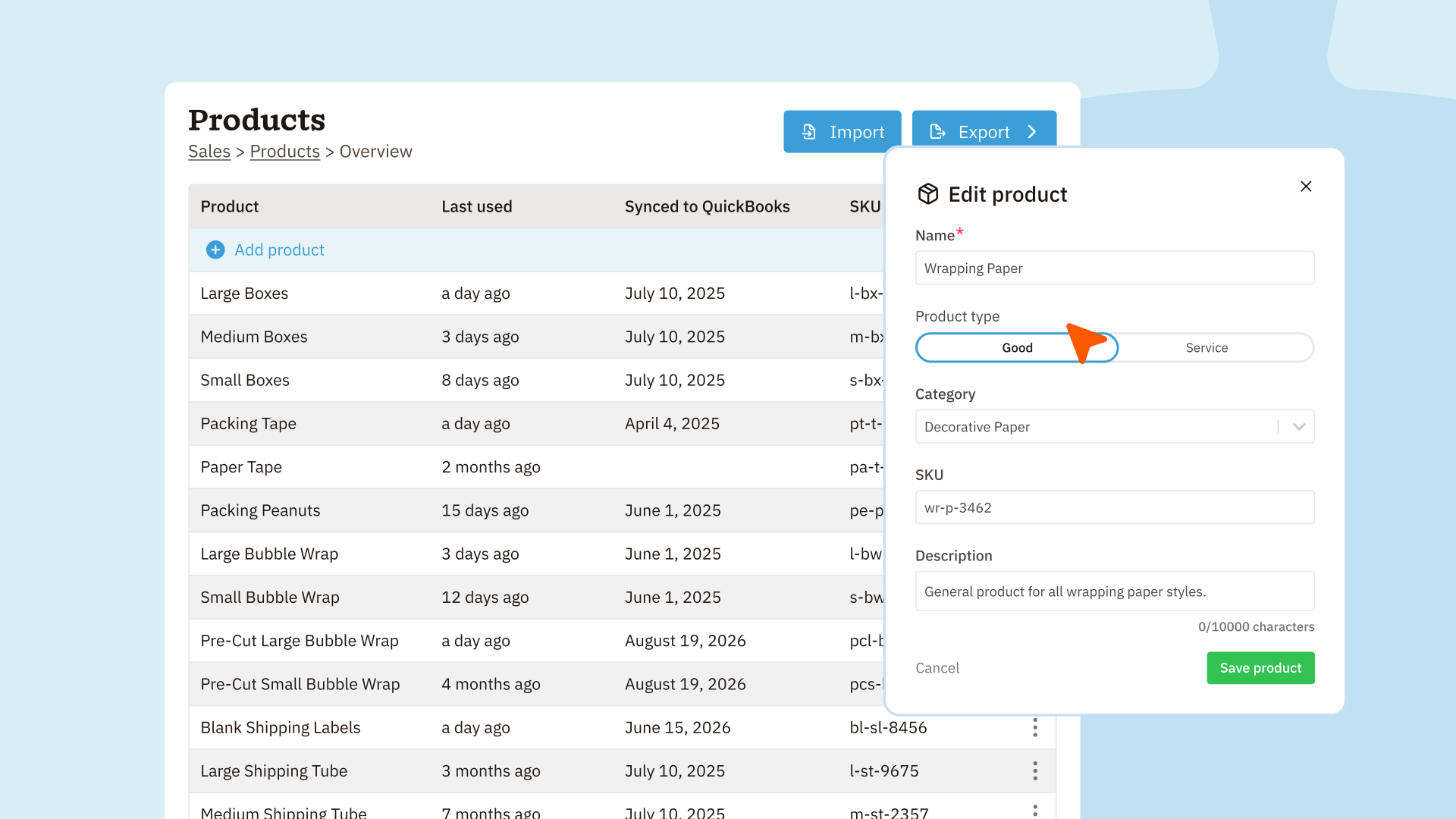
From Sales > Products, administrators can send up to 5,000 active products to QuickBooks at a time. Larger catalogs run in the background, so your team can keep working while Nutshell finishes the export and sends a notification.
Nutshell creates products that are missing and skips existing matches rather than overwriting the information your accounting team maintains in QuickBooks. The Products page also shows when a product was connected. Product export remains a manual step, so later changes in either system do not unexpectedly replace names or prices in the other.
Review invoices before they reach accounting
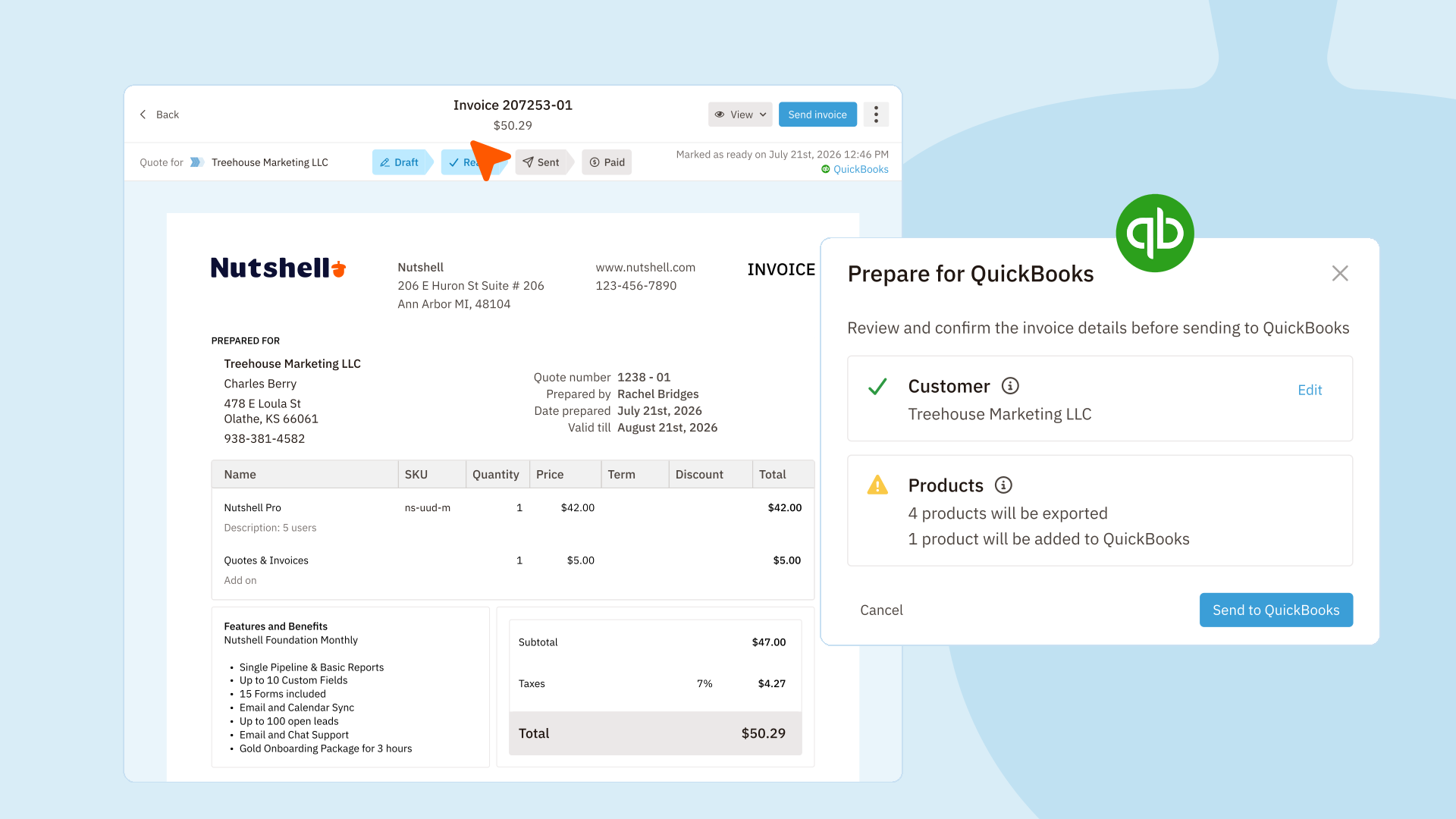
Choose Prepare for QuickBooks from a Nutshell invoice to check its customer and products before sending. Clear status cards show which information is ready, what matches an existing QuickBooks record, and what needs attention. You can also select a different active QuickBooks customer for a single invoice without changing the customer on the Nutshell lead.
Product discounts keep their net amounts, and overall invoice charges or credits are included in the QuickBooks total. If the invoice includes an overall credit, QuickBooks discounts need to be enabled first.
You can also turn on Create new invoice in QuickBooks while marking a draft invoice ready. Nutshell completes the ready step first, then creates the QuickBooks invoice, with a clear retry path if QuickBooks cannot finish the request.
Keep payment status visible to sales
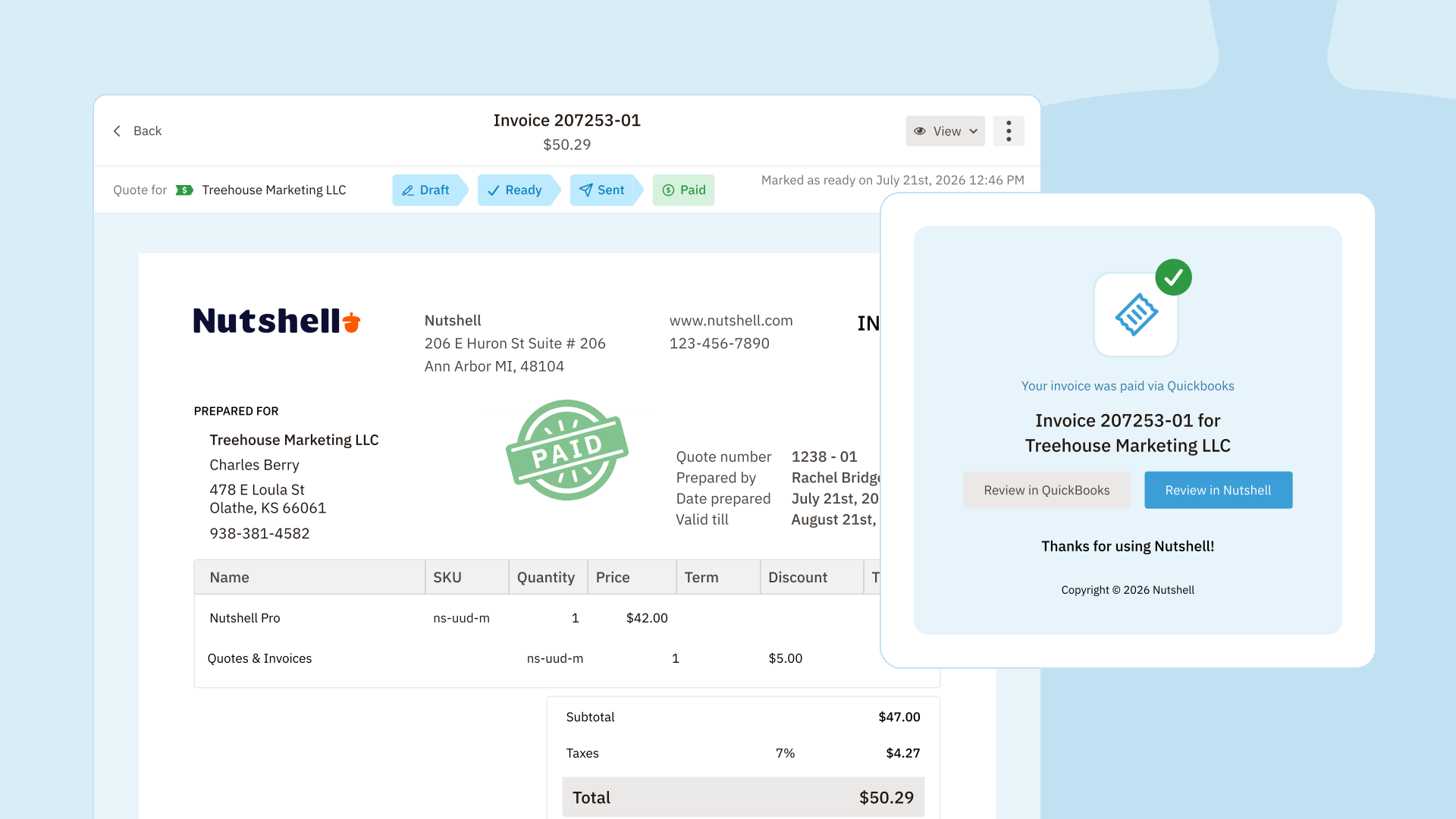
When a linked QuickBooks invoice is fully paid, Nutshell brings that status back to the corresponding invoice during its five-minute check. The invoice is marked Paid, the payment source is recorded, and the lead assignee receives an in-app notification and an email.
That means reps can follow up with confidence without repeatedly checking QuickBooks or waiting for an accounting update. Partial payments stay unchanged until the QuickBooks invoice is fully settled.
Jump straight to the accounting record
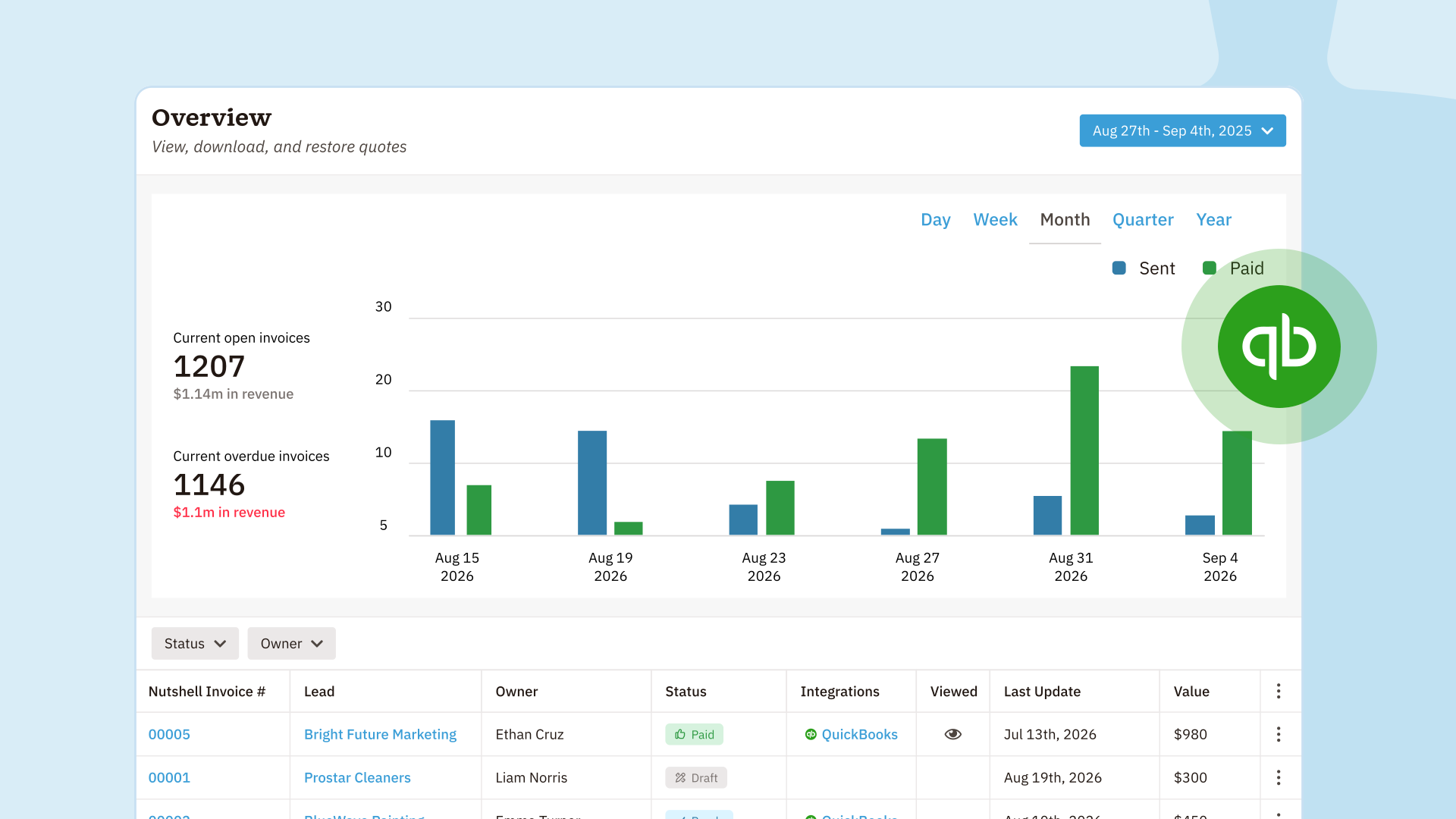
The invoice overview separates the Nutshell Invoice # from its accounting connection. Once an invoice is linked, View in QuickBooks appears in the Integrations column and on the invoice’s lead, so the right record is always close at hand.
So… what does this mean for me?
Sales can keep working from the CRM while accounting keeps QuickBooks as its source of truth. Your team spends less time rebuilding catalogs, chasing invoice status, and wondering whether the right customer, products, and totals will be used.
How do I get started?
An administrator can connect QuickBooks Online from Settings > Data > Integrations. Then visit Sales > Products to send your catalog, or open a ready invoice and choose Prepare for QuickBooks. Read the complete setup and workflow guide in our support article.
Keep your revenue workflow connected
Not a Nutshell customer yet? Start a free 14-day trial and see what Nutshell can do for your team.
BACK TO TOPWritten by
Chris Cain VP of Product Development, NutshellEdited by
Sam Poole Associate Content MarketerReady to try
Nutshell for Free?Thank you! Your submission has been received!Oops! Something went wrong while submitting the form.
The CRM and Email Marketing Software Metrics That Actually Connect to Revenue
Published on: April 23, 2026
Nutshell + Intercom: Log and Report on Your Web Chats With Our Latest Two-Click Integration
Published on: November 10, 2022Highly Effective Strategies for Elevating Sales Team Performance
Published on: November 10, 2022Join 30,000+ other sales and marketing professionals. Subscribe to our Sell to Win newsletter!
- Product
- Nutshell Overview
CRM & Sales
Our powerful and easy-to-use flagship product.Marketing
Email marketing, forms, landing pages, and more.Engagement
Webchat, SMS, WhatsApp & more in your Omni-Channel Inbox.Prospecting
Prospect for new leads and new contacts in your CRM.Proposals & Invoices
Create & send quotes, invoices and contracts in your CRM.
AI
See why Nutshell is the leading AI CRM.Integrations
Connect to Google/Microsoft and over 5,000 Apps. Reporting
Create reports and forecasts in an instant.Mobile App
Take your CRM with you wherever you go.CRM Advisor
Get a dedicated point of contact to get the most out of Nutshell.
- Pricing
Nutshell AI
- Marketplace
- Resources
- Contact Us
Contact Sales
Send us your questions or book a 1-on-1 demo.Join a Demo
Join a group demo for a general overview of Nutshell.
Contact Support
Contact our support team via live chat in app or via email.Become a Partner
Refer businesses to Nutshell & earn commissions.
Contact Marketing
Questions about our website or our marketing opportunities?Careers
Join our growing team! See current openings.