7 Best CRMs That Integrate With Facebook: Comprehensive Comparison

-
Last updated on: February 17, 2026
Key Takeaways
Short on time? Here are our top 3 CRM picks for Freshdesk users:
- Nutshell (5/5 stars) – Best overall for SMBs, easiest setup
- HubSpot (4/5 stars) – Best for businesses with larger budgets
- Freshsales (4/5 stars) – Best for staying in Freshworks ecosystem
A successful integration can reduce churn by 58% when done right, making it crucial to choose a CRM that seamlessly connects with your Freshdesk support system.
Best CRMs that integrate with Freshdesk at a glance
- Nutshell (5/5): Best for small to medium businesses seeking simple, affordable Freshdesk integration
- HubSpot CRM (4/5): Best for businesses with larger budgets
- Zoho CRM (4/5): Best for companies already using other Zoho products
- Pipedrive (4/5): Best for activity-based selling and visual pipeline management
- Freshsales (4/5): Best for businesses wanting to stay within the Freshworks ecosystem
- Salesforce (3/5): Best for large enterprises with complex customization needs
- Monday.com CRM (3/5): Best for teams prioritizing project management alongside CRM
Table of Contents
- How we selected the best CRMs for Freshdesk integration
- Key features every Freshdesk-compatible CRM should have
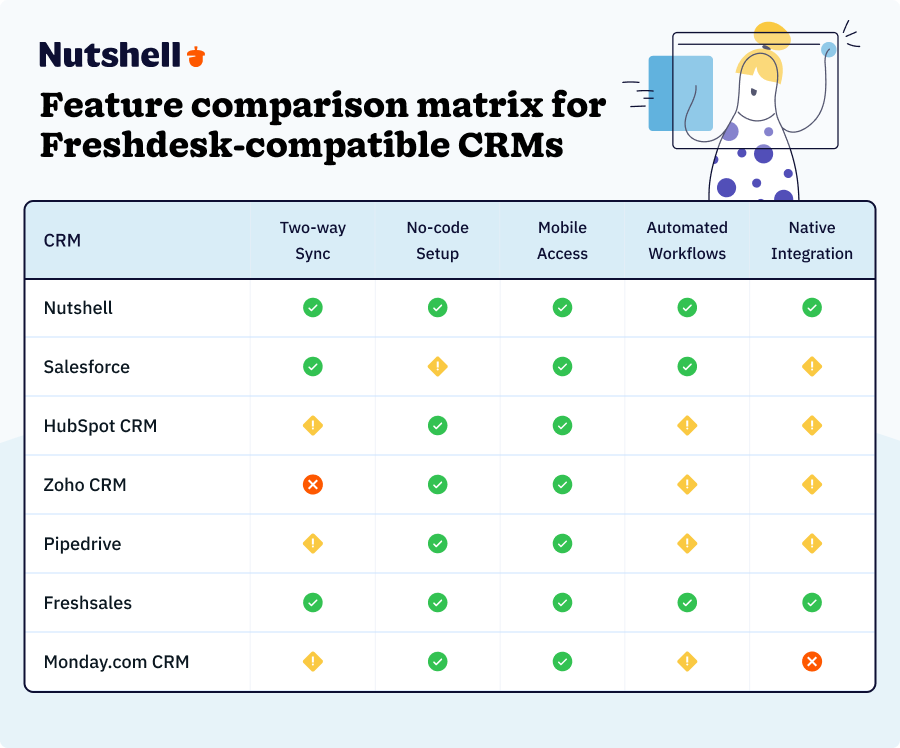
- Freshdesk CRM integrations comparison table
- Best CRM software that integrates with Freshdesk: Detailed reviews
- How to choose the right CRM for your Freshdesk setup
- Implementation best practices for CRM-Freshdesk integration
- Security and compliance considerations
- Real-world success story
- Common integration challenges and solutions
- Frequently asked questions
How we selected the best CRMs for Freshdesk integration
We’ve tested and compared the top CRMs that integrate with Freshdesk—here’s what we found.
Evaluation criteria:
- Quality of Freshdesk integration (native vs. third-party connectors)
- Implementation time and complexity
- Two-way data synchronization capabilities
- Pricing transparency and total cost of ownership
- Customer support quality and availability
- User satisfaction scores and reviews
We prioritized solutions that deliver value quickly for growing businesses, recognizing that 91% of companies with 10+ employees now use CRM software.
Key features every Freshdesk-compatible CRM should have

When you’re on the hunt for a solid CRM to connect to your Freshdesk account, these are the core features to look out for.
Two-way data synchronization
Real-time updates between your CRM and Freshdesk ensure that both sales and support teams always have the latest customer information. Look for automatic sync of contacts, tickets, and interactions.
Unified customer view
A single dashboard showing the complete customer journey is essential. With integrated systems showing a 58% lower churn rate, this feature has a direct impact on customer retention.
Automated workflow capabilities
Reduce manual work and achieve faster response times through automation. Key automations include ticket-to-lead conversion, status updates, and customer data enrichment.
With Nutshell’s visual workflow builder, you can create Freshdesk ticket-to-lead conversations in minutes, not hours.
Easy setup without coding
For SMBs without dedicated IT departments, pre-built connectors and visual builders are crucial. The best integrations can be set up in hours, not weeks.
Mobile accessibility
With 65% of mobile CRM users achieving sales quotas vs. 22% without, full-featured mobile apps with offline capability are essential for modern sales teams.
Freshdesk CRM integrations comparison table
CRM Name Overall Rating Best For Starting Price Nutshell 5/5 ⭐⭐⭐⭐⭐ Growing businesses that need simplicity with room to scale $19/user/month Salesforce 3/5 ⭐⭐⭐⭐ Teams already familiar with project management tools $25/user/month HubSpot CRM 4/5 ⭐⭐⭐⭐ Sales teams focused on deal velocity Free to start Zoho CRM 4/5 ⭐⭐⭐⭐ Businesses wanting an ecosystem of separate hubs $20/user/month Pipedrive 4/5 ⭐⭐⭐⭐ Teams wanting AI-powered insights without complexity $24/user/month Freshsales 4/5 ⭐⭐⭐⭐ Businesses already using other Zoho products $11/user/month Monday.com 3/5 ⭐⭐⭐⭐ Businesses needing simple project management alongside CRM $15/user/month Best CRM software that integrates with Freshdesk: Detailed reviews
Let’s dive into our list of the best CRMs for Freshdesk integration. We’ve done the research, run multiple tests, and compiled these comprehensive reviews to help you find the best Freshdesk CRM integration solution for your business.
1. Nutshell
Rating: 5/5 ⭐⭐⭐⭐⭐
Best for small to medium businesses seeking simple, affordable Freshdesk integration

Quick Summary
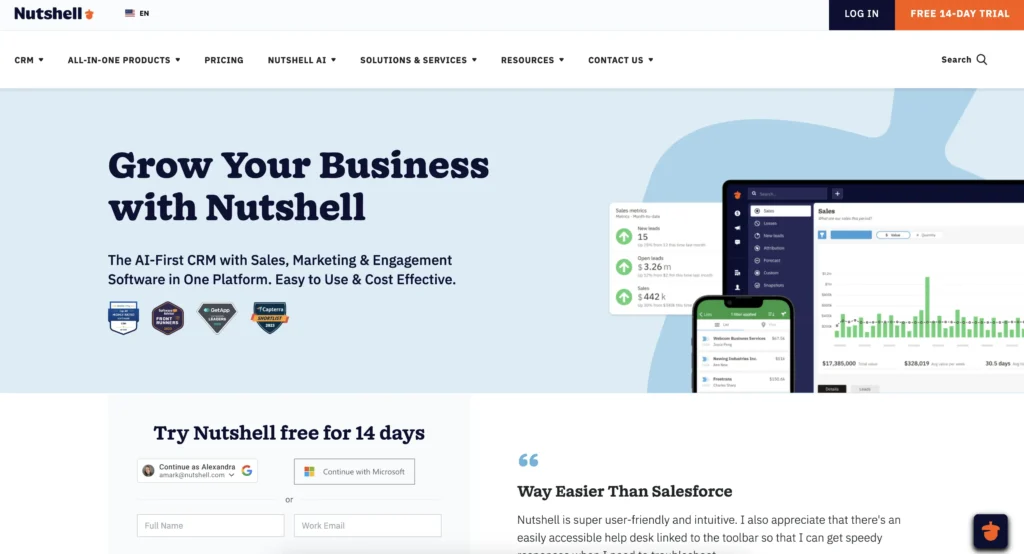
Nutshell stands out for its ease of use and rapid implementation. Unlike competitors that can take months to set up, Nutshell’s native Freshdesk integration typically goes live in just 2-3 days. The platform focuses on essential features without overwhelming users, making it ideal for SMBs that need powerful functionality without enterprise complexity.
Key Features for Freshdesk Users
- Native two-way synchronization that automatically creates contacts and syncs ticket information
- Unified customer timeline combining sales and support interactions in one view
- Automated lead creation from support tickets to identify upsell opportunities
- Activity reporting that treats Freshdesk tickets as a unique activity type for better insights
Pros
- Setup typically complete in 2-3 days (vs. weeks or months for competitors)
- Transparent, predictable pricing with no hidden integration costs
- Excellent customer support included at no extra cost
- Intuitive interface that requires minimal training
Cons
- Less customization than enterprise platforms like Salesforce
- Fewer third-party app integrations compared to larger competitors
- Limited advanced reporting features in lower tiers
Pricing
Starts at $19/user/month (Foundation plan), includes Freshdesk integration at no extra cost
See why Nutshell is rated the #1 CRM for Freshdesk integration! – Start your 14-day free trial today!
2. Salesforce
Rating: 3/5 ⭐⭐⭐
Best for large enterprises with complex customization needs

Quick Summary
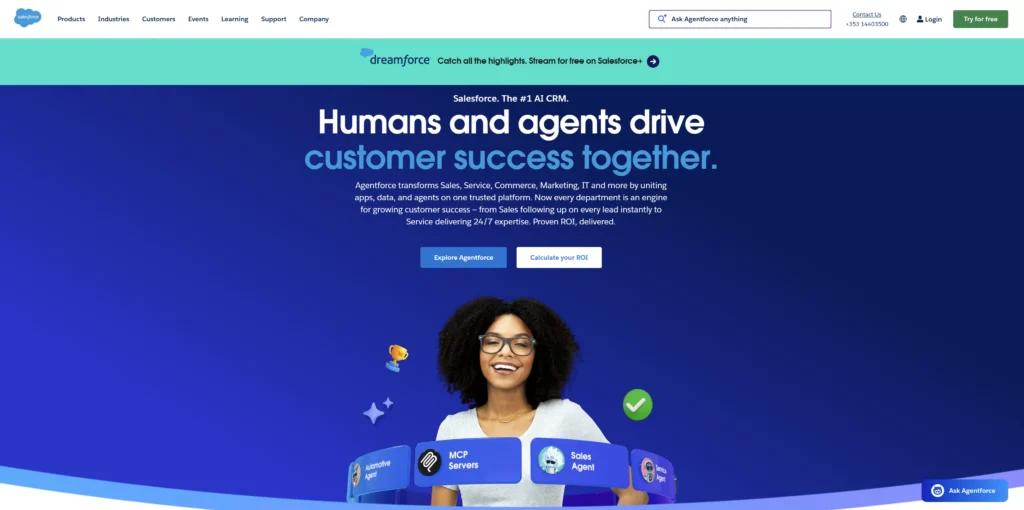
Salesforce is the 800-pound gorilla of the CRM world, offering virtually unlimited customization and a massive ecosystem of apps and consultants. However, this power comes at a cost—both financial and in terms of complexity.
Key Features for Freshdesk Users
- Extensive customization through Salesforce platform
- Advanced reporting and analytics capabilities
- Enterprise-grade security and compliance features
- Large ecosystem of certified consultants for implementation
Pros
- Virtually unlimited customization possibilities
- Robust API for deep integrations
- Large ecosystem of apps and consultants
- Industry-leading analytics and reporting
Cons
- Steep learning curve and complex interface
- Implementation often takes months
- True cost much higher than advertised (typically $150+/user/month with necessary add-ons)
- Requires dedicated admin or consultant for optimal use
Pricing
Starts at $25/user/month (Essentials), but realistic cost is $150+/user/month with required add-ons and implementation
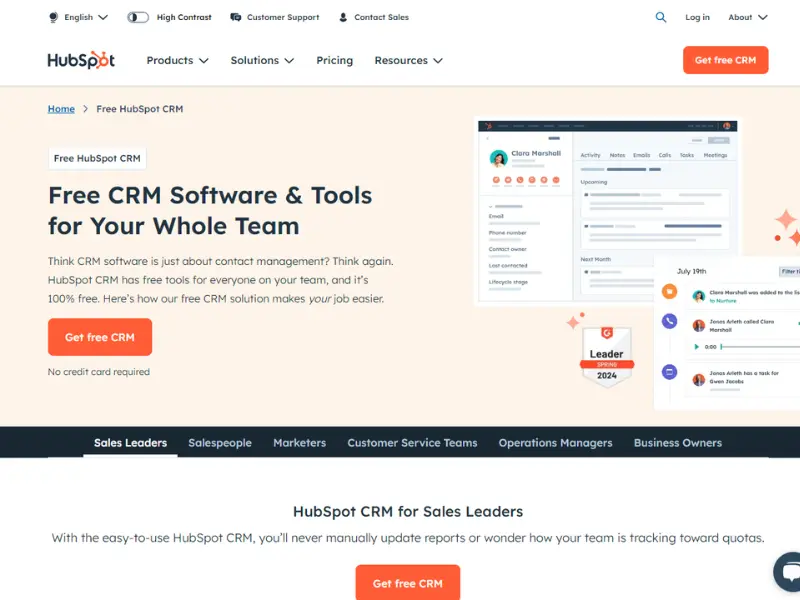
3. HubSpot CRM
Rating: 4/5 ⭐⭐⭐⭐
Best for businesses with larger budgets

Quick Summary
HubSpot offers a free CRM with paid add-ons that can quickly become expensive. While the free tier is generous, most businesses find they need paid features to effectively integrate with Freshdesk and access advanced functionality.
Key Features for Freshdesk Users
- Free basic CRM functionality with limited integration features
- Marketing automation integration for nurturing support leads
- Comprehensive reporting dashboard (paid tiers)
- Unified platform approach with Sales, Marketing, and Service Hubs
Pros
- Free tier available for basic needs
- Strong marketing automation features
- Good educational resources and HubSpot Academy
- All-in-one platform potential
Cons
- Integration features limited in free plan
- Costs escalate quickly with add-ons
- Can be overwhelming for simple needs
- Onboarding costs ($1,500-$3,500) for professional implementation
Pricing
Free to start, paid plans from $50/user/month for meaningful integration features
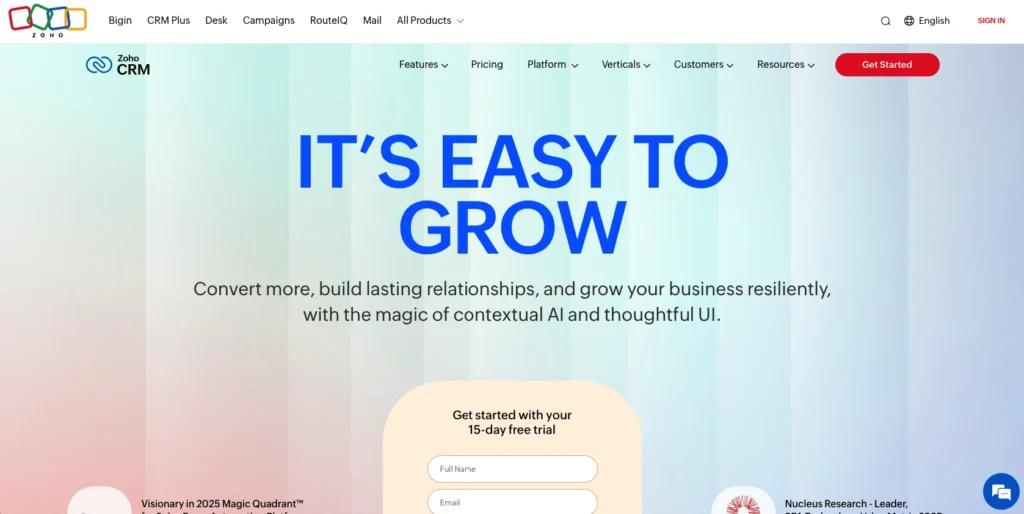
4. Zoho CRM
Rating: 4/5 ⭐⭐⭐⭐
Best for companies already using other Zoho products

Quick Summary
Zoho CRM offers excellent value for money, especially for businesses already in the Zoho ecosystem. The integration with Freshdesk requires some setup but provides solid functionality once configured.
Key Features for Freshdesk Users
- Integration via Zoho Flow for automated workflows
- AI-powered sales assistant (Zia) for intelligent insights
- Multi-channel communication capabilities
- Comprehensive suite integration with other Zoho apps
Pros
- Very affordable pricing starting at $14/user/month
- Good feature set for the price
- Strong if using other Zoho apps
- AI features included in higher tiers
Cons
- Interface can be cluttered and overwhelming
- Integration requires Zoho Flow setup (additional configuration)
- Learning curve for advanced features
- Limited phone support in lower tiers
Pricing
Starts at $20/user/month (Standard plan)
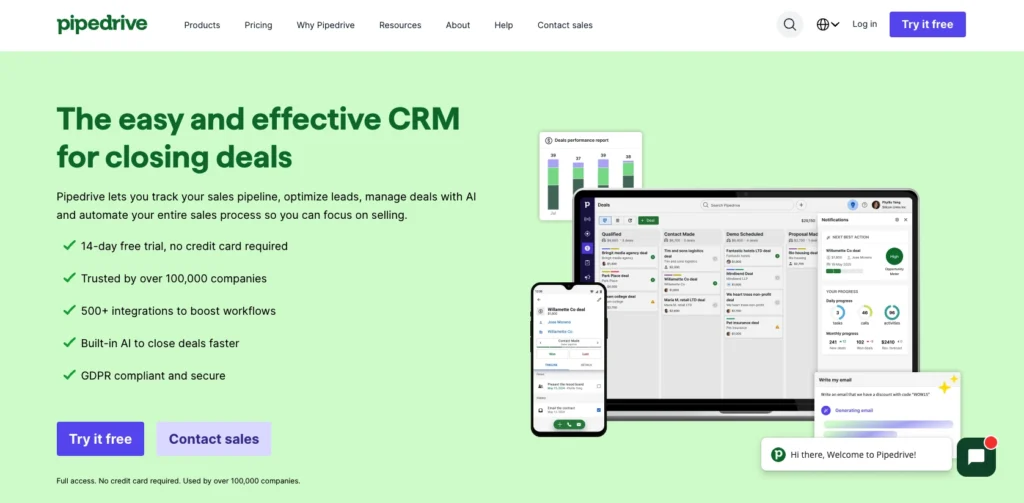
5. Pipedrive
Rating: 4/5 ⭐⭐⭐⭐
Best for activity-based selling and visual pipeline management

Quick Summary
Pipedrive excels at visual pipeline management and activity-based selling. The Freshdesk integration helps sales teams stay on top of support interactions while maintaining focus on closing deals.
Key Features for Freshdesk Users
- Visual pipeline management with drag-and-drop functionality
- Activity-based selling methodology built in
- Email integration and tracking
- Mobile apps for on-the-go access
Pros
- Intuitive visual interface
- Strong mobile apps for field sales
- Good automation features in higher tiers
- Activity-focused approach drives results
Cons
- Limited customer support features compared to full-service CRMs
- Requires third-party connector for Freshdesk integration
- Advanced features only in expensive tiers
- Less suitable for complex B2B sales
Pricing
Starts at $24/user/month (Essential plan)
6. Freshsales
Rating: 4/5 ⭐⭐⭐⭐
Best for businesses wanting to stay within the Freshworks ecosystem

Quick Summary
As part of the Freshworks family, Freshsales offers the most seamless integration with Freshdesk. However, the full suite can become complex and expensive as you add features.
Key Features for Freshdesk Users
- Native integration within Freshworks ecosystem
- Unified customer data platform across all Freshworks products
- AI-powered insights with Freddy AI
- Consistent UI across all Freshworks products
Pros
- Seamless integration with Freshdesk
- Consistent user interface across products
- Good AI features for lead scoring and insights
- Single vendor for support and billing
Cons
- Can be expensive for full feature set
- Some users report system complexity
- Limited customization compared to standalone CRMs
- Vendor lock-in concerns
Pricing
Starts at $11/user/month (Growth plan)
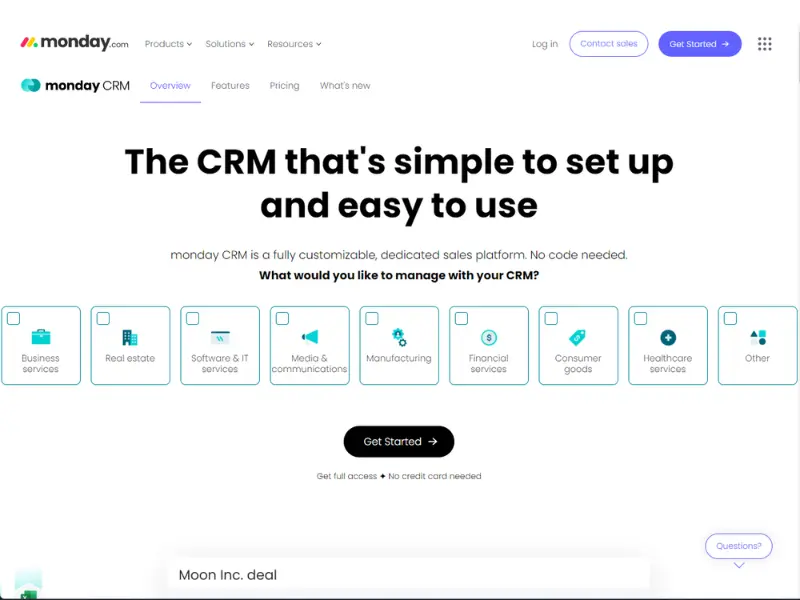
7. Monday.com CRM
Rating: 3/5 ⭐⭐⭐
Best for teams prioritizing project management alongside CRM

Quick Summary
Monday.com started as a project management tool and evolved into a CRM. It’s best for teams that need to manage projects and customer relationships in one platform.
Key Features for Freshdesk Users
- Customizable workflows and boards
- Project management integration
- Visual boards and timelines
- No-code automation builder
Pros
- Highly customizable and visual
- Great for project-based sales
- No-code automation capabilities
- Flexible pricing options
Cons
- CRM features less mature than dedicated platforms
- Requires manual integration setup with Freshdesk
- Can become cluttered with too many customizations
- Limited sales-specific features
Pricing
Starts at $15/user/month (Basic CRM)
How to choose the right CRM for your Freshdesk setup
Choosing the wrong Freshdesk-connected CRM can waste months and thousands of dollars—but the right one can transform how your teams collaborate and close deals faster. Here’s how to ensure you select the best option for you and your team.
Start by assessing your current situation:
- Team size and growth projections: How many users need access now and in 12 months?
- Budget constraints: Include hidden costs like implementation, training, and add-ons
- Technical expertise: Do you have IT resources or need a no-code solution?
- Industry requirements: Any specific compliance or feature needs?
Key decision factors:
- Implementation timeline (days vs. months)
- Must-have features vs. nice-to-haves
- Integration complexity tolerance
- Long-term scalability needs
Decision matrix:
- Small team + limited budget = Nutshell
- Large team + complex needs = Salesforce
- Marketing focus = HubSpot
- Existing Zoho user = Zoho CRM
- Visual pipeline needs = Pipedrive
- Freshworks ecosystem = Freshsales
- Project + CRM needs = Monday.com
Remember: 300% potential increase in conversion rates with proper CRM implementation makes choosing the right platform crucial.
Implementation best practices for CRM-Freshdesk integration

A smooth implementation is the difference between a game-changing integration and a costly headache—follow this roadmap to get it right the first time.
Pre-implementation checklist:
- Clean your data in both systems (remove duplicates, update outdated information)
- Document current workflows to identify what needs to be replicated
- Set clear goals and KPIs for the integration
- Assign a project owner to manage the implementation
Implementation steps:
- Start with basic contact synchronization
- Add ticket-to-lead automation gradually
- Implement workflow automation in phases
- Train team members in small groups
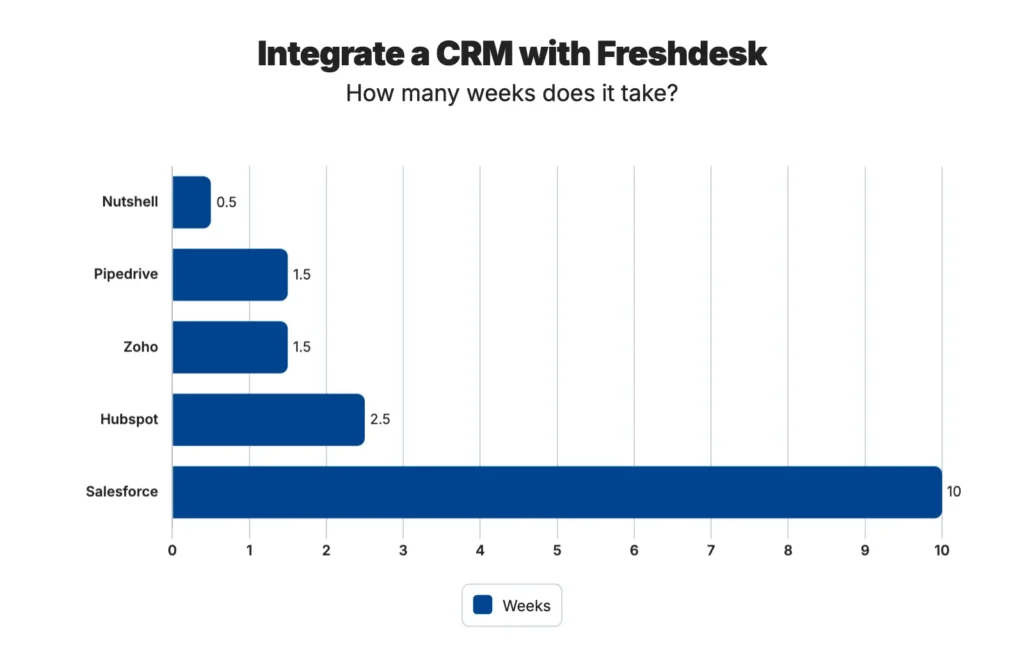
Timeline expectations by CRM:
- Nutshell: 2-3 days
- Pipedrive/Zoho: 1-2 weeks
- HubSpot: 2-3 weeks
- Salesforce: 1-3 months
Post-implementation:
- Monitor sync logs daily for the first week
- Gather team feedback after 30 days
- Optimize workflows based on usage data
- Schedule quarterly reviews to ensure continued alignment
Skip the complexity. Talk to a Nutshell expert about your Freshdesk CRM integration needs.
Send us a message or book a meeting with a Sales rep to start the conversation.
Security and compliance considerations
Integrating your CRM and Freshdesk means your most sensitive customer data travels between systems—so security can’t be an afterthought.
Data privacy in integrated systems:
When connecting your CRM and Freshdesk, customer data flows between systems. Ensure both platforms meet your security requirements:
- How is data encrypted in transit and at rest?
- What access controls are available?
- Is there an audit trail for all data changes?
Compliance requirements:
- GDPR: For EU customers, ensure both systems support data portability and deletion
- CCPA: California residents have similar rights requiring system support
- Industry-specific: HIPAA for healthcare, PCI-DSS for payment data
Security certifications to verify:
- SOC 2 Type II compliance
- ISO 27001 certification
- Data encryption standards (minimum 256-bit AES)
Questions to ask vendors:
- Where is data stored geographically?
- What’s the backup and recovery process?
- How are security incidents handled and communicated?
- What’s included in the standard security features vs. paid add-ons?
Real-world success story
See how a global enterprise eliminated data silos, cut wasted time by 40%, and tripled their escalation speed—all by connecting their CRM and Freshdesk the right way.
Dexion Group case study
Background: Global storage solutions provider with 70+ years in business, operating across multiple continents with diverse teams.
Challenge: Siloed support systems created inefficiencies:
- Sales, services, engineering, and design teams couldn’t see each other’s customer interactions
- No unified view of customer needs across departments
- Manual data entry between systems wasted hours daily
- Difficulty tracking customer issues from initial contact through resolution
Solution: Implemented Freshdesk with proper CRM integration to unify operations:
- Connected all customer touchpoints in one system
- Automated data flow between sales and support
- Created unified dashboards for all teams
- Implemented automated escalation workflows
Results achieved:
- Complete visibility: All teams can now see every customer interaction
- Improved resource utilization: 40% reduction in time spent searching for information
- Better escalation management: Critical issues now escalated 3x faster
- Enhanced productivity: Support teams handle 25% more tickets with same headcount
Key takeaway: “This transformation shows how the right CRM-Freshdesk integration can unify operations and drive efficiency across all customer-facing teams.”
Your business can achieve similar results with the right integration approach and proper implementation planning.
Common integration challenges and solutions
Even the best CRM-Freshdesk integrations can encounter speed bumps—but knowing what to expect and how to resolve them means the difference between a smooth launch and a frustrated team.
Data mapping issues:
- Challenge: Field mismatches between systems (e.g., “Company” in CRM vs. “Organization” in Freshdesk)
- Solution: Create a detailed mapping document before starting integration. Most platforms, including Nutshell, allow custom field mapping to resolve these conflicts.
Duplicate records:
- Challenge: Same contact exists in both systems with slightly different information
- Solution: Establish merge rules and unique identifiers (email is typically best). Use data cleaning tools before integration to minimize duplicates.
Sync delays:
- Challenge: Data not updating in real-time between systems
- Solution: Check API rate limits and optimize sync frequency. Most integrations can achieve near real-time sync with proper configuration.
User adoption:
- Challenge: Team resistance to new processes and systems
- Solution: Implement phased rollout with champions in each department. Show quick wins early to build momentum.
Performance issues:
- Challenge: Slow page loads when pulling integrated data
- Solution: Optimize API calls, limit data volume per request, and consider caching frequently accessed information.
Pro tip: Start simple and add complexity gradually. It’s easier to expand a working integration than fix an overly complex one.

Frequently asked questions
-
1. Does Freshdesk have a built-in CRM?
Freshdesk includes basic contact management features but lacks full CRM functionality like pipeline management, lead scoring, and sales automation. That’s why integrating a dedicated CRM provides significant value for growing businesses.
-
2. How long does it take to integrate a CRM with Freshdesk?
The timeline varies significantly by platform, and the level of complexity depends on data volume and customization needs. But here are some estimates based on our experience:
- Nutshell: 2-3 days
- Pipedrive/Zoho: 1-2 weeks
- HubSpot/Freshsales: 2-3 weeks
- Salesforce: 1-3 months
-
3. Can I integrate multiple CRMs with Freshdesk?
While technically possible, it’s not recommended due to:
- Data synchronization conflicts
- Increased complexity and maintenance
- Higher risk of errors and data inconsistencies
Choose one CRM that best fits your needs.
-
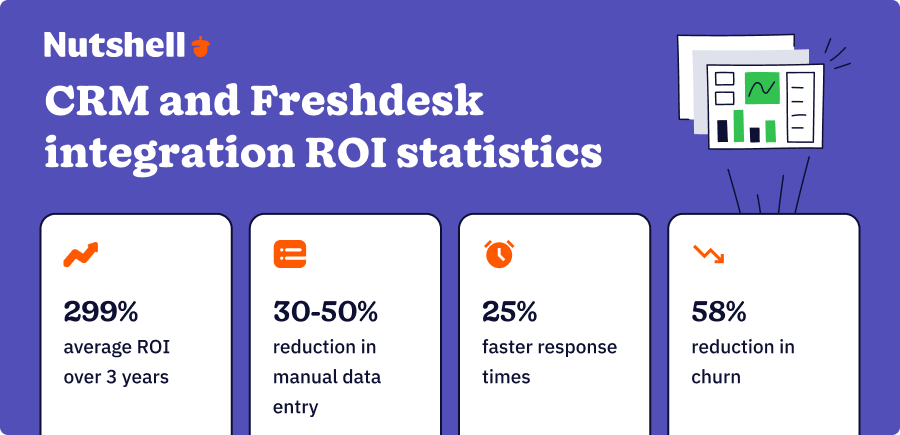
4. What’s the ROI of integrating a CRM with Freshdesk?
Studies show an average 299% ROI over 3 years from CRM integration. Benefits include:
- 30-50% reduction in manual data entry
- 25% faster response times
- 15-20% improvement in lead conversion
- 58% reduction in customer churn
-
5. Do I need technical skills to set up the integration?
It depends on the CRM:
- No coding required: Freshsales (native integrations)
- Basic configuration: Nutshell, Zoho, Pipedrive (may need Zapier)
- Technical expertise helpful: Salesforce, complex custom integrations
-
6. How much does CRM-Freshdesk integration typically cost?
Beyond CRM subscription fees, consider:
- Setup time (your team’s hourly rate × implementation hours)
- Training costs ($500-$5,000 depending on team size)
- Potential middleware (Zapier: $20-$600/month)
- Consultant fees for complex implementations ($150-$300/hour)
Set yourself up for CRM-Freshdesk integration success
Integrating your CRM with Freshdesk transforms how your sales and support teams work together. No more data silos, no more asking customers to repeat information, and no more missed opportunities for upsells or retention.
Our top recommendations:
- For SMBs seeking simplicity: Nutshell offers the best combination of features, price, and ease of use with 2-3 day implementation
- For larger budgets: HubSpot provides comprehensive marketing integration and scalability
- For Freshworks users: Freshsales keeps everything in one ecosystem with native integration
The key is choosing a CRM that matches your business needs, technical capabilities, and growth plans. With 91% of businesses now using CRM software and integrated systems showing 58% lower churn rates, the question isn’t whether to integrate, but which solution to choose.
Ready to unify your sales and support data? Start with a free trial of your chosen CRM and follow our implementation best practices. Most businesses see positive ROI within 90 days of proper integration.
Next steps:
- Evaluate your current data quality in both systems
- Define clear integration goals and success metrics
- Start a free trial with your top 2 CRM choices
- Test the integration with a small data set first
- Roll out to your full team with proper training
Remember: The best CRM-Freshdesk integration is the one your team will actually use. Choose wisely, implement carefully, and watch your customer satisfaction soar.
Join 5,000+ companies using Nutshell!
Start your free 14-day trial today—no credit card required.
BACK TO TOPWritten by
Will Gordon Sr. Director of MarketingReady to try
Nutshell for Free?Thank you! Your submission has been received!Oops! Something went wrong while submitting the form.
Sales Performance Reviews: 9 Tips to Make Them Valuable
Published on: November 10, 2022Highly Effective Strategies for Elevating Sales Team Performance
Published on: November 10, 2022What Are the Top 3 Go-To-Market Strategies?
Published on: November 10, 2022Join 30,000+ other sales and marketing professionals. Subscribe to our Sell to Win newsletter!
- Product
- Nutshell Overview
CRM & Sales
Our powerful and easy-to-use flagship product.Marketing
Email marketing, forms, landing pages, and more.Engagement
Your omni-channel inbox in your CRM.Prospecting
Prospect for new leads and new contacts in your CRM.Quotes & Invoices
Quickly create quotes & invoices in your CRM.
AI
See why Nutshell is the leading AI CRM.Integrations
Connect to Google/Microsoft and over 5,000 Apps.
ReportingCreate reports and forecasts in an instant.CRM Advisor
Get a dedicated point of contact to get the most out of Nutshell.Partner Marketplace
Find trusted partners to help optimize your Nutshell CRM.
- Pricing
Nutshell AI
- Resources
- Contact Us
Contact Sales
Send us your questions or book a 1-on-1 demo.Join a Demo
Join a group demo for a general overview of Nutshell.
Contact Support
Contact our support team via live chat in app or via email.Become a Partner
Refer businesses to Nutshell & earn commissions.
Contact Marketing
Questions about our website or our marketing opportunities?Careers
Join our growing team! See current openings.