Customer texts often stay in the RingCentral app while customer notes, emails, and next steps sit in the CRM. That split makes it easy to miss what was said before you call back.
Our latest RingCentral integration brings those text messages into Nutshell, so you can read them next to the deal and reply from the number that received them without leaving Nutshell.
What is RingCentral text messaging?
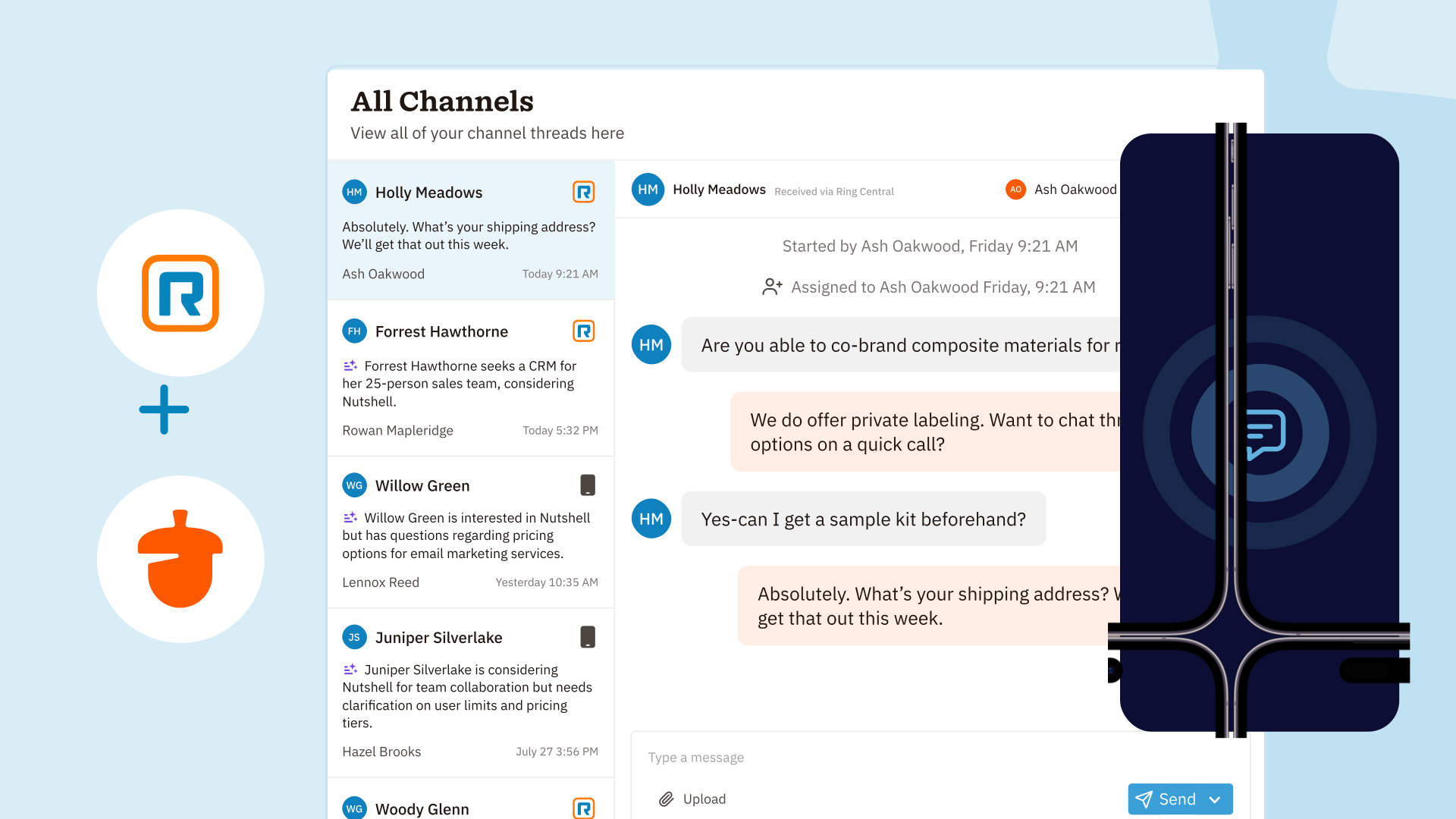
It’s your own RingCentral texts, inside Nutshell. After you connect RingCentral, turn on Text messaging on that connection under Settings > Your settings > Phone. Texts to the numbers you choose show up under Texts in the left sidebar, on a page called Text messages.
Nutshell does offer our own SMS product, but this RingCentral integration is separate from Nutshell SMS.
These messages use your RingCentral numbers, not Nutshell SMS credits, and your RingCentral m
What can I do with RingCentral text messaging?
Choose the numbers that sync
Turn Text messaging on and Nutshell selects every number you can currently text from. Each one is labeled Your direct number or Company number — you handle texts for this line. Unselect any number you want to leave out.
RingCentral decides which numbers you can text from, so a company line appears when you’re the person set up to text from it.
Any new texts going forward start syncing from the moment you turn a number on. Older messages stay in RingCentral, and photos, videos, and group texts aren’t included.
Reply from your RingCentral number
Open a thread in Text messages and the composer shows Sending from RingCentral plus the phone number. Your reply leaves from the number that received the text, so customers keep talking to the number they already know.
Only you can send from your numbers. A teammate can read a matched thread on the contact timeline, but they can’t send it for you.
Start a text from the contact or lead
On a contact or lead, click Send text to open the text sidebar from one of your own numbers. If you have more than one, you pick first. If you also use Nutshell SMS, that number is a separate choice in the same list.
Keep the thread on the record
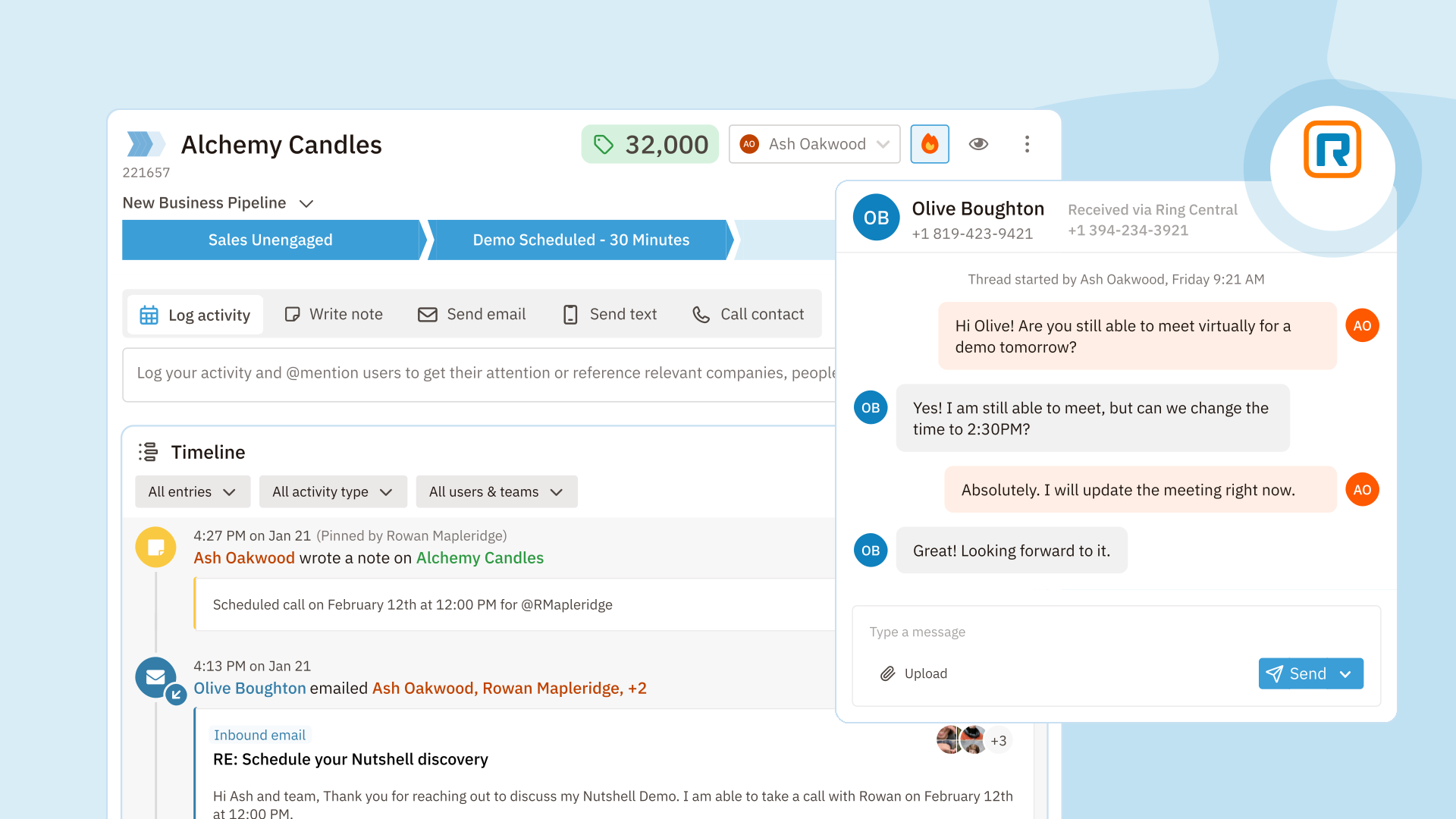
When the other number matches a contact or company, the thread shows on that timeline with the RingCentral icon. Open it and you’re in the text sidebar on that record. On leads, the thread appears when it’s assigned to that lead.
A number that matches nobody stays in your Text messages inbox until that phone number is added to a contact.
If RingCentral needs to be reconnected, or a number is no longer assigned to you, the history stays readable. New replies wait until the connection is back or the number is yours again in RingCentral.
So… what does this mean for me?
Your texts stop living in a separate app. Every rep can see the conversation next to the notes and emails on the deal, and reply from the number the customer already recognizes, without switching tools or logging anything by hand.
Just like Email sync, but for your text messages.
How do I get started?
Connect RingCentral, then go to Settings > Your settings > Phone and turn on Text messaging. You can also open Texts and choose Text settings. Each person connects and turns on their own numbers, so no admin setup is needed. For the full walkthrough, see our support article.
Not a Nutshell customer yet?
Start a free 14-day trial and see how Nutshell keeps calls, emails, and texts in one CRM.