Does Pipedrive integrate with QuickBooks? What to compare before you choose a CRM

-
Pipedrive offers a QuickBooks integration that connects to QuickBooks Online. With it, you can create an invoice from a deal, let Pipedrive send it to QuickBooks, and have it display the invoice status on the deal.
Integrating any CRM with QuickBooks means the details of a closed deal reach your accounting records without anyone retyping them. This saves teams time and reduces errors. It also gives your sales team visibility into billing, such as whether an invoice has been paid, so they can follow up at the right moment.
Key takeaways
- Pipedrive’s QuickBooks integration works with QuickBooks Online and allows you to create invoices from deals, showing the invoice status back on the deal.
- Before you choose a CRM to integrate with QuickBooks, confirm which records move in which direction, how invoices are created, and whether the payment status returns.
- Nutshell’s built-in QuickBooks Online integration is included on every plan and can automatically create the invoice for you when a lead is won, notify you when it’s paid, and mark a lead as Won upon payment.
Table of contents
- Does Pipedrive integrate with QuickBooks?
- What should a CRM and QuickBooks integration do?
- What questions should you ask before you choose a QuickBooks CRM?
- What is the best CRM to integrate with QuickBooks?
- What does Nutshell’s QuickBooks integration do?
- How do Nutshell and Pipedrive compare when a deal closes?
- When Nutshell is the better choice for QuickBooks users
- Frequently asked questions
Does Pipedrive integrate with QuickBooks?
Yes, through a QuickBooks app built by Pipedrive for QuickBooks Online. You can install it from your Pipedrive account menu and then choose your QuickBooks company to set it up.
From a deal’s Invoice tab, Pipedrive lets you link the contact to a QuickBooks customer, add products, and create an invoice. You can then open it in QuickBooks to edit, send, or take payment. The deal in Pipedrive will show whether the invoice is open, paid, voided, overdue, or partially paid. You can also view invoices tied to a linked contact from Pipedrive’s deal sidebar.
Pipedrive’s Marketplace also lists partner apps, including SyncQ for two-way syncing and Commercient SYNC for QuickBooks Desktop. But these partner apps come at an additional cost.
What should a CRM and QuickBooks integration do?
A QuickBooks CRM integration should move the right records between apps in the right direction so nobody on your team has to type the same deal information twice.
Three crucial checks tell you how well the integration performs:
- Direction: Does data move one way or both?
- Invoices: Does the CRM create the invoice from the deal, and who finishes it in QuickBooks?
- Payment status: Does your rep find out when the customer pays?
Close the deal and let the invoice follow!
Close the deal in Nutshell, and the invoice is already in QuickBooks. When it’s paid, your rep knows.
What questions should you ask before you choose a QuickBooks CRM?
Think about what your bookkeeper would need to know, as well as what your sales team needs to make the invoicing process more efficient. Examples of questions to ask your CRM vendor include:
- Does it connect to QuickBooks Online, QuickBooks Desktop, or both, in your country?
- Who in your company can authorize the connection in QuickBooks?
- How does it match customers so you don’t end up with duplicates?
- Which invoices will the CRM show: Only the ones it sent, or others too?
What is the best CRM to integrate with QuickBooks?
The best CRM for QuickBooks integration is the one that fixes the issue causing your billing to slow down. Ask which handoff costs you the most, then pick the connection built for that handoff.
If invoices go out late because nobody remembers to create them after a win, look for a CRM that drafts the invoice when the deal is won and tells the rep when it’s paid. If your bigger need is seeing a customer’s full invoice history before a renewal call, look for a connection that shows every invoice tied to a contact.
Either way, keep reps out of the accounting work. They should focus on closing the deal, and your bookkeeper should be able to complete the invoice process in QuickBooks.
What does Nutshell’s QuickBooks integration do?
Nutshell has a built-in QuickBooks Online integration, included on every plan. You can import your QuickBooks customers, and admins can send your Nutshell product catalog to QuickBooks so line items match on invoices. Customer imports can be run whenever you like, with matching records updating instead of duplicating.

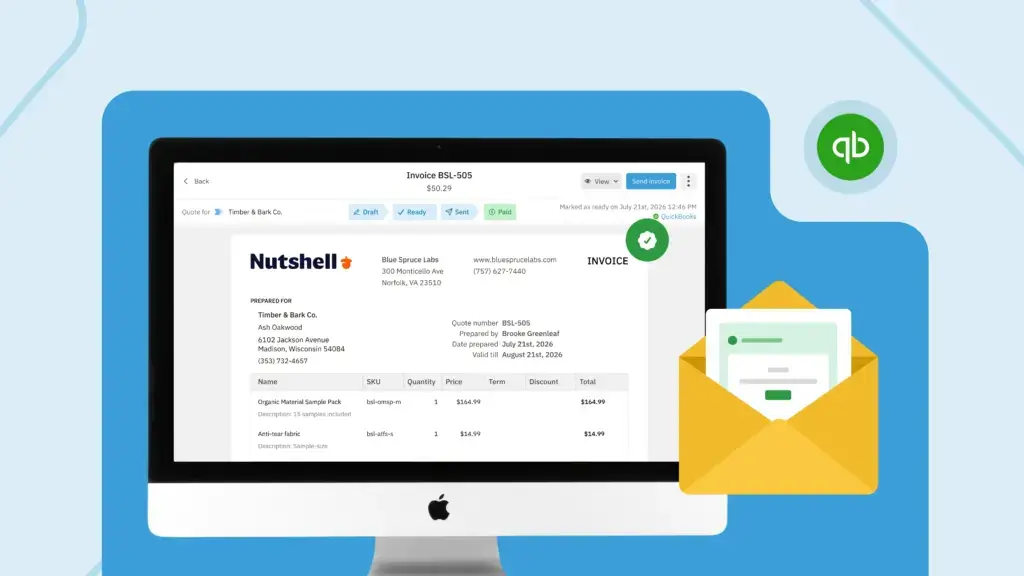
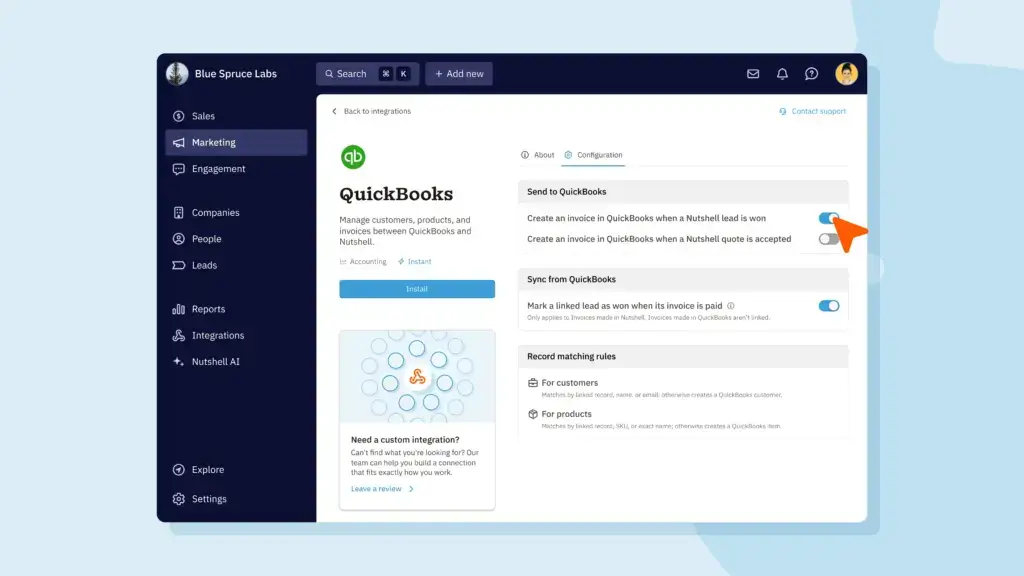
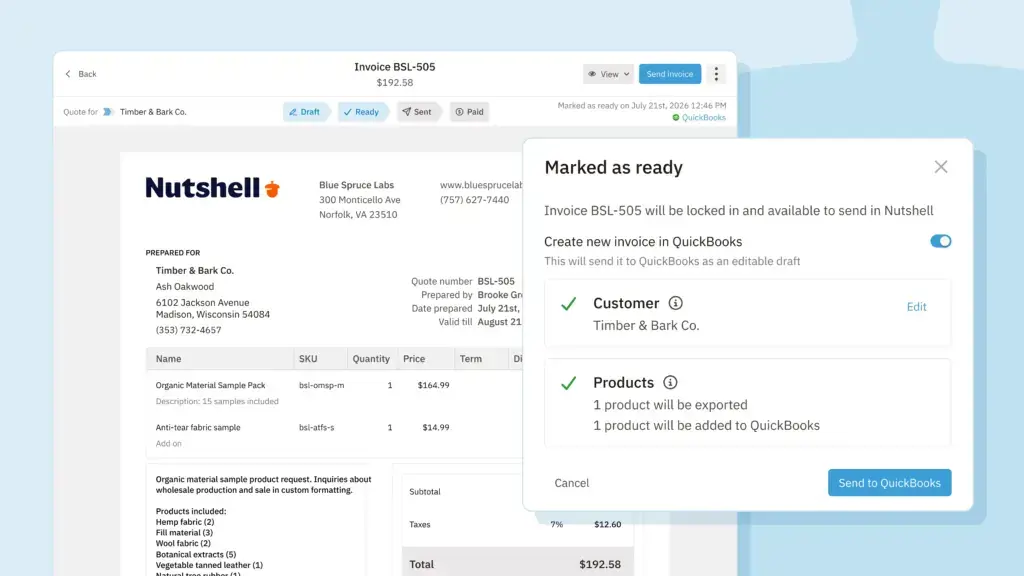
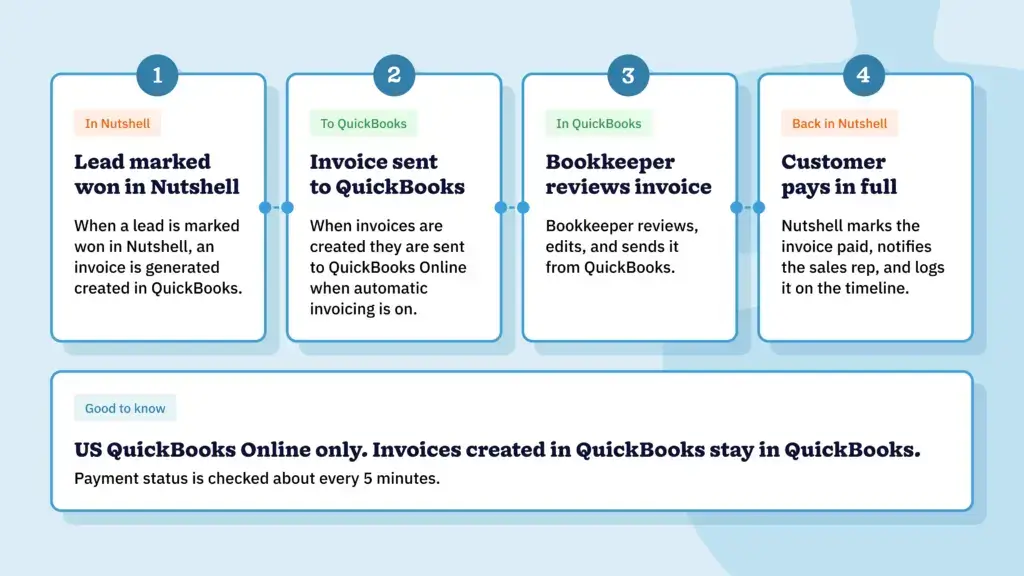
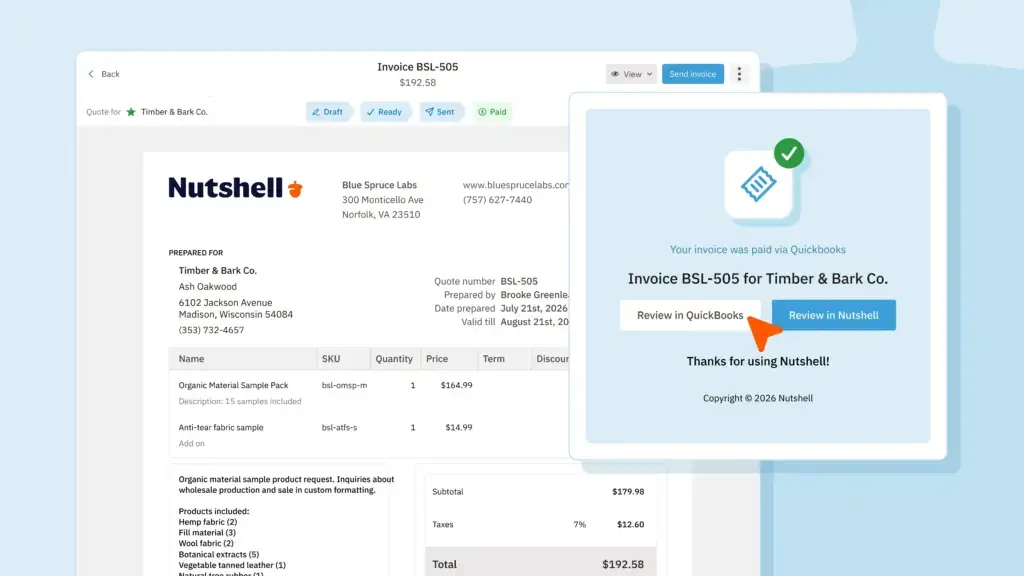
When you turn on automatic invoicing, Nutshell creates the invoice and sends it to QuickBooks when a lead is marked Won. Your bookkeeper then reviews, edits, and sends it to the customer from QuickBooks. When the customer pays in full, the rep gets an in-app notification and an email, and the payment is logged on the lead’s timeline. If you sent an invoice while the lead was still open, Nutshell can also mark the lead as Won once that invoice is paid.

Visit our QuickBooks integration page for the finer details on how Nutshell connects to QuickBooks.
How do Nutshell and Pipedrive compare when a deal closes?

Both Nutshell and Pipedrive hand the invoice to QuickBooks Online to finish. But they differ in how the process starts and what comes back, as the table below shows.
Nutshell Pipedrive Integration type Native Separate application Works with QuickBooks Online QuickBooks Online How the invoice starts Sent directly from the lead, or created automatically when a lead is won Created from the deal’s Invoice tab Statuses Draft, ready, sent, paid, void, and overdue. Paid is set automatically when QuickBooks shows full payment. Open, paid, voided, overdue, partially paid Pipedrive reports partial payments and shows a contact’s wider invoice history. Nutshell builds the handoff in, allowing the invoice to draft itself when the deal is won, without a separate automation tool, and notifies the rep when it’s paid in full.

For a more detailed look at how these two CRMs compare, check out our Nutshell and Pipedrive comparison.
When Nutshell is the better choice for QuickBooks users
Overall, Nutshell’s QuickBooks integration requires less admin from completed sale to invoice, and then payment, saving team members time.
With your QuickBooks account connected to Nutshell, your team benefits from:
- Automatic invoicing: When a lead is marked Won, Nutshell can create the invoice and send it to QuickBooks.
- Payment notifications: The lead’s assignee gets an in-app notification and an email when the invoice is paid in full.
- Lead status updates: If you turn the setting on, Nutshell marks the lead Won when its linked invoice is paid.
Pick the connection that matches how you bill
Pipedrive integrates with QuickBooks Online, but so do many other CRMs, including Nutshell. The right choice comes down to how you bill. If you want the invoice to start itself and your rep to be told when it’s paid, Nutshell’s QuickBooks integration is built for that handoff.
Start your free trial (no credit card required) to give Nutshell a try, or book a 15-minute walk-through to see it in action.
See Nutshell in action!
Try Nutshell free for 14 days or let us show you around before you dive in.
🎉 No credit card required!
Frequently asked questions
-
1. Does Pipedrive work with QuickBooks Desktop?
Pipedrive’s own QuickBooks app works with QuickBooks Online only. Its Marketplace lists a partner app, Commercient SYNC, for QuickBooks Desktop, which comes at an additional cost.
-
2. Does Nutshell work with QuickBooks Desktop?
No. Nutshell connects to the US version of QuickBooks Online only, with one QuickBooks company per Nutshell account.
-
3. Will Nutshell show invoices created in QuickBooks?
No. Payment status comes back only for invoices that Nutshell sent to QuickBooks.
-
4. How does Nutshell avoid duplicate customers when I import from QuickBooks?
Nutshell matches companies by name, then email, and people by email, so a match is updated instead of duplicated. Clean up names in QuickBooks first, because records missing a company or person name may not import.
-
5. Does Nutshell cost extra to connect to QuickBooks?
No. The QuickBooks Online integration is included on every Nutshell plan.
-
6. Does Pipedrive cost extra to connect to QuickBooks?
It depends. If you need two-way sync capabilities included, you’ll need to install a third-party application from Pipedrive’s Marketplace, which involves an additional subscription cost. If one-way sync is sufficient for your needs, the ability to install Pipedrive’s QuickBooks app is available on all plans.
BACK TO TOPWritten by
Will Gordon Sr. Director of MarketingEdited by
Sam Poole Associate Content MarketerReviewed by
Chris Cain VP of Product Development, NutshellReady to try
Nutshell for Free?Thank you! Your submission has been received!Oops! Something went wrong while submitting the form.
Introducing Nutshell’s Enhanced CRM API: New REST API for Developers
Published on: September 17, 2024How to Manage a Sales Pipeline for a Financial Services Company
Published on: June 19, 2024Join 30,000+ other sales and marketing professionals. Subscribe to our Sell to Win newsletter!
- Product
- Nutshell Overview
CRM & Sales
Our powerful and easy-to-use flagship product.Marketing
Email marketing, forms, landing pages, and more.Engagement
Webchat, SMS, WhatsApp & more in your Omni-Channel Inbox.Prospecting
Prospect for new leads and new contacts in your CRM.Proposals & Invoices
Create & send quotes, invoices and contracts in your CRM.
AI
See why Nutshell is the leading AI CRM.Integrations
Connect to Google/Microsoft and over 5,000 Apps. Reporting
Create reports and forecasts in an instant.Mobile App
Take your CRM with you wherever you go.CRM Advisor
Get a dedicated point of contact to get the most out of Nutshell.
- Pricing
Nutshell AI
- Marketplace
- Resources
- Contact Us
Contact Sales
Send us your questions or book a 1-on-1 demo.Join a Demo
Join a group demo for a general overview of Nutshell.
Contact Support
Contact our support team via live chat in app or via email.Become a Partner
Refer businesses to Nutshell & earn commissions.
Contact Marketing
Questions about our website or our marketing opportunities?Careers
Join our growing team! See current openings.