Skip to main content ↓

CRM Google Calendar integration is closing the gap on missed meetings and lost deals

Written by
Will Gordon director of Marketing at Nutshell
Will Gordon Sr. Director of Marketing
Last updated on: August 27, 2026
Professional joining a video meeting with a colleague visible on a laptop screen

Quick answer: How does CRM Google Calendar integration help sales teams avoid missed meetings and lost deals?

CRM Google Calendar integration creates a two-way sync between both platforms, so meeting updates, reminders, and cancellations automatically reflect in both systems, eliminating double-bookings and keeping every rep’s schedule accurate no matter which app they’re in. It also triggers automated follow-up tasks the moment a meeting ends, so deals keep moving without anything slipping through the cracks.

Sales teams may not realize it, but most of them spend hours per week just booking meetings. The reality is that a portion of those carefully planned meetings never happen, enough to reduce productivity and lose deals.

Calendly published a State of Meetings report in 2024 that detailed that workers now spend a minimum of three hours each week scheduling meetings (up from the previous year). And when we examine RevenueHero’s study of B2B sales meetings conducted in the same year, we discover that sales reps experience an average no-show rate of 6.5%, which translates to roughly 209.5 hours of selling time wasted.

The numbers are certainly a red flag, but teams operating in the Google Workspace ecosystem can integrate their Google Calendar app with their CRM system as a fix. This Nutshell rundown offers some insight into the cost of missed meetings and how two-way CRM calendar sync can close that gap.

Key takeaways

  • 43% or workers spend a sizable portion of their work week (at least three hours) on scheduling meetings, and the number of no-shows experienced by B2B sales teams costs them a good chunk of their sales time.
  • Google Workspace users connecting their CRM to Google Calendar can automatically synchronize meeting data in both directions, including reminders, updates, and cancellation.
  • CRM Google Calendar integration allows sales teams to take it a step further with automated follow-up triggers for a definitive next step after meetings.

What does CRM Google Calendar integration mean?

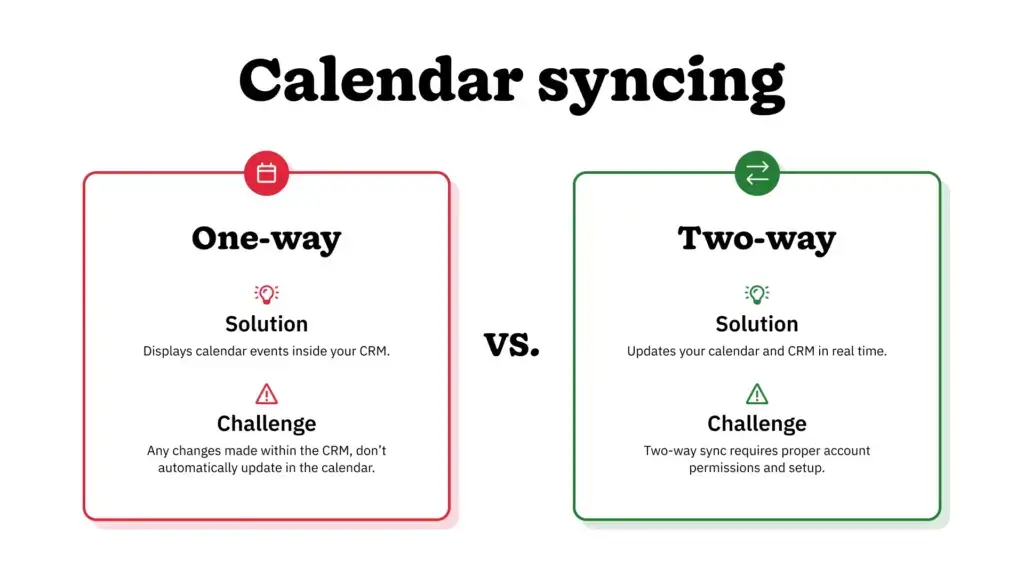
CRM Google Calendar integration table, breaking down the difference between one-way sync and two-way sync

CRM Google Calendar integration is when you create a direct connection between your CRM platform and your Google Calendar, allowing your event data to automatically sync and flow between both systems. 

Google Calendar forms part of Google’s business tool suite called Google Workspace, and is the primary scheduling tool for a significant portion of small to midsize businesses. This makes connecting Google Calendar with your CRM a practical starting point for many businesses.

An integration between Google Calendar and a CRM can take two different forms:

  1. One-way sync: This is a read-only connection where calendar events flow from Google Calendar into the CRM, but updates made in the CRM don’t flow back into Google Calendar.
  2. Two-way sync: This is a bidirectional connection where both apps automatically sync in real time, whether you update event info on Google Calendar or the CRM.

Most modern CRM platforms offer some sort of connection with Google Calendar. But the depth of that connection varies from one vendor to another.

What’s the real cost of double-bookings and missing meetings?

The cost of a missed meeting includes the failed opportunity to meet and the time lost scheduling and preparing for that meeting. 

Calendly research conducted in 2024 determined that 78% of workers in the U.S. spend at least three hours each week in meetings. They also found that 43% of workers spend three or more hours on scheduling meetings, which is increasing each year. When it comes to sales, these are useful statistics that teams can monitor and improve upon. And those three hours each week could be used more effectively by preparing better research on your leads or updating yourself with the most up-to-date project notes.

People miss meetings for all sorts of reasons, but often it’s due to double-booking. A double-booking occurs when an individual has two meetings booked for the same time slot. Sometimes, double-bookings are due to a one-way sync connection between the calendar app and CRM, resulting in calendar changes made in the CRM not reaching the calendar. 

Because you can’t be in two meetings at the same time, one is typically rescheduled. A delay in engagement like this could put your business in a negative light and result in a lost deal or dissatisfied customer.

How two-way calendar sync closes the gap

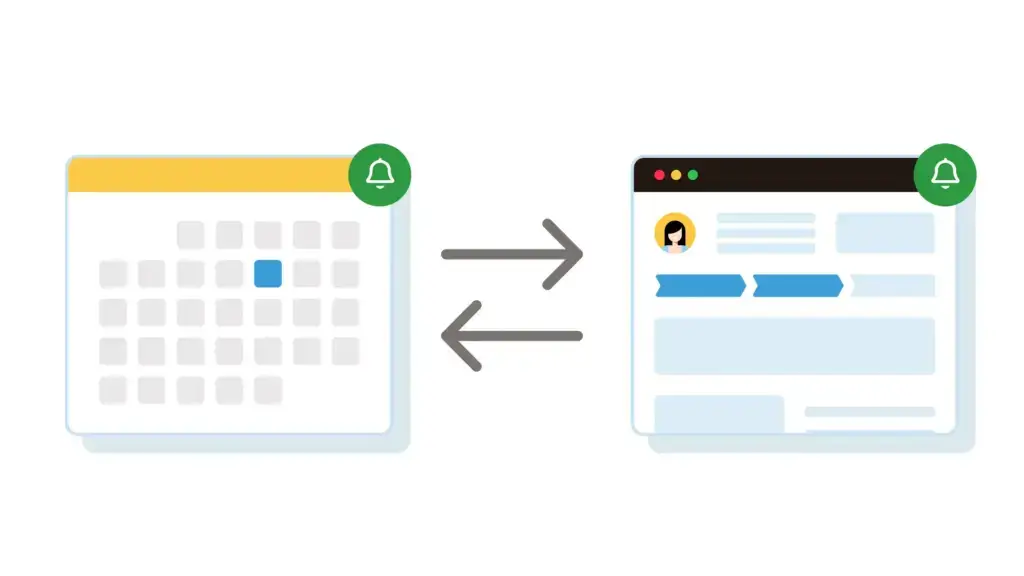
Diagram showing reminders flowing both ways between a calendar and a CRM in two-way sync

With two-way sync, essential reminders and data can travel from Google Calendar to the CRM and vice versa, which translates to full context regardless of where you work.

This way, reminders from the calendar app are automatically captured in the CRM, and the CRM logs events against the correct contact record. Sales reps can see their upcoming meetings when they open their CRMs, and don’t need to open a separate tab or app to view their calendar events.

Conversely, two-way sync also means that an alert created by your CRM will automatically be pushed through to Google Calendar. That means that no matter which app the sales rep opens, they’ll have a complete view of events, reminders, and key information about related contacts.

How automated follow-up keeps deals moving after every meeting

Automated follow-up is when a reminder, task, or contact record update is triggered automatically after the meeting ends. The follow-up trigger is the rule set to automatically initiate the task or reminder as soon as the meeting has finished. Follow-ups are the logical actions that happen next, such as logging the meeting outcome or updating the pipeline stage.

That’s not to say that reps should rely solely on the automated follow-up and not double-check to ensure the next action is the right action for that specific contact. But automated meeting follow-ups through your CRM Google Calendar integration certainly streamline the process and reduce the risk of opportunities falling through the cracks.

Turning scheduling friction into a sales advantage

When your Google Calendar app and CRM aren’t talking to each other, your team spends more of their time scheduling meetings and managing next actions. And without the follow-up automation that comes with an integrated system, there’s a real risk of deals going quiet and falling through.

For Google Workspace users, CRM Google Calendar integration is an essential part of an effective scheduling system. With the right CRM, integration allows for two-way sync and automated follow-ups, giving teams a holistic view of contact events and related tasks.

Businesses that recognize the importance of this integration and treat it as nonnegotiable can save significant time on scheduling meetings, eliminate the risk of double-bookings, and improve contact engagement to close more deals.

Frequently asked questions

  • 1. Does CRM Google Calendar integration only work with Google Workspace, or does it also work with personal Gmail accounts?

    Most integrations support both a Google Workspace business account and a personal Gmail account. However, administrators may need to grant calendar permissions separately for each.

  • 2. How is two-way sync different from simply sharing a calendar link?

    A shared calendar link only shows availability. Two-way sync updates meeting records, contact history, and reminders across both systems whenever either one changes.

  • 3. Can automated follow-up replace a rep’s own outreach after a meeting?

    No. Automated follow-up handles the logging and scheduling of the next step, but the actual outreach (email, call, proposal, etc.) still comes from the rep. That said, if your CRM includes personal email automation, you can set it up to send an automated follow-up message as the meeting ends.

  • 4. Does calendar sync help with meetings booked by other departments, like customer support?

    Yes. Any team using the same connected CRM and calendar benefits from the same reminder and record-updating logic.

  • 5. What happens if a meeting is rescheduled after the CRM has already logged a follow-up task?

    With a properly configured two-way sync integration, the follow-up task’s due date adjusts automatically to match the new meeting time.

BACK TO TOP
Join 30,000+ other sales and marketing professionals. Subscribe to our Sell to Win newsletter!