Let’s Talk
Onko sinulla kysyttävää? Tarvitsetko volyymialennusta? Lähetä meille viesti tai varaa tapaaminen myyntiedustajan kanssa keskustelun aloittamiseksi.
A one-size-fits-all CRM might work fine for some companies, but if your business has unique processes, industry-specific needs, or workflows that don’t match standard templates, you need a customizable CRM. The right platform empowers your team to configure tools to match how they actually work—without needing a technical team or months of implementation.
That’s where customizable CRMs make all the difference. Whether you’re managing complex client relationships, tracking niche industry workflows, or scaling quickly, the ability to adapt your CRM means higher adoption rates, better data quality, and faster ROI.
The right customizable CRM becomes the backbone of your sales and marketing operation. It captures data your team actually uses, automates the work that wastes the most time, and gives you visibility into what’s really driving your business.
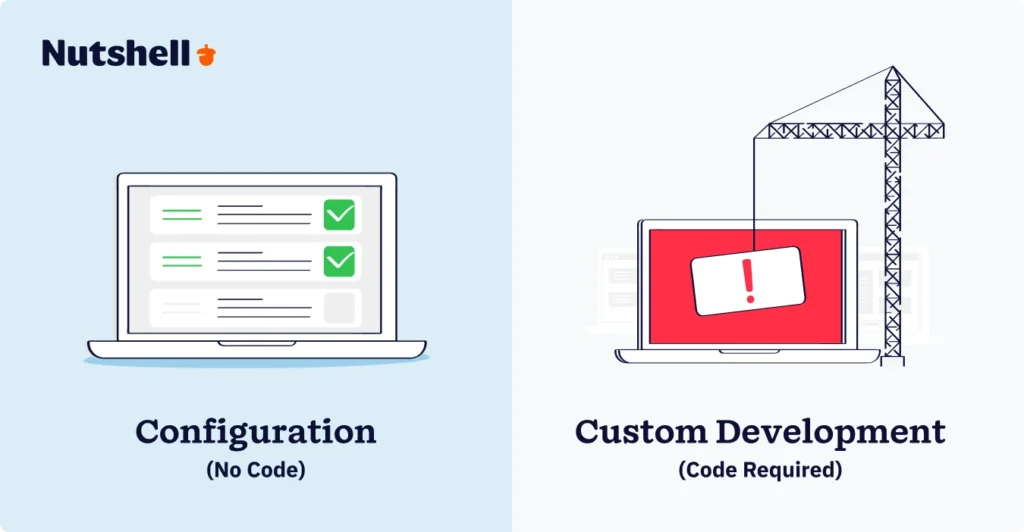
CUSTOMIZABLE CRM: A CRM platform that allows businesses to modify workflows, fields, reports, user interfaces, and automation rules to match their specific processes—without requiring coding expertise or custom development.
The key distinction: configuration (adjusting existing features through the interface) vs. customization (building entirely new features). Most small and mid-market businesses need configuration capabilities far more than true customization.
According to research from Johnny Grow, 55% of CRM implementations fail when they don’t align with how teams actually work. That statistic matters because it shows that off-the-shelf solutions often create friction rather than efficiency.
Here’s what happens with a non-customizable CRM:
A customizable CRM flips this dynamic. Your platform adapts to your process instead of forcing your team to adapt to the platform.
Modern CRM deployments return an average of $3.10 per dollar spent, with 51% of that value coming from time savings and productivity gains rather than new revenue. That’s significant—and it means that even small efficiency improvements compound across your team.
For small businesses specifically, the impact is even more pronounced. When sales reps spend 5-10 hours per week on data entry and admin tasks, configuration features that automate this work directly improve your bottom line. One distributed team told us they cut data entry time by 60% by configuring their CRM to auto-log emails and auto-populate lead source fields based on how they sourced the contact.

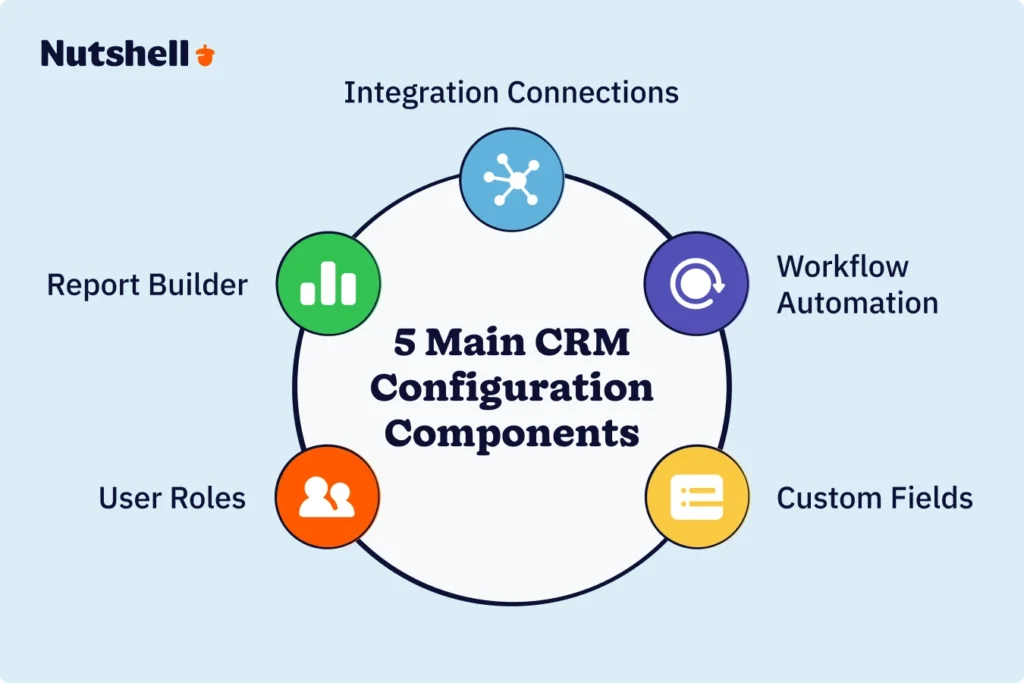
The foundation of any configurable CRM is the ability to create custom fields. Standard CRMs come with basic fields like “Company Name,” “Phone,” and “Email.” But if you work in construction, you might need fields for “Project Type,” “Square Footage,” “Permit Status,” and “Subcontractor List.” If you’re in professional services, you need “Practice Area,” “Billable Rate,” “Project Code,” and “NDA Status.”
Custom fields let you capture exactly what matters for your business. When you build your CRM around your actual data, everything downstream—automation, reporting, forecasting—works better.
What to look for:
This is where customizable CRMs save your team the most time. Instead of manual processes, automation rules let you:
Real example: A staffing firm configured their CRM so that when a candidate is marked “Placed,” the system automatically:
Without automation, each of these steps would be manual. With it, zero extra work.
What to look for:
A customizable CRM lets you build reports that reflect your actual business metrics, not what the vendor thinks you should track.
Standard CRM reports show pipeline by stage, deal value, and win rate. But what if you need:
With drag-and-drop report builders, you configure exactly which fields, filters, and grouping options matter to your team. Dashboards then let you view your most important metrics in real time—without jumping between reports.
What to look for:
Tutustu opastetulle kierroksellemme Nutshell'n uskomattomiin ominaisuuksiin!
Not everyone in your organization needs to see everything in your CRM. A customizable CRM lets you:
This protects sensitive data, prevents mistakes, and gives team members only the information they need.

A customizable CRM connects with the tools you already use. The best platforms offer:
For example, you might integrate your CRM with your accounting software so that when a deal closes, it automatically creates an invoice. Or sync with your email platform so that customer conversations are automatically logged in the CRM.

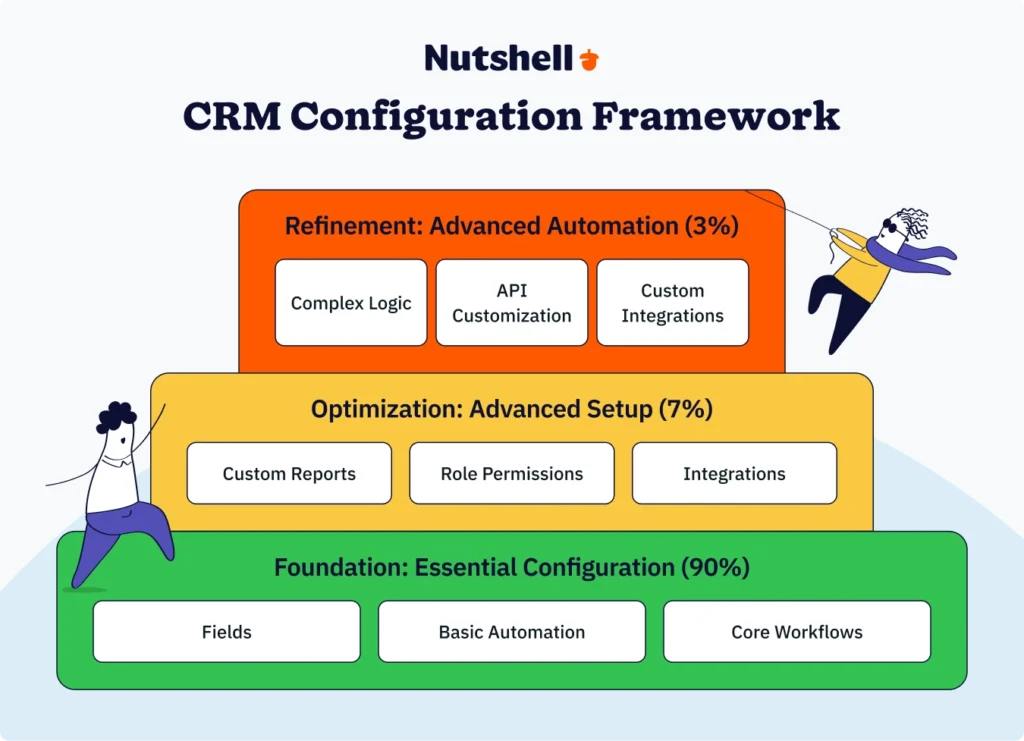
Most small businesses get overwhelming trying to configure everything at once. Instead, use the 90-7-3 framework:
90% – Essential Configuration (First Priority)
7% – Optimization (Second Priority)
3% – Advanced Refinement (Only if Needed)
This approach gets you to 80% of the value quickly, then lets you refine based on real usage patterns. You’re not trying to build a perfect system on day one—you’re building a functional system, using it, and improving it.
Week 1: Plan and document
Weeks 2-3: Build foundations
Weeks 4-5: Automate
Weeks 6-8: Integrate and optimize
The key: you’re not configuring in a vacuum. You’re configuring based on how your team actually works, testing with real users, and refining based on real feedback.
Acme Manufacturing sells industrial equipment through a complex sales process. They need:
Custom fields: Product category, lead source (trade show, referral, cold outreach), estimated project value, expected close date, payment terms, and delivery timeline.
Automation: When a deal is marked “Proposal Sent,” the system automatically logs it in their financial forecast and notifies the production manager. When a deal closes, it creates a project in their operations system and sends a welcome packet email.
Reports: Pipeline by product category, average deal cycle time by source, sales rep close rate by product type, and monthly revenue forecast.
Result: Sales reps no longer manually update spreadsheets. The operations team gets early notification of incoming orders. Leadership has real-time visibility into revenue. Implementation took 3 weeks, and they saw adoption from day one because the CRM matched their actual process.
A consulting firm manages multiple concurrent client projects with billable hours and deliverables. They customized their CRM to:
Custom fields: Project code, billable hours, hourly rate, project status, deliverable checklist, and client satisfaction score.
Automation: When a project reaches “Proposal Accepted,” the system automatically creates a resource allocation task and sends a project kick-off email to the client. When deliverables are marked complete, it triggers an invoice generation in their accounting software.
Reports: Utilization rate by consultant, billable hours by client, project profitability, and pipeline value by project type.
Result: Better project visibility, faster invoicing, and improved resource planning. What used to require manual status meetings now happens automatically in the CRM.
When evaluating customizable CRMs, look for these criteria:
Does the platform let you create fields, workflows, and reports without coding? Test drive the interface—if it requires a technical team to set up even basic customizations, it’s not truly customizable for small business.
Good CRM platforms include industry-specific templates (for real estate, construction, services, etc.) that you can customize rather than starting from scratch.
Can it connect with your email, calendar, accounting software, and other tools you use? Look for native integrations or robust API/Zapier support.
Can you build custom reports and dashboards without code? The best platforms let you drag and drop fields and create saved reports quickly.
Your team needs to access and update records on mobile. Make sure customizations work seamlessly on mobile devices, not just the desktop version.
As your business grows, can your CRM handle more data, more custom fields, and more complex automation without performance issues?
Good platforms offer setup guides, templates, and customer success support to help you configure correctly from day one.
The temptation is to customize everything before you launch. Resist it. Configure your essential workflow, launch to your team, and refine based on real usage. You’ll make better decisions once you see how people actually use the system.
More fields doesn’t mean better data. It usually means less adoption. Only create custom fields for data your team actually needs to capture and use. If you’re creating a field “just in case,” you probably don’t need it.
The best-configured CRM fails if your team doesn’t understand how to use it. Build training into your implementation plan. Use short, focused training videos and live Q&A sessions, not lengthy documentation.
Customizable fields are only valuable if your team fills them in. Make critical fields required, set up validation rules, and audit data quality regularly. Garbage in, garbage out applies to CRMs more than most tools.
As your CRM evolves, document what you’ve configured and why. This helps new team members onboard faster and prevents duplicate work if multiple people configure rules.
Week 1: Audit and document
Week 2: Design your configuration
Week 3: Set up foundations
Week 4: Build and test
Week 5-6: Full team launch
Week 7-8: Monitor and adjust
Week 9-10: Deep analysis
Week 11-12: Plan next phase
Stop forcing your team into a generic CRM box. Experience a platform that bends to your process, not the other way around. Try Nutshell free for 14 days—no credit card required. See how you can set up custom fields, build automation, and create reports in your first week.
Onko sinulla kysyttävää? Tarvitsetko volyymialennusta? Lähetä meille viesti tai varaa tapaaminen myyntiedustajan kanssa keskustelun aloittamiseksi.
It depends on how unique your process is. If you sell a standardized product with a straightforward sales process, a standard CRM might work. But if you have industry-specific requirements, complex workflows, or data that doesn’t fit standard fields, customization becomes essential for adoption and ROI. The rule of thumb: if your sales process can’t be described in three sentences, you probably need customization.
Adoption depends on three things: (1) Relevance—the CRM solves real pain points, (2) Usability—your team finds it easy to use, and (3) Training—everyone knows how to use it. Start by involving your team in the planning phase so they see their needs reflected in the setup. Use short, focused training sessions focused on the features each person uses daily. Create a “go live” celebration to signal this is a company priority. Most importantly, make it easy—if your CRM requires 15 clicks to log a call, reps will use spreadsheets instead.
Plan for 60-90 days of active adoption. Week 1-2: Team learns basics and uses the system with support. Week 3-8: Adoption increases as people see how it saves time. Week 9-12: CRM becomes routine. By month 4, most teams are using it consistently. However, you’ll typically see 20-30% of your team resisting change. These are your power users—get them aligned on benefits, and they become advocates who bring others along.
CRM pricing typically ranges from 25−150 per user per month depending on features and vendor. For a 10-person sales team, that’s 300−1,500/month or 3,600−18,000 annually. Implementation costs (setup, training, consulting) can range from 0 (self−serve) to 10,000+ (vendor-managed). Most vendors offer free trial periods, so you can test before committing. Calculate total cost of ownership (software + implementation + training) to compare vendors fairly.
Most modern CRMs support data export in standard formats (CSV, Excel). However, custom fields and automation logic may not export easily—you’d have to rebuild that in a new system. Before choosing a CRM, ask whether you can export all your data in a portable format. This gives you confidence that you’re not locked in. Some vendors make it easy; others make it difficult. This should factor into your vendor choice.
Yes, and this is where a good CRM shines. You might create shared custom fields for contacts (company size, industry) and company-level information, then have department-specific fields for sales (pipeline status), marketing (campaign response), and support (ticket status). Use user roles to control who sees what. Define clear data ownership—who is responsible for keeping each field current? This prevents confusion and keeps data clean.
Liity yli 30 000 muun myynnin ja markkinoinnin ammattilaisen joukkoon. Tilaa Sell to Win -uutiskirjeemme!