-

Key takeaways
- While Copper CRM excels with deep Google Workspace integration, its limitations in customization, data editing, and pricing transparency can prompt teams to seek alternatives.
- Nutshell CRM offers a balanced replacement with affordability, integrations for both Google and Microsoft, ease of use, and free onboarding support, making it a strong contender for teams outgrowing Copper.
- When choosing a CRM, B2B professionals should prioritize demoing the software, evaluating ramp-up costs, and ensuring it aligns with their team’s specific workflows and budget.
Copper CRM is a good choice for sales teams that live and breathe G Suite, but what about those of us who prefer a bit of software freedom?
Copper CRM, formerly ProsperWorks CRM, is a unique CRM that is specifically designed to be used with Google products, like Gmail and Google Docs. Copper is used by over 12,000 companies, including some biggies like Shipt, Hello Fresh, and Atlassian. The reason it’s attractive to companies in the first place is because of its comprehensive integration with G Suite.
For sales teams that operate entirely in the Google software suite, this integration makes total sense. For teams that prefer a dynamic range of software, it’s a tangled web of frustration, tying them to a specific and limited set of applications and functionality.
That’s why some teams that have been using Copper are looking for a substitute that will give them more flexibility when it comes to how and where they work. And there are plenty of options out there.
When deciding what CRM will replace Copper, there’s a lot to consider. Using this comparison guide can help you guarantee you’re really choosing a CRM that offers what your team needs.
For the record: Nutshell has a powerful Gmail integration, as well as integrations with Office, Mailchimp, QuickBooks, Zapier, and many more.
Copper CRM alternatives at a glance
- Nutshell (4.7/5): Best for affordable, easy-to-use CRM with powerful automation
- HubSpot CRM (4.4/5): Best for teams wanting integrated marketing and sales
- Salesforce Sales Cloud (4.3/5): Best for enterprise-scale complex sales processes
- Pipedrive (4.2/5): Best for visual pipeline management and activity-based selling
- Zoho CRM (4.0/5): Best for advanced customization and comprehensive automation
- Insightly (3.9/5): Best for hybrid CRM and project management needs
Table of Contents
Copper CRM overview
Copper has made a name for itself as a Google Suite-focused CRM. While this can be beneficial for sales teams that rely heavily on Google products, it can lead to challenges for teams that need more flexibility.
Let’s take a look at some of the pros and cons of using Copper as your CRM.
The advantages of Copper CRM
Some of the advantages of Copper CRM include:
- Improved collaboration through Google Workspace: Copper has gone to great lengths to incorporate G Suite into its most basic operations to become a company’s one-stop shop for relationship-building. Copper CRM brings sellers, customer support specialists, account managers, and all “relationship makers” together under one Google-flavored hub.
- Substantial CRM features: Copper offers a healthy range of CRM features, including a drag-and-drop board view, email templates, task automation, and a meeting scheduler.
- Ease of use for Google users: For G Suite organizations, the implementation process is usually straightforward and only takes a short time to adapt the system to a company’s specific needs. Users especially love Copper’s intuitiveness, with countless customer reviews rating the software as easy to use.
The drawbacks of the Copper CRM
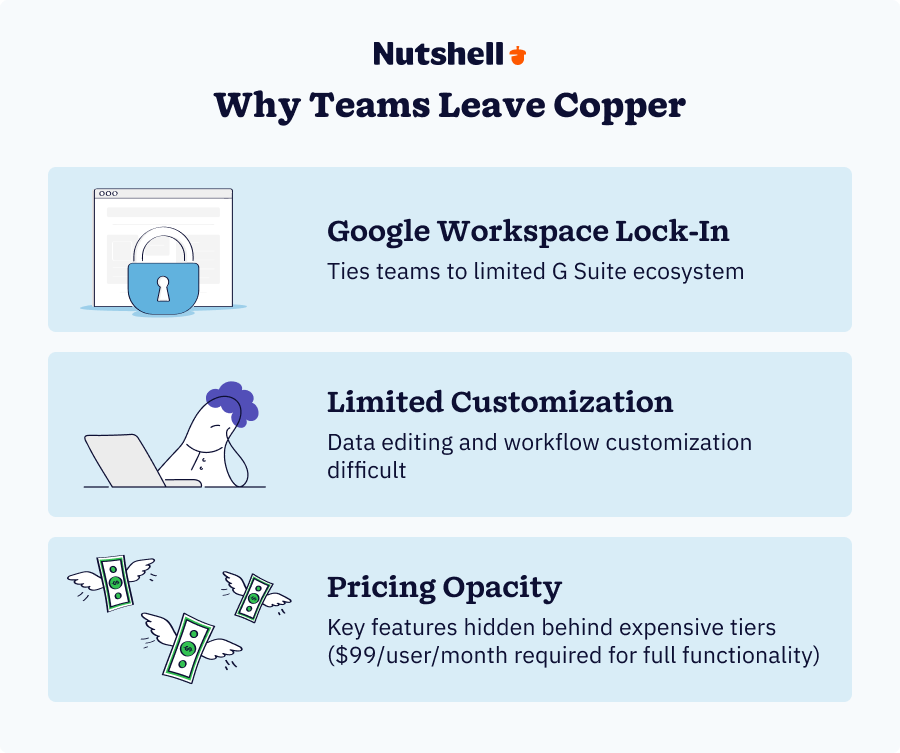
Despite Copper’s key features and benefits for G Suite users, there are some significant drawbacks. Here are a few of the disadvantages of using Copper:
- Copper software limitations: A major downside is that companies that aren’t completely dialed into G Suite are practically disqualified from ever needing Copper. And most sales organizations prefer to use their own tools for various activities. Using a system that locks your company into a specific software suite has severe disadvantages, especially when that system breaks.
- Lack of customization options: Some users have found that Copper lacks customization options, making it challenging to adapt it to their team’s process. Editing data can also be difficult. These challenges can reduce your team’s efficiency and adaptability.
- Copper CRM pricing: Copper’s pricing is another frustration. Several integrations and email marketing features are only available in the $99/user/month Business plan. The cheapest version, at $9/user/month, scales back the features, restricting access to support, team permissions, and email marketing, and even withholding the much-needed sales process automation capabilities.
Most CRMs on the market integrate with Google, as well as tons of other software and tools, so a G Suite integration may not be groundbreaking enough to base an entire CRM around. Copper could end up simply being a pricier version of what you’re looking for. In fact, there are other CRMs that will provide more value for your money.
Copper CRM pricing
Copper CRM offers four plans: Starter, Basic, Professional, and Business.
Its Starter plan is $12/user/month, billed monthly, and $9/user/month when billed annually. This is as basic as CRM comes, with a limit of 1,000 contacts, a task and activity feed, and the ability to sync data through a Zapier integration.
The basic plan is $29/user/month when paid monthly or $23 per month on the annual plan. This is also a relatively bare bones plan and doesn’t include features like workflow automation, reporting, or direct integrations (all connections happen via Zapier).
The professional plan is $59-$69/user/month and gives you access to some decent integration options, reporting tools, and basic email marketing features.
To get full email marketing capabilities and integration options, you’ll need to upgrade to the Business plan, which costs $99-$134/user/month.
How we selected the best Copper CRM alternatives
We evaluated 15+ CRM solutions to identify the best replacements for teams outgrowing Copper. Our methodology prioritized:
- Feature parity: G Suite/Office 365 integration, ease of use, core CRM functionality
- SMB suitability: Realistic implementation time (less than a week), transparent pricing
- Integration ecosystem: Email sync, calendar integration, third-party marketplace flexibility
- Real-world adoption: G2/Capterra ratings from verified SMB users in 2024-2025
- Customer support quality: Accessibility, response times, training resources
- Pricing transparency: No hidden fees, clear feature availability per tier
Our selection ensures each alternative genuinely addresses the pain points causing teams to leave Copper: inflexible Google Workspace lock-in, pricing opacity, limited customization, and weak support for non-Google users.
Best alternatives for Copper CRM: Comparison Table
CRM Name Rating Starting Price Best For Nutshell 4.7/5 $13/user/month Simplicity with power HubSpot CRM 4.4/5 Free – $9/user/month Integrated marketing & sales Salesforce 4.3/5 $25/user/month Enterprise complexity Pipedrive 4.2/5 $14/user/month Visual pipeline management Zoho CRM 4.0/5 Free- $9/user/month Advanced customization Insightly 3.9/5 $29/user/month CRM + project management Top Copper CRM alternatives
If you’re considering Copper, you’ve probably heard of these others. Copper CRM offers limited features and is geared specifically toward G Suite users. Other CRMs on the market offer similar features, including the G Suite integration, each with its own pros and cons as well.
Here’s a breakdown of the top six Copper CRM alternatives:
1. Nutshell CRM
Rating: 4.7/5
Best for growing SMB sales teams seeking simplicity with power
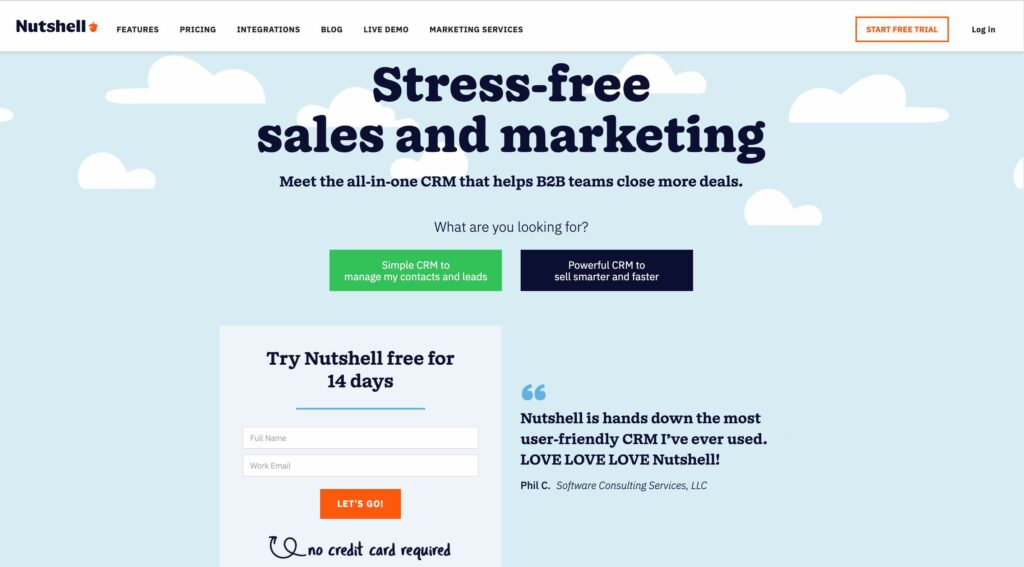
Quick summary
Nutshell splits the difference between Copper’s simplicity and Salesforce’s power. Teams from Copper get automation, deeper customization, and multi-platform integration (both Google and Microsoft)—all included at a lower price than Copper’s Professional plan. Implementation takes less than a day, and Nutshell’s onboarding team handles setup at no extra cost.
Key features
- Next-action sales methodology for prioritized task management
- Gmail, Google Calendar, and Office 365 email integration
- Visual pipeline management with drag-and-drop customization
- Sales automation with email sequences and task triggers
- Advanced reporting with Excel-style filtering
- Built-in email marketing suite (email campaigns, landing pages, forms)
- Contact and company management with unlimited records
- Mobile CRM with full feature parity to desktop
- Free onboarding and live chat support
Pros
- Implementation in less than a day (vs. Salesforce’s months)
- Includes automation and email marketing at the Foundation tier ($13/user/month)
- Multi-platform email integration (Google + Microsoft, not Google-only)
- Free onboarding and personal setup support
- “Next-action” methodology reduces admin overhead and keeps teams focused
- Transparent pricing—all core features included at every tier
- 4.2/5 rating on G2 with strong SMB user reviews
Cons
- Smaller user community compared to HubSpot or Salesforce
- Limited advanced customization (no custom fields via UI in lower tiers)
- Fewer third-party app integrations than HubSpot or Salesforce
- Less robust AI/predictive features than enterprise alternatives
Pricing breakdown
- Foundation: $13/user/month—email sync, automation, basic reporting, contact management
- Pro: $25/user/month—advanced reporting, additional automation, email sequences
- Business: $59V—team management, custom fields, advanced integrations
- Enterprise: $79/user/month—unlimited everything, API access, priority support
When to choose
If your team is leaving Copper for more flexibility without enterprise complexity, Nutshell is the Goldilocks solution. You get Copper’s ease of use with automation, multi-platform support, and integrated marketing at a lower total cost of ownership.to be hosted on any website or landing page. All information captured by Nutshell Forms is beamed directly into the CRM, completely hassle-free.
Users
$ 192
per year
$13
per user per month

$25
per user per month

$42
per user per month

$59
per user per month

$79
per user per month
Your estimated cost
Nutshell
1 User/s $
$ 0
$ 0
$ 0
Annual Charge $
$ 0
$ 0
$ 0
Additional monthly charge $
A Great Copper Alternative We want you to keep reading, but…
Click the button to see a side-by-side comparison of Copper & Nutshell
2. HubSpot
Rating: 4.4/5
Best for teams wanting integrated marketing-sales operations
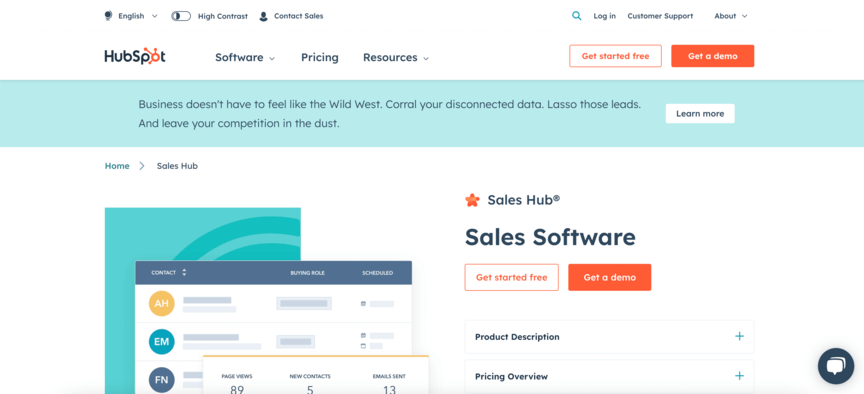
Quick summary
HubSpot’s free CRM is the most accessible entry point for teams leaving Copper, offering robust contact management without upfront costs. The tight Gmail integration and customizable dashboards make it easy to transition from Copper. However, automation and advanced features require paid upgrades to the Sales Hub.
Key features
- Contact and company management with unlimited contacts
- Gmail and Office 365 email integration
- Pipeline visualization with customizable stages
- Task automation and deal tracking
- Mobile app with full functionality
- Native Slack integration
- Free email templates and basic reporting
Pros
- Free CRM tier eliminates startup costs for teams evaluating alternatives
- Clean, intuitive interface is significantly less overwhelming than Salesforce
- Native Gmail inbox integration reduces tab switching
- Extensive app marketplace (1000+ integrations)
- Comprehensive free training resources and community support
Cons
- Workflow automation is only available in paid Sales Hub tiers ($50+/user/month minimum)
- Advanced features (lead scoring, task automation) are locked behind Professional/Enterprise plans
- “Hubs” permanently displayed in navigation creates a cluttered experience
- Can feel like a gateway to expensive upsells
- Less customizable than Nutshell or Zoho at any price point
Pricing breakdown
- CRM Free: Contact management, basic email integration, limited reporting
- Sales Hub Starter: $9/user/month (5-user minimum) – adds workflow automation, email templates, basic task automation
- Sales Hub Professional: $90/user/month – includes lead scoring, custom fields, advanced reporting
- Sales Hub Enterprise: $150/user/month – custom configurations, priority support
When to choose
HubSpot is ideal if your team is already using HubSpot Marketing Hub or needs the tightest possible email integration. However, SMBs wanting automation without steep upgrades should compare Nutshell’s all-inclusive pricing model.
3. Salesforce CRM
Rating: 4.3/5
Best for enterprise teams with complex sales processes
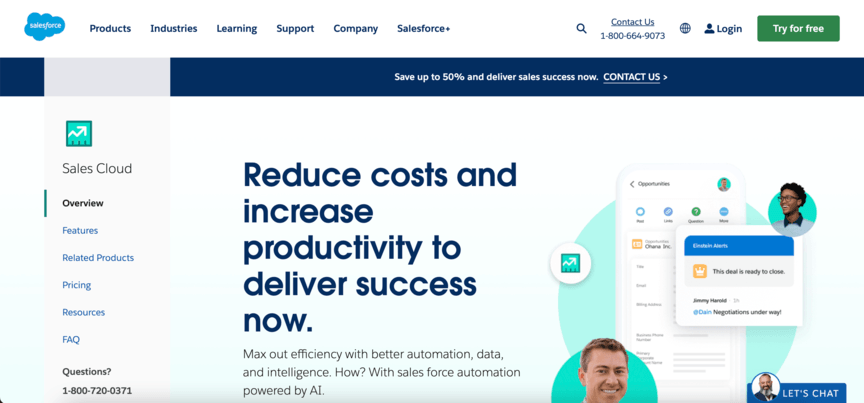
Quick summary
Salesforce remains the enterprise standard for a reason—unmatched customization, advanced analytics, and scalability. But for teams leaving Copper due to complexity, Salesforce is essentially “complexity upgraded.” Implementation typically takes 3-6 months (compared to Nutshell’s less than a day setup), requires significant IT resources, and carries a premium price tag.
Key features
- Advanced customization through Salesforce Lightning
- Einstein AI for predictive analytics and lead scoring
- Dynamic dashboards and custom report builder
- Multi-cloud integration (Sales Cloud, Service Cloud, Marketing Cloud)
- Industry-specific solutions (Financial Services, Healthcare, Manufacturing)
- AppExchange marketplace (3,500+ apps)
- Salesforce DX for custom development
Pros
- Most powerful customization capabilities in the market
- Scales effortlessly from 5 to 50,000+ users
- Industry-leading AI/analytics features for data-driven selling
- Robust API enables complex integrations
- Extensive ecosystem of consultants and third-party developers
- Enterprise-grade security and compliance certifications
Cons
- Steep learning curve—sales reps often resist or underutilize the platform
- Implementation requires 3-6 months plus dedicated IT resources
- Support services add 30%+ to license costs
- “Lightning” redesign remains slow and unintuitive per user reviews
- Expensive onboarding and customization costs easily exceed software licenses
- Overkill for SMBs seeking Copper’s simplicity with modest growth
Pricing breakdown
- Starter Suite: $25/user/month—basic CRM functionality
- Pro Suite: $100/user/month—custom fields, workflow automation, advanced reporting
- Enterprise: $175/user/month—additional storage, advanced customization
- Unlimited: $350/user/month—unlimited customization, priority support
- Agentforce 1 Sales: $550/user/month—Unlimited, plus full AI suite
When to choose
Salesforce is the answer only if your team has 50 or more salespeople, requires deep customization, or operates in a heavily regulated industry where Salesforce’s compliance features are non-negotiable.
4. Pipedrive
Rating: 4.2/5
Best for sales teams focused on visual pipeline management and deal velocity
Quick summary
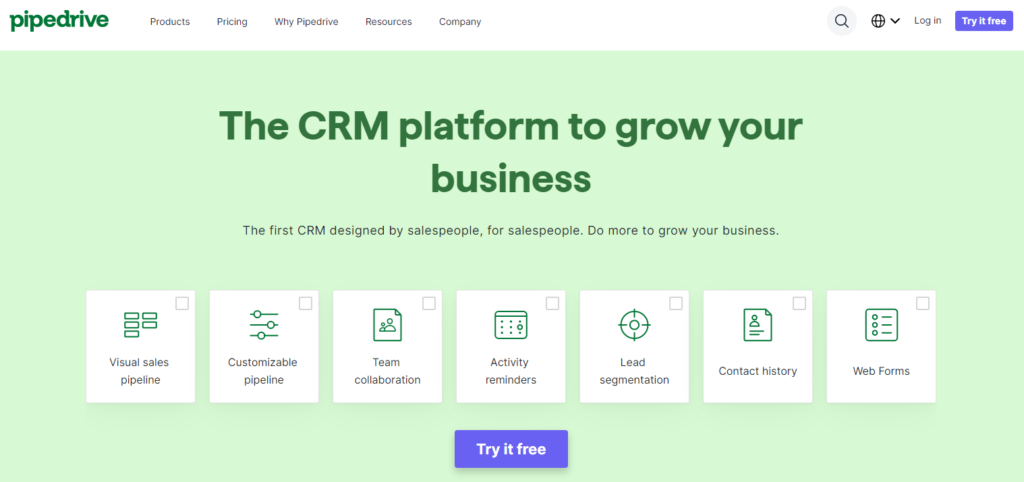
Pipedrive is the original sales pipeline management CRM, built by salespeople for salespeople. Its drag-and-drop interface and activity-based workflow make it particularly effective for teams that want to visualize their sales cycle and never lose track of a deal. The platform emphasizes simplicity without sacrificing power, making it an accessible alternative for teams looking to escape Copper’s inflexibility.
Key features
- Visual pipeline management with customizable sales stages
- Activity-based selling with activity types and scheduling
- Email sync and automation with AI-powered email suggestions
- Web visitor tracking to identify interested prospects
- Advanced reporting and performance insights
- 400+ app integrations via Pipedrive Marketplace
- Mobile app with full functionality on iOS and Android
Pros
- Intuitive drag-and-drop interface requires minimal training
- Strong mobile experience keeps sales reps productive in the field
- Transparent pricing with no surprises as you scale
- Excellent integration ecosystem with pre-built connectors
- Activity reminders ensure consistent follow-up discipline
Cons
- Lite plan lacks two-way email sync and advanced automation
- Lower-tier plans require upgrading to Premium ($49) for critical features
- Some users report occasional UI performance issues with large datasets
- Learning curve steeper than Copper for non-technical users
- Phone support is only available on higher-tier plans
Pricing breakdown
- Lite: $14/user/month (basic pipeline only)
- Growth: $24/user/month (adds email integration)
- Premium: $49/user/month (full automation)
- Ultimate: $69/user/month (advanced features)
All plans are billed annually. Monthly billing is available at higher rates.
Free 14-day trial available.
When to choose Pipedrive
Perfect for teams that live in their sales pipeline and want to see deal progress at a glance. Ideal for sales-driven companies that have outgrown Copper’s limited visualization options. Skip it if you need robust email marketing features in the base plan or prefer Microsoft Outlook integration as your primary email platform.
5. Zoho
Rating: 4.0/5
Best for teams needing deep customization, advanced automation, and tight Zoho ecosystem integration
Quick summary
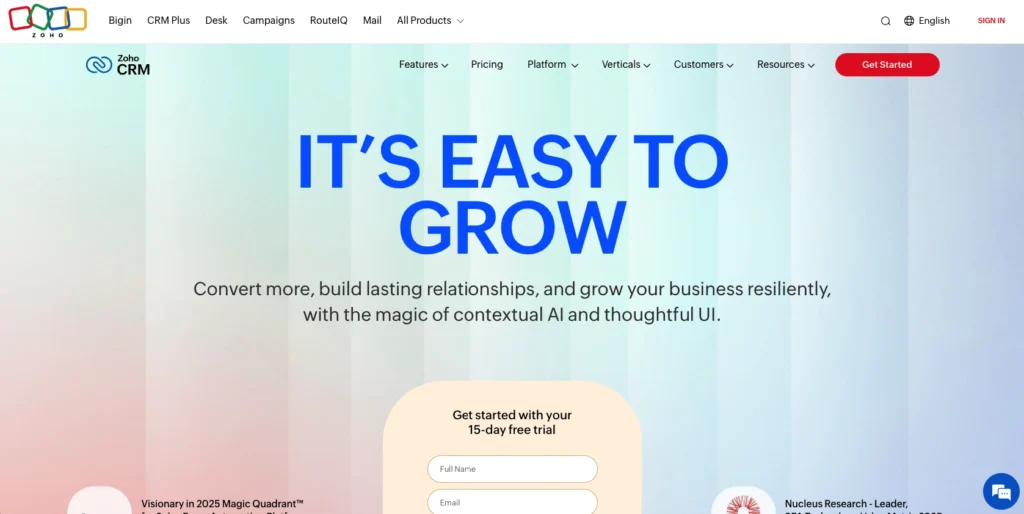
Zoho CRM is a powerhouse for businesses that demand extensive customization and integration with other Zoho applications. While more complex than Copper, it provides significantly more flexibility and a broader feature set at a lower price point. Teams with technical resources or complex sales processes love Zoho’s ability to bend to their specific requirements without paying enterprise pricing.
Key features
- AI-powered Zia assistant for predictive analytics and recommendations
- Unlimited customization with custom modules and fields
- Advanced workflow automation and process blueprints
- Omnichannel communication across email, chat, phone, and social
- Territory and quota management for complex sales structures
- Advanced reporting with custom formula support
- Tight integration with Zoho Books, Zoho Desk, and 50+ Zoho apps
- API access and developer sandbox for custom development
Pros
- Exceptional customization capabilities for complex workflows
- Free tier supports 3 users, ideal for startups testing CRM adoption
- Seamless integration with other Zoho products creates a unified business platform
- Advanced automation reduces manual data entry dramatically
- Powerful AI features (Zia) are available even on lower-tier plans
- Strong security with SOC 2 Type II compliance and advanced role-based access
- Excellent value when bundled with other Zoho apps
Cons
- Steep learning curve requires technical expertise to fully leverage
- Interface design feels dated compared to modern CRM competitors
- Setup and configuration can take weeks for complex implementations
- Customer support quality varies—premium support requires an upgrade
- Documentation can be confusing for non-technical users
- Fewer pre-built integrations than Salesforce or HubSpot (though extensive for the Zoho ecosystem)
Pricing breakdown
- Free: Up to 3 users (core CRM features only)
- Standard: $9/user/month (adds automation and a few more essential features)
- Professional: $16/user/month (adds inventory management and email intelligence)
- Enterprise: $28/user/month (adds territory management and comprehensive AI)
- Ultimate: $36/user/month (adds custom modules and advanced security)
All plans are billed annually—monthly billing is available at higher rates. Free 14-day trial for paid plans.
When to choose Zoho CRM
Ideal if your team already uses Zoho Books, Zoho Desk, or other Zoho products and needs seamless integration. Perfect for sales operations teams with technical resources who want to build custom solutions without Salesforce’s enterprise pricing. Avoid if you need instant productivity—expect a longer onboarding than Copper.
6. Insightly
Rating: 3.9/5
Best for growing teams that need a hybrid CRM and project management in a single platform
Quick summary
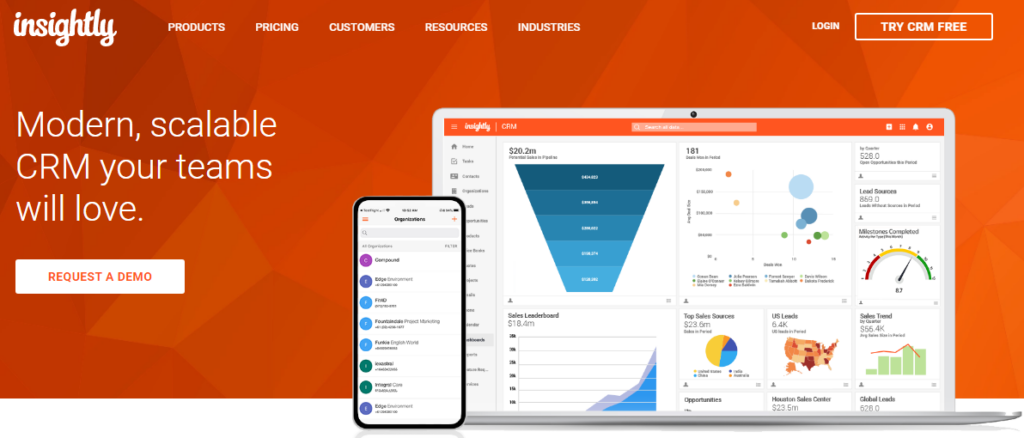
Insightly bridges the gap between dedicated CRMs and project management tools, offering both sales pipeline management and project tracking. For teams managing client projects alongside sales opportunities, Insightly provides integrated visibility without forcing them to toggle between separate applications. It’s a middle-ground solution for professional services firms, agencies, and project-based businesses that Copper doesn’t adequately serve.
Key features
- Integrated project management alongside sales pipelines
- Contact and company management with relationship intelligence
- Visual pipeline management with customizable stages
- Task and project automation with timeline views
- Document management and file storage
- Email integration with Gmail and Outlook support
- Contact relationship visualization to identify network connections
- API access and webhook support for custom integrations
- Mobile app for iOS and Android
Pros
- Unified platform eliminates the need for a separate project management tool
- Strong for professional services and agency workflows
- Good balance of CRM and project features without overwhelming complexity
- Reasonably priced considering dual CRM + project functionality
- Solid customer support with multiple support tiers
- Data import tools make migration from Copper relatively straightforward
- Customizable fields and workflows adapt to various industries
Cons
- Starting price ($29/user/month) is higher than Nutshell and Pipedrive
- User interface feels less polished than modern competitors
- Some users report onboarding and support can be inconsistent
- Advanced customization requires technical knowledge
- Limited third-party integrations compared to larger CRM platforms
- Lower overall rating on G2 (3.9/5) with noted reports of decreased support quality
Pricing breakdown
- Plus: $29/user/month (core CRM, plus project managment & reporting)
- Professional: $49/user/month (adds advanced reporting & workflow automation)
- Enterprise: $99/user/month (adds SSO and premium support)
All plans are billed annually—monthly billing available at higher rates. Free 14-day trial available.
When to choose Insightly
Perfect if you manage both sales pipelines and client projects and want a single platform. Ideal for professional services, agencies, and consultancies that need relationship management with project visibility. Skip if you need enterprise-grade project management features—Insightly’s project tools are supplementary, not primary.
How to find the best Copper CRM alternative
Purchasing a CRM is a big commitment, as you’re often making a decision that’s going to affect the entire year. If your sales team discovers issues after a month, you’ve got to start the process all over again, minus a month of missed sales and possibly a year of CRM budget.
Most mammoth CRMs like HubSpot and Salesforce let users discover their shortcomings after they’ve already paid for the software. Ramp-up time, implementation costs, additional services/apps needed, and the quality of customer support are the most frequently discussed topics in software review sites, as these are the aspects that often lead to user frustration.
To ensure you’re making the right choice, the best approach is to install a demo version and see if the CRM can truly support all your requirements without breaking the bank. Never pay for software without demoing it for at least a couple of weeks.
Migration guide: Moving from Copper to a new CRM
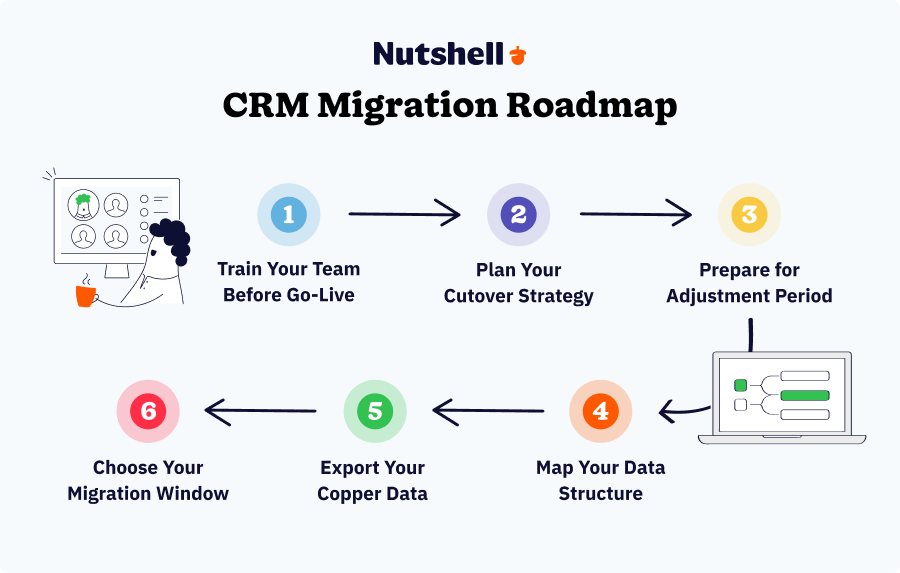
Before switching, plan to avoid team disruption. Copper stores valuable historical data—contacts, deal history, and interactions that your team has built over time. Most modern CRMs can import this data automatically, but success depends on preparation.
Step 1: Export your Copper data
Go to Copper’s Admin Settings → Export Data and pull your complete contact and deal database in CSV format. This is your safety net and migration foundation.
Step 2: Choose your migration window
Ideal timing is end-of-month when deal momentum is lower. Avoid migrating mid-quarter when sales activity is peak. Give your team 1-2 weeks of parallel usage before fully cutting over from Copper.
Step 3: Map your data structure
Before importing, understand how your new CRM structures data. Custom fields, contact types, and deal stages might map differently. Most CRM providers offer migration guides—follow them religiously to avoid data loss or misalignment.
Step 4: Train your team before go-live
Don’t assume your team will figure it out. Dedicate a half-day training session covering the new interface, key workflows, and how to perform daily tasks they currently do in Copper. Pair this with access to the new CRM’s knowledge base.
Step 5: Plan your cutover strategy
Options: (1) Full cutover—turn off Copper, activate new CRM on a specific date; (2) Parallel usage—run both systems for 2 weeks while the team adjusts; (3) Phased rollout—migrate department by department. Most SMBs prefer parallel usage to minimize disruption.
Step 6: Prepare for the adjustment period
Expect 1-2 weeks of reduced productivity as your team learns new workflows. Key metrics, such as follow-up speed or deal velocity, may dip temporarily. This is normal and typically recovers quickly once the team builds muscle memory.
Frequently asked questions about Copper CRM alternatives
Comparing the Copper CRM alternatives you might choose for your business is an important task. These frequently asked questions might provide some extra guidance as you research:
-
What is Copper CRM used for?
Copper CRM is mostly used for organizing contacts, automating sales processes, facilitating email marketing, and tracking pipelines, all while integrating with Google Workspace.
-
What are the limitations of Copper CRM?
Copper’s biggest limitation is its inflexibility outside of Google Workspace. Copper was purpose-built for teams living and breathing G Suite, so any businesses that need integration with Microsoft Office or more flexibility will find the platform unusable. The features users get for the price can be another drawback.
-
Who are the competitors of Copper?
The top competitors of Copper CRM include Nutshell, Pipedrive, Zoho, and Salesforce.
-
Will I lose my historical data when switching from Copper?
No. Most modern CRMs (including all six in this guide) can import your Copper contacts and deal history automatically. You might need to map custom fields, but your data transfers cleanly. Always test the import process with a sample dataset before full migration.
-
How long does it take to migrate from Copper to a new CRM?
Technical migration takes 1-2 days. Full team adoption and workflow optimization typically takes 2-4 weeks. Pipedrive and Nutshell are the fastest (2 weeks), while Zoho and Salesforce require more configuration (3-4 weeks). Start your trial 2-3 weeks before your planned cutover date.
-
Which alternative is the easiest switch for Copper users?
Nutshell has the fastest ramp for Copper users because it matches Copper’s simplicity while adding features. Pipedrive is a close second if your team loves visual pipeline management. Both can be productive within 3-5 days of go-live.
Replace Copper with Nutshell
When you’re looking for the best CRM to use in place of Copper, Nutshell is your answer. Nutshell supports teams operating in G Suite, Microsoft Office 365, and a host of other apps. With affordable pricing, robust customer support, and simple implementation that won’t require a developer, Nutshell is the best CRM for small business teams looking to get more done.
Give your team the flexibility they need by trading Copper for Nutshell. To see for yourself what you can do with Nutshell, start a free trial or compare Nutshell with other Copper CRM alternatives.
See Nutshell in action!
Try Nutshell free for 14 days or let us show you around before you dive in.
 BACK TO TOP
 Written by
Sam Poole Associate Content MarketerReady to try
Nutshell for Free?Thank you! Your submission has been received!Oops! Something went wrong while submitting the form.





How to Write a Sales Follow-Up Email Sequence That Actually Gets Replies
Published on: November 10, 2022
Sales Performance Reviews: 9 Tips to Make Them Valuable
Published on: November 10, 2022Join 30,000+ other sales and marketing professionals. Subscribe to our Sell to Win newsletter!










