Best CRM for Gmail: Top solutions for teams in 2026

-

Quick answer: What’s the best CRM for Gmail?
The best Gmail CRM depends on your team’s size and priorities. Nutshell is the top pick for SMBs wanting an affordable, all-in-one solution with native Gmail integration, while Copper is ideal for teams that live deep in Google Workspace and need advanced customization. Whatever you choose, look for a CRM that integrates natively with Gmail, auto-logs emails, and doesn’t require your team to leave their inbox to get work done.
Key Takeaways
Choosing the right CRM doesn’t have to be complicated. Here’s what you need to know:
- Best all-around value for growing teams: Nutshell offers deep Gmail integration, affordable pricing (from $13/user/month), and all essential sales and marketing tools in one platform—no feature paywalls
- Best for Google fanatics: Copper delivers the deepest Google Workspace integration with advanced automation and customization, though at a higher price point
- Best for marketing-first teams: HubSpot CRM’s free tier is hard to beat for lead generation, though Gmail integration is more basic and advanced features require paid tiers
- Best for solo practitioners: Streak offers Gmail-inbox simplicity, though it lacks team collaboration features needed as you scale
- Best for visual sales processes: Pipedrive’s Kanban board approach works great for teams that think visually about deals, though Gmail integration is less seamless than native options
The bottom line: If you want a CRM that feels natural in Gmail without forcing your team to learn new software, Nutshell or Copper are your best bets. If you’re budget-conscious and OK with basic integration, Salesflare or HubSpot CRM work well. If you’re just starting out solo, Streak keeps things simple.
Jump to comparison table | Jump to detailed reviews
Your team lives in Gmail. Between emails, calendar invites, and attachments, it’s where most communication happens. So why does your CRM force you to leave it?
That’s the exact problem we set out to solve. When sales reps constantly switch between Gmail and a clunky CRM interface, productivity suffers—deal context gets lost and follow-ups slip through cracks. Your growing team can’t see what’s happening in real time. The best CRM Gmail integration doesn’t just sync contacts — it keeps deals, emails, and context in one place so your team never has to switch tabs to stay on top of a sale.
We analyzed 8 leading CRM solutions that work seamlessly with Gmail and Google Workspace to help you find the right fit. Whether you’re a small sales team, a service-based business, or a distributed organization, there’s a CRM designed specifically for how you actually work.
Table of contents
- How we selected the best CRM for Gmail
- Key features every Gmail CRM should have
- Comparison table: Gmail CRM solutions ranked
- Best CRM software for Gmail: Detailed reviews
- Nutshell vs. competitors: Why it wins for Gmail teams
- ROI and business impact: What you can expect
- Implementation tips: Getting started with Gmail CRM
- Common mistakes to avoid when choosing Gmail CRM
- Frequently asked questions
How we selected the best CRM for Gmail
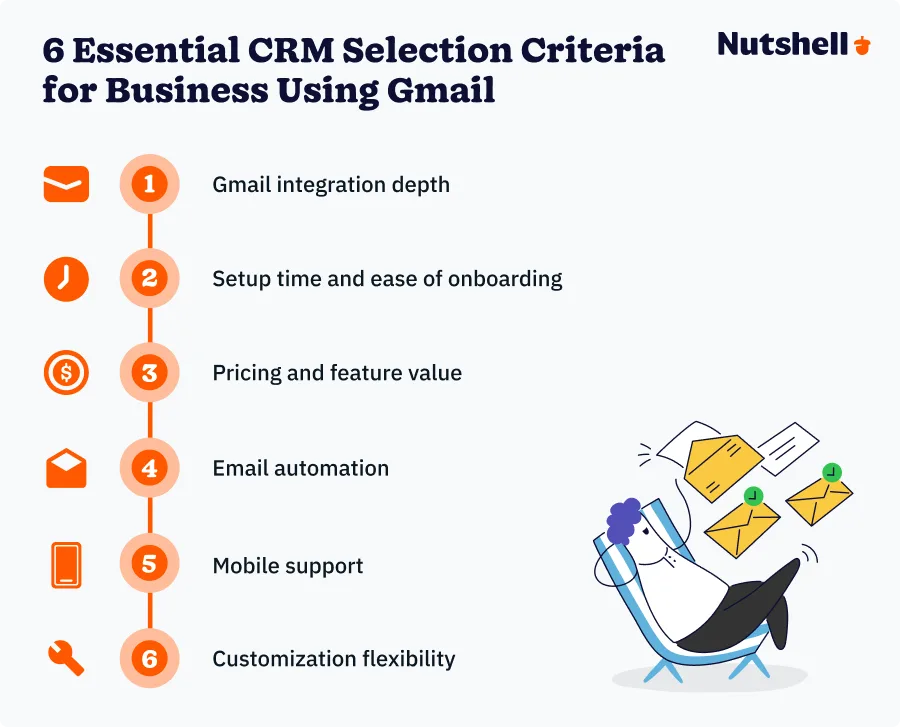
Choosing the best CRM for Gmail means evaluating solutions across six critical dimensions. We analyzed each option transparently so you can understand how we ranked them and decide if our top picks match your priorities.
Our evaluation criteria:
- Gmail and Google Workspace integration depth: Does the CRM live in Gmail or require constant context-switching?
- Setup time and ease of onboarding: We measured time from signup to first deal entry
- Pricing and feature value: We compared starting prices and what features are locked behind paywalls
- Email automation capabilities: Can the CRM automate follow-up sequences?
- Mobile support quality: Are your reps checking deals on their phone? Mobile-first design is essential for distributed teams
- Customization flexibility: Does the CRM adapt to your process or force you into theirs?
We used a 5-point scale reflecting suitability for Gmail-first SMBs and remote teams. A 4.6 rating (like Nutshell) means best-in-class Gmail integration, affordability, and ease-of-use for this specific audience. A lower-rated CRM isn’t “bad”—it may excel for enterprise teams, but less so for Gmail-focused SMBs. We verified all information against official pricing pages, user reviews on G2 and Capterra, and direct product testing.
Key features every Gmail CRM should have
A Gmail CRM isn’t just a contact database. It’s a productivity tool that eliminates friction from your sales process. Here are the ten features that separate great Gmail CRMs from mediocre ones—and why each matters for your bottom line.
Native Gmail inbox integration
The best Gmail CRMs live inside your inbox, not in a separate browser tab. This eliminates context-switching, which research shows wastes significant time for distributed teams. Nutshell and Streak integrate directly into Gmail. Others require constant toggling between apps, which kills focus and slows deal progress.
Email auto-logging and deal progression tracking
Manually logging emails defeats the purpose of CRM. Look for automatic email capture linked to contacts and deals. This keeps your CRM current without extra data-entry work. When emails auto-log, your pipeline visibility becomes real-time—your team sees where deals stand without asking reps to update records manually.
Calendar sync and meeting context
Sales is built on meetings. Your CRM should sync your calendar, link meetings to specific deals, and track attendees. This surfaces crucial context: who was in which meeting, what was discussed, and next steps. Nutshell and Copper excel here.
Automatic contact creation from emails
New email address on a forwarded message? Your CRM should capture that contact automatically rather than forcing manual entry. This prevents contact data gaps and ensures new leads don’t fall through cracks. Especially valuable for teams receiving referrals or forwarded introductions.
Email automation and sequences
37% of B2B sales revenue comes from automated email campaigns. Your CRM should let you build follow-up sequences that trigger based on actions (deal stage, email open, no response after X days). Nutshell, Copper, Salesflare, and Pipedrive all offer strong automation. HubSpot requires paid tiers for advanced sequences.
Real-time team visibility and pipeline transparency
Remote teams need visibility into the full pipeline without bothering individual reps. Your CRM should show every team member what deals exist, current stage, and next action. This reduces redundant outreach and enables managers to support reps proactively. Nutshell’s “next-action” view is specifically built for this.
Google Drive and Docs integration
Proposals, contracts, and case studies live in Drive. Your CRM should link Drive files to deals so context is always accessible. Instead of hunting through shared folders, reps open their deal in the CRM and see relevant files attached.
Mobile app with offline capability
Sales don’t happen only at desks. Your reps work from client offices, coffee shops, and cars. A strong mobile app means reps can update deals, send emails, and check pipelines anywhere. Teams with mobile CRM support exceed their goals 150% more often. Nutshell and Pipedrive offer particularly strong mobile experiences.
Affordable, transparent pricing with no hidden paywalls
The best Gmail CRM for your team shouldn’t require a second mortgage. Look for pricing that includes essential features at startup, without forcing expensive upgrades for automation, email marketing, or analytics. 43% of SMBs cite cost as a barrier to CRM adoption. Nutshell’s all-in-one approach at $13/user/month beats competitors that charge $10/month then $20/month more for automation and reporting.
Fast implementation and zero technical setup
The time it takes from first implementing your CRM to your first sale matters. Your CRM should go live today, not next month. Look for zero-code setup, pre-built integrations with your tools (Gmail, Slack, etc.), and guided onboarding that doesn’t require IT involvement.
Comparison table: Gmail CRM solutions ranked
CRM Rating Best For Gmail Integration Starting Price Email Automation Mobile App Nutshell 4.6 SMB teams, service professionals Native $13/mo Yes Excellent Copper 4.4 Google Workspace power users Deep $9/mo Yes Good Salesflare 4.2 B2B sales teams Moderate $29/mo Yes Good HubSpot CRM 4.1 Marketing-led teams Basic Free–$45/mo Limited (paid tiers) Excellent Streak 3.9 Solo practitioners Native $49/mo Limited Good Pipedrive 3.8 Visual sales teams Moderate $14+/mo Yes Excellent Zoho CRM 3.7 Enterprise, Zoho ecosystem Moderate $18+/mo Yes Good Salesforce 3.6 Large enterprises Limited $75+/mo Yes Excellent Best CRM software for Gmail: Detailed reviews
1. Nutshell
Rating: 4.6/5
Best for SMB teams and service professionals
Quick summary
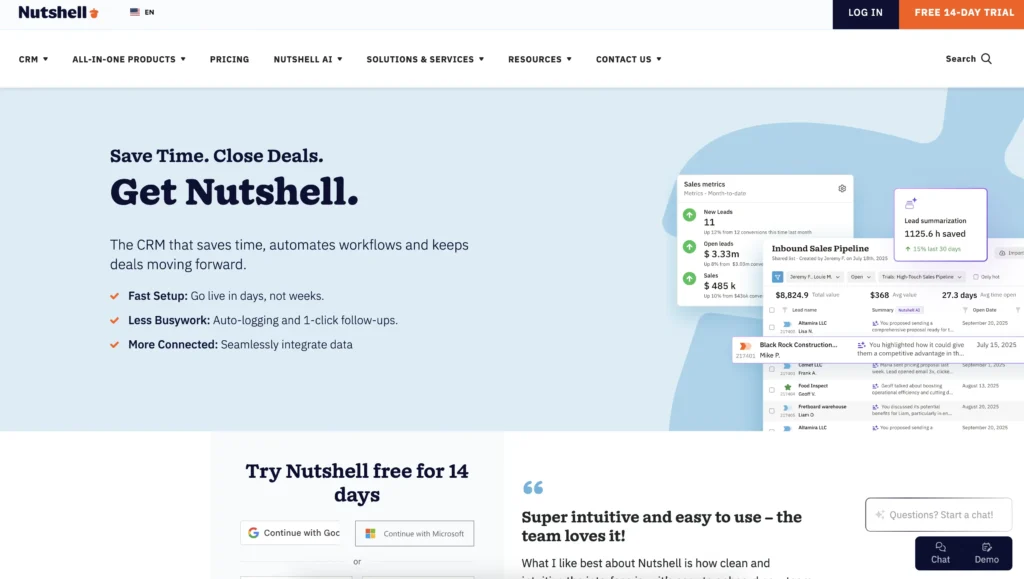
Nutshell is built specifically for teams that live in Gmail and Google Workspace. It combines sales automation, email marketing, and engagement tools in one affordable platform—no feature paywalls, no complex setup.
Key features
- Native Gmail inbox integration
- Auto-email logging and deal progression tracking
- Real-time pipeline transparency
- All-in-one platform: sales automation + email marketing + engagement + analytics
Pros
- Most affordable all-in-one solution
- Fastest implementation
- Purpose-built for Gmail
- No feature paywalls
- Strong mobile app
- Exceptional customer support and onboarding
Cons
- Less customization than enterprise platforms
- No free plan
Pricing
Starting at $13/user/month for essential features, scaling to $20/user/month for advanced
Need a user-friendly CRM to boost sales and team efficiency?
Take our guided tour to explore Nutshell’s incredible features!

2. Copper
Rating: 4.4/5
Best for Google Workspace power users
Quick summary
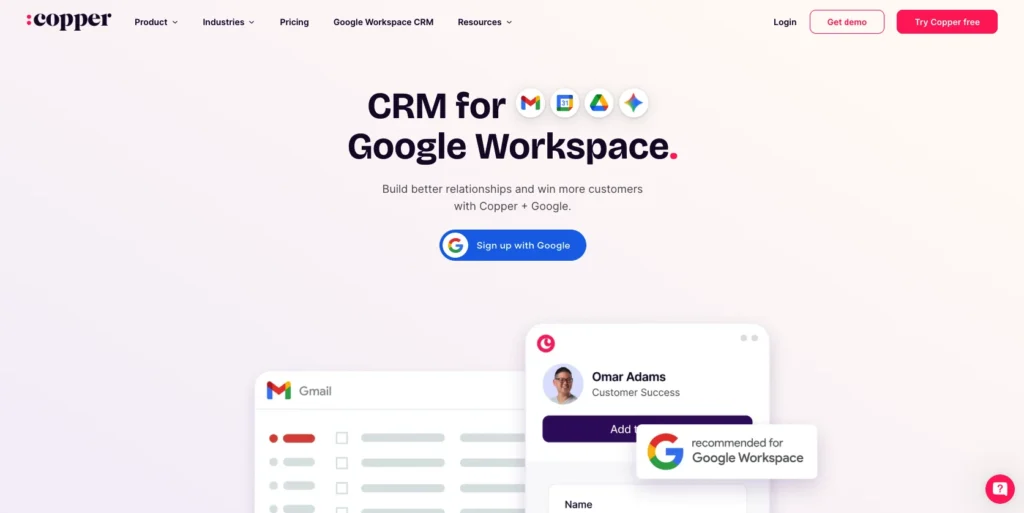
Copper is more expensive than Nutshell but offers a good Google integration, powerful automation, and deep customization for teams willing to invest time in setup.
Key features
- Deep Google Workspace integration
- Advanced automation builder
- Two-way sync with Google Contacts
- Robust reporting and analytics
- High customization flexibility
Pros
- Unmatched Google Workspace integration
- Powerful automation capabilities
- Strong reporting and analytics
- Good mobile app
- Excellent for teams already standardized on Google products
Cons
- Higher price point ($29+/month)
- Steeper learning curve
- Less established brand recognition
Pricing
Starting at $9/user/month for starter tier, scaling to $99+/month for advanced features
3. Salesflare
Rating: 4.2/5
Best for B2B sales teams
Quick summary
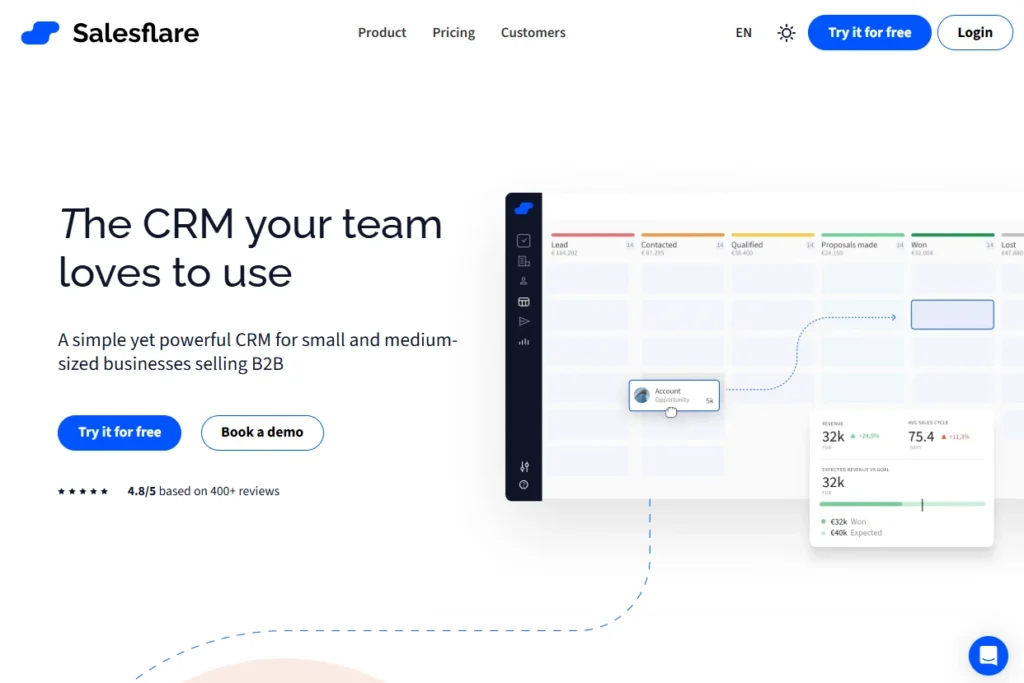
Salesflare is lean, focused, and built specifically for B2B sales teams that live in email. It automates data entry through email intelligence, offers strong email tracking and sequencing, and integrates Gmail smoothly.
Key features
- Email-based contact and company data capture
- Email tracking and open/click notifications
- Automated email sequences
- Deal forecasting and pipeline analytics
- Lightweight, focused interface
Pros
- Lowest price point
- Excellent email automation and tracking
- Lightweight, intuitive interface
- Strong AI capabilities
- Great for lean B2B sales teams that don’t need marketing tools
Cons
- Lacks email marketing and engagement tools
- Gmail integration is not “native”
- Limited customization
- Fewer third-party integrations available
Pricing
Starting at $9.90/user/month billed annually ($14.90/month billed monthly), scaling to higher tiers for advanced features
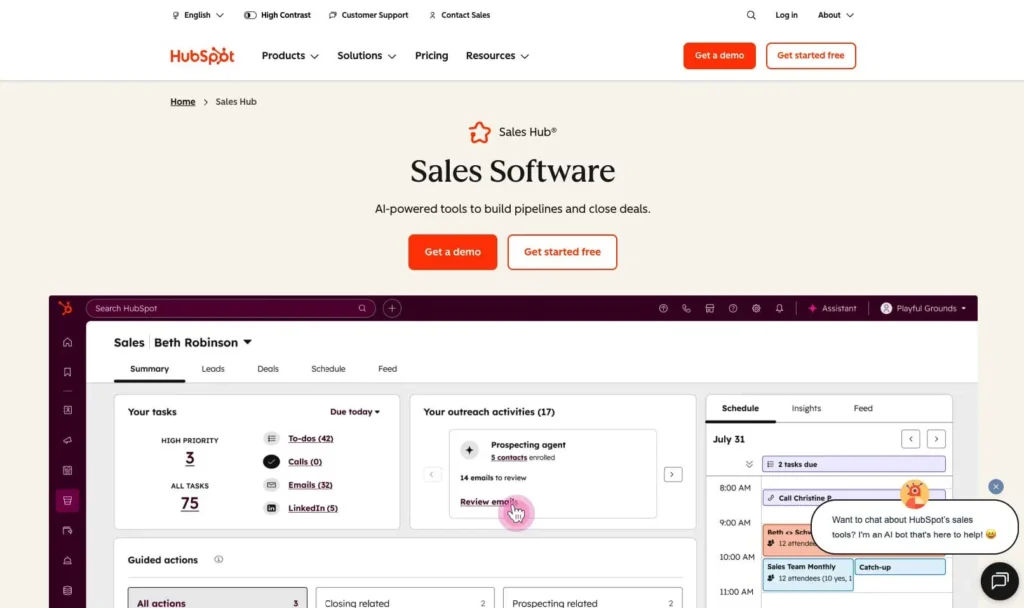
4. HubSpot CRM
Rating: 4.1/5
Best for marketing-led teams
Quick summary
HubSpot CRM is the king of free CRM options. Its free tier offers solid contact management, pipeline tracking, and basic automation—excellent for startups testing CRM or solo practitioners.
Key features
- Free tier with unlimited contacts
- Contact and company data management
- Email integration
- Basic pipeline tracking and reporting
Pros
- Free tier for testing CRM without commitment
- Strong mobile app
- Integrates well with other HubSpot tools
- Good customer support and resources
Cons
- Gmail integration is basic compared to native solutions (Nutshell, Streak, Copper)
- Email automation and advanced sequences only available in paid tiers
- Free tier lacks key features
- Paid tier pricing jumps significantly from free
Pricing
Free forever for basic features (contacts, pipeline, basic reporting). Paid tiers start at $45/month for advanced email automation, custom workflows, and analytics
5. Streak
Rating: 3.9/5
Best for solo practitioners
Quick summary
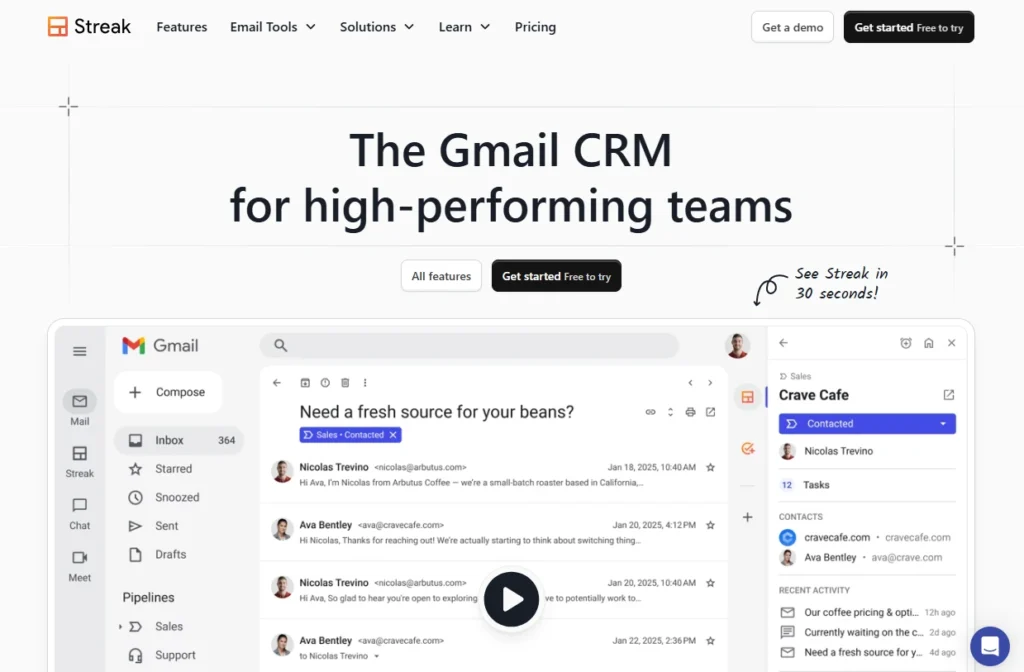
Streak is the simplest CRM on the market—it’s literally inside your Gmail inbox. Best for solo practitioners, freelancers, or single-person sales teams.
Key features
- Fully embedded in Gmail inbox
- Simple pipeline Kanban board view
- Contact and deal tracking
- Email automation and reminders
- Minimal setup or configuration
Pros
- Lowest price point
- Zero learning curve for Gmail users
- Lives in Gmail inbox
- Great for solo practitioners and small teams
- Free tier available with limited features
Cons
- Lacks team collaboration features
- No mobile app
- Limited automation
- Not suitable for teams with more than 1–2 people
Pricing
Free tier with basic features, $49/month for standard features, scaling to premium tiers.
6. Pipedrive
Rating: 3.8/5
Best for visual sales teams
Quick summary
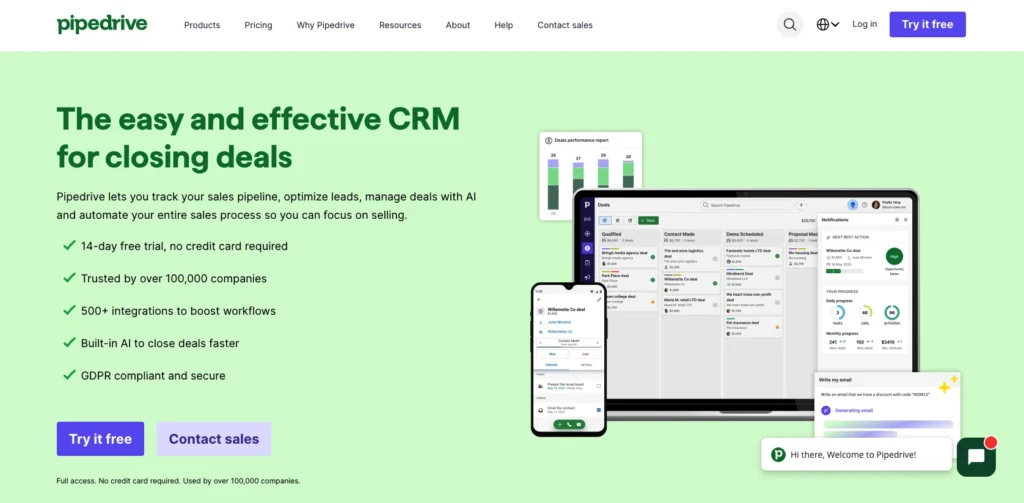
Pipedrive’s Kanban board interface transforms how visual sales teams think about deals. Drag-and-drop deal progression feels natural and intuitive. Gmail integration is solid (not native, but functional).
Key features
- Visual Kanban pipeline with drag-and-drop deal progression
- Email integration and automation
- Activity tracking and scheduling
- Sales forecasting and reporting
- Mobile app
Pros
- Highly intuitive visual interface
- Excellent mobile app
- Strong email automation and integration
- Good customization options
- Good reporting and pipeline analytics
Cons
- Gmail integration is not native
- Less emphasis on email workflow optimization
- Can feel overwhelming initially due to feature richness
- Less specialized for email-first teamsl
Pricing
Starting at $14/user/month (billed annually), scaling to $29+/month for advanced features
7. Zoho CRM
Rating: 3.7/5
Best for teams in the Zoho ecosystem
Quick summary
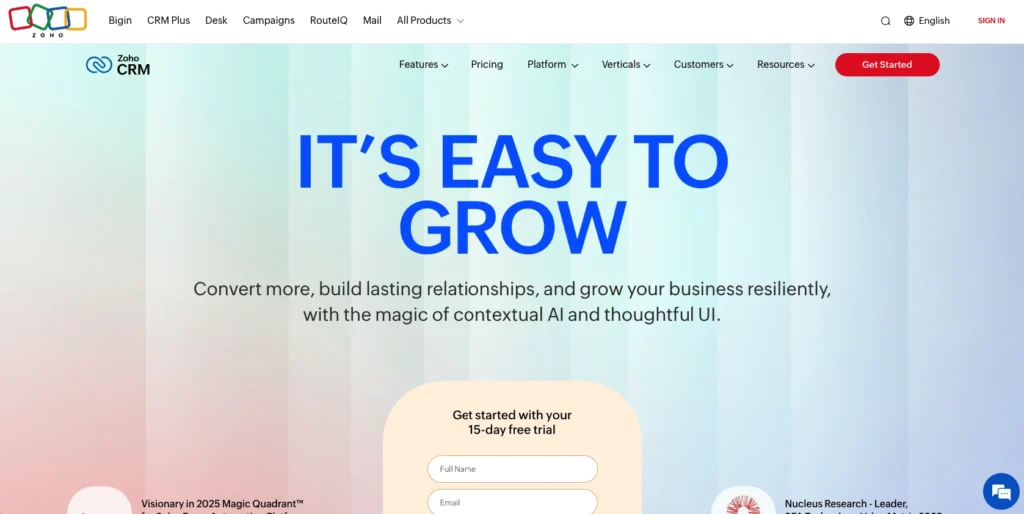
Zoho CRM is a feature-rich enterprise CRM that competes with Salesforce on customization and power. Gmail integration is present but not a core design focus.
Key features
- High customization
- Integration with Zoho ecosystem
- Advanced reporting and analytics
- Email integration
- Workflow automation builder
- Mobile app
Pros
- Extreme customization flexibility
- Excellent value if already using Zoho products
- Strong reporting
- Good mobile app
- Excellent for large organizations with complex requirements
Cons
- Gmail integration is secondary
- Steep learning curve
- Interface can feel overwhelming for simple use cases
- Less specialized for email-first workflows
- Smaller community and fewer educational resources
Pricing
Starting at $18/user/month (billed annually), scaling to $45+/month for advanced features
8. Salesforce
Rating: 3.6/5
Best for large enterprises only
Quick summary
Salesforce is the industry standard for large enterprises with complex, specialized sales processes and dedicated IT departments. Gmail integration exists but isn’t a core design priority.
Key features
- Extreme customization
- AI for predictive analytics
- Advanced workflow automation
- Marketing Cloud integration
- Mobile app
Pros
- Good customization and power for enterprise workflows
- Strong AI capabilities (Einstein)
- Excellent for complex, multi-stakeholder sales processes
- Strong reporting and analytics
Cons
- Extremely expensive ($75+/month per seat, often $150+/month in practice)
- Gmail integration is functional but clunky
- Steep learning curve and implementation time
- Requires dedicated Salesforce admin and IT involvement
Pricing
Starting at $75/user/month for professional edition, scaling to $150+/month for advanced editions
Nutshell vs. competitors: Why it wins for Gmail teams
Nutshell consistently ranks highest for Gmail-first teams because it solves the exact pain points other CRMs overlook.
Affordability: Nutshell starts at $13/user/month with everything included (sales automation, email marketing, analytics). Competitors either charge more or lock features behind paywalls. For a 10-person team, Nutshell saves $1,920–$3,600 annually compared to alternatives—without sacrificing features.
All-in-one approach: Nutshell includes sales automation, email marketing, and engagement tools in every plan. HubSpot and Pipedrive charge separately for marketing features. Salesforce nickel-and-dimes advanced capabilities. Nutshell eliminates tool fragmentation and the integration headaches that come with it.
Speed to first sale: Nutshell goes live in 15 minutes. Salesforce takes 4+ hours. Copper takes 1–2 hours. For growing teams desperate to get selling immediately, this matters. Quick setup means faster ROI and higher adoption (teams that wait weeks to implement are more likely to abandon).
Next-action sales methodology: Unlike competitors that organize around deal stage or pipeline, Nutshell’s “next-action” view focuses teams on the single most important task to move deals forward. This differentiates it for SMBs that can’t afford sales operations experts—it tells reps exactly what to do next.
Gmail-native design: Nutshell integrates directly into the Gmail inbox, not as a separate app. Copper comes close, but Nutshell’s simplicity and setup speed still win.
For a full side-by-side breakdown, compare Nutshell to other Gmail CRMs on features, pricing, and integration depth.
ROI and business impact: What you can expect
Implementing the right Gmail CRM delivers measurable returns. Here’s what the data shows:
Productivity gains: 29% of sales teams experience immediate productivity increases when switching to a Gmail-native CRM. This translates to 3+ hours saved per rep per week (email auto-logging, no manual data entry, no context-switching). For a 10-person team, that’s 150+ hours monthly—equivalent to a full-time employee’s contribution.
Adoption and revenue: 94% of businesses report improved productivity after CRM implementation. More specifically, 37% of B2B sales revenue comes from automated email sequences, meaning CRM email automation directly drives revenue. Teams that activate email automation see measurable deal velocity increases.
Email ROI: Research shows email campaigns deliver $36–42 return per $1 spent. A Gmail CRM that automates follow-up sequences multiplies this ROI across your entire team. For a team sending 500 emails/week, this multiplier effect is substantial.
Team alignment: Real-time pipeline visibility means fewer redundant outreach attempts, better deal handoffs, and faster manager coaching. Sales managers spend less time asking “where’s that prospect?” and more time helping reps move deals forward.
Tangible example: A 5-person sales team implementing Nutshell expects to save 15 hours/week on administrative tasks (email logging, CRM data entry, report generation). At a fully-loaded cost of $75/hour, that’s $1,200/week or $62,400/year in recovered productivity. Nutshell costs $1,300/year ($13/mo × 10 users × 12 months). ROI breakeven happens in less than one week.
Implementation tips: Getting started with Gmail CRM
You don’t need a complex rollout plan. Here’s a simple five-step process to go live quickly:
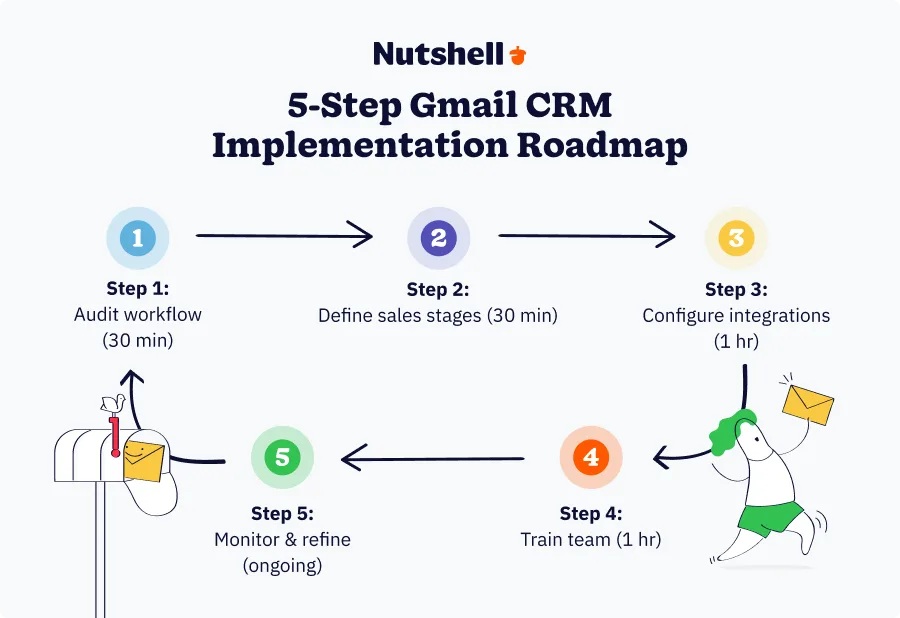
- Audit your current workflow (30 minutes): Document how your team currently captures leads, tracks deals, and follows up. Where does information live today (Gmail, spreadsheet, paper notes)? Which manual processes waste time? This audit shapes your CRM configuration.
- Define your sales stages and next actions (30 minutes): What are the stages a prospect moves through? (Initial contact → Qualified → Proposal → Negotiation → Won/Lost). Nutshell’s “next-action” approach means defining what specific action moves a deal to the next stage. This clarity alone drives better team alignment.
- Configure integrations and automations (1 hour): Connect Gmail, Google Calendar, Slack, and any other tools your team uses. Set up basic email automation (e.g., “send follow-up email if no response after 3 days”). Nutshell does this with zero code required—guides walk you through configuration.
- Train your team (1 hour): Show reps how to create deals, log emails, and use the mobile app. Most modern CRMs, especially Nutshell, are intuitive enough that “training” is really just showing a few screenshots. Emphasize the “next-action” view that tells them what to do next.
- Monitor and refine (ongoing): Track adoption metrics first week: “Which reps are logging deals? Who’s using email automation?” Address friction points immediately. After 30 days, analyze which processes are working and refine based on team feedback.
Nutshell-specific tips:
- Use the “recommended setup wizard” to autoconfigure common workflows for your industry
- Enable email auto-logging on day one—it captures data without asking reps to remember
- Set up mobile app on team phones before training; mobile adoption drives overall adoption
- Start simple: don’t customize heavily before team understands basics
- Use the “next-action” view as your default team view during standups
See Nutshell in action!
Try Nutshell free for 14 days or let us show you around before you dive in.

Common mistakes to avoid when choosing Gmail CRM
Learning from others’ mistakes saves time and money. Here are the five most common CRM selection errors:
- Prioritizing features over ease of use: The most feature-rich CRM isn’t always the best one. Prioritize fit for how your team actually works. A simple CRM your team uses beats a powerful CRM they ignore.
- Ignoring mobile support: If your reps work on-the-go (which most do), a desktop-only or weak mobile CRM creates friction and adoption barriers.
- Tool overload and lack of integration: Choosing a CRM that doesn’t integrate with your existing tools (Gmail, Slack, Zoom, etc.) forces your team to manually copy data between apps. Verify deep integration with your core tools before deciding.
- Not testing before committing: Every CRM offers free trials. Use them. Bring your team in, create a few deals, try email automation. Real-world testing reveals friction that specs hide.
- Underestimating setup and training costs: Some CRMs require weeks of implementation and ongoing admin overhead. Factor this into total cost of ownership. A “cheap” CRM that costs $50,000 in implementation and training is actually expensive.
Conclusion: Your team deserves a CRM built for Gmail
Here’s the truth: your team already lives in Gmail. Between emails, calendar invites, and attachments, it’s where work happens. So your CRM should meet them there instead of forcing context-switching to a clunky interface.
The best CRM for Gmail isn’t the most complex one or the most expensive one. It’s the one that integrates seamlessly into your workflow, gets your team selling faster, and grows with you as you scale.
For most SMBs and distributed teams, Nutshell checks all the boxes. It integrates natively with Gmail, deploys in 15 minutes, includes sales automation and email marketing at every price tier, and costs less than competitors charge for basic features.
The important thing: don’t force your team to choose between Gmail (where they actually work) and a CRM (where they’re supposed to track deals). Choose a Gmail-native CRM and get both.
Ready to transform your sales process? Start your free 14-day Nutshell trial and experience what it feels like when your CRM adapts to you instead of the other way around. No credit card required. No setup headaches. Just Gmail and a CRM that works.
Your team already knows how to use Gmail. Now they’ll know how to close deals in it too.
Frequently asked questions
-
1. Is there a CRM that integrates with Gmail?
Yes. Every CRM in this article integrates with Gmail to some degree. Native integration (Nutshell, Copper, Streak) means the CRM lives inside Gmail and auto-logs emails without manual work. Moderate integration (Salesflare, Pipedrive, Zoho) means the CRM connects to Gmail but requires more manual configuration. Limited integration (Salesforce, HubSpot free tier) means basic email capture but clunky workflows. For Gmail-first teams, native integration is worth prioritizing.
-
2. How do I use Gmail as a CRM?
Gmail alone isn’t a CRM—it lacks deal tracking, pipeline visibility, and team collaboration features. However, Gmail + a Gmail-native CRM (Nutshell, Copper, Streak) creates a powerful sales system. Emails auto-log to deals. Calendar syncs. Contacts centralize. Every team member sees the pipeline in real-time. This unified approach keeps your team in Gmail (where they already live) while adding CRM structure.
-
3. Does Google have its own CRM tool?
No. Google offers Gmail, Calendar, Contacts, and Drive—excellent communication and file tools, but not a CRM. Google hasn’t built a CRM because third-party tools do it better. This is actually good news: it means you have choices and aren’t locked into a single vendor.
-
4. Can I use a free CRM with Gmail?
Yes. HubSpot CRM offers a genuinely free tier with solid contact and deal management. Streak offers a free tier ($49/user/month for paid features). However, free tiers often lack email automation, advanced reporting, or mobile apps. If these features matter to your team, a paid CRM ($9–15/month) often delivers better value than a limited free option.
-
5. How long does it take to set up a Gmail CRM?
Nutshell: 15 minutes. Salesflare: 30 minutes. Pipedrive: 45 minutes. Copper: 1–2 hours. HubSpot: 1 hour. Zoho: 2 hours. Salesforce: 4+ hours. Setup time matters because faster deployment means quicker team adoption and faster ROI. Nutshell’s 15-minute setup is industry-leading.
BACK TO TOP Written by
Simone Morgan Associate Content MarketerEdited by
Will Gordon Sr. Director of MarketingReviewed by
Andy Fowler Co-FounderReady to try
Nutshell for Free?Thank you! Your submission has been received!Oops! Something went wrong while submitting the form.





What Is Revenue Intelligence? An All-Encompassing Guide
Published on: January 24, 2024Highly Effective Strategies for Elevating Sales Team Performance
Published on: November 10, 2022Join 30,000+ other sales and marketing professionals. Subscribe to our Sell to Win newsletter!










