Skip to main content ↓

We’ve Made it Easier for You to Track Your Website Analytics, Send Marketing Emails, and More!

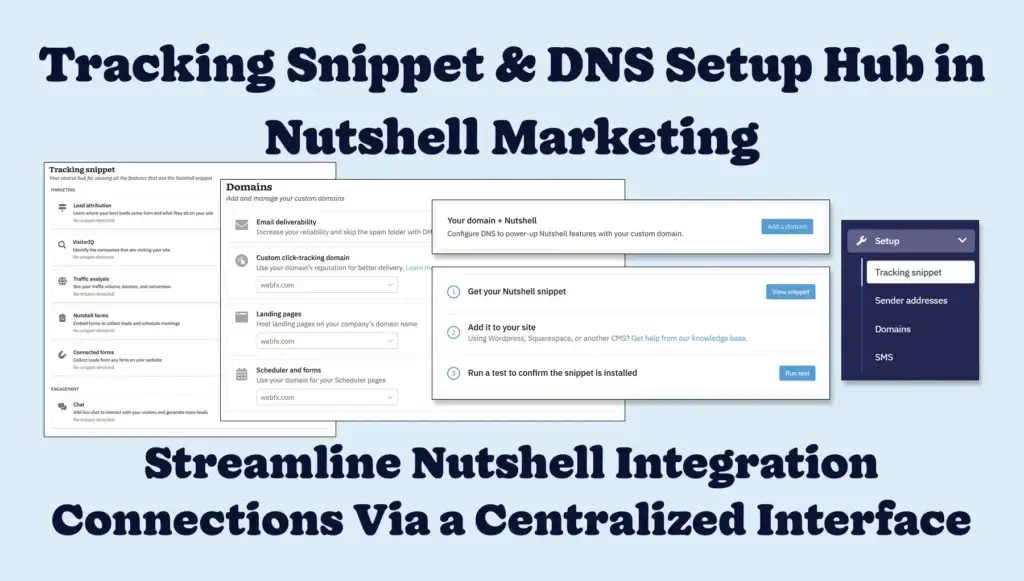
Tracking Snippet and Domain DNS Configuration Hub - Blog Post Featured Image

Configuring your website for embedded Nutshell features and analytics just became a lot simpler. We’ve streamlined things, so you don’t have to hop from one section of Nutshell to another, juggling multiple snippets and DNS entries to setup features like Nutshell Analytics, Forms, Landing pages, and Web chat.

Introducing an easier and more consolidated Setup hub with quick Tracking Snippet and Domains page access to simplify connecting Nutshell’s integrations with your website. In this Setup hub, you can see all your website-based features and get real-time status indicators for your universal JavaScript snippet and simplified DNS configurations.

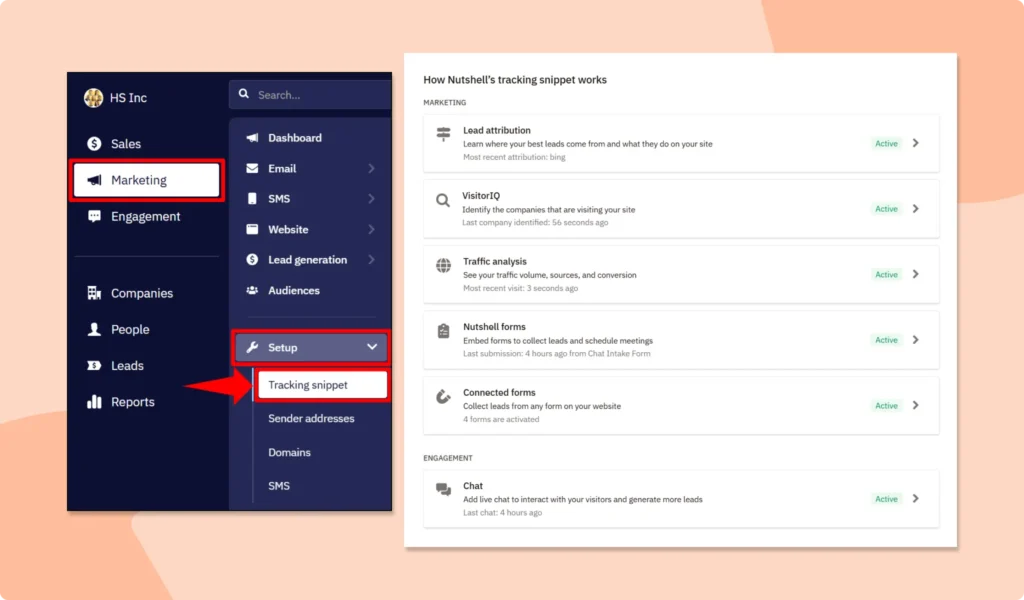
Nutshell's Tracking Snippet For Nutshell Analytics, Forms, Lead Attribution, VisitorIQ, and Web Chat

Why is consolidating your website feature setup important?

This new centralized website setup hub will smooth the process for getting started with the following Nutshell features:

  • Nutshell Analytics: Monitor whether your analytics snippet is embedded and enabled for optimal visitor tracking
  • Nutshell Forms: Get help embedding your analytics snippet before creating or publishing forms
  • Web chat: See your snippet and chat widget status from the same interface
  • Landing pages: Add and verify your custom domains as you set up landing pages
  • VisitorIQ: Verify VisitorIQ setup in real time for successful visitor tracking and lead creation
  • Lead attribution: Ensure your snippet is set up correctly for accurate form submission channel attribution
  • Connected Forms: Monitor form integrations and snippet status when connecting and activating web forms
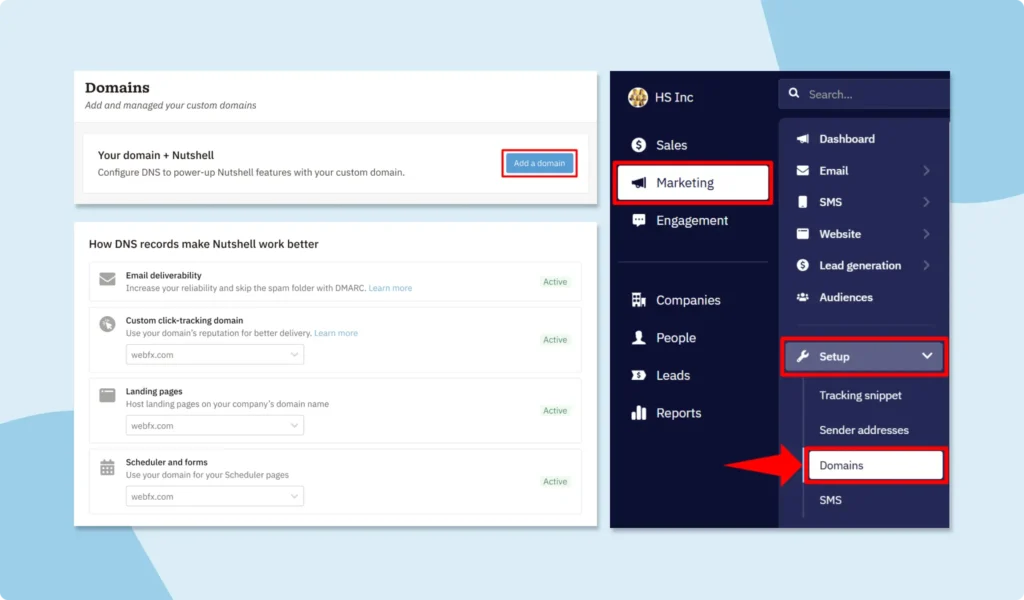
  • Email marketing: Verify your sending domain via DNS for improved email deliverability
  • Scheduler: Brand your booking and form URLs under your custom domain with the right DNS configuration guidance

Getting your website integrations set up correctly is integral for capturing leads, tracking visitor behavior, hosting custom landing pages, and so much more. Centralizing and stripping down your analytics tracking snippet and DNS record configuration helps you get set up faster and reduces errors, so you can move forward with your sales and marketing activities with confidence.

Nutshell Domains DNS Set Up For Click Tracking, Email Deliverability, Landing Pages, and Nutshell Scheduler

Bring feature embedding headaches to an end with Nutshell

Nutshell’s Tracking Snippet and Domain pages within the new Setup hub can be found in the Marketing Suite tools section of the Nutshell app, and are primarily designed to help you setup and monitor Marketing Suite features. While some of these features are available with our Marketing Foundation plan (included with all Nutshell Sales subscriptions), others are only available on our Marketing Pro plan, which comes at an additional cost.

Ready to simplify your website integration setup? Spend less time troubleshooting tracking snippet placement and domain DNS record configuration, and more time focusing on filling your pipeline. Head to the Marketing Setup section within Nutshell now to get started. Reach out to our support team if you need any help or have any questions.

Frequently asked questions

  • 1. Will the tracking snippet affect my website’s performance?

    No, the Nutshell tracking snippet uses asynchronous loading, meaning it loads independently without blocking your website content. The script is lightweight (typically under 10KB) and loads in milliseconds. Your pages will display normally while the tracking code runs in the background, ensuring zero impact on user experience or site speed.

  • 2. How do I verify my tracking snippet is working correctly?

    After installing the snippet, visit your website and check the Nutshell Analytics dashboard for real-time data. You can also use browser developer tools: right-click, select “Inspect,” go to the Network tab, and look for requests to Nutshell’s servers. Within the Setup hub, you’ll see real-time status indicators showing whether your snippet is active and collecting data properly.

  • 3. What DNS records do I need to configure for email deliverability?

    You’ll need three types of DNS records: SPF (authorizes which servers can send email for your domain), DKIM (adds a digital signature to verify authenticity), and DMARC (tells receiving servers how to handle unauthenticated emails). Nutshell provides the exact values to copy and paste into your DNS settings, making setup straightforward even for non-technical users.

  • 4. How long does DNS propagation take after making changes?

    DNS changes typically propagate within 24-48 hours, though some updates appear within minutes. Email-related DNS records usually update faster (2-4 hours) than website records. During propagation, some recipients might experience delays. We recommend making DNS changes during low-email-volume periods and waiting 24 hours before launching critical campaigns.

  • 5. What data does the Nutshell tracking snippet collect, and is it GDPR compliant?

    The Nutshell tracking snippet collects visitor behavior data like page views, referral sources, and form submissions—never personal information unless explicitly provided through forms. All data is encrypted and stored securely. Nutshell is GDPR compliant, giving you full control over data collection and the ability to honor deletion requests, ensuring your marketing remains both effective and privacy-conscious.

Simplify website visitor tracking, email campaign deliverability, & more!

Visit the Website section in Nutshell today and discover how easy it is to embed your universal Nutshell tracking snippet or configure your DNS records to connect essential Nutshell lead generation tools to your website.

BACK TO TOP

Join 30,000+ other sales and marketing professionals. Subscribe to our Sell to Win newsletter!