-

Quick answer: What is the best CRM for coaches?
The best CRM for coaches depends on your specific business model: Nutshell is the top all-in-one choice for coaches who need a balance of sales, marketing, and AI-powered automation, while Paperbell is widely considered the best purpose-built platform for managing coaching-specific tasks like session tracking and packages. For those on a tight budget, HubSpot offers a robust free tier, whereas HoneyBook and Dubsado are excellent for coaches who prioritize highly stylized, branded client portals and contract management.
Key Takeaways
We’ve reviewed eight top CRM solutions specifically for coaches. Here’s what you need to know:
- Nutshell is the best all-in-one CRM for coaches who want sales, marketing, engagement, and AI features in one integrated platform. It’s affordable, easy to use, saves you time, and is designed for coaches who also sell coaching packages.
- HubSpot CRM is the best free option for coaches on a tight budget. You get advanced, but highly limited features with no credit card required, and you can upgrade as your business grows.
- Paperbell is the best purpose-built coaching platform. If you’re looking for a solution designed specifically for coaches, this is it.
This guide breaks down eight solutions, providing detailed comparisons, pricing, pros and cons, and guidance on which CRM best fits your specific coaching niche
Coaches spend more time on administrative tasks than on coaching. You’re managing client data across multiple platforms, scheduling sessions, tracking progress, and handling invoices—and somewhere in there, you’re supposed to actually coach. It’s why client management software for coaches has become one of the most in-demand solutions in the industry.
The coaching industry is booming, but many coaches are still juggling spreadsheets, email, calendar apps, and payment processors like it’s 1995.
If you’re searching for the best CRM for coaches, you need a solution that addresses all these key challenges: centralizing client data, automating workflows, tracking progress, managing revenue, and scaling with your business.
The right CRM can change everything. A purpose-built customer relationship management system consolidates your client data, automates your workflows, tracks progress, and helps you scale without losing the personal touch that makes coaching work. This guide shows you the best CRM for coaches and how to choose the right one for your specific coaching niche.
Best CRM for coaches at a glance
- Nutshell (4.8/5): Best for coaches who want a time-saving, all-in-one CRM solution with robust marketing, engagement, and AI features to manage clients and sales pipelines in one place.
- HubSpot CRM (4.7/5): Best for coaches wanting a free tier with the option to scale and a large ecosystem of integrations.
- Paperbell (4.6/5): Best for coaches seeking a purpose-built coaching platform with session tracking and progress monitoring built in.
- HoneyBook (4.4/5): Best for coaches wanting a business platform that combines CRM, contracts, invoicing, and proposals.
- Dubsado (4.3/5): Best for coaches managing client flow, proposals, and contracts with strong automation capabilities.
- Zoho CRM (4.0/5): Best for coaches needing highly customizable solutions with advanced features and scalability.
- OnePageCRM (4.0/5): Best for coaches prioritizing action-focused productivity and simple, intuitive design.
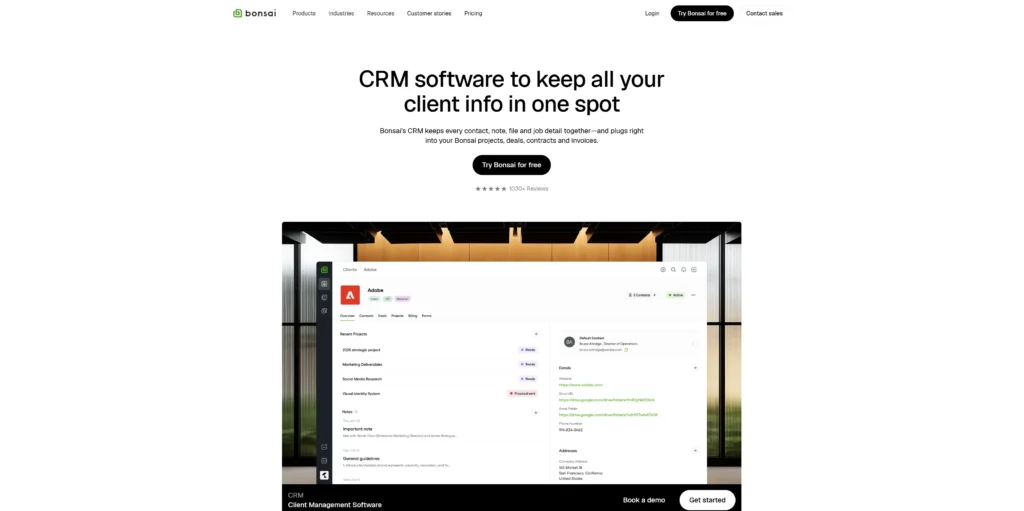
- Bonsai (3.9/5): Best for coaches managing contracts, invoices, and proposals with strong document management features.
Table of Contents
- Why coaches need a CRM
- The coaching industry is booming—here’s why it matters
- How we selected the best CRM for coaches
- Key features every coaching CRM should have
- Best coaching CRM comparison table
- Best CRM solutions for coaches: Detailed reviews
- Coaching-specific CRM requirements by niche
- Sanae: Life coach success story ($0 to $30K/month)
- How to choose the right CRM for your coaching business
- Scaling your coaching business with team collaboration
- Implementation tips for coaching CRMs
- Frequently asked questions
Why coaches need a CRM
Coaches face unique challenges that traditional business tools often fail to address. A good CRM solves all of these problems. It centralizes client data, automates workflows, tracks progress, manages revenue, and scales with your business. Let’s break down the core pain points.
Scattered client data across multiple systems
Your client information is stored in various locations, including email, your calendar app, a spreadsheet, and possibly a Google Drive folder. When you need to reference a client’s goals or previous session notes, you’re hunting through multiple platforms. This wastes time and creates inconsistency.
Time wasted on administrative tasks instead of coaching
Many cite limited time as a barrier to scaling. You’re spending hours on scheduling, follow-ups, invoicing, and data entry when you could be coaching more clients or deepening your impact with existing ones.
Difficulty tracking client progress and demonstrating ROI
Coaches need to demonstrate to clients (and corporate clients in particular) that coaching is effective. Without a system to track goals, milestones, and outcomes, you can’t demonstrate the transformation you’re creating. 70% of individuals report improved work performance after coaching, but you need data to prove it.
Challenges in managing multiple revenue streams
Many coaches offer 1-on-1 sessions, group programs, workshops, and digital products. Tracking revenue across these different offerings, managing different pricing, and forecasting income becomes complicated without a unified system.
Lack of systems for scaling beyond 1-on-1 sessions
As your coaching business grows, you might hire other coaches, create group programs, or build a coaching team. Without proper systems, scaling becomes chaotic and unpredictable.
The coaching industry is booming—here’s why it matters
The coaching industry is experiencing explosive growth, and it matters for your business. Here’s why.

The numbers are staggering
The global coaching market is valued at $5.34 billion in 2025 and is projected to reach $10.1 billion by 2032, growing at a compound annual growth rate of 9.6%. The online coaching market is projected to reach $11.7 billion by 2032, growing at a 14% annual rate.
Corporate investment in coaching is massive
70% of Fortune 500 companies use executive coaching. This isn’t a niche market anymore—it’s mainstream. Companies are investing heavily in coaching because it works.
Coaching delivers measurable ROI
The average ROI of executive coaching is five to seven times the investment. For every dollar a company spends on coaching, it typically sees $5 to $7 in ROI. That’s a compelling business case.
Client satisfaction is through the roof
99% of coaching clients are “satisfied” or “very satisfied” with their coaching experience. Coaching works, clients know it, and they’re willing to pay for it.
What’s driving this growth?
Increased focus on personal and professional development, remote work enabling virtual coaching, corporate investment in employee development, and proven coaching effectiveness are all fueling the boom.
Why this matters for your coaching business
Growing coaching businesses need systems to manage more clients efficiently. A CRM enables you to scale without sacrificing quality. It helps you demonstrate ROI to corporate clients, manage multiple revenue streams, and build a sustainable, scalable coaching business.
How we selected the best CRM for coaches
We evaluated more than 15 CRM solutions based on coaching-specific needs. Here’s our rigorous methodology:
Our evaluation criteria: We assessed each CRM on eight key factors: ease of use (20% weight), affordability (20% weight), client management features (15% weight), automation and workflow capabilities (15% weight), reporting and analytics (10% weight), team collaboration (10% weight), integrations (5% weight), and customer support (5% weight).
Our research process: We tested each platform for ease of use and implementation, analyzed pricing and value for money, reviewed customer support quality, assessed integration capabilities, and evaluated coaching-specific features.
Our rating scale: We use a 5-point scale with ratings to the tenth place only (e.g., 4.8, 4.5, 4.2). No CRM with a rating below 3.0 was included because this is a “best of” list—all solutions here are viable, high-quality options. Perfect 5.0 ratings are extremely rare and only used when a CRM truly excels in all aspects.
Key features every coaching CRM should have
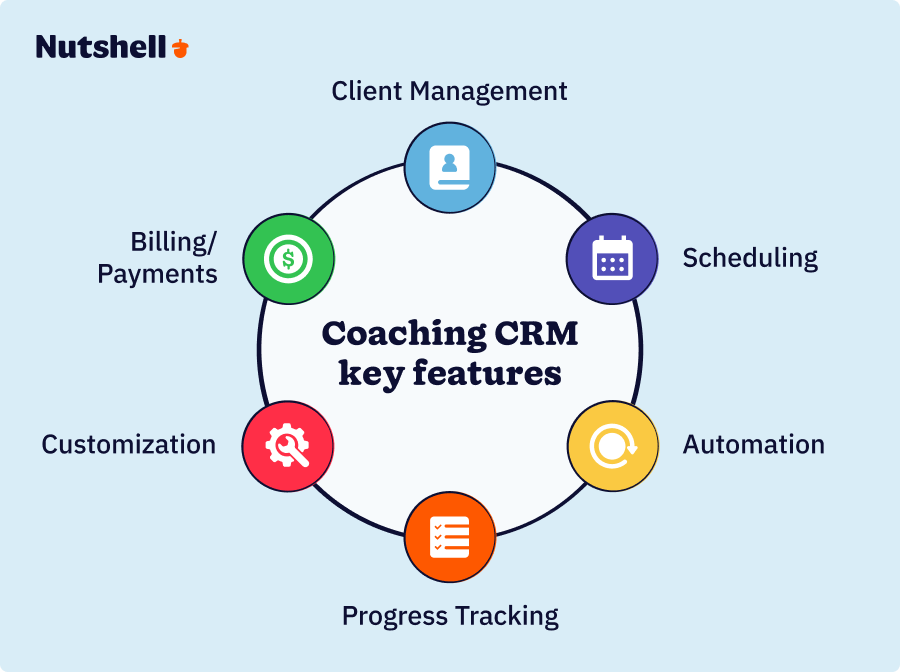
Not all CRMs are created equal. Here are the six features every coaching CRM should include.
1. Client management and communication tools
A centralized client database with detailed profiles, complete interaction history (including notes, emails, and calls), and multi-channel communication capabilities (email, SMS, and messaging) is essential.
Why it matters: Coaches waste hours managing scattered client data. A unified system keeps everything in one place.
2. Scheduling and calendar integration
Automated appointment scheduling, calendar sync (with Google Calendar, Outlook, and Apple), and automated reminders and follow-ups save a significant amount of time.
Why it matters: 42% of coaches cite time management as a top challenge. Scheduling logistics consumes significant coaching time.
3. Progress tracking and goal monitoring
Session notes and documentation, goal tracking and milestone monitoring, progress reporting and analytics, and client outcome measurement are critical.
Why it matters: 70% of individuals report improved work performance after coaching, but you need to track and measure it.
4. Billing and payment processing
Automated invoicing, payment processing, and recurring billing, as well as payment reminders and follow-ups, and financial reporting, keep your revenue flowing.
Why it matters: Coaches lose revenue through missed payments and manual billing processes.
5. Automation and workflow management
Automated email sequences, task automation and reminders, workflow templates for common processes, and lead nurturing automation free up your time. Nutshell’s automation features help you reduce administrative work by up to 70%, allowing you to spend more time coaching and less time managing.
Why it matters: Coaches spend more time on administrative tasks than on coaching. Automation is the solution.
6. Customization and flexibility
Customizable fields and workflows, along with the ability to adapt to different coaching niches and template customization, ensure the CRM is tailored specifically to your business.
Why it matters: Coaching is diverse. One-size-fits-all doesn’t work.
[Dynamic CTA]
Best coaching CRM comparison table
CRM Rating Best For Starting Price Nutshell 4.8/5 All-in-one, time-saving CRM with marketing, engagement & AI $13/user/month HubSpot CRM 4.7/5 Limited free tier with the option to scale Free (with paid tiers starting at $9/user/month) Paperbell 4.6/5 Purpose-built coaching platform $57/month HoneyBook 4.4/5 Multi-tool business platform $29/month Dubsado 4.3/5 Client flow & proposal management $20/month Zoho CRM 4.0/5 Highly customizable solutions Free (with paid tiers starting at $14/user/month) OnePageCRM 4.0/5 Action-focused productivity $9.95/user/month Bonsai 3.9/5 Contracts, invoices & proposals
$9/user/monthBest CRM solutions for coaches: Detailed reviews
1. Nutshell
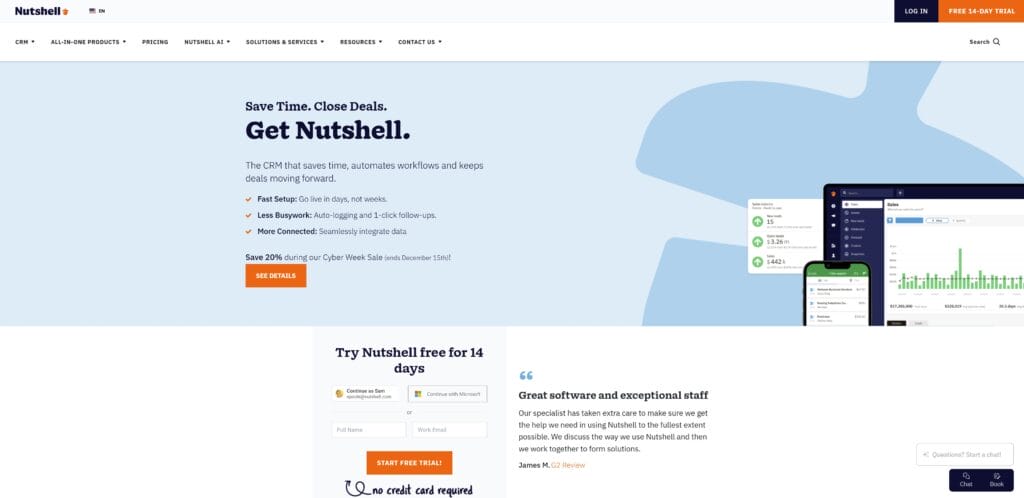
Rating: 4.8/5
Best for coaches who want a time-saving, all-in-one CRM solution with robust marketing, engagement, and AI features to manage clients and sales pipelines in one place
Quick summary
Nutshell is an all-in-one CRM platform that combines sales, marketing, engagement, and AI features specifically designed for growing businesses. Coaches can manage client relationships, sales pipelines, marketing automation, and team collaboration in one integrated platform. It’s known for its time-saving benefits and unique “next-action” approach that helps teams focus on the most important tasks to move deals forward.
Key features for coaches
- All-in-one platform: Sales CRM + marketing automation + engagement tools + AI features (no need for multiple tools)
- Next-action methodology: Proprietary approach that cuts through overwhelm and helps coaches focus on what matters most
- Customizable workflows: Adapt the platform to any coaching niche (life coaching, executive coaching, health coaching, etc.)
- Robust automation: Email sequences, task automation, workflow templates, and lead nurturing
- Team collaboration: Multi-user access, shared calendars, task management, and team communication
- Reporting and analytics: Comprehensive dashboards and reporting to track business metrics
Pros
- Affordable pricing with enterprise-grade features (best value for money)
- Intuitive interface with quick setup and minimal learning curve
- Robust team collaboration features for growing coaching businesses
- Unique “next-action” approach differentiates from competitors
- Comprehensive automation capabilities save time on admin tasks
- Flexible for all coaching niches and business models
- Strong customer support and onboarding
Cons
- Less coaching-specific than Paperbell (requires more customization)
- Smaller user community compared to HubSpot
- May require some setup to optimize for your specific coaching workflow
Pricing
Starting at just $13/user/month (billed annually), Nutshell is an affordable CRM for coaches that doesn’t sacrifice comprehensive functionality. Free trial available.
See Nutshell in action!
Try Nutshell free for 14 days or let us show you around before you dive in.

2. HubSpot CRM
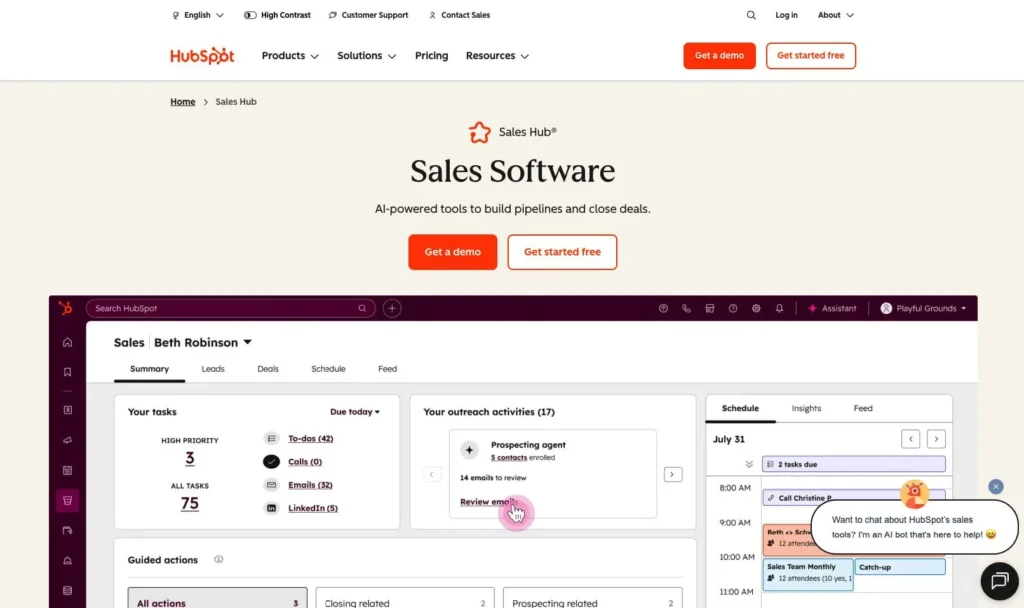
Rating: 4.7/5
Best for coaches wanting a free tier with the option to scale and a large ecosystem of integrations
Quick summary
HubSpot CRM is a CRM platform with a free tier, allowing it to scale with your business. It offers a robust free tier with optional paid add-ons for marketing automation and sales tools. It’s a popular choice for coaches who want to start free and upgrade as their business grows.
Key features for coaches
- Free tier: Unlimited contacts and basic CRM features at no cost
- Scalable pricing: Start free, upgrade as you grow
- Strong integrations: Email, calendar, video conferencing, and hundreds of other tools
- Excellent reporting: Built-in analytics and reporting capabilities
- Contact management: Detailed contact profiles with interaction history
- Task management: Automated reminders and follow-ups
Pros
- Completely free to start (no credit card required)
- Advanced features even in the free tier (albeit limited)
- Excellent integrations and ecosystem
- Strong brand recognition and a large user community
- Good reporting and analytics capabilities
- Scales with your business as you grow
- Excellent customer support and resources
Cons
- Can become complex and overwhelming for solo coaches
- Free tier has limitations; paid tiers can get expensive at scale
- Less coaching-specific than purpose-built solutions
- Steeper learning curve for non-technical users
- Requires more customization for coaching workflows
Pricing
Free tier (unlimited contacts, basic features). Paid tiers start at $9/user/month.
3. Paperbell
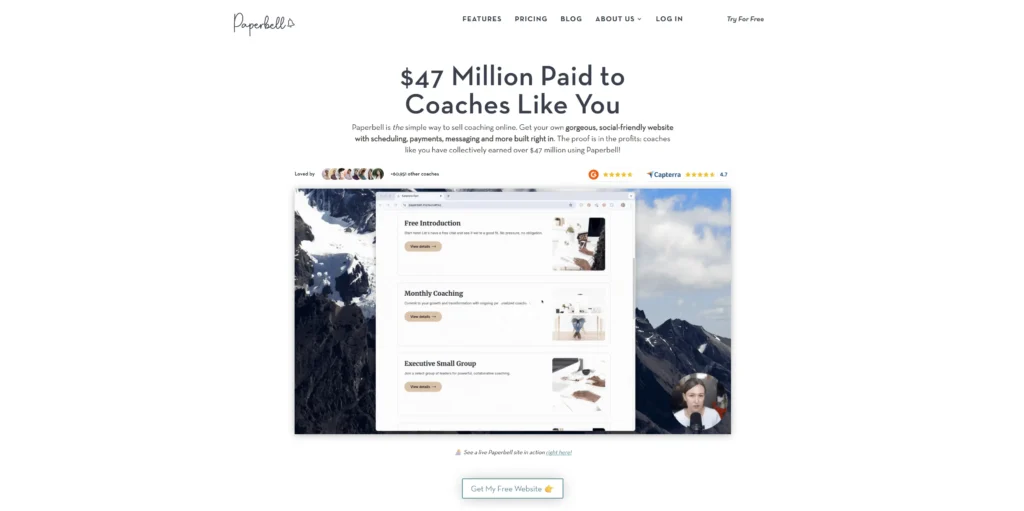
Rating: 4.6/5
Best for coaches seeking a purpose-built coaching platform with session tracking and progress monitoring built in
Quick summary
Paperbell is a purpose-built CRM platform designed specifically for coaches. It includes client management, scheduling, progress tracking, and payment processing. It’s ideal for coaches who want a platform built with their specific needs in mind.
Key features for coaches
- Purpose-built for coaches: Not a generic CRM adapted for coaching
- Integrated scheduling: Calendar management and appointment booking
- Client progress tracking: Session notes, goal tracking, and outcome measurement
- Built-in payment processing: Invoicing and recurring billing
- Coaching-specific workflows: Templates and processes designed for coaches
- Client portal: Clients can view progress, access resources, and communicate
Pros
- Designed specifically for coaches (minimal customization needed)
- Comprehensive feature set for coaching businesses
- Good automation capabilities
- Strong focus on client outcomes and progress tracking
- Intuitive interface designed for coaches
- Excellent customer support for coaching businesses
- Built-in client portal for transparency
Cons
- Higher pricing than some competitors
- Less robust sales pipeline management (if you’re selling coaching packages)
- Smaller integration ecosystem compared to HubSpot
- Less flexible for non-traditional coaching models
- May feel limited if you need advanced customization
Pricing
Starting at $57/month
4. HoneyBook
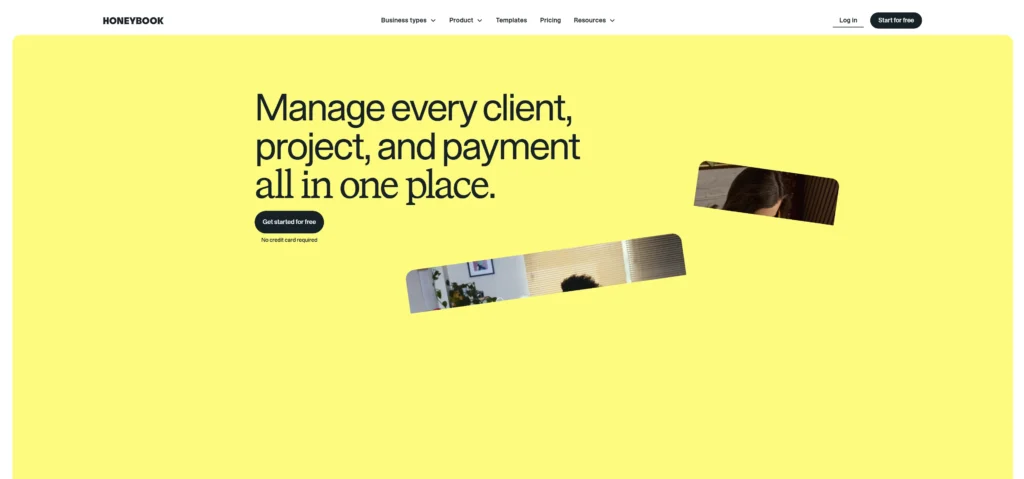
Rating: 4.4/5
Best for coaches wanting a business platform that combines CRM, contracts, invoicing, and proposals
Quick summary
HoneyBook is a multi-tool business platform that combines CRM, contracts, invoicing, and proposals. It’s user-friendly and designed for service-based businesses, including coaches. It’s a good option for coaches who want to manage all business aspects in one place.
Key features for coaches
- Multi-tool platform: CRM + contracts + invoices + proposals
- User-friendly interface: Quick setup with minimal learning curve
- Automated workflows: Client communication and follow-ups
- Built-in payment processing: Accept payments directly in the platform
- E-signature capabilities: Sign contracts digitally
- Client portal: Clients can view proposals, sign documents, and make payments
Pros
- User-friendly interface with minimal learning curve
- Multi-tool platform reduces tool switching
- Good automation capabilities
- Strong brand recognition
- Excellent for contract and proposal management
- Built-in client portal
Cons
- Less robust CRM features compared to dedicated CRM solutions
- Weaker reporting and analytics capabilities
- Limited sales pipeline management functionality
- Not as customizable as Nutshell or Zoho
- May feel limited as your business grows
- Fewer integrations than larger platforms
Pricing
Starting at $29/month.
5. Dubsado
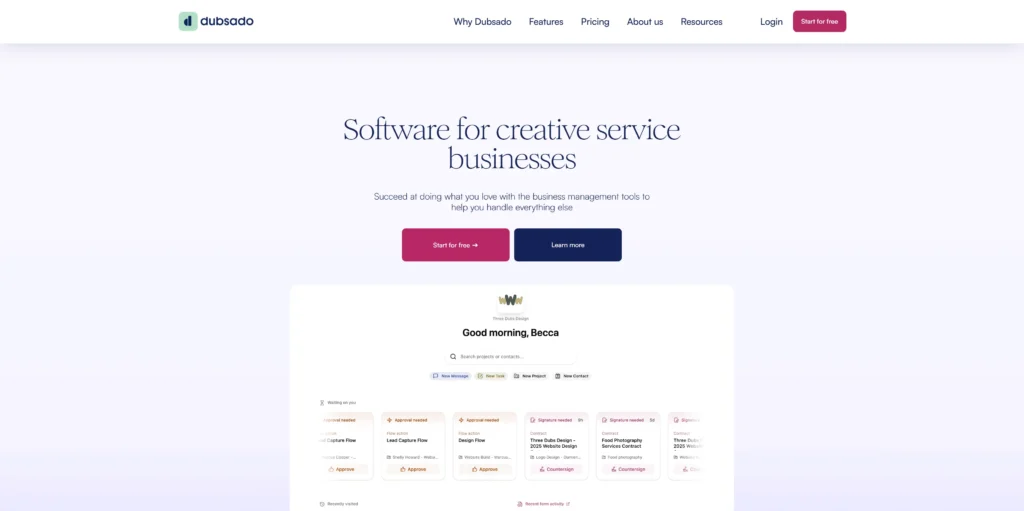
Rating: 4.3/5
Best for coaches managing client flow, proposals, and contracts with strong automation capabilities
Quick summary
Dubsado is a client flow management platform designed for service-based businesses. It focuses on contracts, proposals, invoicing, and client communication. It’s a good option for coaches who prioritize proposal and contract management.
Key features for coaches
- Client flow management: Intake forms, contracts, and proposals
- Automated client communication: Follow-ups and reminders
- Built-in invoicing: Payment processing and recurring billing
- Client portal: Self-service access for clients
- Workflow automation: Templates for common processes
- E-signature capabilities: Digital contract signing
Pros
- Strong proposal and contract management features
- Affordable pricing ($25/month)
- Good automation for client workflows
- User-friendly interface
- Client portal for transparency
- Good for managing client onboarding
- Quick setup and implementation
Cons
- Less robust CRM features compared to dedicated CRM solutions
- Limited reporting and analytics
- Weaker sales pipeline management
- Smaller integration ecosystem
- May feel limited for complex coaching scenarios
- Not ideal for coaches with multiple revenue streams
Pricing
Starting at $20/month.
6. Zoho CRM
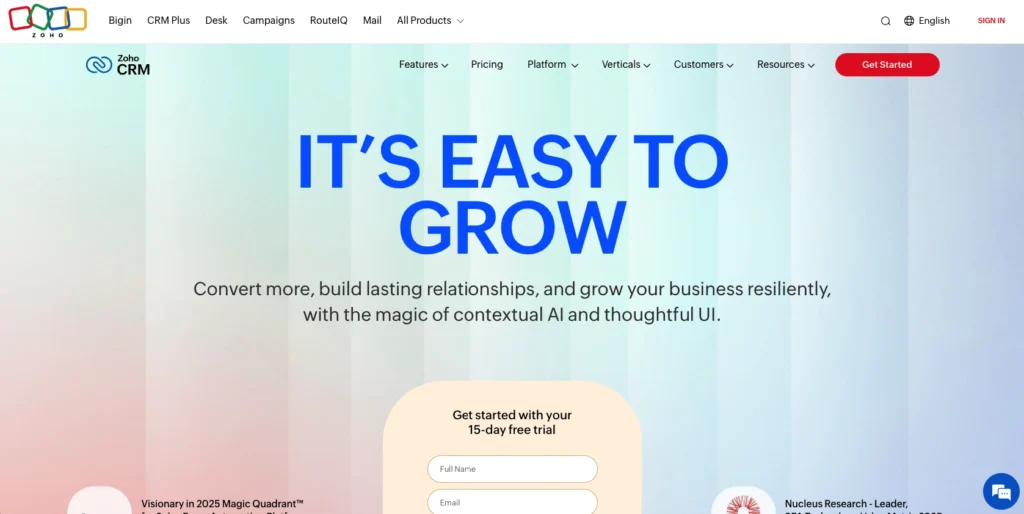
Rating: 4.0/5
Best for coaches needing highly customizable solutions with enterprise-grade features and scalability
Quick summary
Zoho CRM is a highly customizable, popular CRM platform. It offers extensive customization options and scalability for growing businesses. It’s a good option for coaches with complex needs or those planning significant growth.
While Zoho offers many tools, managing appointments can become complicated within their ecosystem. Check out our Nutshell Scheduler vs. Zoho Bookings guide to see how we simplify the booking process for coaching clients.
Key features for coaches
- Highly customizable: Fields, workflows, and modules adapt to your needs
- Advanced features: Scalability and advanced capabilities
- Strong reporting: Comprehensive analytics and dashboards
- Extensive integrations: Hundreds of third-party integrations
- Advanced automation: Complex workflow automation
- Team collaboration: Multi-user access and team features
Pros
- Highly customizable to fit any coaching business model
- Top-level features at reasonable pricing
- Strong reporting and analytics
- Excellent scalability for growing teams
- Free tier available
- Powerful automation capabilities
- Large user community and resources
Cons
- Steeper learning curve (more complex than Nutshell or HubSpot)
- Can be overwhelming for solo coaches
- Requires more setup and configuration
- Less coaching-specific than purpose-built solutions
- May require technical support for advanced customization
- Smaller coaching-specific community
Pricing
Free tier available. Paid tiers start at $14/user/month.
7. OnePageCRM
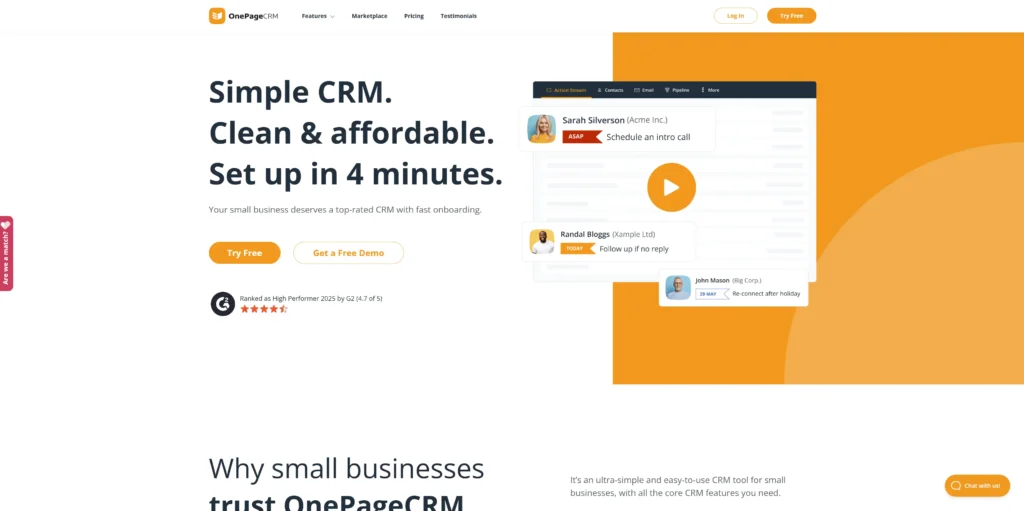
Rating: 4.0/5
Best for coaches prioritizing action-focused productivity and simple, intuitive design
Quick summary
OnePageCRM is a simple, action-focused CRM designed for productivity. It emphasizes the “next action” methodology to keep teams focused on priorities. It’s a good option for coaches who want a straightforward, no-frills CRM.
Key features for coaches
- Action-focused interface: Similar to Nutshell’s “next-action” approach
- Simple design: Minimal learning curve and quick setup
- Task management: Follow-up automation and reminders
- Mobile app: Access your CRM on the go
- Contact management: Activity tracking and interaction history
- Sales pipeline: Basic pipeline management
Pros
- Simple, intuitive interface
- Action-focused methodology keeps teams focused
- Affordable pricing ($25/month)
- Good mobile app
- Quick setup and implementation
- Minimal learning curve
- Strong focus on productivity
Cons
- Fewer features compared to competitors
- Limited coaching-specific functionality
- Smaller integration ecosystem
- Less robust reporting and analytics
- Limited customization options
- May feel limited as your business grows
- Smaller user community
Pricing
Starting at $9.95/user/month.
8. Bonsai
Rating: 3.9/5
Best for coaches managing contracts, invoices, and proposals with strong document management features
Quick summary
Bonsai is a business management platform focused on contracts, invoices, and proposals. It includes basic CRM features alongside document management tools. It’s a good option for coaches who prioritize contract and proposal management.
Key features for coaches
- Contract and proposal templates: Pre-built templates for common scenarios
- Automated invoicing: Payment processing and recurring billing
- Basic client management: Contact profiles and interaction tracking
- E-signature capabilities: Digital contract signing
- Time tracking: Track billable hours
- Project management: Basic project tracking features
Pros
- Strong contract and proposal management
- Good automation for document workflows
- E-signature capabilities
- User-friendly interface
- Good for managing client agreements
- Quick setup
Cons
- Weaker CRM features compared to dedicated CRM solutions
- Limited client management depth
- Minimal reporting and analytics
- Not ideal for complex coaching scenarios
- Smaller integration ecosystem
- May feel limited for growing coaching businesses
- Less focus on client relationship management
Pricing
Starting at $9/user/month
Coaching-specific CRM requirements by niche
Different coaching niches have different needs. Here’s what matters most for each type of coach.
Solo life coaches
- Pain points: Limited budget, time management, scaling challenges
- Must-have features: Affordability, ease of use, automation, client management
- Best CRM options: Nutshell, HubSpot CRM (free tier), HoneyBook
- Why: These solutions balance affordability with powerful features. They’re perfect for solopreneurs who need to do more with less. HubSpot’s free tier lets you start with zero investment. HoneyBook and Nutshell offer affordable paid options with strong automation.
- Key consideration: Look for CRMs with strong automation to free up time for actual coaching. As a solo coach, your time is your most valuable asset.
Health and wellness coaches
- Pain points: Client health data tracking, HIPAA compliance, appointment scheduling
- Must-have features: Secure data storage, scheduling integration, progress tracking, compliance
- Best CRM options: Nutshell, Paperbell, Zoho CRM
- Why: These solutions offer security, customization, and health-specific tracking capabilities. Nutshell and Zoho allow customization for health-specific fields. Paperbell includes built-in progress tracking.
- Key consideration: Verify HIPAA compliance if handling sensitive health information. Data security is critical in health coaching.
Executive and leadership coaches
- Pain points: Enterprise-grade security, confidentiality, complex reporting, and corporate integrations
- Must-have features: Advanced security, reporting/analytics, team collaboration, enterprise features
- Best CRM options: Nutshell, HubSpot CRM, Zoho CRM
- Why: These solutions offer enterprise-grade features and security for high-end coaching. They integrate with corporate systems and provide advanced reporting for demonstrating ROI to corporate clients.
- Key consideration: Prioritize security, confidentiality, and advanced reporting capabilities. Corporate clients expect enterprise-grade tools.
Career coaches
- Pain points: Diverse client needs, outcome tracking, milestone management, lead nurturing
- Must-have features: Customization, outcome tracking, templates, flexibility
- Best CRM options: Nutshell, Zoho CRM, Paperbell
- Why: These solutions offer customization and outcome tracking for diverse client scenarios. Career coaching is highly varied, so flexibility is essential.
- Key consideration: Look for CRMs that offer strong customization and effective progress tracking. You need to adapt to each client’s unique career journey.
Business coaches
- Pain points: Sales pipeline management, revenue tracking, business metrics, scaling
- Must-have features: Sales pipeline, revenue tracking, reporting, automation
- Best CRM options: Nutshell, HubSpot CRM, Zoho CRM
- Why: These solutions excel at tracking sales pipelines and revenue. Business coaches need to manage both their own sales pipeline and help clients with theirs.
- Key consideration: Prioritize sales pipeline management and business metrics tracking. You need visibility into your coaching business metrics.
Sanae: Life coach success story ($0 to $30K/month)
Finding the right CRM for life coaches doesn’t have to be complicated — as Sanae’s story proves, the right platform can take a coaching practice from $0 to $30K per month.
- Background: Sanae is a life coach who started from scratch with no clients and no revenue.
- Challenge: Sanae had no systems, no clients, and no revenue. She needed to build a coaching business from the ground up.
- Solution: Sanae implemented coaching business systems and processes, including a CRM to manage clients and automate follow-ups.
- Results:
- Month 1-2: $5,000/month revenue
- Month 3: $30,000 in revenue (6x increase in one month)
- Went from zero to a consistent income almost immediately
- Built a sustainable, scalable coaching business
- Key lesson: Proper systems and processes enable rapid scaling. You don’t need to be in business for years to build a six-figure coaching practice.
How to choose the right CRM for your coaching business
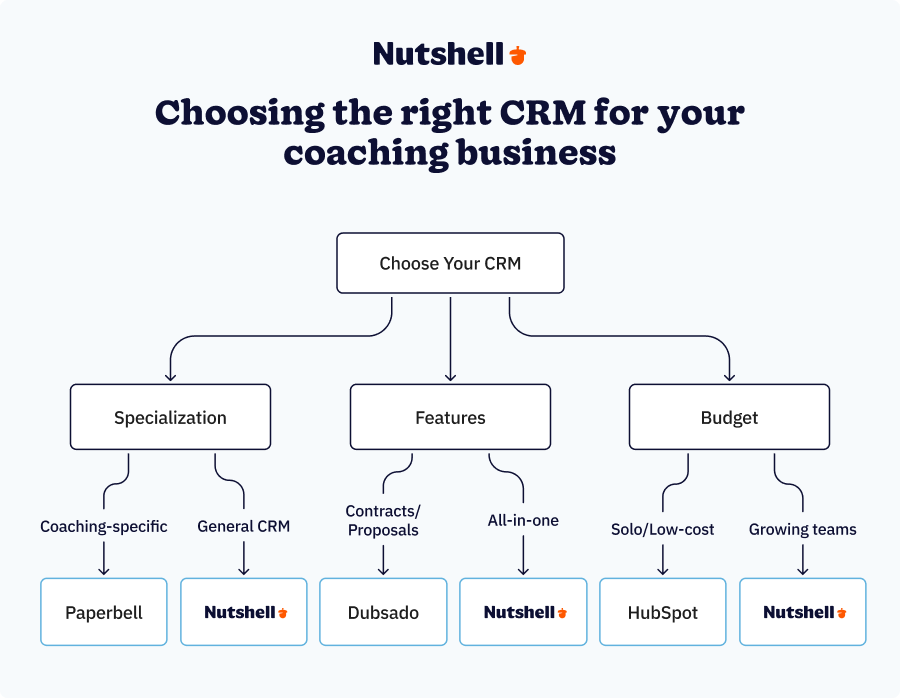
Choosing the right CRM is a critical decision. Use this framework to make an informed choice:
1. Assess your coaching niche and business model
Questions to ask yourself:
- What type of coaching do you offer? (life, executive, health, career, business, etc.)
- Do you offer 1-on-1 coaching, group coaching, or both?
- Are you selling coaching packages or hourly sessions?
- Do you have a team or are you solo?
Why it matters: Different coaching models have different CRM needs. A solo life coach has different requirements than an executive coaching firm.
How it affects your choice: Niche-specific needs may favor Paperbell for coaching-specific features. Sales-focused coaches may prefer Nutshell for its sales pipeline management.
2. Consider your budget
Questions to ask yourself:
- What’s your monthly budget for CRM tools?
- Are you looking for a free tier or willing to pay?
- Do you need to scale pricing as you grow?
Why it matters: CRM costs vary significantly ($0–$100+/month). Your budget determines which solutions are viable.
How it affects your choice: Budget-conscious coaches may prefer HubSpot’s free tier or Nutshell at $13/user/month.
3. Evaluate ease of use
Questions to ask yourself:
- How tech-savvy are you and your team?
- Do you need a quick setup, or are you willing to invest in implementation?
- How important is a learning curve?
Why it matters: Complex CRMs can waste time and frustrate users. You want a tool that gets out of your way.
How it affects your choice: Non-technical coaches should prioritize Nutshell, HoneyBook, or Paperbell for their intuitive interfaces.
4. Check integration capabilities
Questions to ask yourself:
- What tools do you currently use? (email, calendar, video conferencing, payment processors, etc.)
- Do you need integrations with coaching-specific platforms? (Kajabi, Teachable, etc.)
- How important is a robust integration ecosystem?
Why it matters: Poor integrations create manual work and data silos. You want your CRM to work seamlessly with your existing tools.
How it affects your choice: Coaches using multiple tools should prioritize Nutshell or HubSpot for their robust integration ecosystems.
5. Review customer support quality
Questions to ask yourself:
- How important is responsive customer support?
- Do you prefer chat, email, or phone support?
- Do you need onboarding assistance?
Why it matters: Good support saves time and reduces frustration. You want help when you need it.
How it affects your choice: Coaches needing hands-on support should research each vendor’s support options. Paperbell and Nutshell are known for strong coaching-focused support.
6. Plan for growth
Questions to ask yourself:
- Are you planning to hire team members?
- Do you want to scale to group coaching or multiple revenue streams?
- How important is scalability?
Why it matters: Your CRM needs will change as your business grows. You want a platform that scales with you.
How it affects your choice: Growing coaches should prioritize scalable solutions like Nutshell or HubSpot that support multiple users and advanced features.
Decision matrix
Use this quick reference to find your best fit:
- Solo coach on tight budget → HubSpot CRM (free) or Nutshell ($13/user/month)
- Growing team needing collaboration → Nutshell ($13/user/month)
- Coaching-specific needs → Paperbell ($57/month)
- Complex customization needs → Zoho CRM (free or paid tiers)
- Focus on contracts/proposals → Dubsado ($20/month) or Bonsai ($9/user/month)
- Action-focused productivity → OnePageCRM ($9.95/user/month)
Scaling your coaching business with team collaboration
As your coaching business grows, you’ll likely hire team members. When that happens, team collaboration becomes critical.
Growing coaching businesses need to hire team members to scale beyond 1-on-1 coaching. You might hire other coaches, administrative staff, or marketing specialists. Team coordination becomes essential.
CRM features that support team collaboration include:
- Multi-user access and permissions
- Shared calendars and task management
- Team communication tools
- Centralized client data
- Activity tracking and accountability
The CRMs that excel at team collaboration are:
- Nutshell features built-in team capabilities with excellent collaboration tools. With multi-user access, shared workflows, and team communication as core features, you can onboard new coaches, expand your services, and maintain quality across your team. Nutshell’s built-in team features make this seamless—no complex integrations needed.
- HubSpot CRM provides solid team capabilities and scales effectively as you add users. Team features are robust even in the free tier.
- Paperbell includes good team features designed for coaching teams. You can manage multiple coaches and their clients within a single system.
Investing in a CRM with robust team collaboration features will afford you and your team several essential benefits, such as:
- Consistent client experience across your team
- Improved accountability and transparency
- Better knowledge sharing among team members
- Easier onboarding of new team members
- Reduced miscommunication and missed follow-ups
Implementation tips for coaching CRMs
Successful CRM implementation is critical to getting results. Here are practical tips to ensure success:
1. Set up your CRM properly from the start
What to do: Take time to configure your CRM correctly before going live.
Why it matters: Poor setup creates data quality issues and limits effectiveness. You’ll regret rushing this step.
How to execute:
- Define your client data structure (fields, custom properties, etc.)
- Create standardized naming conventions
- Set up your sales pipeline stages (if applicable)
- Configure automation rules
- Test everything before going live
2. Train your team (if applicable)
What to do: Ensure all team members understand how to use the CRM.
Why it matters: Untrained users create inconsistent data and underutilize features.
How to execute:
- Schedule training sessions before launch
- Create documentation and video tutorials
- Assign a CRM champion to answer questions
- Provide ongoing support and refresher training
3. Establish workflows and processes
What to do: Define how your team will use the CRM for common tasks.
Why it matters: Standardized processes ensure consistency and efficiency.
How to execute:
- Document your client onboarding process
- Create templates for common communications
- Define follow-up schedules
- Establish data entry standards
- Create checklists for common tasks
4. Track key metrics from day one
What to do: Identify and monitor metrics that matter to your coaching business.
Why it matters: Data-driven decisions lead to improved business outcomes.
How to execute:
- Define your key metrics (client acquisition, retention, revenue, etc.)
- Set up CRM dashboards to track these metrics
- Review metrics weekly or monthly
- Use insights to optimize your coaching business
- Track ROI of your CRM investment
5. Continuously optimize your setup
What to do: Regularly review and improve your CRM configuration.
Why it matters: Your business evolves; your CRM should evolve with it.
How to execute:
- Schedule monthly reviews of your CRM usage
- Identify pain points and inefficiencies
- Test new features and automations
- Gather feedback from your team
- Make incremental improvements
6. Common implementation mistakes to avoid
What to do: Learn from others’ mistakes to avoid costly errors.
Why it matters: Common mistakes waste time and reduce CRM effectiveness.
How to execute:
- Don’t skip the setup phase (rushing leads to problems)
- Don’t ignore data quality (garbage in, garbage out)
- Don’t underutilize automation (it’s a key time-saver)
- Don’t neglect training (users need to understand the system)
- Don’t set it and forget it (continuous optimization is essential)
Frequently asked questions
-
1. What is the best CRM for solo coaches on a tight budget?
HubSpot CRM (free tier) is the top budget option. You receive unlimited contacts with limited CRM features, but zero financial investment is required. However, Nutshell ($13/user/month) offers the best value for money, with a broad set of essential sales and marketing features at a reasonable price point.
The key is comparing what you get at each price point. HubSpot’s free tier is impressive, but you’ll soon hit limitations. Nutshell offers far more features for a modest monthly investment.
Remember: Investing in a CRM pays for itself through time savings and revenue growth.
-
2. Can I use a CRM if I’m not tech-savvy?
Absolutely. Modern CRMs are designed for non-technical users. Nutshell, HoneyBook, and Paperbell are particularly user-friendly with intuitive interfaces. Most CRMs offer onboarding support and training. Start simple and add complexity as you get comfortable. Customer support is available if you get stuck.
-
3. Will a CRM really help me grow my coaching business?
Yes, with proper implementation and usage. Core CRM benefits include time savings, better client management, improved retention, and revenue tracking. Your success depends on proper setup, team adoption, and continuous optimization. When implemented correctly, the ROI of your CRM is typically realized within 3 to 6 months.
-
4. What if I’m already using multiple tools? Can I consolidate into one CRM?
Yes. Most modern CRMs offer integrations with popular tools. For instance, Nutshell includes a robust integration ecosystem with seamless connections available to over 5,000 popular applications. Data migration from your existing tools is also usually possible.
-
5. How do I know if a CRM is right for my coaching business?
Use the decision framework provided in this article. Consider the following factors: coaching niche, budget, team size, and growth plans. Take advantage of free trials before committing. And read reviews and case studies from coaches in your niche. Then, start with a CRM that fits your current needs, and upgrade as you grow.
Most CRMs offer free trials (HubSpot, Nutshell, Zoho) or money-back guarantees. Test-drive the CRMs that best suit your needs before committing.

Let’s Talk
Have a question? Need a volume discount? Send us a message or book a meeting with a Sales rep to start the conversation.
 BACK TO TOP
 Written by
Sam Poole Associate Content MarketerEdited by
Will Gordon Sr. Director of MarketingReviewed by
Andy Fowler Co-FounderReady to try
Nutshell for Free?Thank you! Your submission has been received!Oops! Something went wrong while submitting the form.







What Is Revenue Intelligence? An All-Encompassing Guide
Published on: January 24, 2024Highly Effective Strategies for Elevating Sales Team Performance
Published on: November 10, 2022Join 30,000+ other sales and marketing professionals. Subscribe to our Sell to Win newsletter!










