Skip to main content ↓

Can you build sales automation without hiring an admin? What 5 CRMs actually require

Written by
Will Gordon director of Marketing at Nutshell
Will Gordon Sr. Director of Marketing
Last updated on: October 19, 2026
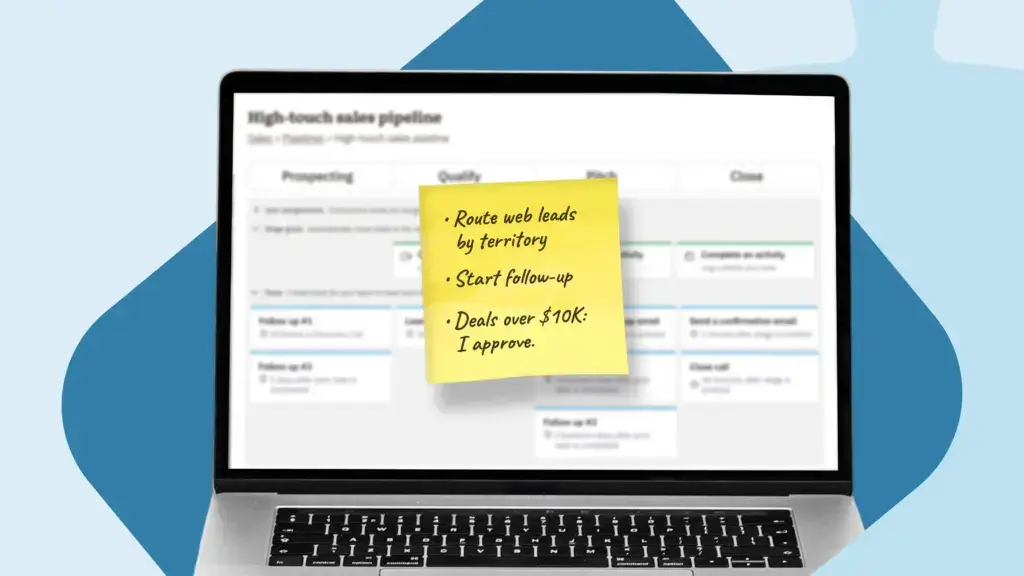
Handwritten list of three sales automation tasks on a sticky note attached to a laptop

Picture a sales manager with a 12-person team with one request for her CRM. She wants new website leads routed to reps by territory, a follow-up email sequence started for each one, and any deal over $10,000 held for her approval before the proposal goes out.

The harder question is whether she can build sales automation without an admin, or whether her request ends up in someone else’s queue. So we ran that request through HubSpot, Salesforce, Pipedrive, Monday, and Zoho, plus Nutshell, using G2 and Capterra review language and each vendor’s own documentation. 

Nutshell makes one of the CRMs on this list, so we held our own product to the same test, including the parts it doesn’t handle well.

The short version

Teams without a dedicated CRM admin should pick a platform where a sales manager can build automations directly, without IT or a consultant. Nutshell, Pipedrive, and Monday all let a manager build automations, and Nutshell includes sales automation from its Pro plan at $42 per user per month with free onboarding.

HubSpot’s full workflow builder requires its Professional plan at $90 per seat per month, plus a mandatory $1,500 onboarding fee, and Salesforce typically requires a trained admin to build and maintain automation beyond basic defaults.

Key takeaways

  • Simple rules aren’t the real test. Approval steps, build permissions, and handoffs are where admin work shows up.
  • Salesforce typically sends all three parts of the request to an admin.
  • HubSpot handles the whole request on Professional, which costs $90 per seat per month plus a $1,500 onboarding fee.
  • Zoho, Pipedrive, Monday, and Nutshell let a manager build most of the request, and each has a different sticking point.

One request, three parts

A three-part sales automation request, from routing and follow-up rules to an approval branch

The sales manager’s request reads like one job, but it’s three different kinds of automation:

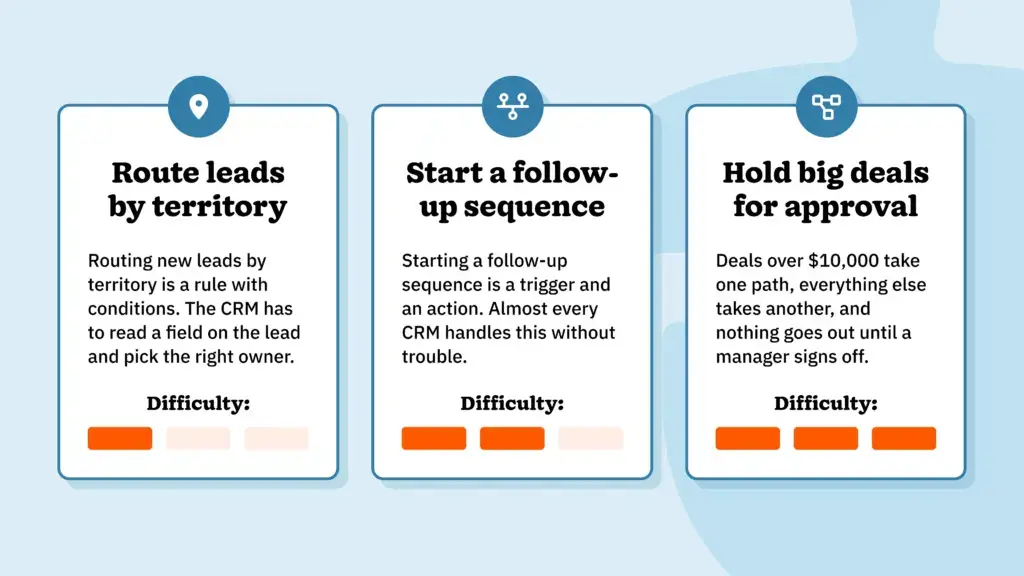
  1. Routing new leads by territory is a rule with conditions. The CRM has to read a field on the lead and pick the right owner.
  2. Starting a follow-up sequence is a trigger and an action. Almost every CRM handles this without trouble.
  3. Holding big deals for approval is a branch. Deals over $10,000 take one path, everything else takes another, and nothing goes out until she signs off.

The first two parts are where vendors’ no-code claims mostly hold up. The third part is where CRMs start to split, along with two things a demo rarely shows you: Whether the sales manager is allowed to build automations at all, and what happens to them if she leaves.

Each CRM has its own name for the tool it will use. It’s “Flow Builder” in Salesforce, “workflows” in HubSpot, “workflow rules” and “Blueprint” in Zoho, “automations” in Pipedrive, “recipes” in Monday, and “sales automation” in Nutshell.

How six CRMs handle the request

CRMRoute leads by territoryStart the follow-up sequenceHold big deals for approvalPaid setup help
NutshellYes, on Pro ($42/user/mo)Yes, and it stops when the prospect repliesPartly. Routes big deals to the sales manager, but no multi-branch approval logicNone. Onboarding is free
Salesforce Sales CloudAdminAdminAdminCommon, through an admin or partner
HubSpot Yes, on Professional ($90/seat/mo)Yes, on ProfessionalYes, on Professional, with a steep learning curveMandatory $1,500 onboarding fee on Professional
Zoho CRMYesYesAdmin or partner, through Blueprint or DelugeOften, for the approval step
PipedriveYes, with admin permission, using one automation per territoryYes, but emails send from the automation’s creatorWorkaround: a separate automation creates a review taskRarely
Monday CRMYes, as the board ownerYesYes, with conditionsRarely, but automations depend on their creator’s account

“Admin” means reviews and vendor documentation point to a trained admin or developer for that part. Prices are per user (or seat) per month, billed annually, from each vendor’s pricing page as of October 2026.

Nutshell is flexible enough for the way you sell.

Try Nutshell free for 14 days or let us show you around before you dive in.

See how

Salesforce: The whole request goes to an admin

In Salesforce, all three parts are built in Flow Builder, which has been its only no-code automation tool since Salesforce retired Workflow Rules and Process Builder on December 31, 2025. G2 reviewers describe reps who “cannot build automations independently,” so in most teams, our sales manager’s request would land in an administrator’s queue. 

Anything Flow Builder can’t handle falls to Apex, Salesforce’s programming language, which means a developer. That isn’t a knock on Flow Builder. A tool this flexible needs someone who owns it.

Reviewers describe customizations that need “ongoing administration and governance,” and a “steep learning curve” comes up across G2, Capterra, and Gartner reviews. Without an admin, the real cost of her request includes hiring one or paying a partner, which our Nutshell vs. Salesforce comparison breaks down further.

HubSpot: All three parts, on the right plan

On HubSpot’s Starter plan, our sales manager gets simple built-in automations but not the full workflow builder her request needs. HubSpot’s Professional plan, at $90 per seat per month, unlocks workflows, and HubSpot’s own pricing guide lists a mandatory $1,500 onboarding fee on top. With that in place, she can build the routing, the follow-up, and an if/then branch for big deals herself.

The approval branch is where the skill gate shows up. G2’s review summary says HubSpot’s learning curve gets steep for complex workflows, and one reviewer noted that “the average salesperson may not discover the most useful workflows on their own.” HubSpot can handle the full request if someone on her team commits to learning the builder, and Nutshell vs. HubSpot compares the two side by side.

Zoho: Two parts on her own, then a specialist

Zoho’s workflow rules are visual, so she can set up the follow-up herself by picking a trigger, a condition, and an action like sending an email or creating a task. Routing by territory can run through Zoho’s assignment rules. The approval hold is a different kind of work.

A hold-until-approved step pushes her into process design. Zoho’s Blueprint tool requires mapping every stage and transition. Partners advise doing that in full before a developer implements it, and Zoho’s developer documentation notes that custom functions are available on its Standard and Professional plans only through Extensions. One answer on Zoho’s community forum puts it bluntly: Without Deluge, Zoho’s scripting language, “you’ll need to get a developer to help you.”

Zoho’s large partner network exists largely to do this configuration work, and our Nutshell vs. Zoho page covers how that affects the total cost.

Pipedrive: First, she needs permission

Before our sales manager builds anything in Pipedrive, an admin has to approve it. According to Pipedrive’s knowledge base, only admins can create automations by default, though they can grant that permission to regular users. Once she has it, automation starts on the Growth plan at $24 per user per month, with 50 active automations and a visual builder that’s quick to learn.

Her request then hits two snags: Pipedrive’s builder is linear, with no native branching, so routing by territory means one automation per territory, and flagging deals over $10,000 means a separate automation that creates a review task for her. Automated follow-up emails are also sent from whoever created the automation, so they’d go out under her name instead of each rep’s.

On the plus side, admins can share automations and transfer ownership if she leaves. See Nutshell vs. Pipedrive for the full picture.

Monday: Built fast, tied to one person

If our sales manager owns the board, she can build all three parts herself with Monday’s visual recipes, which pair a trigger with an action and can check conditions along the way. On Monday’s Ultimate plan, she can also control who else creates automations, per it’s plan documentation.

The catch shows up later. Consultants who audit Monday setups warn that automations run under their creator’s permissions and can break without warning if that person leaves or loses access. They recommend moving critical automations to a dedicated admin account. 

Automation volume is also metered by plan, which is worth checking against how many leads her team handles each month.

Plan and pricing details are in our Nutshell vs. Monday CRM comparison.

Which CRMs actually let you build without an admin?

Of the five competitors, Salesforce typically needs an admin for the whole request. HubSpot handles all of it, but only on a plan with a mandatory onboarding fee. Zoho gets our sales manager through two of three parts before the approval step calls for an admin or partner. Pipedrive and Monday get her through all three, with workarounds in Pipedrive and an ownership risk in Monday.

Nutshell gets her through the first two parts and the flag in the third. The next sections cover why that matters to buyers and exactly where Nutshell stops.

Why does ease of use matter so much to CRM buyers?

Understanding who builds the automation isn’t a niche concern. In Nutshell’s closed-won survey, new customers describing why they chose a CRM mentioned ease of adoption more than any other theme, ahead of AI. Our 2026 target-market UX survey found the same thing from another angle, with ease of use as the most common unprompted theme and sales automation ranking notably higher than the other features in its set.

Buyers want the automation, and they don’t want the admin that often comes with it. Every CRM above makes a different trade between the two.

The same request in Nutshell

Here’s how far the same manager gets in Nutshell, including where she’d stop.

Routing and follow-up are what Nutshell’s sales automation was built for. She can route leads by territory, source, product, or value, rotate them round-robin across the team, and start a personal email sequence when a lead enters a stage that stops as soon as the prospect replies. 

All of this is available on the Pro plan at $42 per user per month. Onboarding is free, and nobody needs admin training to set it up.

The approval step is where Nutshell is the weaker choice. The sales manager can route every deal over $10,000 to herself by value, which covers the flag, but Nutshell’s automation is built around pipeline stages and doesn’t offer the multi-branch approval logic that Salesforce Flow Builder or HubSpot’s Professional workflows can handle. 

One G2 reviewer said it plainly: “Reporting and automation are more limited than some larger CRMs.”

But we made that trade-off on purpose, and it cuts both ways. If her approval step is a must-have and someone on the team can own it, Salesforce or HubSpot Professional is the better fit, and our comparison hub shows where else Nutshell wins and loses.

How to run this test on your own sales process

Five-step checklist for testing CRM automation without an admin

You don’t need our example to run this test. Use your own request, and run it during each vendor’s free trial following these steps:

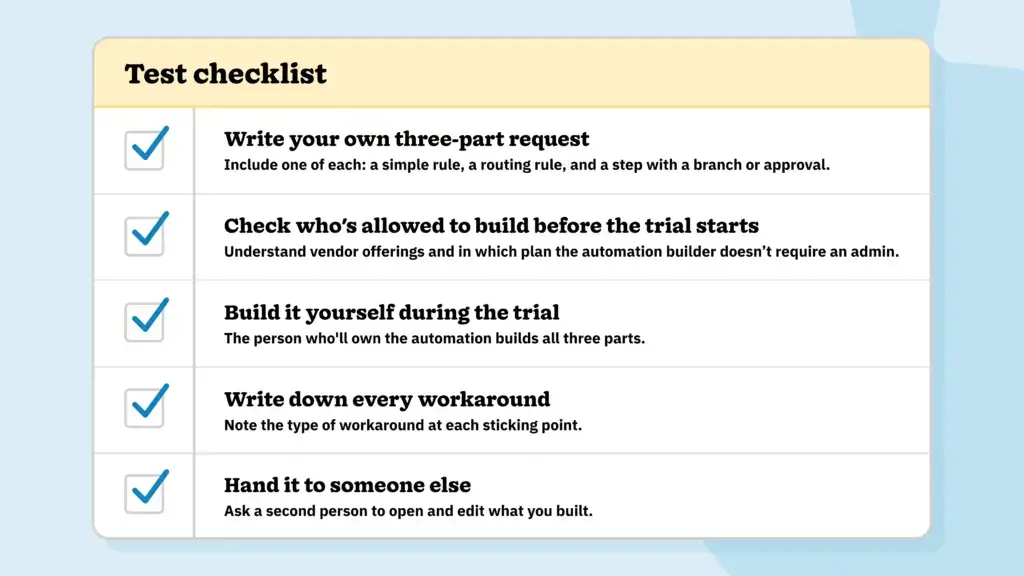
  1. Write your own three-part request: Include one simple rule, one routing rule, and one step with a branch or approval, using a real example from your pipeline. If you need a starting point, look at where deals stall between stages.
  2. Check who’s allowed to build before the trial starts: Ask each vendor which plan includes the automation builder and whether a non-admin account can create automations. Write down the answers so you can compare them later.
  3. Build it yourself during the trial: Have the person who’ll own the automation build all three parts without help from the vendor’s sales engineer, and time each part.
  4. Write down every workaround: At each sticking point, note whether the fix was a duplicate automation, a script, another tool, or an admin.
  5. Hand it to someone else: Ask a second person to open and edit what you built, and check whether it keeps running under their account. Our CRM transition tips cover how to plan for that handoff before rollout.

Try the request yourself

Nutshell’s free 14-day trial is a good place to run this test. Start your trial, write down your own three-part request, and see how far your sales manager gets in the first week. You’ll have access to free support and data migration, so the test runs on your real pipeline.

If you hit a step Nutshell can’t handle, talk to a specialist. We’d rather you’re aware of any related limitations up front than have you discover them after you’ve signed.

See Nutshell in action!

Try Nutshell free for 14 days or let us show you around before you dive in.

🎉 No credit card required!

FAQs about automating sales without an admin

  • 1. Can a sales manager build CRM automation without an admin?

    For most everyday automation, yes. Routing leads, creating follow-up tasks, and starting email sequences can be built by a manager in Nutshell, Pipedrive (once an admin grants permission), Monday, Zoho’s workflow rules, and HubSpot Professional. Approval steps, multi-branch logic, and scripted actions are where most teams bring in an admin, a technically minded power user, or a consultant.

  • 2. Which CRMs charge for automation setup help?

    HubSpot charges a mandatory onboarding fee of $1,500 on Professional and $3,500 on Enterprise. Salesforce and Zoho don’t require a fee, but reviewers and partners describe deeper automation as admin or partner work, which costs money one way or another. Nutshell includes free onboarding on every plan.

  • 3. What kind of CRM automation usually needs an admin?

    Anything with branches, approvals, or code. A rule like “Create a task when a deal changes stage” is self-serve almost everywhere, but “Hold deals over $10,000 until a manager approves, otherwise send the proposal” usually needs Salesforce Flow, Zoho Blueprint, or HubSpot’s Professional workflows and someone who knows them well. Scripted actions in Apex or Deluge are developer work.

  • 4. What happens to CRM automations when the person who built them leaves?

    It depends on the CRM, so ask before you buy. With Monday, automations run under their creator’s permissions, and consultants recommend assigning critical ones to a dedicated admin account in case that person leaves. In Pipedrive, automated emails are sent from the automation’s creator, but admins can transfer ownership of automations when someone leaves.

  • 5. Is Nutshell’s automation as powerful as Salesforce’s?

    No. Salesforce’s Flow Builder and Apex can handle multi-branch logic, approvals, and code-backed actions that Nutshell can’t, while Nutshell is built for stage-based sales automation that a manager can set up and maintain without an admin. For pricing and implementation differences, see Nutshell vs. Salesforce.

BACK TO TOP
Join 30,000+ other sales and marketing professionals. Subscribe to our Sell to Win newsletter!