How to Choose the Best CRM for Your Small Business: A Practical Buyers Guide

-

Quick answer: What is the best CRM for a small business?
The best CRM for a small business is affordable, easy to adopt, and matched to your actual sales process rather than the longest feature list. Prioritize pricing, usability, and support over complexity when comparing platforms.
Finding a CRM that’s an ideal fit for your small business might sound straightforward. But when you’re faced with a comparison table detailing 40 different platforms, overlapping sets of features, and confusing pricing pages, things become a little more complex.
The CRM market has grown exponentially. Now, you’ll discover hundreds of platforms vying for your attention and promising to be the ultimate fix for your sales process woes. But for small businesses short on time, resources, and budget, the sheer volume of options available can be overwhelming.
This guide cuts through the chaos and walks you through what matters for small businesses, the mistakes to avoid, what to ask vendors, and a comparison of the top CRM platforms on the market. The goal is to help you make a decision you won’t regret in the long run. You can also compare Nutshell to other CRMs side by side to see which fits your sales process.
Key takeaways
- A CRM has a measurable impact on small business growth: Nutshell users typically see a 26.4% increase in new sales revenue and close deals 14.9% faster on average by their second year. The key is choosing the right tool and actually use it.
- Adoption matters more than features: When your team doesn’t use your CRM, it becomes a liability. A user-friendly CRM with a good mobile app and top-tier customer support often proves more valuable than a CRM with all the bells and whistles.
- Total cost of ownership beats sticker price: Many CRM platforms advertise affordable starting prices but charge separately for automation and reporting features, as well as integrations. That’s why it’s always best to evaluate what’s included in your actual plan tier.
Table of Contents
- Why choosing a CRM for small businesses is harder than it looks
- How to evaluate a CRM for your small business
- Common mistakes when choosing a CRM for your small business
- Questions to ask any CRM vendor before you buy
- The SMB CRM fit score: A framework you can use on any vendor
- What are the trends in small business CRM?
- How the 5 most evaluated CRMs compare to Nutshell
- How we selected the best CRMs for small businesses
- The 14 top CRM tools for small businesses
- Different types of CRM tools
- How Nutshell addresses small business CRM needs
- Is Nutshell the right fit for your small business?
- FAQs
Why choosing a CRM for small businesses is harder than it looks
Selecting a CRM that your team will actually use is half the battle. But it’s a challenge that pays dividends through measurable results.
The numbers make a strong case for getting this right. An analysis of more than a decade of active Nutshell customers shows that businesses committed to using their CRM saw a 26.4% increase in new sales revenue. These businesses also had a 13.4% increase in leads won and benefited from 14.9% faster close times from year one to year two.
These aren’t results that happen automatically. They’re the result of a business choosing the right CRM tool, getting its team to adopt it, and using it consistently. The CRM itself is just part of the equation.
Some fundamental differences in the pressures faced by small versus enterprise businesses should also be noted. Small businesses can generally not afford a six-month implementation stretch and don’t typically have a dedicated IT administrator to manage configuration and setup. Sales reps in small businesses often also take on multiple roles. With these challenges in mind, it’s imperative that you choose a CRM that aligns with your reality.
Real-world examples small business CRM success
Brother’s Leather Supply is a leather bag company that started off operating from a basement. The company managed to scale to a six-figure wholesale business, achieving a growth rate of 40% month over month. “We were running on spreadsheets, and that was becoming unsustainable,” said its Founder, Adam Kail. “We needed a better solution.”
The team implemented Nutshell to help keep track of leads and conversations. As a result, they never missed another lead, customer, wholesaler, or vendor follow-up. “We definitely would’ve lost sales without it,” said Kail.
Another example is Eclectic Music, a music school based in Atlanta. The school implemented Nutshell to help it pivot to solely online lessons during the COVID-19 pandemic. Nutshell helped their team leverage centralized communication and targeted email campaigns to retain 90% of their customers.
See Nutshell in action!
Try Nutshell free for 14 days or let us show you around before you dive in.
🎉 No credit card required!
How to evaluate a CRM for your small business
When evaluating CRMs, what matters for a 500-person enterprise rarely lines up with what a small business actually needs day-to-day. Here are the six criteria worth paying close attention to when you’re evaluating your options.
Total cost of ownership
The sticker price on a CRM plan rarely tells the whole story. Many platforms display low starting prices on their websites, but often charge separately for essentials like automation, reporting, integrations, additional pipelines, or even basic support. For a small business with a tight budget, those add-ons can compound and significantly increase your monthly bill before you know it.
How to evaluate this: Ask vendors to walk you through exactly what’s included at your expected plan tier. Specifically ask: Is automation included, or is it an add-on? Does support cost extra? Are integrations included or billed separately? Request a sample invoice for a team of your size.
What to look for in Nutshell: Nutshell’s pricing is transparent. There are no hidden setup fees, no surprise upcharges, and you get free live support on every plan. Plans start at $13 per user per month. AI features, form builder, landing pages, web chat, and an AI chatbot are all included across plans. Optional add-ons like the Marketing Suite ($49 per month) and Engagement Suite ($16 per user per month) are clearly priced and genuinely optional.
Ease of adoption
Low CRM adoption is one of the most common (and most expensive) mistakes small businesses make. When the platform is too complex to configure or too clunky to use daily, it’s abandoned. And an abandoned CRM is just a sunk cost. Small teams often have little to no bandwidth for formal training sessions or managing a system that demands constant maintenance.
How to evaluate this: During your free trial, have two or three of your actual sales reps use the CRM for a week, not just the person evaluating it.
Watch for friction: How many clicks does it take to log a call? Can they add a contact from their phone? Does the interface make sense without reading a manual? If your team resists it during the trial, they’ll resist it after you pay for it.
What to look for in Nutshell: Nutshell is designed to be set up in days, not weeks, with no IT team or technical background required. Free live support is included on every plan via email and live chat. Nutshell’s contact management features reduce manual data entry, including a mobile app feature that lets reps upload contacts by photographing a business card.
Mobile access
Small business sales teams aren’t always bound to their desks. Reps meet clients on-site, work from home, attend events, and close deals from wherever they happen to be. Companies using a mobile CRM are 65% more likely to achieve their sales quotas. Meanwhile, 81% of businesses use their CRM on multiple devices. If your CRM doesn’t work well on mobile, your data won’t be updated, and a CRM with stale data is no better than a spreadsheet.
How to evaluate this: Download the mobile app during your trial and use it in the field. Can you add a contact, update a deal stage, log a call note, and pull up a lead’s history, all from your phone? Does the mobile experience feel like an afterthought or like a real app? Speak-to-text note-taking is a major time-saver for reps on the go, so look for that specifically.
What to look for in Nutshell: Nutshell offers native iOS and Android mobile apps with access to its full set of features. The voice-to-text notetaker lets reps dictate call notes hands-free, and AI meeting and call summarization turns conversations into structured action items without manual typing.
Sales automation
Small teams can’t afford to spend hours on repetitive admin work. When they’re focused on admin, manual follow-ups are forgotten, and leads often fall through the cracks. Many businesses find that their CRM saves employees five to ten hours per week, but only when automation is actually configured and used. Without it, you’re paying for a fancy database.
How to evaluate this: Look for automation that works out of the box, not just a “custom workflow builder” that requires a developer to configure. Test specifically: Can you automatically assign new leads to reps? Can you trigger email sequences when a deal moves to a new stage? Can the system remind reps of overdue follow-ups without manual intervention?
What to look for in Nutshell: Nutshell’s sales automation features include automatic lead assignment, email drip sequences, and pipeline stage triggers, pre-built and ready to use without custom coding. The pipeline management tools let you build multiple pipelines with custom stages, and Nutshell’s next-action approach surfaces the most important tasks for each rep so nothing slips.
AI capabilities
AI has become a standard CRM marketing claim (nearly every CRM advertises it now). But there’s a meaningful difference between AI that’s bolted on as a premium upsell and AI that’s genuinely woven into your daily workflow. Over 65% of businesses are already using CRMs with generative AI features. For small businesses with lean teams, deploying AI features that work alongside your actual business processes can meaningfully reduce your team’s admin time without adding complexity.
How to evaluate this: Ask vendors specifically: What AI features are included on the entry-level plan? Are they billed per use or unlimited? Small businesses typically find call and meeting summarization, email reply drafting, and lead prioritization to be the most useful AI tools. An AI feature that provides abstract “predictive analytics” requiring data volumes you don’t have yet is less useful to small businesses.
What to look for in Nutshell: Nutshell includes AI features across all plan tiers. AI Assists, like email reply starters, smart reports, and lead recaps, are unlimited on every plan. AI Outcomes (meeting and call summarization, AI lead researcher and scorer, one-click email campaign builder, timeline summaries) draw from a monthly pool that scales with your plan. Nutshell doesn’t use per-credit metering, so AI costs stay predictable.
Integrations with tools you already use
A CRM that doesn’t connect to your existing tools creates more work, not less. You’ll end up manually re-entering data between systems, which defeats the purpose entirely. Small businesses typically rely on a handful of core tools: email (Gmail or Outlook), a calendar, maybe an accounting platform or e-commerce tool. Your CRM needs to work with all of them.
How to evaluate this: Make a list of every tool your team uses before you start your trial. Then check each vendor’s integration page against that list. Pay attention to whether integrations are native (built-in) or rely entirely on third-party connectors like Zapier, which may require an additional subscription.
What to look for in Nutshell: Nutshell syncs with Gmail and Outlook out of the box, including two-way email and calendar sync. The AppConnect feature and broader integrations library connect Nutshell to thousands of tools across accounting, e-commerce, marketing, and more.
Common mistakes when choosing a CRM for your small business
Most CRM regrets are preventable. Here are the mistakes small businesses make most often, and how to avoid them.
Choosing based on price alone
Free or ultra-cheap CRMs aren’t inherently bad, but they’re often limited in ways that only become clear after you’ve committed. Free plans tend to cap contacts, restrict automation, or lock reporting behind paid tiers. When your team outgrows the free version after six months, you face a painful migration at the worst possible time. Evaluate total cost at the scale you expect to reach in 12 to 18 months, not just where you are today.
Not involving your sales team in the decision
The person evaluating CRM software is often not the person who’ll use it every day. If your sales reps find the interface clunky or the mobile app frustrating, adoption will be low, regardless of how impressive the feature list looked in a demo. Get your actual users to test the top two or three finalists during the free trial period before you make a final call.
Overestimating how much customization you need
It’s tempting to gravitate toward the most flexible, customizable CRM on the market. In practice, most small businesses never use 80% of the custom fields and workflow options they configure during setup. Heavy customization also means heavier maintenance, which means someone has to manage it. Start with a platform that covers your core needs well, and only add complexity if you genuinely hit its limits.
Ignoring support quality
When something breaks, or you can’t figure out how to configure a feature, the quality of vendor support matters enormously. Some platforms bury live support behind premium tiers or replace it with AI chatbots and community forums. For a small team without an in-house CRM admin, having access to a real human when you’re stuck can make or break your implementation.
Treating the CRM decision as permanent
No CRM is a life sentence. But switching is genuinely painful, time-consuming, and risky for data integrity. So, while it’s worth knowing you can migrate later, you don’t want to. Spend more time up front evaluating real fit, and ask vendors directly about their data export and migration support before you sign up.
Questions to ask any CRM vendor before you buy
A slick demo is designed to show you a product’s best angles. These questions are designed to reveal the rest.
Question 1: What’s included in my specific plan tier, and what’s an add-on?
Why this matters: Many platforms make automation, reporting, or additional pipelines “available” but not included. Know exactly what you’re paying for before you commit.
Question 2: How long does typical onboarding take for a team of my size?
Why this matters: If the honest answer is “two to three months,” that’s a signal about the product’s complexity, not just the vendor’s process.
Question 3: What does support look like at my plan level?
Why this matters: Find out if you’ll have access to live chat, email support, or a real human, and whether that costs extra.
Ask specifically: Is there a premium support tier, and what does free support actually cover?
Question 4: How do you handle data migration from my current tool?
Why this matters: Whether you’re migrating from spreadsheets or another CRM, you need to know what help is available, what it costs, and what risks exist for data loss.
Question 5: What does your AI actually do at my plan level?
Why this matters: AI marketing is everywhere. Ask specifically which AI features are available at the plan you’re considering, whether they’re included or metered separately, and what the practical use cases are for a team your size.
Question 6: Can I export all my data at any time, and in what format?
Why this matters: Vendor lock-in is a real risk. You should be able to export your contacts, leads, and history at any time without restriction or extra cost.
Question 7: How does pricing change as my team grows?
Why this matters: A CRM that’s affordable for five users might get expensive quickly at 15. Understand per-user pricing at different scales, and whether any features shift to higher tiers as you add seats.
Question 8: Do you have customers in my industry? Can I talk to one?
Why this matters: Generic demos don’t surface industry-specific limitations. Talking to a real customer in a similar business will reveal things no sales rep will volunteer.
The SMB CRM fit score: A framework you can use on any vendor
Most CRM evaluations go something like this: watch a demo, check the pricing page, pick the one that feels right. That’s how you end up with a tool your team doesn’t use six months later.
Instead, run every CRM you’re seriously considering through these six criteria. Score each one honestly based on what you find during your free trial and vendor conversations. Add up the scores to see which platform genuinely fits your business.
Criterion What to assess Score (1–5) Total cost of ownership What does the platform actually cost at your team size, including add-ons, support, integrations etc.? Ease of adoption Could your least tech-savvy rep use this without a training session? Did real users find it intuitive during the trial? Mobile access Does the mobile app have full feature parity? Can reps log calls and update deals without sitting at a desk? Sales automation Does automation work out of the box, or does it require custom configuration? AI capabilities Are AI features included in your plan tier, or locked behind premium upgrades? Are they actually useful day-to-day? Integration fit Does it natively connect to the tools your team already uses, like email, calendar, accounting, and e-commerce? Total /30 A score of 24 or above suggests a strong fit. Below 18, keep looking. Between 18 and 23, identify which criteria scored lowest and ask the vendor directly how they address that gap.
The goal is to find the CRM where the trade-offs work for your specific team.
What are the trends in small business CRM?
The best CRM for small businesses is more than just a digital address book. Modern platforms are evolving to be more intelligent, accessible, and integrated.
AI is your new intern
Artificial intelligence is the biggest trend, and its most practical use is saving you time. Over 65% of businesses are already implementing generative AI features in their CRMs. These AI tools automate routine tasks, such as summarizing long email threads, scoring leads to determine who to call next, and drafting follow-up emails, saving your team 5-10 hours every week.
Your CRM must be mobile
Your business doesn’t stop when you’re out of the office, and your CRM shouldn’t either. Today, 81% of businesses use their CRM on multiple devices, like phones and tablets. This is critical for success. Companies with a mobile CRM are 65% more likely to achieve their sales quotas.
Everything must connect
Modern CRMs are cloud-based and built to integrate with the tools you already use. Your CRM should seamlessly integrate with your email (Gmail/Outlook), calendar, and other favorite apps, creating a single, unified workflow.
How the 5 most evaluated CRMs compare to Nutshell
One of the most common questions small businesses ask is, “How does [specific platform] compare to Nutshell?” We’ve applied the six evaluation criteria directly to the platforms we hear about most: HubSpot, Salesforce, Pipedrive, Zoho, and Monday.com.
Here’s how they score across the framework:
Criterion Nutshell HubSpot Salesforce Pipedrive Zoho Monday Total cost of ownership $$ – transparent, all-in pricing from $13/user/month, support, AI, and core features included $$ – free entry point, but pricing scales steeply with contacts and feature tiers $$$ – starts at $25+/user/month; deep add-on costs; significant implementation investment $$ – straightforward per-user pricing; automation and AI at higher tiers $ – affordable entry; customization depth can increase admin cost $ – competitive per-seat pricing; advanced CRM features require higher tiers Ease of adoption Fast: designed for non-technical teams; live in days Moderate: intuitive UI, but feature depth creates onboarding complexity at paid tiers Slow: steep learning curve; typically requires admin or implementation support Fast: clean, minimal interface; low friction for new users Moderate: highly customizable but requires configuration investment up front Fast: no-code interface; easy to start, less purpose-built for sales teams Mobile access Strong: native iOS/Android; voice-to-text; AI call summaries Strong: full-featured mobile app Strong: comprehensive mobile app; full feature access Strong: well-regarded mobile experience Moderate: mobile app available; some features limited vs. desktop Moderate: strong project management on mobile; CRM features less optimized Sales automation Included from Pro tier: lead assignment, drip sequences, pipeline triggers out of the box Limited on free/starter; comprehensive at higher tiers with significant cost increase Comprehensive but complex: powerful automation requires admin configuration Available at mid-tier: clean workflow builder, less complex than Salesforce Strong: automation depth is a Zoho strength; steeper setup curve Strong no-code automation: better for workflow management than sales-specific triggers AI capabilities Included on all plans: unlimited AI Assists; AI Outcomes scale with plan; no per-credit metering Available: AI tools present but gated behind paid tiers Advanced: Einstein AI suite is powerful; priced for enterprise budgets Available: Sales Assistant at mid-tier; less comprehensive than enterprise options Available: Zia AI assistant included; feature depth varies by plan Available: AI workflow automation; less sales-specific than dedicated CRMs Integration fit Strong: native Gmail/Outlook sync; AppConnect; thousands of integrations Very strong: one of the largest integration ecosystems available Very strong: market-leading integration library; some require additional cost Strong: wide integration library; Zapier-reliant for some connections Strong: deep within Zoho ecosystem; broad third-party support Strong: wide app marketplace; some CRM-specific integrations less native Nutshell vs. HubSpot
HubSpot’s free tier is a legitimate starting point for very early-stage businesses. But HubSpot’s pricing scales quickly and unpredictably as you add contacts, features, seats, and more. What starts as a free tool can become one of the most expensive CRMs on the market by the time you need marketing automation and advanced reporting.
Nutshell’s total cost of ownership is significantly more predictable, and support is included at every tier without premium tiers.
HubSpot wins if you’re a solo operator or very early-stage business that needs zero upfront cost and can live with feature limitations.
Nutshell wins if you need a complete, all-in-one platform with predictable pricing and don’t want to piece together a paid stack as you grow.
Nutshell vs. Salesforce
Salesforce is the most comprehensive CRM on the market, and the most complex. For a small business, that power comes with a real cost, including longer implementation timelines, more arduous training, higher per-user pricing, and an ecosystem of add-ons that can dramatically inflate total spend.
Salesforce makes sense for small businesses that expect to scale quickly into mid-market or enterprise complexity. But if you need to be live and productive within weeks, it’s not the right starting point.
Salesforce wins if you’re building a sales operation that will eventually require enterprise-level customization, complex integrations, and dedicated CRM administration.
Nutshell wins if you need a capable, affordable CRM that your team can adopt quickly without a dedicated admin or implementation consultant.
Nutshell vs. Pipedrive
Pipedrive and Nutshell are closer in positioning than any other pairing on this list. Both are designed for sales teams, are easy to adopt, and offer competitive pricing. Pipedrive’s visual pipeline is excellent.
Where Nutshell pulls ahead for most small businesses is in the depth of what’s included: Marketing tools, AI features across all tiers, engagement features, and free live support without premium tiers. Pipedrive requires more add-ons to reach comparable functionality.
Pipedrive wins if your primary need is a clean, visual pipeline with minimal complexity, and you don’t need marketing or engagement features built in.
Nutshell wins if you want sales, marketing, and engagement in one platform without managing multiple add-on subscriptions.
Nutshell vs. Zoho
Zoho offers remarkable depth for the price, and is arguably the most customizable CRM at the SMB price point. The trade off is setup complexity. Zoho’s flexibility means someone has to configure it, and that configuration investment is real.
It’s an excellent choice for businesses that already use Zoho’s ecosystem (Zoho Books, Zoho Desk, Zoho Projects) and want a unified suite. But for businesses starting fresh, the learning curve is steeper than most small teams want to deal with.
Zoho wins if you need deep customization, already use the Zoho ecosystem, or have someone on your team willing to invest in configuration.
Nutshell wins if you need to be up and running quickly with minimal configuration and want a CRM that’s genuinely easy to maintain.
Nutshell vs. Monday.com
Monday.com is a powerful work management platform that has added CRM functionality. For teams that need project management and sales tracking in the same tool, it’s genuinely useful.
But for teams whose primary need is sales pipeline management, lead tracking, and customer communication, Monday.com’s CRM features are shallower than purpose-built alternatives. It also lacks the sales-specific automation and AI features that dedicated CRMs provide at comparable price points.
Monday.com wins if your team needs no-code workflow customization across both project management and sales, and visual flexibility is more important than sales-specific depth.
Nutshell wins if your primary use case is sales pipeline management, lead tracking, and customer communication, with marketing and engagement built in.
How we selected the best CRMs for small businesses in 2026
Our evaluation criteria reflect what matters most to SMBs in 2026:
- Affordability: Starting price under $15/user/month
- Ease of Adoption: Setup in <1 day, minimal training required
- AI Capabilities: Predictive insights, automation, lead scoring
- Mobile Access: Full feature parity on iOS/Android
- Customer Support: Responsive, human support (not just AI chatbots)
- Integrations: Works with tools SMBs already use
- Real-World Proof: Documented case studies of SMB success
The 14 top CRM tools for small businesses
Let’s dive into our list of the top CRMs for your small business. Below is the full comparison table and individual breakdowns for all 14 platforms, covering a wider range of use cases, price points, and team sizes than the head-to-head above.
CRM Platform Starting Price Free Trial Support AI Insights Mobile App Nutshell $13/user/month (annual) 14 days One-on-one support via email and live chat at no extra cost Voice-to-text activity logging, predictive lead scoring, call transcription, email sequence writer, smart reports, lead research Yes Monday.com $9/user/month (free plan available) 14 days Support via an online form and email Custom workflow automation, predictive analytics Yes Zendesk Pricing data for Zendesk Sell is no longer available 14 days Support via a help suite with articles and guide and online community center Real-time pipeline tracking, conversation intelligence Yes Zoho $14/user/month (annual) 14 days Support via email Monday to Friday Predictive lead scoring, sales signals Yes Pipedrive $14/user/month 14 days Support via live chat and email 24/7 Sales Assistant (next-action recommendations) Yes Salesforce $25+/user/month 14-30 days Live chat and 24/7 phone and email support Multi-step autonomous AI agents, Einstein AI suite Yes HubSpot Free + $9/user/month 14 days Live chat and 24/7 email support Email drafting, call summarization Yes Insightly $29/user/month (annual) 14 days Live chat and 24/7 phone support Predictive lead scoring, activity recommendations Yes Streak $49/month (free version available) 14 days 24/7 live chat and email support Predictive box scoring, automated follow-up reminders Yes Freshsales $9/user/month (free plan available) 21 days Phone and email support during business hours Lead scoring, email content generation Yes Sugar CRM $59+/user/month 7 days Email support during business hours Predictive lead scoring, opportunity insights Yes Agile $8.99/month (free plan available) No free trial available – only free version Phone and email support during business hours Contact enrichment, basic predictive scoring Yes Keap $299/month 14 days Phone support during business hours; 24/7 live chat support Pipeline automation with AI triggers, intelligent task routing Yes Copper $9/user/month (annual) 14 days 24/7 live chat support Smart contact data enrichment, predictive pipeline insights Yes 1. Nutshell
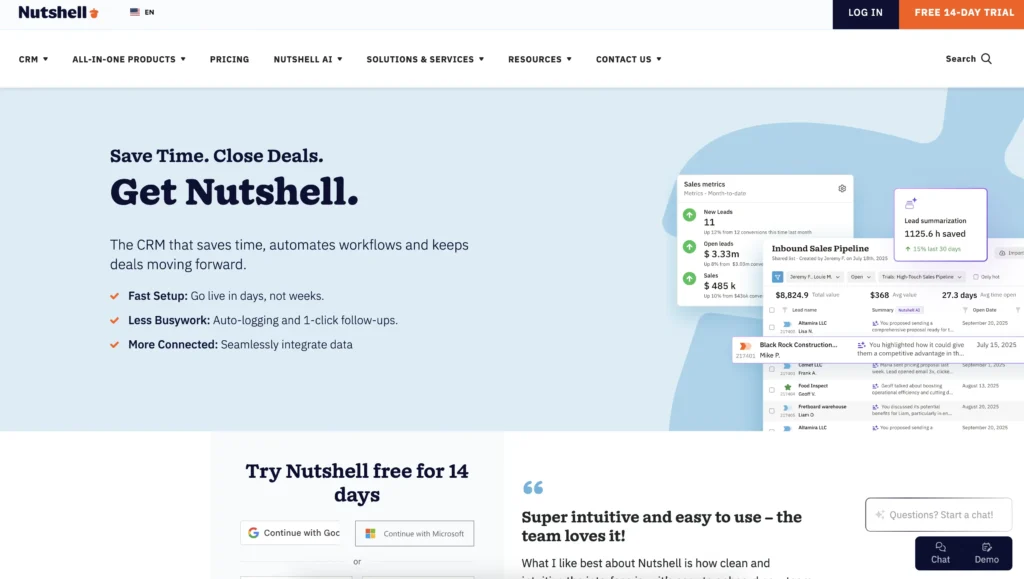
Best fit for: Small to midsized businesses moving off spreadsheets or a basic tool, teams that want sales, marketing, and engagement in one platform, and businesses that prioritize fast setup and real human support over deep customization.
Price: Starting at $13 per user per month
Free trial: 14-day free trial available
Support: One-on-one support via email and live chat at no extra cost
Mobile app: Yes
Our top pick for small businesses is Nutshell. Nutshell provides small to medium-sized businesses with a complete, all-in-one CRM solution, so you don’t have to worry about spending your budget on multiple platforms for all your needs.
This CRM platform is user-friendly and hassle-free. Give your team all the tools they need to drive more conversions successfully with a host of compelling features, including:
- Contact management: Reduce manual data entry with Nutshell’s contact management features. You can export your lead and customer data by importing your customer data to Nutshell. Our mobile app even lets you upload customer data by taking a business card photo.
- Sales automation: Nutshell can automatically update your prospect’s lead confidence. You can also set up email drip sequences so your sales team spends less time creating emails.
- Pipeline management: Want to see how many leads and customers you have in a particular location? You can get a bird’s-eye view using the map view.
- Reporting and analytics: This handy feature lets you track your leads and forecast sales. You can also see how your leads are moving through the funnel, so you can adjust your strategy if needed to meet your targets.
- Collaboration tools: Team members can tag someone else if they need their input or help regarding a customer’s concern, breaking the silos of working per department.
- Prospecting tools: Nutshell IQ is a complete toolkit for finding more qualified leads at every stage of the funnel. It consists of three tools – ProspectorIQ, VisitorIQ, and PeopleIQ – to help you find and add leads that fit your ideal customer profile from your CRM platform.
- AI-powered features: Save time and boost efficiency with Nutshell’s AI features, which provide instant summaries of calls, meetings, and customer timelines, generate email replies, offer sales coaching suggestions, and engage website visitors 24/7 with an automated chatbot.
Nutshell also gives small businesses access to digital marketing services through its WebFX partnership. This is a useful option for teams that want expert marketing support alongside their CRM.
How Nutshell helps its customers win
We analyzed performance data across all active Nutshell customers from 2011 through 2023 — over a decade of real businesses using the platform day in and day out. After removing statistical outliers at both ends, here’s what a typical Nutshell customer experiences from year one to year two:
These aren’t cherry-picked results. They’re averages from real small and mid-sized businesses — the same kinds of businesses, considering the platforms listed in this guide.
Need a user-friendly CRM to boost sales and team efficiency?
Take our guided tour to explore Nutshell’s incredible features!

2. Monday.com
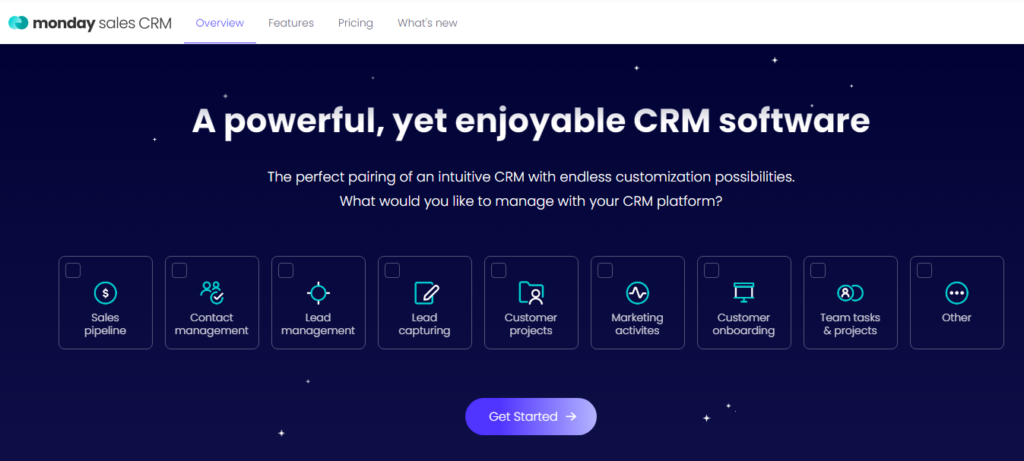
Best fit for: Teams that need highly visual, no-code workflow customization and want flexibility to adapt their sales process frequently. Less ideal if you need deep sales-specific automation out of the box.
Price: Starting at $9 per seat per month, free plan available
Free trial: 14-day free trial available
Support: Support via an online form and email
Mobile app: Yes
Monday.com is second on our list of the top CRM system software for small businesses in 2026. One of Monday.com’s standout features is its sales cycle customizations.
You can use this CRM platform to customize your sales cycle in a way that works best for you and your team. For example, you can edit deal stages, manage multiple pipelines at once in a single dashboard, and add as many columns and rows as you need.
So, if you’re searching for a CRM system that can help you streamline your sales cycle and processes, Monday.com could be a great choice.
3. Zendesk Sell
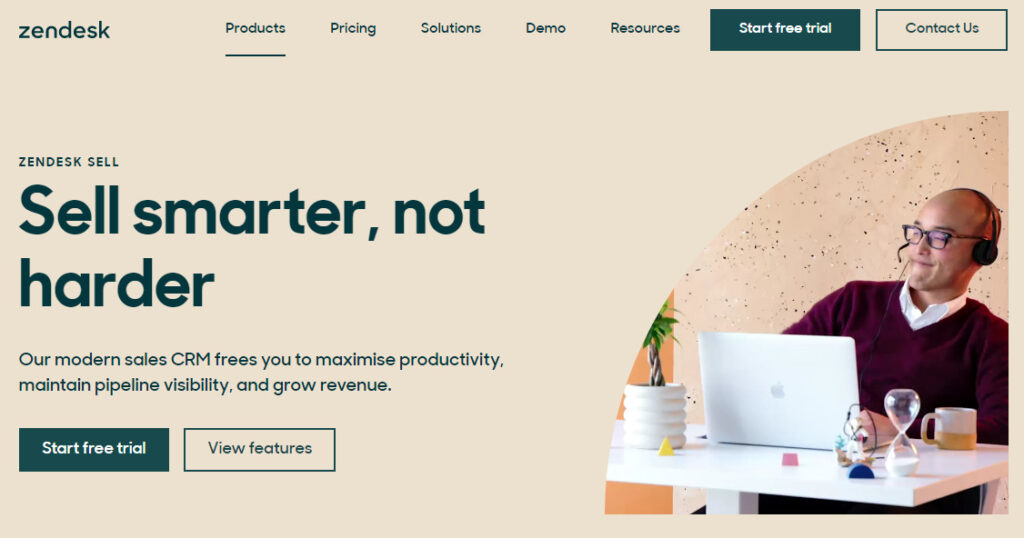
Best fit for: Small businesses where customer support is the primary use case and sales pipeline management is secondary. Strong choice if your team lives in support tickets as much as sales deals.
Price: Data for Zendesk Sell is no longer available
Free trial: 14-day free trial available
Support: Support via a help suite with articles and guides and online community center
Mobile app: Yes
Zendesk is a great CRM software system for small businesses that want to deliver better customer support and service.
With Zendesk, you can track each and every lead throughout their entire buying journey, so you can easily see all the interactions they’ve had with your brand along the way.
You can also use Zendesk to store customer information that you can access in a pinch, so your team can stay up to date with customer support tickets, questions, and conversations.
Deliver personalized customer service at every stage of your sales pipeline with Zendesk.
4. Zoho
Best fit for: Businesses that need deep customization and are comfortable with a longer setup and learning curve. It’s also a natural fit if you’re already using other Zoho products (Zoho Books, Zoho Desk, etc.) and want a unified ecosystem.
Price: Starting at $14 per user per month when billed annually, free plan available
Free trial: 14-day free trial available
Support: Support via email Monday through Friday
Mobile app: Yes
Zoho is a cloud-based platform that provides small businesses with robust sales solutions.
Zoho lets you connect with leads across multiple platforms from one unified interface. You can use Zoho CRM to automate repetitive sales tasks, access detailed sales reports, manage your sales pipeline, and more.
This CRM platform also integrates nicely with other Zoho tools, like their sales, marketing, and project management suites.
5. Pipedrive
Best fit for: Teams that want a clean, visual pipeline with minimal complexity. Strong on ease of adoption and mobile access. Less robust on marketing automation if that’s a priority.
Price: Starting at $14 per user per month
Free trial: 14-day free trial available
Support: Support via live chat and email 24/7
Mobile app: Yes
Pipedrive ranks fifth on our list of the best small business CRMs. If your team needs a simple CRM with essential features without fuss, Pipedrive could be your optimal choice.
With a clean, hassle-free interface, you can use Pipedrive to manage all your leads, contacts, and deals.
Pipedrive also enables you to create custom stages of your sales pipeline so you and your team can manage your deals in a way that works best for you.
So, if you need an easy-to-use client management system for small businesses that simplifies navigation and use for your team, Pipedrive is for you.
6. Salesforce
Best fit for: Small businesses that expect to scale significantly and need a CRM that can grow into enterprise complexity. Higher setup cost and longer onboarding timeline, so plan accordingly. Not the right fit if you need to be live in days.
Price: Starting at $25+ per user per month when billed annually
Free trial: 30-day free trial available
Support: Live chat and 24/7 phone, and email support
Mobile app: Yes
Salesforce is one of the best CRMs for small companies, and for good reason. It’s optimized to help businesses of all sizes, from large enterprises to small, local companies. The great thing about this is that it offers specialized pricing for smaller business plans.
One of Salesforce’s greatest strengths is how intuitive and customizable it is. Navigating the Salesforce dashboard is incredibly easy, and you can customize your dashboard setup. You can also generate custom reports to help with your analytics.
As a bonus, Salesforce integrates with other tools like Slack to help you effortlessly sync information and schedule tasks.
7. HubSpot
Best fit for: Early-stage businesses that want to start free and layer in paid features as they grow. Strong on marketing automation at higher tiers. Watch the total cost carefully, as HubSpot’s pricing scales quickly as you add contacts and features.
Price: Starting at $9 per month per seat (billed annually) with a free version available
Free trial: 14-day free trial available
Support: Live chat and 24/7 email support
Mobile app: Yes
Like Salesforce, HubSpot is one of the best-known CRM tools available. Also like Salesforce, it offers multiple subscription plans to help both large companies and smaller businesses like yours.
Unlike Salesforce, however, HubSpot offers a free plan. This limited plan does not offer as many features as the paid plans, but it still includes all the essential elements of a CRM. If you’re looking for a more lightweight tool (at least to start with) HubSpot might be an option for you.
The main drawback of HubSpot is its lack of customization compared to competitors like Salesforce. However, it makes up for that with an easy-to-use dashboard that can help promote greater team efficiency.
8. Insightly
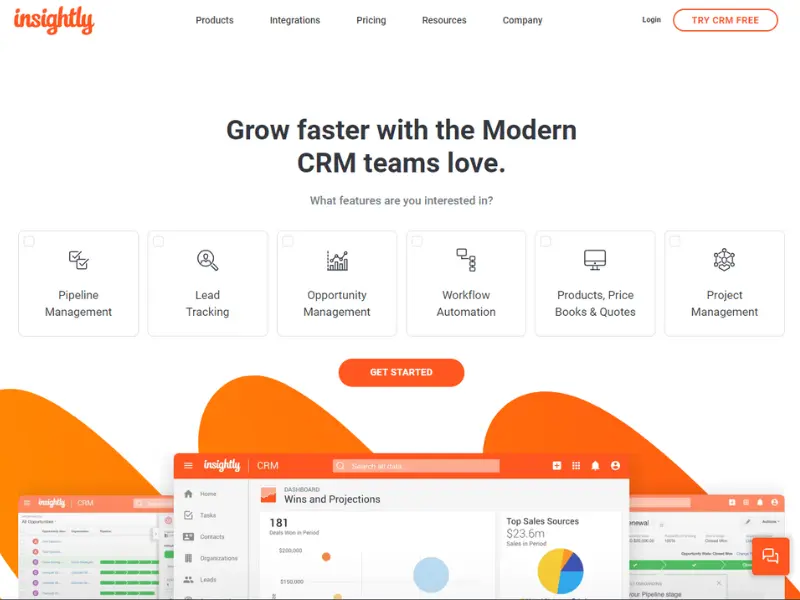
Best fit for: Process-oriented teams that want task management tightly integrated with CRM. Good fit for businesses where project delivery and sales pipeline run in parallel.
Price: Starting at $29 per month, with a free version available
Free trial: 14-day free trial available
Support: Live chat and 24/7 phone support
Mobile app: Yes
Insightly is one of the best SMB CRMs out there for a few reasons. Firstly, it offers a free plan like HubSpot does, although that plan lacks many of the best features of the paid version (like the data backup system).
This CRM is very process-oriented. It lets you assign specific tasks to specific team members using to-do lists. Insightly also incorporates business intelligence (BI) capabilities to help you see trends across your data and make more informed decisions for your marketing.
9. Streak
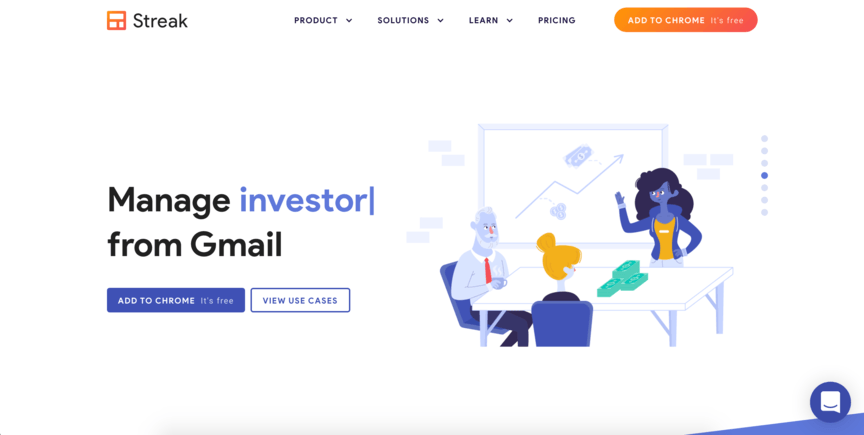
Best fit for: Teams that live entirely in Gmail and want a CRM that requires zero context-switching. Limited fit if you use Outlook or need a stand-alone CRM experience outside of Google Workspace.
Price: Starting at $49 per month, with a free version available
Free trial: 14-day free trial available
Support: 24/7 live chat and email support
Mobile app: Yes
Another of the top CRMs for small businesses is Streak. Streak is most notable for its integration with Gmail and Google Workspace. It’s so well-integrated that you don’t even have to pull up a separate platform to use it. It’s embedded directly into Gmail, so you can simply access it from there.
Streak performs all the usual CRM functions, including tracking data on leads and customers and storing that data for you. But it also heavily emphasizes email marketing, hence its integration with Gmail.
Finally, Streak is yet another top SMB CRM that offers a free plan in addition to its paid ones.
10. Freshsales
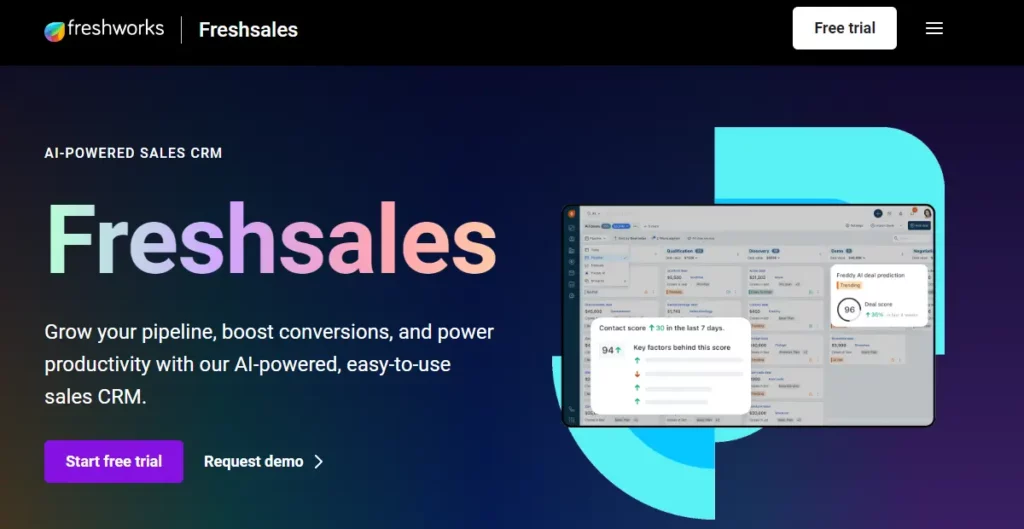
Best fit for: Small businesses that want a free starting point with a strong mobile experience and AI-assisted lead scoring. Note that support is limited to business hours on most plans.
Price: Starting at $15 per month, with a free plan available
Free trial: 21-day free trial available
Support: Phone and email support during business hours
Mobile app: Yes
Freshsales is a CRM offered by Freshworks, which provides various digital marketing solutions. Freshsales is another tool on this list that conveniently offers a free plan and a paid option. It also provides a 21-day free trial if you want to try it out.
Freshsales is available on both desktop and mobile and provides an incredibly user-friendly interface on both types of devices. It also features an AI assistant to help you automate tasks and quickly obtain data from your audience.
Freshsales integrates with various email platforms, and it lets you set up customized forms on your website to help you capture data from leads who visit your site.
11. SugarCRM
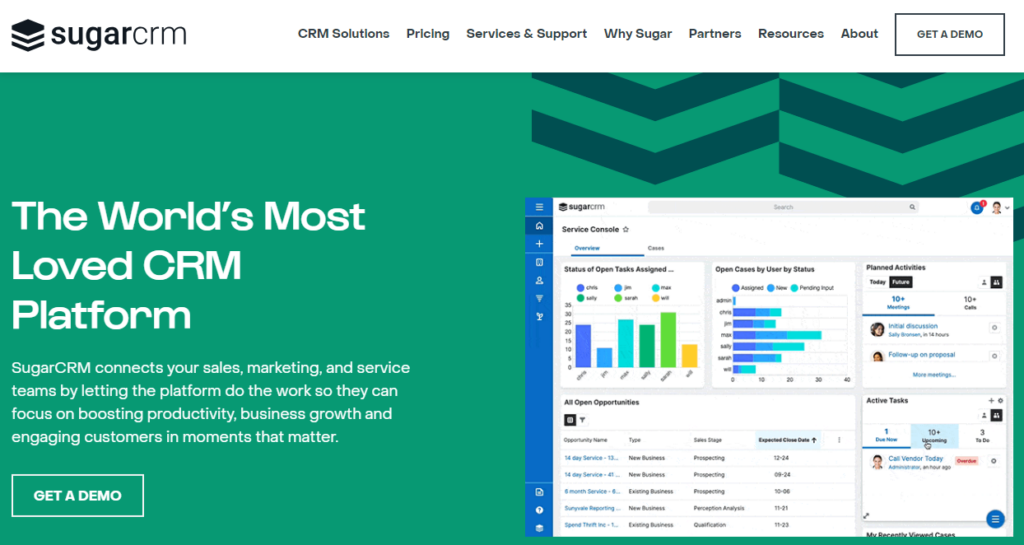
Best fit for: Mid-market businesses with more complex reporting needs and a dedicated admin to manage configuration. The $59+ per month starting price and seven-day trial make it harder to evaluate quickly, so factor that into your timeline.
Price: Starting at $59 per month
Free trial: 7-day free trial available
Support: Email support during business hours
Mobile app: Yes
The Sugar Sell tool lets you create customized dashboards to see how you meet your short- and long-term goals. It also gives you an overview of your customer journey so that you can determine sales opportunities.
Its core features include:
- Campaign management
- Lead management
- Project management
- Reporting and analytics
- Email and calendar integration
12. Agile CRM
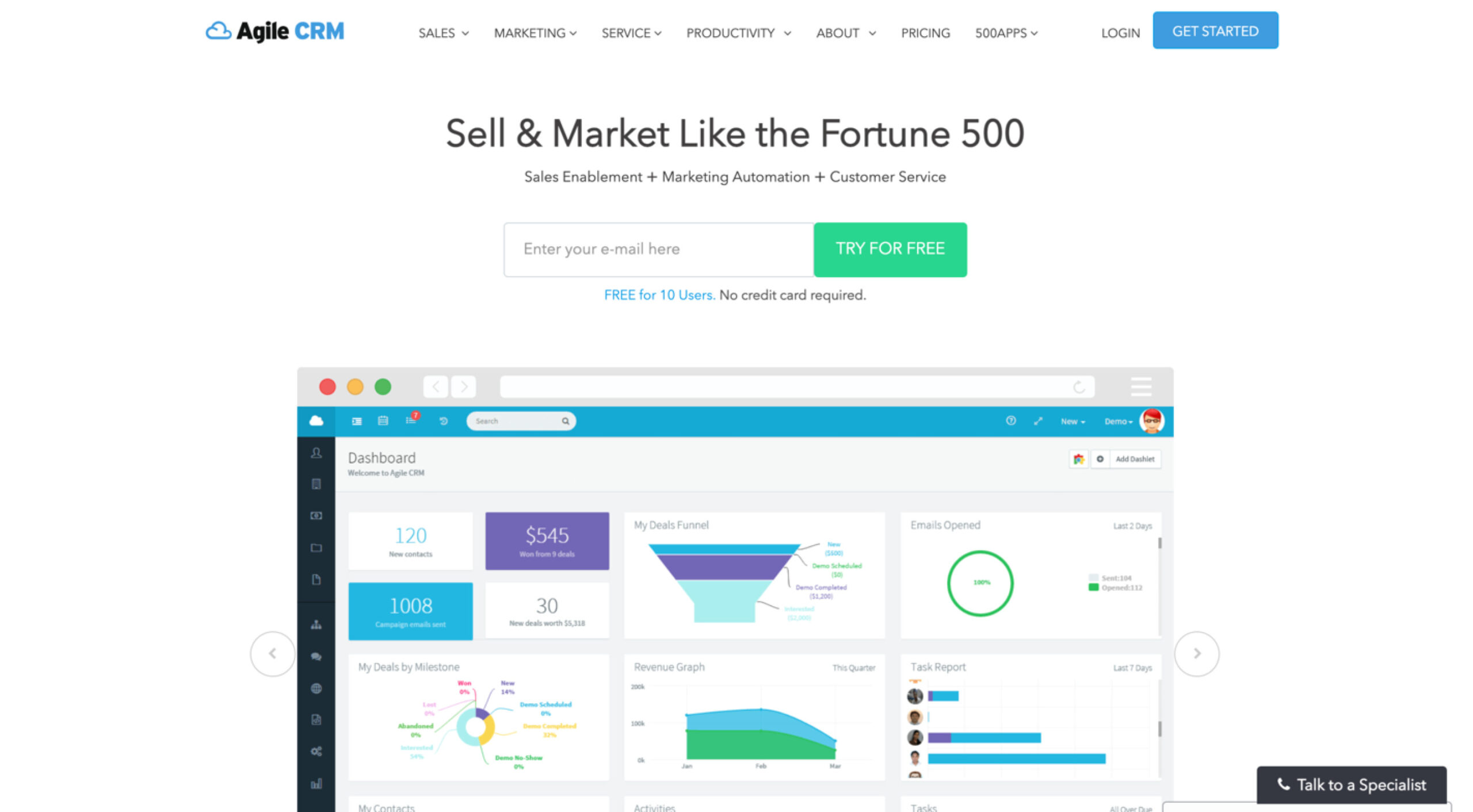
Best fit for: Very small teams or solopreneurs looking for a free all-in-one option with basic sales, marketing, and support features. The free tier supports up to ten users, which is genuinely useful for micro-businesses.
Price: Starting at $8.99 per month, with a free version available
Free trial: No, but a free version for up to ten users is available
Support: Email and phone support
Mobile app: Yes
Agile CRM boasts an all-in-one CRM software platform, ideal for small companies that want access to sales, marketing, and engagement tools without spending too much on software tools.
This cloud-based CRM includes features for sales enablement, marketing automation, and customer service for consistent messaging across teams.
13. Keap

Best fit for: Solo entrepreneurs and very small teams that need strong marketing automation and client life cycle management. The $299 per month starting price is a significant commitment. Make sure automation is genuinely a priority before signing up.
Price: Starting at $299 per month
Free trial: 14-day free trial available
Support: Phone support during business hours and 24/7 live chat support
Mobile app: Yes
Keap is a CRM sales and automation solution built for small businesses and solo entrepreneurs. Its automation features are especially helpful for small teams for handling repetitive tasks as they focus on building customer relationships.
14. Copper
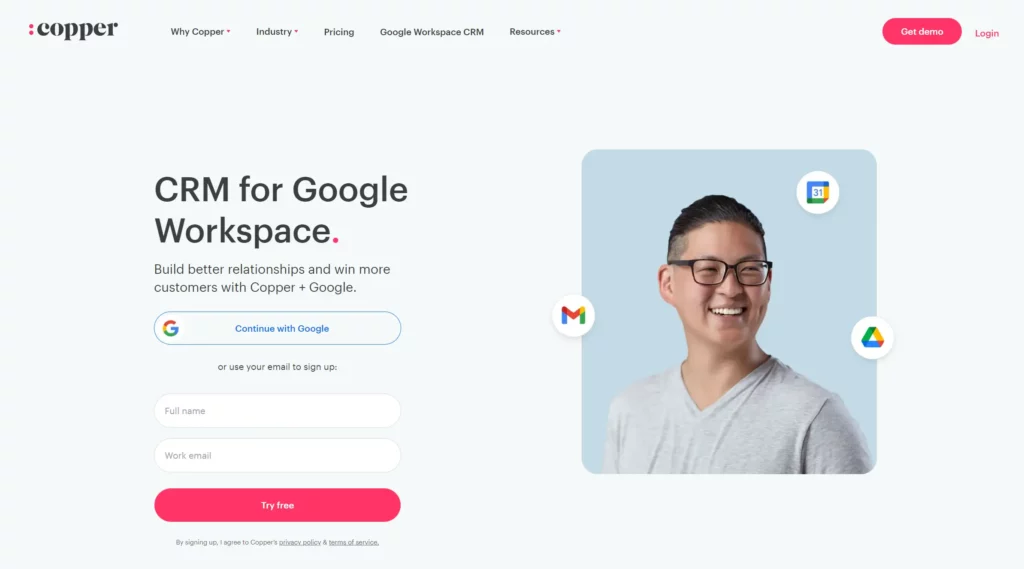
Best fit for: Businesses that run entirely on Google Workspace and want a CRM embedded in that ecosystem. If you use Outlook, rely on non-Google tools, or want flexibility to switch ecosystems later, Copper’s deep Google dependency may feel limiting.
Price: Starting at $9 per seat per month when billed annually
Free trial: 14-day free trial available
Support: Live chat support
Mobile app: Yes
Copper CRM may be an ideal CRM solution for small businesses that exclusively use Google Workspace in their daily operations.
Copper is specifically designed to be used with Google products, such as Gmail and Google Docs, and while this is good news for companies that already rely on these apps, teams that prefer a more dynamic range of software integrations may feel tied down.
Different types of CRM tools
Businesses have different CRM needs, so it’s best to identify the suitable CRM for your company. Let’s look at these three types of CRM tools:
1. Operational CRM
This CRM type helps you with your operations related to serving your customers. It involves your marketing, sales, and customer service teams so they can better support your customers and prospects.
These CRMs typically have the following features:
- Marketing automation: An operational CRM has marketing automation features that enable you to create a welcome email and drip email sequences.
- Sales automation: This variety of CRM can automatically assign leads to your sales team members and inform them of their lead confidence.
- Customer service automation: An operational CRM enables you to automate your customer service efforts through a self-service option or a help center where customers can turn to for their concerns.
An operational CRM is best for almost any business focusing on improving its overall customer experience through streamlined workflows and automation.
2. Analytical CRM
A CRM is a repository of your customer data and interaction history. If you specifically want to leverage new and existing customer information to improve your business, an analytical CRM is the right choice.
This type of CRM helps businesses process the customer information they’ve gathered. Some of the analytical CRM tools’ key features are:
- Customer analytics: Do you want to analyze lead and customer behavior to discover patterns before they purchase or churn? This analytics feature helps you assess customer profiles and behaviors and spot patterns.
- Channel analytics: This feature lets you determine your customers’ preferred communication channels and the channels where most prospects operate.
- Marketing analytics: Identify opportunities for your business with this analytics feature. It also lets you measure your campaigns’ performance so that you can measure your success and performance.
- Sales analytics: This analytics feature enables you to forecast your revenue accurately. It can also allow you to track your sales performance to know if you’re hitting your targets or must adjust your strategy.
3. Collaborative CRM
Do you want your marketing, sales, and customer service teams to share information about customers? Collaborative CRMs help you do just that and more.
This type of CRM enables different departments to address your customers’ needs. Perhaps the customer called your hotline regarding their sales transaction. Your service team can go through the customer’s profile and help them with their concerns, whether it’s about a sales transaction or a follow-up service inquiry.
How Nutshell addresses small business CRM needs
Nutshell was built with small and midsized businesses in mind. Here’s how it stacks up against the criteria outlined in this guide.
Affordability
Nutshell’s pricing is straightforward. Plans start at $13 per user per month, with no seat minimums or maximums, no setup fees, and no hidden charges. Webchat, an AI chatbot, form builder, landing pages, and email marketing capabilities are included with every CRM subscription (features that cost extra on many competing platforms).
Adoption
Nutshell is designed to be live in days, not weeks. Free live support is included on every plan via email and live chat, so your team has a real human to turn to during setup and beyond. The interface is straightforward enough that most teams don’t require formal training to get started.
Mobile app
Nutshell’s native iOS and Android apps give reps full feature access in the field. The AI voice activity logging, one-tap call and meeting notes feature, and real-time notifications and alerts make it practical to keep CRM data current without sitting at a desk.
Automation
Nutshell’s sales automation tools handle lead assignment, email sequences, and pipeline stage triggers without requiring custom development. The next-action approach surfaces the most important follow-ups for each rep automatically.
Artificial intelligence
Nutshell includes AI features on all plans. AI Assists, including email reply starters, smart reports, and lead recaps, are unlimited. AI Outcomes scale with your plan and include meeting and call summarization, AI lead research and scoring, and one-click email campaign generation. You can see your usage at any time and upgrade when needed.
Integrations
Nutshell connects to Gmail and Outlook, as well as thousands of other tools through native integrations and AppConnect. The integrations library covers accounting, e-commerce, marketing, and more.
Is Nutshell the right fit for your small business?
Honest answer: It depends. Nutshell is a strong fit for a lot of small businesses, but not all of them.
Nutshell tends to be a strong fit if:
- Your team is five to 100 people, and you need a CRM that scales with you without a dramatic price jump at each tier.
- You’re moving off spreadsheets or a basic tool and need something your team can adopt quickly without formal training.
- Sales, marketing, and customer communication all need to live in one place. You don’t want to pay for and manage three separate platforms.
- You want real human support without paying extra for it. Nutshell includes live support on every plan.
- Your team is frequently out of the office and needs a mobile experience that actually works.
- You want AI features now, not as an expensive future upgrade. Nutshell includes AI across all plan tiers.
Nutshell may not be the best fit if:
- Your entire workflow lives in Google Workspace, and you want a CRM embedded directly inside Gmail. Copper or Streak are purpose-built for that use case.
- You need enterprise-level customization. Deep custom objects, complex workflow logic, or industry-specific configurations that require a dedicated admin. Salesforce or Zoho offer more flexibility at that level, with the added complexity and cost that comes with it.
- You’re a solo operator who only needs basic contact storage and doesn’t plan to grow a sales team. A free tier from HubSpot or a lightweight tool may be all you need.
- Your primary need is customer support ticketing, not sales pipeline management. Zendesk is built more around that use case, although it does integrate seamlessly with Nutshell.
Try it for 14 days and apply the SMB CRM Fit Score above to your experience. That’ll tell you more than any comparison article.
FAQs about choosing CRMs for small businesses
-
1. How much does a CRM for a small business typically cost?
Small business CRMs typically range from $10−30 per user per month for basic plans. Many platforms offer free versions with limited features. Expect to pay $60−150 per user monthly for mid-range solutions with automation and advanced reporting. Factor in implementation and training costs when budgeting.
-
2. How long does it take to implement a CRM for a small business?
Most small businesses can implement a CRM in 1-3 months. Simple setups with cloud-based platforms like Nutshell can be ready in weeks, while complex customizations may take longer. Timeline depends on data migration needs, team size, integrations required, and your team’s technical experience.
-
3. Can I switch from one CRM to another without losing data?
Yes, you can migrate data between CRMs without loss. Most platforms offer data import tools and migration support. Clean your data first, map fields correctly between systems, and test with sample records before full migration. Many CRM providers, including Nutshell, offer migration assistance to ensure smooth transitions.
-
4. Do I need technical skills to set up a CRM?
No, modern CRMs are designed for non-technical users. Cloud-based platforms like Nutshell offer intuitive interfaces, guided setup wizards, and pre-built templates. Most small businesses can configure basic features themselves. For complex customizations, CRM providers typically offer onboarding support and training to get you started quickly.
-
5. How do I get my team to actually use the CRM?
Involve your team in CRM selection, provide comprehensive training, and clearly communicate benefits. Choose user-friendly software with mobile access. Start with essential features, automate repetitive tasks, and integrate with tools they already use. Assign a CRM champion, celebrate wins, and gather regular feedback to improve adoption.
End your search for the best CRM software for small businesses with Nutshell
Start and end your search for the best small business CRM software with Nutshell. We designed Nutshell to give small businesses like yours the tools and support you need to generate leads and convert those leads into happy customers or clients.
With a range of easy-to-use features and a dedicated support team to help you maximize your sales every step of the way, Nutshell is a top choice for small businesses that want to grow. Don’t just take our word for it, though. See how Nutshell can drive revenue for your company by starting your free trial!
See Nutshell in action!
Try Nutshell free for 14 days or let us show you around before you dive in.
 BACK TO TOP
 Written by
Will Gordon Sr. Director of MarketingEdited by
Andy Fowler Co-FounderReady to try
Nutshell for Free?Thank you! Your submission has been received!Oops! Something went wrong while submitting the form.


What Is Revenue Intelligence? An All-Encompassing Guide
Published on: January 24, 2024Highly Effective Strategies for Elevating Sales Team Performance
Published on: November 10, 2022Join 30,000+ other sales and marketing professionals. Subscribe to our Sell to Win newsletter!










