Best Software Tools for SMBs to Build an Effective Tech Stack

-

Key takeaways
- SMBs can thrive by building a lean, scalable tech stack with affordable tools for accounting, CRM, marketing, and payments.
- We recommend solutions that prioritize ease of use, automation, and integration—empowering small teams to manage operations and customer relationships efficiently.
- Investing early in tools like CRMs and email automation helps streamline sales processes and drive long-term growth without overextending resources.
Managing small- to mid-sized businesses (SMBs) is no small feat. Working with a lean team means you work with limited human resources.
Thankfully, there’s a way to streamline your processes and improve your team’s productivity with the help of software for SMBs. In this article, we’ve listed the best small-business software options and sorted them by core software categories.
Our recommendations at a glance
Looking for a specific type of software? Here’s the complete list of all tools we reviewed, organized by what they do best:
Accounting and bookkeeping
- FreshBooks: Best for freelancers and service-based businesses
- Xero: Best for real-time cash flow analytics
- QuickBooks Online: Best overall accounting solution
CRM and sales management
- Monday.com Sales CRM: Best for flexible, customizable workflows
- Nutshell: Best overall CRM for SMBs
- Pipedrive: Best for AI-powered sales insights
Website building and e-commerce
- Shopify: Best for selling products online
- WordPress: Best for content-first websites
- Wix: Best for ease of use without coding
Payment processing
- Square Payments: Best for in-person and remote payments
- PayPal Business: Best for established payment acceptance
- Stripe: Best for online payment optimization
Marketing and email automation
- Woorise: Best for lead generation and conversions
- Buffer: Best for social media scheduling
- MailChimp: Best for email automation at scale
- Canva: Best for graphic design without expertise
- Nutshell Email Marketing: Best when integrated with CRM
- Google Analytics: Best for free website traffic insights
- Analytify: Best for WordPress-native analytics
Team communication and collaboration
- Google Workspace: Best for unified document collaboration
- Slack: Best for team messaging and integrations
- Trello: Best for visual project management
HR, payroll, and learning
- Gusto: Best for payroll and HR automation
- Udemy: Best for team skill development
Table of Contents
-
- How we selected the best SMB software
- Best software for accounting and bookkeeping
- Best CRM and sales management SMB software
- Best SMB software for website building and e-commerce
- Best small business software for payment processing
- Best SMB software for marketing and email automation
- More helpful software for SMBs
- Frequently asked questions about CRM for SMBs
DOWNLOAD Is your business ready for a CRM?
Find out with our free, helpful guide. Determine whether your business needs CRM and how it can benefit from implementing it.

How we selected the best SMB software
We know choosing the right software can feel overwhelming—especially when you’re working with limited resources and budget constraints. That’s why we took a rigorous, transparent approach to selecting the 24 tools in this guide.
Our selection criteria
Every tool on this list meets these core requirements:
Business size and scale
- Designed for SMBs: Tools built specifically for businesses with two to 250 employees
- Grows with you: Software that scales as your team expands without requiring a complete migration
Affordability and accessibility
- Reasonable pricing: Most tools start under 50 per month (with options as low as free or $4/month for certain categories)
- Free trials or freemium plans: You can test before committing
- No hidden enterprise-only features: Pricing is transparent, with clear upgrade paths
Ease of implementation
- Cloud-based: No complex on-site infrastructure required
- Quick setup: Most deployable in days to weeks, not months
- Intuitive interface: Built for non-technical users to navigate successfully
Reliability and support
- Reputable vendors: Established companies with proven track records
- Active customer support: Live chat, email, or phone support available
- Regular updates: Ongoing product improvements and security patches
- Integration-friendly: Works well with other business tools (not a solo island)
Our evaluation methodology
We evaluated each tool on these metrics (weighted by importance):
Feature completeness (40%)
- Does it deliver the core functionality SMBs actually need?
- Are advanced features accessible without complexity?
- Does it handle edge cases relevant to small businesses?
User experience and setup (25%)
- Can a non-technical team member navigate it?
- How long until the team is productive?
- Is onboarding intuitive or does it require training?
Integration capabilities (20%)
- Does it connect with common SMB tools (accounting, email, CRM)?
- Are integrations native or do they require workarounds?
- Does data sync reliably between systems?
Value for money (15%)
- Does the price align with the features delivered?
- Are there surprising costs as you scale?
- What’s the total cost of ownership?
Data sources and research
- G2 User Reviews: Ratings current as of December 2025 from verified user reviews
- Vendor Websites: Official pricing, features, and trial availability
- 2025 Industry Reports: SMB technology adoption trends (U.S. Chamber, IDC, Salesforce, LinkedIn)
- Expert Testing: Direct hands-on evaluation of free trials and demo environments
- Customer Feedback: Real-world experiences from SMBs using these tools
Tools we excluded (and why)
We did NOT include:
- Enterprise-only solutions: Tools like Salesforce that start at $100+/month and require dedicated IT support
- Abandoned or deprecated software: Products with inactive development or declining user adoption
- Vertical-specific niche tools: Industry-specific solutions that wouldn’t apply broadly to SMBs
- Tools with significant limitations: Free tools with features so restricted they’re impractical for actual business use
How we handle ratings in this guide
The G2 ratings you see reflect independent user feedback from thousands of verified reviews. We list them because they provide credible, third-party validation. However, a slightly lower rating doesn’t mean a tool is worse—it may simply reflect different use cases or pricing tiers that work better for specific scenarios.

Best software for accounting and bookkeeping
Is your small business making a profit? Tracking your cash flow and financial performance is essential because doing so helps you make critical, informed decisions.
The table below summarizes the best accounting and bookkeeping software that small businesses can use:
Software Best for Pricing G2 rating FreshBooks Freelancers Starts at $21 per month (30-day free trial available) 4.5⭐/5 Xero Analytics Starts at $25 per month (30-day free trial available) 4.3⭐/5 QuickBooks Online Best overall Starts at $19 per month (30-day free trial available) 4.0⭐/5 1. FreshBooks
G2 rating: 4.5⭐ out of 5
Best for freelancers and service-based business owners who invoice clients

FreshBooks is an intuitive accounting and bookkeeping software built specifically for small businesses and freelancers who handle client invoicing.
You can create and send professional invoices in minutes, and the platform even automates payment reminders so clients know what they owe.
The interface feels designed for people who aren’t accountants by trade—it’s straightforward and visual.
Key Features
- Automated invoicing: Create branded invoices with custom payment terms
- Expense tracking: Scan receipts and automatically categorize expenses
- Time tracking: Log billable hours and attach them to invoices
- Client portal: Clients can view their invoices and pay directly through the platform
- Financial reporting: Access profit and loss statements without accounting knowledge
Pros
- Perfect for freelancers: Designed specifically for independent contractors and small service businesses
- Visual dashboard: Spend less time digging through menus and more time understanding your business at a glance
- Receipt scanning: Mobile app lets you photograph receipts—no manual data entry
- Free one-time setup: Customer success team helps you configure the software correctly from the start
- Transparent pricing: No surprises; add-ons are clearly listed upfront
Cons
- Basic CRM features: If you need serious customer relationship management alongside accounting, you’ll need a separate tool
- Not ideal for inventory: If you track physical products, FreshBooks feels like a workaround rather than a native solution
- Limited multi-user collaboration: Works best with solo operators; teams may find permission controls restrictive
- Payroll requires add-on: Full payroll functionality costs extra and isn’t as robust as dedicated payroll software
Pricing
Starts at $21 per month (30-day free trial available)
2. Xero
G2 rating: 4.3⭐ out of 5
Best for businesses needing real-time cash flow visibility and financial analytics

Xero is cloud-based accounting software for SMBs that gives users a clear, real-time view into their organization’s financial health. You can easily view all your invoices, contacts, balances, and other financial information.
Unlike QuickBooks, which focuses on traditional accounting workflows, Xero emphasizes data visualization and integration. It’s built for businesses that want to understand their cash flow instantly—not just at tax time.
Key Features
- Customizable dashboard: Track cash position, invoices due, bills to pay, and more in one glance
- Real-time reconciliation: Connect your bank accounts and automatically match transactions
- Multi-currency support: If you work with international clients, Xero handles multiple currencies seamlessly
- Mobile app: Full accounting access from your phone (not just a companion app)
- Advanced reporting: Over 100 pre-built reports plus the ability to create custom ones
- API access: Developers can build custom integrations for your specific workflows
Pros
- Beautiful interface: Xero’s design is genuinely pleasant to use—no clunky legacy software feel
- Strong integrations: Works with hundreds of other business tools through Xero’s app marketplace
- Ideal for growing teams: Multi-user access and detailed permission controls scale with your business
- International-friendly: Multi-currency, multi-language support makes global business easier
- Continuous updates: Xero regularly releases new features without requiring manual upgrades
Cons
- Steeper learning curve: The feature-rich interface can overwhelm users coming from simpler software
- Customization requires extra work: Setting up advanced features sometimes requires help from an accountant or consultant
- Payroll is separate: Payroll functionality exists, but feels like a bolted-on add-on rather than a native feature
- Pricing complexity: As you add features and users, costs can escalate quickly—not always transparent up-front
Pricing
$25 per month (30-day free trial available)
3. QuickBooks Online
G2 rating: 4.0⭐ out of 5
Best overall
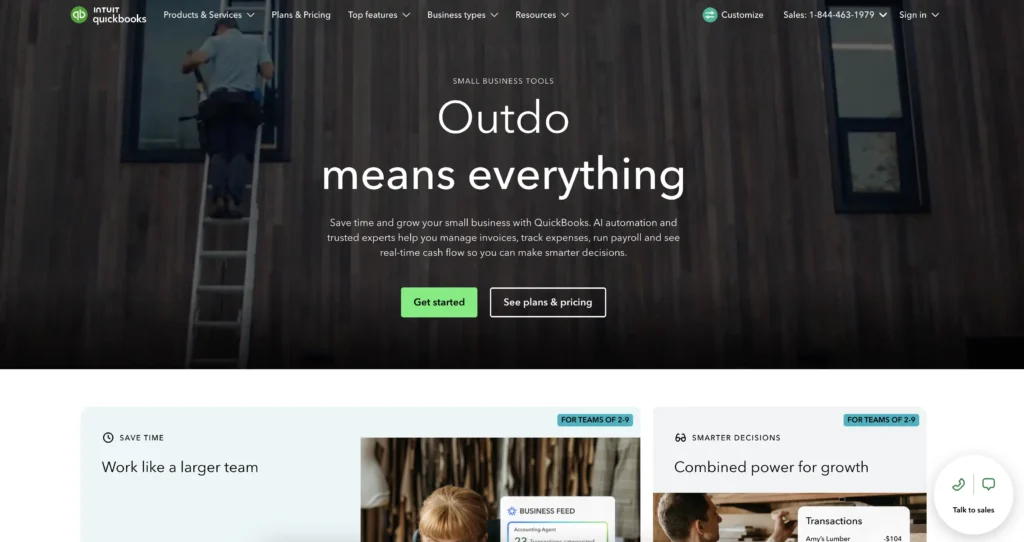
QuickBooks Online is the market leader in accounting and bookkeeping—and there’s a reason it’s been the go-to choice for SMBs for decades.
If your accountant or bookkeeper already knows QuickBooks (spoiler: they probably do), setup and support become significantly easier. It handles everything from invoicing to tax preparation, and integrations with other SMB tools are plentiful.
Key Features
- Comprehensive accounting: Everything from invoicing and expense tracking to payroll and tax reporting
- Professional invoicing: Create branded invoices, set up recurring billing, and track payment status
- Mileage tracking: Built-in tool for tracking business miles (especially useful for service professionals)
- Project tracking: Assign expenses and time to specific projects
- Tax-ready reports: Forms are pre-built for tax filing, saving your accountant time
Pros
- Industry standard: Nearly every accountant and bookkeeper knows QuickBooks—fewer training headaches
- Deep feature set: It does more than you’ll probably need, which means it grows with you
- Bank connectivity: Automatic transaction downloading saves hours of manual entry
- Ecosystem of add-ons: Hundreds of third-party apps extend functionality
- One-time free setup: An onboarding expert helps configure your chart of accounts and settings
Cons
- Can feel bloated for simple needs: If you’re a one-person freelancer, QuickBooks might have more features than you need
- Design feels dated: The interface shows its age compared to newer competitors like Xero
- Steeper learning curve for beginners: Full-featured doesn’t always mean easy—there’s a lot to learn
- Payroll costs extra: Payroll functionality requires a separate subscription and can get expensive
Pricing
Starts at $19 per month (30-day free trial available)
Best CRM and sales management SMB software
Small businesses can benefit from using customer relationship management (CRM) software. It can help nurture prospects, increase sales, and improve customer experience.
This table summarizes the best CRM software for small businesses:
Software Pricing Best for G2 rating Monday.com CRM Starts at $12 per seat per month (14-day free trial available) Flexibility and customization 4.7⭐️/5 Nutshell Starts at $13 per user per month (14-day free trial available) Best overall 4.3⭐️/5 Pipedrive $14 per user per month (14-day free trial available) AI features 4.2⭐️/5 4. Monday.com CRM
G2 rating: 4.7⭐ out of 5
Best for teams needing a highly customizable CRM without the Salesforce complexity and cost

Monday.com CRM is an AI-powered software that lets you build a CRM that matches how your team actually works—not the other way around.
Unlike rigid CRMs that force you into their workflows, Monday.com starts with a blank canvas. Your team defines the stages, fields, and automations. It’s a CRM that adapts to your sales process, powered by AI that helps with everything from summarizing meeting notes to forecasting deals.
Key Features
- Flexible pipeline views: See your deals in traditional pipeline view, kanban boards, tables, or calendar view
- AI-powered automations: Auto-log activities, summarize meeting notes, and surface high-priority deals
- Email integration: Sync emails and track customer interactions without leaving the CRM
- Custom fields: Add any data field your team needs—no limitations
- Built-in AI assistant: Natural language commands help you work faster
Pros
- Highly customizable: Build exactly the CRM your team needs without developers
- Beautiful interface: Visual, modern design that teams actually enjoy using daily
- Strong automation capabilities: Less manual data entry and follow-up management than traditional CRMs
- Affordable at scale: Per-seat pricing makes sense for growing teams
- Excellent customer support: Responsive team helps solve problems quickly
Cons
- Pricing can escalate: As you add users and want advanced features, costs climb significantly
- Steep customization learning curve: Flexibility means your team needs time to set it up correctly
- Not an all-in-one solution: You’ll still need separate tools for accounting, email marketing, and other functions
- Smaller integration ecosystem: Fewer pre-built integrations than Salesforce or HubSpot
Pricing
Starts at $12 per seat per month (14-day free trial available)
5. Nutshell
G2 rating: 4.3⭐ out of 5
Best overall CRM for SMBs seeking a balance between power and affordability

Nutshell is a user-friendly CRM built specifically for small and mid-sized sales teams who want automation and insights without the enterprise price tag.
Nutshell combines the sales management features you need with built-in email marketing—so your sales and marketing teams work from a single source of truth. It’s designed by people who understand SMB constraints: limited IT support, lean teams, and budget pressures.
Key Features
- Sales automation: Auto-assign leads, set reminders for next actions, and automate follow-ups
- Pipeline management: Multiple views let you see your deals however you work best—kanban, pipeline, list, or board views
- Contact management: Centralize all customer data so no detail falls through the cracks
- Reporting and analytics: Forecast sales, track team performance, and download presentation-ready charts
- Built-in email marketing: Send campaigns, newsletters, and drip sequences directly from the CRM
- Next-action focus: The platform emphasizes what your team should do next—not just data entry
- Seamless integrations: Works with QuickBooks, Zapier, Google Workspace, and dozens of other tools
Pros
- Affordable for SMBs: Cost-effective pricing means more teams can access CRM technology
- Easy onboarding: Setup typically takes days, not weeks—teams are productive immediately
- Integrated email marketing: Marketing and sales alignment without buying a separate platform
- Excellent for lean teams: Works well when you don’t have dedicated CRM administrators
- Strong customer support: Fast, helpful responses to questions and implementation guidance
- Transparent pricing: Straightforward per-user pricing with no surprise enterprise licensing
Cons
- Not ideal for complex sales processes: If you have multi-stage approval workflows, it may feel limitedl today to see for yourself what it can do for your SMB. We’re confident you’ll love what you see!
- Limited AI features: Compared to Monday.com or Pipedrive, AI automation is less advanced
- Smaller ecosystem: Fewer third-party app integrations compared to Salesforce or HubSpot
Pricing
Starts at $13 per month (14-day free trial available)
See Nutshell in action!
Try Nutshell free for 14 days or let us show you around before you dive in.

6. Pipedrive
G2 rating: 4.2⭐ out of 5
Best for sales-focused teams that prioritize AI features and deal pipeline visibility

Pipedrive is a CRM designed specifically for salespeople—not accountants or IT teams.
The interface focuses on what matters: your deals, your pipeline, your revenue forecast. Every screen is optimized to answer the question salespeople actually care about: “What deals are closing, and when?” Pipedrive’s AI features help you prioritize hot prospects and predict which deals will close.
Key Features
- Visual pipeline management: Drag and drop deals across stages, see bottlenecks instantly
- Sales forecasting: Get updated pipeline value as deals move, with AI-powered predictions
- Activity scheduling: Never miss a follow-up—set reminders for calls, emails, and meetings
- Deal-centric workflows: Everything revolves around your deals, not contacts (though contact management is solid)
- AI insights: Predictions suggest which deals are most likely to close and which need attention
- Mobile-first design: Works beautifully on phones and tablets, not an afterthought
- Deal stage templates: Start with pre-built sales funnels or customize your own
Pros
- Pure sales focus: Designed by salespeople for salespeople—every feature serves the sales process
- Excellent pipeline visualization: Seeing your deals is intuitive and immediate
- Strong AI features: Lead scoring, deal prediction, and activity recommendations actually work
- Good price-to-features ratio: Competitively priced with solid capabilities
- Fast implementation: Most teams get up and running within a week
Cons
- Limited marketing features: If your marketing team needs to nurture leads, you’ll need a separate tool
- Basic reporting: Reporting is functional but not as customizable as Nutshell or HubSpot
- Customization limited: You’re somewhat locked into Pipedrive’s workflows—less flexibility than Monday.com
- Email integration feels bolted on: Works, but not as seamless as native solutions
- CRM for sales only: Lacks the contact management depth needed if you need a general business CRM
Pricing
$14 per user per month (14-day free trial available)
When you’re looking for a product or service, do you search online to find more information or to find a deal? If you do, you’re not alone—80% of consumers start their product research online.
Best SMB software for website building and e-commerce
When you’re looking for a product or service, do you search online to find more information or to find a deal? If you do, you’re not alone—80% of consumers start their product research online.
Having an online presence through their own website is important for SMBs to attract prospects.
Small businesses can use any of the following website builders, which don’t require coding skills:
Software Pricing Key features G2 ratings Shopify Starts at $29 per month (3-day free trial available) – POS system- Free selling tools (domain name generator) 4.4⭐/5 WordPress Starts at $4 per month (Free limited version available) – Website design templates- Drag-and-drop editor 4.4⭐️/5 Wix Starts at $17 per month (Free limited version and free trial available) – Built-in templates- Drag-and-drop editor 4.2⭐️/5 7. Shopify
G2 rating: 4.4⭐️ out of 5
Best for small businesses planning to sell products online

Shopify is an e-commerce platform that handles everything a product-based business needs: inventory management, payment processing, shipping, and customer data—all in one place.
You don’t need to be technical to set up a professional online store. Shopify provides templates, a point-of-sale system, and tools to manage your entire business from your phone. Whether you’re selling on your website, social media, or in person, Shopify keeps everything synchronized.
Key Features
- Website builder: Drag-and-drop templates—no coding required
- E-commerce engine: Built for selling—not a retrofitted blog platform
- Point-of-sale system: Sell online and in physical locations with unified inventory
- Payment processing: Accept all major payment methods securely
- Inventory management: Track stock across multiple locations and channels
- Order management: Process, pack, and ship orders efficiently
- Marketing tools: Email, SMS, and social media integrations built in
Pros
- All-in-one for e-commerce: Everything you need to run an online store without multiple subscriptions
- Excellent app marketplace: Thousands of apps extend functionality—add what you need as you grow
- Professional templates: Templates look modern and convert visitors to customers
- Built-in payment processing: No need for separate payment apps like Stripe or PayPal
- Scalability: Works for side hustles and serious e-commerce businesses alike
Cons
- Transaction fees add up: Beyond the subscription, you pay fees per transaction (unless using Shopify Payments)
- Limited content management: If you need a robust blog or content strategy, Shopify feels like overkill for that
- Customization costs money: Advanced customization requires hiring developers or using expensive apps
- Not ideal for service providers: If you’re selling services (not products), other platforms might fit better
Pricing
Starts at $29 per month (3-day free trial available)
8. WordPress
G2 rating: 4.4⭐️ out of 5
Best for content-first websites and blogs with SEO-focused teams

WordPress is a website builder that powers over 40% of all websites on the internet—for good reason.
If your business relies on content (blogging, thought leadership, education), WordPress is the gold standard. It’s the most SEO-friendly website platform available, gives you complete design control, and integrates with nearly every marketing tool you’ll use.
Key Features
- Customizable templates: Thousands of designs with drag-and-drop customization
- Content management: Built for bloggers, writers, and content creators
- SEO optimization: Tools built-in to help your content rank in search engines
- Plugin ecosystem: Over 50,000 plugins extend functionality (contact forms, analytics, e-commerce, etc.)
- Media management: Organize and optimize images and videos for your site
- User management: Add team members with specific roles and permissions
Pros
- SEO powerhouse: WordPress ranks better in search engines than almost any competitor
- Flexibility: You can build almost anything—website, blog, online store, membership site, portfolio
- Cost-effective: One of the cheapest options to get started with your own domain
- Huge community: Millions of users mean countless tutorials, plugins, and support forums
- Ownership: You truly own your website and data—not locked into a proprietary platform
Cons
- Steeper learning curve: More powerful than simple builders like Wix, but requires more technical knowledge
- Maintenance overhead: Updates, security patches, and plugin management require attention
- Hosting responsibility: Unlike Shopify, you’re responsible for choosing and managing hosting
- Support varies: WordPress.com support is decent, but many issues require troubleshooting forums or paid help
- Not ideal for pure e-commerce: If you’re primarily selling products, Shopify is a better fit
Pricing
Starts at $4 per month (Free limited version available)
9. Wix
G2 rating: 4.2⭐ out of 5
Best for small business owners who want a beautiful website without technical knowledge

Wix is the easiest website builder to use if you want to skip learning curves entirely.
Choose a template, customize colors and text with drag-and-drop, and your website is ready to launch. Wix handles hosting, security, and technical details behind the scenes.
It’s perfect for solopreneurs and small teams who need a professional presence fast—without hiring a developer.
Key Features
- Drag-and-drop editor: Move and resize elements freely—no restrictions
- Pre-designed templates: Professional designs suitable for every industry
- Integrated e-commerce: Sell products directly from your website
- Email marketing: Build email lists and send campaigns
- Mobile optimization: Designs automatically adapt to phones and tablets
- Built-in hosting: No need to manage servers or security patches
- Wix Analytics: Built-in analytics to track visitor behavior
Pros
- Easiest builder to learn: Truly beginner-friendly—most people can build a site in hours
- Professional designs: Templates look polished without designer input
- Affordable: One of the cheapest paid options with all hosting included
- Good customer support: Helpful team available to answer questions
- No technical skills required: You focus on content; Wix handles the rest
Cons
- Less flexible design: More template-based than WordPress—customization has limits
- Limited SEO tools: WordPress and Shopify offer more fine-grained SEO control
- Vendor lock-in: Moving your content to another platform is difficult and cumbersome
- Limited app integrations: Fewer third-party tools compared to WordPress or Shopify
- Not ideal for complex sites: If you need custom functionality, limitations become apparent
Pricing
Starts at $17 per month (Free limited version and free trial available)
Best small business software for payment processing
Streamline your payment collection and processing with helpful software. The tools below provide your customers with a safe way to pay.
Software Pricing G2 ratings Square Payments Starts at $0 per month + processing fees 4.6⭐️/5 PayPal Business From 2.29% to 3.49% + fixed fee per transaction (depending on payment method) 4.4⭐️/5 Stripe 2.9% + $0.30 per successful charge for domestic cards 4.3⭐️/5 10. Square Payments
G2 rating: 4.6⭐ out of 5
Best for businesses accepting payments both online and in person

Square Payments makes collecting payments simple—whether customers pay online, over the phone, or in your physical location.
Square doesn’t charge a monthly fee, only transaction fees. You get a virtual terminal for phone orders, card reader hardware for in-person payments, and checkout links to share with customers. It’s built for flexibility—you literally can run your entire payment business from your phone.
Key Features
- No monthly fees: Only pay when you process payments—perfect for variable-revenue businesses
- Virtual terminal: Process card payments by phone
- Card readers: Accept in-person payments with Square’s hardware
- Online checkout: Create payment links to share via email or social media
- Contactless payments: Accept tap and mobile wallet payments securely
- Business reports: Detailed reporting on sales and customer trends
- Integration with Square register: If you buy Square’s POS system, payment processing unifies everything
Pros
- True pay-as-you-go pricing: No monthly subscription means lower overhead
- Hardware included: Square provides card readers (some at no cost)
- Flexible payment options: Phone, in-person, online—one system handles all
- Excellent for small businesses: Transaction fees are competitive and transparent
- Fast funding: Money hits your account quickly (usually next business day)
Cons
- Transaction fees can add up: While competitive, they’re still a cost on every sale
- Basic reporting: More sophisticated businesses might need Square Analytics (extra cost)
- Limited payment customization: Less flexible than enterprise solutions if you have specific needs
- Customer service varies: Support is good but not as premium as some competitors
- Best for U.S. only: International features are limited
Pricing
Starts at $0 per month + processing fees
11. PayPal Business
G2 rating: 4.4⭐ out of 5
Best for any business that needs to accept payments from customers (online or remote)

PayPal is the most recognized name in online payments, and justifiably so.
If your customers are anywhere online (and many are), PayPal is the payment method they’re most likely to trust. You can accept credit cards, debit cards, and PayPal accounts. Send invoices, accept payments on your website, or simply share a payment link.
PayPal has been handling online payments for 25 years—they know what they’re doing.
Key Features
- Payment acceptance: Accept credit cards, debit cards, and PayPal balances
- Invoice system: Send professional invoices with automatic payment reminders
- Virtual terminal: Process phone and mail orders securely
- Payment links: Share a unique link to collect payment via email or social media
- Multi-currency: Accept payments in 200+ currencies from 190 countries
- Invoicing automation: Set up recurring billing for subscriptions
Pros
- Most recognized payment method: Customers trust PayPal—checkout conversion rates are high
- No monthly fees: Only transaction fees—no minimum subscription
- Easy setup: Start accepting payments within hours
- Strong buyer protection: Both you and your customers have fraud protection
- Mobile app: Manage payments and invoices on the go
- International-friendly: Accept payments from customers worldwide
Cons
- Higher fees than some competitors: Transaction rates are standard, but not the lowest
- Reserves & holds: PayPal sometimes holds funds if they perceive risk (can be frustrating)
- Customer service frustrations: Some businesses report difficulty reaching support
- Limited customization: Less flexible than enterprise payment processors
- Account holds: New accounts sometimes experience payment holds until verification
Pricing
From 2.29% to 3.49% + fixed fee per transaction (depending on payment method)
12. Stripe
G2 rating: 4.3⭐ out of 5
Best for online businesses and developers who need powerful, flexible payment processing

Stripe is the payment processor that powers thousands of online businesses—from solopreneurs to enterprise companies.
Stripe’s advantage is flexibility. Developers love it because the API is elegant and powerful. Non-technical users can set up checkout in minutes. You get payment processing, invoicing, subscription management, and even financial reporting. Stripe literally processes billions of dollars annually—they’ve handled every edge case.
Key Features
- Powerful API: Developers can build custom payment experiences
- Hosted checkout: Non-technical users can implement checkout without coding
- Subscription billing: Manage recurring charges automatically
- Payment links: Share a link to collect payment (no website required)
- Fraud prevention: Built-in tools detect and prevent fraudulent transactions
- Invoice management: Send professional invoices and track payments
- Financial reports: Detailed breakdowns of revenue, fees, and payouts
Pros
- Transparent fees: Clear, competitive pricing with no surprises
- Developer-friendly: Excellent API documentation and support for technical teams
- Powerful customization: Build any payment experience you need
- Reliable: Stripe is known for 99.9% uptime and security
- Scaling support: Works for small businesses and enterprise companies equally well
Cons
- Steeper learning curve: Setup requires more technical knowledge than PayPal or Square
- Developer dependency: Complex customizations require coding knowledge
- Longer disputes: Chargeback process is rigorous (good protection but slower resolution)
- Fees apply to everything: Refunds, failed charges—you still pay fees
- Customer service for non-developers: If you’re not technical, support is good but limited
Pricing
2.9% + $0.30 per successful charge for domestic cards
Best SMB software for marketing and email automation
Marketing and email automation software can help SMBs streamline their processes. If you’re looking for free software for small businesses (or freemium ones) that can help you automate email send-outs and other marketing efforts, check out our list below:
Software Pricing Best for G2 ratings Canva Starts at $120 per year (Free limited version available) Graphic design 4.7⭐/5 Woorise Starts at $23 per month (14-day free trial available) Lead generation 4.6⭐/5 Google Analytics Free Website traffic insights and analysis 4.5⭐/5 Analytify Starts at $99 per year (Free limited version available) Website traffic insights and analysis within WordPress 4.4⭐/5 MailChimp Starts at $20 per month (Free limited version available) Email automation 4.3⭐/5 Nutshell’s Email Marketing Starts at $5 for 100 contacts with a Nutshell subscription (Nutshell customers get 150 free emails per month) Email automation 4.3⭐/5 Buffer Starts at $5 per month for one social channel (Free limited version available) Social media content scheduling 4.3⭐/5 13. Canva
G2 rating: 4.7⭐ out of 5
Best for small business owners creating graphics for social media, marketing, and presentations.

Canva makes graphic design accessible to anyone—even if you can’t draw a straight line.
Whether you need social media graphics, presentation slides, or marketing materials, Canva has a template. Customize colors, fonts, and images with a simple drag-and-drop editor. Your marketing team doesn’t need a designer when Canva is available.
Key Features
- 250,000+ templates: Starting points for every type of design you’ll need
- Drag-and-drop editor: Resize and rearrange elements without restrictions
- Stock media: Millions of images, icons, and illustrations included
- Brand kits: Save your colors, fonts, and logos for consistent branding
- Collaboration: Share designs with team members for feedback
- Mobile app: Create designs on the go from your phone
Pros
- Incredibly easy to use: No design experience required—most people create professional designs immediately
- Huge template library: Thousands of designs for every purpose you’ll encounter
- Affordable: The Premium version at $120/year is cheap compared to hiring a designer
- Fast output: Create a professional graphic in 5-10 minutes
- Mobile app works great: Quickly make designs or edits from your phone
Cons
- Limited creativity: You’re mostly working within templates—truly custom designs require more skills
- Stock imagery can look generic: Overused images sometimes appear in multiple businesses
- Learning curve for advanced features: Advanced customization takes more time than you’d think
- Export limitations on free: Free version has download limits and watermarks
- Can’t replace a professional designer: For critical branding, hire an expert
Pricing
Starts at $120 per year (Free limited version available)
14. Woorise
G2 rating: 4.6⭐ out of 5
Best for lead generation and building email lists through interactive content
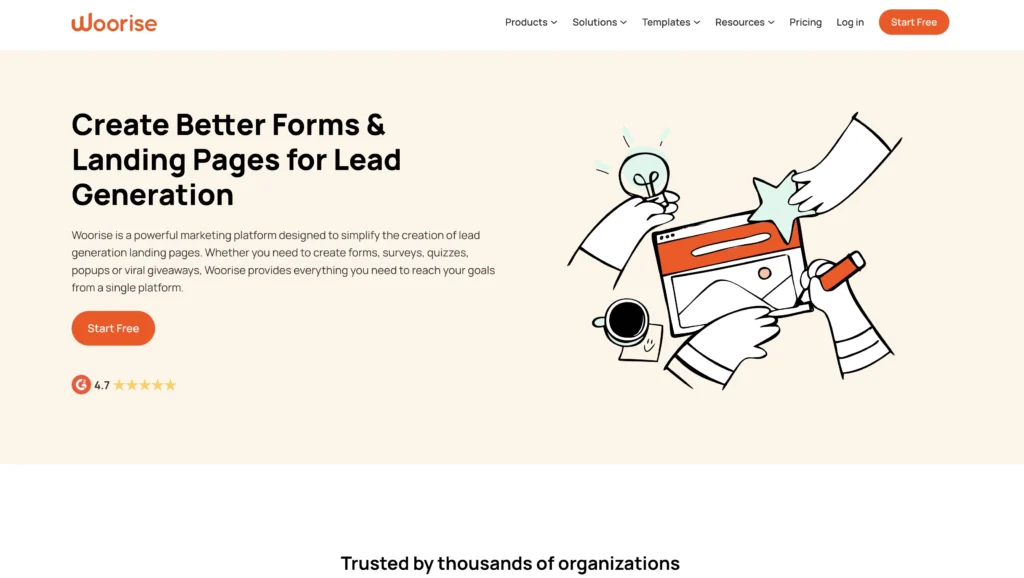
Woorise helps you generate leads by creating interactive content that people actually engage with—not just another email signup form.
Create landing pages, surveys, quizzes, contests, and giveaways without writing a single line of code. Woorise makes it easy to build engaging experiences that capture leads and grow your email list. It integrates with email platforms, CRMs, and payment processors, so leads flow automatically into your workflow.
Key Features
- Drag-and-drop builder: Create landing pages, quizzes, surveys, and contests without coding
- Conditional logic: Show different questions based on previous answers
- Multi-language support: Reach audiences in different languages
- Email notifications: Get real-time alerts when someone submits a response
- Built-in analytics: See exactly how people interact with your content
- Integrations: Zapier, Mailchimp, HubSpot, ActiveCampaign, PayPal, Stripe connectivity
- Mobile responsive: Works perfectly on phones and tablets
Pros
- Higher engagement than static forms: Interactive content gets 3x more submissions than boring signup forms
- No coding required: Anyone can build professional lead capture experiences
- Fast campaign creation: Launch a new quiz or giveaway in hours, not days
- Strong integrations: Automatically sends leads to your CRM or email platform
- Good pricing for lead generation focus: Designed specifically for this use case
Cons
- Limited to lead generation: If you need general website building, this is too specific
- Conditional logic can get complex: Advanced workflows require careful planning
- Pricing based on submissions: As you grow, costs scale with success
- Limited branding customization: Designs feel somewhat branded to Woorise
- Not a full marketing platform: You’ll still need email marketing and CRM separately
Pricing
Starts at $23 per month (14-day free trial available)
15. Google Analytics
G2 rating: 4.5⭐ out of 5
Best for understanding where your website traffic comes from and how visitors behave

Google Analytics is the gold standard for website analytics—and it’s completely free.
It answers critical questions:
- Where are visitors coming from?
- What pages do they view?
- How long do they stay?
- What actions do they take?
This data informs every marketing decision you make. If you have a website, you need Google Analytics.
Key Features
- Traffic sources: See exactly where visitors come from (search, social, email, direct, etc.)
- Device tracking: Understand how many visitors use phones vs. computers
- Page performance: See which pages attract visitors and which drive conversions
- Audience insights: Understand your visitor demographics and behaviors
- Goal tracking: Measure specific actions (signups, purchases, downloads)
- Real-time reporting: See what’s happening on your website right now
- Integration with Google Ads: Track ROI of paid advertising campaigns
Pros
- Free forever: No subscription costs—just setup and use
- Incredibly detailed: Data available goes far beyond what you’d expect from a free tool
- Industry standard: Everyone uses it—easy to hire help or get advice
- Integration ecosystem: Works with almost every marketing platform
- Mobile app: Check analytics on the go
Cons
- Steep learning curve: New users are overwhelmed by the number of reports and metrics
- Privacy limitations: Some data is anonymized as Google privacy standards evolve
- Setup complexity: Initial setup and goal configuration requires careful planning
- Reporting can be tedious: Building custom reports takes time (Google Data Studio helps)
- Not beginner-friendly out of the box: Requires training or experience to use effectively
Pricing
Free
16. Analytify
G2 Rating: 4.4⭐ out of 5
Best for WordPress website owners who want analytics without leaving their dashboard
Analytify brings Google Analytics data directly into your WordPress dashboard—no more switching between tabs.
If you manage a WordPress site, Analytify simplifies analytics. You see traffic stats, top pages, conversion data, and visitor behavior right where you manage your website. Perfect for non-technical users who find Google Analytics overwhelming.
Key Features
- WordPress dashboard widget: See analytics without leaving WordPress
- Simplified reporting: Shows the metrics that actually matter for your business
- Real-time visitor tracking: See who’s on your site right now
- Top pages and posts: Instantly see your best-performing content
- Traffic sources overview: Understand where visitors come from
- E-commerce tracking: Monitor WooCommerce and EDD sales data
- Bounce rate and session duration: Understand engagement metrics
Pros
- Convenient location: No need to log in to Google Analytics separately
- Simplified interface: Shows essential metrics without overwhelming detail
- Affordable: Annual pricing is reasonable for WordPress-specific analytics
- E-commerce ready: WooCommerce and EDD tracking built-in
- Perfect for non-technical users: Less intimidating than Google Analytics
- Easy setup: Install the plugin, authenticate, and see data immediately
Cons
- Limited compared to Google Analytics: You lose access to advanced features and customization
- WordPress-specific only: Only works if you use WordPress (not Wix, Shopify, or other platforms)
- Basic customization: Can’t build complex reports like you can in Google Analytics
- Limited audience segmentation: Breaking down data by audience segments is less powerful
- Dependent on Google Analytics: You still need Google Analytics set up to feed data to Analytify
Pricing
Starts at $99 per year (Free limited version available)
17. MailChimp
G2 rating: 4.3⭐ out of 5
Best for email marketing automation and list management at scale

MailChimp is the email marketing platform trusted by millions of small businesses.
Build your email list, segment subscribers, send automated campaigns, and track performance—all in one place. MailChimp handles everything from beautiful email templates to advanced automation workflows. The free plan is surprisingly generous, making it perfect for SMBs starting out.
Key Features
- Email templates: Pre-designed, responsive templates or build your own
- Automation: Set up triggered emails based on subscriber behavior
- Segmentation: Send targeted messages to specific groups of subscribers
- A/B testing: Test subject lines, content, and send times to optimize performance
- Deliverability tools: Built-in features ensure emails reach inboxes (not spam folders)
- Audience management: Import subscribers, manage preferences, and track engagement
- Reporting: Detailed performance metrics for every campaign
Pros
- Free plan is generous: Send up to 500 emails monthly to 500 contacts at no cost
- Easy automation: Set up triggered campaigns without complex workflows
- Beautiful templates: Professional designs require minimal customization
- Good integrations: Connects with CRMs, ecommerce platforms, and other tools
- Affordable scaling: Pricing is reasonable as your list grows
Cons
- Free plan limitations: Limited to 500 contacts and basic features
- Automation is less powerful than advanced platforms: Complex workflows require workarounds
- Deliverability issues at scale: Some users report emails hitting spam as lists grow
- Limited personalization: Dynamic content customization is basic compared to competitors
- CRM features are weak: If you need serious customer relationship management, use a dedicated CRM
Pricing
Starts at $20 per month (Free limited version available)
18. Nutshell’s Email Marketing
G2 rating: 4.3⭐ out of 5
Best for email marketing that integrates directly with your CRM

Nutshell’s email marketing is built directly into the CRM, so your sales and marketing teams work from the same contact database.
You don’t need to sync data between platforms—contacts in Nutshell are automatically available for email campaigns. Send newsletters, drip sequences, and broadcast campaigns without leaving your CRM. Your email data feeds back into sales, creating one unified view of customer relationships.
Key Features
- Seamless CRM integration: Email contacts are automatically your CRM contacts
- Drag-and-drop email builder: Create professional emails without coding
- Email templates: Pre-designed templates you can customize
- Automation workflows: Trigger emails based on CRM actions and behaviors
- Deliverability: Built-in optimization helps emails reach inboxes
- Performance tracking: See opens, clicks, and conversions directly in your CRM
- A/B testing: Test subject lines and content to improve results
- AI-powered writing: Suggestions help you write better email copy
Pros
- True integration with CRM: No data syncing or duplicate work
- Time-saving workflows: Set up once, automate forever
- Single view of customer: See emails and sales activity in one place
- Affordable add-on: Pricing is low when bundled with Nutshell CRM
- Built for sales teams: Email tools work alongside sales workflows
Cons
- Only works with Nutshell CRM: Not available as a standalone tool
- Smaller feature set than MailChimp: Less sophisticated automation than dedicated email platforms
- Limited template library: Fewer pre-built templates than MailChimp or HubSpot
- Email-focused only: No SMS, social media, or other marketing channels
- Best for SMBs: Enterprise-level marketing automation exists elsewhere
Pricing
Starts at $5 for 100 contacts with a Nutshell subscription (Nutshell customers get 150 free emails per month)
19. Buffer
G2 rating: 4.3⭐ out of 5
Best for social media content scheduling and team collaboration

Buffer simplifies social media management by letting you plan, schedule, and publish content across multiple platforms from one dashboard.
Write your post once, schedule it to publish at optimal times across Facebook, Instagram, LinkedIn, Twitter, and TikTok. Buffer’s analytics show which posts drive engagement, and AI helps you optimize timing and content. Your whole team can collaborate on the social media calendar.
Key Features
- Multi-platform scheduling: Post to all your social channels at once
- Content calendar: Visual calendar shows what’s scheduled and when
- Best time to post: AI recommends when your audience is most active
- Analytics: See which posts drive engagement and reach
- Team collaboration: Multiple team members can draft, approve, and schedule content
- AI Assistant: Generate post ideas and variations automatically
- Direct publishing: Posts go directly to platforms (no manual posting required)
Pros
- Simple interface: Easy to use—most people need no training
- Affordable: Low pricing per social channel
- Time-saving: Schedule a month of content in one session
- Team features: Collaboration and approval workflows built in
- Analytics that matter: Engagement metrics help you improve content
- AI assistance: Content suggestions speed up posting
Cons
- Limited analytics depth: More detailed social analytics require separate tools
- Basic community management: You can’t respond to comments directly in Buffer
- Content creation not included: You still need to create content elsewhere
- Limited audience insights: Understanding who engages requires other tools
- Pricing per channel: Costs add up if you manage many social accounts
Pricing
Starts at $5 per month for one social channel (Free limited version available)
Bonus: More helpful software for SMBs
We’ve covered some of the major categories of the best small business management software. Here are several other miscellaneous tools you’ll likely find useful:
Software Pricing Best for G2 ratings Google Workspace Starts at $7 per user per month (Free limited version available) Team collaboration and document management 4.6 out of 5 stars Slack Starts at $7.25 per person per month (Free limited version also available) Team communication and collaboration 4.5 out of 5 stars Gusto Starts at $49 per month + $6 per month for each user Human resources and payroll 4.5 out of 5 stars Udemy Starts at $20 per month Online learning and skill development 4.5 out of 5 stars Trello Starts at $5 per user per month (Free limited version available) Project management 4.4 out of 5 stars 20. Google Workspace
G2 rating: 4.6⭐ out of 5
Best for: Teams needing unified communication, document collaboration, and productivity tools
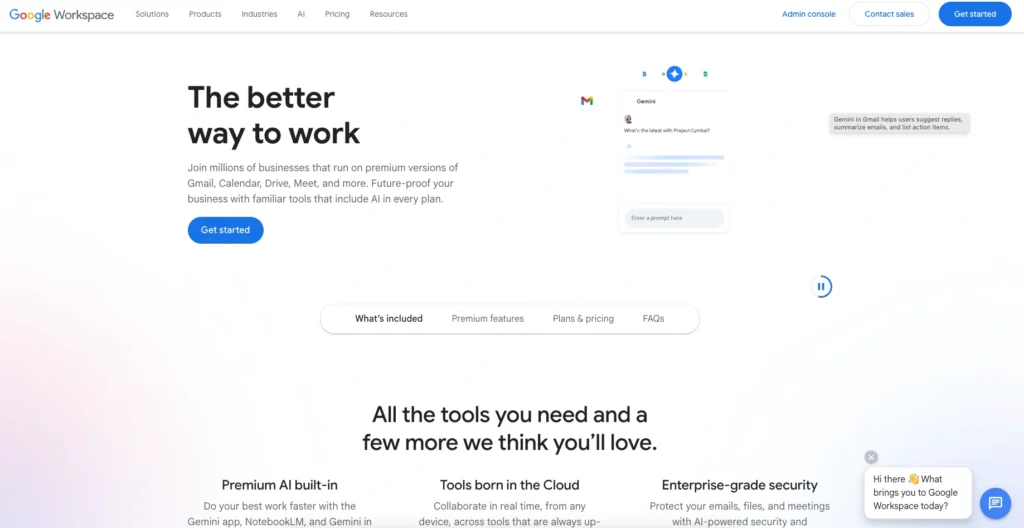
Google Workspace is a complete suite of business tools: email, documents, spreadsheets, presentations, video conferencing, calendar, and cloud storage—all integrated and powered by AI.
Everything works together seamlessly. Write a document, share it with your team, collaborate in real-time, attach it to an email, schedule a meeting to discuss it—all without leaving Google Workspace. It’s the most integrated productivity suite for remote and hybrid teams.
Key Features
- Gmail: Business email with advanced security and storage
- Google Drive: Cloud storage for files (15-30GB depending on plan)
- Docs: Word processing with real-time collaboration
- Sheets: Spreadsheets that teams can edit simultaneously
- Slides: Presentation software with collaboration features
- Meet: Video conferencing (up to 24 hours for group meetings)
- Calendar: Scheduling and meeting management across teams
- Chat: Direct messaging and team conversations
- Gemini AI: AI assistance throughout the suite
Pros
- True integration: Everything works together seamlessly
- Real-time collaboration: Multiple people editing documents simultaneously
- Free version available: Good free tier for small teams (15GB storage)
- Zero setup time: Login and start working—no configuration needed
- Mobile apps: Full functionality on phones and tablets
- Security and compliance: Enterprise-grade security included in all plans
- Affordable: Low per-person cost for the entire productivity suite
Cons
- Learning curve for Office users: Some Google apps work differently from Microsoft Office
- Offline access limited: Works best with an internet connection
- Storage limits: Even paid plans have storage limits (need to buy more if heavy users)
- Limited desktop apps: Browser-based primarily (though desktop apps exist)
- Customization limited: Less configurable than some enterprise tools
- Switching costs: Moving existing documents and workflows takes time
Pricing
Starts at $7 per user per month (Free limited version available)
21. Slack
G2 rating: 4.5⭐ out of 5
Best for: Team communication and messaging with deep integrations to other business tools

Slack is the messaging platform that replaces endless email threads with organized channels and direct conversations.
Create channels for projects, departments, or topics. Integrate your favorite tools (hundreds available) so notifications and updates flow directly into Slack. Your team stays connected without inbox overload. Slack is where work happens in modern teams.
Key Features
- Channels: Organized conversations by topic, project, or team
- Direct messages: One-on-one conversations and small group chats
- Thread replies: Keep conversations focused and organized
- Integrations: 2,000+ apps can post updates and notifications to Slack
- Search: Find old messages and files instantly
- File sharing: Upload and collaborate on documents without leaving Slack
- Automation: Set up workflows to automate repetitive tasks
- Security: Enterprise-grade encryption and compliance features
Pros
- Massive integration ecosystem: Connect almost every tool your team uses
- Replaces email: Dramatically reduces unnecessary emails
- Team visibility: Everyone knows what’s happening (transparency)
- Searchable history: Find information from months or years ago instantly
- Mobile app: Full functionality on phones—stay connected anywhere
- Customization: Workflows and bots can automate common tasks
- Notification control: Customize what alerts you see and when
Cons
- Distracting: Constant notifications can disrupt focused work (need discipline to use well)
- Pricey at scale: Per-person pricing gets expensive as teams grow
- Message retention limits: The free plan only keeps the last 90 days of messages
- Learning curve: Teams sometimes struggle with channel organization
- Not a knowledge base: Old conversations disappear—not great for documentation
- Requires cultural buy-in: Works best when the team commits to using it
Pricing
Starts at $7.25 per person per month (Free limited version available)
22. Gusto
G2 rating: 4.5⭐ out of 5
Best for: Human resources, payroll, and benefits administration

Gusto handles payroll, benefits, and HR—the stuff that keeps a business running but takes up a lot of time.
Set up payroll once, and it runs automatically. Employees can update their own information, request time off, and access pay stubs from their phones. Gusto handles tax calculations, filings, and compliance so your team doesn’t have to.
Key Features
- Automated payroll: Set it once, and payroll runs automatically
- Benefits administration: Manage health insurance, 401(k), and other benefits
- Time off tracking: Employees request time off; managers approve through the system
- Tax compliance: Automatic tax calculations and filings (federal, state, local)
- Employee portal: Employees access pay stubs, benefits, and personal information
- Onboarding: Streamlined process for hiring new team members
- Reporting: Access payroll reports and analytics for planning
Pros
- Saves enormous amounts of time: Payroll goes from hours to minutes
- Compliance handled: Taxes and filings are accurate (peace of mind)
- Employee self-service: Staff access their own information—fewer HR questions
- Benefits simplified: Easy administration of health insurance and retirement plans
- Affordable for small teams: Pricing makes sense for businesses with 2-50 employees
- Excellent support: Helpful team available if questions arise
Cons
- Payroll-focused: Lacks advanced HR features if you need serious talent management
- Limited applicant tracking: Hiring features are basic compared to dedicated ATS tools
- Pricing can escalate: Adding benefits and advanced features increases costs
- Setup requires information: Gathering tax IDs and employee information takes time upfront
- Integration limits: Doesn’t integrate with all accounting software seamlessly
Pricing
Starts at $49 per month + $6 per month for each user
23. Udemy
G2 rating: 4.5⭐ out of 5
Best for: Employee training and skill development

Udemy is an online learning platform with over 200,000 courses on everything from technical skills to soft skills.
Give your team access to training on topics relevant to their roles. Employees learn at their own pace through video courses. Track progress and see which employees are upskilling. It’s one of the most affordable ways to invest in your team’s development.
Key Features
- Massive course library: 200,000+ courses across nearly every topic
- Business plans: Team accounts with progress tracking and analytics
- Self-paced learning: Employees learn when it works for their schedule
- Certificates: Learners earn certificates upon completing courses
- Skill assessments: Tests show whether employees actually learned the material
- Mobile learning: Take courses on phones and tablets
- Offline access: Download courses to watch without internet
Pros
- Incredibly affordable: Professional training at a fraction of traditional instructor-led training
- Huge selection: Courses on almost any topic you can imagine
- Self-paced: Employees learn on their schedule, not a fixed training calendar
- Engagement metrics: See which employees are taking courses
- High-quality instructors: Courses are created by experts and industry practitioners
- Flexible scheduling: No need to pull employees off work for scheduled training
Cons
- Quality varies: Not all 200,000 courses are equally well-done
- Limited interaction: Video-based means no live instructor to ask questions
- No cohort effect: Employees learn separately, not as a team
- Completion tracking only: Limited analytics on whether learning translated to job performance
- Not customizable: Can’t build company-specific training content
- Requires self-motivation: Some employees won’t complete courses without accountability
Pricing
Starts at $20 per month
24. Trello
G2 rating: 4.4⭐ out of 5
Best for: Visual project management and task tracking

Trello is a web-based project management tool that works the way your brain thinks—visual and intuitive.
Create boards with lists and cards. Drag cards between lists to show progress (to do, doing, done). Assign team members, set deadlines, add checklists, and attach files. Trello makes it easy to see what everyone is working on and what’s blocked.
Key Features
- Boards, lists, and cards: Visual hierarchy makes project status obvious
- Drag-and-drop workflow: Move cards to show progress without meetings
- Automation: Automate repetitive tasks with Butler (Trello’s automation tool)
- Team assignment: Assign tasks and track ownership
- Due dates: Deadlines visible on cards
- Checklists: Break down tasks into smaller steps
- File attachments: Keep everything you need attached to cards
- Integrations: Connect with dozens of business tools
Pros
- Incredibly simple: Most people understand Trello in 5 minutes
- Visual project status: See exactly what’s happening without status meetings
- Flexible: Works for any type of project (development, marketing, event planning, etc.)
- Affordable: Pricing is very reasonable
- Great for small teams: Overhead of project management is minimal
- Mobile app: Check project status from anywhere
- Integrations: Connect to the tools your team already uses
Cons
- Limited reporting: No robust analytics or reporting features
- Scaling challenges: Works great for small projects; gets unwieldy with complexity
- Workflow customization limited: Less flexible than Asana or Monday.com for complex processes
- No time tracking: Can’t track hours spent on tasks
- Limited dependency management: Showing task dependencies isn’t visual or intuitive
- Not ideal for large teams: Better suited for 2-10 person teams than larger organizations
Pricing
Starts at $5 per user per month (Free limited version available)
Frequently asked questions about CRM for SMBs
-
1. Do I really need a CRM for my small business?
Yes, if you’re managing more than a handful of leads or customers. A CRM centralizes customer data, automates follow-ups, and helps your team stay organized as you grow.
Even small businesses benefit from having one system of truth instead of scattered spreadsheets and emails. The cost of a CRM is far lower than the cost of lost deals due to poor follow-up or duplicated contacts. Most SMBs see ROI within two to three months.
-
2. When is the right time to implement a CRM?
Implement a CRM when manual processes start slowing you down—typically when you have more than 10 regular customers or 50 or more monthly leads. The sooner you establish good data habits, the easier scaling becomes.
Many SMBs wait too long; starting early gives you a competitive advantage. Even if you’re just starting, learning your CRM system early means it becomes second nature as you grow.
-
3. How much does a small business CRM typically cost, and what’s the ROI?
Most SMB CRMs range from free to $50/user/month, though pricing varies based on . Studies show businesses gain $8.71 in revenue for every dollar spent on CRM. With proper implementation, you’ll see ROI within 2-3 months through improved sales cycles, reduced manual work, and better customer retention.
The math is straightforward: if your average deal is worth $5,000 and a CRM helps you close one additional deal per quarter per sales rep, the software pays for itself.
-
4. How long does it take to implement a CRM, and will it disrupt my team?
Most SMBs go live in four to six weeks with minimal disruption. A phased rollout—starting with a pilot team—ensures smooth adoption.
Choose a user-friendly CRM designed for small teams, and you’ll see productivity gains within the first month, not losses. The key is selecting software that doesn’t require extensive IT support or developer customization.
-
5. Can my CRM integrate with my accounting software and other tools?
Yes. Quality CRMs integrate with QuickBooks, Xero, and other accounting platforms, eliminating double data entry. This creates a single customer view, automates invoicing, and gives your finance team real-time visibility into customer payment history and financial health.
Most modern CRMs connect to email, calendar, and automation platforms too—ask about integration availability before choosing a solution.
-
6. What’s the difference between these CRM tools and why should I choose one over another?
The key differences come down to three factors:
- What’s your primary use case (sales, marketing, or both)?
- How much customization do you need?
- What’s your budget?
Nutshell and Pipedrive are sales-focused with straightforward pricing. Monday.com offers extreme flexibility for teams willing to invest in set up time.
If your marketing team needs integrated email capabilities, Nutshell’s built-in email is a major advantage. If you need maximum customization, Monday.com wins.
-
7. How do I migrate from my current system to a new SMB software tool without losing data?
Most reputable SMB software providers offer data migration as part of their implementation process. You’ll typically export data from your current system (or provide access), and the new software’s team handles the import and data cleanup.
Set aside a week for testing before going live with real customer data. Involve your team to identify any data that’s been missed—this is also a good opportunity to clean up duplicate or outdated records.
-
8. What should I look for when comparing SMB software tools?
Focus on answering these questions:
- Does it solve your most pressing problem?
- How intuitive is it for your team?
- Can it integrate with tools you already use?
- What’s the total cost including setup, training, and scaling?
- What’s the onboarding process and support quality?
- Can you scale it as your business grows?
Read user reviews on platforms like G2 and test free trials with your actual team—your team’s comfort matters more than any feature list.
-
9. Do I need to buy the entire software suite or can I start with one tool?
Start with one tool and expand as you grow. Most successful SMBs begin with either accounting (QuickBooks/Xero) or CRM (Nutshell/Pipedrive), then add email marketing, project management, and communication tools later.
This phased approach spreads implementation burden and cost. You also learn what your team actually needs before committing a budget to additional platforms.
Add Nutshell to your tech stack
Ready to enhance your tech stack to improve your processes? Consider adding Nutshell to take your marketing and sales processes to the next level.
With Nutshell, you get a user-friendly CRM with powerful contact management, sales automation, and team collaboration features. Plus, you get fast, friendly customer support and access to add-ons, including a built-in email marketing platform, a landing page builder, and a scheduling tool.
To try Nutshell, just start a free 14-day trial. If you have questions, don’t hesitate to contact our team!
BACK TO TOP Written by
Will Gordon Sr. Director of MarketingEdited by
Andy Fowler Co-FounderReady to try
Nutshell for Free?Thank you! Your submission has been received!Oops! Something went wrong while submitting the form.



What are Sales Metrics and Which Metrics Should Sales Managers Track?
Published on: November 10, 2022

Best Microsoft CRM for 2025: Top Solutions for Microsoft 365 Users
Published on: December 22, 2025Highly Effective Strategies for Elevating Sales Team Performance
Published on: November 10, 2022Join 30,000+ other sales and marketing professionals. Subscribe to our Sell to Win newsletter!










