Nutshell’s Email Marketing vs. ActiveCampaign
ActiveCampaign's email overage charges can reach $800 a month. Nutshell never charges overage fees.

“Nutshell is super user-friendly and intuitive
“I would highly recommend Nutshell
“Easy to use and... wait for it ... 100% buy in!
“Nutshell is both simple and powerful

There are a lot of CRMs out there, and it can be challenging to filter through all their features to find the one that best meets your team’s needs.
On this page, see how Nutshell, the timesaving CRM, and our other tools stack up against alternatives.

The CRM you use has a huge impact on your sales team’s organization and efficiency. When you choose a full-featured CRM that’s also easy to use, includes additional tools to power up your sales and marketing strategies, and provides free, live customer support, you’re setting yourself up for success.
Compare these Nutshell alternatives head-to-head to see how they measure up:
Integrating your email marketing platform with your CRM is critical for understanding how your marketing efforts drive sales. Nutshell’s native email marketing software has all the essential and advanced email marketing features you need to connect with contacts at every stage of the funnel.
Check out these alternatives to Nutshell’s email marketing software to see why Nutshell comes out on top:
Landing pages are a key tool for developing strong marketing campaigns and converting specific segments of your audience. When you combine your landing page builder and CRM in the same platform, you get the insights you need to nourish relationships to drive growth. And Nutshell Landing pages has the advanced features you need to build high-converting landing pages for your business.
Compare these Nutshell Landing pages alternatives to see how they measure up:
When you have combined meeting scheduler and CRM functionality in a single platform, you can do more than book and manage appointments. Nutshell Scheduler gives your team the flexibility to create and book meetings with prospects and customers, then turn meetings into real business growth.
See how these alternatives to Nutshell Scheduler stack up:
Filling your pipelines with more high-quality leads is a huge goal for your business. When you integrate your prospecting tools with your CRM, you open up a world of new prospecting possibilities—seamless interaction tracking, enhanced sales automation, and more revenue.
Nutshell IQ is Nutshell’s complete prospecting toolkit, combining three prospecting tools that allow your team to uncover website visitors, identify new ideal customers, and reveal the right points of contact so you can sell better.
Compare these Nutshell IQ alternatives to see how they stack up:
ActiveCampaign's email overage charges can reach $800 a month. Nutshell never charges overage fees.

Acuity locks multiple staff time zones behind its most expensive plan. Nutshell Scheduler supports them.

Agile CRM caps you at 50,000 contacts. Nutshell has no cap — ever.

Unused Brevo emails expire every month, so you can pay for thousands you never send. Nutshell prices by contact.

Calendly syncs meetings to your CRM through Zapier. Nutshell Scheduler is built right in.

Campaigner reserves drip campaigns for its Advanced plan, from $649 a month. Nutshell includes them on every plan.

Carrd Pro Standard caps you at 10 landing pages. Nutshell has no limit on the number you can create.

Close CRM locks core features behind its $99+ tier. Nutshell includes them at $42.

Cognism requires annual commitments, and often multi-year deals for better pricing. Nutshell IQ is month-to-month, no contracts ever.

Constant Contact reserves custom drip sequences for Premium customers. Nutshell includes them on every plan.

No contact limits, ever. (Copper caps you at 15,000.)

Doodle only offers co-hosting on Team and Enterprise plans. Nutshell Scheduler adds co-hosts at no additional cost.

Freshsales support rates 1.7/5 on Trustpilot. Nutshell's is free, fast, and actually helpful.

GetResponse saves drip sequences and triggers for its higher plans. Nutshell includes them on every plan.

HubSpot customers pay 5–8x their advertised price. Nutshell doesn't hide the bill.

Insightly charges up to $3,000 just for tech support. Nutshell's support is free — always.

Instapage only gives you a web form builder, so letting visitors book a meeting means another integration. Nutshell's scheduler is built in.

6x more affordable than Keap, without losing the automation power.

Kit gives you 1 user on its free plan and 2 on Creator. Nutshell includes 3 marketing seats, or 10 on Pro.

Leadfeeder's paid plan starts at $99 a month for 100 credits. Nutshell IQ starts at $37 for 100.

LeadIQ starts at $36 per user. Nutshell IQ is $37 a month for your entire team.

Leadpages limits you to 1 custom domain on Standard and 3 on Pro. Nutshell Marketing Pro gives you unlimited domains.

Customizable pipelines are a $100/month upgrade on LeadSquared. They're included in Nutshell Pro.

No mobile app. No native email sync. Less Annoying CRM makes you work around it — Nutshell doesn't.

Mad Mimi was retired on August 30, 2024. Nutshell email marketing is still here, and it's built into your CRM.

Mailchimp stops you at 1, 3, or 5 audiences. Nutshell gives you unlimited audiences on every plan.

MailerLite automatically moves you up a plan when your contacts pass the limit. Nutshell's overage cost is $0.

4 native integrations on Method vs. thousands on Nutshell via Zapier.

Dynamics 365 implementations can run $150K–$500K+. Nutshell? Free to set up, live in days.

Monday CRM forces a 3-seat minimum before you even start. Nutshell doesn't.

Moosend stops your campaigns when you pass your contact limit. Nutshell never charges you for going over.

Nimble charges $10/month for every extra 10,000 contacts. Nutshell never charges for contacts.

Picktime puts calendar syncing, Zoom and Google Meet integrations, and email reminders behind a paywall. Nutshell Scheduler includes them

Email marketing, SMS, and calling — free with Nutshell. Pipedrive charges extra for each.

Up to 95% cheaper than Salesforce — live in weeks, not months.

SimplyBook.me caps Basic at 100 bookings a month and Standard at 500. Nutshell Scheduler's are unlimited.

$850/month minimum with SugarCRM. Nutshell starts at $42/user, no minimums.

Swipe Pages caps Marketer at 50,000 visitors a month. Nutshell doesn't limit your page's visitors or force you to upgrade.

Unbounce doesn't integrate natively with any CRM. Nutshell Landing Pages works natively with your CRM.

Zendesk Sell shuts down for good in 2027. Nutshell isn't going anywhere.

Zoho caps storage at 10GB and charges overage fees. Nutshell's storage is unlimited — always.

Zoho Bookings gives you 1 virtual space on Free and Basic, and 3 on Premium. Nutshell Scheduler's are unlimited.

Zoho Campaigns locks drip sequences behind its Professional plan. Nutshell includes them on every plan.

ZoomInfo won't share its pricing unless you meet with sales. Nutshell IQ starts at $37 a month for your entire company.
Try Nutshell free for 14 days or let us show you around before you dive in.
🎉 No credit card required!
Selecting a CRM for your business can streamline your sales and marketing processes, improve team collaboration, and help you give customers the best possible experience. By asking the questions below, you’re well on your way to determining the best CRM for your needs.
Your company’s needs may change over time, especially if you’re using a good CRM that helps drive growth.
Look for a platform with essential CRM features at even the lowest plan, plus advanced tools that empower your business as it expands. The best CRMs will include features like contact management, a sales pipeline, unlimited data storage, email templates, and sales reporting with mobile access.
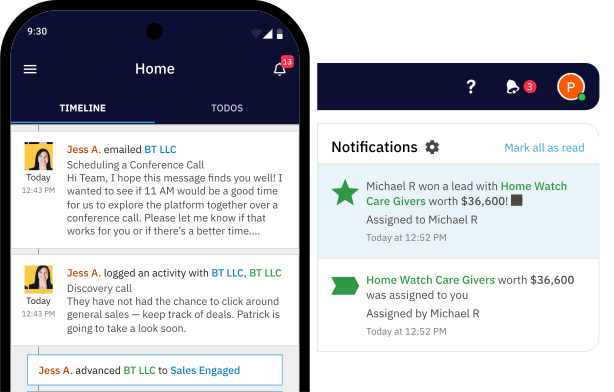
Ease of use is a huge consideration when choosing any new software. The last thing you want is to spend time setting up a new CRM, only for your team to find it too difficult to use.
Look for a CRM with a user-friendly interface and plenty of helpful support resources to walk you through using the features. Then search through reviews on third-party review sites to see what other customers have to say about the platform’s ease of use.
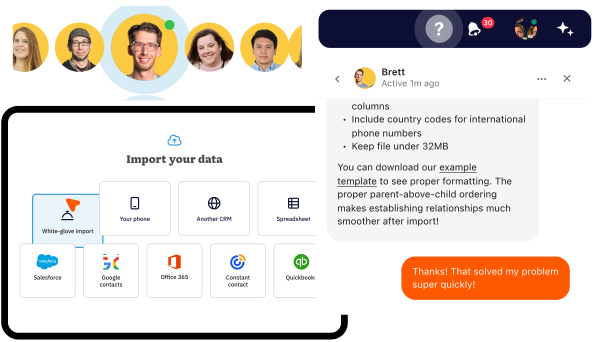
When something’s gone wrong in your software, you don’t need to be stuck without help—or forced to pay extra for basic support.
Consider a CRM with free live chat and email support. It’s also helpful to look at what hours support is available and whether they overlap with your company’s working hours.
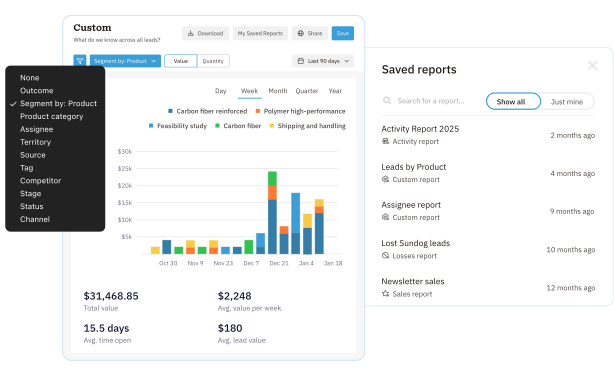
As the central repository for your customer and sales data, CRMs are a rich source of insights.
You should be able to easily run sales, new leads, forecast, and custom reports with your CRM data. Depending on your organization’s needs, be on the lookout for advanced reporting and analytics features, like an audit log.
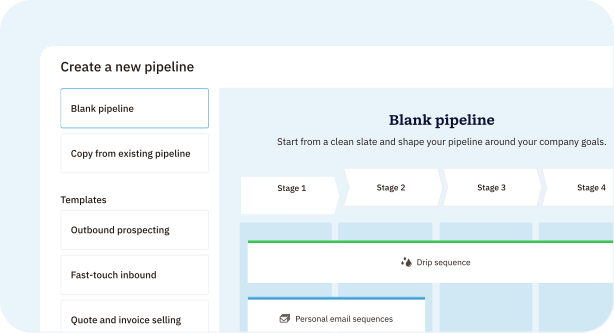
You’ll also want a CRM with customization options so you can tailor the platform to suit your needs.
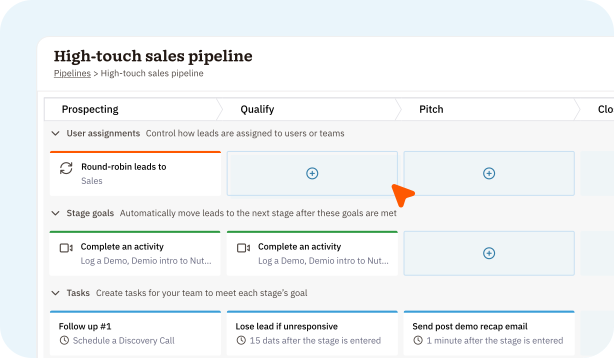
Look for a CRM that lets you customize your sales pipeline stages, set activity and task goals, customizable email templates, and custom fields. Being able to automate pipeline distribution, lead generation, and personal email sequences can make a huge difference in your team’s daily workflow.
Not all CRMs are created equal. Some offer tons of features in a complicated platform your team will never use, while others rope you into sneaky implementation packages or include arbitrary feature limits to force upgrades.
The CRM features you really need will help your team cultivate stronger customer relationships and real business growth.
Nutshell is designed to:
You’ve compared Nutshell across five categories on this page: CRM, email marketing, meeting scheduling, landing pages, and prospecting. Here’s why that matters.
Most teams buy those as five separate tools, then spend their time getting them to talk to each other. Nutshell runs all five in one platform, so your email data, your meetings, and your prospecting all feed the same pipeline automatically. That’s what Next Action Selling depends on: because everything lives in one place, your CRM can always tell you the single most important thing to do next on every lead.
There’s no trade-off buried in the fine print, either. You get unlimited contacts and no data limits, free live chat and email support even during your trial, and pricing you can actually understand. No sneaky implementation packages, no IT project to get started.
More than 5,000 companies across 50 countries have run their sales on Nutshell since 2009, and it’s an award-winning CRM recognized as a leader on G2, Capterra, and Software Advice. Try it free for 14 days, or take a guided tour first. Either way, you’ll know within a week whether it fits how your team sells.
Start with your must-have features, your budget, and the tools you’re already paying for, then compare platforms on features, pricing, support, and integrations. It helps to look past the feature list: check for hidden costs like implementation fees, contact or data caps, and paid support tiers. Nutshell’s CRM comparison worksheet lets you score Nutshell against any alternatives you’re evaluating side by side.
The best CRM is the one your team will actually use. Look for essential and advanced features at every plan level, an interface your team finds easy, responsive support, and pricing you can understand without a sales call. Weigh whether a platform can grow with you. The right fit should handle your process today and scale as your team expands.
Many teams run their CRM, email marketing, scheduler, landing pages, and prospecting as five separate tools, then spend time forcing them to sync. Nutshell runs all five in one platform, so your email, meeting, and prospecting data all feed the same pipeline automatically. That’s what powers Next Action Selling: because everything lives in one place, your CRM can always surface the most important next step on every lead.
No. Unlike many CRMs that cap records or charge for storage, Nutshell includes unlimited contacts and no data limits on every plan. (Email marketing is billed separately based on your number of marketable contacts.) You won’t hit an arbitrary limit designed to force an upgrade.
No. Nutshell is a cloud-based, out-of-the-box CRM with no required implementation packages and no IT project to launch, unlike enterprise platforms that bundle in mandatory setup fees. You also get free live chat and email support, including during your 14-day trial, so help doesn’t sit behind a premium tier.
Try Nutshell free for 14 days or let us show you around before you dive in.